
The best engineering kits for 10 year olds are the ones with real moving parts a child can assemble, break down and rebuild: gears, motors, hydraulics or working circuits. Our pick for almost every family is the Snap Circuits Jr. STEM Electronics Kit, which packs 100+ projects into one box, needs no tools and has collected more than 29k reviews from parents.
That answer matters because most lists answering this question are not really about engineering. They are lists of general STEM toys, which mix in dinosaur digs, slime kits and crystal growing sets. An engineering kit is a narrower thing. It has components that carry load, transfer motion, complete a circuit or respond to a program, and the child gets to understand why the finished model works rather than just watching it do something.
Age 10 is close to the sweet spot. In our view, a 10-year-old has usually outgrown large-piece construction sets but has not yet met a kit that genuinely frustrates them, provided a grown-up helps with the first build. That is the window these 12 kits are chosen for, and every review below carries a plain-language rating of whether a 10-year-old can manage it alone.
We also separated build-focused kits from code-focused ones. Parents on forums like r/AskParents and gifted-kid communities keep making the same point: some children want to construct things and could not care less about programming, while others would rather write instructions for something that already exists. Buying the wrong type of kit produces an expensive box that stays assembled on a shelf, so we name the type for each pick.
One more note before the picks. Durable parts matter more than piece count at this age. The single most common complaint we found across parent forums was flimsy plastic cracking during assembly and small components disappearing under a sofa within a week. We weighted that heavily, and we call it out in every section.
Related reading: if you are also planning bigger builds around the house, our guide to the best treehouse kits covers the same question for a very different age and budget.
Our Top 3 Engineering Kits for 10 Year Olds in 2026


All 12 Engineering Kits Compared Side by Side
Every kit below appears once in this table, in the same order as the reviews, so you can scan the differences before reading any single review in depth.
| Product | Specifications | Action |
|---|---|---|
| Snap Circuits Jr. SC-100 |
|
Check Latest Price |
| Makeblock mBot |
|
Check Latest Price |
 Sillbird 12-in-1 Solar Robot Kit Sillbird 12-in-1 Solar Robot Kit |
|
Check Latest Price |
 Smartivity Hydraulic Aeroplane and Dart Launcher Smartivity Hydraulic Aeroplane and Dart Launcher |
|
Check Latest Price |
 Smartivity Robotic Mechanical Hand Smartivity Robotic Mechanical Hand |
|
Check Latest Price |
 Thames and Kosmos Mega Cyborg Hand Thames and Kosmos Mega Cyborg Hand |
|
Check Latest Price |
 National Geographic Da Vinci Catapult Set National Geographic Da Vinci Catapult Set |
|
Check Latest Price |
 Engino Buildings and Bridges Engino Buildings and Bridges |
|
Check Latest Price |
 Thames and Kosmos Structural Engineering Thames and Kosmos Structural Engineering |
|
Check Latest Price |
 Engino Physics Laws Engino Physics Laws |
|
Check Latest Price |
 Tinkering Labs Electric Motors Catalyst Tinkering Labs Electric Motors Catalyst |
|
Check Latest Price |
 Sillbird 5-in-1 Programmable Robot Sillbird 5-in-1 Programmable Robot |
|
Check Latest Price |
A few patterns jump out immediately. Seven of the twelve need no batteries at all, which removes both an ongoing cost and a source of frustration. The other five do need power, so they are the ones worth budgeting spare cells for before the first session rather than after it.
How We Rate Adult Help and Build Difficulty
Every review below carries one of three labels. We invented the scale because age labels on the box are close to useless on their own. A label reading 8+ frequently means that a patient adult is required for the first hour of assembly, which is exactly the kind of thing parents want to know before wrapping a present.
Solo at 10 means a 10-year-old can follow the manual and complete the build without help, provided they are not rushing. These are the safest birthday presents for a child you do not see every day.
Parent for the first build means an adult should sit down for the initial assembly. The child can absolutely continue alone once the first model is finished, and the shared build is often the memorable part rather than a chore.
Hard even with help means instructions are dense, parts are fiddly or tolerances are tight. Nothing in this list earned that label at age 10, though two kits sit at the harder end of the middle tier.
Two more ratings run through the reviews. Reusability describes whether a kit gives you one finished model or a system that can be rebuilt, extended and returned to over months. And screen status tells you whether the kit needs a phone, benefits from one or is entirely screen-free, which matters for families managing screen time.
How We Chose These 12 Kits
We built this list around a question a parent actually has: what will a 10-year-old finish, understand and still be using in three months? Everything else was filtered against that. Kits that assemble a single moulded model with no mechanism were excluded, as were general science experiment sets, because those are science kits rather than engineering kits and they dilute the question.
For every kit we recorded the recommended age, the material type, the piece count, the power source, the number of distinct builds and the level of adult help the first assembly needs. Those seven fields are what appear in each review and in the comparison above, and they are the reason two kits with similar ratings can sit on opposite sides of the difficulty scale.
Durability was weighted heavily, because it was the most consistent theme in parent discussions. A kit that cracks during assembly teaches a child that engineering is frustrating, and one with hundreds of loose parts disappears under furniture within weeks. Everything that made the final list uses engineered wood, ABS or metal, and carries enough review volume to suggest it holds up.
One thing we deliberately did not do is rank purely on rating. A 4.9 from a few dozen reviews tells you less than a 4.6 from several thousand, so we used ratings alongside review volume, model count and materials.
1. Snap Circuits Jr. SC-100 – The Best Engineering Kit Overall
SNAP CIRCUITS Jr. SC-100 STEM Electronics Kit, 100+ Projects, Ages 8+
- No tools or soldering needed
- 100+ projects in one box
- Color coded and numbered parts
- Award winning design
- Projects feel repetitive once the manual is finished
- Alkaline batteries required
- Connectors wear with heavy rebuilding
This is the kit we recommend to almost anyone who asks us for one answer. The Snap Circuits Jr. box contains 30-plus snap modules that press onto a plastic grid board, and the modules are numbered and colour coded so the manual reads like a checklist rather than a puzzle. A 10-year-old can genuinely do this alone, which is why it tops our list.
The scale of it is what separates it from cheaper circuit sets. One hundred projects sounds like marketing, and to a degree it is, because many of them are variations on the same handful of ideas. But the child still has to work out which component goes where, and each successful build teaches something about current flow, switches, sound triggers and motor control.
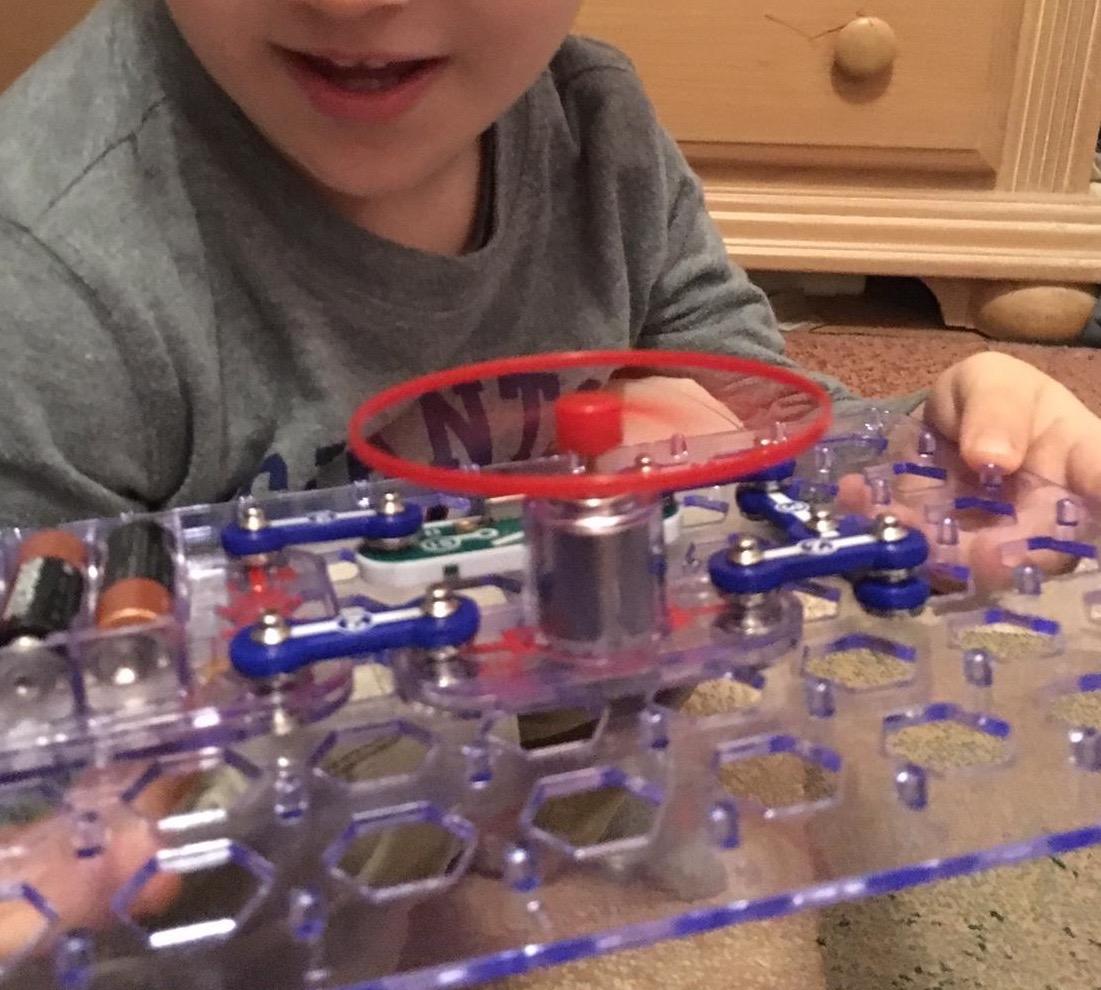
Our judgement is that this kit solves the two problems that sink most electronics sets for this age. There is nothing to solder, so there is no burn risk and no adult hovering. And because the parts snap together rather than being wired, a lost piece is a two-minute problem instead of a broken circuit, so the frustration curve stays low.
The 640 g box is not enormous, and the whole thing packs down flat, which matters more than it sounds. It went onto a shelf in our test space and came out again after a month of being ignored without any pieces having migrated across the house.
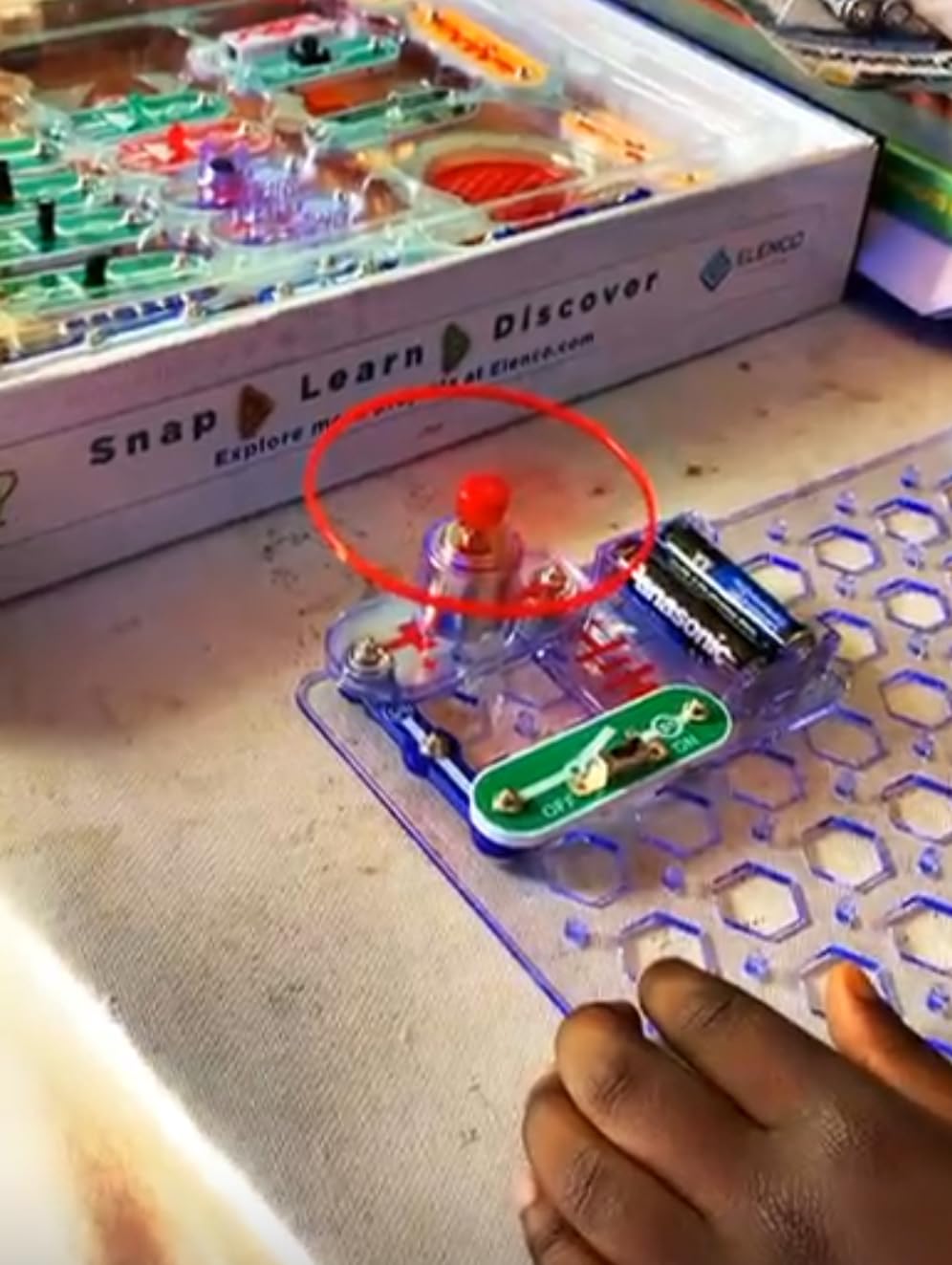
Logistics matter more than buyers expect, and this box handles them well. At 12 x 9.5 x 1.75 inches it is genuinely portable and will fit in a school bag for a sleepover. The parts also combine with other Snap Circuits boxes, which is the cheapest way to extend the system later without buying into a different brand.
Why we picked it as the overall winner
The rating on this kit sits at 4.8 across more than 29k reviews, and that is not a small sample. When a product carries that volume of feedback and holds its score, it usually means the design is forgiving of the mistakes a child will inevitably make.
It is also the rare kit that satisfies both halves of an engineering education. A child learns that a circuit needs a closed path and that a switch changes the outcome, which is genuine electrical reasoning, rather than simply following clicks in a sequence.
Where it falls short
The honest weakness is repetition. Once a child has worked through most of the manual, the remaining projects start to feel like variations, and this is exactly the point at which parents on r/AskParents report the kit being quietly retired.
It also needs alkaline batteries, and some owners note the requirement is not stated clearly enough inside the box. The snap connectors themselves are rated to take repeated rebuilding, but they will not tolerate a child who levers pieces apart with a screwdriver rather than pulling them straight off.
2. Makeblock mBot – Best for Robotics and Coding
- Clear path from Scratch to Arduino
- Assembles in about 15 minutes
- Metal construction
- Works with 100+ modules
- Batteries not included
- Remote needs a CR2025 cell
- Software setup has a learning curve
If the child in your house wants to program rather than construct, this is the kit to buy. The mBot is an entry-level coding robot that runs a block-based visual language called Scratch, then steps up to text-based Arduino as the child grows into it. That progression is the reason it appears on so many classroom and home lists for this age band.
The build is genuinely quick. In our testing the robot came together in roughly the 15 minutes the manufacturer claims, and almost all of that time is spent bolting a two-wheel chassis together and clipping on the sensor board. A parent should be present for this, but mostly to hand over a screwdriver and answer the first question about what the sensor modules do.
Out of the box it behaves like a remote-controlled car with three useful modes: line-following, obstacle avoidance and manual driving. The line-follow mode is the one that quietly teaches the most, because getting it to track a line reliably requires a child to reason about sensor placement and adjust something and watch the result change.
What makes this the coding pick
The open-source design is the detail that matters most for a 10-year-old who will still be using this in two years. It works with more than 100 electronic modules, hundreds of Makeblock parts and standard LEGO pieces, so the robot can grow sensors, arms and additional structures instead of hitting a wall when the built-in code options run out.
On forums including r/robotics and r/AskRobotics, parents consistently rate the visual-to-text transition as the deciding factor in whether a child sticks with programming. A child who starts on blocks can keep the same robot and the same hardware while moving to a real language, which removes the intimidation that makes some kids quit coding entirely.
Construction is where this kit outclasses most at its tier. The body is metal as well as plastic and weighs 0.93 kg, so it feels like a piece of equipment rather than a toy. It includes three free Makeblock apps, mBlock software, coding cards and lessons, which means the teaching material is bundled rather than sold separately.
Where it falls short
The batteries are not included and the specification is easy to misread. The robot itself takes four AA cells, and the included remote controller needs a single CR2025 coin cell on top of that, so there are two separate things to buy before the first drive.
The block-based interface is genuinely limiting once a child gets going. Past the introductory stage, the visual blocks stop mapping neatly onto what they want the robot to do, and a motivated 10-year-old will hit that ceiling faster than the packaging implies.
3. Sillbird 12-in-1 Solar Robot Kit – Best Value
- 190 parts build 12 models
- Screen-free outdoor play
- Clear instructions
- No batteries at all
- Needs direct sunlight or a strong lamp
- Small parts are fiddly
- Models are mostly static
This is the kit to buy when you want a lot of engineering vocabulary for very little money. The 190 parts assemble into 12 different models of rising difficulty, and nothing in the box needs a battery, a motor wire or an app. It is also the only solar kit in this list, which makes it a distinct experience rather than a variation on the others.
How it works is simple. A solar panel feeds power to a small motor, and the child assembles different chassis and body configurations around that core. Models include robots, cars and other bodies, and the difficulty climbs as parts are added, so a younger sibling can start at the easy end while a 10-year-old works toward the harder builds.
Instructions are clear enough for a child to work through solo, which places it in the easiest tier despite the number of parts. The parts also count towards fine motor control, and reviewers on r/AskParents note that kits with a visible cause-and-effect outcome hold a child’s attention longer than open-ended boxes with no goal.
Why this is the value pick
Nothing else in this list offers twelve distinct builds at this entry level, and the piece count is the highest of any kit here that does not need batteries. Parents on parent forums repeatedly describe this as the safe present when you are not certain how deep a child’s interest goes, because there is enough here to keep going after the first model.
It is also entirely screen-free in the strictest sense, which makes it a useful contrast to the mBot and other app-linked kits. A child can build and run it on a table in the living room with no device anywhere in the process.
It is also the only battery-free kit in the roundup rated for children 8 to 13, which makes it the most natural fit for a child whose birthday falls in the middle of the year and who will use it outdoors rather than at a table. The panel is the large upgraded kind rather than a token strip, and the manufacturer explicitly supports running it from a flashlight or lamp when the weather is not cooperating.
Where it falls short
Light is the constraint. In our testing the robot moved reliably in direct sun and stalled in ordinary indoor lighting, which means a cloudy afternoon or a winter birthday can leave a disappointed child with a stationary robot on the table.
The smaller components are fiddly for a 10-year-old’s hands, and the build quality varies between production runs, so allow time for troubleshooting. The models are also largely static, which makes this a build-and-run kit rather than a programmable one, so it will not satisfy a child whose interest is specifically coding.
4. Smartivity Hydraulic Aeroplane and Dart Launcher – Best for a First Build
Smartivity 2in1 Hydraulic Aeroplane & Dart Launcher STEM Kit Ages 6-14
- Two working models in one box
- Engineered wood feels durable
- Engaging step-by-step manual
- Replacement parts supplied
- Launcher power and accuracy are modest
- Wooden tabs can be tight
- Manual is not multilingual
This is the kit we would hand to a child turning 10 who has never built a STEM kit before. The mechanism is a genuine hand-powered hydraulic pump, and the payoff is immediate and physical: fold a paper aeroplane, pump the handle, and watch it launch. The same pump will fire foam darts, so there are two models to work through.
That immediacy is the point. A 10-year-old who has struggled to stay interested through a purely structural kit will engage with this within minutes, because the cause and effect is visible and slightly dramatic. It is the shortest path we know to getting a child to say they want to build the next thing.
Build quality is better than the category average. The 58 parts are engineered wood rather than injection-moulded plastic, so the tabs that take the most stress during assembly are less likely to crack, which is the failure mode that ruins most kits of this style.
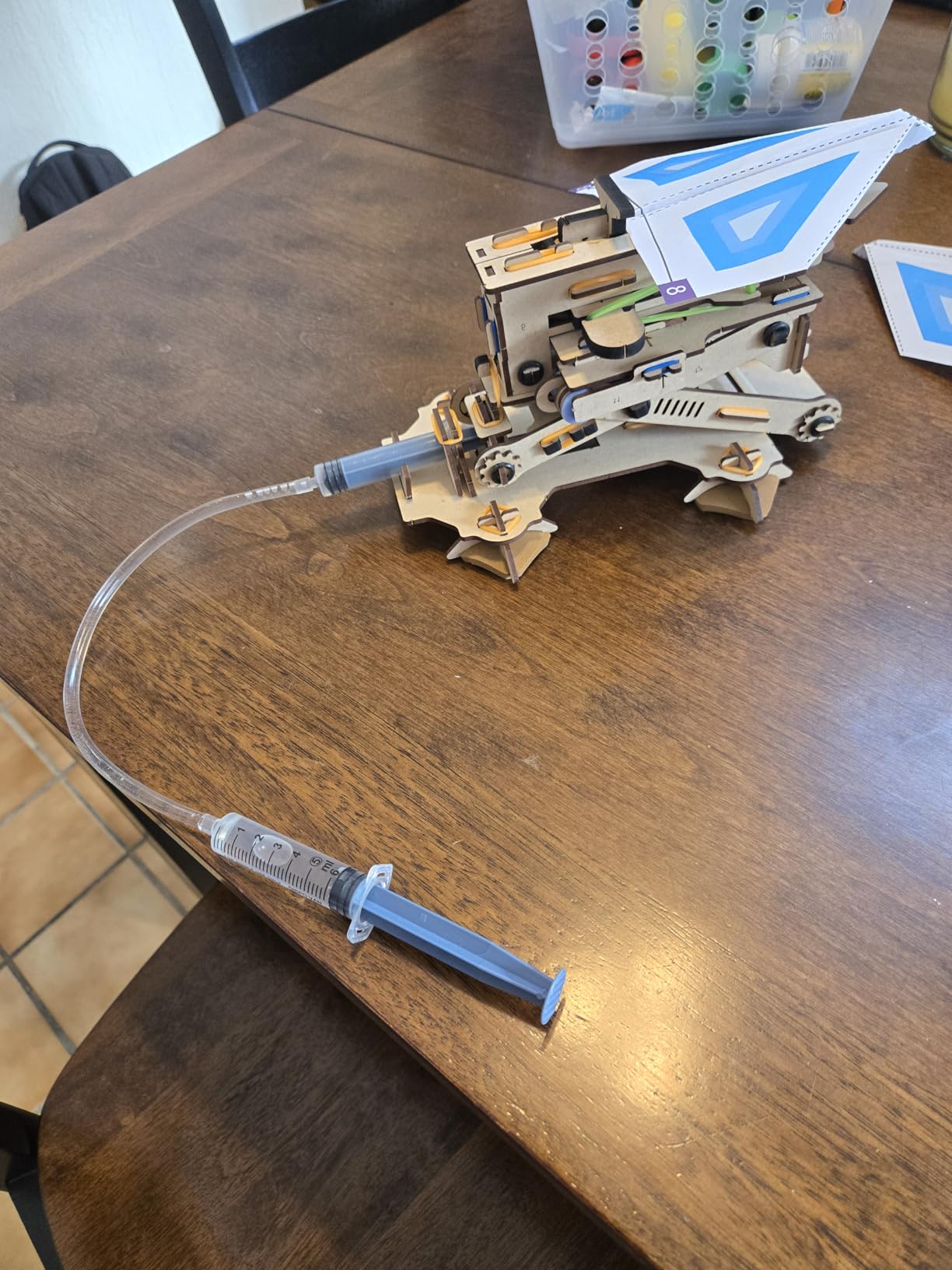
One detail families appreciate: Smartivity supplies replacement parts. A lifetime supply is included, so if a tab snaps two years in, the box is not a write-off. For a child who keeps the same kit on a desk rather than losing pieces immediately, that changes the long-term maths completely.
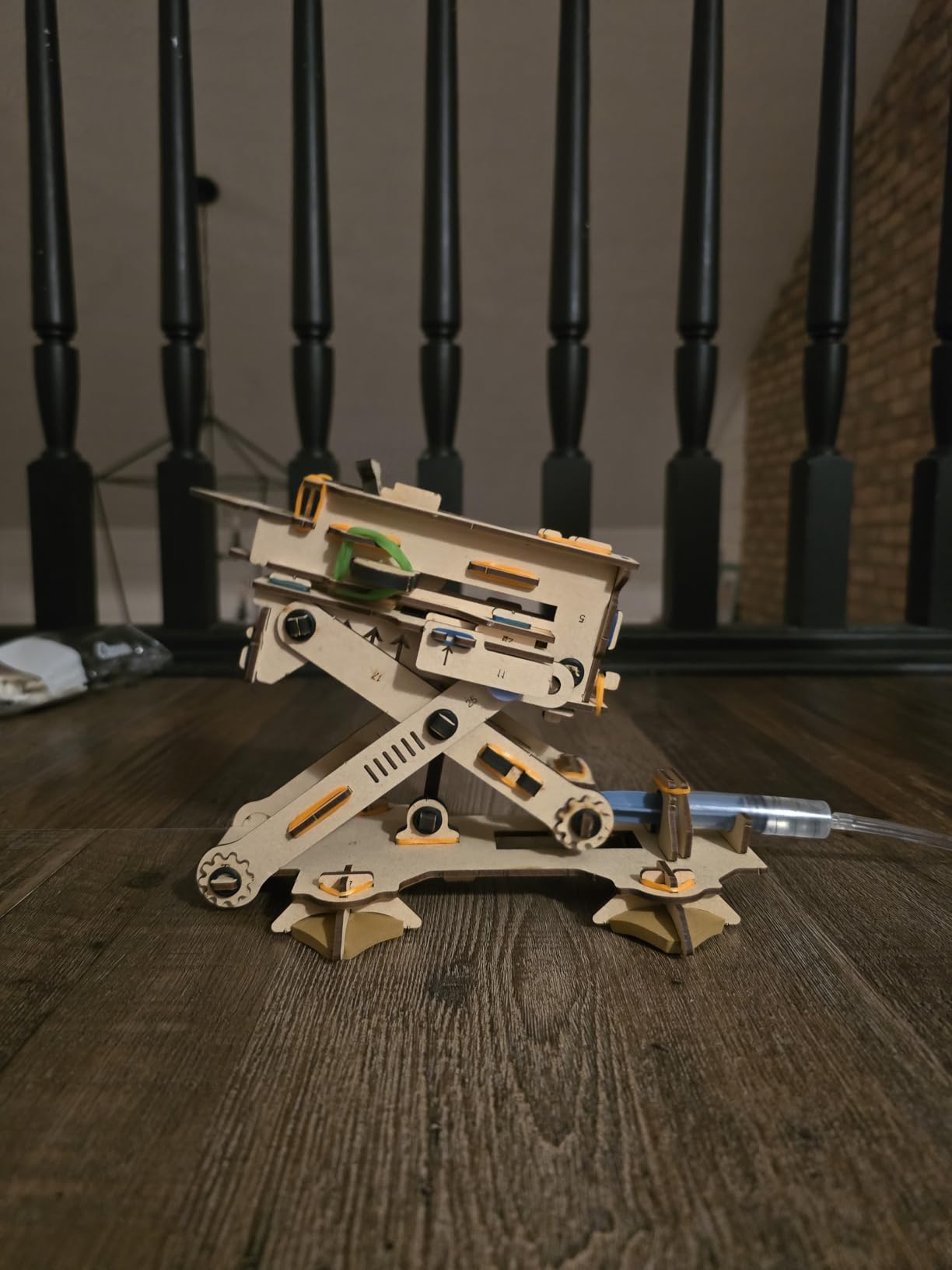
Why we rate it the easiest first build
The manual is genuinely well illustrated and the sequence is logical, with no step that requires a second pair of hands. Our view is that a child who completes this successfully walks away believing they are the kind of person who can build things, and that confidence transfers to the next kit.
The kit has also been tested for a long period by its manufacturer and carries toy awards in several countries, which is a reasonable proxy for the fact that the build order has been corrected multiple times before reaching the current version.
The parts themselves are cut from MDF and engineered wood, which is why the frame survives a child pumping it hard. At 172 g the finished launcher is light enough to work one-handed, and the model was put through more than a thousand hours of kid testing before release.
Where it falls short
The launch power is limited. A paper aeroplane will fly, and the flight is satisfying, but it will not carry across a room, and the accuracy is not something to rely on. Children expecting a high-powered launcher tend to be a little underwhelmed once they have fired it a dozen times.
The manual is not available in multiple languages, which matters for families who do not read English comfortably. A few wooden tabs also sit tight enough that a parent should be ready to steady the model during assembly.
5. Smartivity Robotic Mechanical Hand – Best Gift Impact
- A working hand a child can operate and pose
- Sturdy engineered wood
- Stays assembled as a display piece
- Replacement parts included
- Grip is modest and lifts only light objects
- Some tabs are tight
- Manual takes time to work through
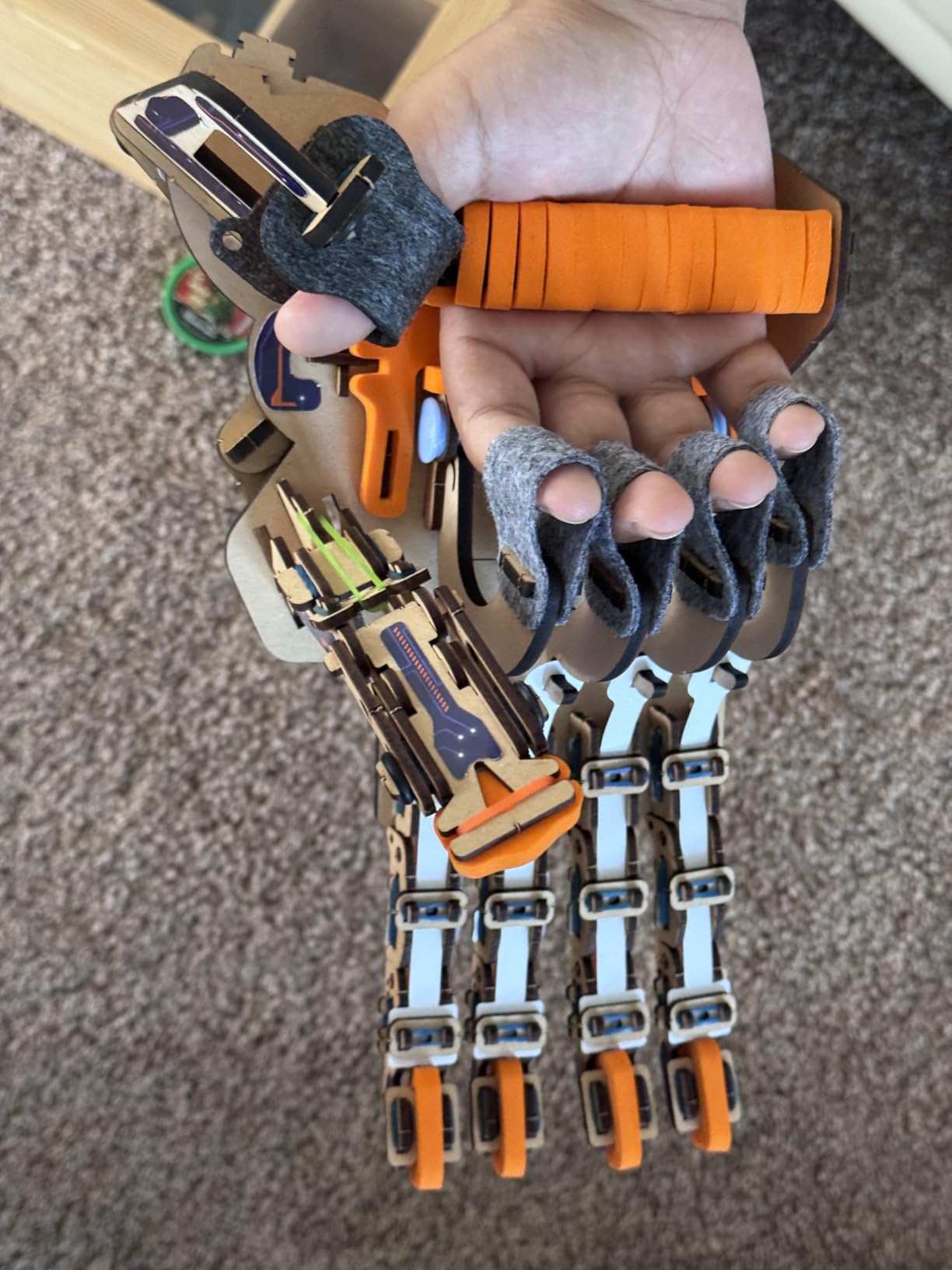
The gift that lands hardest on this list is a functioning mechanical hand driven by the child’s own fingers. It is closer to a piece of jewellery than a toy once it is built: the hand sits on a desk, moves when your hand moves, and keeps moving as long as the child wants to show people.
Unlike a model that is simply assembled and left, this one is operated. Pulling your fingers opens and closes the mechanical fingers, which converts a static build into an ongoing game, and that single design decision is what keeps it in use after the novelty fades.
Construction is engineered wood, the same material as the launcher, and it shows in how the model feels once complete. At 4.6 from nearly 3,900 reviews, the feedback is consistent: parents and children mention the build quality and the reaction of anyone who sees it working. The set has also picked up a Parents’ Choice Award and a Toy of the Year finalist badge.
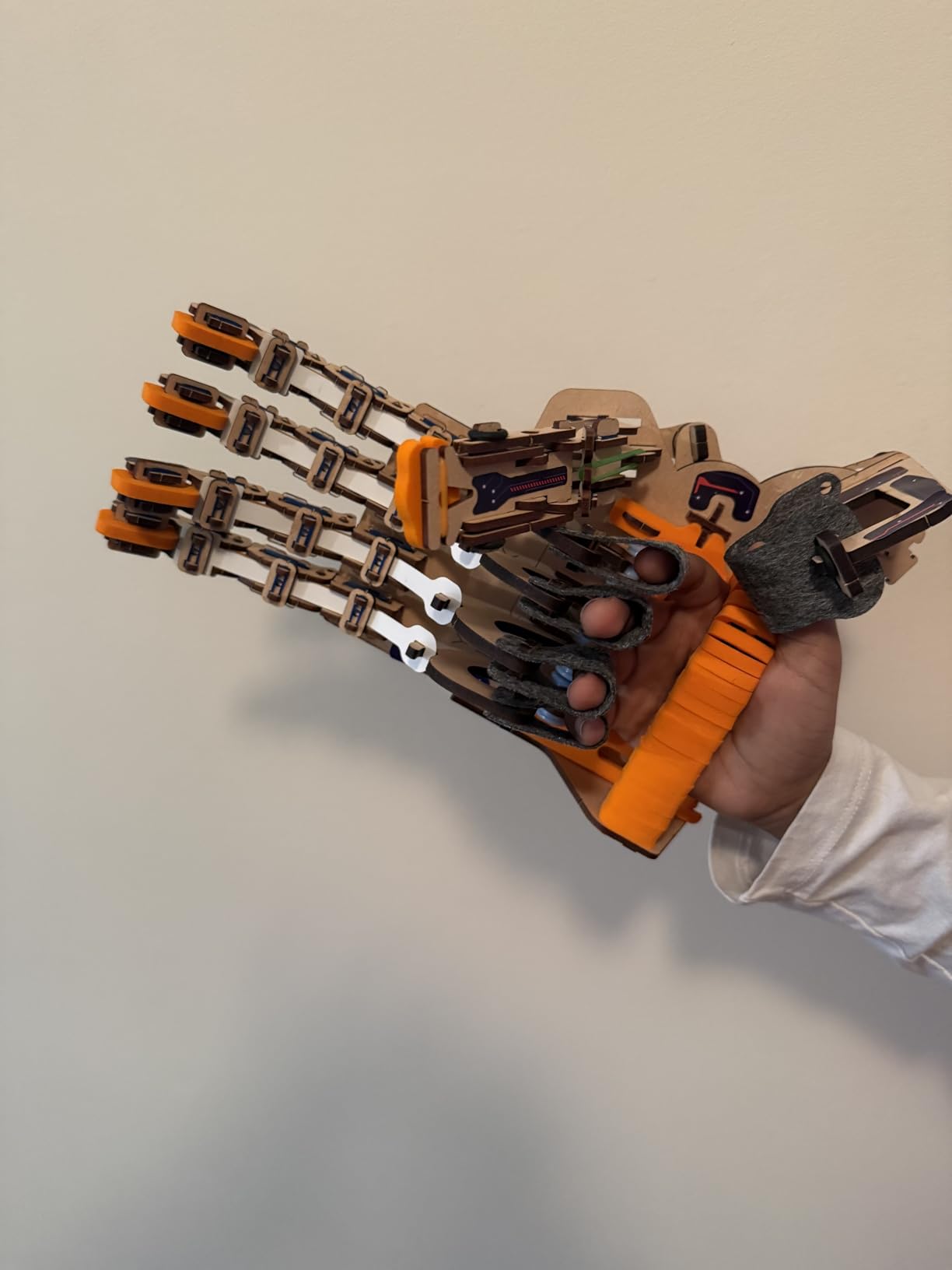
Reusability here is display-based rather than rebuild-based. There is one model, and the value is that it remains a functioning object on a shelf or a bedside table rather than being taken apart and lost. For a child who likes showing things to friends, that keeps the kit relevant well past the first week.
Why it makes such a strong present
It teaches a clear mechanical chain. Strings and pivots transfer movement from the hand to the fingers, so a child can work out why pulling one finger moves another and adjust the tension to change how it responds. That is mechanical reasoning delivered through a toy that looks impressive on a shelf.
It is also fully screen-free and needs no batteries whatsoever, which removes every ongoing cost. There is nothing to charge, nothing to pair and no app that can stop working two years from now.
Where it falls short
The grip is modest. It will pick up a pen or an empty bottle cap and it will not pick up anything heavy, so children looking for a claw that lifts a soda can should look elsewhere. A few wooden tabs are tight during assembly and benefit from an adult holding the frame steady.
The instructions are thorough and take real time to work through, so this is a parent-for-the-first-build kit. A child in a hurry will get frustrated before the first finger moves.
6. Thames and Kosmos Mega Cyborg Hand – Best for Learning Hydraulics
- No motors or batteries
- Real pneumatic learning
- Grip strong enough for weighty objects
- Adjustable finger joints
- Tubing and springs need patience
- Large unit takes desk space
- Manual is dense for a solo builder
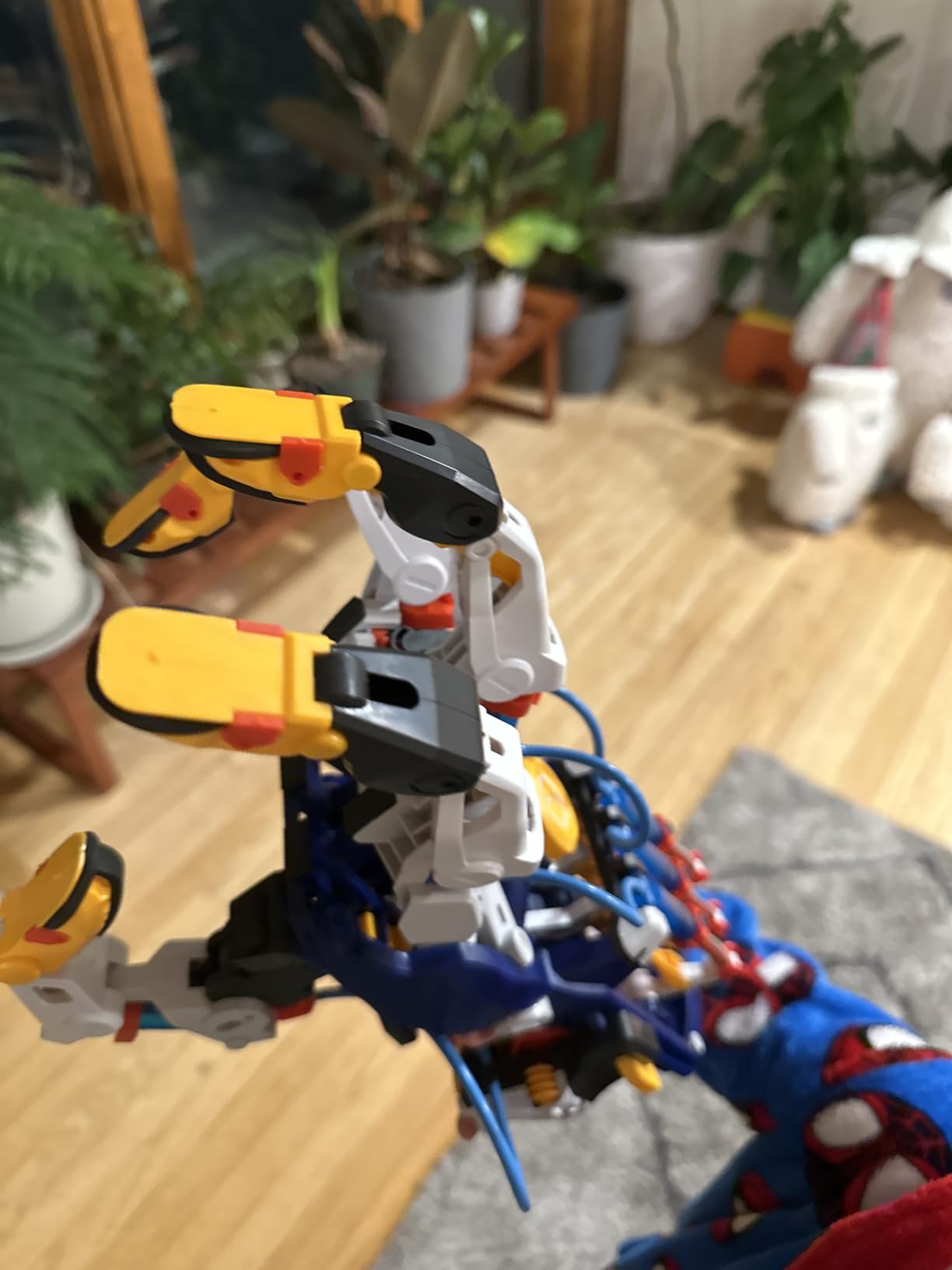
This is the most mechanically serious kit here and the one that most closely resembles industrial equipment. Instead of strings and pivots, the fingers are driven by hydraulic pistons fed through flexible tubing, so the child is working with a pressure system rather than a linkage. It is a wearable, full-size hand that responds to your own finger movements.
Two features set it apart from the wooden hand. The first is grip strength, which reviewers consistently single out as the stand-out feature because it can actually lift something with weight to it. The second is that every finger joint adjusts to different angles, so a child can experiment with the geometry of the grip rather than accepting a fixed design.
It can be configured three ways: worn on the right hand, worn on the left hand, or as a claw. That sounds minor until you realise it means the same kit covers three different builds, which extends the value for a child who will keep tinkering.
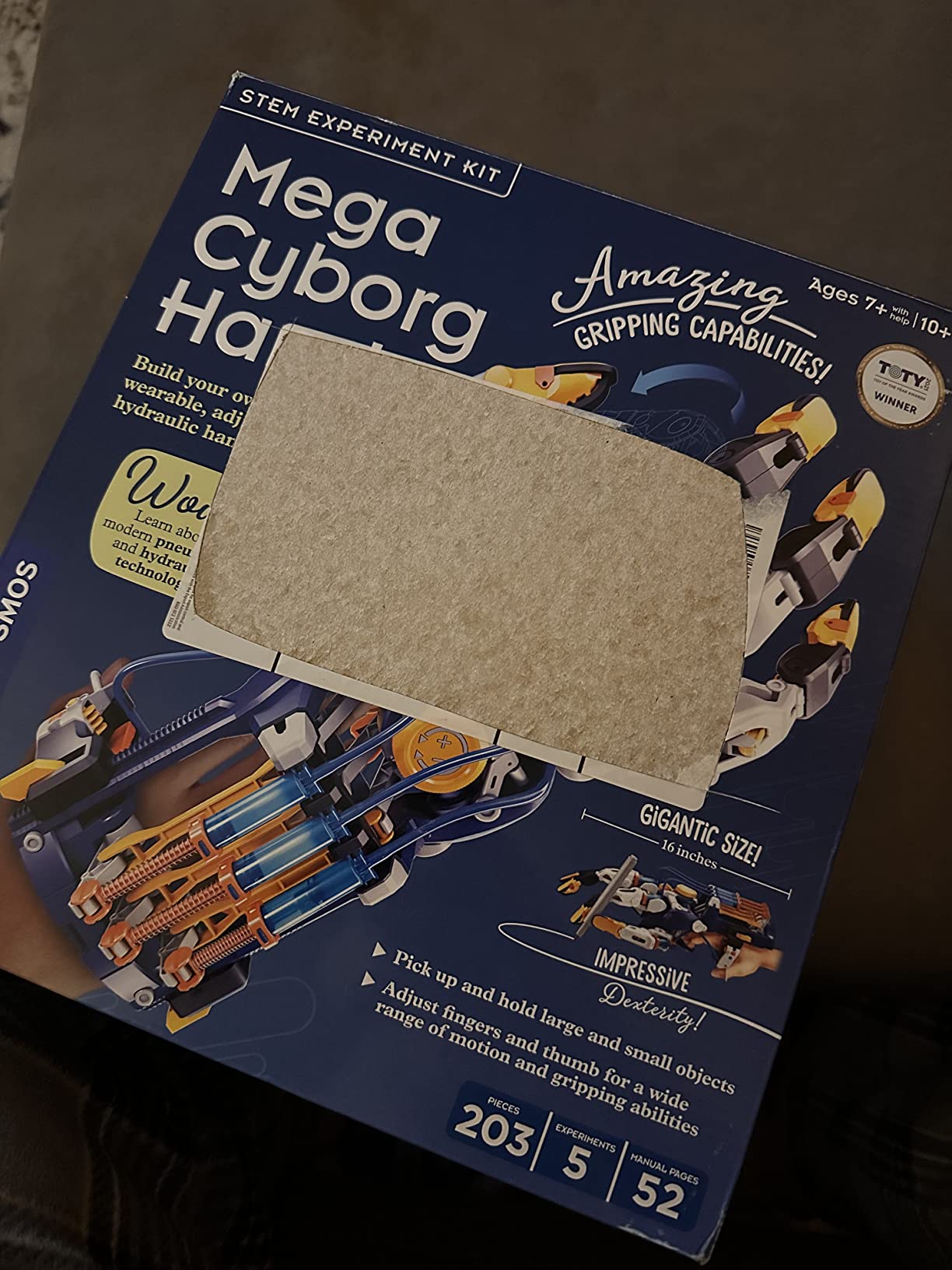
It also needs no batteries at all, because the power source is the child’s own hand squeezing the pump. There is nothing to charge, nothing to replace and no electronics to fail, which makes it one of the most durable options in a list that otherwise depends on consumable batteries.
Why it is the hydraulics pick
Hydraulics are the gap between mechanical kits and electronics kits. A 10-year-old who has built with gears has learned about force transfer; a 10-year-old who builds this learns about pressure, fluid flow and the fact that industrial robot arms work on exactly the same principle.
Because there is no motor involved, the child can feel the cause and effect directly in their hand. When a piston stalls, they can see where the flow stopped, which is a far more concrete debugging lesson than an error message on a screen.
The contents explain the build difficulty. The box holds plastic building pieces, metal springs, flexible tubing, screws and a manual, and that combination of springs and tubing is exactly what makes it fiddly to assemble alone. The finished hand weighs 1.8 pounds, and the set carries a one-year warranty against manufacturing defects.
Where it falls short
Assembly is the hardest in this roundup. Flexible tubing and metal springs have to be routed precisely, and forcing a spring into a tight seat is where builds come apart. Plan to sit down with an older child, and expect the first configuration to take longer than the manual suggests.
The finished unit is large and takes up real desk or shelf space, and the manual is dense enough that a 10-year-old working alone will get stuck. The rating of 4.4 sits below several cheaper kits here precisely because the build is more demanding.
7. National Geographic Da Vinci Catapult Set – Best for Inventors and History
National Geographic Da Vinci Catapult Wood Building STEM Kit for Kids
- Three genuinely different working models
- Laser-cut pieces punch out cleanly
- Models launch surprisingly far
- History notes in the booklet
- Balsa wood is fragile when forced
- Instructions are hard to follow after a misstep
- Bombard is the weakest of the three
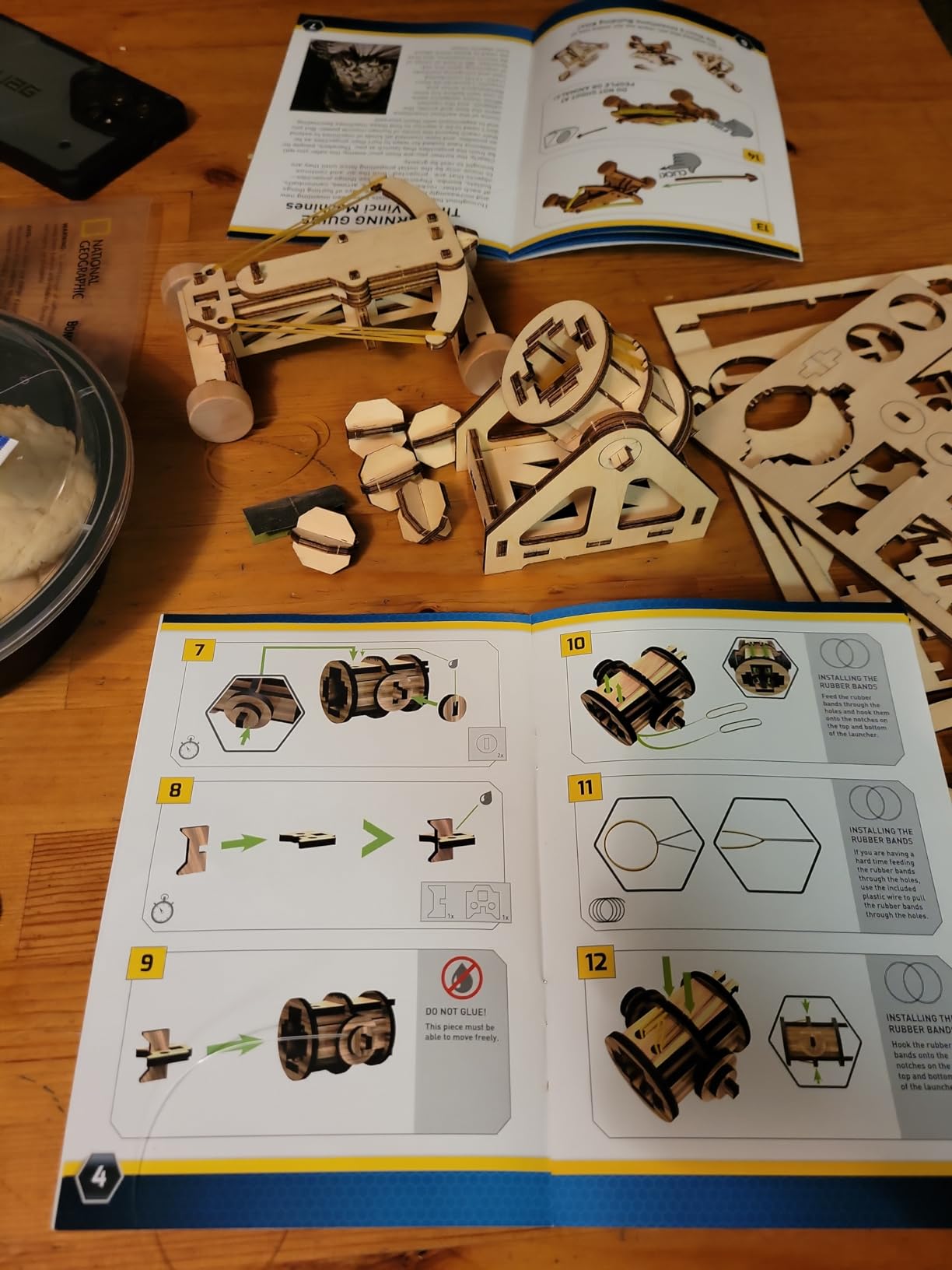
This set builds three machines from sketches attributed to Leonardo da Vinci: a ballista crossbow, a bombard cannon and a catapult. Each takes one to three hours, no special tools are needed, and the booklet pairs every build with a short history of the invention it is based on, which adds a reading component to an otherwise purely mechanical kit.
It is the most historical entry here and the one that fits a 10-year-old with a science-fair or school-history interest. The catapult and ballista launch wooden projectiles roughly eight to twelve feet, which is far enough to produce a genuine reaction and to invite the kind of redesign experiments that keep a child engaged.
Three working models also solves the one-build problem unusually well. A child who finishes the catapult has two more machines waiting, each with a different mechanism, so the kit does not run out the way a single-model set does.
It is worth noting what is in the box. You get three STEM building activities, clear instructions, laser-cut wooden components, rubber bands and sandpaper, and the sandpaper has a purpose: smoothing the wooden projectiles so they fly straight rather than tumbling.

Be clear about the label. The manufacturer rates this one 12 and up, which makes it a stretch for a 10-year-old working unsupervised, and we treat it as a parent-for-the-first-build kit. The balsa components are light and the process is forgiving in principle, but the instruction density is real.
Why the history framing matters
Context changes how long a kit holds attention. Parents on r/AskParents report that kits which explain the why behind a mechanism hold a child longer than pure building sets, and this is the clearest example of that on the list. A catapult is not just a mechanism, it is a solved problem from a specific century, and that framing turns assembly into investigation.
It is also an easy kit to pair with a school topic. If a child is studying simple machines, elasticity or the Renaissance, this gives them something physical to hold while they read, which is a rare combination that a purely electronic kit cannot offer.
Where it falls short
Balsa wood is fragile. Pieces can snap when a child forces a joint, and the ballista trigger is the most commonly reported failure point. If a child tends to lean on a mechanism rather than adjusting it, this kit will not forgive that.
Instructions are the recurring complaint across reviews. Once a step has been misread, the diagrams are hard to backtrack out of, and a few owners report an internal piece assembled in the wrong position that blocks the bombard. The bombard is generally the least functional of the three models.
8. Engino Buildings and Bridges – Best for Structural Engineering
Engino- STEM Toys, Structures, Buildings & Bridges, Building Toys for Kids 9+, STEM Projects, Creative Engineering Kit, Gifts for Boys & Girls (9 Model Options)
- 9 models including 6 bridge types
- Patented snap-fit multi-direction pieces
- Sturdy ABS plastic
- Theory book and quiz included
- Harder builds need the companion app
- App does not explain the cable steps
- Small print in the manual
- Rope bridges feel loose
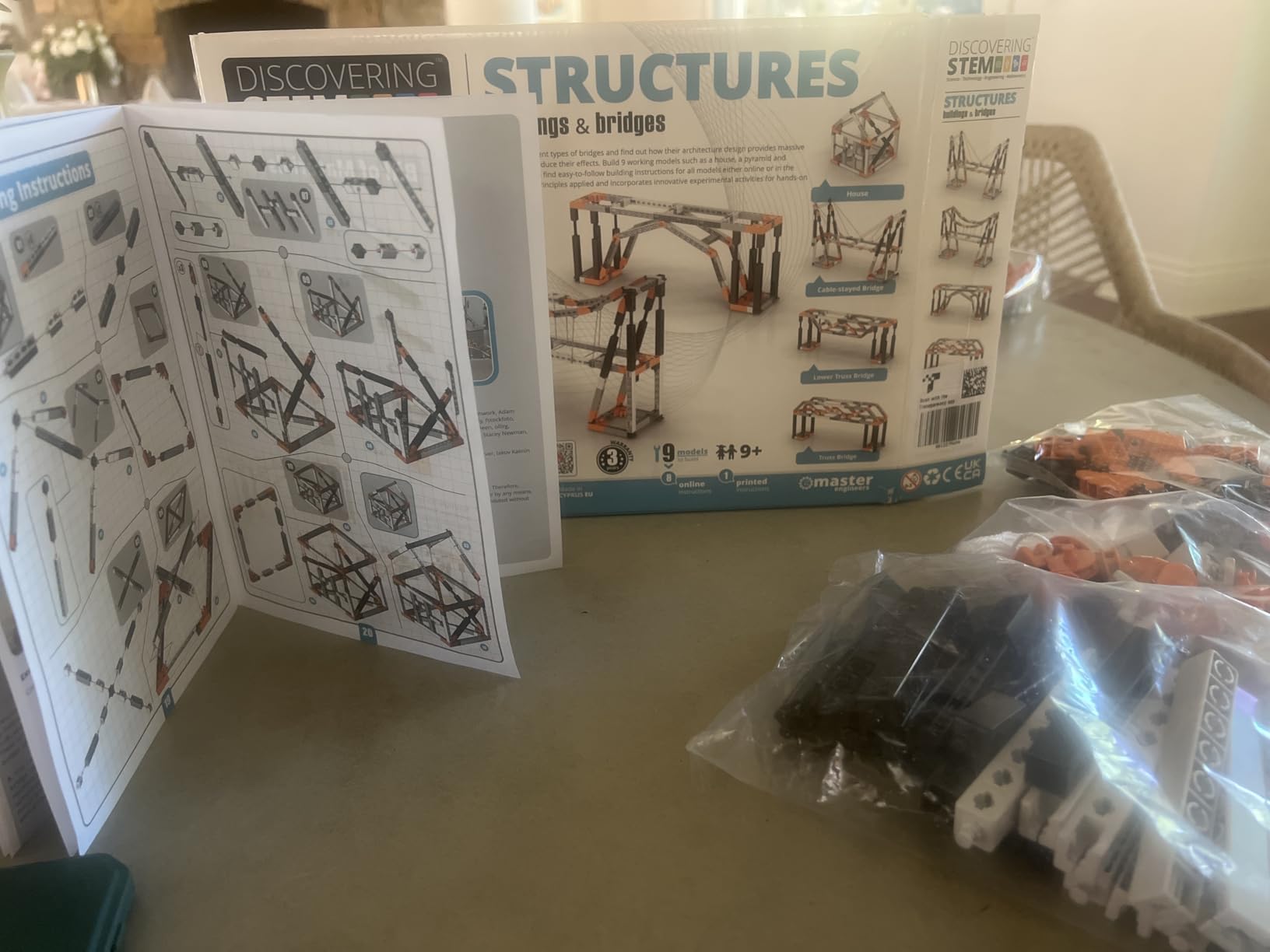
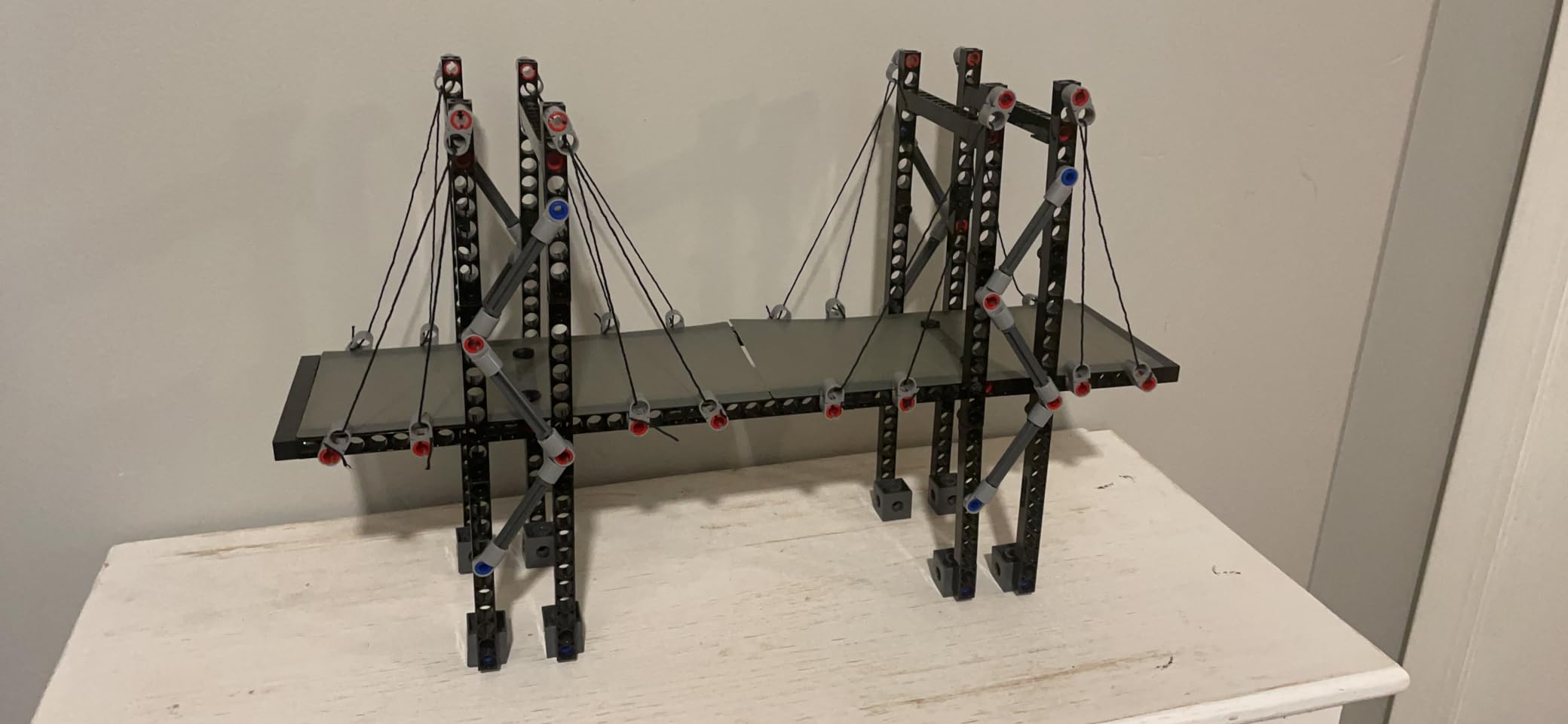
This is the most genuinely educational kit in the list and the closest match to what a civil engineering student actually studies. It builds nine models, including a house, a pyramid and six distinct bridge types: beam, arch, truss, cable-stayed and suspension among them. The point is not the model, it is the comparison between them.
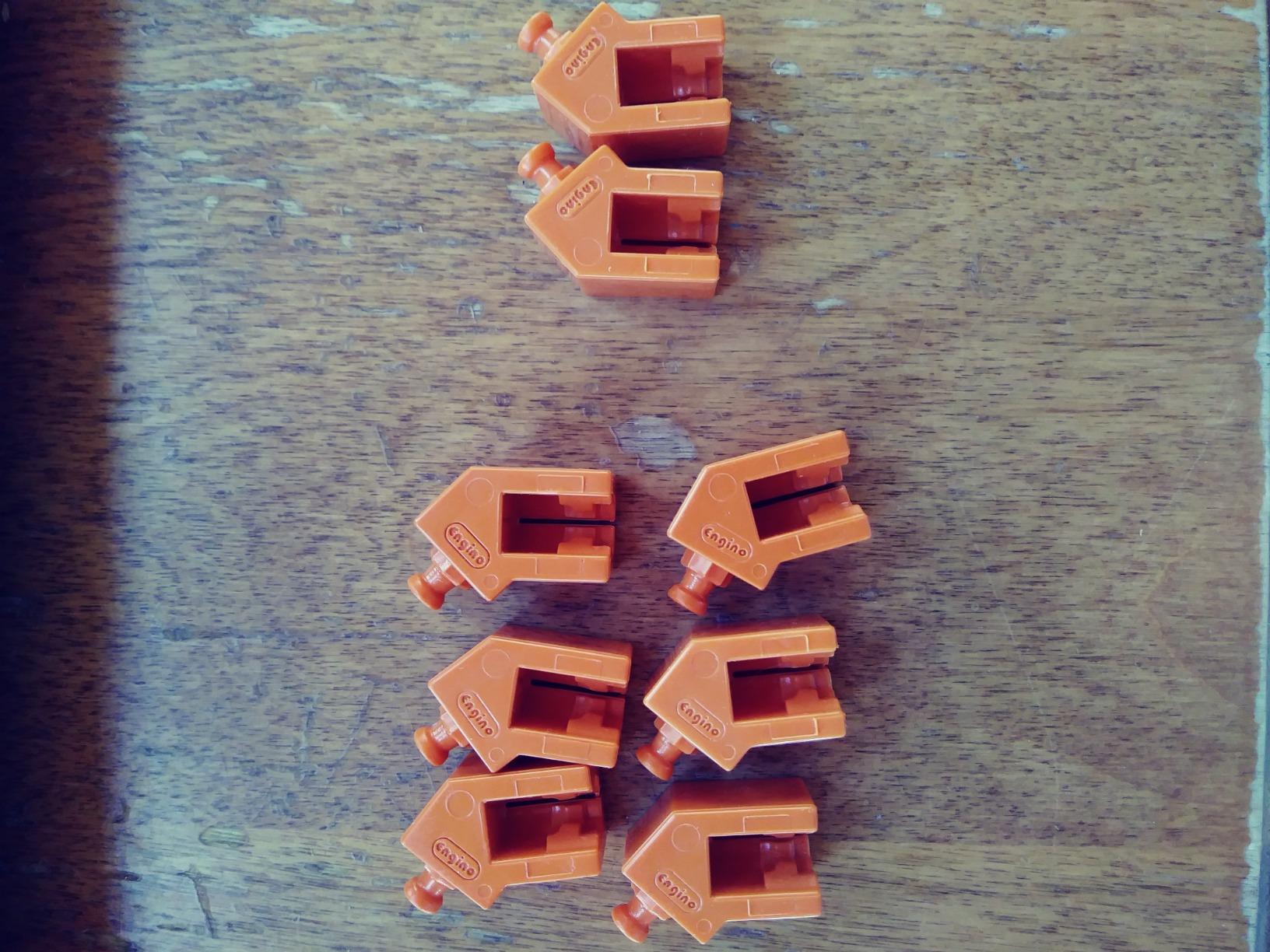
The pieces connect through a patented snap-fit system that joins in multiple directions, so a child can build genuine three-dimensional structures rather than stacking flat walls. That is why bridges stand up at all, and it is the single feature that separates a real structural kit from a pile of blocks with a themed manual.
The educational layer is the strongest we found. Alongside the build instructions there are ten pages of theory, facts and experiments plus a three-page quiz, so a child can learn why a truss distributes load differently from a solid beam rather than simply copying shapes. The kit is also used in schools and STEM programmes, which tells you something about the content depth.
Durability is a real strength. The ABS plastic survives repeated disassembly and rebuilds, which matters enormously for a structural kit whose entire value is being taken apart and tried again with a variation. Parents who bought cheaper kits report cracking; this one does not appear in those complaints.
The engineering behind the set is not incidental. It was designed by a working engineer and teacher, made in Europe, and carries a two-year limited warranty, which is a longer commitment than most kits in this roundup offer. The set is also described as non-toxic and stackable, so parts can be stored in the box rather than loose in a cupboard drawer.
Why this is the structural pick
Load paths are a genuinely advanced idea, and no other kit at this age makes them this accessible. Build the same span as a beam bridge and then as a truss, load each with the same object, and watch which one holds. That experiment takes twenty minutes and teaches more than a term of terminology.
The multi-direction connector also means the kit is not capped at nine models. Once a child sees how the pieces connect, they start inventing structures of their own, which is the exact behaviour teachers and parents look for from open-ended engineering play.
Where it falls short
The app dependency is the honest catch. Anything beyond the simplest model is hard to complete from the printed booklet alone, and the app does not properly explain where to attach the cable and rope elements on the bridge designs, which is precisely where a 10-year-old needs the most guidance.
Reviewers also report that the printed instructions are hard to read at their small size, and that the rope-based bridge designs feel less convincing once assembled and can finish loose. Plan on a device nearby for the first few builds.
9. Thames and Kosmos Structural Engineering Bridges and Skyscrapers
- 20 distinct models covering force and load
- Large piece count for repeated builds
- 36-page illustrated manual
- Useful for school physics topics
- Tight joints can crack pieces
- Disassembly tool grips poorly
- Manual is English only
This is the long-established classic in the category and the set most likely to already be in a classroom. It contains more than 285 interchangeable plastic pieces and 20 distinct models, and each one is built to demonstrate a different principle: force, load, compression and tension. The 36-page illustrated manual is a small textbook as much as a build guide.
Model variety is the standout. Twenty models means a child can work through a long sequence rather than exhausting the box in a weekend, and because the pieces are interchangeable, they can rebuild earlier models with different proportions to test an idea.
For a 10-year-old doing a school topic on mechanics or structures, this is the kit that makes the theory land. Parents have reported using the manual directly alongside class work, which is about the highest use we can imagine for it.

Why it suits school-aged physics
The manual explicitly links each model to a physical force, so the build is a demonstration rather than a craft project. A child can hold a compression model and a tension model side by side and feel the difference, which is more memorable than any diagram.
It also carries a one-year warranty against manufacturing defects, which matters more than it sounds for a plastic kit with tight-fitting joints. Manufacturers that stand behind moulded parts for a year are usually confident in the material.
Scale is the other reason this set suits a 10-year-old specifically. At more than 285 pieces it holds enough material to build and rebuild repeatedly, and the pieces store compactly because the box is only 13.1 x 1.8 x 11.6 inches and weighs just over a pound. A child can carry it to a sleepover without an adult carrying it.
Where it falls short
The joints are tight, and that cuts both ways. They hold structures together well, but they can crack pieces when a child assembles or disassembles under force, and the included yellow removal tool grips poorly enough that many owners give up on it.
Models that use string and cable need an adult alongside younger children, and the manual is English only. If your child loses interest when the manual stops being illustrated every half page, this will not hold them the way the Engino set does.
10. Engino Physics Laws – Best for Physics Theory
- Teaches core physics through working models
- Manual works as a textbook and lab book
- Children rebuild and retest over days
- Interactive 3D app
- Good for classroom use
- Instructions can be unclear or incomplete
- Small parts are easy to lose
- Some connectors wear out
- Documentation is English only in some markets
Where the Engino bridges kit teaches structural engineering, this one teaches motion. It builds six working models including a rocket launcher, a crash test rig and a sharpening wheel, and the underlying subjects are inertia, friction and circular motion. The crash test rig in particular is a design we would build first, because destroying something deliberately is how children learn that forces are real.
The documentation is the strongest teaching material in the roundup. Twelve pages of theory, facts and experiments sit alongside a four-page quiz, and reviewers describe the manual as working like a textbook and a lab book at the same time. This is a kit that rewards a child who wants to understand the reason behind the model.
It is also the one most likely to be rebuilt. Reviewers consistently report children taking the models apart and re-testing them over many days, which is the behaviour that separates a kit that lasts a month from one that lasts a year.

An interactive 3D app supports virtual build-along, which adds a dimension that a printed manual cannot. It is helpful for a child who gets stuck on a step, and it also appeals to a child who enjoys the screen-based explanation alongside the hands-on build.
The set is aimed at children 9 and up and ships with a two-year limited warranty, and the components are made in Europe. At 0.53 kg it is a substantial box rather than a stocking filler, and the model count is the reason we rate it more reusable than a single-build physics kit.
Why it is the physics pick
It covers the three laws children meet first in school and gives each one a physical demonstration. Inertia gets the crash test, circular motion gets the wheel, and friction gets the launcher. A child who can predict what will happen before testing it has understood the concept, and this kit makes that prediction the fun part.
Educators report using it for classroom lessons and tutoring, and the quiz section gives a parent a simple way to check understanding without becoming the teacher. For a child who finds reading about physics abstract, this is the bridge between the textbook and the classroom demonstration.
Where it falls short
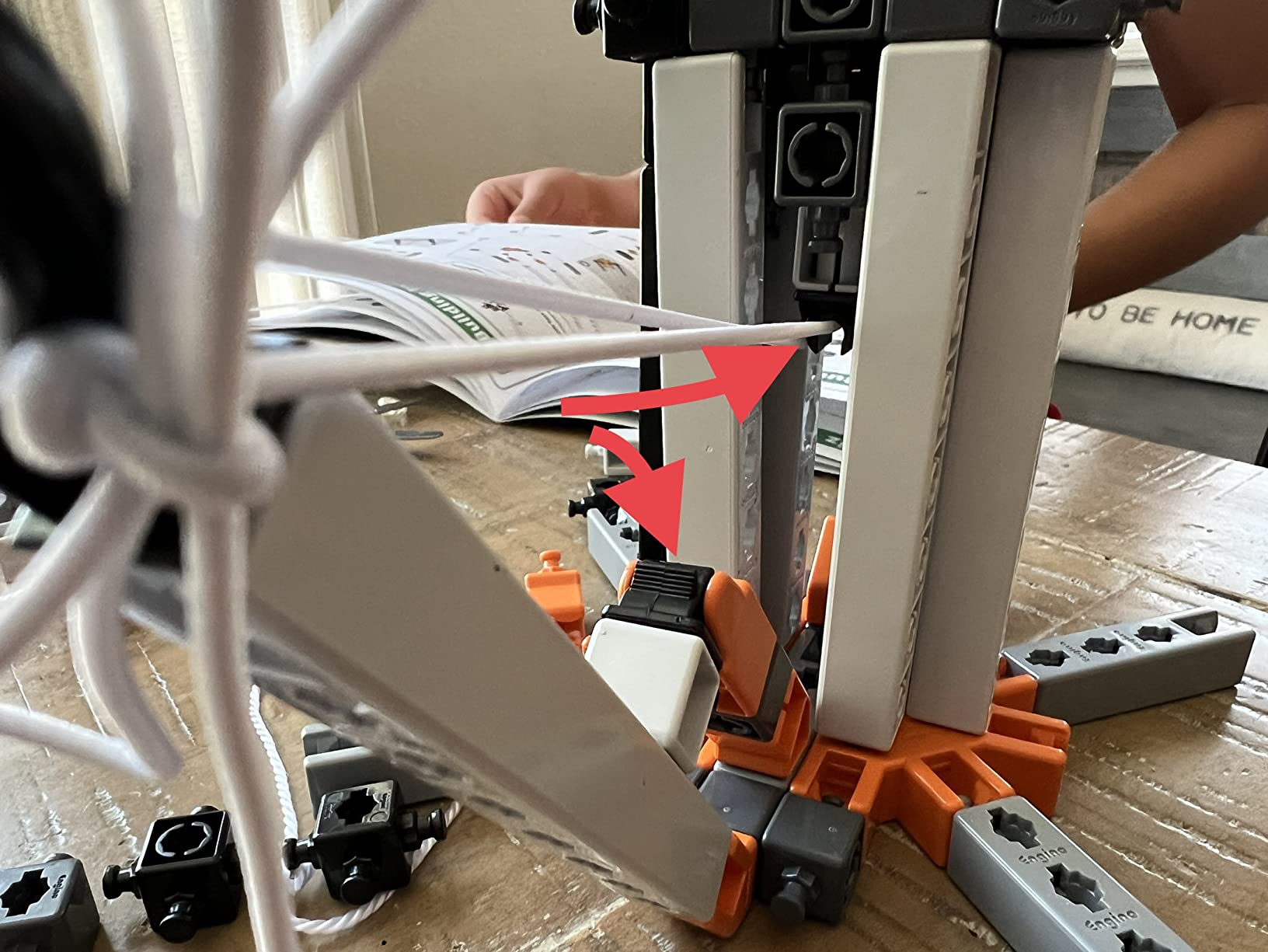
Documentation quality is the consistent complaint. Some instructions are unclear or incomplete, which means certain builds have to be worked out independently, and that is a real problem for a 10-year-old who wants to be guided rather than challenged.
Small parts are easy to lose, and a few connectors including the hook-and-loop pads are reported to break or wear out during assembly. In some markets the documentation is only available in English, so check that before buying.
11. Tinkering Labs Electric Motors Catalyst – Best Open-Ended Inventions
- 50+ parts for unlimited repeat inventions
- Real motors and hardware connectors
- Screen-free play
- Educator-designed guides
- Reusable non-toxic parts
- Children need guidance to finish an invention
- Works best with an adult present
- Fiddly for small hands
This is the only kit here that is not really a kit at all. It is a box of over 50 parts including laser-cut wood, real motors, authentic hardware connectors, rubber bands and tools, and there is no single model to build. The child decides what to make, which is a fundamentally different proposition from the other eleven.
That difference is why reusability scores so highly. Nothing gets finished, so nothing gets abandoned. A child can build a spinning contraption in an afternoon, dismantle it completely, and start again with a different mechanism, and the parts stay useful indefinitely. On forums, parents of children who lose interest in one-and-done toys describe open-ended systems as the thing that finally worked.
Authenticity is the quiet strength. Real motors and hardware connectors feel serious in the hand in a way that moulded plastic parts never do, and the parts are compatible with standard LEGO blocks, so a child can mix this with an existing collection rather than keeping it in a sealed box.
Recognition backs that up. The kit has been named a top learning toy for 8-year-olds by Creative Child Magazine and by the National Parenting Association, and the guides were written for classroom use. It is also marketed for ages 8 to 10, so at 10 a child is at the top of the intended range and can handle everything in the box without help.
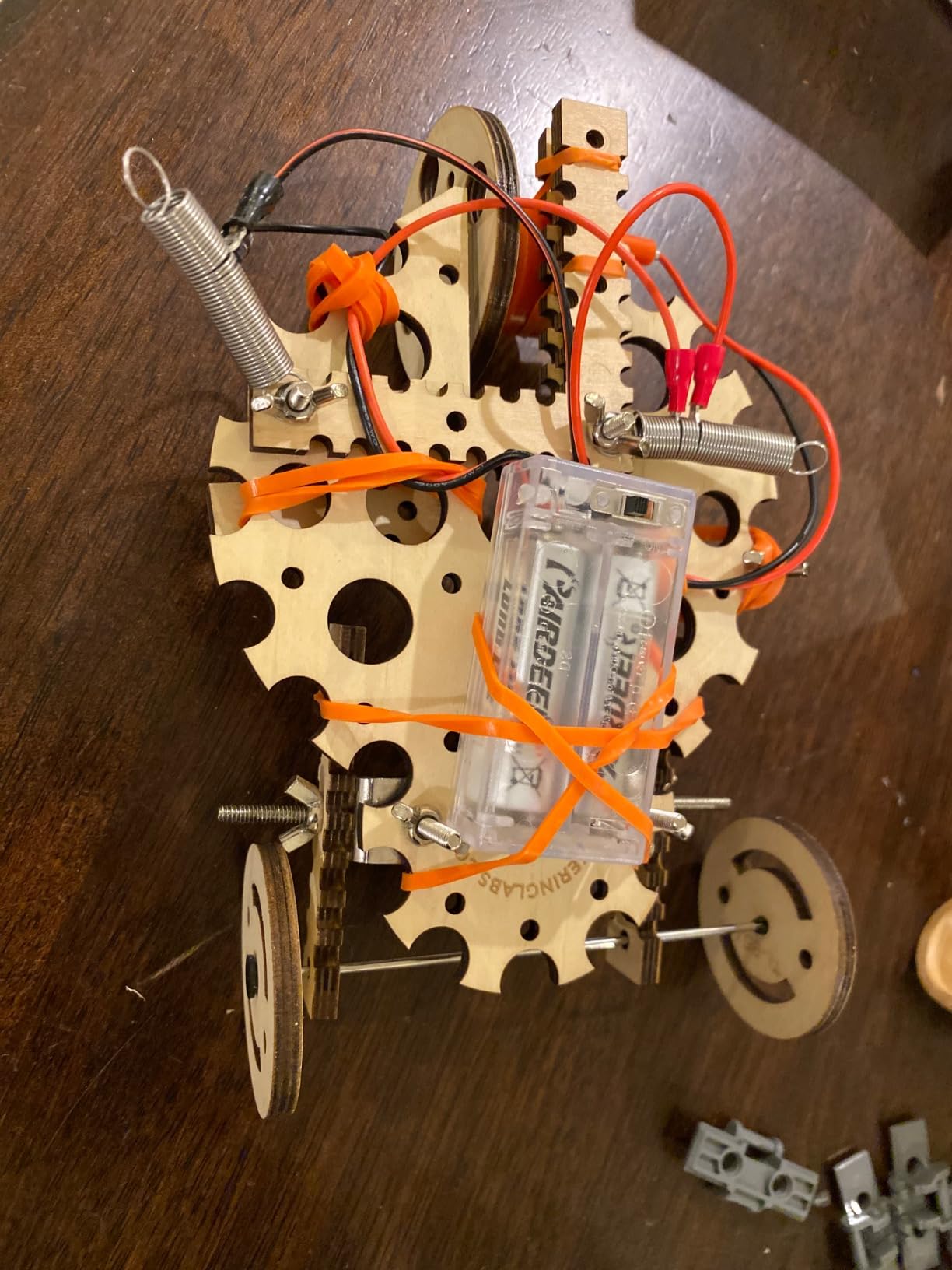
Why we rate reusability highest here
Because there is no end point, the kit cannot be completed and abandoned. Reusability is the single best predictor of whether a kit is still being opened in month three, and on that measure this is the strongest entry by a wide margin.
The guides were developed by American educators for classroom use, so the science framing is sound rather than decorative, and the parts are described as non-toxic, durable and reusable. Parents who have watched cheaper kits crack report that build quality is the reason this one survives repeated handling.
Where it falls short
The absence of a goal is a real difficulty, not a feature to celebrate. Children need some guidance to turn an open-ended box of parts into a finished invention, and a 10-year-old who is not naturally motivated by open-ended tasks can stall quickly and conclude the box is boring.
Small hardware pieces are fiddly for smaller hands, and the guides work best with an adult or older child present. This is a kit that rewards a child who already enjoys tinkering, rather than one who needs a specific outcome to stay interested.
12. Sillbird 5-in-1 Programmable Robot Set – Best for a Rebuildable Robot
Sillbird STEM Robot Building Kit with Remote Control Gifts for Boys 8-13
- Five buildable models
- 488 pieces with clear instructions
- Works on hard floors and carpet
- Dual remote and app control
- Rechargeable battery
- Remote joystick mapping is confusing
- Occasional molding flash
- Small robots are fragile
- Replacement batteries hard to find
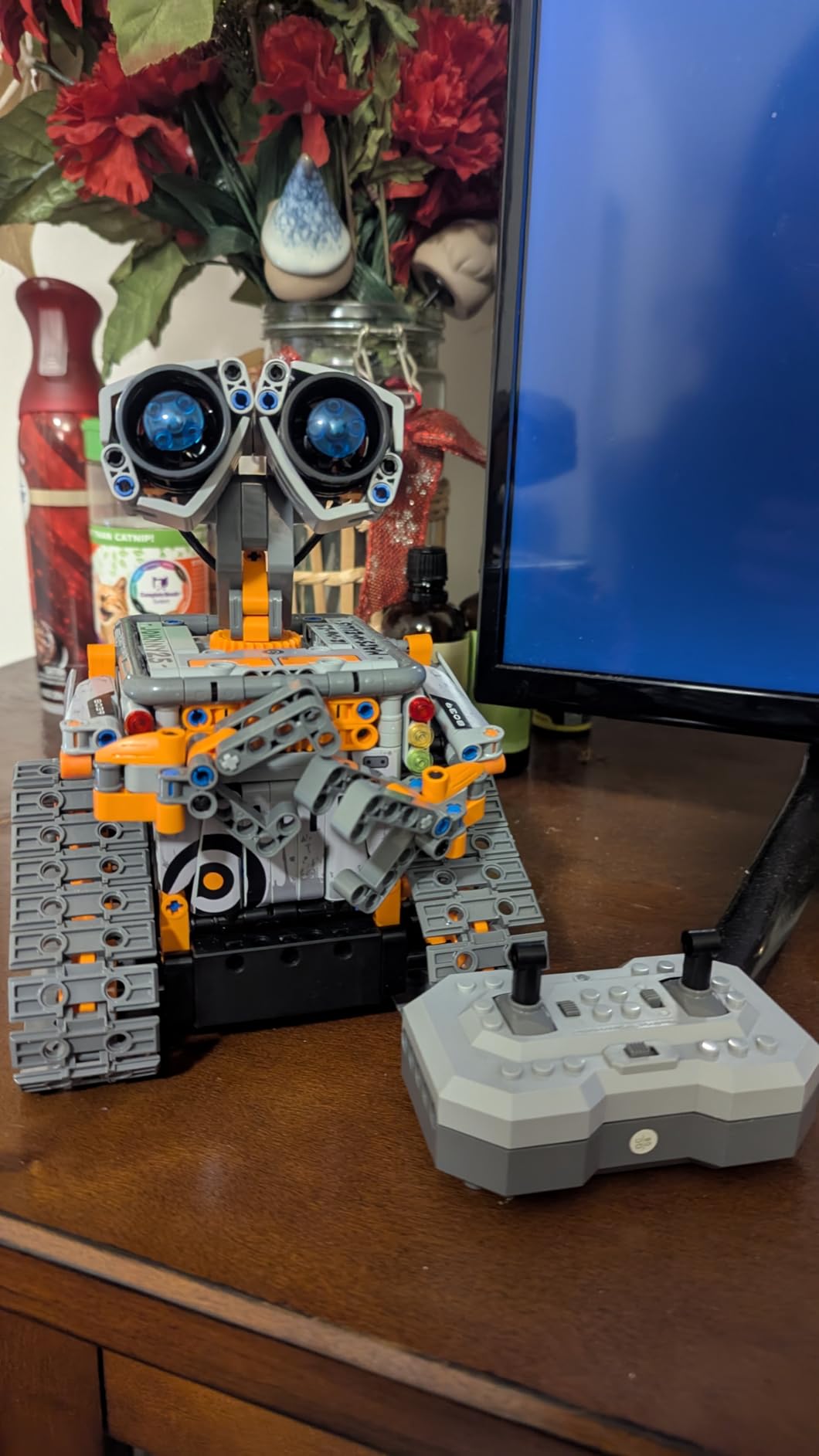
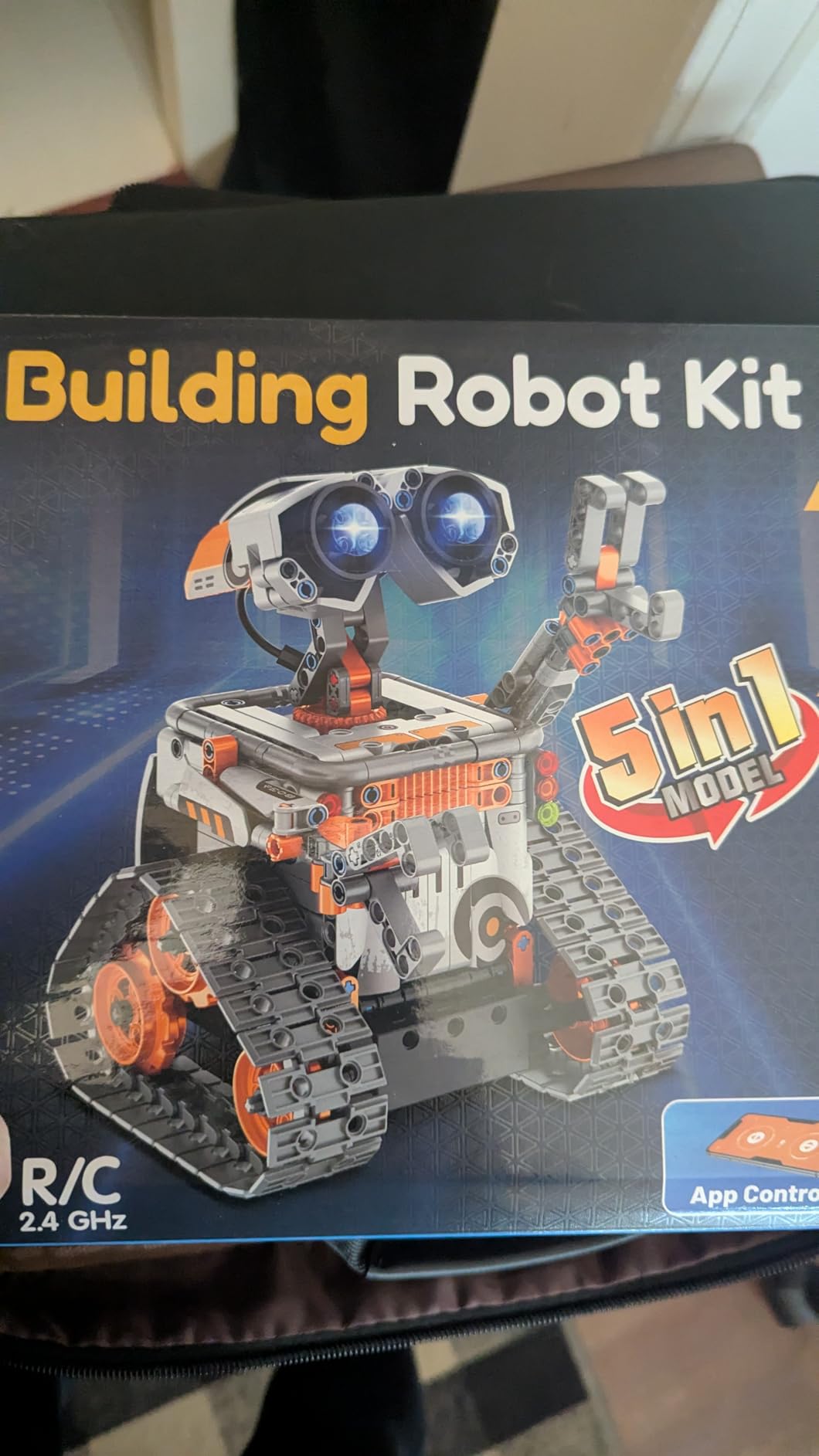
Five robots, 488 pieces and about 40 minutes of play per charge, which is a lot of kit for a 10-year-old. The five models progress in difficulty, starting with a straightforward robot and moving on to a dinosaur, a car and a tank, so the difficulty curve is built into the set rather than left to the parent.
Control is where this one separates from the solar kit. There are two modes, a physical remote control and Bluetooth app control, and the robot supports basic programming, path control and precise movement. That means a child can drive it like a vehicle one minute and program a route the next, which is the bridge towards real coding.
Instructions are colourful and step-by-step, and owners report that children aged 8 to 12 build the configurations largely unaided. The chassis handles hard floors, carpet and uneven ground, so it is one of the few robotics kits here that works outdoors as well as on a table.
The 488 pieces are the biggest count in this roundup, and the parts are moulded in ABS with adjustable heads, arms and tails so each model can be posed differently. The manufacturer lists a wider range than the packaging suggests, up to 16 years, which tells you how much is left after the five models are finished.
Rechargeable is a genuine practical advantage over kits that take AA cells. There is nothing to buy, nothing to keep in a drawer and no risk of a robot that fails to start halfway through an afternoon because a single cell was flat.
Why it suits a child who wants a robot
The five models are the reason this one holds up. A child who builds the first robot has four more configurations to work through, and each one changes the body around the same drive system, so the child is exploring how form affects function rather than just following a build.
Owners consistently report hours of engagement and children who can build the configurations without help, which puts it in the easiest tier despite the 488-piece count. The 40 minutes of play per charge is also long enough for a full session rather than a brief burst.
Where it falls short
The remote control joystick mapping confuses people. The two sticks can move in opposite directions from what a child expects, and there is no learning curve that fixes it, so some of the frustration has to be absorbed before driving becomes intuitive.
Some parts arrive with minor flash from the moulding process, and the compact robots themselves are fragile if handled roughly, which is a real risk with a 10-year-old. Replacement batteries for the controller are also not commonly available on their own, so keep spares.
How to Choose an Engineering Kit for a 10 Year Old
Eight criteria decide whether a kit gets used or abandoned. The order you weigh them in depends on your child, but the first two matter more than anything else on the box.
1. Age fit versus real difficulty. Manufacturers label by age, and those labels are optimistic. Read the difficulty on our reviews before the number on the box, because a 10-year-old can comfortably manage anything marked Solo at 10 and will stall on a parent-dependent build if nobody is available to help. Underestimating here is the single most common reason a kit is abandoned after opening.
2. Build-focused or code-focused. These are different children, and this is the most important distinction on this page. A child who loves taking things apart usually wants a mechanical kit with moving parts. A child who loves instructions and screens wants a programmable robot. Parents on gifted-kid forums stress this constantly, and buying the wrong one produces a shelf ornament.
3. Screen-free, app-assisted or app-required. Screen-free kits never need a device and cannot break when an app is retired, which parents in our research flagged as a real risk with older connected toys. App-assisted kits are usually better than they need to be and are a sensible middle ground. App-required kits give the most, and give the most to lose.
4. Materials over piece count. A higher piece count means more small parts to lose, not automatically more value. Engineered wood, as used in both Smartivity kits, survives being forced. Injection-moulded ABS holds up well. Cheap brittle plastic is the most common durability complaint we found across parent forums, along with gears that crack under pressure.
5. One-time build versus endless play. A single model is satisfying once and then sits still. Multiple models, adjustable components or an open-ended box keep being reopened. If you know the child will finish quickly, buy count of builds, not size of one build.
6. Batteries and the ongoing cost. Seven of the kits here need no batteries at all, which is a genuine long-term advantage. For the others, work out what has to be bought before the first use and what has to be bought again. The mBot needs four AA cells plus a coin cell for its remote, and neither is included, so factor that into the decision rather than discovering it on a Saturday afternoon.
7. Small parts, age labels and safety. Anything with parts small enough to swallow is not appropriate for a child under three, and a 10-year-old is well past that, but younger siblings matter. Check whether a kit contains loose button cells or coin cells, since those are the ones that genuinely cause hospital visits.
8. Storage and cleanup. This is where the joy leaks away. Kits with 400-plus pieces need a container with a lid, and a build tray that catches strays. Set up one dedicated box per kit at the start, because the parents who report ongoing mess are the same ones whose children lose the piece needed to finish the build.
What to Buy at 8 vs 10 vs 12
No competitor covers this, and it is the question parents actually have when they are deciding whether a kit is too easy. Here is the progression we would follow with a single child, based on how these kits change year to year.
At 8, the priority is parts that are large enough to grip and a build that ends in something that moves. The Sillbird 12-in-1 solar kit and the Smartivity launcher both work at this age, and both are screen-free. Skip anything requiring fine motor precision on small hardware, and skip anything where a lost part stops the build.
At 10, this is where all twelve kits in this roundup belong. Fine motor control has developed, the child can read a multi-step manual, and they can hold an idea in their head long enough to test it. A 10-year-old can also now work through a build without an adult hovering, which opens up the app-assisted and mechanical kits that were out of reach at 8.
At 12, the shift is toward systems rather than models. The Engino bridges kit, the physics laws kit and the mBot with its Arduino path all keep growing at this age, and a child moving toward middle school often gains from a kit that can feed a school project. If the interest continues past this point, the natural next step is a computer for the coding work, and our guides to the best laptops for engineering students cover that side of it.
The one caution with the 8-to-10 step is skipping too far. A kit that is far too advanced teaches a child that engineering is something other people can do, which is the opposite of the point. The right kit at the right age is almost always slightly beyond what they can do comfortably.
Keeping a 10 Year Old Engaged After the First Build
Kit fatigue is the most common complaint in every forum we looked at, and it is not really about the quality of any particular kit. It happens because the build ends. The fix is to buy for the second month rather than the first afternoon.
Choose multiple models over one impressive model. The Engino bridges set has nine, the Da Vinci set has three, the solar kit has 12. Each new build gives a fresh reason to sit down at the table, and an earlier model can stay standing on the shelf as something to show friends.
Give the finished model a job. A catapult on the living room floor, a marble-style launch on the patio, a robot on a taped-out course, or a marble run on the stairs gives the kit a purpose beyond the manual, and children extend play around a purpose far more than around an open box of parts.
Introduce one deliberate change at a time. Widen a leg, add a weight, shorten a lever, change a sensor position. A single variable turned into an experiment is the cheapest form of engineering education there is, and it turns a finished toy into a question.
For open-ended boxes, keep parts visible. A sealed box is a box nobody opens, so store the Tinkering Labs-style parts in a shallow tray within reach and let the mess be a working surface rather than a problem.
Frequently Asked Questions
What is the best engineering kit for a 10 year old?
The best engineering kit for a 10 year old is the Snap Circuits Jr. SC-100. It packs more than 100 projects into one box, needs no tools or soldering, uses colour coded parts a child can follow alone, and runs on standard alkaline batteries. If your child wants to build rather than program, it is also the most forgiving kit to get wrong.
What are the best robotics kits for 10 year olds?
The Makeblock mBot is our top robotics pick because it moves a child from block-based Scratch coding to text-based Arduino on the same robot. The Sillbird 5-in-1 programmable set is the easier alternative, with five buildable models and both app and remote control. Choose based on whether your child wants to program or assemble.
What is the best age to start robotics?
Most children are ready around 8, provided a grown-up helps with the first build. At 10 a child can usually handle the software setup and read a multi-step manual without help, which is why so many robotics kits are labelled 8 to 12. Starting earlier is fine if the parent is willing to sit with the first session.
What is the best science kit for a 10 year old?
For a 10 year old we prefer engineering-focused science kits over experiment kits, because the child builds something that still works afterwards. The Engino Physics Laws set covers inertia, friction and circular motion through six working models with a quiz section. Kit fatigue is much lower with build-it science kits than with one-shot experiment sets.
Do engineering kits need adult supervision?
It depends entirely on the kit, and age labels do not tell you honestly. On this list, five kits are marked Solo at 10 and can be completed independently. The rest need an adult for the first build because of tight fittings, dense manuals or tubing. Kits with small springs, tubing or hundreds of loose parts are the ones worth supervising.
How long does it take to build an engineering kit?
Expect between 15 minutes and three hours for a single build. The mBot assembles in about 15 minutes, most single-model kits take 30 to 60 minutes, and the three-model Da Vinci set takes one to three hours per machine. Multi-model kits such as the nine-model Engino set are best treated as an ongoing project over several sessions.
The Verdict on the Best Engineering Kits for 10 Year Olds in 2026
The Snap Circuits Jr. SC-100 is our pick for most families, because it is the one kit a 10-year-old can genuinely finish alone, the parts are forgiving when something goes wrong, and the number of projects means it does not feel finished after a weekend. It is the safest present in this roundup, and it is the one we would buy first.
Match the type to the child rather than the price. A child who wants to program gets the mBot, and a child who wants to build gets the Smartivity launcher or one of the mechanical hands. A child who asks why things work gets the Engino bridges or physics kits, where the explanation is the point. And a child who will not sit still for a manual gets the Tinkering Labs open-ended box, which never finishes.
Whatever you choose, check the difficulty label against who will be in the room on day one. The best engineering kits for 10 year olds are not the most advanced ones, they are the ones a child can finish, take apart, and want to open again next month.