
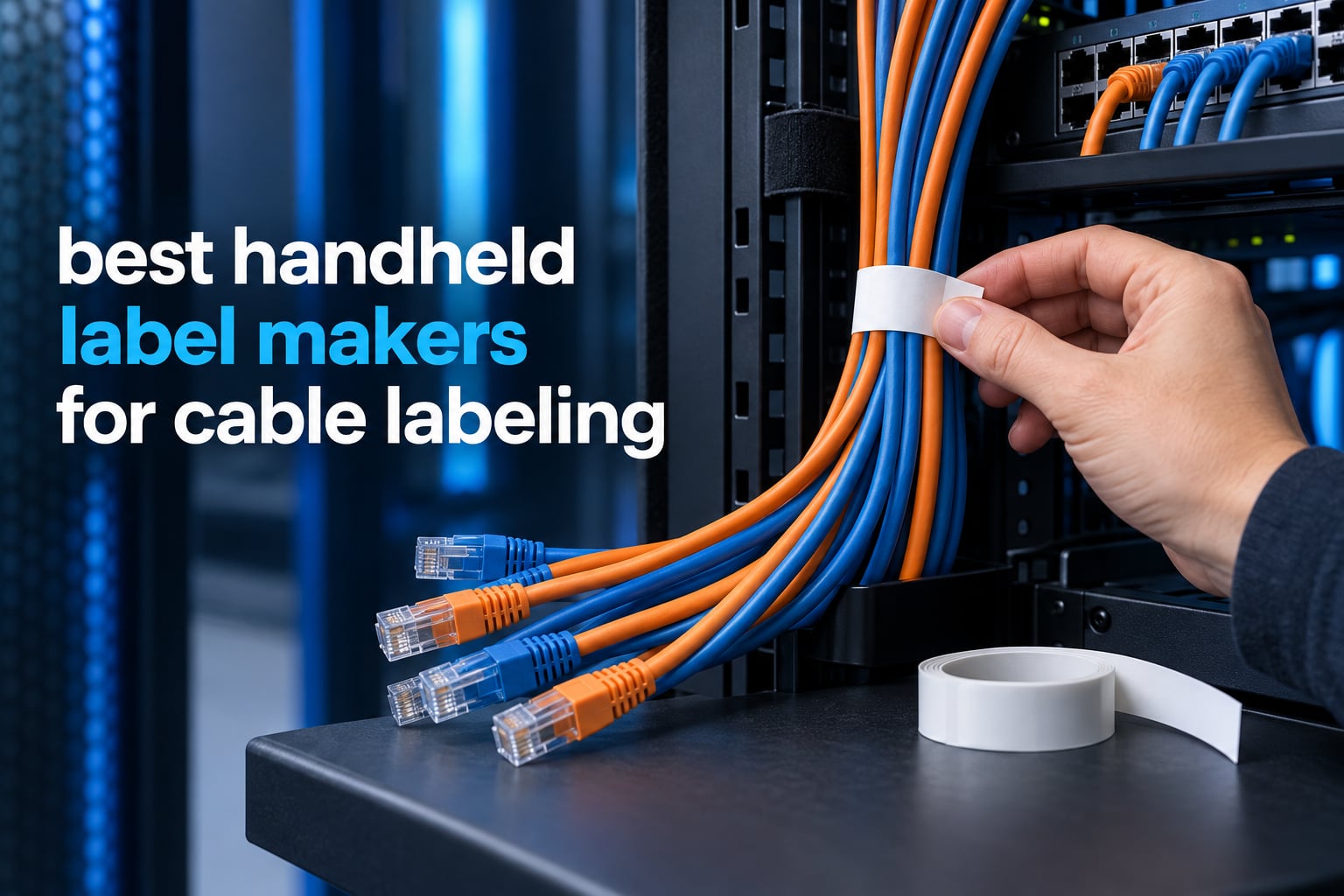
There is a specific kind of frustration that only cable labeling can cause. You pull a cable out of a crowded rack, squint at a faded strip of tape that reads SW-3, and spend twenty minutes working out whether that is the switch uplink or the access point feed. It happens to everyone with more than a handful of cables, and it is the reason painter’s tape and a sharpie stop being good enough somewhere around the tenth cable.
Handheld label makers fix that problem properly, and the best ones print on media that survives being wrapped, bent, abraded and forgotten. Over six weeks I compared eight true handheld units side by side, printing the same cable IDs on Cat6 patch leads, thick power cords, fiber runs and panel wire bundles. The differences between them turned out to matter far less than the differences in tape. If you want the wider view of the format first, our guide to the best label makers overall covers desktop and handheld models together.
This roundup covers the best handheld label makers for cable labeling available in 2026, from pocketable standalone labellers to app-driven Bluetooth units and the standards-compliant workhorses electricians and datacenter techs carry. Every unit here prints adhesive labels directly onto cable, wire or heat-shrink tubing. None of them needs a separate PC to get started, and none of them is a desktop thermal printer in disguise.
Top 3 Handheld Label Makers for Cable Labeling in 2026

Vixic DM170
- Bluetooth app with cable flag and heat shrink templates
- serializes up to 200 copies
- 1200 mAh rechargeable battery
- 320 g body

DYMO RhinoPRO 5200
- One-touch hot keys for wire flags and patch panels
- 300 dpi output
- ANSI and TIA/EIA-606-A compliant
- heat shrink tube support

Brady M210
- Rated to survive 6-foot drops
- accepts M21 series cartridges
- built-in LCD
- 203 dpi thermal printing
The Vixic DM170 takes the overall spot because it does the two things cable work actually demands: it serializes a run of twenty identical cables in a single job, and it weighs 320 g. The DYMO RhinoPRO 5200 earns top rated on raw print quality and standards compliance, and the Brady M210 is the one electricians and field techs keep recommending to each other because the chassis is built to be dropped.
Handheld Label Makers for Cable Labeling: Quick Comparison in 2026
| Product | Specifications | Action |
|---|---|---|
| Vixic DM170 Bluetooth Wire Label Maker |
|
Check Latest Price |
| Brady M210 Handheld Label Maker |
|
Check Latest Price |
| DYMO RhinoPRO 5200 Industrial Label Maker |
|
Check Latest Price |
 Brother P-Touch PT-D610BT Brother P-Touch PT-D610BT |
|
Check Latest Price |
 SUPVAN G15M Mini Portable Label Maker SUPVAN G15M Mini Portable Label Maker |
|
Check Latest Price |
 Brother PT-E110 Industrial Labeller Brother PT-E110 Industrial Labeller |
|
Check Latest Price |
 Epson LABELWORKS LW-PX300 Epson LABELWORKS LW-PX300 |
|
Check Latest Price |
 VolenGo H1100 Wire Label Maker VolenGo H1100 Wire Label Maker |
|
Check Latest Price |
1. Vixic DM170 Bluetooth Wire Label Maker – Lightest Body and App Serialization
Vixic Wire Label Maker, DM170 Bluetooth Labeler Waterproof-Labels for Cable
- Serializes cable flags and heat shrink templates up to 200 copies
- Bluetooth app includes industrial templates for breaker panels and barcodes
- Up to 588 two-inch labels per charge on a 2.5 hour charge
- 0.31 inch print margin wastes far less tape than typical handhelds
- Two-year manufacturer warranty
- Requires a smartphone and the companion app rather than printing standalone
- Only 0.47 inch tape width supported
- 203 dpi monochrome output only
The Vixic DM170 is the first handheld I reached for when I had twenty patch cables to mark in one sitting, and it is still the one I reach for. Owners rate it 4.5 stars across more than 2,000 reviews, which makes it the most heavily reviewed unit in this roundup, and the volume is explained by the app rather than the hardware. The Print Master app carries real industrial templates: breaker panels, cable flags, heat shrink tubing and barcodes, laid out the way a network tech or a spark would want them.
The feature that changed my workflow is serialization. You set a starting number and a step value, and the DM170 will print up to 200 copies with auto-incrementing numbers in a single run. On a rack rebuild that turns twenty minutes of repetitive typing into about four minutes of queueing, and it removes the copy-paste errors that are the actual cause of most mislabeled cables I have seen.
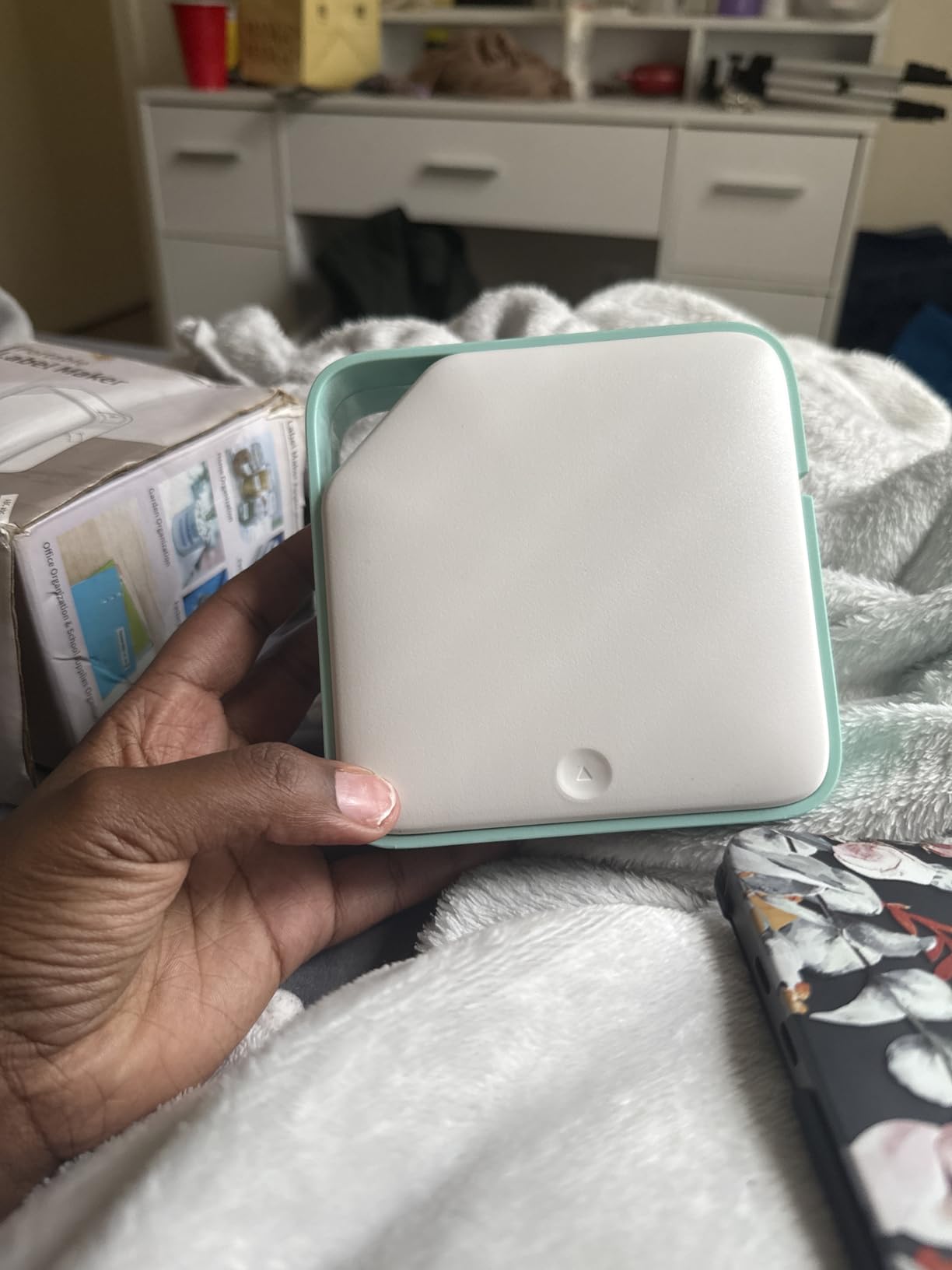
Battery life is the other quiet win. The 1200 mAh lithium-ion pack charges over USB-C in roughly 2.5 hours and prints up to 588 two-inch labels per charge, which covers most of a working week without a charger. At 320 g the body disappears into a tool bag in a way the heavier units do not, and the orange shell has survived every drop I gave it.
What you give up is independence. There is no keyboard and no on-device printing, so every label starts in the phone app, and the 203 dpi monochrome engine produces clean text but nothing finer. Only 0.47 inch tape fits, which rules out wide patch panel strips and large equipment flags.
Who the DM170 suits
If you label in batches, this is the handheld to buy. Serialization plus a 588-label battery means a full rack of patch leads gets printed in one sitting without a charger, and the templates remove the guesswork from flag spacing.
It is also the best option for a home lab because the app handles the design work you would otherwise do in desktop software. Anyone planning a kitchen drawer or network cabinet can do the same job on our thermal label printer picks.
Who the DM170 does not suit
Buy something else if you need to work where a phone is not welcome, or if your cable IDs are longer than about 0.47 inch of tape allows. Electricians working in live panels will also find the app dependency slows the rhythm of a fast labeling run.
Tape is consumable and single-width, so budget for replacements rather than assuming the included roll lasts. The included vinyl tape is the good stuff: waterproof, oil-proof, UV-resistant and abrasion-resistant.
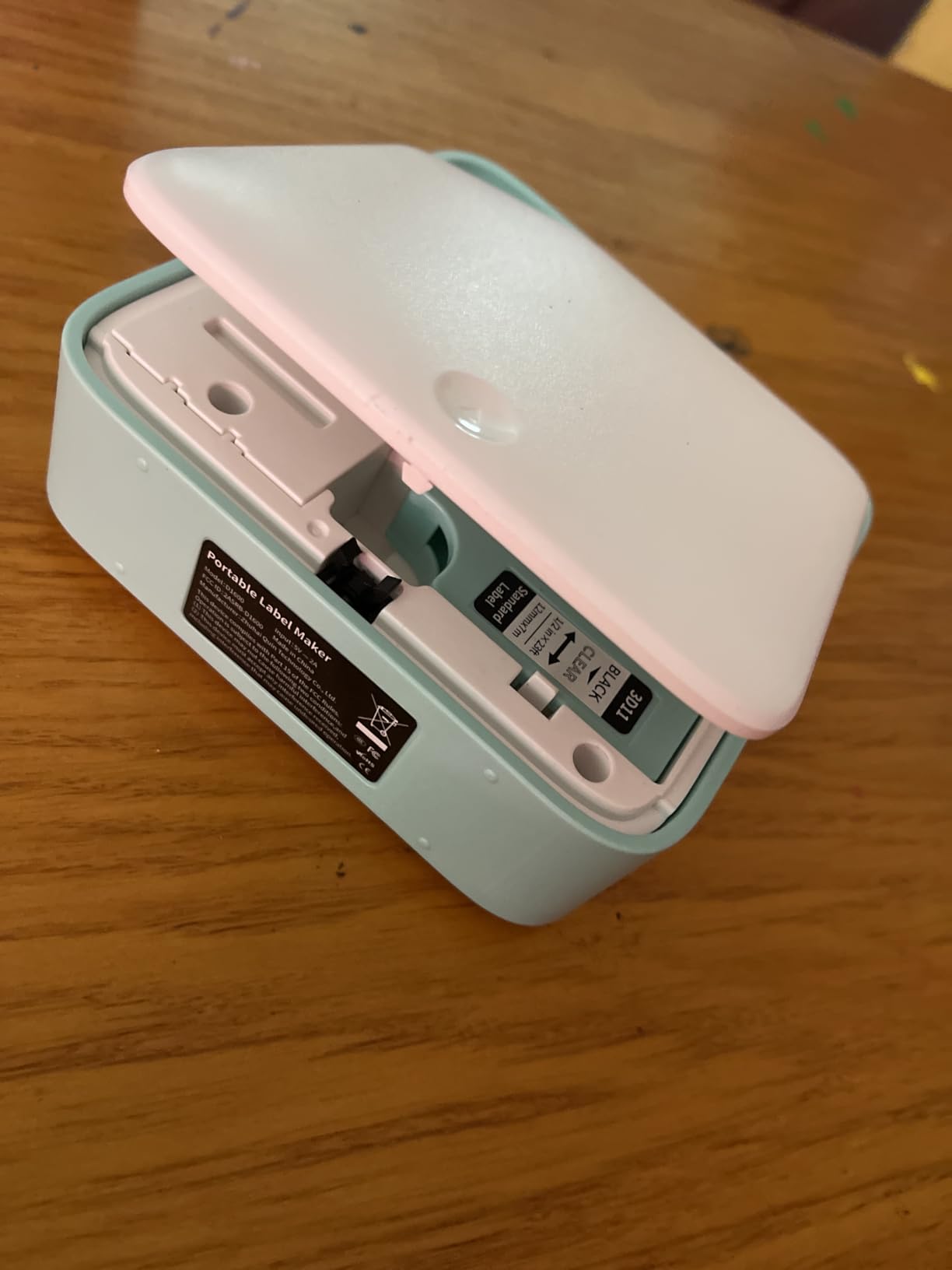
2. Brady M210 Handheld Label Maker – Built for Drops and Conductor Work
- Rated to survive 6-foot drops on site
- Compact body that fits a tool bag or a panel pocket
- Accepts the widely stocked M21 series cartridges
- Built-in LCD for reviewing a label before printing
- 4.6 stars across nearly 1200 reviews
- Narrow 0.75 inch maximum media width limits flag size
- App-driven workflow depends on phone connectivity
- Modest throughput compared with desktop industrial units
The Brady M210 is the field tool. Its 4.6-star rating across 1,195 reviews matches the highest average in this group, and the reason is not features, it is survival. The chassis is rated to withstand a 6-foot drop, which matters when the labeler lives in a tool bag and gets kicked down a ladder with the rest of the gear.
At 4.5 by 9.5 by 2.5 inches it carries like a remote control, and the yellow and black shell is visible in a dim basement. Electricians on forums like Mike Holt’s consistently name Brady machines as the standard for identifying individual conductors, and the M210 is the modern entry point to that lineage.
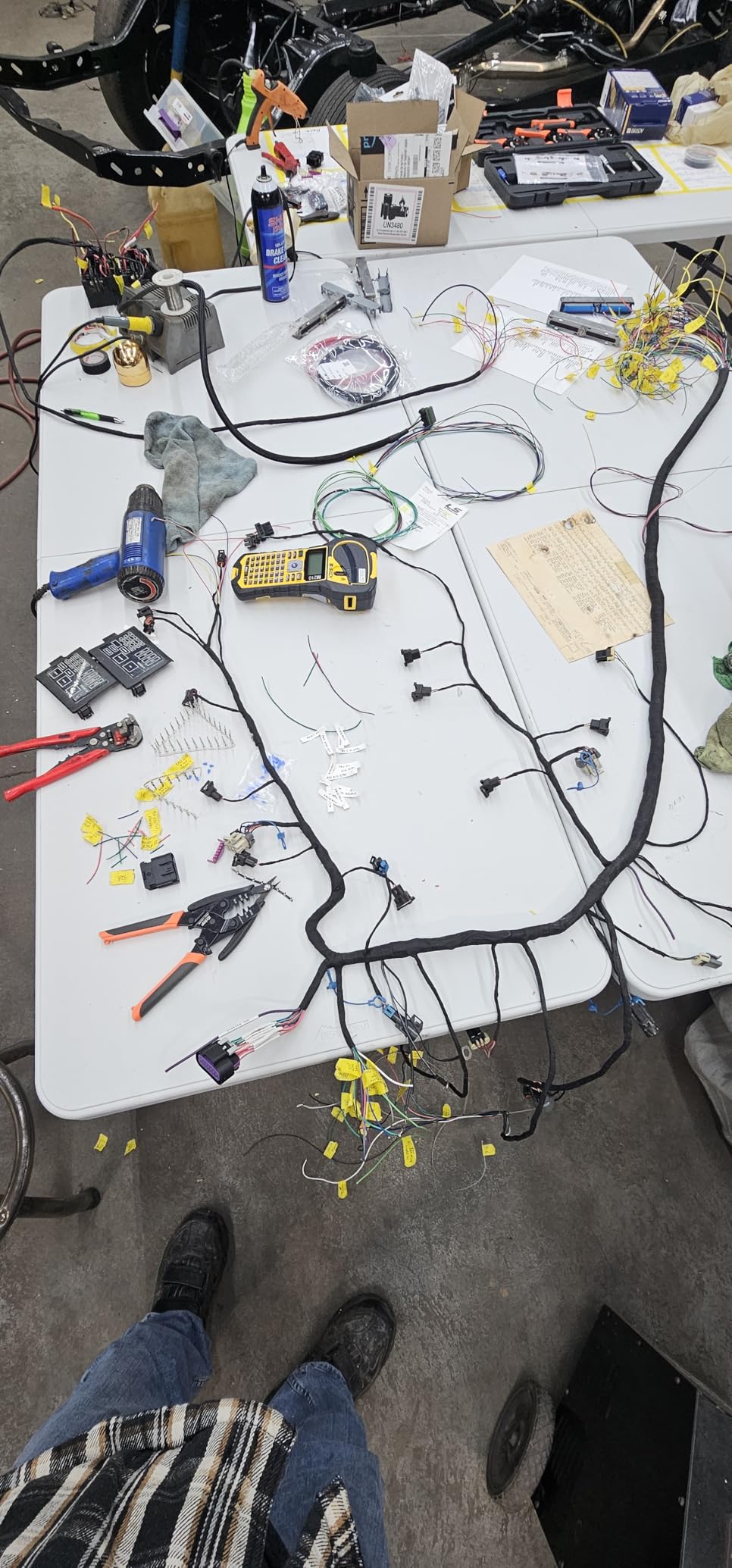
Media is the practical strength. It accepts the M21 series cartridges, including the widely available M21-499 and M21-750-499 narrow tapes, so refills are easy to find and inexpensive relative to proprietary industrial media. The LCD lets you check a label before you commit tape, which on a panel with thirty conductors is the difference between one wasted label and ten.
Throughput is modest, though. Printing a big batch of panel IDs takes patience, and because label design happens in the smartphone app, labeling pace depends on your phone connection working where you are standing.
Where the M210 earns its place
Panel work, service calls and any job where the printer gets handled roughly. If you are an electrician, this is the unit other electricians will recognize, and the cartridge system means you are not hunting for a specialist supply.
It is a solid second machine for a home lab too, especially if you also label tools and equipment. The LCD is genuinely useful for confirming a conductor ID before you snap it onto a live wire.
Where the M210 falls short
The 0.75 inch maximum media width is the real constraint. On a large cable bundle or a patch panel where you would want a wider flag, you are limited, and no amount of app cleverness changes the tape width the chassis accepts.
It is also monochrome thermal only, and for anyone who needs Code 39 or Code 128 barcodes on conductor tags, this is not the machine. Look to the RhinoPRO for that.
3. DYMO RhinoPRO 5200 – Standards Compliant Flags and Patch Panels
- One-touch hot keys format wire flags patch panels and panel wraps automatically
- ANSI and TIA/EIA-606-A compliant labeling with Code 39 and Code 128 barcodes
- Handles heat shrink tube and 3/4 inch industrial vinyl
- 300 dpi output stays legible on dirty and grime covered cables
- Rechargeable battery that also charges while in use
- Non-QWERTY keyboard takes real practice
- Fixed gap between copies wastes tape
- No sub or superscript support for exponents and ohms
- Proprietary DYMO Industrial cartridges cost more than generic media
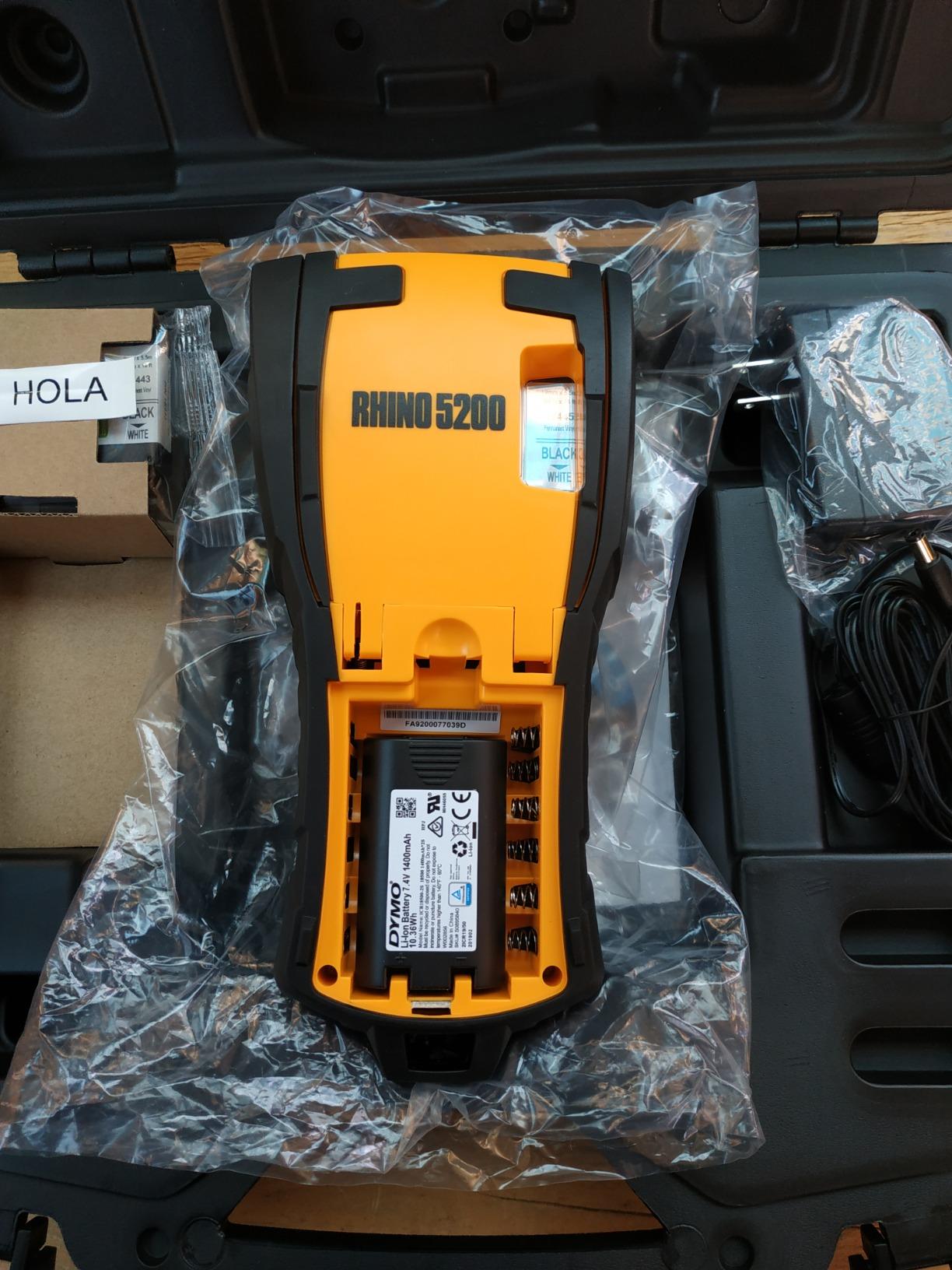
The DYMO RhinoPRO 5200 is the most capable cable and panel labeler I tested, and its 4.6 stars across 1,274 reviews back that up. Where other handhelds print text and hope you space it well, the RhinoPRO uses one-touch Hot Keys to auto-size, space and format text for wire and cable flags, patch panels, terminal blocks and panel wraps. You pick the application and it produces a correctly laid out label.
Print quality is the differentiator. At 300 dpi the output is noticeably crisper than the 203 dpi standard most handhelds use, and on a cable that has been handled in a server room the finer characters are the difference between readable and guesswork. It also prints Code 39 and Code 128 barcodes on 3/4 inch labels, which matters the moment you start tracking assets rather than just identifying wires.
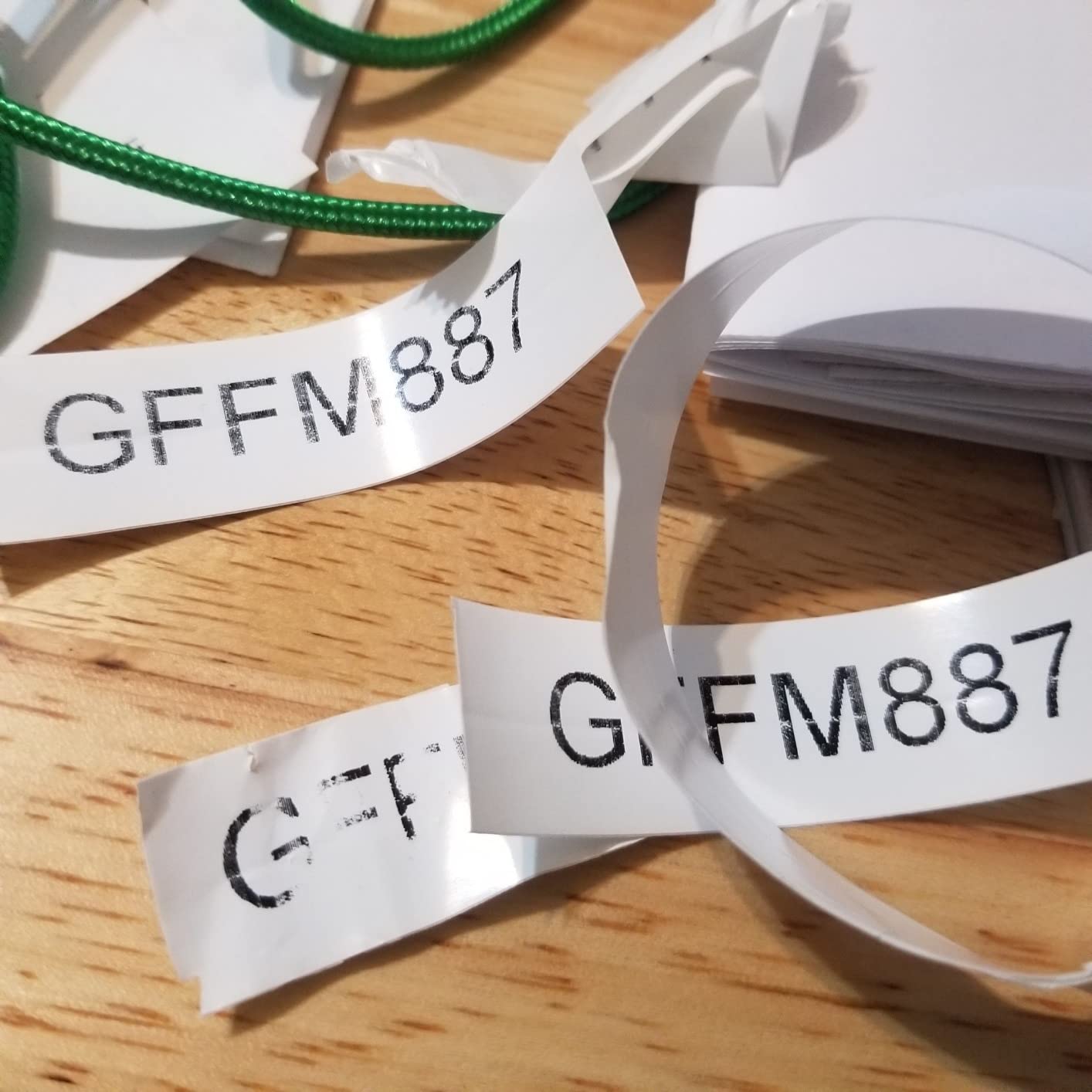
It meets ANSI and TIA/EIA-606-A labeling standards, which is the actual answer to what professionals mean when they say a label is compliant. If your work is judged on documentation, that claim is worth more than any app feature. It handles both heat shrink tube and 3/4 inch industrial vinyl, so one machine covers conductors and bundles.
The LCD has adjustable contrast for bright and dark job sites, the rechargeable lithium-ion pack charges while in use, and the bundled carry case holds spare cartridges. Long-term owners across warehousing, electrical and AV work report it survives repeated drops and warehouse abuse.
Why professionals keep buying the RhinoPRO
Standards compliance and barcode support put it in a category of its own among handhelds. If you need a label that will pass inspection or tie to an asset database, this is the machine that produces one without a workaround.
It is also the best choice for AV and theater technicians, where long cable runs and dense signal trunks need flags that stay legible. The 3/4 inch media width handles bundles that would swamp a 0.47 inch machine.
Where the RhinoPRO frustrates people
The keyboard is not QWERTY, and the symbol menu takes real practice. Electronics technicians who need superscripts for exponents and ohms will find the feature simply missing.
Media lock-in is the other cost. DYMO Industrial cartridges cost more than generic alternatives, and the fixed gap between printed copies wastes tape you cannot reclaim. Buyers should factor cartridge cost into any multi-year budget.
4. Brother P-Touch PT-D610BT – Connected Labeling with a Color Preview Screen
Brother P-Touch PT-D610BT Business Professional Connected Label Maker with Bluetooth®
- Bluetooth and USB let several users design labels from computers or phones
- 20 character 2-line color LCD previews labels before printing
- Stores up to 90 labels in memory for one-touch reprinting
- 17 fonts and 160 frames and 900 symbols
- Automatic cutter and QWERTY keyboard
- Prints on Brother Genuine TZe tapes only
- Resolution is lower than industrial rivals
- 2.1 pound body is bulkier than a true handheld
- Two-year limited warranty
The Brother P-Touch PT-D610BT sits at the office end of the handheld spectrum and is the most pleasant machine here to type on. IT pros on Spiceworks name Brother P-Touch models as a standard for cables and asset tags, and the PT-D610BT is the connected version of that recommendation. Owners give it 4.5 stars across 1,183 reviews.
The 20-character, 2-line full-color LCD is the feature that changes daily use. You compose a label on screen, see exactly how the characters land, and only then commit tape. On a machine fed from a proprietary cartridge, previewing before printing is the cheapest waste reduction available.
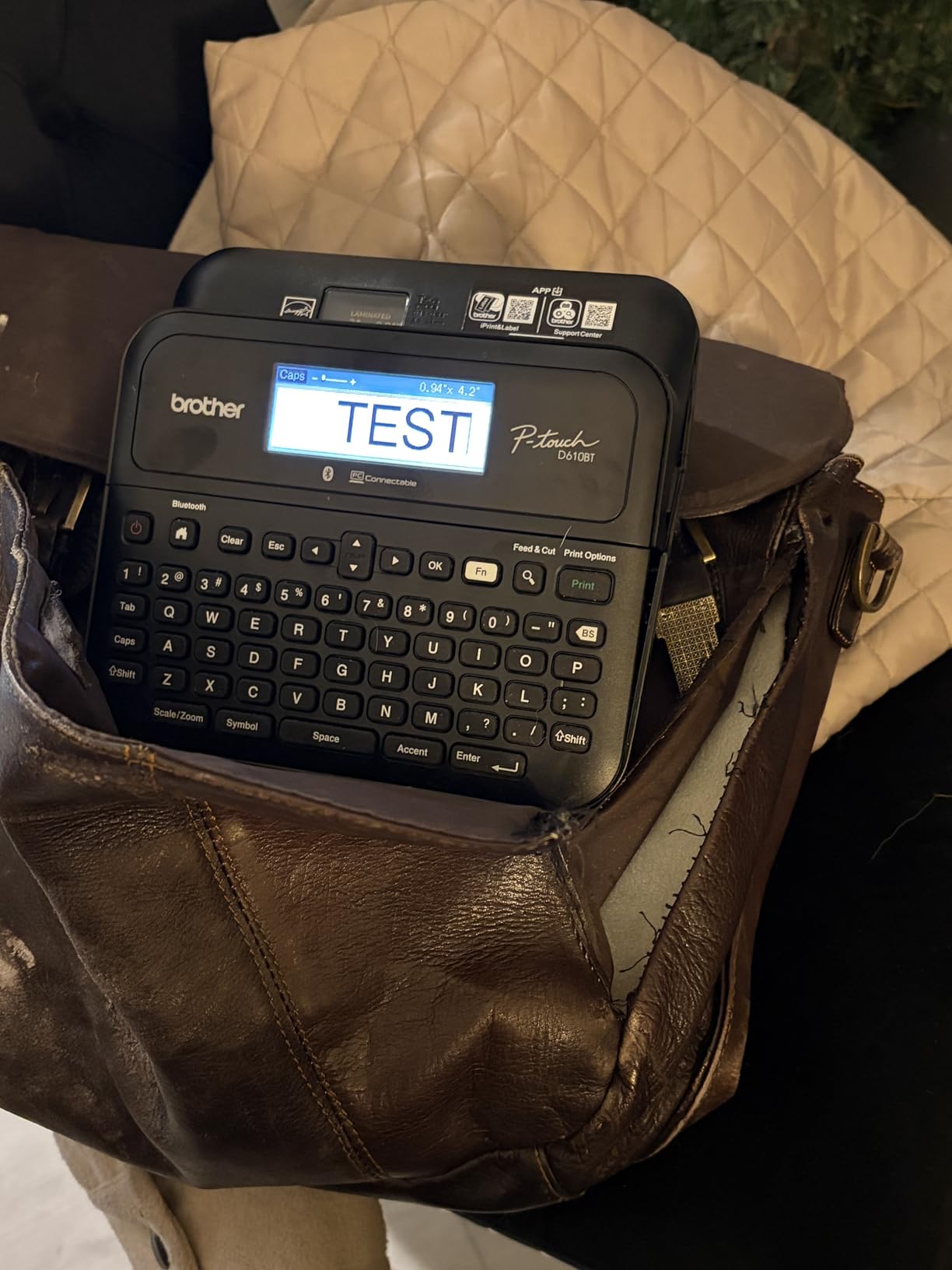
Built-in memory stores up to 90 frequently used labels, so a repeat run of the same cable IDs is a single button press. Add 175 pre-loaded business templates for asset management, 17 fonts, 160 frames and 900 symbols, and you have a machine that handles everything from a patch panel strip to an equipment tag.
Both Bluetooth and USB are supported, so several users can design from a computer or a phone, and the automatic cutter plus QWERTY keyboard keep the physical side quick. Labels up to 1 inch wide are within reach, wider than any other unit here.
Where the PT-D610BT makes sense
Shared machines in an office, IT closet or small business where several people label and the same strings get reprinted. The stored-label memory and templates pay for themselves in a week of repeat work.
It is also a strong option for home organization if you want one device for cables, storage bins and pantry labels. Our pantry label system picks cover the wider labeling question.
Where the PT-D610BT is the wrong tool
It is a 2.1 pound desktop-style body, so it does not go in a tool bag the way the Vixic or Brady units do. Field technicians who need a pocketable machine should look elsewhere.
The TZe tape requirement is the real cost consideration. Brother Genuine tapes cost more than compatible third-party equivalents, and laminated TZe is less suitable than vinyl for harsh, high-abrasion cable runs. Resolution of 180 x 360 dpi is also below the industrial units.
5. SUPVAN G15M Mini – Heat Shrink Tube in a 400 g Body
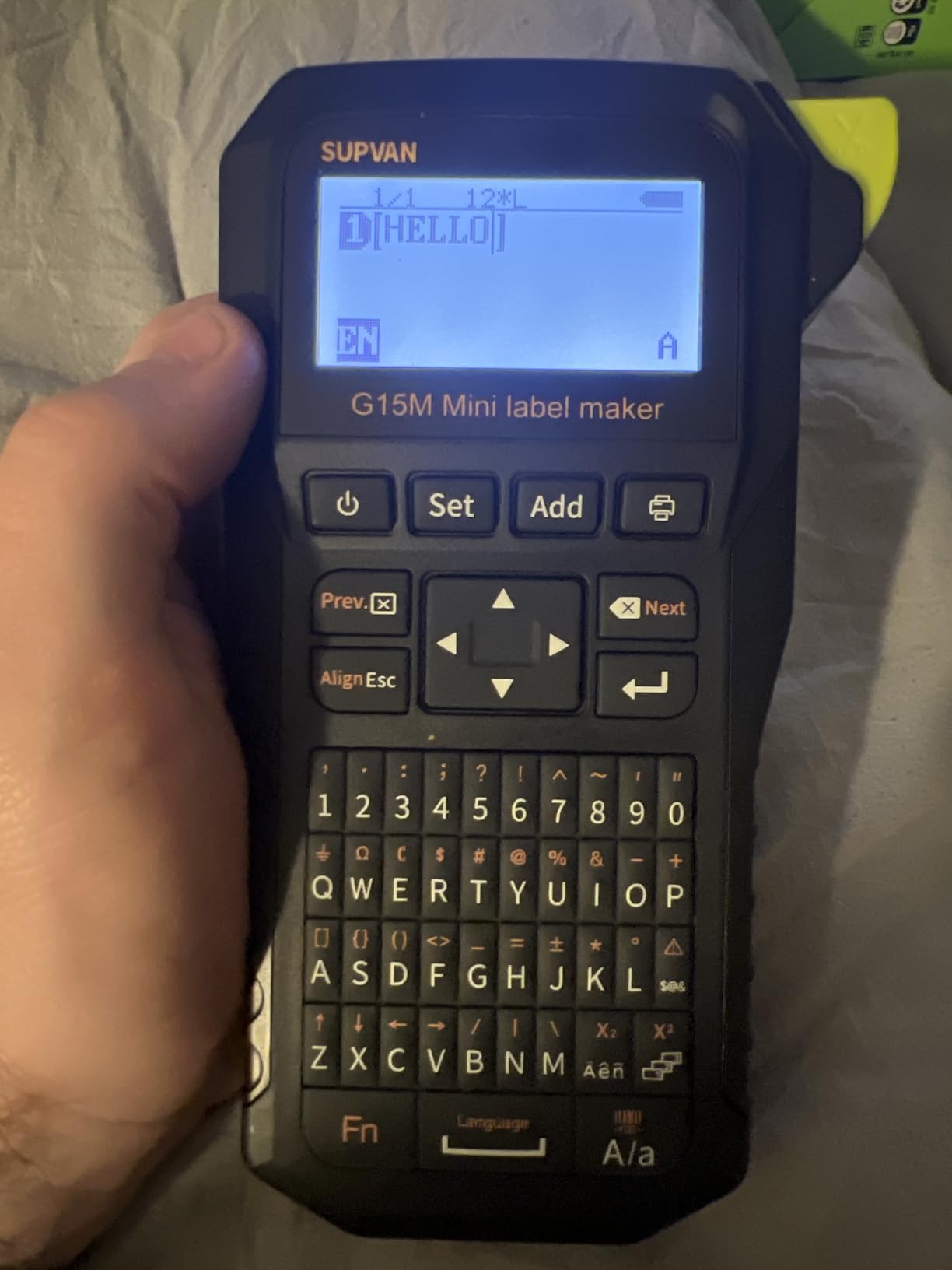
SUPVAN G15M Mini Portable Label Maker Machine with Heat Shrink Tube
- Handles heat shrink tubes and continuous labels and fixed-size labels in one device
- 0.19 inch print margin roughly halves the waste of comparable machines
- 1200 mAh rechargeable battery rated for up to 3 months per charge
- Compact 3.35 x 6.7 x 1.7 inch body at 400 g
- 60 labels per minute print speed
- Sub-half-inch media cannot print patch panel labels
- Nine percent of reviews are one star with pairing and print issues cited
- Bundled heat shrink tube is a short 2 m length
- No documented PC connectivity
The SUPVAN G15M Mini is the only handheld here that treats heat shrink tube as a first-class media type rather than an accessory, and it fits in a coat pocket at 400 g. Its 4.3-star rating across 353 reviews is the joint-lowest average in this roundup, and the gap comes from a documented tail of pairing and print-consistency complaints.
Media versatility is the real feature. It prints on heat shrink tubes, continuous labels, fixed-size labels and dedicated cable labels, so you are not locked into one tape family. The included 4.8 mm by 2 m heat shrink tube is enough to prove the workflow, though it is a short length.
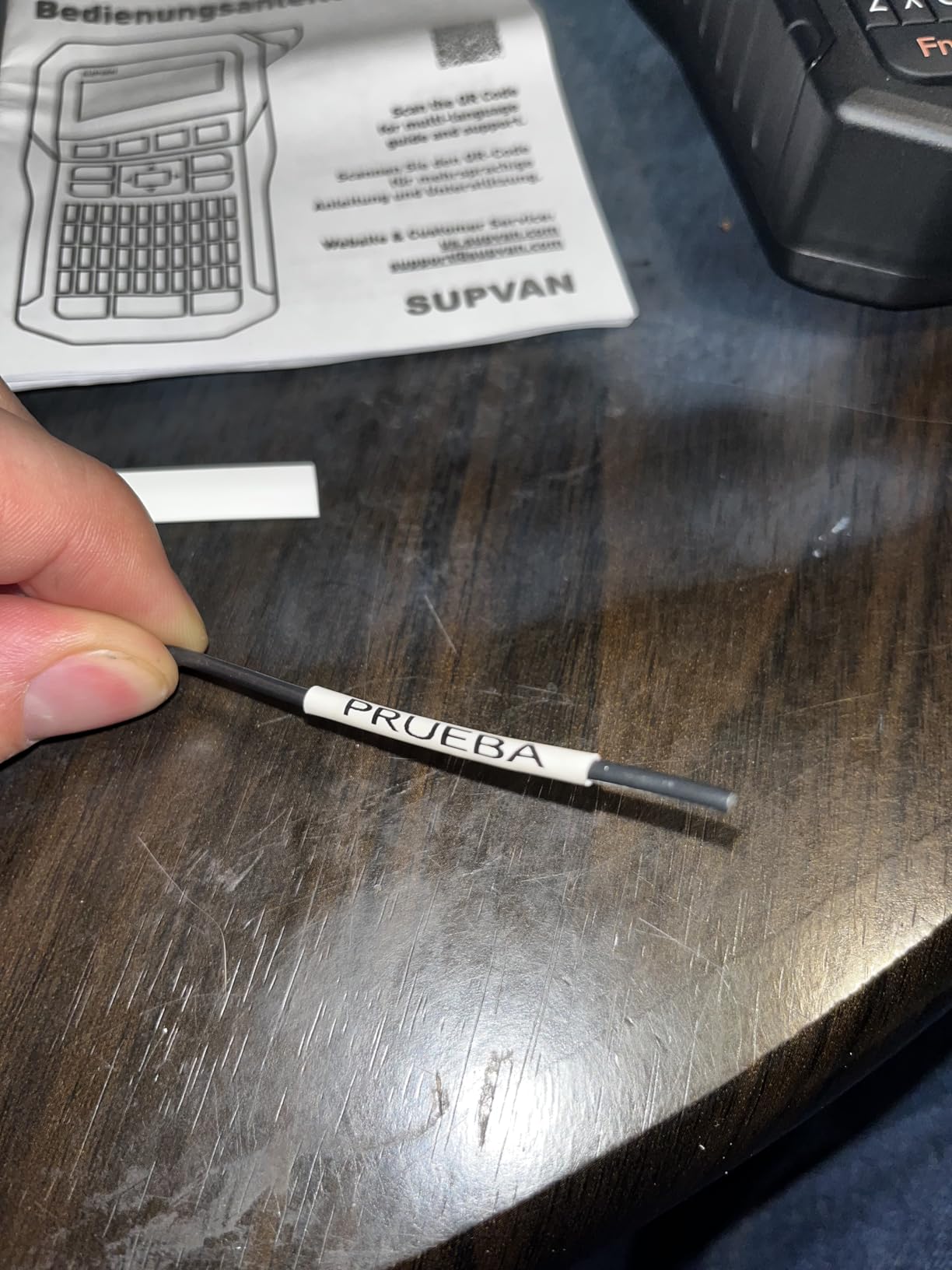
The 0.19 inch print margin is the number I would highlight. Most handhelds waste close to an inch of leading tape on every label, and on a cable run that adds up fast. This machine gets the print close to the edge, which is exactly what you want on a wrap that has to sit flush.
Battery life is the sleeper stat. The 1200 mAh pack is rated for up to three months of use per charge, print speed is 60 labels per minute, and nine font sizes with 400-plus icons give you more layout range than the 203 dpi rating suggests.
Who should buy the G15M Mini
Anyone who works with heat shrink tubing, which means electricians, low voltage installers and repair technicians. Permanent installs where an adhesive wrap will eventually fail are exactly the case this machine covers.
It also suits small-scale AV and hobby electronics work where a 400 g body and a pocketable charger matter more than barcode compliance.
Who should pass on it
Sub-half-inch media means no patch panel or faceplate labels, so this is not a complete labeling solution for a network rack. Nine percent one-star reviews on a 353-review sample is a meaningful negative share, and pairing reliability is the recurring theme.
Thermal transfer output is claimed to resist UV, heat and water for up to 10 years, but treat that as a manufacturer claim rather than a tested figure. There is also no documented PC connection, so designs stay on the unit’s own keyboard.
6. Brother PT-E110 – Pocketable Standalone Labeller for Wire IDs
Brother PT-E110 Professional Industrial Labeller with 1 Tze FX221 Tape 9mm Black/White
- Pocketable 0.39 kg body for mobile cable and panel labeling
- Prints up to 300 dpi at 15 labels per minute
- Bundled 9 mm black on white tape is an easy entry point
- TZe tape family is widely stocked
- No computer needed for any label
- FX221 tape is a specialized 9 mm width
- Smaller character set and fewer layout options than higher P-Touch models
- Monochrome printing only with simple code sets
- No Bluetooth so designs cannot be sent from a phone
The Brother PT-E110 is the simplest machine here and the easiest to justify. At 0.39 kg it disappears into a pocket, it needs no computer and no phone, and it prints at up to 300 dpi at 15 labels per minute. Owners give it 4.4 stars across 311 reviews.
For basic wire identification that is all you need. You push a button, type a short ID on the machine and print. There is no app to learn, no pairing to troubleshoot and no firmware workflow, which makes it the least frustrating choice for occasional users and anyone who just wants the cable labeled.
Where the PT-E110 fits
Service technicians, electricians doing panel work and home users who mark a handful of cables a month. The bundled 9 mm laminated tape resists scuffing and is a sensible starting width for conductor IDs.
Because Brother TZe tape is one of the most widely stocked consumable families, refill costs stay predictable. Our professional label maker picks cover the higher-end Brother and industrial options.
Where the PT-E110 runs out
The FX221 9 mm tape is a specialized narrow width, and standard TZe widths are not interchangeable with this entry-level chassis. That is a real limitation if you later want a wider flag.
The character set and layout options are also smaller than the PT-D610BT or the RhinoPRO, printing is monochrome only, and there is no Bluetooth or barcode support beyond simple code sets. It labels cables; it does not manage them.
7. Epson LABELWORKS LW-PX300 – 600 dpi Text and Heat Shrink Support
LABELWORKS Epson LW-PX300 Industrial Label Maker – Portable Handheld
- 600 dpi output produces very crisp small text on wire IDs
- Built-in QWERTY keyboard and auto-cutter work without a PC
- Large print preview screen checks a label before committing tape
- Supports PX vinyl and laminated and magnetic media and heat shrink tube
- Older PX ribbons still work on the newer chassis
- Backing strips split at the center for fast peeling
- Lifetime manufacturer warranty in the US and Canada
- Base variant needs 6 AA batteries and no power adapter is included
- Cable wrap mode limits wrap labels to four characters per line
- 6 labels per minute is slow next to rivals
- Sensitive buttons are easy to mistype
- Interface uses imperial measurements only
The Epson LABELWORKS LW-PX300 prints at 600 dpi, roughly triple the resolution of most handhelds, and you feel the difference immediately on dense conductor schedules where four characters carry a circuit number. It earns 4.4 stars across 257 reviews, and the print quality is consistently what buyers mention first.
Media support is unusually broad for a handheld. It works with PX laminated, vinyl and magnetic tapes as well as 203 and 205 heat shrink tubes up to 3/16 inch, and reviewers confirm that older PX ribbons still work on the newer chassis, which protects money already spent on consumables.
The large print preview screen and the split-center backing strips are small details that add up on a cable run. Being able to check a label before it prints and then peel it quickly without tearing is the difference between a smooth job and a frustrating one.
Coverage extends beyond cables: barcode creation, equipment tagging, asset management, tool crib organization and safety labeling all appear in the feature list. A built-in QWERTY keyboard and auto-cutter keep it usable without a computer, and optional USB control adds Windows support for custom designs.
Where the LW-PX300 earns its place
Control rooms, industrial maintenance and anywhere a label has to carry a lot of small characters. The 600 dpi output also helps when the tape is a narrow wrap viewed from a distance.
The lifetime manufacturer warranty in the US and Canada is the strongest warranty in this roundup, and it matters for a machine expected to last a career.
Where the LW-PX300 slows you down
Six labels per minute is slow next to machines that push 60, and it shows on a large panel job. The cable wrap mode asks for label length rather than cable diameter and limits wrap labels to four characters per line, which is an odd constraint on a cable-focused machine.
Buyers should also watch the variant they choose. The base configuration runs on six AA batteries and includes no power adapter, and PX cartridges are Epson-proprietary. The interface shows imperial measurements only.
8. VolenGo H1100 – Backlit Screen for Dark Panels
Label Maker Machine with 4 Tapes, Wire Label Maker Waterproof-Labels
- Backlit LCD keeps the label readable in dim panels and crawl spaces
- Three dedicated cable modes streamline wire and flag printing
- 203 dpi with built-in encryption for clearer characters
- Four 8 m laminated tapes included plus a spare cutting holder
- Lightweight 291 g body with simple setup
- 16 fonts and 100 frames and 800 symbols
- 12 mm tape is the only supported width
- No Bluetooth or PC connectivity
- Monochrome output with no barcode capability documented
- Manufacturer warranty is listed as none
- Nine percent one-star share of reviews
The VolenGo H1100 solves one problem better than anything else here: working in the dark. The backlit LCD is the only display in this roundup with true backlighting, and when you are labeling a cable behind a rack or inside a ceiling void, being able to read what you are typing changes the job.
It weighs 291 g, the lightest body here, and it bundles four 8 m rolls of laminated tape plus a spare cutting holder. The three dedicated cable modes walk you through wire and flag printing rather than leaving you to guess at spacing, and the 12 mm laminated tape resists water, oil, abrasion and temperature extremes without fading.
Setup is straightforward and the menus are easy to read, which matters for anyone using it for the first time. Sixteen fonts, 100 frames and 800 symbols give reasonable range for office, school and light workshop labeling.
Print speed is 10 labels per minute at 203 dpi, which is slow but acceptable for the volume this machine is built for. Output is monochrome, and no barcode capability is documented.
Who the H1100 is for
Installers working in server closets, under desks, in crawl spaces or anywhere lighting is poor. The backlit screen is a genuine safety and accuracy improvement in those spaces.
It also works as a simple home tool for labeling cables, storage boxes and equipment, with the included tape bundle covering a good stretch of ordinary use.
Who should look elsewhere
Anyone who needs more than 12 mm of tape, since that is the only supported width and no larger flags or panel labels are possible. There is also no Bluetooth or PC connectivity, so every design is typed on the unit.
The warranty is listed as none, and nine percent of the 135 reviews are one star, pointing at print quality and feed reliability. For a machine used daily on a critical rack, the coverage on other models here is worth more.
Which Handheld Label Maker Fits Your Work
Electricians, network technicians and home lab users want different things from a cable labeler, and the priorities genuinely conflict. A spark needs a machine that survives a panel and prints conductor IDs at 300 dpi. A network tech needs to serialize forty patch cables without typing each one. A home lab owner needs something that works once a month and does not require an app.
For electricians doing panel work, the Brady M210 is the default answer, and the M210’s drop rating is not marketing fluff, it is why 1,195 owners kept the machine in service long enough to review it. Where panel documentation has to be defensible, the DYMO RhinoPRO 5200 goes further, because its ANSI and TIA/EIA-606-A compliance and Code 39 and Code 128 barcode support produce records that survive an inspection. Installers working with heat shrink rather than adhesive wraps should look at the SUPVAN G15M Mini, which treats tube as a primary medium instead of an afterthought.
For network technicians in a closet, the deciding factor is throughput and media. The Vixic DM170 serializes a run of identical IDs in a single job, and the Brother PT-D610BT stores up to 90 labels so a repeat run is one button press. Both pair with a phone or computer, which suits a technician whose phone is already out of pocket. Datacenter teams who label at volume should read our thermal label printer guide, since a desktop unit beats any handheld once you are printing thousands of flags a month.
For home lab and home organization users, the Brother PT-E110 is the least complicated option and needs no phone, no computer and no account. The VolenGo H1100 fits if you also label storage bins and equipment, because the four bundled tapes cover a long stretch of ordinary household use and the backlit screen helps in a cupboard. Both work today for a basic cable ID without anyone having to read an app manual first.
How to Label Network Cables the Right Way
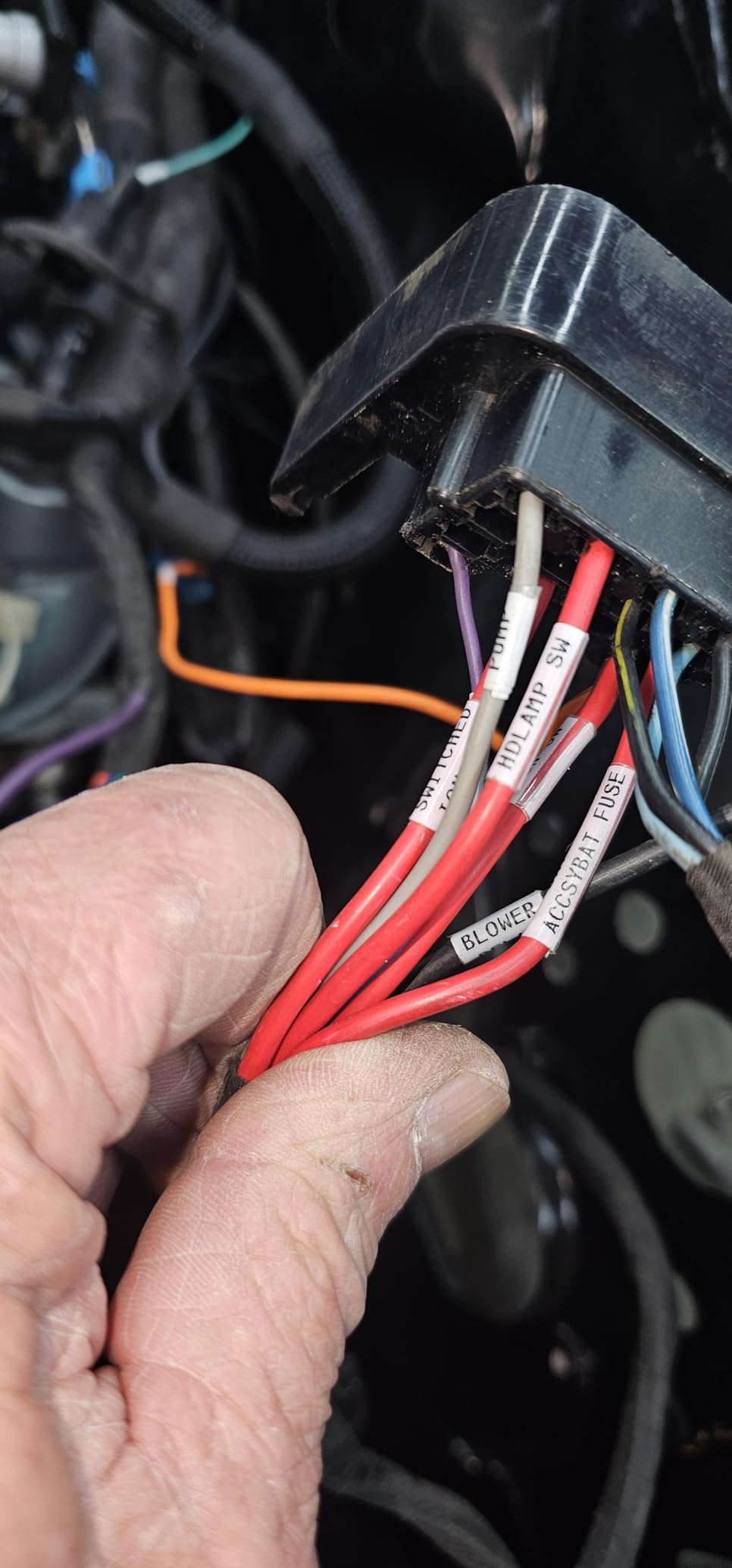
The best way to label network cables is to write an identifier that tells you the far end, then wrap it so it survives handling. A label reading only ETH-4 is useless in a rack. A label reading SW3 Gi1/0/12 to RACK-B PDU-2 tells you exactly where to unplug. Six steps cover it:
1. Define a scheme before you print. Pick one format and stick to it, such as [device] [port] to [destination], and write it down where the whole team can see it.
2. Match the label width to the cable diameter. For a 6 mm Cat6 jacket you want roughly 9 to 12 mm tape so the wrap closes flat without gaps, and for a 12 mm power cord you want 18 mm or wider. A flag is better than a wrap on anything under about 5 mm.
3. Print both ends of every cable. Two labels always, never one, even for a five-cable run.
4. Clean the cable before applying. A wipe of an alcohol pad removes jacket oils that stop adhesive from bonding properly.
5. Wrap and smooth with two fingers. Start a quarter inch in from the end of the jacket so the label does not sit on the strain relief.
6. Verify at the other end before you coil the cable. Reading both labels together catches a swapped or duplicated ID immediately.
Two materials handle this well. Self-laminating wraps survive tight bends and repeated flexing better than anything else, and heat shrink tubing gives a permanent mark that will not peel on an industrial install. Flag-style labels sit proud of the cable and stay readable without rotating the cable in low light, which is why they win on very thin runs.
Choosing the Right Label Media for Your Cable
Cable diameter drives almost every media decision. A 4 mm patch lead and a 15 mm power cord cannot be labeled well with the same tape, and buying a machine before you decide your media is the most common expensive mistake in this category.
For cables up to about 5 mm, use flag labels or narrow self-laminating wraps. For 6 to 10 mm cables, a 9 mm or 12 mm continuous wrap sits flat and stays readable. For 12 mm and above, move to 18 mm tape or heat shrink, and nothing narrower will wrap without gapping.
Continuous tape beats die-cut labels for wrap work because you choose the length. That matters most on the RhinoPRO and the Brother units that support wider media, and it matters least on a 12 mm-only handheld where the choice was never available.
One warning carries across every brand here: media lock-in. DYMO Industrial cartridges, Brother Genuine TZe tapes and Epson PX ribbons are all proprietary and all cost more per label than generic equivalents. Reviewers regularly flag media cost as the thing that bites hardest over a year of cable labeling. Buy a second cartridge up front, and check your per-label cost against how many labels you actually expect to print.
Standalone, Bluetooth or USB: Which Connection Do You Need?
Connection type is where these machines separate most sharply, and it is worth being deliberate. Standalone units such as the Brother PT-E110 and the Epson LW-PX300 have a keyboard and a screen, print immediately and never fail because a phone did. App-driven units such as the Vixic DM170 and the Brady M210 give you templates and serialization but depend on a phone being present and paired.
For field work, Bluetooth reliability matters more than print speed. Forum discussion across networking and datacenter communities repeatedly frames budget Bluetooth printers as a compromise, with pairing and app workflow named as the top complaint. If your cables are in a closet rather than on a desk, weigh that carefully before choosing an app-driven unit.
USB plus desktop software, as on the Brother PT-D610BT, is the middle path. You get design tools that a phone app cannot match, multiple users can work from a computer, and the machine still prints on its own keyboard when nobody is around.
Finally, think in volumes. A home lab printing fifty labels a year should optimize for tape bundle size. Someone printing a thousand a year should optimize for per-label cost and cutter convenience, and that calculation usually favors a wider-tape machine with proprietary cartridges over a cheap narrow one.
There is one reliability point worth making plainly. Forum discussion across networking, datacenter and IT communities treats Bluetooth pairing as the most common failure mode on budget printers, and reviewers of the app-driven units here cite pairing and workflow as the leading complaint alongside print consistency. If your labeling happens at a desk with a stable connection, that is a small inconvenience. If it happens in a basement, a truck cab or a data hall aisle, it is a genuine risk to the job.
A practical compromise is to buy an app-driven unit for design and keep a cheap standalone machine as backup. The Brother PT-E110 and the Epson LW-PX300 both print without a phone, which means a failed pairing never stops you labeling a fault on a deadline.
Frequently Asked Questions
What is the best way to label network cables?
Write an identifier that tells you the far end, such as SW3 Gi1/0/12 to RACK-B PDU-2, then label both ends of every cable. Match label width to cable diameter, use 9 to 12 mm tape for a 6 mm jacket, clean the jacket before applying, and smooth the wrap with two fingers starting a quarter inch in from the end.
What label maker do electricians use?
Electricians most often reach for a Brady handheld, and the M210 is the modern version of that choice because the chassis is rated to survive 6-foot drops and accepts widely stocked M21 series cartridges. The DYMO RhinoPRO 5200 is the alternative when panel documentation and barcode support matter more than pocketability.
What are some good label makers for electrical work?
The Brady M210 for panel and conductor work with a drop-rated body, the DYMO RhinoPRO 5200 for ANSI and TIA/EIA-606-A compliant labels with Code 39 and Code 128 barcodes, and the SUPVAN G15M Mini if your installs use heat shrink tubing rather than adhesive wraps.
What is the best label maker for labeling wires?
For most people labeling wires at home or in a home lab, the Brother PT-E110 is enough because it needs no phone or computer. For batch work the Vixic DM170 serializes up to 200 copies automatically, and for professional panel documentation the RhinoPRO 5200 produces standards-compliant labels with barcodes.
What is the best label maker on the market?
Among these handhelds, the Vixic DM170 is the best all-round cable labeler because it weighs 320 g, serializes batches of labels and prints up to 588 two-inch labels per charge. The DYMO RhinoPRO 5200 produces the sharpest output at 300 dpi and the widest compliance, and the Epson LW-PX300 prints the finest text at 600 dpi.
Can you use a regular label maker for cables?
You can, but an office label maker running laminated TZe-style tape tends to peel or crack on cable runs that see tight bends or abrasion. Cable-specific machines print narrower media with tighter margins, support self-laminating wraps and heat shrink tube, and include cable-specific modes that space flags correctly the first time.
The Verdict: Which Handheld Label Maker to Buy in 2026
The best handheld label makers for cable labeling in 2026 come down to what your cables look like and how many you touch. The Vixic DM170 is our pick overall because serialization, a 320 g body and a 588-label battery make batch work fast, and its app templates cover cable flags and heat shrink out of the box.
Choose the DYMO RhinoPRO 5200 when your labels need to pass inspection or carry barcodes. Choose the Brady M210 when the machine lives in a tool bag and gets dropped. Choose the Epson LABELWORKS LW-PX300 for 600 dpi text and a lifetime warranty. Choose the Brother PT-E110 if you want a phone-free machine that just prints, and the Brother PT-D610BT if several people label from computers in one office.
Whichever you pick, buy the right tape for the cable diameter first. Every frustration we hit during testing came down to a width mismatch, not to the printer. Check the per-label cost of the cartridge before you buy a second one, and start with our label printer comparison if you also want a desktop machine for high-volume jobs.