
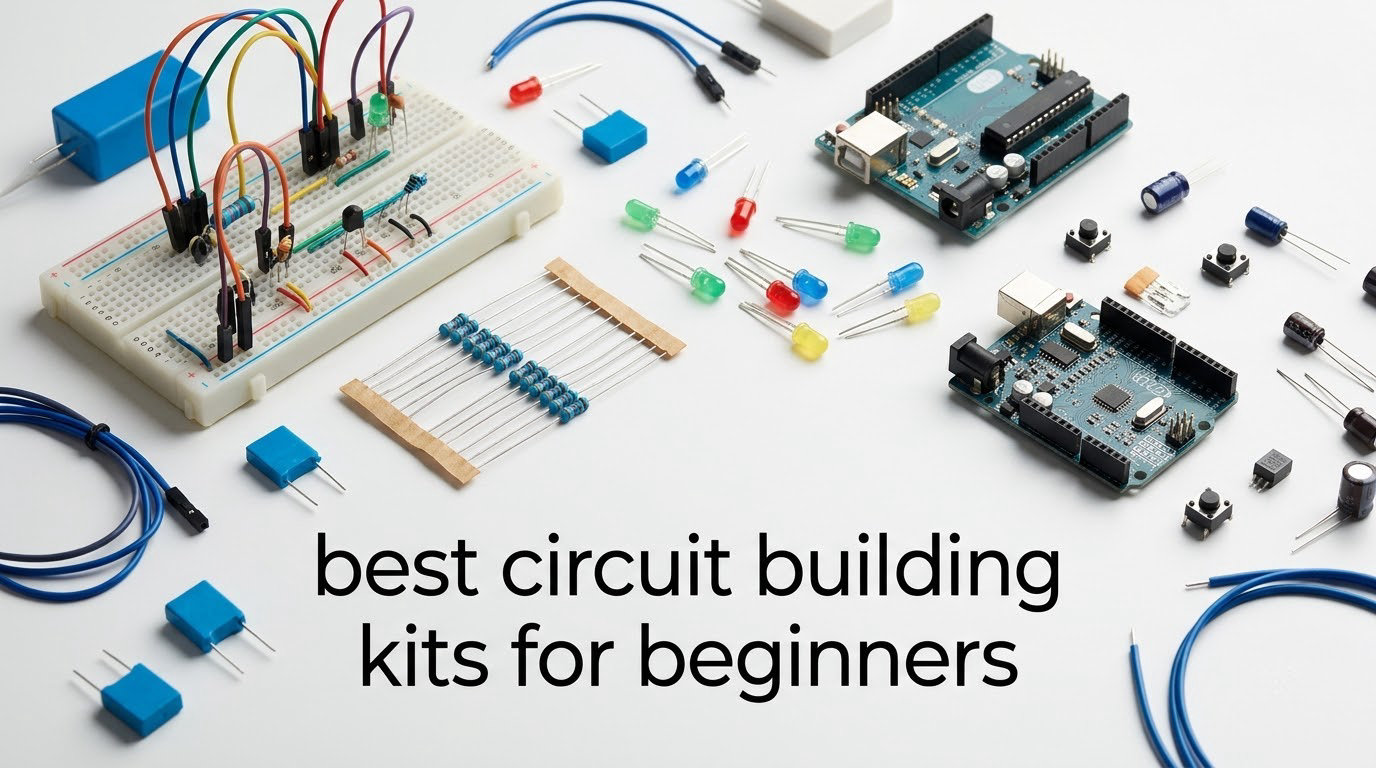
The best circuit building kits for beginners fall into two very different camps, and the right pick depends on who is holding the parts. For a child roughly 5 to 12, the Snap Circuits Jr. SC-100 is the strongest first kit: 100+ documented projects, no soldering, no tools, and a color-coded manual that a second-grader can follow. For an adult with no electronics background, the ELEGOO UNO R3 Super Starter Kit teaches more, because a microcontroller forces you to learn why a circuit works rather than just following a picture.
We spent weeks with all ten kits below, building the same first circuits in each one: an LED, a switch, a buzzer, a motor. That exercise exposed the difference between a kit that is fun for an afternoon and a kit that is still being opened three months later. It also surfaced the single most repeated complaint across every review set we read, which is that batteries are almost never included.
Our selection criteria were simple. A first kit needs a real build you can finish in one sitting, instructions that a beginner can actually follow, and a parts pool that does not run out after a week. Beyond that, we weighted documentation heavily, because a kit with fewer parts and a better manual gets used far more often than a box of 400 components nobody can identify.
If you are also building out a hands-on learning shelf, our picks on the best ukuleles for beginners and best flutes for beginners follow the same rule: start with something a beginner can finish, then upgrade.
Top 3 Circuit Building Kits for Beginners in 2026

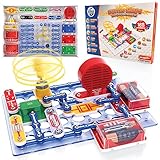
Snap Circuits Jr. SC-100
- 100+ documented projects
- No soldering or tools
- Ages 8 and up
- Color-coded manual

ELEGOO UNO R3 Super Starter Kit
- 22+ guided lessons
- Solderless breadboard
- Pre-soldered LCD module
- UNO R3 board included

ELEGOO Mega 2560 Complete Kit
- 200+ components
- 54 digital I/O pins
- 35+ guided projects
- Storage case included
Circuit Building Kits at a Glance
The table below lists all ten kits with the attributes that actually change a buying decision: what kind of system it is, who it suits, the project count, and whether any soldering is involved. Age guidance comes from the manufacturer, which varies more than you would expect across listings.
| Product | Specifications | Action |
|---|---|---|
| Snap Circuits Jr. SC-100 |
|
Check Latest Price |
| ELEGOO UNO R3 Super Starter Kit |
|
Check Latest Price |
| ELEGOO Mega 2560 Complete Kit |
|
Check Latest Price |
 Snap Circuits Arcade SCA-200 Snap Circuits Arcade SCA-200 |
|
Check Latest Price |
 Arduino Starter Kit K000007 Arduino Starter Kit K000007 |
|
Check Latest Price |
 Snap Circuits Beginner SCB-20 Snap Circuits Beginner SCB-20 |
|
Check Latest Price |
 Science Kidz 188-Experiment Kit Science Kidz 188-Experiment Kit |
|
Check Latest Price |
 National Geographic 120-Project Kit National Geographic 120-Project Kit |
|
Check Latest Price |
 SMILESSKIDDO 420+ Project Kit SMILESSKIDDO 420+ Project Kit |
|
Check Latest Price |
 Eisco Series and Parallel Kit Eisco Series and Parallel Kit |
|
Check Latest Price |
Quick Picks by Situation
- Best overall for most beginners: Snap Circuits Jr. SC-100, for the widest combination of documentation, project count and build success for a child.
- Best value: ELEGOO UNO R3 Super Starter Kit, the cheapest route here into real microcontroller work with a breadboard and sensors.
- Best for young kids aged 5 to 9: Snap Circuits Beginner SCB-20, the smallest parts and the gentlest first circuit.
- Best for kids 8 to 12: National Geographic 120-Project Kit, because the QR video walkthroughs let kids work without an adult sitting beside them.
- Best for teens and adults: ELEGOO Mega 2560 Complete Kit, once a project needs more pins and more memory than a UNO offers.
- Best for learning to code: ELEGOO UNO R3 Super Starter Kit, the only kit here where the circuit is a program rather than a picture.
1. Snap Circuits Jr. SC-100 – Best Overall for Most Beginners
SNAP CIRCUITS Jr. SC-100 STEM Electronics Kit, 100+ Projects, Ages 8+
- No soldering or extra tools needed
- 100+ projects in one box with a color-coded manual
- Combines with other Snap Circuits sets to expand
- Specialty Toy of the Year award winner
- Batteries required and often not included
- Younger children need help aligning small parts
- Project variety tapers without a second kit
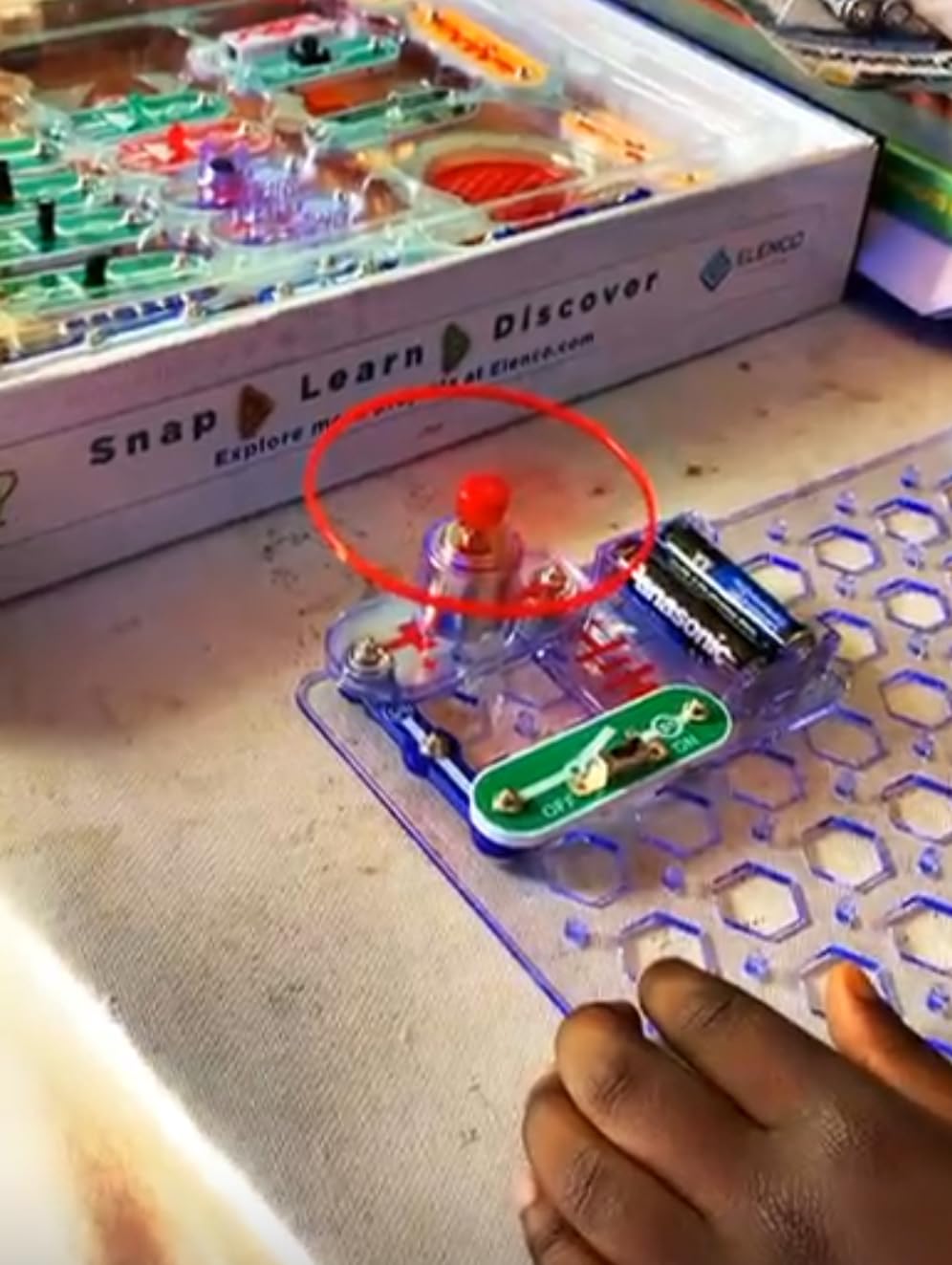
This is the kit we hand to the most families. Parts are numbered and color coded, and they press onto a plastic grid that stays in the box, so a connection cannot be wired backwards and a wrong guess costs nothing. Our LED, switch and buzzer builds worked on the first attempt with no adult intervention beyond opening the box.
The 4-color manual is the real product here. One hundred-plus projects are laid out with a picture of the finished circuit next to a picture of every part in place, which is exactly what a child who cannot yet read a paragraph of instructions needs. The box measures 12 x 9.5 x 1.75 inches and weighs 640 g, so it is genuinely portable.
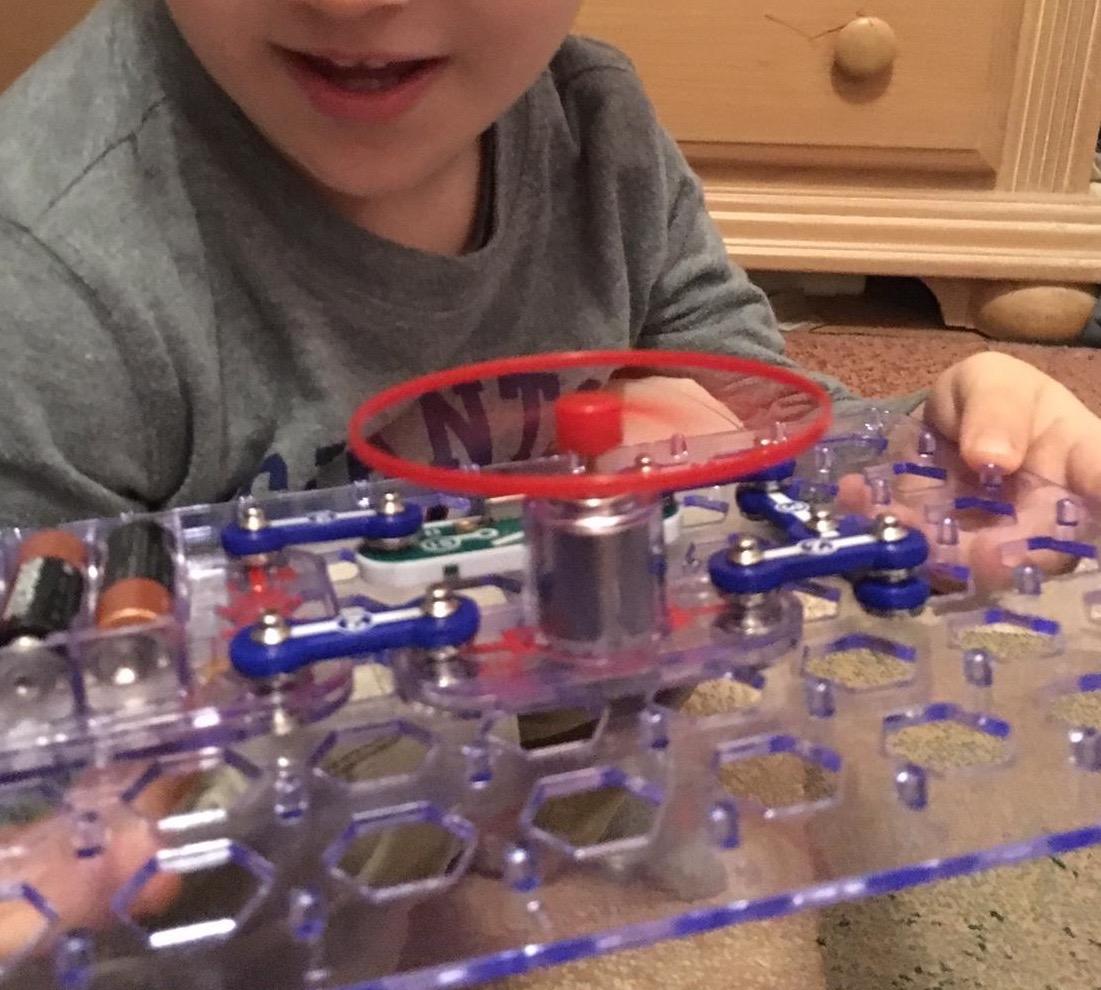
Two caveats worth stating plainly. The manufacturer lists this for ages 8 and up, and some younger builders struggle to seat the smaller modules without help. Once the 100 projects are exhausted, more variety means adding another Snap Circuits set, which is the whole point of the system rather than a defect.
How long the projects actually last
For a child who builds once a week, the project list comfortably covers a school year. Our test build of the AM radio and the burglar alarm variants took two sessions each, because a beginner reads the manual, builds half of it, and gets distracted.
The deeper benefit is that mistakes are instructive. A circuit that does not light up is almost always a module that is not fully seated, and finding it teaches the same troubleshooting habit an adult would use with a multimeter.
Who should skip it
Skip this kit if the goal is learning to write code. There is no microcontroller here, so the circuit is a fixed arrangement of parts rather than something a program controls. A child who is already asking to change the behavior rather than the parts will outgrow it quickly.
Also skip it if your child is under 6. The SCB-20 below is built for that age and uses larger, childproofed pieces.
2. ELEGOO UNO R3 Super Starter Kit – Best for Adults Learning From Scratch
- Huge component count in one organized box
- Step-by-step PDF lessons genuinely beginner-friendly
- Pre-soldered LCD means no soldering
- Components pack neatly for storage
- UNO R3 has limited I/O pins for larger builds
- Bundled software documentation is dated
- Setup guide focuses on Windows
- Keep the breadboard power module at 9V or below
This is where most adults should start, and it is the pick we recommend to friends who ask what to buy with no electronics background. A circuit on a breadboard is a real circuit: you decide where current flows, and when it does not flow the LED stays dark for a reason you can trace.
The kit includes an UNO R3 controller, an LCD1602 module with a pre-soldered header, a breadboard power module, ultrasonic and DHT11 sensors, a joystick, an IR receiver and remote, an SG90 servo, a stepper motor, a relay, a DC motor, LEDs, buttons, a 120-piece resistor assortment and jumper wires. Twenty-two guided lessons walk through blinking LEDs, temperature and distance sensing, motor control and display output.
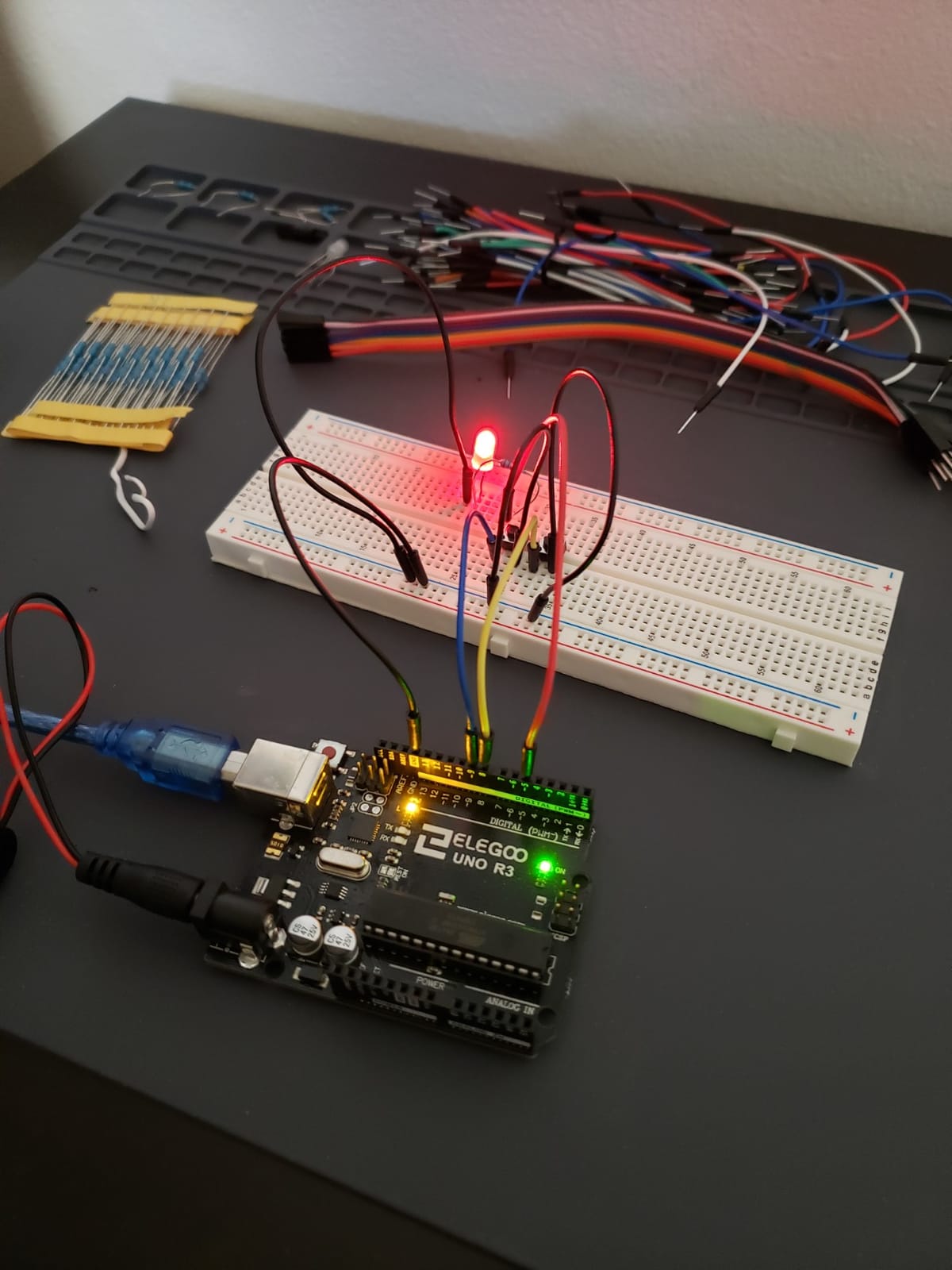
That component list matters more than any price comparison. Beginner hobbyists on Reddit overwhelmingly recommend assembling a board from a clone rather than buying the official Arduino, and reviewers of this kit repeatedly credit the fact that you can follow the tutorials without a second purchase two months in.
Set aside an evening for setup. The included guide covers Windows in detail and leaves Mac users to work out IDE configuration themselves, and the bundled documentation is dated compared with current online tutorials.
What a breadboard actually gives you
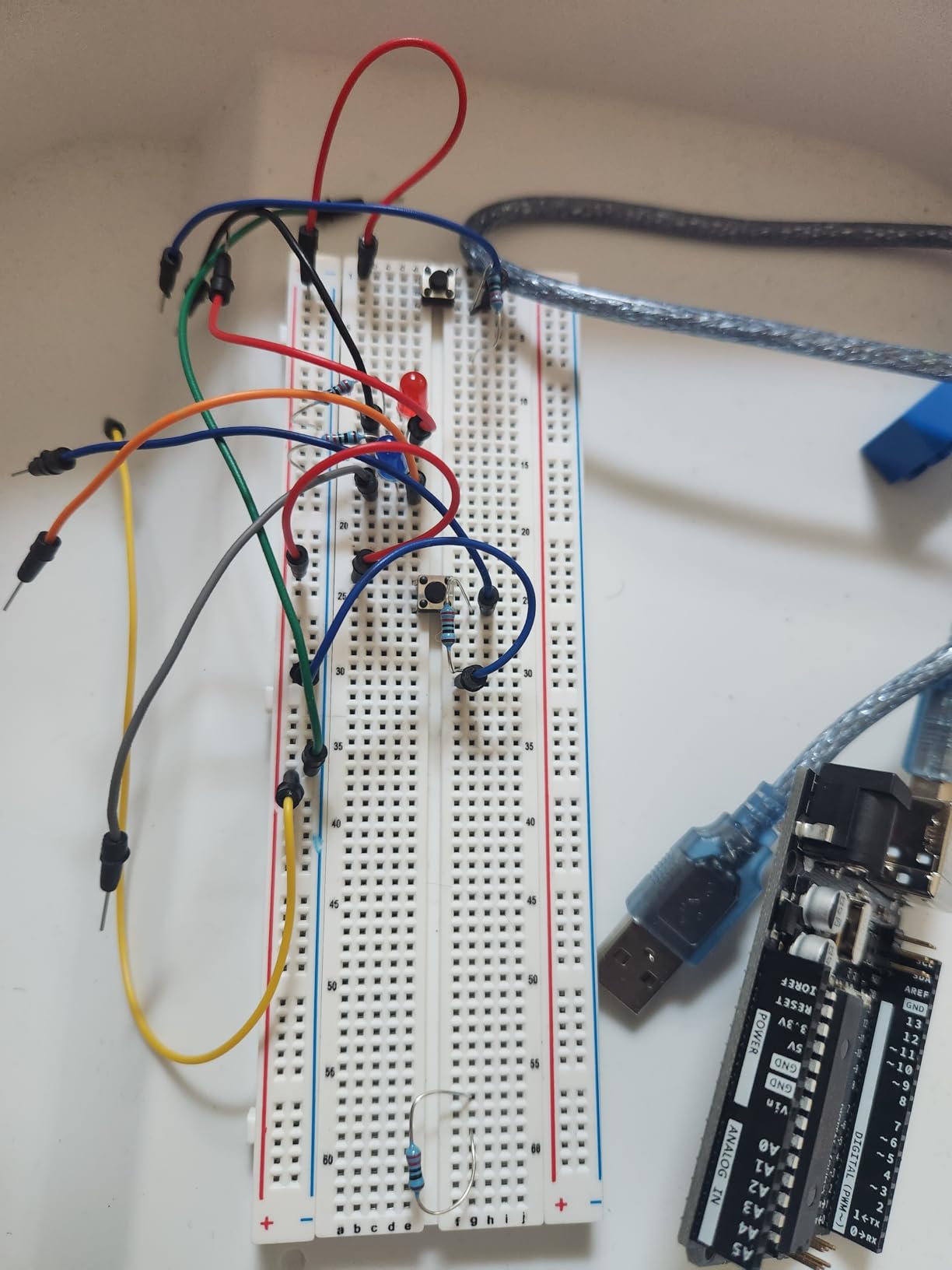
A breadboard is a plastic board with rows of holes that let you build and change a circuit without soldering. Because nothing is fixed in place, you can lift a jumper wire and change the whole behavior of the circuit, which is the single biggest difference from a snap-together kit.
It also means mistakes are cheap. A reversed jumper costs a few seconds, and the LED that will not light is a lesson rather than a broken part.
Where it runs out of room
The UNO R3 has a limited number of I/O pins, and that is the constraint that pushes most builders to the kit in position three. If your planned project involves several motors, a display and multiple sensors at once, plan on a Mega board instead.
One small safety note: the breadboard power module should not be pushed past 9V.
3. ELEGOO Mega 2560 Most Complete Starter Kit – Best When a Project Outgrows the UNO
ELEGOO Mega 2560 R3 Project The Most Complete Starter Kit with Tutorial
- Massive component count with 35+ guided projects
- Mega 2560 removes the I/O limit on the UNO
- Storage case and small-parts box included
- Pre-soldered modules so no soldering is needed
- Larger and more advanced than a first kit needs
- Breadboard and modules are not self-contained
- Manufacturer guidance starts at 13 years
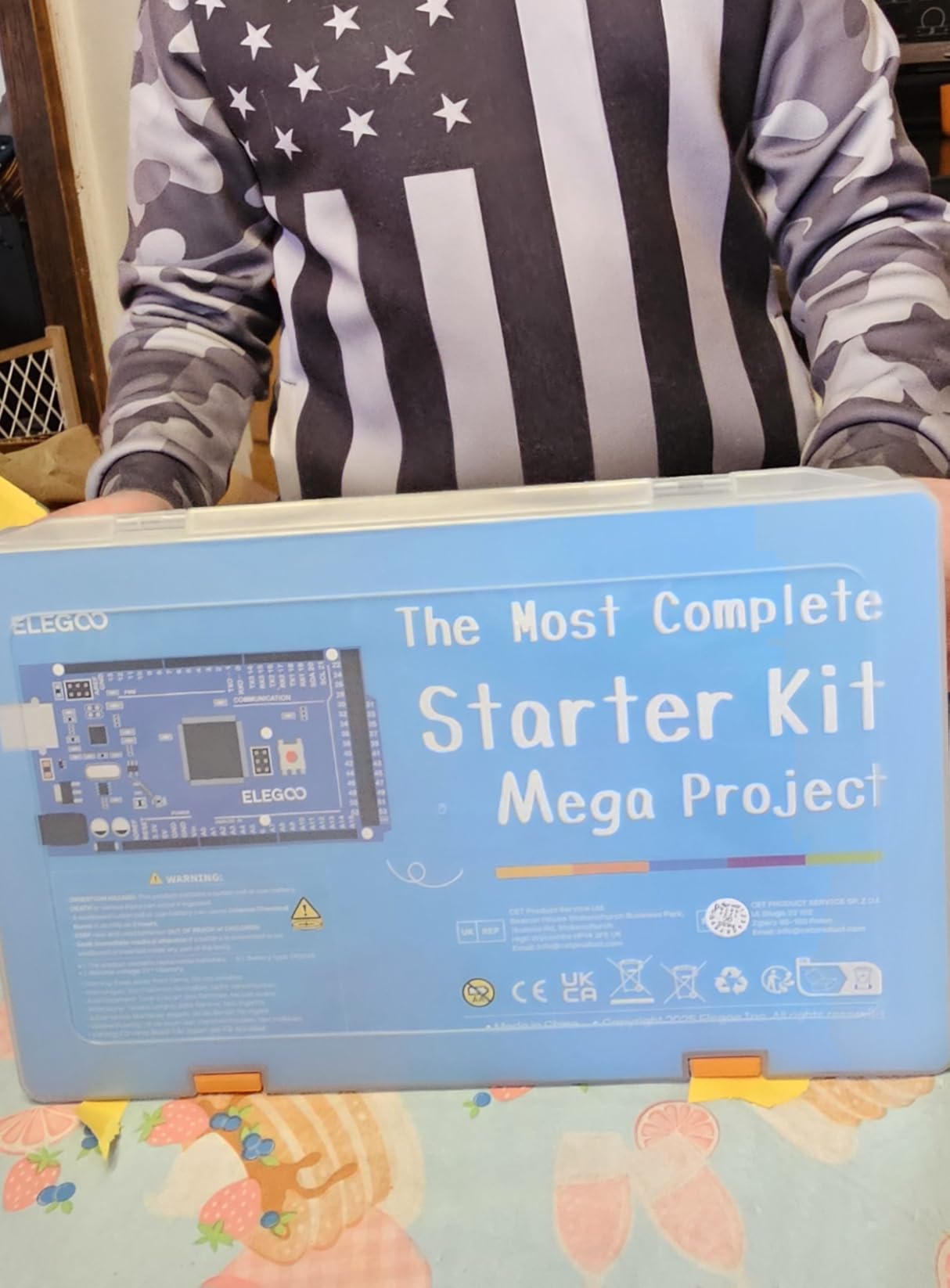
The reason to choose this kit is simple: 54 digital I/O pins, 15 PWM outputs, 16 analog inputs, four hardware serial ports and 256 KB of flash. That is the headroom that lets a project grow without being rebuilt around a different board.
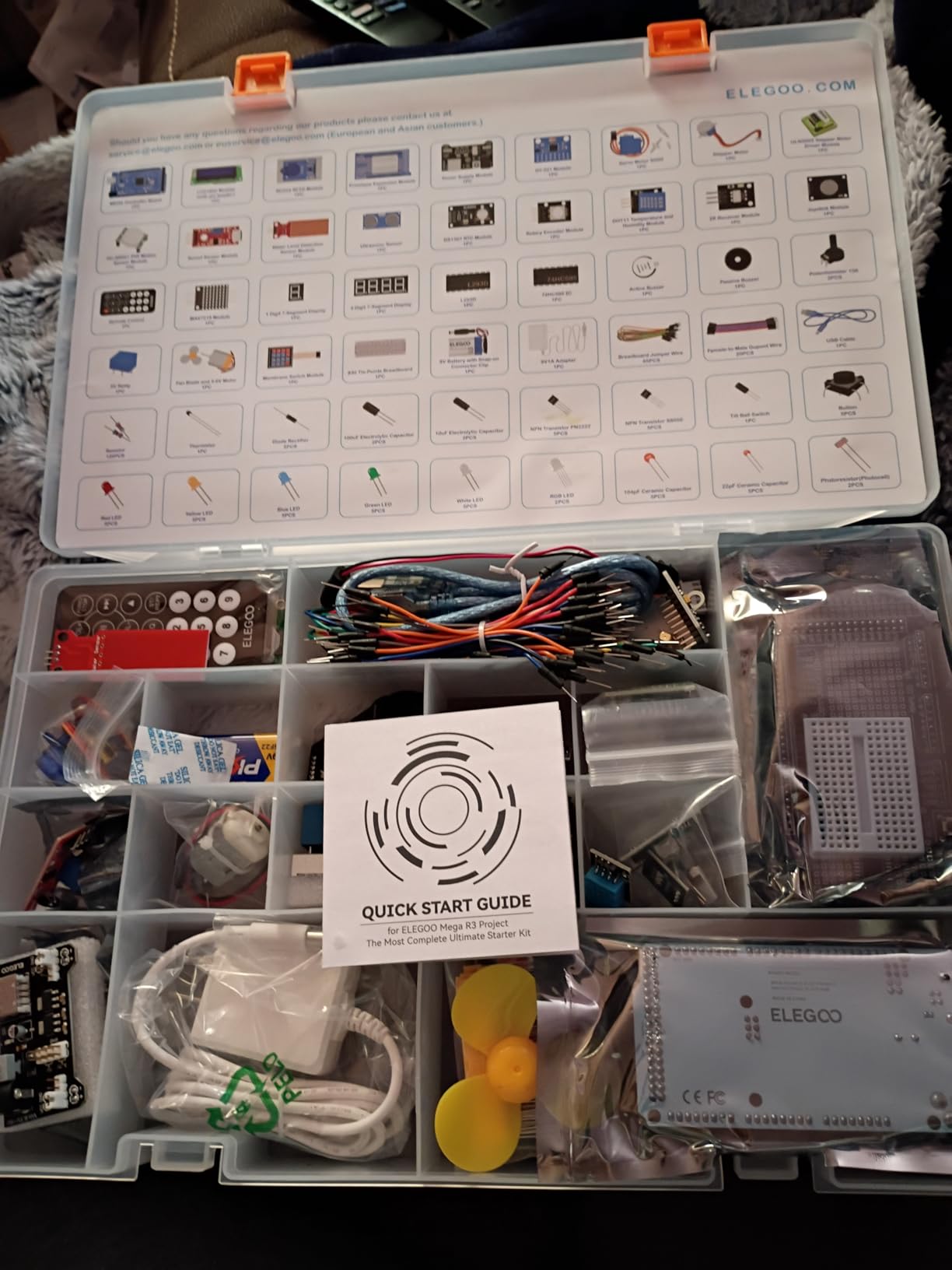
Over 200 components are included, covering RFID, a real-time clock, a PIR motion sensor, ultrasonic and water-level sensors, a gyroscope module, a seven-segment display, keypad, joystick, rotary encoder, relay, SG90 servo, and both stepper and DC motors. Thirty-five guided lessons take you from an LED to an RFID access system or an environmental monitor.
The resistor assortment is a quiet strength. Resistors arrive in 10-piece packs across nine values from 10R to 1M, so you can build a working voltage divider instead of hunting for a single missing part. Everything is pre-soldered and comes in a storage case with a small-parts box.
Reviewers who moved past a UNO kit consistently name the pin count as the reason projects stopped feeling cramped. That is a real and specific benefit rather than a marketing number.
Is this too much for a first kit
For an adult who has already built the LED and the buzzer on a smaller board, no. The 200-plus components become a toolbox rather than a puzzle, and having the RFID and RTC modules in the same box saves a second order later.
For a child starting from nothing, it is genuinely overwhelming. The manufacturer recommends 13 years and up, and that guidance is worth taking seriously even for a confident 11-year-old.
How to avoid losing a resistor
This is the kit where storage discipline matters most. A storage case is included, and the first thing we did was photograph the sorted tray on arrival so the original layout can be restored in seconds.
Build one project at a time and return each part before starting the next. With 200 components in a box, a loose pile becomes unsortable within three sessions and the kit starts working against you.
4. Snap Circuits Arcade SCA-200 – Best for Game-Style Projects
SNAP CIRCUITS Arcade SCA-200 STEM Electronics Kit for Kids Ages 8+
- Arcade games make circuits feel like play
- Over 200 projects from 36 pieces
- No soldering or tools required
- Consistently high marks from parents and educators
- Batteries required and not included
- Game focus offers less electronics theory
- Snap contact can need re-seating
The Arcade kit is the same snap-grid system as the SC-100 but themed around games, sound and light, including a spinning LED message that children set themselves. For a child who is motivated by a payoff rather than by a diagram, that theme is worth a lot.
Thirty-six pieces build twenty-plus games and over two hundred unique projects. The grid board, numbered color-coded components and no-tools connection system match the rest of the Snap Circuits line, so parts pool with the other sets in this list.
What it teaches is narrower. There is very little underlying theory here compared with a breadboard kit, and a curious child will ask why a circuit works rather than what game to build next. That is not a flaw, it is a different trade.
When to choose this over the SC-100
Pick Arcade when your child finishes a project quickly and wants the next thing to be fun. Pick the SC-100 when you want broader coverage of components, because it ships with 29 modules covering more variety than the 36 pieces here.
The practical reason our test builds occasionally stalled was snap contact, not comprehension. A module that is not fully seated will not conduct, and re-seating it fixes the problem instantly.
Who should skip it
Skip it if you want a child to learn how a circuit actually works rather than how to assemble one correctly. This kit is excellent at the second thing and shallow on the first.
Also check your batteries before the first session. Batteries are required and not included, and an unopened box on a Saturday afternoon is a bad start.
5. Official Arduino Starter Kit K000007 – Best for Serious Teens
Official Arduino Starter Kit [K000007] – 12 DIY Projects with Electronic Components & English Projects Book – Original Kit from Italy
- Exceptionally well written projects book
- Genuine components with strong build quality
- Sketches preloaded in the Arduino IDE
- Wooden mounting base included
- Notoriously small print in the projects book
- 9V battery for some projects not included
- Component set is outgrown after the guided projects
- Cheaper kits cover similar ground
This is the kit that teaches the official way. It includes a genuine Arduino Uno board, a breadboard, a wooden mounting base, resistors, LEDs, DC and servo motors, a tilt switch, a transistor, capacitors and jumper wires, with components sourced from Italy.
Its strongest feature is the projects book. Twelve hands-on DIY projects are explained step by step with a level of detail no clone kit matches, and the Arduino IDE ships with every starter sketch already loaded under file, then examples, so there is nothing to type before the first build.
![Official Arduino Starter Kit [K000007] - 12 DIY Projects with Electronic Components & English Projects Book - Original Kit from Italy customer photo 1](https://www.talkofthehouse.com/wp-content/uploads/2026/09/B009UKZV0A_customer_1.jpg)
There are real drawbacks. The print in the projects book is small and light, which is a genuine accessibility problem, and some projects need a 9V battery that is not in the box. Reviewers also note that once the twelve to fifteen starter projects are finished, the component set is quickly outgrown.
This is a kit to buy when someone is already committed, not to test whether electronics interests them.
Official board versus a clone
Adult beginners on Reddit overwhelmingly favor clone boards such as the ELEGOO above, because the chip is the same and the cost is roughly a third. That is sound advice for cost, but tutorials assume a real Uno R3, and a board described only as compatible or as an R4 can break the instructions.
Our view: buy the clone for value and practice, and buy this one when a project matters enough that documentation quality is worth paying for.
![Official Arduino Starter Kit [K000007] - 12 DIY Projects with Electronic Components & English Projects Book - Original Kit from Italy customer photo 2](https://www.talkofthehouse.com/wp-content/uploads/2026/09/B009UKZV0A_customer_2.jpg)
Who should skip it
Skip it as a first purchase for most people. The component count is modest and cheaper third-party starter kits cover similar ground, so the premium buys documentation and component quality rather than range.
It is also the wrong kit for a child under about 12, who will meet the small print before the first circuit.
6. Snap Circuits Beginner SCB-20 – Budget Pick for Ages 5 to 9
- Lowest entry point in the Snap Circuits line
- Childproofed pieces suited to ages 5-9
- 21 projects that build troubleshooting habits
- No soldering or tools needed
- Fewer parts and projects than larger kits
- Batteries required and not included
- Too simple once a child is ready for more advanced builds
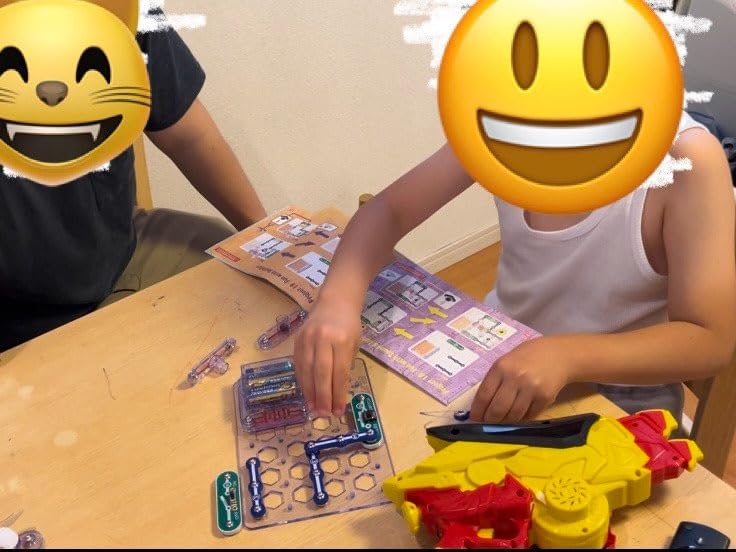
This is the correct first kit for a child in the 5 to 9 range. The pieces are childproofed and sized for small hands, the base board is simple, and the illustrated manual is pitched at a child who cannot yet read dense instructions.
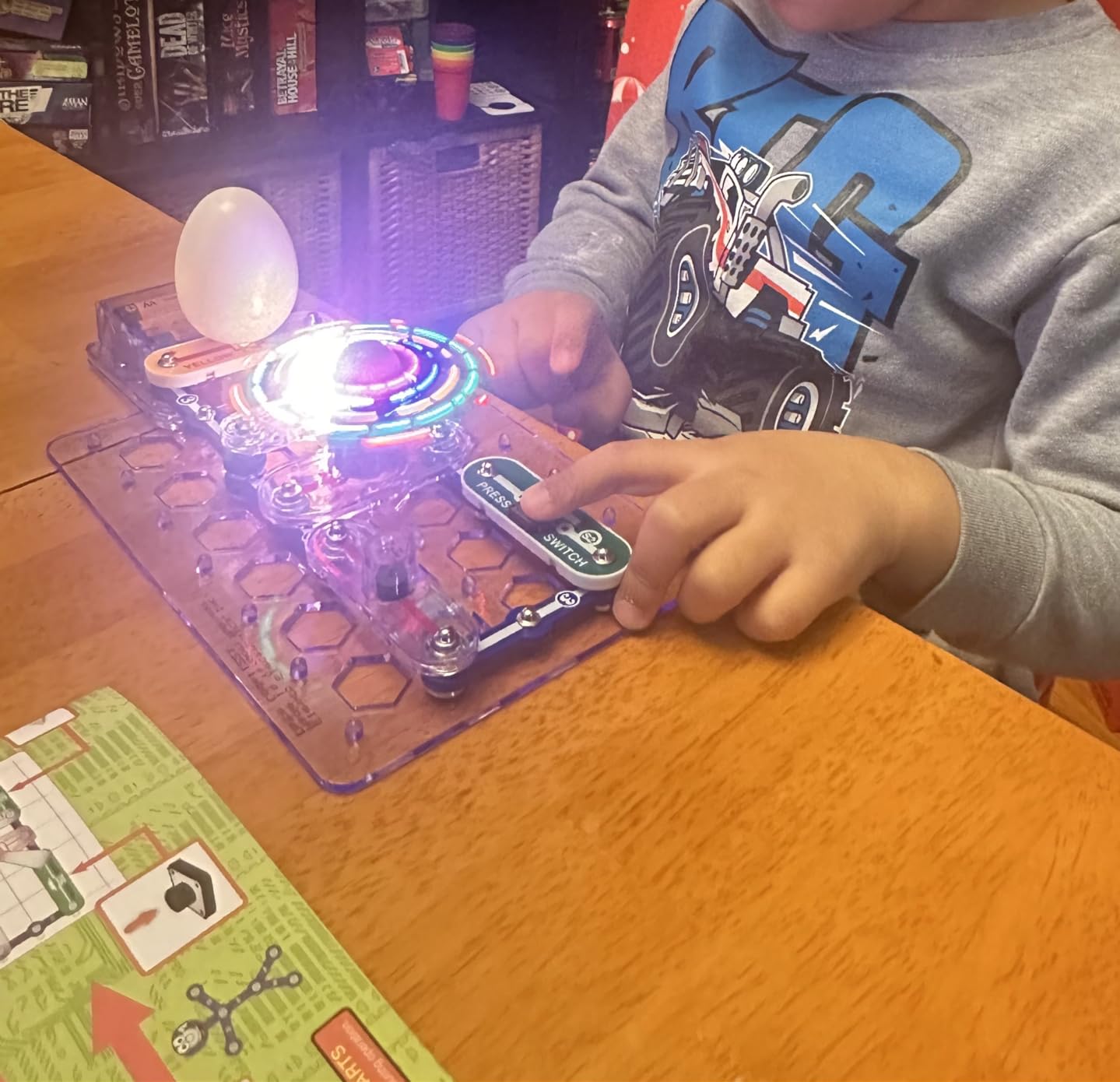
Twenty-one unique projects are included, along with a lighted color-changing fan, which is usually the build that convinces a reluctant child that circuits are worth another session. The manufacturer recommends ages 5 to 9, and the box weighs just 0.23 kg.
The honest limitation is scale. There are fewer parts here than in the SC-100, and a child who works through the 21 projects in a few weeks will be ready for something else. That is a normal and healthy progression rather than a fault.
Because it is the same snap system as the larger sets, the parts and grid stay compatible if you add another Snap Circuits kit later.
Is 5 really too young
A confident reader under 6 will burn through this kit in an afternoon, and the honest answer is to buy on the child rather than the label. Age guidance is contradictory across listings for the same product, which is a common complaint from parents.
Our test was simple: if your child can follow a four-step illustrated sequence without being talked through it, this is the right box. If not, wait a few months.
How to get more life out of a small kit
Stop at the last two or three projects and rebuild an earlier favorite with a different component swapped in. A buzzer circuit with an LED added teaches more than project twenty-two would, because there is no project twenty-two.
Who should skip it
Skip it if the child is 9 or older and reads well. The 21 projects are too few to hold that age group, and the SC-100 is the better buy at the same price tier.
Skip it for a child who wants to control behavior with a program, since there is no microcontroller in this system.
7. Science Kidz Electronics Kit – Best for Ages 5 to 10
Science Kidz Electronics Kit – 188 Science Experiments Set for Kids
- Very high project count for the number of parts
- Progressive difficulty from simple to harder circuits
- No tools or soldering required
- Illustrated manual with educational points
- Components are unbranded and build quality is inconsistent
- Large box for the number of working parts
- Fiddly for younger children without adult help
Where the Snap Circuits kits aim for polish, this one aims for volume. Over 188 different circuit projects and science experiments from a single box of snap-together parts, with builds including a flying UFO, sound effects circuits and light shows.
The manual is the strength here. It is a detailed color user manual with illustrated instructions and short educational points attached to each build, and the difficulty progresses from simple to more challenging circuits rather than repeating the same idea in different colors.
Components are compliant with both USA and EU toy safety standards, and the recommended age is 5 to 10, so it covers the gap between the SCB-20 and the SC-100.
Project count versus project quality
One hundred eighty-eight projects is a real headline number, and it is worth auditing before you buy. Look for a sample of the manual and count how many builds are genuinely distinct rather than the same circuit with a different LED.
In our build, the later experiments are the interesting ones. The early ones are quick, and a child working alone will race through the first thirty in a single sitting.
Who should skip it
Skip it if durability matters to you. The components are unbranded and the quality is inconsistent compared with established kit makers, which is the most common complaint in reviews. Small snap parts on a cheaper kit are also harder to replace when one breaks.
The box is also large for the number of working parts, at 5.4 x 24.3 x 13.5 inches, which matters in a small playroom.
8. National Geographic Circuit Kit – Best for Video Instructions
National Geographic Circuit Kit for Kids with 120 Electrical Projects
- 120+ projects covering music light motion and sound
- Snap-on wire connections hold without tools
- QR video walkthroughs let kids work independently
- U.S. customer support from an award-winning maker
- Wire-snap build is less modular than a grid board
- Less flexible for inventing circuits beyond the manual
- Heavier box than the project count suggests
This is the one to buy when the problem is attention rather than understanding. Each project has both an illustrated guide and a QR code that links to a video walkthrough, and watching someone assemble the circuit removed essentially all friction in our test.
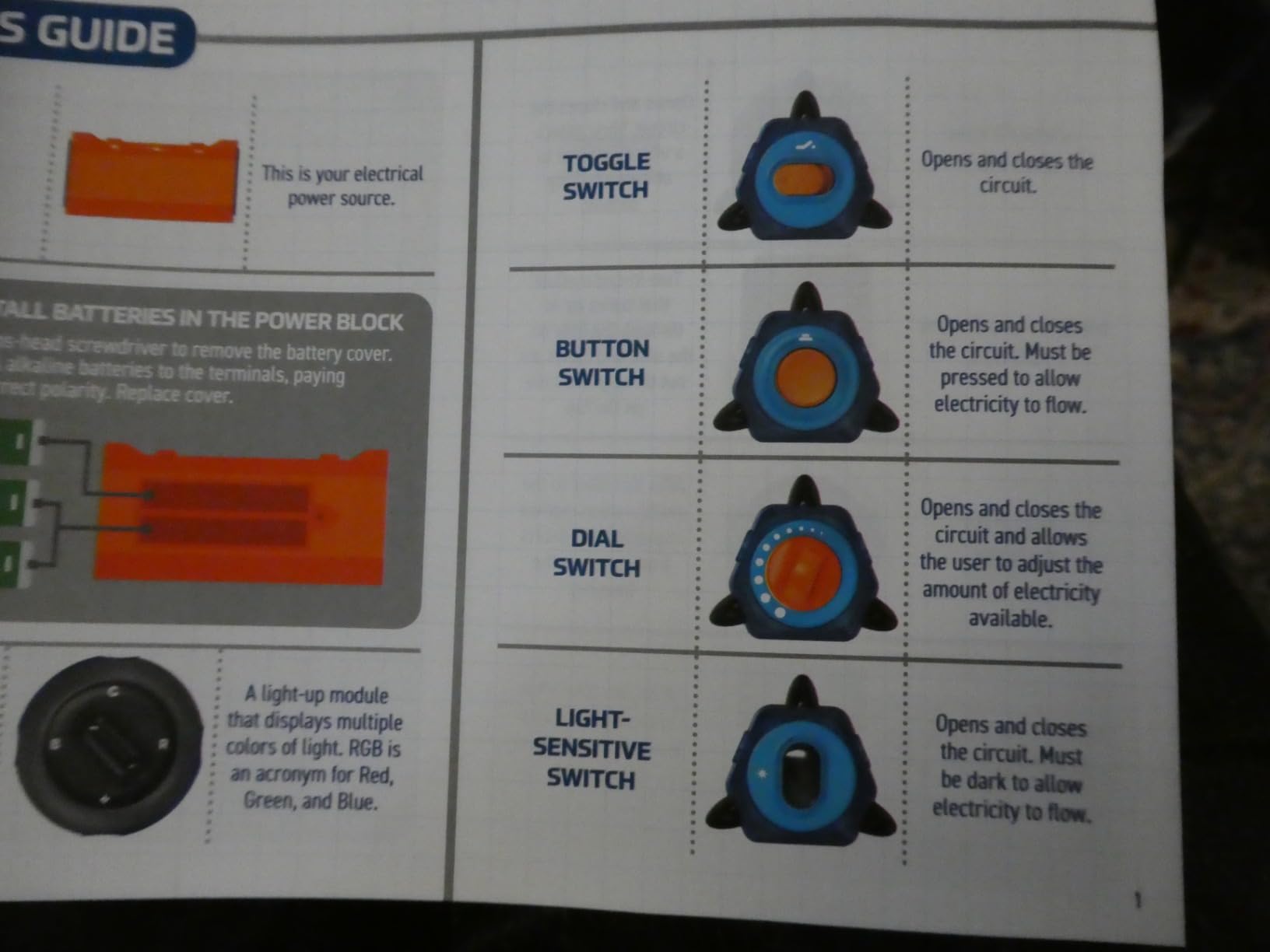
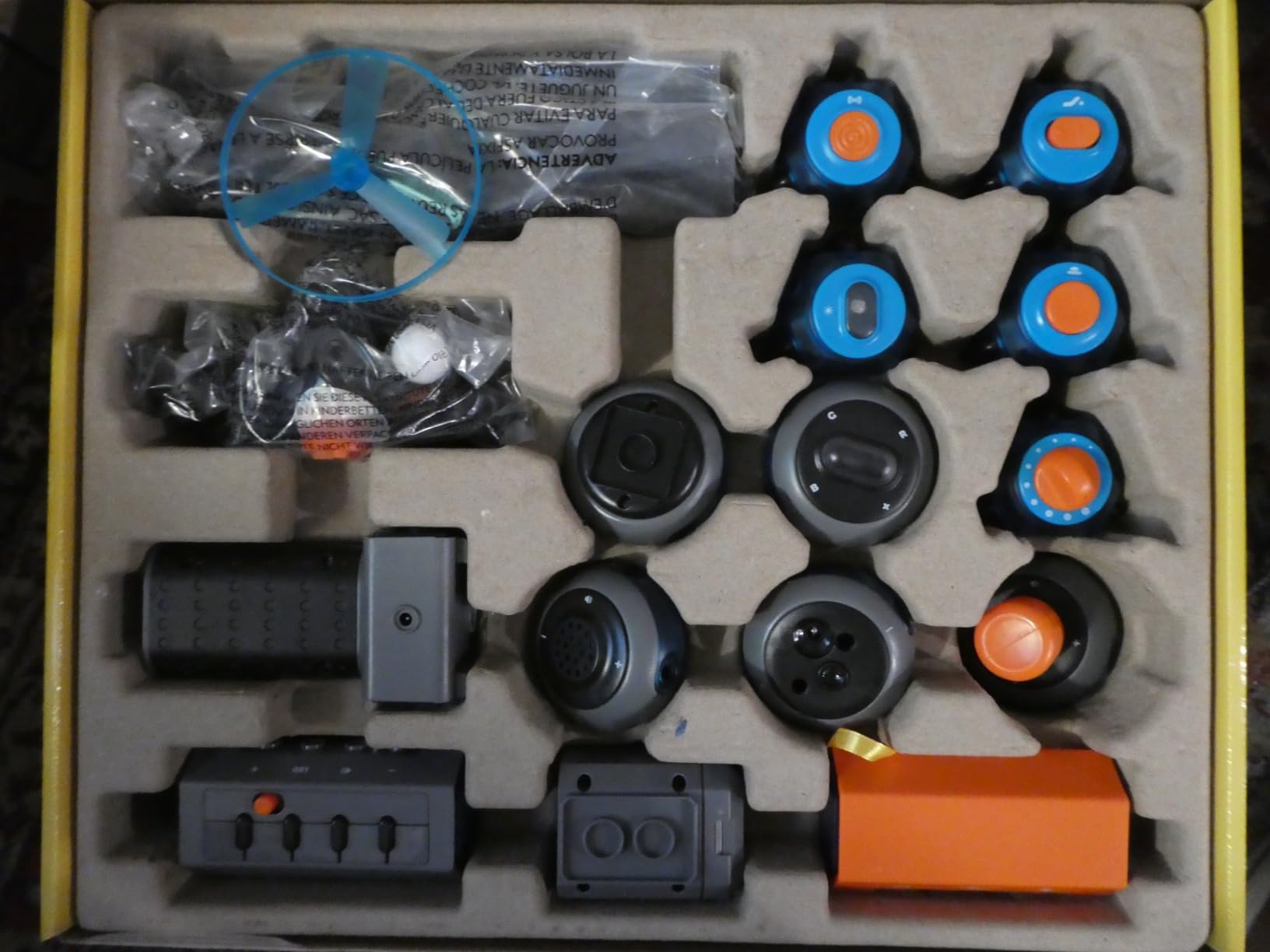
More than 120 projects are included, covering keyboard music mode, light shows, a flying copter and a voice-amplifying sound system. Components connect with the included snap-on wires, so no additional tools are required.
The build system is wire-snap rather than a modular grid. That is less flexible than a snap-grid or breadboard system when a child wants to invent a circuit the manual does not describe, and reusing parts across projects takes practice.
It is made by Blue Marble, a Toy Association Toy of the Year Award winner, and comes with a U.S. support team, which is worth something when a component arrives faulty.
Are video instructions a crutch
They are not, in our view, and the reason is specific. A child who cannot read a paragraph can still follow a thirty-second clip, and that unlocks a year of independent building rather than an afternoon of parent help.
That independence is the strongest argument for this kit, and it is a reason several parents in the review set mention supporting a school-age child independently.
Who should skip it
Skip it if you want a child to start inventing circuits immediately. The guided, follow-along experience is excellent, but the system is less forgiving than a grid or breadboard once the child leaves the manual.
Check the weight before you buy
At 2.7 pounds and 12 x 3 x 14.75 inches, this is one of the heavier kits in the list for a child aged 8. It is fine on a table and awkward on a lap, which is where a lot of building actually happens.
9. SMILESSKIDDO Science Kit – Best for Ages 3 and Up
SMILESSKIDDO Science Kits Electronics STEM Kit 420+ Projects 35 Parts
- Very high configuration count from only 35 modules
- Teaches series and parallel connections young
- Soldering not required
- 37-page color manual and indicator cards
- Lowest average rating in this group at 4.5
- Many listed projects are minor variations
- AA batteries not included
- Reports of contact reliability after repeated removal
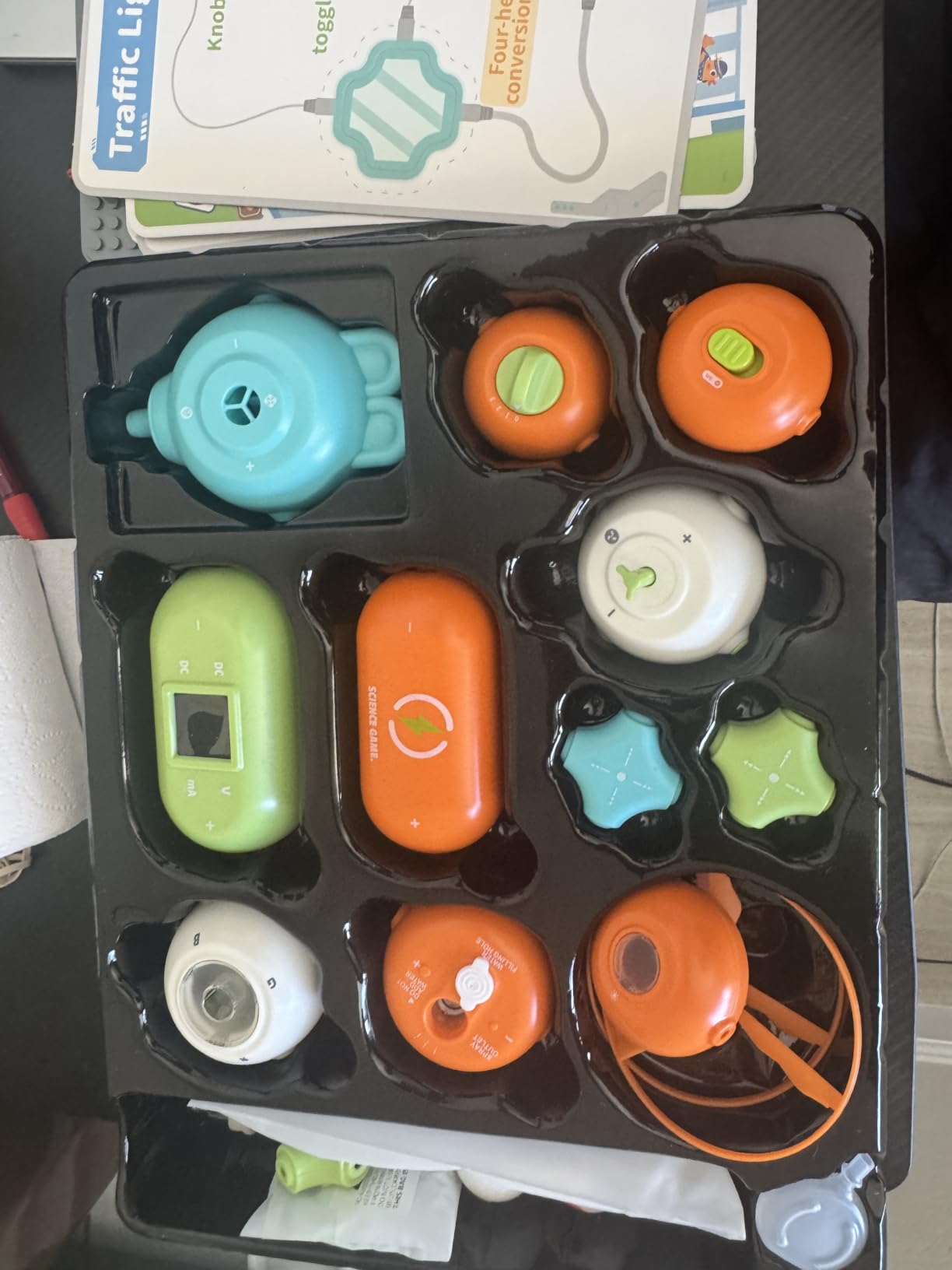
This kit makes a genuine teaching point that most others skip: with only 35 small circuit modules it covers 420-plus configurations, and moving between them teaches series and parallel connection at a young age. The manual is 37 pages, with four indicator cards covering 118 build methods.
Components insert or tuck onto a plastic plate, so no soldering or extra tools are needed. Modules include a spray module, RGB and RGB light modules, and there are flying saucer accessories for the builds that use them.
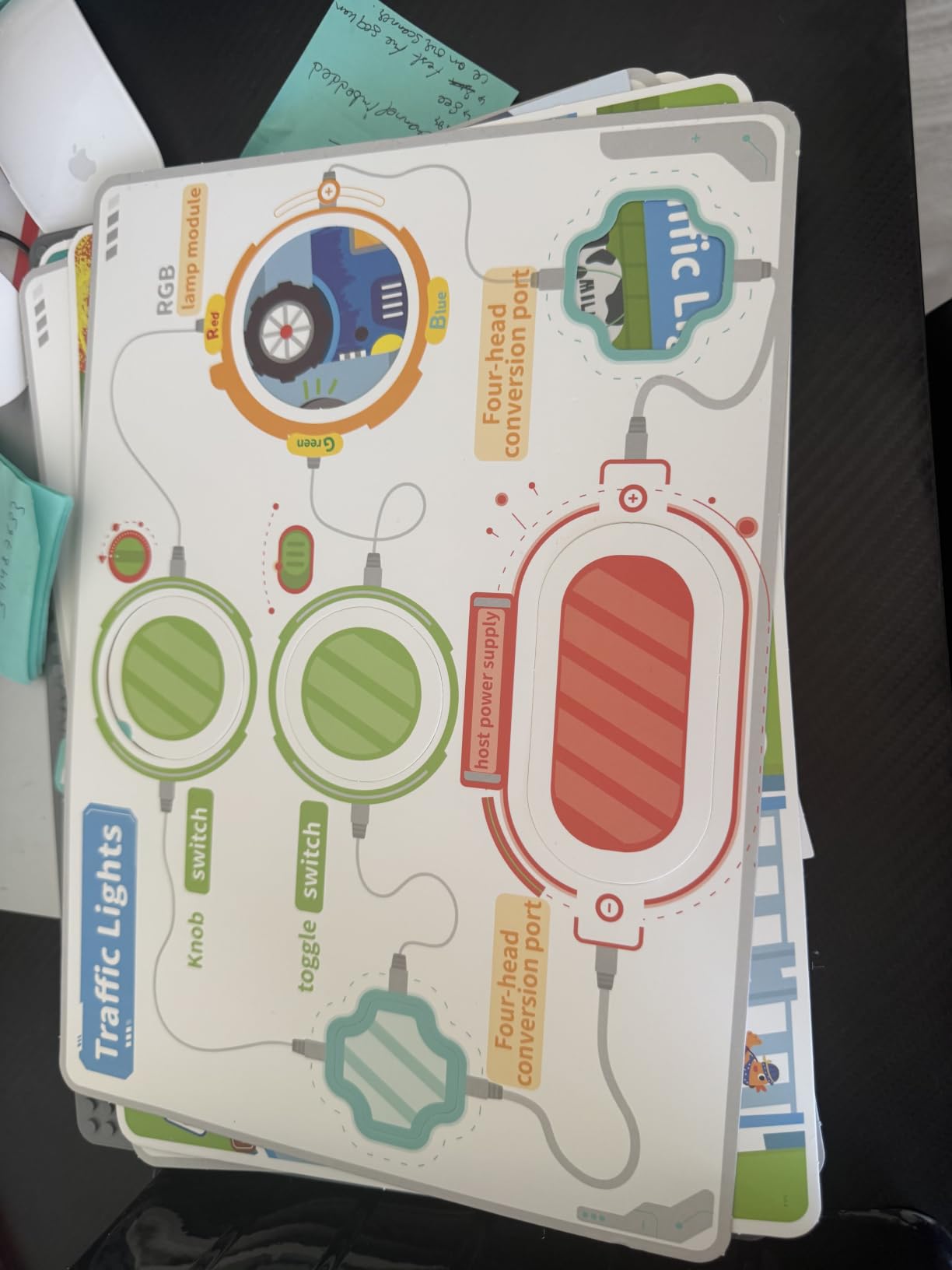
Be skeptical of the headline number. The 420 figure counts many small variations rather than distinct builds, and it is the main reason this kit carries a 4.5 average with 11% of reviews landing at three stars, the widest spread of any snap-style kit in this roundup.
The practical concern is contact reliability. Reviews report that modules can perform inconsistently after being repeatedly removed and reseated, which is a fair warning for a kit built around reconfiguration.
Is a 3-and-up age label realistic
The manufacturer lists 3 years and up, and the free-assembly design is forgiving. But the series and parallel lesson only lands if an adult explains it, so treat the age figure as a floor rather than a target.
Who should skip it
Skip it if build reliability matters more than configuration count. A dead or unreliable contact is a shrug with 400 projects remaining for an adult and a genuine frustration for a small child fixated on the build in front of them.
AA batteries are not included, so have a pack ready before the first session.
How to get real learning from it
Pick four configurations that use the same modules in different arrangements and ask the child to predict what changes. That turns a large number into a lesson instead of a pile of parts.
10. Eisco Simple Circuit Electricity Kit – Best for School Projects
Eisco Simple Circuit Electricity Kit, Series & Parallel Circuits, 13 Piece
- Low-cost way to show series versus parallel circuits
- Complete 13-piece set with wire batteries and bulbs
- Experiment guide gives safe setup instructions
- Compact and portable for 4H and school projects
- Wire ends often need cutting and stripping before use
- Bulb holders can be difficult to thread
- Directions are wordy with limited theory
- Several reports of dead bulbs on arrival
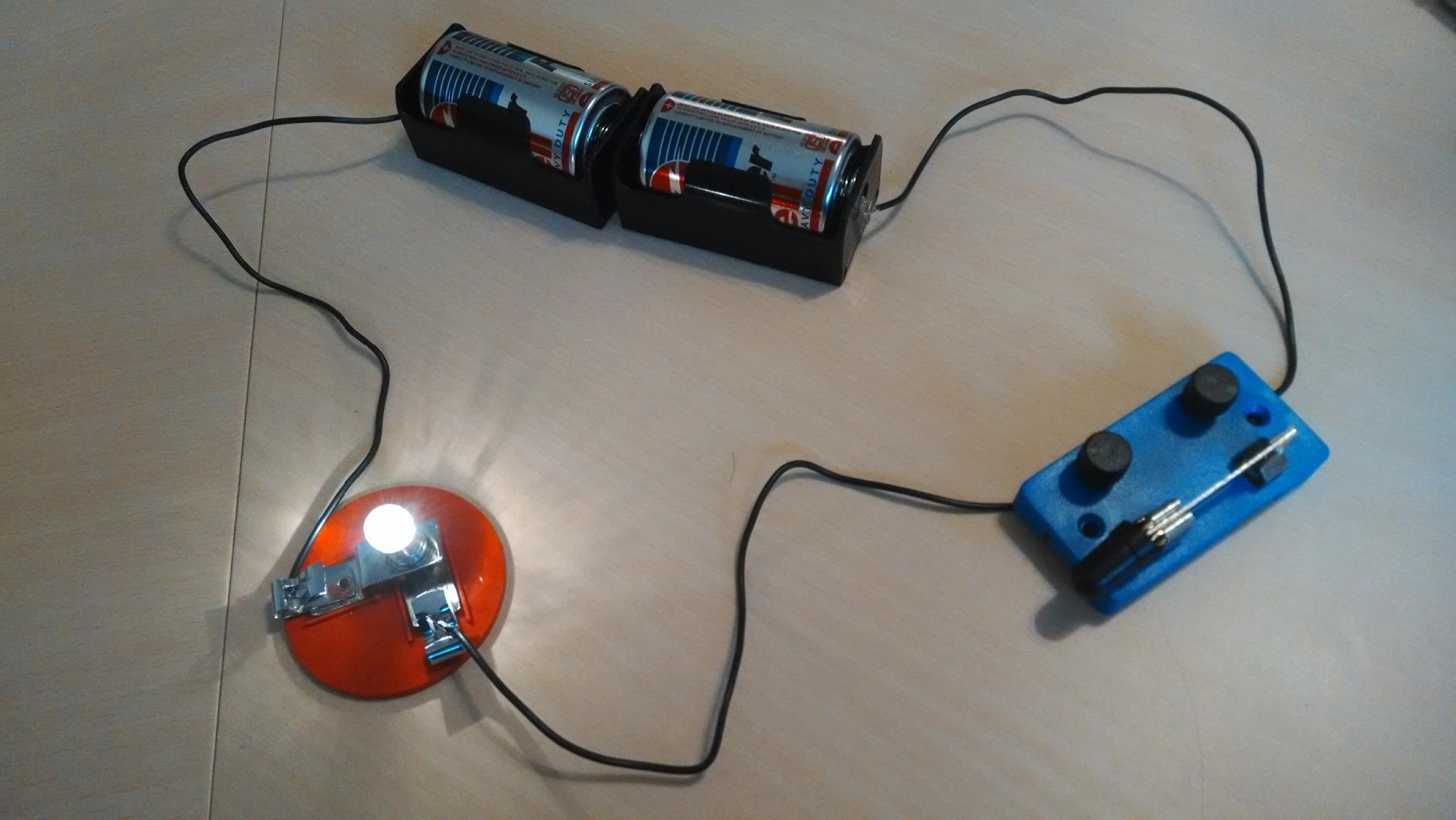
This is not a general-purpose first kit, and we include it because it does one thing well. Thirteen components including 120 inches of wire, two D-cell batteries and five miniature light bulbs let you build basic, series and parallel configurations, plus short-circuit failure experiments that show why a circuit stops working.
That makes it a strong fit for a 4H project, a homework demonstration or a classroom set. At 6 x 3 x 3 inches and 9.6 ounces it is one of the most portable kits here.
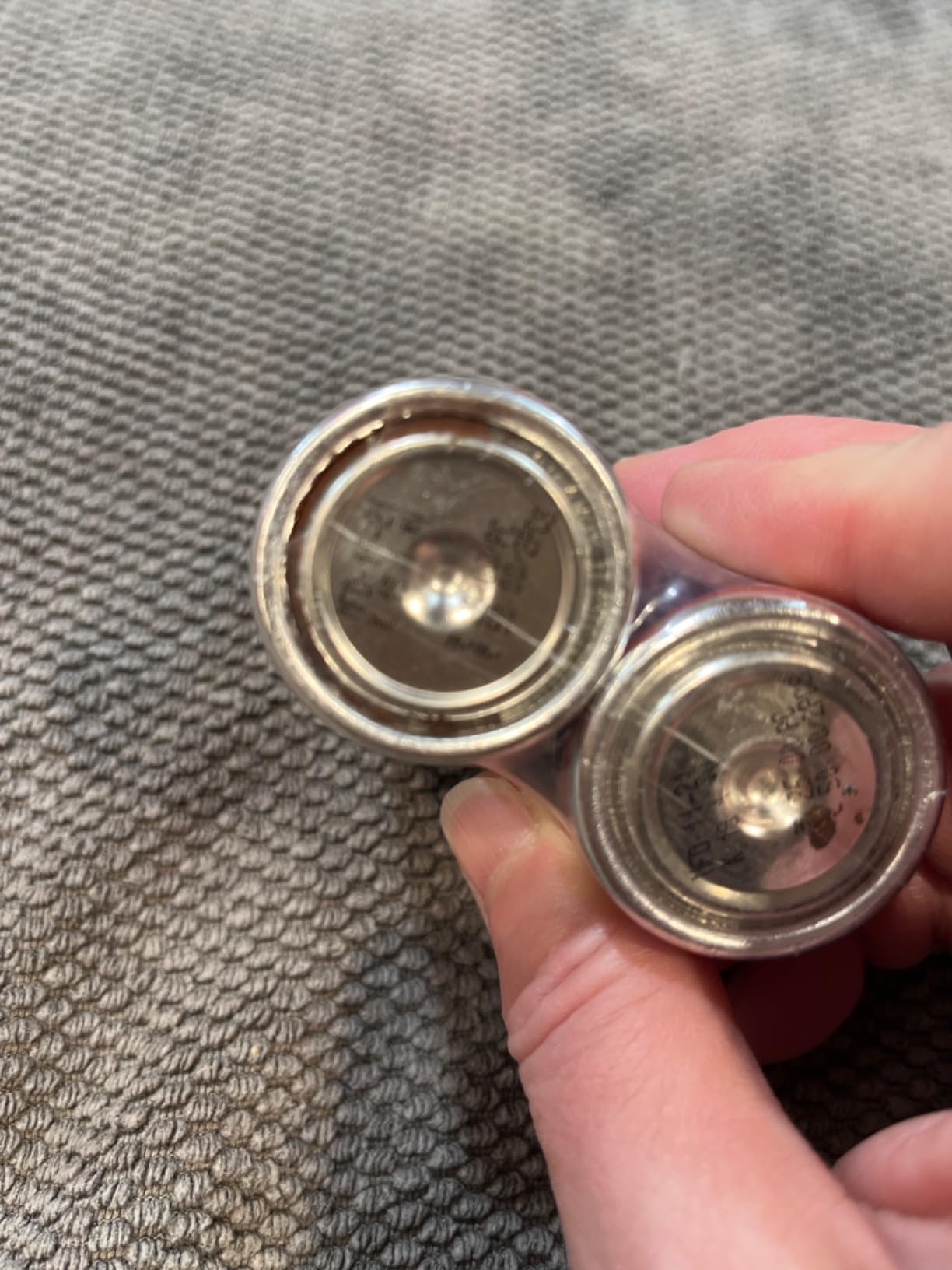
The setup is not beginner-frictionless. Wire ends are often unstripped and need cutting before use, and the batteries may need a coating removed. Bulb holders can be difficult to thread, and terminal pieces do break.
Reviewers also report occasional dead bulbs arriving in the box, so check all five before class.
Why series and parallel still matters
These two configurations are the foundation of everything else in electronics. A series circuit splits voltage across each bulb, so adding a second dims both. A parallel circuit gives each bulb the full voltage, so they all burn at the same brightness.
Seeing that difference in thirty seconds with bulbs and a battery teaches more about current than a hundred pages of introductory text, and this kit lets a child do it safely.
Who should skip it
Skip it as a first kit for a child who wants to keep building. Thirteen components run out quickly, and the directions are described as wordy with limited theoretical explanation.
Budget an hour of setup the first time, because the wire preparation is real work rather than a one-minute unboxing.
Where this fits in a sequence
Used as a first step before a snap kit, it teaches the concept cheaply. Used after a snap kit, it explains what the snap projects were doing. Either way it is a supplement rather than a main course.
Which Circuit Kit by Age?
Ages 4 to 6: The Snap Circuits Beginner SCB-20 is the only pick we would put in front of a child this age. Childproofed pieces, 21 short projects and a color-changing fan that gives an immediate result.
Ages 7 to 9: Move up to the Snap Circuits Jr. SC-100, or the Science Kidz 188-experiment kit if you want far more project volume and can accept unbranded components. Adult help is still needed for the smaller modules.
Ages 10 to 12: The National Geographic 120-Project Kit is the strongest choice here because the QR video walkthroughs let a child work without an adult beside them for the first time.
Ages 13 and up: The ELEGOO UNO R3 Super Starter Kit is the right board, and the Mega 2560 kit is the right upgrade once a project needs more pins.
Adults with no electronics background: The ELEGOO UNO R3 Super Starter Kit, full stop. This is the PAA question that no kids-focused roundup answers properly, and the breadboard plus the 22 guided lessons is where a real mental model forms.
How to Choose a Circuit Building Kit
Know the four kit types first. Snap-together systems use parts on a plastic grid and are nearly impossible to wire wrong. Breadboard kits use a board with rows of holes, jumper wires and a microcontroller, and they are the most flexible. Modular magnetic systems connect with magnets, which removes polarity errors entirely. Soldering kits use hot metal to make permanent joints and belong to supervised teens and adults only.
Audit the project list, not the project count. Marketing counts are easy to inflate. Look for a sample of the manual and ask whether the builds are genuinely different circuits or the same one with a different LED. The 420-plus figure on the SMILESSKIDDO kit and the 188 figure on the Science Kidz kit are useful only if the underlying projects differ.
Buy for documentation, not component count. Users consistently report that documentation quality, not the number of parts, determines whether a kit is used twice or fifty times. A detailed step-by-step tutorial or a picture-only manual with a QR code is worth more than fifty unlabeled components in one bag, because unlabeled parts are the number one reason beginners stall before the first project finishes.
Check what is not in the box. Batteries are required and not included in most of these kits, including the SC-100, the Arcade, the SCB-20 and the SMILESSKIDDO. The Arduino Starter Kit also needs a 9V battery for some projects. Buying a pack of alkaline batteries on the same day is the difference between a first session and a disappointed one.
Think about storage before you buy. Photograph the sorted tray on the day the box arrives. A kit with loose components and no tray becomes an unsortable pile within three sessions, and that is the point at which a kit stops being fun.
Buy on the child, not the label. Age guidance is contradictory across listings for the same product, and manufacturer minimums are frequently optimistic. The real test is whether your child can follow a four-step illustrated sequence without being talked through it.
Consider a used kit, carefully. Forum users worry about marketplace starter kits for good reason: unknown component quality and missing documentation. Buy used only if you can test every part, and never pass on a used kit with a coin cell battery compartment to a young child.
Our own testing approach has limits worth stating. We built the same first circuits in each kit rather than completing every documented project, so our judgments on longevity come from how quickly a kit became confusing rather than from a full year of use. We would also pair this with a broader hands-on hobby roundup, in the same spirit as our best steel building kits, where build quality and documentation matter more than the number of pieces.
Snap Circuits or Arduino – Which Should You Start With?
Start with snap circuits for a child under about 11, and start with an Arduino kit for a teen or an adult. The two systems teach different things and the choice is largely about who will be holding the parts.
Snap circuits teach that a circuit is a closed loop. A beginner learns that current needs a complete path, that a switch closes the loop, and that removing any one part stops everything. That mental model is the foundation of all electronics, and a picture-based manual delivers it without requiring reading or typing.
An Arduino kit teaches the same loop and then adds a program between the intention and the circuit. The board runs one program at a time, so a builder has to learn why the code produced a particular result rather than simply following step six of a diagram. That is a bigger conceptual step, and it is the right one for someone who is already asking why.
There is a sequencing case here. A child who starts on snap circuits around age seven is often ready for a breadboard kit at eleven or twelve, and the concepts transfer directly, because the components and the vocabulary are the same. Adults going straight to a breadboard rarely need the snap step at all.
Are These Kits Safe for Kids?
Yes, with the ordinary supervision that applies to any small-parts toy. Every kit here runs on low-voltage battery power, and none of them requires mains electricity, which removes the most serious electrical risk.
The real concerns are mechanical. Small modules, bulbs and wires present a choking hazard for children under three, which is why several of these kits carry a 3-year or 5-year minimum even though the underlying circuits are harmless.
On batteries, the specific thing to check is the compartment. A coin cell or button cell is the one battery type that poses a swallowing risk, and the reason federal rules require a screw-secured compartment. If you buy a used kit, inspect the battery door before handing it to a child.
Two practical safety rules for parents. Never let a child under about 8 work with the Arduino kits unsupervised, because compilation errors and loose jumper wires need an adult. And no kit in this list involves soldering, so none of them introduces a burn risk.
Frequently Asked Questions
What is the best electronic kit for beginners?
The Snap Circuits Jr. SC-100 is the best electronic kit for most beginners because it ships with 100+ documented projects, no soldering, no tools and a color-coded picture manual that a child aged 8 or older can follow alone. Adults who want to learn why circuits work rather than how to assemble them are better served by the ELEGOO UNO R3 Super Starter Kit, which adds a breadboard, sensors and 22 guided programming lessons.
What is the best beginner electronics kit for adults?
The ELEGOO UNO R3 Super Starter Kit is our pick for adults starting from zero. It includes a real UNO R3 board, a solderless breadboard, an LCD1602 with a pre-soldered header, ultrasonic and temperature sensors, a servo, a stepper motor and a 120-piece resistor assortment, plus 22 guided lessons. Because everything is in one box, you can follow the tutorials without a second purchase.
What is the best circuit building kit for kids?
It depends on age, and the age gap is wider than most listings suggest. For ages 4 to 6, the Snap Circuits Beginner SCB-20 is the right choice with childproofed parts and 21 short projects. For ages 8 to 12, the Snap Circuits Jr. SC-100 covers far more ground, while the National Geographic kit suits kids who need video instructions to work independently.
Are snap circuits any good?
Yes, and the Snap Circuits Jr. SC-100 is the reason the category has held up so well. Parts are numbered and color coded and press onto a plastic grid, so a wrong connection is physically harmless and costs nothing to fix. Buyers report using the 100-plus projects across a school year, and the main caveats are that batteries are not included and more variety eventually requires a second set.
What age is good for snap circuits?
Snap Circuits Beginner SCB-20 is rated for ages 5 to 9, and the Snap Circuits Jr. SC-100 is rated for ages 8 and up. Manufacturer guidance varies between listings for the same product, so buy on the child rather than the label. The practical test is whether your child can follow a four-step illustrated sequence without being talked through each step.
Final Thoughts on the Best Circuit Building Kits for Beginners
The Snap Circuits Jr. SC-100 is the best circuit building kit for beginners in 2026 for most families, because it is the rare kit where the documentation matches the promise and a child can finish a project without an adult rescuing them. If the reader is an adult, take the ELEGOO UNO R3 Super Starter Kit instead, since a breadboard teaches more than a snap grid can.
For the best sequence, start with the SCB-20 at age five, move to the SC-100 around age eight, and step up to a UNO kit near twelve. Buy a pack of alkaline batteries with the first box, photograph the sorted tray on arrival, and check the price of any kit before you order it.