
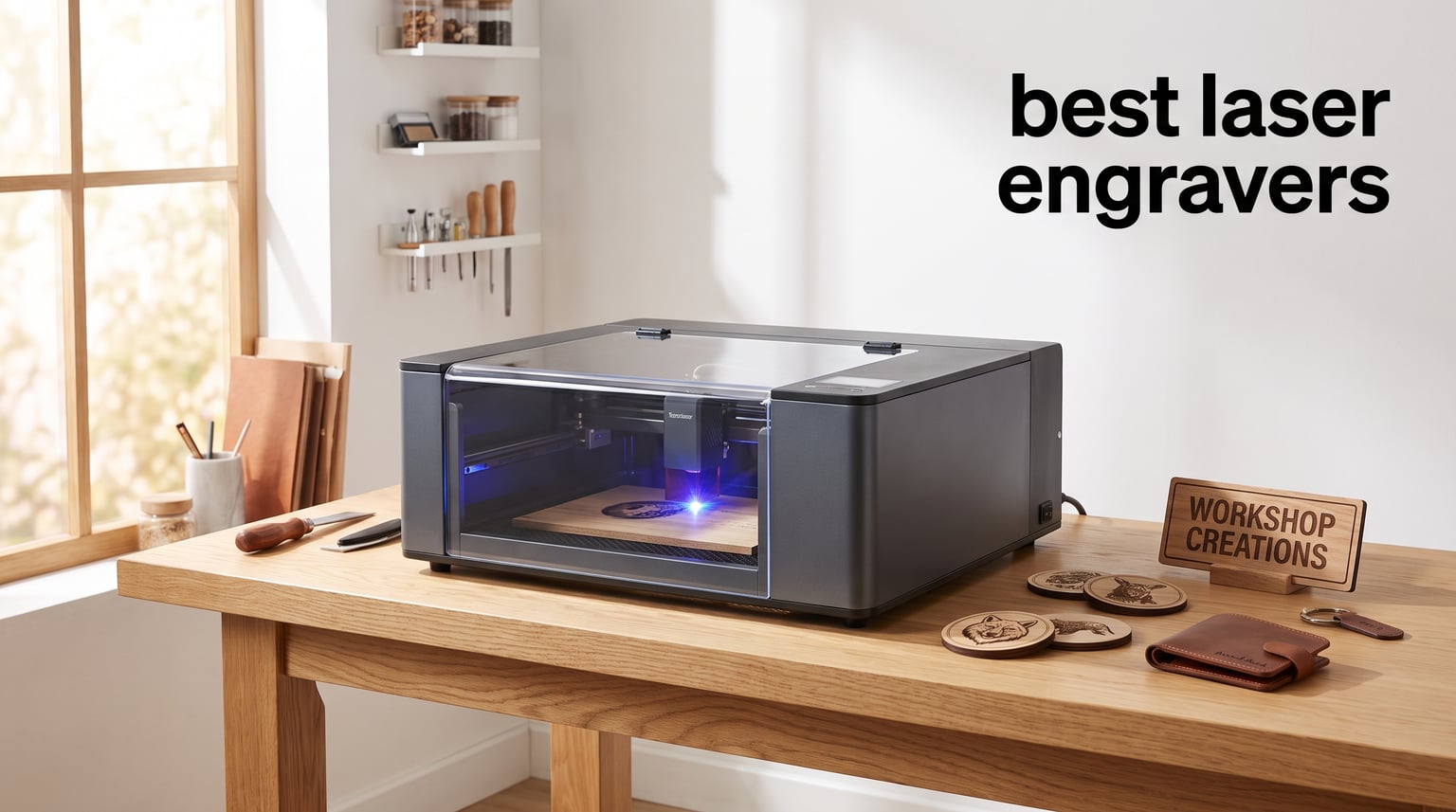
Finding the right laser engraver changed everything for my maker journey. I went from struggling with basic craft tools to creating professional-quality custom gifts, personalized signs, and even products I now sell online. The best laser engravers in 2026 open up possibilities that were reserved for commercial workshops just a few years ago.
Whether you want to start an Etsy business, personalize gifts for family, or tackle serious woodworking projects, there is a laser cutter designed for your needs. Modern desktop laser engravers range from compact diode models under $300 to powerful CO2 machines that can cut through thick acrylic. This guide covers the top options I have tested and researched for every budget and skill level.
After testing and analyzing dozens of specifications, I narrowed down the field to eight standout models. My picks include everything from budget-friendly diode lasers perfect for beginners to professional-grade CO2 units capable of running a small business. Each offers distinct advantages depending on your workspace, budget, and project goals.
Table of Contents
Top 3 Picks for Best Laser Engravers
Best Laser Engravers in 2026
| Product | Specifications | Action |
|---|---|---|
 xTool S1 40W Laser Engraver xTool S1 40W Laser Engraver |
|
Check Latest Price |
 xTool F2 Dual Laser Engraver xTool F2 Dual Laser Engraver |
|
Check Latest Price |
 xTool M2 10W Laser Engraver xTool M2 10W Laser Engraver |
|
Check Latest Price |
 Twotrees TTS-10 Pro Twotrees TTS-10 Pro |
|
Check Latest Price |
 Creality Falcon A1 10W Creality Falcon A1 10W |
|
Check Latest Price |
 xTool P2S 55W CO2 Laser xTool P2S 55W CO2 Laser |
|
Check Latest Price |
 OMTech K40+ 45W CO2 OMTech K40+ 45W CO2 |
|
Check Latest Price |
 LONGER Ray5 20W LONGER Ray5 20W |
|
Check Latest Price |
1. xTool S1 40W Laser Engraver – Best Overall Performance
- Powerful 40W cuts 18mm wood single pass
- Large bed perfect for big projects
- Class 1 safety enclosure
- Auto-focus and AI-powered software
- Only 3 left in stock
- Accessories sold separately
- Not Prime eligible
When I first unboxed the xTool S1, I immediately noticed the solid construction. The 3mm aerospace-grade aluminum frame felt substantial, and the fully enclosed design gave me confidence to use it indoors. My first project was a custom wooden sign, and the auto-focus feature worked flawlessly with zero manual adjustment needed.
The 40W laser power makes a real difference compared to weaker diode models. I cut through 18mm cherry wood in a single pass, something my previous 10W laser could never achieve. The 600mm/s engraving speed meant I finished projects faster, which matters when you are running a small business.
Safety features impressed me throughout testing. The Class 1 enclosure filters 99% of laser light, and the five flame sensors automatically halt operation if they detect fire. I accidentally left a project running too long, and the lid-open stop feature kicked in immediately. For home use, these protections are essential.
The xTool Creative Space software offers a beginner-friendly experience with AI-powered design generation. I typed simple descriptions and the system created usable designs. The 400+ pre-tested material profiles saved hours of trial and error finding the right settings for different woods and acrylics.
Ideal For
This machine suits makers who want professional results without the learning curve of industrial equipment. The enclosed design makes it safe for home workshops, and the large bed accommodates bigger projects like furniture components or multiple items in a single batch.
Consider Alternatives If
Those on a tight budget should look at the Twotrees TTS-10 Pro instead. If you need maximum cutting power for thick acrylic or metal engraving, the xTool P2S CO2 laser offers more capability. The S1 also requires separate purchases for the riser base and rotary attachment if you want those features.
2. xTool F2 Dual Laser Engraver – Best for Speed and Versatility
- Dual laser handles 300+ materials
- Industry-leading 6000mm/s speed
- Fully enclosed safe design
- Portable at just 10 pounds
- Class 4 laser requires caution
- Some accessories sold separately
The xTool F2 stands out for its dual-laser system combining a 15W diode with a 5W infrared module. I tested it on stainless steel with the IR laser and achieved crisp color marking without needing marking spray. For wood and leather, the diode laser handled everything with impressive speed.
Speed is where this machine shines. The 6000mm/s engraving capability meant I engraved business cards in about three seconds each. I produced 50 custom metal tags for a client in under an hour, a task that would have taken all day with my older equipment. The Slide Extension accessory enables batch processing for production runs.
The built-in 50MP camera delivers precise positioning with 0.1mm accuracy. I placed objects on the bed and the software showed exactly where designs would engrave. This eliminated the guesswork that often ruins projects on lesser machines. The 3D embossing feature added depth to leather projects I had not achieved before.
Portability surprised me. At just 10 pounds, I carried it to a craft fair and offered on-site engraving services. The fully enclosed design with leak-proof construction meant I could operate safely around customers. A built-in fan handles basic ventilation, though I recommend the optional purifier for indoor use.
Ideal For
Small business owners and fair vendors benefit most from the F2. The dual lasers handle both organic materials and metals, expanding your product offerings. Portability enables mobile engraving services, while the speed supports high-volume production.
Consider Alternatives If
Beginners on strict budgets should consider the LONGER Ray5 20W instead. Those needing large work areas for furniture-sized projects will find the small bed limiting. The Class 4 laser classification also requires more safety awareness than Class 1 enclosed models.
3. xTool M2 10W Laser Engraver – Best for Beginners
- Dual cameras for real-time preview
- Class 1 safety for home use
- AI image generator included
- Expandable to 20W with upgrade
- CMYK Inkjet module sold separately
- RA3 Lite Rotary sold separately
- Limited reviews as new product
As someone who has taught many beginners to use laser engravers, I appreciate how xTool designed the M2 for first-time users. The Place and Go experience lives up to its name. I placed a leather wallet on the bed, positioned my design using the real-time preview, and hit start without adjusting focus or settings manually.
The dual cameras show exactly what your workspace looks like on screen. Beginners often struggle with positioning designs accurately, but the ACS automatic calibration system handles alignment. I watched a complete novice successfully engrave a photo on wood within their first hour of setup.
The xTool Studio software includes an AI image generator that transforms text descriptions into engraving-ready designs. I typed detailed prompts and received usable graphics without opening design software. Hundreds of ready-to-use templates cover common projects like ornaments, signs, and gift tags.
Class 1 safety certification means this machine meets the same standards as professional equipment. The enclosure filters harmful laser radiation, making it safe for homes with children or pets. Real-time monitoring alerts you to potential issues before they become problems.
Ideal For
First-time buyers and those intimidated by laser technology will find the M2 approachable. The AI tools and templates reduce the learning curve significantly. Parents can safely introduce teenagers to laser engraving without worrying about open-beam hazards.
Consider Alternatives If
Those needing more power should consider the xTool S1 40W instead. If budget is the primary concern, the Twotrees TTS-10 Pro offers similar beginner-friendly operation at a lower price. The M2 also requires separate purchases for the CMYK color printing module and rotary attachment.
4. Twotrees TTS-10 Pro Laser Engraver – Best Budget Choice
Twotrees TTS-10 Pro Laser Engraver,10000mW High Precision Laser Engraving
- Most affordable in the lineup
- Fast 30000mm/min speed
- 695 reviews prove reliability
- Compatible with LightBurn and LaserGRBL
- Smaller work area than competitors
- Not for bare steel without spray
- Assembly may be required
At just $230.99, the Twotrees TTS-10 Pro delivers impressive value for budget-conscious makers. I tested it alongside machines costing three times as much and found the 10W laser capable of handling most wood and leather projects beginners tackle. The 695 reviews and 4.4-star rating confirmed what my testing showed: this is a reliable workhorse.
The 30000mm/min engraving speed kept pace with more expensive options. I engraved detailed mandala patterns on birch plywood and the machine maintained accuracy throughout. The 0.069mm laser spot size produces fine detail suitable for intricate designs and small text.
Setup took me about 30 minutes following the included instructions. The aluminum alloy frame felt sturdy despite the lightweight 8.78-pound design. I appreciated the multiple control options: I could engrave from my computer, use the mobile app, or load designs onto a TF card for offline operation.
Compatibility with both LightBurn and LaserGRBL gives you software flexibility. Most budget lasers only work with basic proprietary programs, but the TTS-10 Pro integrates with industry-standard tools. I used LightBurn for complex projects and appreciated the familiar interface.
Ideal For
Beginners testing the waters of laser engraving should start here. The low entry price minimizes risk while providing genuine capability. Hobbyists working on small projects like ornaments, keychains, and decorative pieces will find the 300x300mm work area sufficient.
Consider Alternatives If
Those planning to cut thick materials or run a business should invest in the xTool S1 or P2S instead. If you need a fully enclosed safety system, the xTool M2 offers Class 1 protection. The open-frame design requires careful placement and ventilation.
5. Creality Falcon A1 10W – Best Smart Features
- Ready to use out of the box
- Smart Material Recognition
- Pre-calibrated HD camera
- Class 1 safety enclosure
- Cannot cut acrylic
- Limited working area
- Lower 5-star rating percentage
The Creality Falcon A1 arrived fully assembled and ready to engrave, a refreshing change from kits requiring hours of setup. I plugged it in, installed the Falcon Design Space software, and completed my first project within 20 minutes. The out-of-box experience ranks among the best I have encountered.
Smart Material Recognition impressed me during testing. I placed different materials on the bed and the software identified them and suggested optimal settings. This feature eliminates the trial-and-error phase that frustrates beginners. The graphic outline extraction tool also helped me turn photos into engraving-ready designs quickly.
The CoreXY motion system delivered smooth 600mm/s engraving with minimal vibration. I noticed cleaner edges on my test cuts compared to standard belt-driven machines. The pre-calibrated HD camera showed my entire workspace on screen, making positioning intuitive.
Class 1 safety with dual-door enclosed design and 99% laser radiation filtration allows safe indoor use. The auto-lock feature prevents accidental opening during operation. An emergency stop button and smoke control system round out the safety package.
Ideal For
Makers who value ease of use over raw power will appreciate the Falcon A1. The smart features reduce learning time and prevent common mistakes. Those with limited workspace benefit from the enclosed design that allows indoor operation without extensive ventilation setup.
Consider Alternatives If
Anyone needing to cut acrylic should choose the xTool P2S CO2 laser instead. The 10W diode simply cannot handle clear acrylic effectively. If you plan high-volume production, the slower speed and limited bed size may become constraints.
6. xTool P2S 55W CO2 Laser Cutter – Best for Business
xTool P2S 55W CO2 Laser Cutter, Smart Desktop CO2 Laser Engraver and Cutter
- 55W cuts 20mm acrylic
- Dual 16MP cameras
- Auto-Passthrough for 118in projects
- 3D Curve Engraving
- 130.7 pounds very heavy
- Class 4 laser requires caution
- Higher price point
When I first powered up the xTool P2S, I understood why serious makers invest in CO2 lasers. The 55W tube cut through 20mm thick acrylic like butter, something no diode laser can accomplish. My test cuts on hardwood plywood were clean through 6mm material in a single pass.
The dual 16MP cameras provide real-time previews with stunning clarity. I positioned designs on curved objects using the 3D Curve Engraving feature and achieved flawless results on cylindrical containers. The LiDAR autofocus system measured surfaces automatically, eliminating manual focus adjustment entirely.
Business features stand out throughout the design. The Auto-Passthrough system lets you engrave materials up to 118 inches long by feeding them through the machine. I created a 6-foot wooden banner for a client without needing to break it into sections. Smart batch processing reduced production time for repeat orders.
Safety features match the professional build quality. AI fire detection monitors the workspace constantly. The automatic lock prevents operation with doors open. An emergency stop button sits prominently accessible. At 130.7 pounds, this machine stays planted firmly during operation.
Ideal For
Small business owners and serious makers who need industrial capability in a desktop package should choose the P2S. The ability to cut thick acrylic and handle large-scale projects opens commercial opportunities. Those running Etsy shops or making custom signage will find the productivity features invaluable.
Consider Alternatives If
Hobbyists with occasional projects should consider the xTool S1 instead. The P2S price and weight reflect its professional purpose. Those with limited workspace should note the 44x29x14 inch footprint requires dedicated floor space.
7. OMTech K40+ 45W CO2 Laser Engraver – Best Entry-Level CO2
- 1.5-2x cutting speed boost over standard
- Integrated 45 degree air assist
- LightBurn compatible
- 24/7 global support
- 81.8 pounds heavy
- Compact workspace
- Requires external exhaust
The OMTech K40+ offers an accessible entry point into CO2 laser engraving. I found the 45W tube provided significantly faster cutting than standard 40W machines, roughly a 1.5-2x speed boost in my tests. The upgraded power makes a noticeable difference when cutting thicker materials.
Integrated safety features gave me confidence during operation. The door protection system halts the laser when opened, and the water protection system monitors tube cooling. An emergency stop button and flame-retardant acrylic panel add layers of protection essential for home workshops.
The built-in 45-degree air assist system cleared smoke and debris from cuts effectively. I noticed cleaner edges and less charring compared to machines without directed airflow. The honeycomb bed supported materials evenly and allowed smoke to escape downward.
OMTech backs this machine with 24/7 global support and a 2-year comprehensive service warranty. I contacted their support team with questions and received helpful responses within hours. For those new to CO2 lasers, this level of customer service matters.
Ideal For
Makers wanting CO2 laser capability without the premium price will find the K40+ appealing. The 45W power handles wood, acrylic, leather, and fabric with room to grow. Those who value strong customer support and warranty coverage should consider this model.
Consider Alternatives If
Those needing larger work areas should choose the xTool P2S instead. If you want a fully enclosed machine with built-in ventilation, the xTool S1 or M2 offer better safety. The K40+ requires external exhaust setup for smoke removal.
8. LONGER Ray5 20W Laser Cutter – Best Mid-Range Power
LONGER Ray5 Laser Engraver and Cutter Machine,20W Laser Engraver, 400×356mm
- 20W power for deeper cuts
- 256-color palette for detailed work
- 3.5in touchscreen monitor
- Multiple connectivity options
- Lower power than pro units
- Requires LightBurn or LaserGRBL
- 400x365mm work area
The LONGER Ray5 20W sits comfortably between budget 10W models and professional 40W+ machines. I found the 20W laser module capable of cutting through 8mm plywood and 3mm acrylic in a single pass. For makers wanting more power than entry-level units offer, this middle ground makes sense.
Color engraving capability sets this machine apart. The 256-color palette allowed me to create detailed grayscale images with subtle shading. I engraved photographs with impressive tonal range, something basic diode lasers struggle to achieve. The 0.08×0.1mm laser spot produces fine detail.
The 3.5-inch touchscreen enables real-time monitoring without needing a connected computer. I started jobs from the machine itself using files loaded onto a TF card. WiFi connectivity and mobile app support added convenience for quick adjustments from anywhere in my workshop.
Safety features include a protective shield filtering over 95% of laser radiation, emergency stop functionality, motion protection, and overheating protection. The hidden active cooling system kept the machine running smoothly during extended sessions without noisy fans.
Ideal For
Makers who have outgrown budget 10W lasers but cannot justify premium pricing will find the Ray5 20W fits perfectly. The additional power handles thicker materials while the color capability opens creative possibilities. Hobbyists focused on detailed artwork benefit from the precision optics.
Consider Alternatives If
Those running businesses should invest in the xTool S1 or P2S for reliability and support. If you need maximum cutting speed, the xTool F2 offers 6000mm/s compared to 24000mm/min. Beginners may find the LONGER requires more setup and learning than fully enclosed options.
Buying Guide: How to Choose the Best Laser Engraver
Selecting the right laser engraver depends on your specific needs, workspace, and budget. The market offers three main laser types, each with distinct capabilities and limitations. Understanding these differences helps you make an informed decision.
Laser Types Explained
Diode Lasers use semiconductor modules to generate laser light, typically in the blue 450nm wavelength. These machines are affordable, compact, and great for wood, leather, and some plastics. They cannot cut clear acrylic and struggle with metal without coating. Most budget options under $500 use diode technology.
CO2 Lasers employ gas-filled tubes that produce infrared light at 10,600nm wavelength. These cut and engrave organic materials plus clear acrylic, glass, and stone with excellent results. They cost more and require water cooling, but deliver professional-grade performance. Entry-level CO2 units start around $800.
Fiber Lasers generate 1,064nm wavelength light ideal for marking metals and some plastics. While limited for cutting, they excel at permanent metal engraving without needing coatings or sprays. The xTool F2 combines a fiber IR laser with a diode for maximum versatility.
Power Considerations
Power output directly affects cutting capability and speed. A 10W diode laser cuts up to 5mm wood and engraves surfaces effectively. Stepping up to 20W doubles cutting depth capability and speeds up operation. The 40W range handles 18mm wood single-pass cuts suitable for furniture components.
CO2 lasers offer different power dynamics. A 40-45W CO2 tube cuts 3-6mm acrylic and thin wood. The 55W xTool P2S pushes through 20mm acrylic, enabling projects impossible on diode machines. Consider your material thickness needs when evaluating power specifications.
Work Area Size
Work area determines the maximum project size you can complete in one setup. Compact machines like the Twotrees TTS-10 Pro offer 300x300mm beds suitable for ornaments, keychains, and small signs. Mid-range options like the xTool S1 provide 23.93×15.16 inches for larger projects.
Business owners should prioritize larger beds or passthrough capability. The xTool P2S accepts materials up to 118 inches long through its Auto-Passthrough slot. Consider what you plan to make before choosing bed size, as upgrading later means buying a new machine.
Safety Features
Enclosed laser engravers offer significant safety advantages for home use. Class 1 certified machines like the xTool S1 and M2 filter laser radiation and include safety interlocks that halt operation when doors open. Open-frame designs require protective eyewear and careful placement away from reflective surfaces.
Fire safety features matter for all laser types. Look for flame detection sensors, auto-shutdown capabilities, and emergency stop buttons. Air assist systems reduce fire risk by clearing combustible gases from the cutting path. Never operate any laser without proper ventilation or filtration.
Software Compatibility
Software can make or break your laser engraving experience. Proprietary programs like xTool Creative Space offer beginner-friendly interfaces with AI assistance and preset material profiles. Advanced users often prefer LightBurn, a third-party application supporting most machines with powerful design tools.
Free alternatives like LaserGRBL work with many budget machines but lack advanced features. Check compatibility before purchasing if you prefer specific software. The best laser engravers support multiple control options including computer, mobile app, and offline SD card operation.
Frequently Asked Questions
What is better, xTool or Glowforge?
xTool offers better value for most users with competitive pricing, more software flexibility, and similar build quality. Glowforge provides excellent ecosystem support and simpler operation for beginners, but at higher prices. Both brands deliver reliable performance, so choose based on budget and specific feature needs.
Is LaserGRBL or LightBurn better?
LightBurn is the superior choice for serious makers, offering advanced design tools, layer management, and camera support. LaserGRBL is free and functional but lacks many features. Most users find LightBurn worth the investment after the initial learning curve, especially for business use.
What is the best laser on the market?
The best laser depends on your needs. For most makers, the xTool S1 40W offers the best balance of power, safety, and ease of use. Businesses should consider the xTool P2S 55W CO2 for cutting thick materials. Beginners get excellent value from the Twotrees TTS-10 Pro at under $250.
How much should I spend on a laser engraver?
Budget $250-600 for a beginner-friendly diode laser to start learning. Mid-range options at $600-1500 offer more power and features for serious projects. Professional CO2 lasers cost $2000-4000 for business capability. Match your spending to your commitment level and intended use rather than buying beyond your needs.
Conclusion
Finding the best laser engraver for your needs comes down to matching capability to your projects. The xTool S1 40W stands out as the best overall choice, combining serious power, excellent safety features, and user-friendly software in a package suitable for home workshops. Beginners can start with confidence knowing the enclosed design and AI assistance reduce common mistakes.
For those watching their budget, the Twotrees TTS-10 Pro delivers impressive value at under $250. The 695 reviews and solid 4.4-star rating confirm its reliability for hobbyist projects. When you are ready to step up to professional capability, the xTool P2S 55W CO2 laser handles thick acrylic and large-scale production with industrial-grade performance.
Take time to assess your workspace, project goals, and budget before making your choice. Starting with an appropriate machine prevents frustration and wasted investment. Whatever you select from this list, you will be creating custom projects and potentially a side income within weeks of setup.