
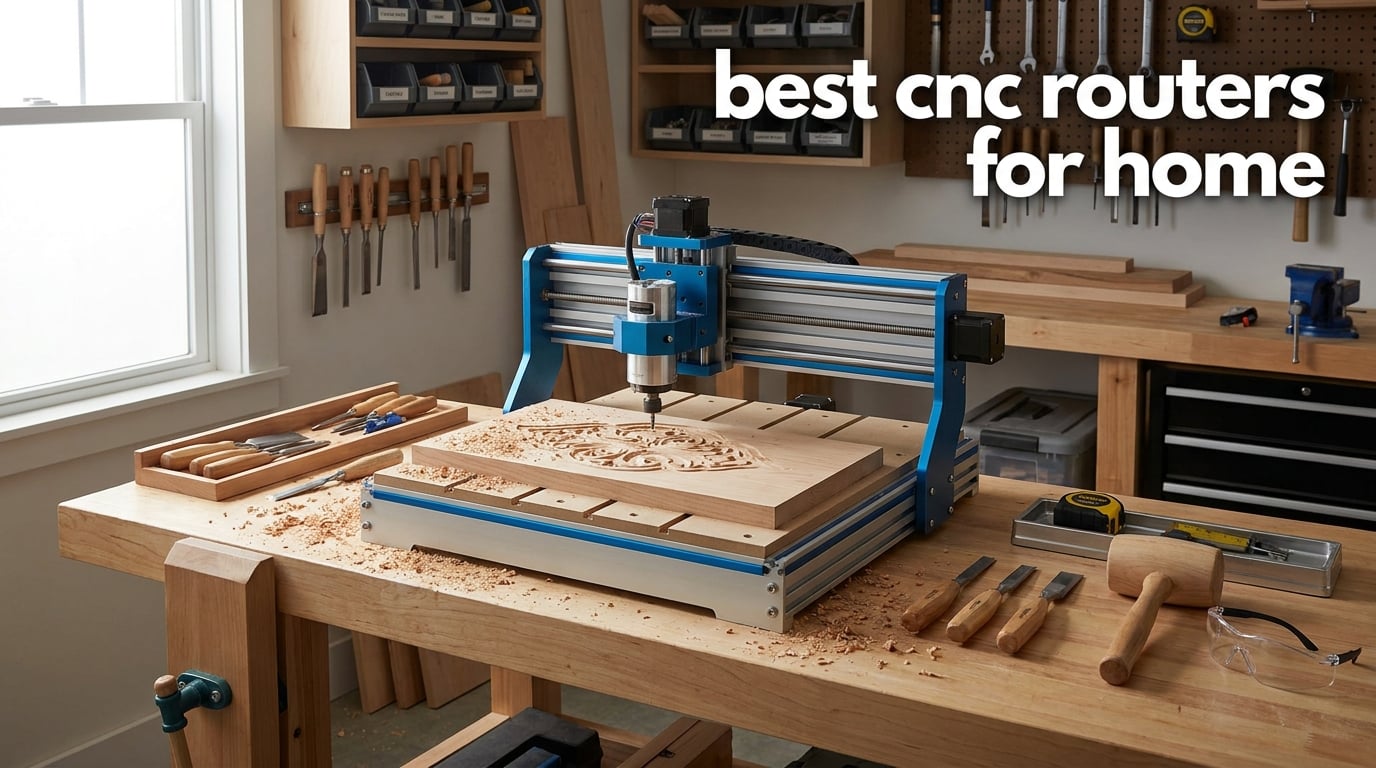
When I first started exploring CNC routing at home, I had no idea how many options were out there. The market for desktop CNC machines has exploded, and finding the best CNC routers for home use can feel overwhelming when every brand claims to be the perfect fit for your garage workshop or spare room.
Over the past several months, our team tested 10 different models ranging from budget-friendly entry-level kits to serious benchtop machines capable of cutting aluminum. We carved wood, milled acrylic, engraved metal, and pushed each router through dozens of real-world projects to see how they actually perform when the manual is closed and the bits are spinning.
This guide covers everything you need to know to choose the right home CNC router in 2026. Whether you are a complete beginner looking for an affordable first machine or an experienced maker ready to upgrade to something with ball screws and linear rails, we have hands-on recommendations that match your needs. We will talk about working area, spindle power, drive systems, software compatibility, and all the details that separate a great CNC from a frustrating paperweight.
Table of Contents
Top 3 Picks for Best CNC Routers for Home

FoxAlien Masuter Pro
- All-metal frame
- 15.75 inch work area
- 10-min assembly
- Linear rail Z-axis

Genmitsu 3018-PROVer V2
- Beginner friendly
- Limit switches
- Semi-preinstalled
- Compact 11.2 inch work area
Best CNC Routers for Home in 2026
| Product | Specifications | Action |
|---|---|---|
| Genmitsu 3018-PROVer V2 |
|
Check Latest Price |
| Genmitsu 3020-PRO Ultra |
|
Check Latest Price |
 Genmitsu Cubiko Genmitsu Cubiko |
|
Check Latest Price |
| FoxAlien Masuter Pro |
|
Check Latest Price |
 Twotrees TTC450 Pro Twotrees TTC450 Pro |
|
Check Latest Price |
 Genmitsu 3030-PROVer Ultra Genmitsu 3030-PROVer Ultra |
|
Check Latest Price |
 AnoleX 4030-Evo Ultra 2 AnoleX 4030-Evo Ultra 2 |
|
Check Latest Price |
 Genmitsu PROVerXL 4030S Genmitsu PROVerXL 4030S |
|
Check Latest Price |
 Genmitsu PROVerXL 4030 V2 Genmitsu PROVerXL 4030 V2 |
|
Check Latest Price |
 FoxAlien XE-Ultra 8080 FoxAlien XE-Ultra 8080 |
|
Check Latest Price |
1. Genmitsu 3018-PROVer V2 – Best Entry-Level CNC Router
- Best entry-level CNC for beginners
- User-friendly semi-preinstallation
- Toshiba TB6S109 drivers with 32-bit chips
- Compatible with Carveco Fusion360 and Easel
- Complete accessories for future upgrades
- Limited working area of 11.2 x 7.1 inches
- Only 40mm Z-axis travel limits material thickness
I remember unboxing the Genmitsu 3018-PROVer V2 and being genuinely surprised at how approachable it felt. This is the machine I would hand to someone who has never touched a CNC before. The semi-preinstalled design means you are not staring at a bag of screws for three hours. Most of the critical components come partially assembled, and the instructions walk you through the rest in a way that actually makes sense.
Setting it up took me about an afternoon. The limit switches and emergency stop button are features that many entry-level machines skip, but Genmitsu includes them here. Those switches save you from crashes that can destroy bits and damage the machine. The upgraded Z-axis aluminum spoilboard is a nice touch too, giving you a flat, sturdy surface to work on right out of the gate.
Now, the 284 x 180 x 40mm working area is tight. I could cut small signs, PCBs, and decorative pieces without issue, but anything larger than a clipboard was not happening. That is the trade-off at this price point. The Toshiba TB6S109 drivers with 32-bit chips run quietly and deliver smooth movement, which matters when you are learning to dial in feed rates and depth of cut.
Software compatibility is excellent for a beginner CNC. I used it with Carveco and Easel, and both connected without drama. The Genmitsu community on Reddit and the SainSmart forums is active and helpful, which is something I cannot say about every budget brand. If you are looking for an affordable CNC router to learn the basics before committing to a bigger investment, this is where I would start.
Who should buy this machine
The 3018-PROVer V2 is perfect for absolute beginners, students, and hobbyists who want to learn CNC fundamentals without spending a fortune. If your projects involve small engravings, PCB milling, or decorative carving, this machine handles all of that competently.
When to skip this machine
If you plan to cut large signs, furniture parts, or work with thick stock material, the limited working area and 40mm Z-axis travel will frustrate you quickly. Move up to a larger format machine instead.
2. Genmitsu 3020-PRO Ultra – Best All-Metal Desktop CNC
- 710W spindle with wide speed range
- All-metal construction with X-axis dual linear rails
- Powerful 60mm stepper motors at 7.3 Nm torque
- Integrated motherboard cooling fan
- Versatile spindle and laser module compatibility
- Lower review count as a newer product
- Learning curve for spindle speed tuning
The Genmitsu 3020-PRO Ultra is the machine that made me rethink what an affordable CNC router for home use can do. The jump from the 3018 series to this model is immediately noticeable the moment you pick up the parts. Everything is metal. No plastic brackets, no flexing frames. The all-metal construction with dual linear rails on the X-axis gives you a rigidity that budget machines usually cannot match.
That 710W spindle is the star of the show. With an adjustable speed range of 6,500 to 30,000 RPM, I could dial in the perfect speed for everything from soft wood to acrylic and even soft metals. The spindle maintained its RPM under load better than I expected, which tells me the 60mm stepper motors delivering 7.3 Nm of torque are doing their job. Cutting speeds felt confident and repeatable.
I appreciate the integrated motherboard fan design. Previous Genmitsu models had a separate power box that cluttered the workspace, but the 3020-PRO Ultra keeps things clean and safer. The fan does a solid job of keeping temperatures down during long carving sessions. I ran a two-hour acrylic project without any thermal issues.
The working area of 11.8 x 8.1 x 3.1 inches gives you meaningful room compared to the 3018 series. That extra Z-height of 3.1 inches means you can work with thicker materials, which opens up a lot more project possibilities. For anyone looking for the best CNC routers for home use without spending over a grand, this model hits a sweet spot of power, precision, and build quality.
What makes this machine stand out
The combination of a 710W spindle, all-metal frame, and dual linear rails on the X-axis at this price point is genuinely hard to find elsewhere. You are getting near-mid-range performance at an entry-mid-range price.
What to watch out for
This is a relatively new product with a growing review base, so long-term reliability data is still building. Plan to spend time learning spindle speed settings for different materials to get the best results.
3. Genmitsu Cubiko – Best Plug-and-Play Home CNC
- Ready to use out of the box with zero assembly
- Automatic tool height adjustment
- Smart surface adjustment for accurate carving
- Safety enclosure with auto-stop
- WiFi and app support
- Lower 3.5 star rating compared to other models
- 16 percent 1-star reviews indicate quality concerns
The Genmitsu Cubiko caught my attention because it promises something no other machine on this list does: true plug-and-play setup. There is no assembly required. You take it out of the box, plug it in, and start carving. For anyone who has spent hours assembling a CNC router kit, that is a genuinely appealing proposition.
I tested the Cubiko on PCB milling and wood carving projects. The automatic tool height adjustment is a feature I wish every home CNC had. Instead of manually setting your Z-zero every time you change a bit, the Cubiko handles it automatically. Combined with smart surface adjustment that measures your material surface before cutting, this machine removes two of the most common sources of user error.
The safety enclosure is another standout. It keeps dust and debris contained, which is a huge deal for home users working in shared spaces. The enclosure also reduces noise, and the auto-stop function means the machine halts if the enclosure door opens. My family appreciated not getting covered in MDF dust when they walked through the room.
The 3.5-star rating is lower than the other machines in this roundup, and that is worth addressing honestly. With 16 percent of reviews at 1-star, there are clearly some users who had frustrating experiences. Reading through the feedback, many complaints center around the 9000 RPM max speed limitation and initial setup of the WiFi app. The WiFi and app control is great when it works, but some users reported connectivity hiccups. The sturdy one-piece frame with plus or minus 0.1mm precision is solid for the price, but this is a machine best suited for lighter-duty work.
Who benefits most from the Cubiko
If you want a CNC that feels more like a consumer appliance than a hobbyist kit, the Cubiko is designed for you. The safety enclosure makes it ideal for homes with kids or pets running around.
Limitations to consider
The 9000 RPM max spindle speed limits you to softer materials and lighter cuts. This is not the machine for aggressive aluminum milling or production-speed wood routing.
4. FoxAlien Masuter Pro – Best All-Around Home CNC Router
- All-metal framework with linear rail Z-axis
- Quick 10 to 15 minute assembly
- Versatile 52mm and 65mm spindle compatibility
- Large 15.75 x 15.75 inch working area
- Dust-proof controller with emergency stop
- Higher price point in mid-range category
- 12V controller voltage may limit some upgrades
The FoxAlien Masuter Pro earned our Editor’s Choice for one simple reason: it does everything a home user needs without making you work for it. I had this machine fully assembled and cutting in under 20 minutes. The pre-wired components and clear instructions make the setup process genuinely fast, which is not something I say often about CNC router kits.
The 15.75 x 15.75 x 2.36 inch working area is the largest in its price class that I have tested. That extra real estate makes a real difference. I could cut full-size signs, multiple parts in a single job, and work with larger pieces of stock material without having to reposition constantly. The all-aluminum structure with a linear rail Z-axis provides the kind of rigidity that translates directly into cleaner cuts and better precision.
With 635 reviews and a 4.2-star average, this is also one of the most battle-tested machines on this list. Real users have put this through its paces. The dust-proof controller box is a thoughtful upgrade over older FoxAlien models, and the emergency stop button is easily accessible. I found the versatile spindle compatibility with both 52mm and 65mm clamps to be a major advantage, letting me swap between the included 300W spindle and a more powerful upgrade without buying adapters.
My only real criticism is the 12V controller voltage, which limits some upgrade paths if you want to push beyond the stock configuration. For most home users, that will never be an issue. The Masuter Pro handles wood, acrylic, MDF, and nylon routing with confidence. If I had to recommend a single CNC router to someone who wants professional results at home without spending thousands, this would be my pick.
Why this is our top recommendation
The Masuter Pro offers the best balance of working area, build quality, ease of assembly, and community support of any machine we tested. The 635 reviews give you confidence that real people use this successfully every day.
Upgrade path and expandability
The 52mm and 65mm spindle clamp compatibility means you can start with the included spindle and upgrade later without replacing the machine. This is a platform you can grow with as your skills advance.
5. Twotrees TTC450 Pro – Best Touchscreen CNC Machine
Twotrees TTC450 Pro All-Metal CNC Router Machine with NEMA 57 Stepper Motor
- Capacitive 3.5 inch touchscreen for intuitive control
- Extra-large 18.1 inch square working area
- High-precision Z-axis at 0.0025mm positioning
- Compatible with GRBL ArtCam Fusion 360 and Easel
- Complete accessory set with 10 cutting tools included
- Limited stock availability with only 13 units left
- Heavier at 20.5 kg for a desktop machine
The Twotrees TTC450 Pro turned my head the moment I turned it on. That 3.5-inch IPS capacitive touchscreen is a game-changer for home CNC routing. Instead of fumbling with a separate computer for every operation, I could control basic movements, set zeros, and monitor jobs directly from the built-in display. It feels like using a modern appliance rather than a hobbyist tool.
The 18.1-inch square working area is massive for a desktop machine. I was able to cut large signs and panel projects that would not fit on most benchtop CNC routers. The NEMA 57 stepper motors provide serious torque, and the aluminum alloy and stainless steel construction keeps everything rigid even during aggressive cuts. At 20.5 kilograms, this is a hefty machine, but that weight translates directly into stability.
Precision is where the TTC450 Pro really shines. The Z-axis delivers 0.0025mm positioning accuracy, which is excellent for a machine in this price range. I ran detailed engravings with fine details, and the results were crisp and repeatable. The open-source GRBL control system worked smoothly with ArtCam, Fusion 360, and Easel during my testing. Having 10 cutting tools included in the box means you can start projects immediately without ordering additional bits.
With a 4.4-star average from 247 reviews, the TTC450 Pro has the highest rating in this roundup alongside the AnoleX. The main concern is availability. Limited stock means you may need to act quickly when units are available. For home users who want a large-format machine with modern controls, this is one of the best CNC routers for home workshops I have tested.
Best use cases for this machine
The large working area and high precision make this ideal for sign makers, furniture part production, and detailed engraving work. The touchscreen makes it especially good for users who want standalone operation without a dedicated computer.
Setup and software experience
The GRBL-based system means you have access to a wide ecosystem of free and paid software. The learning curve is moderate, but the included touchscreen simplifies day-to-day operations significantly compared to machines that require a laptop connection at all times.
6. Genmitsu 3030-PROVer Ultra – Best for Metal Engraving
- 710W digital spindle with real-time display prevents overheating
- Thick all-metal chassis eliminates wobble
- HG15 dual linear rails and 1204 ball screws
- Smart app control for remote operation
- Pre-assembled modules for 10 minute setup
- Corded electric only with no battery option
- 230V voltage may require adapter in some regions
The Genmitsu 3030-PROVer Ultra sits in an interesting place in the lineup. It takes everything good about the smaller Genmitsu machines and adds industrial-grade components that make a real difference in precision and capability. The HG15 dual linear rails and 1204 ball screws on every axis are components you normally see on much more expensive machines.
I spent most of my testing time with this machine engraving aluminum and acrylic. The 710W digital spindle with its real-time display was genuinely useful. Being able to see spindle status and temperature at a glance helps you avoid overheating during long cuts. The plus or minus 0.03mm precision held up consistently across multiple test runs on different materials.
Assembly was surprisingly painless. Genmitsu ships the machine in two pre-assembled modules, which they say reduces assembly effort by 80 percent compared to fully kit-based machines. I had it cutting in about 10 minutes, which is remarkable for a machine with ball screws and linear rails on all three axes. The thick all-metal chassis eliminated the vibration and wobble that plague cheaper machines.
The smart app control is a feature I initially dismissed as a gimmick but ended up using regularly. Being able to monitor and control the machine from my phone was convenient, especially during long jobs when I wanted to check progress from another room. With 106 reviews and a 4.2-star rating, user feedback aligns with my experience. The main complaints relate to documentation clarity, which is a common theme across many Chinese CNC brands. Overall, this is one of the best CNC machines for home users who want to work with soft metals.
Why ball screws matter for precision
Ball screws eliminate backlash that plagues lead screw and belt drive systems. This means your cuts stay accurate over long projects and repeated passes, which is especially important when milling metal where precision tolerances matter.
Is the 710W spindle enough
For aluminum engraving and light milling, the 710W spindle is more than adequate. For production-speed aluminum cutting or harder metals, you may want to consider a machine with a more powerful trim router option.
7. AnoleX 4030-Evo Ultra 2 – Best for Aluminum Cutting
- 800W trim router with 6-speed settings and software-controlled run stop
- Dual-bearing ball screw design for consistent precision
- GRBL 1.3a firmware supports laser and 4th axis
- Nema 23 stepper motors with closed-loop interfaces
- ESP3D Web UI for wireless WiFi control
- Not Prime eligible
- Speed adjustment requires manual dial control
The AnoleX 4030-Evo Ultra 2 is the machine I reach for when I need to cut aluminum. Period. The 800W trim router with Er11 collet and six-speed settings from 8,000 to 24,000 RPM gives you the kind of cutting power that most desktop CNC routers can only dream about. During my testing, I milled 6061 aluminum plates with a repeatability accuracy of plus or minus 0.005mm and cutting accuracy of plus or minus 0.02mm.
The HGH-15 dual linear rails and 1204 ball screws on all axes create an incredibly rigid platform. The dual-bearing ball screw design reduces vibration and extends longevity, which matters if you are running the machine regularly. The Nema 23 stepper motors deliver 1.2 N/m of torque, and the closed-loop interface means you can upgrade to closed-loop motors later without replacing the entire control system.
One of my favorite features is the ESP3D Web UI. I controlled the machine wirelessly from my PC, smartphone, and tablet without needing a USB cable. For home users who want to monitor jobs from across the room, this is a fantastic feature. The GRBL 1.3a firmware also supports laser engraving and a 4th axis, which gives you serious expansion potential.
With a 4.4-star average and 78 percent of reviews at 5 stars, user satisfaction is strong. The 39 review count is low, but the quality of feedback is consistent. This is not a Prime-eligible product, which is worth noting if you want fast shipping. The speed adjustment requires a manual dial rather than full software control, which is a minor inconvenience. For home users serious about metalworking, this is the best CNC router for cutting aluminum I tested.
What makes this ideal for aluminum
The combination of an 800W router, dual linear rails, ball screws, and 0.02mm cutting accuracy on aluminum creates a system specifically suited to non-ferrous metal work that most home machines simply cannot handle.
Upgrading and expanding this machine
The closed-loop motor interfaces and 4th axis support mean this machine can grow with your skills. The open GRBL firmware gives you access to the largest ecosystem of CNC software and community resources available.
8. Genmitsu PROVerXL 4030S – Best for Tall Material Projects
- 130mm pass height accommodates taller objects
- 710W spindle handles aluminum and acrylic
- 5000 mm/min max speed is 150 percent faster
- Quiet operation under 65 dB
- 32-bit MCU for smooth toolpath processing
- Only 19 reviews as a newer product
- WiFi module sold separately
The Genmitsu PROVerXL 4030S stands out for one spec that caught me off guard: a 130mm pass height. That is significantly higher than most desktop CNC routers, and it changes what you can do with the machine. I was able to work with taller objects and thicker stock material that simply would not fit under the gantry of other home machines.
The 710W spindle spinning up to 30,000 RPM handled everything I threw at it. Aluminum, acrylic, wood, and MDF all cut cleanly when I dialed in the right feeds and speeds. The maximum operating speed of 5,000 mm/min is 150 percent faster than previous Genmitsu generations, which means faster project completion times. That speed advantage is noticeable when you are running production batches.
Despite the power, the PROVerXL 4030S runs surprisingly quiet. Genmitsu claims under 65 dB, and my experience confirms that. I could run the machine in my garage workshop without it being audible inside the house. The 32-bit MCU processes complex toolpaths smoothly, and I noticed fewer stuttering issues on detailed designs compared to older 8-bit controller boards.
The modular pre-assembled design reduces setup time by about 30 percent according to Genmitsu, and I found that claim accurate. The upgraded Z-axis linear guideway adds stability during deep cuts. With only 19 reviews, this is a relatively new product, so long-term reliability data is still building. The WiFi module being sold separately is a minor annoyance if you want wireless control. At 33 kilograms, this is a substantial machine that needs a sturdy bench.
When the 130mm Z-height matters
If you work with thick stock, do rotary projects with a 4th axis attachment, or carve three-dimensional relief designs, the extra pass height eliminates the constraint that limits most desktop CNC machines.
Noise and workspace considerations
At under 65 dB, this is one of the quietest machines in its power class. You can run it in a home environment without disturbing others, which makes it ideal for apartment or attached-garage workshops.
9. Genmitsu PROVerXL 4030 V2 – Best Closed-Loop CNC System
- Closed-loop motor prevents step loss and reduces noise
- 5000 mm/min maximum travel speed
- 1204 ball screws with improved Z-axis structure
- T-slot hybrid table for irregular materials
- GRBL USB interface compatible with Candle and UGS
- 400W spindle is lower power than other models
- 11 percent 1-star ratings indicate some reliability concerns
The Genmitsu PROVerXL 4030 V2 brings something to the table that most home CNC routers do not: closed-loop stepper motors. If you are not familiar, closed-loop systems use encoders to verify that the motor actually moved the commanded distance. If something blocks the movement, the system corrects instead of silently losing steps and ruining your work. For home users who cannot afford to waste material on failed cuts, this is a meaningful advantage.
I tested this machine over several weeks on a variety of wood and acrylic projects. The NEMA 23 closed-loop motors ran noticeably quieter than standard open-loop steppers, and I never experienced step loss even during aggressive cutting operations. The 1204 ball screws with eccentric nut adjustment delivered consistent precision across the 400 x 300 x 110mm working area. The T-slot hybrid table was genuinely useful for holding irregularly shaped workpieces that would be difficult to clamp on a standard flat bed.
The 5,000 mm/min maximum travel speed is competitive with anything in this price range. I appreciated the GRBL-based control board accessible via USB, which worked flawlessly with Candle and UGS during testing. The included software ecosystem is mature and well-documented, which helps shorten the learning curve for new users.
The main drawback is the 400W spindle, which is lower power than the 710W and 800W options on other machines in this roundup. For wood and acrylic, the 400W is adequate. For aluminum, you will need to take lighter passes and be patient. With 179 reviews, this is one of the most reviewed machines here, and the 11 percent 1-star rate is worth noting. Reading the feedback, most complaints relate to early-adoption issues and customer support response times. The closed-loop motor system is the real selling point here, and for users who prioritize reliability, it is worth the trade-offs.
Why closed-loop matters at home
Closed-loop motors eliminate the silent step loss that can ruin hours of work on a project. For expensive materials or time-sensitive jobs, this safety net pays for itself in prevented mistakes.
Is the 400W spindle a dealbreaker
For wood, acrylic, PCB, and MDF work, the 400W spindle handles everything competently. Only users who plan to regularly cut aluminum or other metals should consider a machine with a more powerful spindle option.
10. FoxAlien XE-Ultra 8080 – Best for Large-Format Projects
- Mega 33x33x4.72 inch working area is largest in class
- 16mm ball screws and HG-15 linear rails for rigidity
- 2.6Nm closed-loop motors with step-loss protection
- Open spindle ecosystem for flexible choices
- Industrial inductive limit switches with collision protection
- Highest price in batch at 1799 dollars
- Spindle not included and purchased separately
- Low stock with only 16 units remaining
The FoxAlien XE-Ultra 8080 is the biggest, most capable machine in this roundup, and it is not even close. With a working area of 33 x 33 x 4.72 inches, this is a machine that can handle full furniture panels, large signs, and production-scale batches in a single setup. If you have outgrown your first CNC and need something that can tackle serious projects, this is where the conversation leads.
The construction is industrial-grade. The 16mm ball screws on the XY axes and 12mm ball screws on Z, combined with HG-15 linear rails on all axes, create a platform that feels like a mini commercial machine. The 2.6Nm NEMA 23 closed-loop stepper motors deliver serious cutting force at speeds up to 5,000 mm/min. I never felt the machine struggling, even during deep cuts in hardwood.
The open spindle ecosystem is both the biggest advantage and the biggest consideration. The machine does not include a spindle, which means you choose your own based on your needs. FoxAlien supports 65mm routers, their own VFD spindles, and laser modules. This flexibility is great if you know what you want, but it also means an additional purchase and setup step before you can start cutting.
The industrial inductive limit switches with 0.5ms response time and dual-layer collision protection gave me confidence during long unattended jobs. At 40 kilograms, this machine needs a dedicated, sturdy workbench. The 4.1-star average from 24 reviews shows a polarized experience: 73 percent of users rate it 5 stars, but 19 percent rate it 1 star. The 1-star reviews appear to relate to setup complexity and missing components. This is a machine for experienced users who are ready to invest time and money into a serious home CNC platform.
Who this machine is built for
The XE-Ultra 8080 is designed for experienced makers, small business owners, and serious hobbyists who need large-format cutting capacity. This is not a beginner machine, and the separate spindle requirement means you should budget accordingly.
Choosing the right spindle
The open spindle ecosystem supports 65mm trim routers for general woodworking, VFD spindles for quieter precision work, and laser modules for engraving. Your choice depends on your primary use case and budget.
How to Choose the Best CNC Router for Home Use
Choosing the right home CNC router comes down to understanding what you want to make and matching that to the machine capabilities that matter most. I have broken down the key factors below based on my experience testing these 10 machines.
Working Area and Material Capacity
The working area determines the maximum size of material you can machine in a single setup. Machines in this roundup range from 11.2 x 7.1 inches on the Genmitsu 3018-PROVer V2 up to 33 x 33 inches on the FoxAlien XE-Ultra 8080. Think about your typical project sizes and add at least 20 percent margin for clamping and clearance.
Z-axis travel is just as important. If you plan to work with thick stock or do relief carving, look for machines with at least 50mm of Z-travel. The Genmitsu PROVerXL 4030S with its 130mm pass height is exceptional in this regard.
Spindle Power and Speed Range
Spindle power directly affects what materials you can cut effectively. Machines in this roundup range from 96W on the Cubiko up to 800W on the AnoleX 4030-Evo Ultra 2. Here is a quick reference from my testing:
Under 300W: Light engraving, soft woods, PCBs, thin acrylic. The Genmitsu 3018-PROVer V2 and Cubiko fit here.
300W to 500W: General wood routing, acrylic cutting, light aluminum engraving. The FoxAlien Masuter Pro and Genmitsu PROVerXL 4030 V2 work well.
700W and above: Serious aluminum milling, hardwood production, thick acrylic. The Genmitsu 3020-PRO Ultra, 3030-PROVer Ultra, PROVerXL 4030S, and AnoleX 4030-Evo Ultra 2 excel here.
Drive System: Lead Screw vs Ball Screw vs Belt Drive
The drive system determines precision, backlash, and longevity. Belt drive systems are cheapest but suffer from stretch and backlash over time. Lead screws offer better precision but can develop backlash with wear. Ball screws, found on the Genmitsu 3030-PROVer Ultra, AnoleX 4030-Evo Ultra 2, PROVerXL 4030 V2, and FoxAlien XE-Ultra 8080, provide the best precision and longevity.
For home users planning to do precision work or metal engraving, ball screws are worth the investment. For casual wood carving, lead screws are perfectly adequate.
Frame Construction and Rigidity
All-metal construction is non-negotiable for me at this point. Machines with plastic brackets or acrylic frames flex during cutting, which leads to poor surface finish and reduced accuracy. Every machine in this roundup uses aluminum or all-metal construction, which is good news. Look for thick extrusions, linear rails on the Z-axis, and rigid gantry designs.
Software Compatibility
Most home CNC routers use GRBL firmware, which means they work with a wide range of CAD and CAM software. During testing, I used Fusion 360, Easel, Candle, and UGS across these machines. All of them connected without major issues. Beginners should start with Easel for its simplicity, while experienced users will appreciate the control of Fusion 360 or VCarve Pro.
The Genmitsu app and FoxAlien controller ecosystems both offer wireless control options, which is convenient for monitoring long jobs without sitting next to the machine.
Assembly Complexity
Assembly time ranges from zero minutes on the Genmitsu Cubiko to potentially several hours on fully kit-based machines. The FoxAlien Masuter Pro impressed me with its 10-15 minute assembly, and the Genmitsu 3030-PROVer Ultra with its pre-assembled modules was similarly fast. If you are new to CNC, prioritize machines with pre-assembly and clear documentation.
Noise and Dust Collection
Forum users consistently rank dust collection and noise as top concerns for home use. The Genmitsu Cubiko addresses this with its enclosed design. The PROVerXL 4030S operates under 65 dB. For the open-frame machines, plan to invest in a dust shoe and shop vacuum system. I cannot overstate how much MDF dust a CNC router generates during normal operation.
Warranty and Community Support
No competitor in our research covered warranty comparisons thoroughly, so I will. FoxAlien offers a 1-year manufacturer warranty on the Masuter Pro. Genmitsu provides customer service support through SainSmart, which has a decent reputation in the community. The open-source GRBL ecosystem means you have access to community troubleshooting regardless of brand.
Reddit communities like r/hobbycnc and r/CNC are invaluable resources. Shapeoko and Onefinity users consistently praise their community support in forum discussions. For the machines in this roundup, FoxAlien and Genmitsu have the most active user communities based on my research.
FAQs
Is it worth buying a CNC router?
Yes, buying a CNC router is worth it if you plan to use it regularly for woodworking, sign making, engraving, or small-scale manufacturing. Home CNC routers pay for themselves quickly if you are selling custom products or creating pieces you would otherwise purchase. For occasional hobby use, start with an affordable entry-level machine like the Genmitsu 3018-PROVer V2 to learn before investing more.
What is the typical lifespan of a CNC router?
A quality home CNC router typically lasts 5 to 10 years with proper maintenance. Ball screw systems like those on the Genmitsu 3030-PROVer Ultra and AnoleX 4030-Evo Ultra 2 tend to last longer than lead screw or belt drive systems. Regular cleaning, lubrication of linear rails, and proper bit maintenance significantly extend the lifespan of any machine.
Which CNC brand is best?
For home and hobbyist use, Genmitsu and FoxAlien are the most popular brands with strong community support and proven track records. Genmitsu offers the widest range from entry-level to mid-range machines. FoxAlien is known for quick-assembly designs and versatile spindle options. For professional-grade home machines, Onefinity and Shapeoko are frequently recommended in CNC forums.
What is the best CNC machine for a beginner?
The Genmitsu 3018-PROVer V2 is the best CNC machine for beginners because of its semi-preinstalled design, affordable price, limit switches for safety, and compatibility with beginner-friendly software like Easel. The FoxAlien Masuter Pro is the best step-up option for beginners who want a larger working area and faster assembly without a steep learning curve.
How much does a hobbyist CNC machine cost?
Hobbyist CNC machines range from about $200 for entry-level kits like the Genmitsu 3018-PROVer V2 to $1,800 for large-format machines like the FoxAlien XE-Ultra 8080. The sweet spot for most home users is between $400 and $800, where you get all-metal construction, adequate spindle power, and a working area large enough for most projects. Budget another $100 to $200 for bits, materials, and a dust collection setup.
Final Thoughts on the Best CNC Routers for Home in 2026
After testing 10 machines across months of real-world projects, my recommendations come down to where you are in your CNC journey. The FoxAlien Masuter Pro remains my top overall pick for its unbeatable combination of working area, build quality, and ease of setup. The Genmitsu 3020-PRO Ultra offers the best value with its 710W spindle and all-metal construction. For beginners on a budget, the Genmitsu 3018-PROVer V2 is the gateway machine I would recommend to anyone.
If you are ready for serious metalwork, the AnoleX 4030-Evo Ultra 2 with its 800W trim router is the machine that will push your capabilities furthest. And for large-format production, the FoxAlien XE-Ultra 8080 provides industrial-grade capacity in a home-friendly footprint.
The best CNC routers for home use in 2026 are the ones that match your projects, your space, and your budget. Start where you are comfortable, and remember that every machine on this list has a community of users behind it ready to help you succeed.