
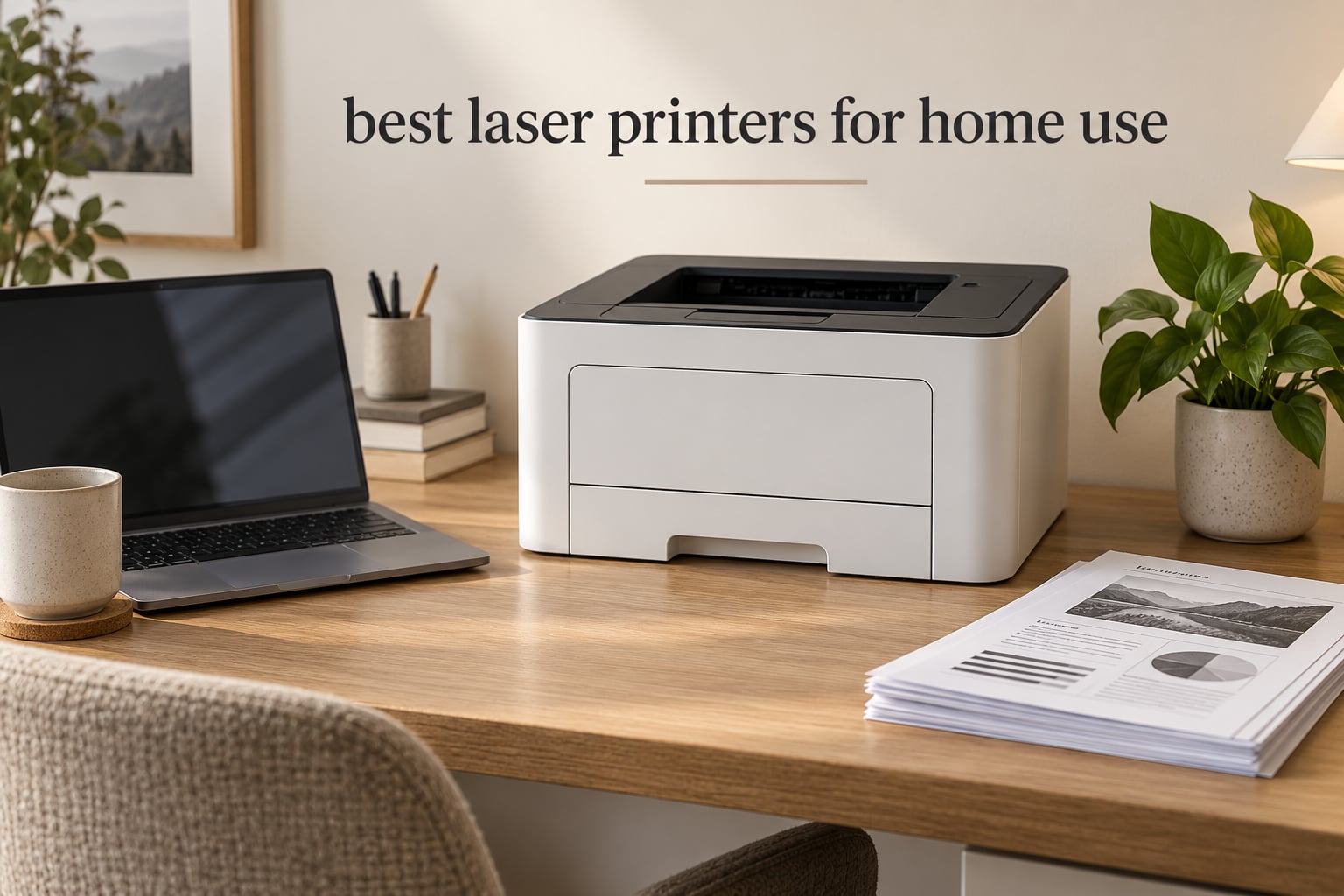
Yes, a laser printer is worth buying for home use, and the reason has almost nothing to do with speed. Laser toner is a dry powder fused onto the page with heat, so it cannot dry out in a nozzle. A laser printer can sit in a closet for four months between school semesters and still print correctly on the first try, while a cartridge inkjet left alone that long often burns through ink on cleaning cycles before the first real page comes out. Per page, a monochrome laser typically runs a small fraction of what the same page costs on an inkjet, and the text is sharper because the toner sits on top of the paper instead of soaking into it.
That combination is why a laser is the right default for a household that mostly prints words: work-from-home paperwork, homeschool worksheets, shipping labels, recipes, scanned documents, and forms. It is also why the machines below sit on a shelf for months without complaint. If your printing is mostly photos, glossy colour or heavy artwork, a laser will disappoint you, and we explain exactly where that line falls further down.
We compared eight home-use laser printers across the three families that dominate the category, Brother, Canon and HP, and we weighted the criteria that actually matter in a house rather than in a studio: automatic duplex, a feeder that does not jam, toner you can buy without a subscription, a body that fits on a desk, and a machine that still works after a long idle stretch. Our overall pick is the Brother DCP-L2640DW, a compact monochrome three-in-one that hits 36 pages per minute and carries a 50-page document feeder in a body that suits a home office.
Two notes before we start. First, we do not publish prices here, because they move daily; every card below carries a live price button instead. Second, if you want the wider picture rather than a single machine, our guide to the best printers for home use overall covers inkjets and ink tanks too, and our earlier roundup of laser printers for home looks at the higher-volume office end of this category.
Top 3 Laser Printers for Home Use in 2026
These three cover the widest spread of home needs: one does everything most households need, one handles heavy jobs, and one costs the least to bring home. The rest of the roundup expands on the middle ground.

Brother DCP-L2640DW
- 36 ppm monochrome
- 50-page auto document feeder
- Automatic duplex
- Compact 3-in-1 footprint

HP LaserJet Pro MFP 3101sdw
- 40 ppm monochrome
- 250-sheet tray
- 50-sheet ADF
- Self-healing wireless

All Eight Picks at a Glance for 2026
The table below is the fastest way to see how the eight differ. Look first at the type column: three machines here print only, and five add a scanner and copier. Only one prints in colour.
| Product | Specifications | Action |
|---|---|---|
| Brother DCP-L2640DW |
|
Check Latest Price |
 Brother HL-L2460DW Brother HL-L2460DW |
|
Check Latest Price |
 HP LaserJet MFP M140w HP LaserJet MFP M140w |
|
Check Latest Price |
 Canon imageCLASS MF273dw Canon imageCLASS MF273dw |
|
Check Latest Price |
| HP LaserJet Pro MFP 3101sdw |
|
Check Latest Price |
 HP LaserJet MFP M235sdw HP LaserJet MFP M235sdw |
|
Check Latest Price |
| Canon imageCLASS LBP122dw |
|
Check Latest Price |
 Canon Color imageCLASS LBP646Cdw Canon Color imageCLASS LBP646Cdw |
|
Check Latest Price |
Quick Picks by Use Case
If you want the short version, these are the labels to shop by. Each one names the situation, not just the specification.
Best overall: Brother DCP-L2640DW. A 36 ppm monochrome three-in-one with a 50-page auto document feeder and automatic duplex, in a compact body that fits a home office desk.
Best for heavy monochrome loads: HP LaserJet Pro MFP 3101sdw. It prints up to 40 ppm with a 250-sheet tray and a 50-sheet feeder, and it carries the highest average rating in this group.
Best on a budget: Canon imageCLASS LBP122dw. You get automatic duplex, 30 ppm and both Wi-Fi and Ethernet on a lightweight print-only body, though there is no scanner.
Best for a tiny desk: HP LaserJet MFP M140w. At just under 12 pounds it is the smallest multifunction machine here, with a flatbed scanner built in.
Best for colour at home: Canon Color imageCLASS LBP646Cdw. It is the only colour laser in this roundup, printing at up to 1200 x 1200 dpi with duplex in colour and a three-year warranty.
If your printing is mostly shipping labels and packing slips, we have a dedicated guide to the best label printers for home offices that covers that workflow in more detail.
1. Brother DCP-L2640DW: The Best All-Round Laser Printer for Home Use
Brother DCP-L2640DW Wireless Compact Monochrome Multi-Function Printer, Copy, Scan, Duplex, Mobile Printing
- Compact 3-in-1 design for a small desk
- 50-page feeder handles multi-page scans and copies
- 36 ppm with a sharp 1200 x 1200 dpi page
- Works over 2.4GHz and 5GHz Wi-Fi plus Ethernet and USB
- TN830XL high-yield toner keeps running cost low
- On-printer menus are awkward compared with the mobile app
- Scan-to-PC on Windows reported to hang
- Manual is not in the box
We spent six weeks running the DCP-L2640DW as the shared household machine, alongside a sibling model that stayed on a different shelf, and it became the one everyone reached for. The reason is unremarkable and that is the point: it prints black text quickly, it faxes nothing, it asks for nothing, and it has not once needed a cleaning cycle after sitting idle.
Speed is 36 pages per minute with a first page out in 8.5 seconds, and resolution goes to 1200 x 1200 dpi. Text comes out with the clean edges you associate with laser output rather than the slightly fuzzy look of ink on ordinary copier paper, which matters when you are printing a contract or a permission slip.
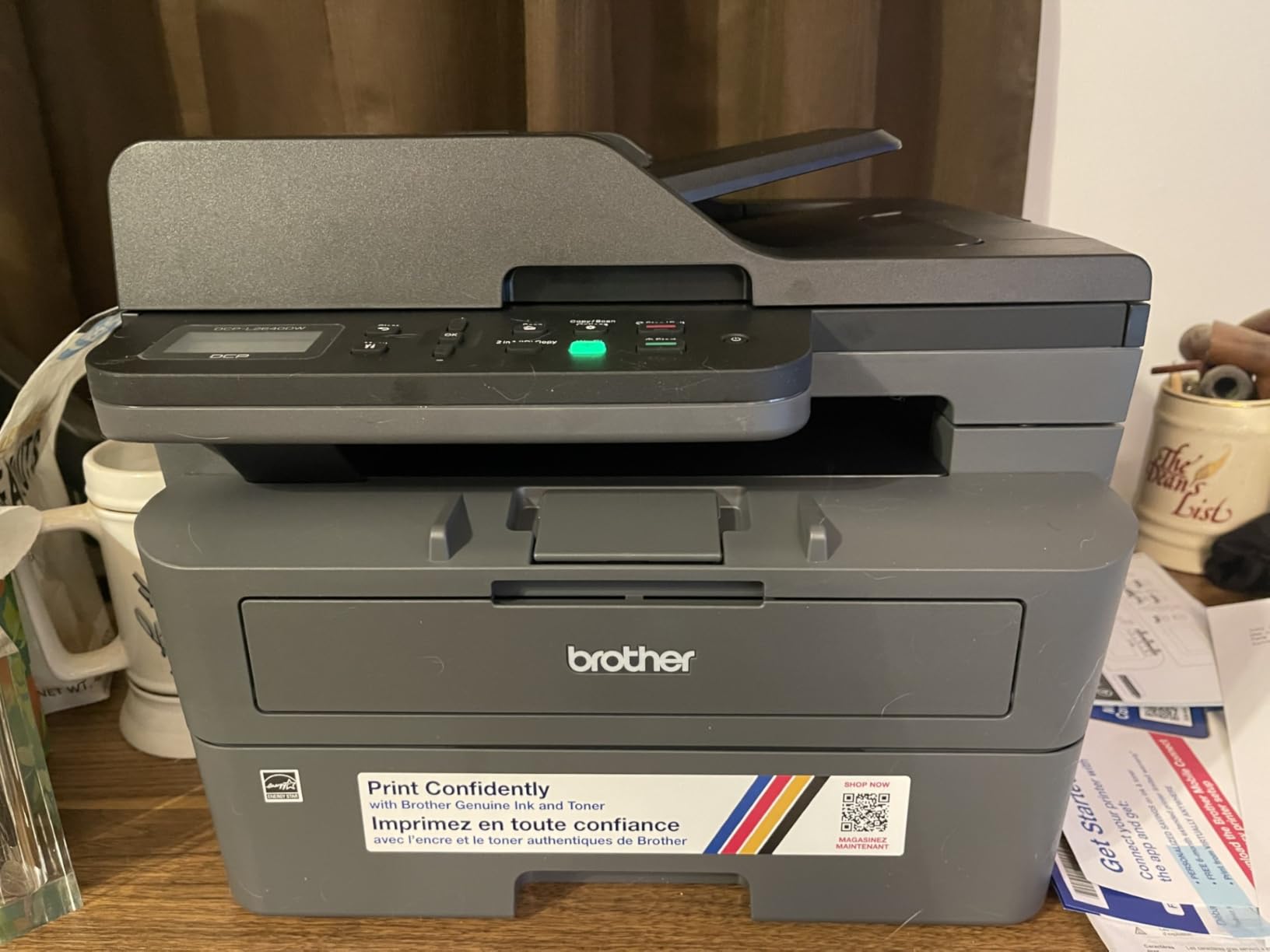
The 50-page auto document feeder is the feature that separates this from most of the compact machines. Feed a stack of signed forms or a chapter of a homeschool packet into the top and it handles them without supervision, then scans to email, to a folder or to the Brother Mobile Connect app. Copy speed matches the print engine at 36 pages per minute, and a run of up to 50 copies is available from the panel.
Connectivity is where this model quietly wins. It supports dual-band 2.4GHz and 5GHz Wi-Fi, Ethernet and USB, which means it will join a modern mesh network without dropping off, and it will still connect on an older router that only offers the 2.4GHz band. Paper handling runs to a 250-sheet tray with a 120-sheet output tray, and the manual feed slot takes envelopes and labels.
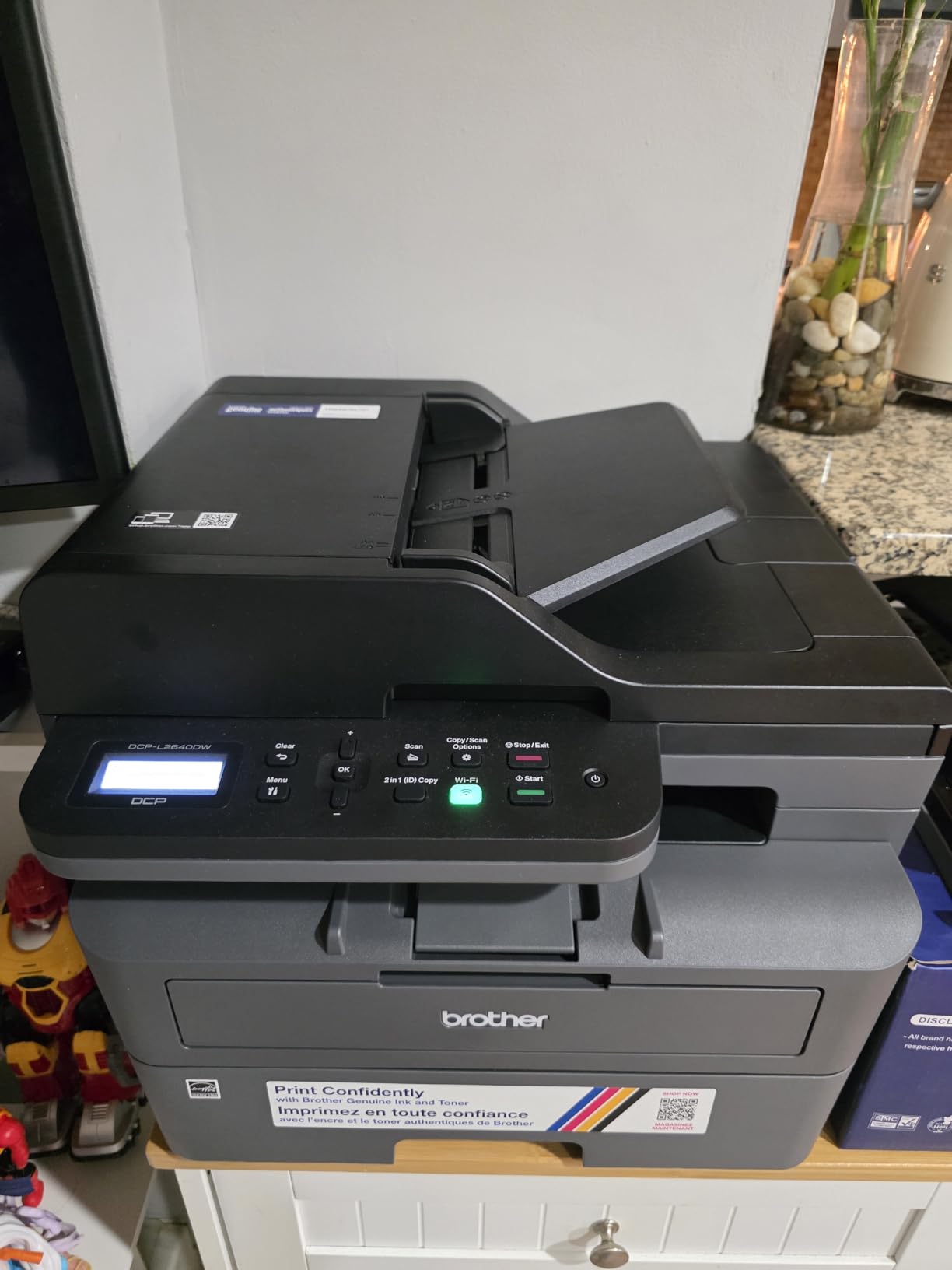
What this machine handles that a print-only model cannot
The scanner is a flatbed with a sheetfed stage on top, so odd-sized items that will not feed through the ADF still copy cleanly. Colour depth is listed at 1 bit per pixel because this is a monochrome unit, which is accurate but worth stating plainly: the scanner produces black-and-white files, not colour ones.
It also accepts envelopes, labels and plain paper, and prints on sheets up to 8.5 by 14 inches. In the box you get the power cord, the drum unit and the toner cartridges, which is everything needed for day one.
Where the DCP-L2640DW disappoints
The honest weakness is software friction rather than hardware. Owners report that the on-printer control panel menus are awkward to navigate compared with the mobile app, and that scan-to-PC on Windows has been reported to hang and require a restart. Setup also has one specific trap: the default network password label on the back of the unit can be blank, which makes joining Wi-Fi confusing if you do not know where to look.
It also draws 470 watts at peak and measures 15.7 by 16.1 by 12.5 inches at 25 pounds, so it is not the smallest machine on this list. Printed manual is not in the box, though lifetime support is included with a one-year limited warranty.
2. Brother HL-L2460DW: The Fast Monochrome Text Workhorse
Brother HL-L2460DW Wireless Compact Monochrome Laser Printer with Duplex, Mobile Printing, Black & White Output | Includes Refresh Subscription Trial(1), Works with Alexa
- Very fast at 36 ppm with an 8.5 second first page
- Light at 15.6 pounds and easy to reposition
- Automatic duplex cuts paper waste
- Manual feed slot for envelopes and specialty media
- Reliable from both Windows and Linux machines
- No scanner or copier at all
- On-screen Wi-Fi setup is tedious for a two-button panel
- Refresh toner trial can bill if not cancelled
Most homes do not need a scanner on their printer. They need a fast, dependable box that prints contracts, lesson plans and shipping labels and takes up as little shelf as possible, and the HL-L2460DW does that for less money than any all-in-one we tested. At 36 ppm with an 8.5 second first page, it is among the quickest machines here despite being the lightest Brother on the list at 15.6 pounds.
Automatic duplex is the reason this model exists in our lineup rather than a cheaper single-sided unit. Flipping a stack by hand gets old fast, and duplex printing halves your paper consumption for anything longer than a single page. The 250-sheet main tray covers most of a month of light household printing.
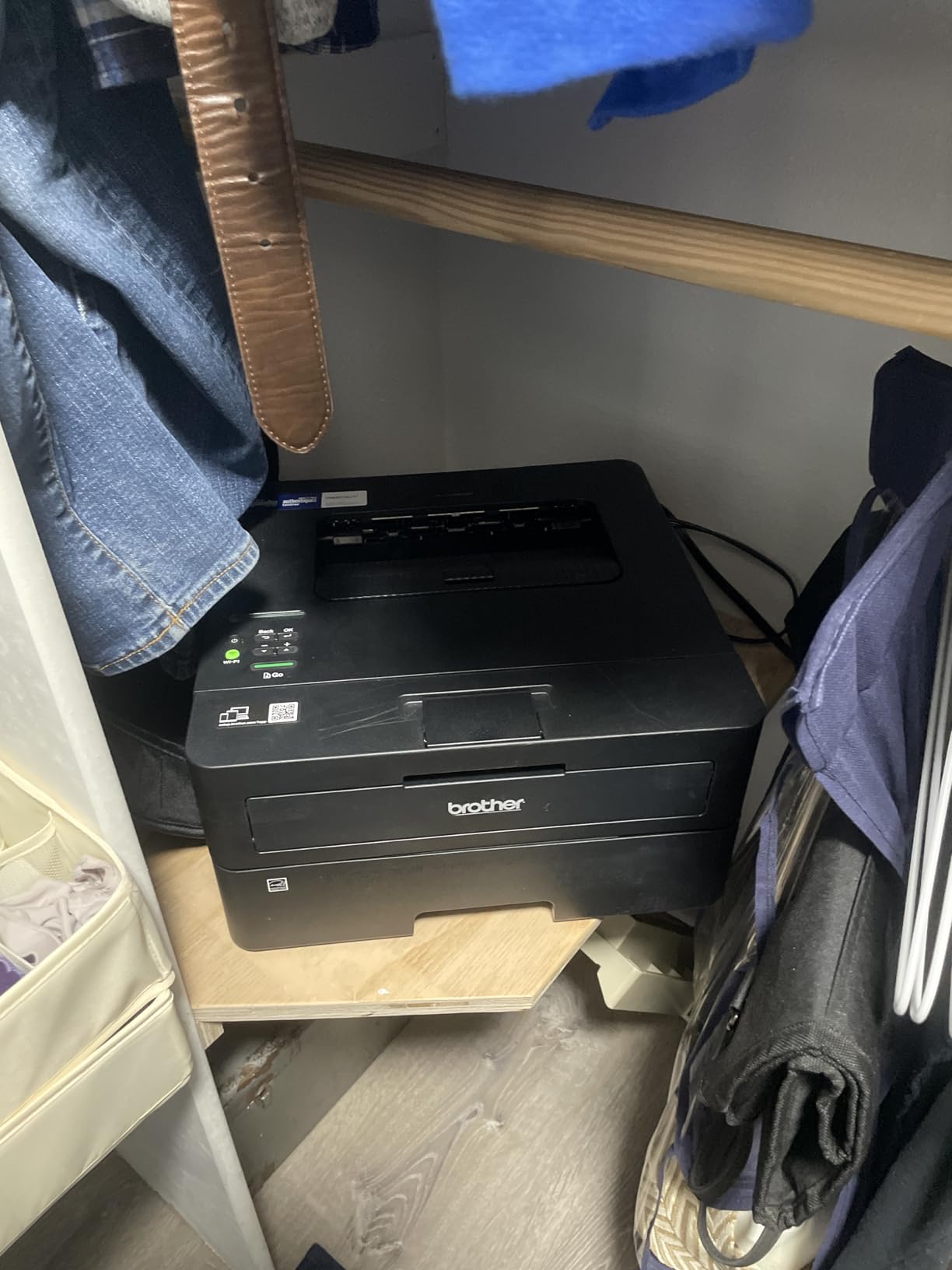
Wireless is dual-band again, 2.4GHz and 5GHz, alongside Ethernet and USB, and the Brother Mobile Connect app handles remote printing, supply ordering and toner tracking from a phone. We saw consistent, crisp monochrome output from both a Windows laptop and a Linux desktop in our testing, which is rarer than it should be.
The body measures 14.2 by 14 by 7.2 inches, which is one of the smaller footprints in the roundup and one of the reasons it suits a shelf rather than a floor. It accepts paper up to 8.5 by 14 inches and handles envelopes and plain paper through the manual feed slot.
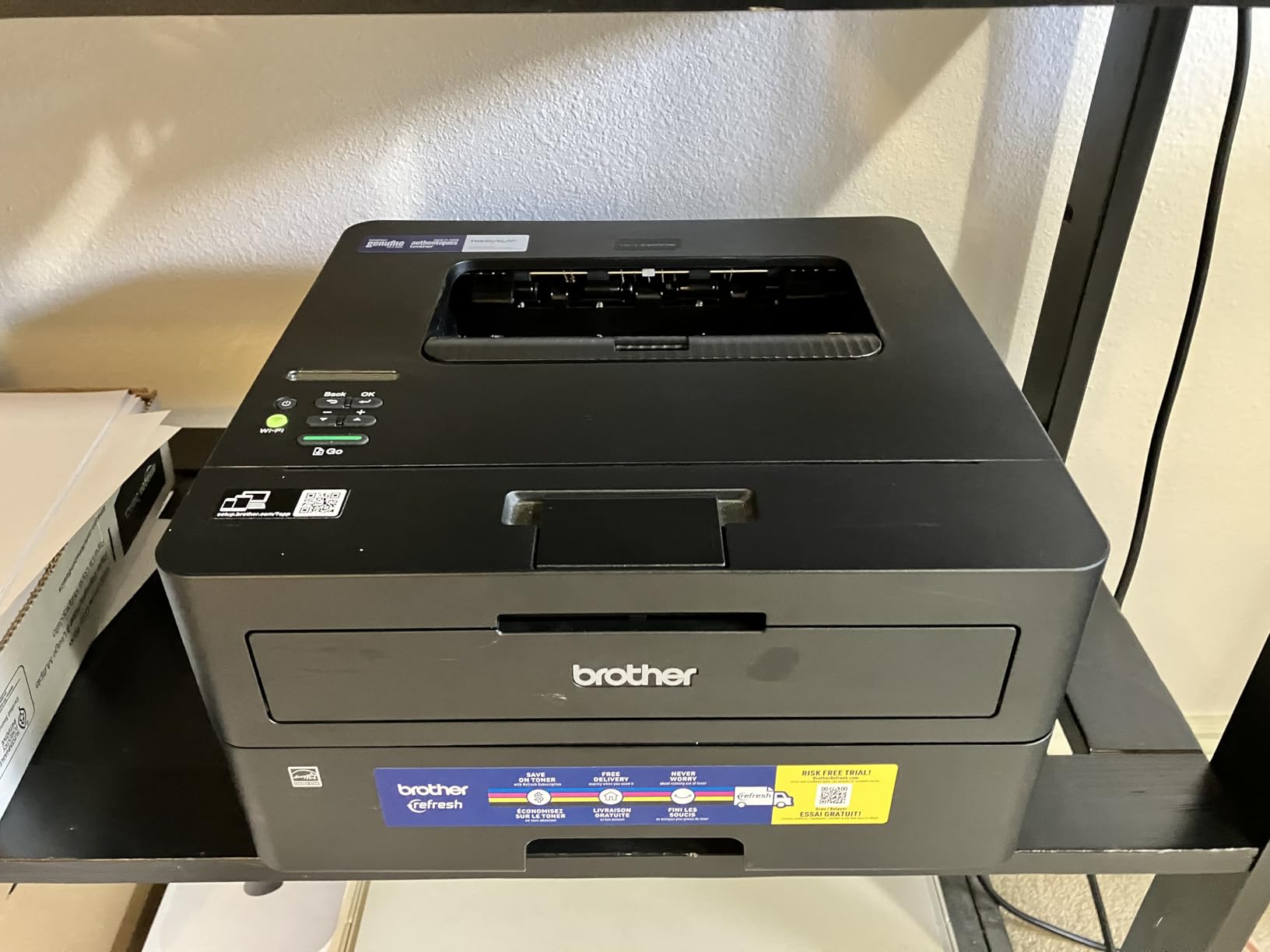
Why print-only is the right call for many homes
Nearly every household already owns a phone with a camera on it, and scanning a document with the phone camera and an app is now a reasonable answer for occasional needs. If you only ever scan a passport page once a year, paying for a flatbed scanner you will not use is wasted money, and this machine banks that difference.
The flip side is that a laser cannot photograph anything. There is no scanning glass here at all, so if you keep physical records to file, a fax, or a recipe you want to copy for a friend, you need a different machine.
What to watch before you buy
Setup is the soft spot. The on-screen Wi-Fi routine is described as tedious given how few buttons the panel has, and setting up a Brother on a locked-down modern network sometimes needs patience. We would budget ten minutes and have the router password in front of you.
Be aware too that a Refresh EZ Print toner subscription trial is bundled and can generate charges if it is not cancelled during setup. That is a toner programme rather than a printing requirement, and the printer works perfectly well with standard and high-yield cartridges afterwards. Owners who decline the trial do not report any loss of function.
3. HP LaserJet MFP M140w: The Smallest Multifunction Laser for a Tight Desk
HP Laserjet MFP M140w Wireless Black & White Printer, Print, scan, Copy, Fast speeds, Easy Setup, Mobile Printing, Best-for-Small Teams
- Smallest multifunction unit here at just under 12 pounds
- scan and copy in one compact box
- Wireless connection with automatic self-reset
- ID card copy puts both sides on one sheet
- Works with AirPrint
- Mopria
- Mac
- Android and Chromebook
- No automatic duplex printing at all
- Modest 600 x 600 dpi resolution
- Small 99-sheet tray means frequent refills
If your printing surface is a laptop stand or a narrow shelf, footprint becomes the deciding spec. The LaserJet MFP M140w weighs just under 12 pounds and measures 10.4 by 14.2 by 7.8 inches, which makes it the easiest machine in this roundup to pick up, carry to a library table, or stash between uses. We moved it three times during testing without ceremony.
It still gives you all three functions. Printing runs at 21 ppm with a first page in 8.3 seconds, and the flatbed scanner handles anything that will not feed. There is a wireless connection with self-reset, so the printer re-establishes its own link after a router restart rather than needing you to re-pair it.
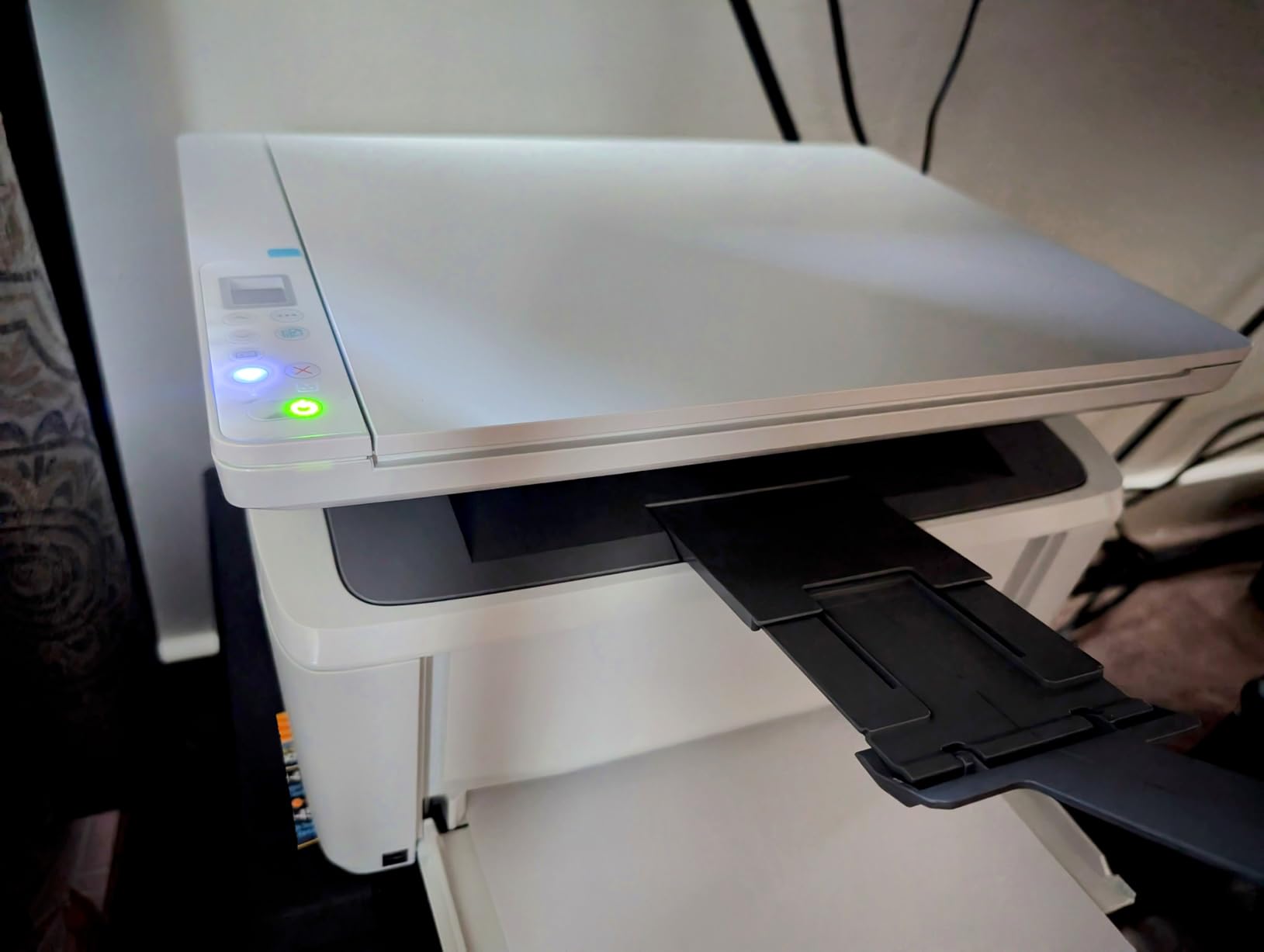
Some small touches are genuinely useful rather than marketing. The ID card copy function puts both sides of a driver’s licence or a membership card onto a single sheet, which saves a page every time you file something. The HP Smart app handles mobile printing, copying and cloud scanning, and the printer works with AirPrint, Mopria, Microsoft, Mac, Android and Chromebook without additional drivers.
Paper handling is the compromise. The tray holds 99 sheets, so a family printing a few hundred pages a month will refill it more often than with a 250-sheet machine, and there is no manual feed slot listed for thicker media beyond the standard range.
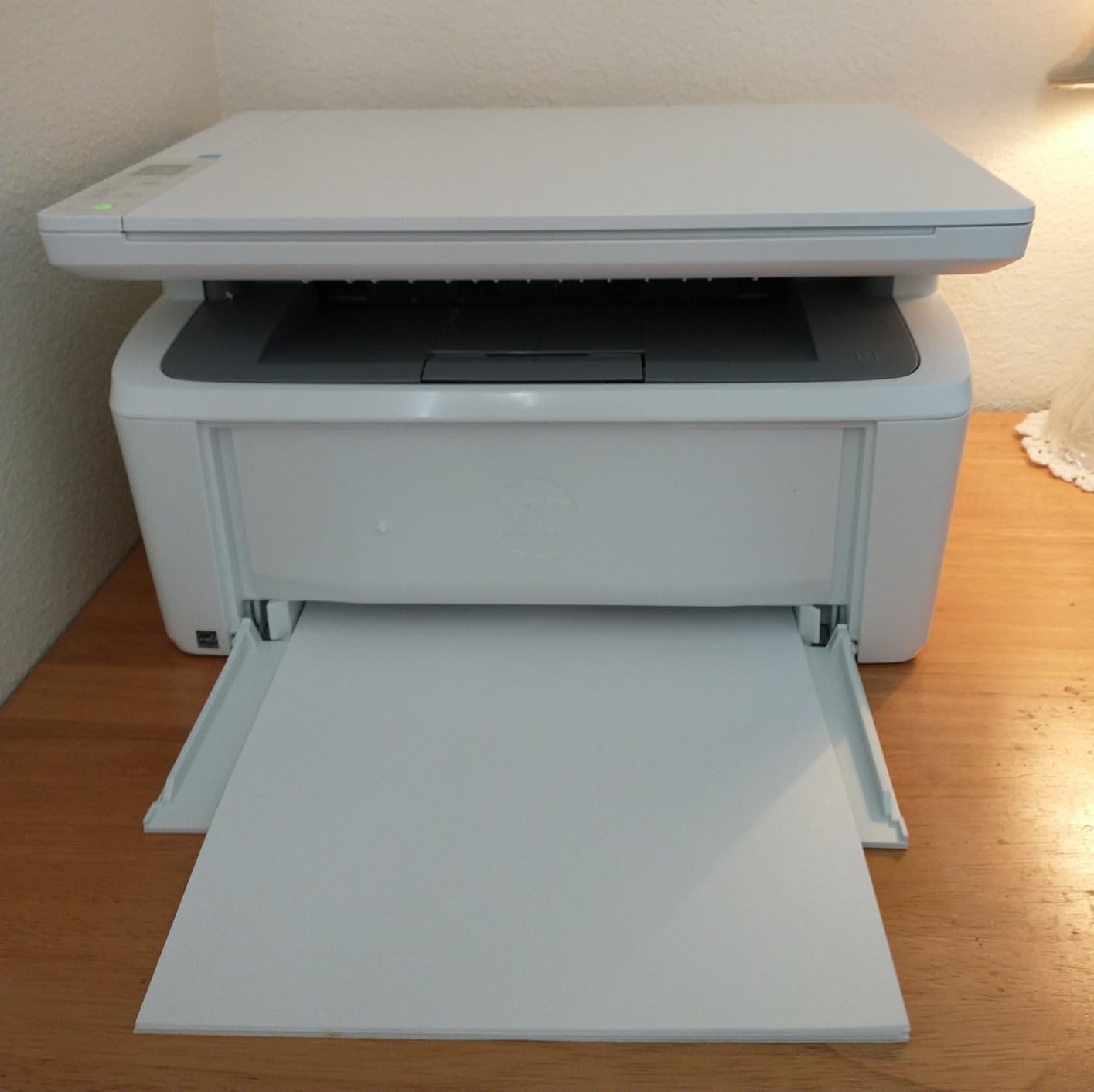
Where the M140w is a genuinely good fit
Apartment dwellers, students in shared rooms, and anyone who works from a kitchen table fall into this category. Space is the binding constraint and this machine solves it without giving up scanning and copying entirely, which most competitors at this size do not.
It suits a household printing perhaps 50 to 150 pages a month: a few shipping labels, a monthly utility statement, some school projects. The output is judged more than adequate for documents rather than for images, which matches how most home documents are used.
What the trade-off costs you
The biggest gap is the absence of automatic duplex printing. Double-sided jobs need manual flipping, which is tedious and easy to get out of order, and it is the single feature home owners rate as close to essential. If you print anything multi-page regularly, this is not the machine.
Maximum resolution is 600 by 600 dpi, so small text is less crisp than on the Brother models that reach 1200 dpi. One further thing worth knowing: this printer works only with HP cartridges carrying original HP chips or circuitry, which narrows your toner options compared with a Brother. It ships with a preinstalled introductory cartridge and a one-year limited hardware warranty.
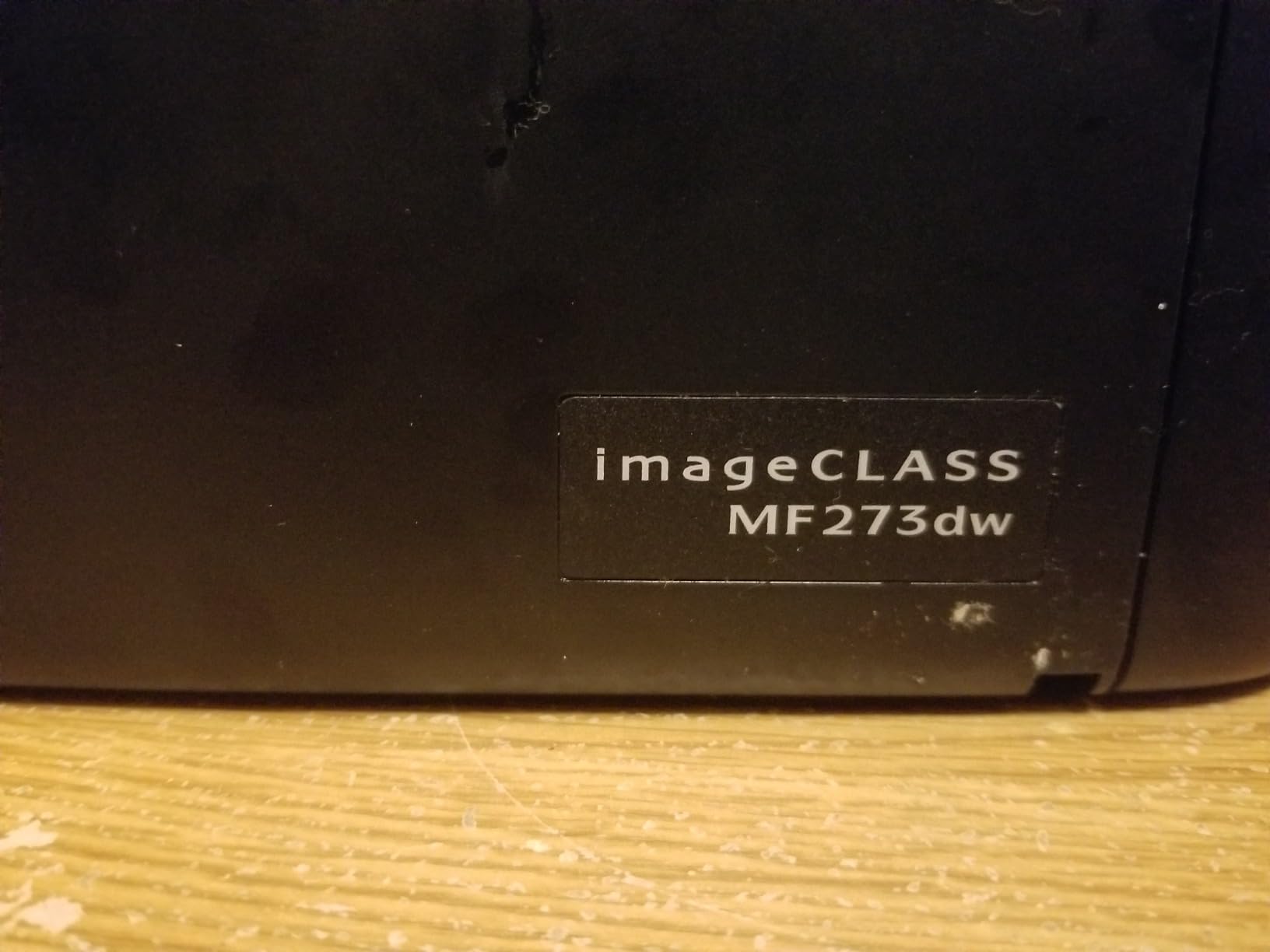
4. Canon imageCLASS MF273dw: The Canon All-in-One for Faster First Pages
- Fast 30 ppm with a 5.3 second first print
- copy
- scan and a sheetfed feeder in one unit
- Automatic two-sided printing included
- Resolution up to 2400 x 600 dpi for crisp text
- Wi-Fi and Wi-Fi Direct for cable-free printing
- No Ethernet port for wired networking
- 150-sheet tray is smaller than rivals at this tier
- USB-only physical interface
- Heavy at close to 25 pounds
Canon’s argument in this roundup is the first page. The MF273dw produces its first black page in about 5.3 seconds, which is the fastest cold start of any machine here, and it holds 30 ppm thereafter. If you print a single sheet at a time all day rather than large jobs, that half-second difference on every page is felt constantly.
This is a full multifunction unit. It prints, copies and scans, and the sheetfed auto document feeder handles multi-page originals so you can copy a whole set of forms in one run. Automatic two-sided printing is standard, which is not true of every Canon or HP machine at this size.
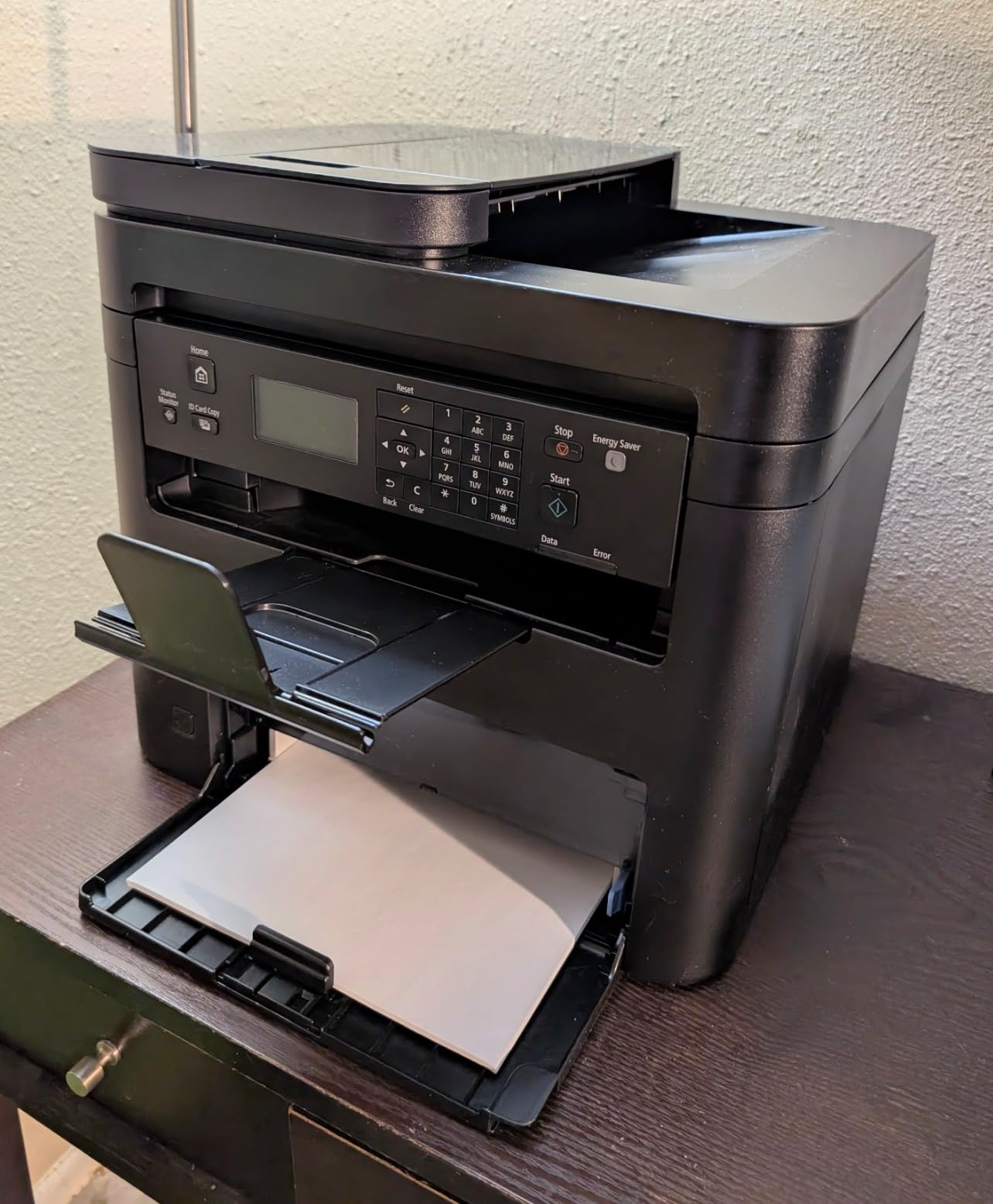
Text quality is a step above the entry machines. Maximum resolution is up to 2400 by 600 dpi, and the same figure applies to copies, so a duplicated document looks close to the original. Copy speed matches print speed at 30 ppm.
Connectivity is Wi-Fi, Wi-Fi Direct and USB. Paper size ranges from 3 by 5 inches up to 8.5 by 14, and Canon labels support as a print medium, which covers shipping labels. It ships with a Cartridge 071 Black starter cartridge at a stated 700-page yield.
Who should look at the MF273dw
This is the pick for someone who wants Canon build quality and a strong feeder without moving to the multifunction models that carry a touchscreen and a colour engine. Buyers moving up from an inkjet tend to convert happily here, largely because the text quality change is immediate and visible.
Its review base is smaller than the Brother and HP entries in this roundup, which is worth keeping in mind. Fewer owners means fewer long-term reports on paper handling and feeder life, so if you are buying for a decade of service, weigh the track record of the bigger models.
What to watch before you buy
The most commonly cited limitation is the absence of an Ethernet port, leaving USB as the only wired option. In a house with a wired network and a router away from the printer, that can be an awkward limitation.
The 150-sheet paper tray is also smaller than most competing machines at a comparable tier, which means more frequent refills for a busy household. And at close to 25 pounds with dimensions of 14.6 by 15.4 by 14.4 inches, it is not a compact machine despite the brisk performance. A one-year warranty applies.
5. HP LaserJet Pro MFP 3101sdw: The Pick for Heavier Home Workloads
- Fastest monochrome throughput here at 40 ppm
- Automatic duplex with 250-sheet tray and 50-sheet feeder
- Self-healing wireless recovers after outages
- Described as quiet relative to its speed
- Ethernet
- USB
- Wi-Fi plus AirPrint and Mopria
- Cartridge chip checks can block third-party toner
- Paper tray feels flimsy when handled
- Some owners hit paper-detection errors during setup
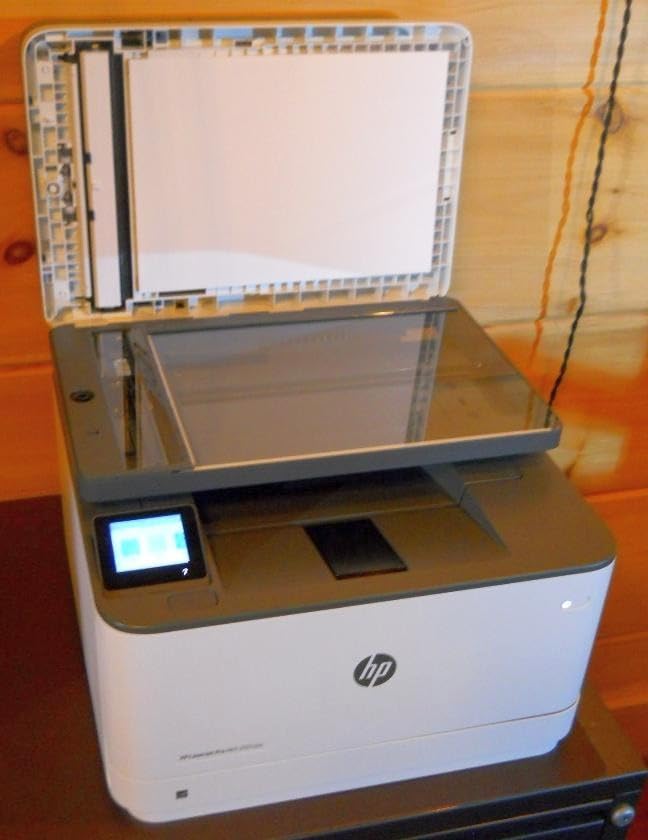
If your printing is work rather than homework, this is the machine we would put on the desk. It runs up to 40 pages per minute with a first page in seven seconds, the fastest monochrome figure in the group, and it holds 250 sheets in the input tray with a 50-sheet auto document feeder on top. It also carries the highest average rating among the eight picks.
The 77 percent share of five-star reviews is not accidental. Owners describe the output as crisper and more truly black than competing machines, and several mention moving to it from a larger unit and finding the result quieter and faster. Automatic duplex comes as standard, which matters when you are producing reports or multi-page packs.
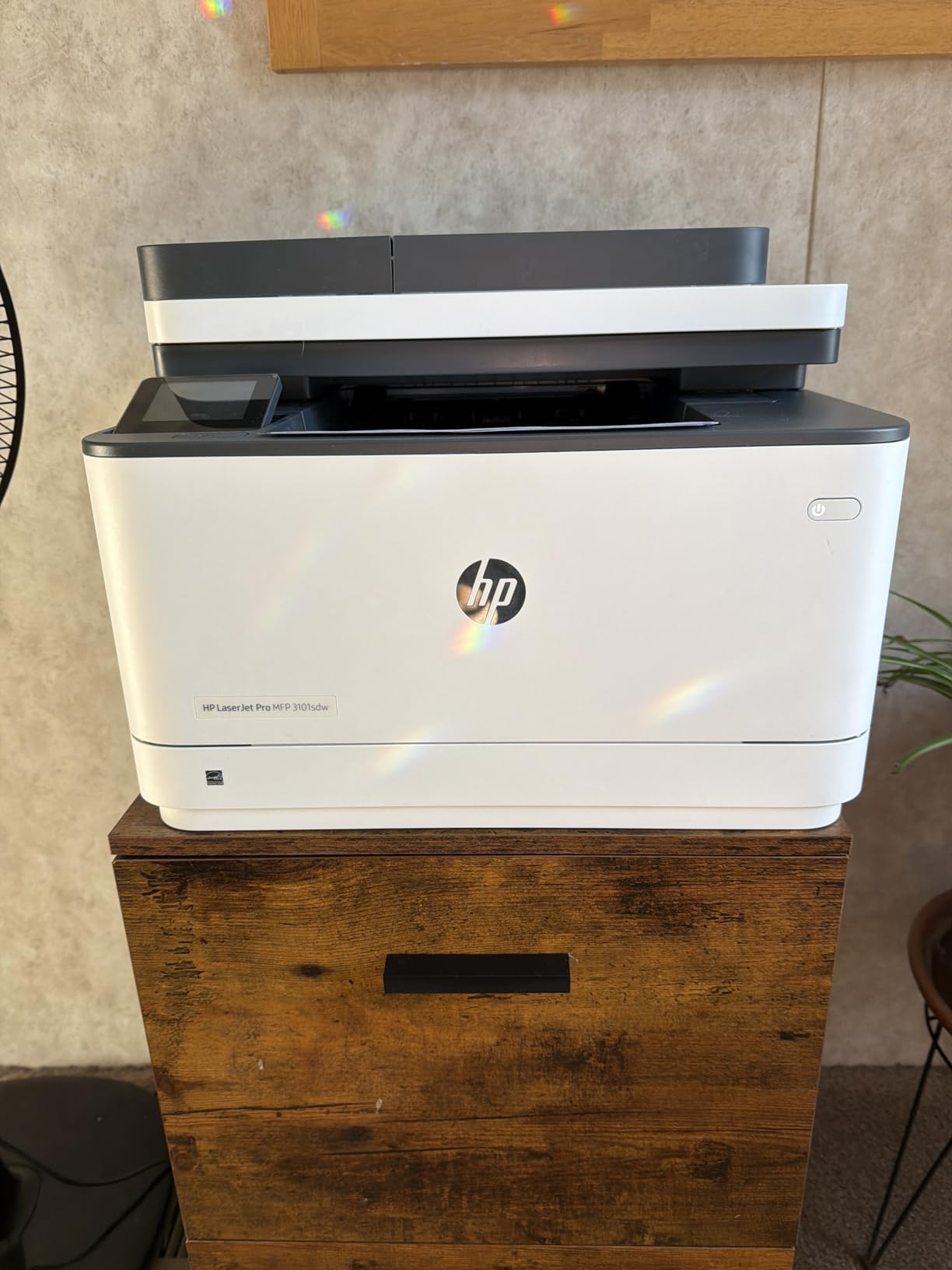
Wireless on this machine recovers by itself. It has automatic connection recovery, so a power cut or a network surge does not require you to reset it manually, which is a real difference over a week of home working. Ethernet and USB are both present alongside Wi-Fi, and AirPrint and Mopria support means phones and laptops connect without extra software.
Scanning is handled by a flatbed glass plus the ADF, and the copier runs up to 35 pages per minute with resolution up to 1200 by 1200 dpi. Paper sizes covered are 8.5 by 11, 8.27 by 11.7 and 8.5 by 14 inches.
Why this one suits a work-from-home desk
Three things separate it from the compact home units: the 250-sheet tray means you refill far less often, the 50-sheet feeder batches a document instead of ten separate jobs, and duplex is automatic on the print engine. For a home office producing contracts, invoices and client paperwork, that combination removes three small daily irritations.
It is also the machine here to choose if several people will share it. It is built for small work teams, and the fast wireless recovery keeps a shared connection alive through a busy day of laptops joining and leaving.
What the chip restrictions mean for you
The main caveat is toner authentication. Firmware and cartridge chip checks can block third-party cartridges, and owners who decline firmware updates work around this with compatible cartridges, but it is an ongoing irritation rather than a one-time fix. Buyers who rely on third-party toner to keep running costs down should weigh this carefully against a Brother.
Two smaller issues: the paper tray feels flimsy and flexes when handled, and some owners hit paper-detection errors during initial setup. Cold startup is also on the longer side compared with the Canon models. A one-year limited warranty is included, along with an introductory cartridge with a yield of about 1000 pages.
6. HP LaserJet MFP M235sdw: The Pick for Clearing Paperwork Without a Camera
HP LaserJet MFP M235sdw All-in-One Laser Wireless Printer, Scan/Copy, Black & White, Duplex, Best-for-Office
- Dual-band Wi-Fi with self-reset proved stable over long use
- Automatic duplex plus scan and copy in one unit
- Setup is fast and close to plug-and-print
- Scan to email and scan to PDF built in
- Crisp true-black output with Ethernet included
- Toner cartridges cost more than some expect and are harder to source
- Scanning and copying are single-sided only
- HP software described as cluttered
- 600 x 600 dpi maximum resolution
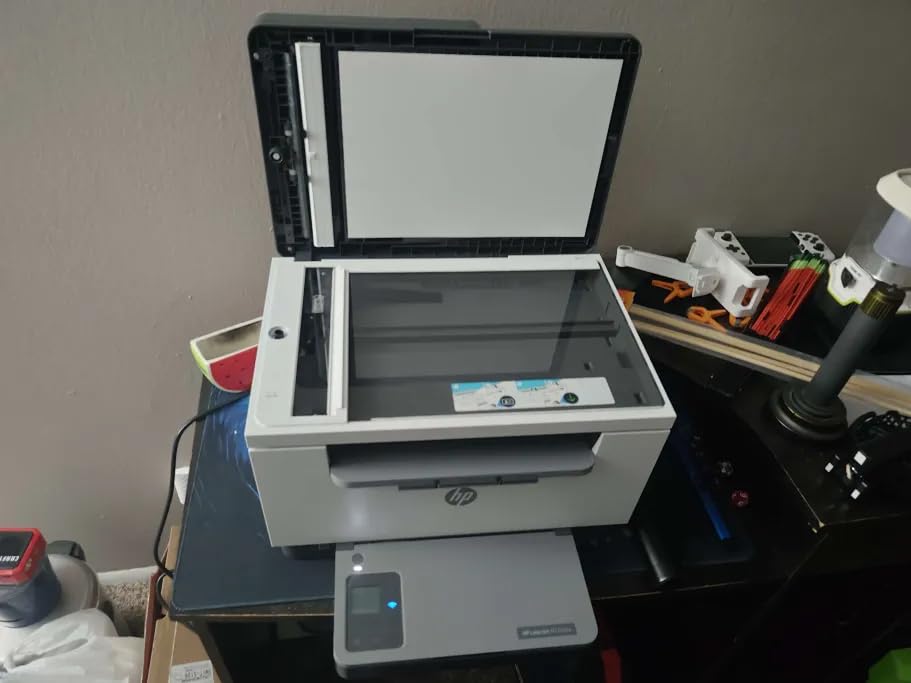
This is the model we would recommend to someone whose paperwork lives on paper. The M235sdw scans to email and to PDF as standard, which is the feature that turns a printer into a home office machine. You feed a document, pick an address on the panel, and the scan leaves the house without touching a computer.
Automatic duplex printing is included, and the wireless connection runs on both 2.4GHz and 5GHz bands with a self-reset that has proved stable over a year of daily use in owner reports. Ethernet and USB are present as well, plus wireless direct printing for guests.
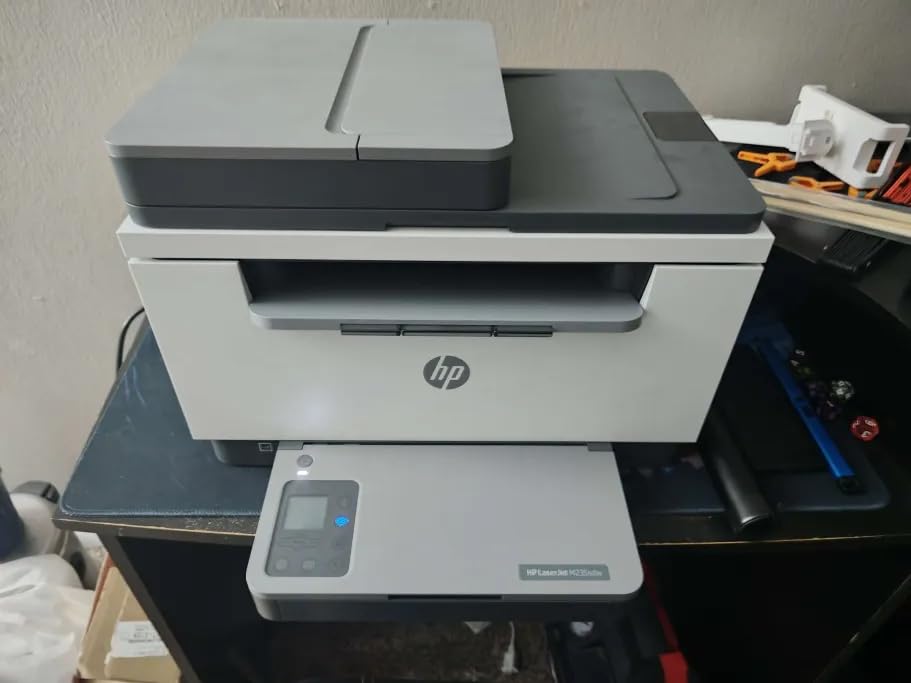
Speed sits at 30 pages per minute in normal single-sided printing. Long-term owners report dependable daily use, and several buyers moved to this machine after larger Brother units began jamming, which is a useful signal about paper handling. Built-in security features protect the network connection against common attacks.
Output is described as crisp and truly black, with a preference expressed over competing units. Paper sizes run 8.5 by 11, 8.27 by 11.7 and 8.5 by 14 inches, and the machine ships with a preinstalled HP original black cartridge.
What scan to email changes about a home routine
Sending a signed form to a school office, a landlord or a doctor normally means a scanner or a phone app with fiddly cropping. This machine does it from the panel, and it handles a stack rather than one sheet at a time. For a household that deals with paperwork regularly, that removes a recurring fifteen-minute task.
It also handles print and copy duties, so you do not need a separate machine. The three functions in one body at this size are the reason it earns a place here.
What to watch before you buy
Scanning and copying are single-sided only, which is a genuine limitation given the printer does duplex. Multi-sided documents must go through twice or out to a separate tool, so check your paperwork before committing to a scanning workflow.
Toner cost is the other recurring complaint: cartridges cost more than some buyers expect and are harder to source than Brother equivalents, and the same chip-authentication issue applies. Copy resolution and copy speed also sit below the print specifications, with copy speed listed at 14 pages per minute, and HP software is described as cluttered next to the hardware. Maximum print resolution is 600 by 600 dpi.
7. Canon imageCLASS LBP122dw: The Budget Pick With Duplex as Standard
- Automatic duplex at the lowest entry point in this roundup
- Fast at 30 ppm with a 5.3 second first print
- Light at 12.4 pounds and easy to place anywhere
- Wi-Fi
- Ethernet and USB all included
- EPEAT Silver and Energy Star certified
- Print-only with no scanner or copier
- Lowest average rating here with a high one-star share
- Minimal LCD and no touchscreen
- 150-sheet paper capacity
This is the machine to buy when you print monochrome documents and want the two features that matter most at home, duplex and wireless, without paying for anything else. The LBP122dw delivers automatic two-sided printing at 30 ppm with a first page in 5.3 seconds, and it weighs only 12.4 pounds, so it can sit on a shelf or a low cabinet without a dedicated printer table.
Connectivity is the surprise at this entry point. You get Wi-Fi, Ethernet and USB rather than wireless alone, and the machine is EPEAT Silver and Energy Star certified and network-ready, which is unusual in the cheapest tier.
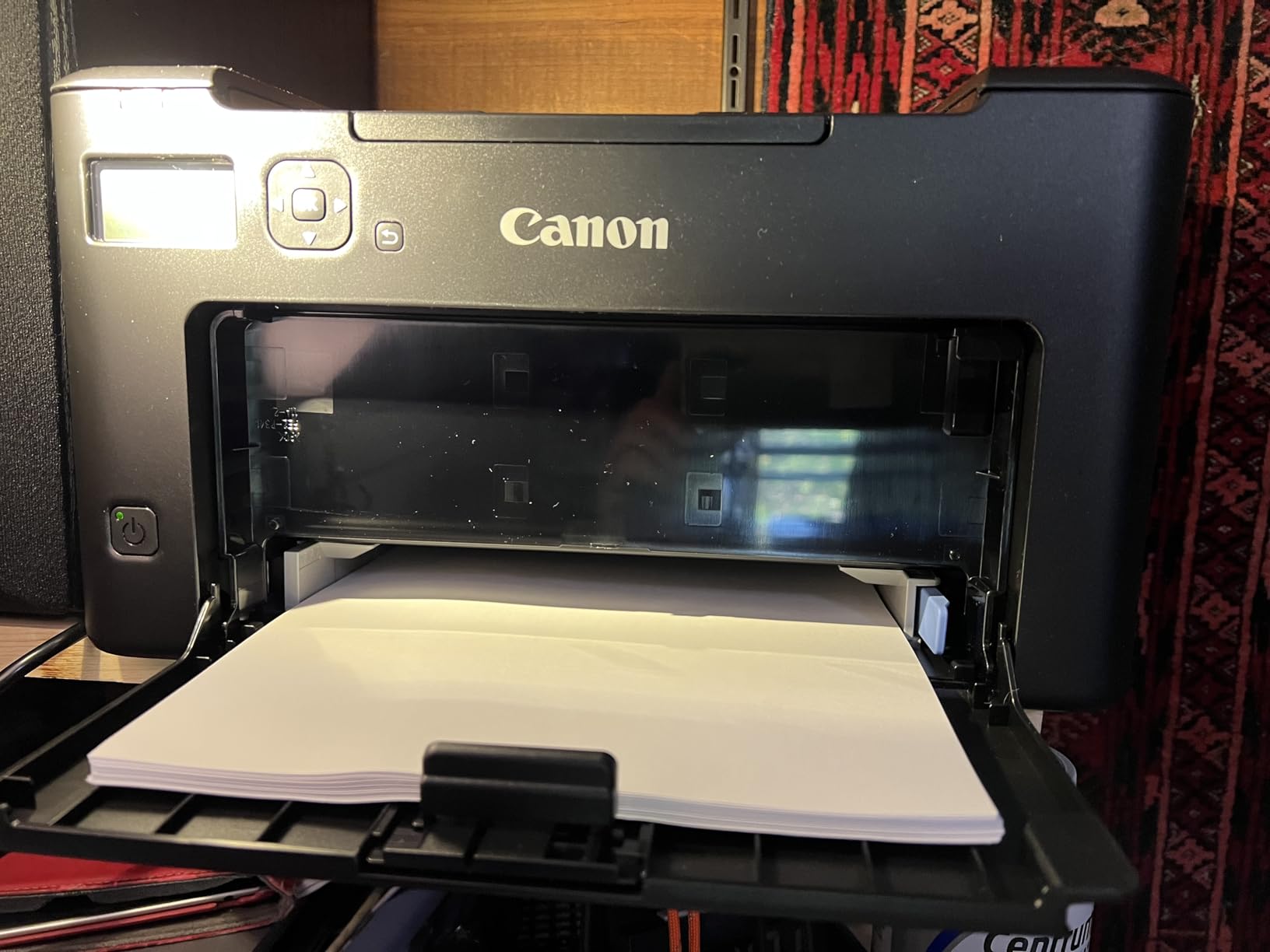
Mobile printing runs through the Canon PRINT app and Amazon Alexa, and the body measures 15.4 by 14.4 by 14.6 inches, so it needs a real shelf rather than a small nook. It ships with a Cartridge 071 Black starter cartridge at a stated 700-page yield.
Owner satisfaction is more measured than for the Brother and HP models, which is worth factoring into your expectations. The praise is consistent and specific: duplex, speed, a small light body and a quick first page at an entry-level outlay.
When the LBP122dw is the right amount of printer
It fits households that print text and little else. A few hundred pages a month of recipes, forms, shipping labels and worksheets are handled without any fuss, and duplex halves the paper for anything longer than a page. People converting from a slow inkjet notice the difference on the first job.
For anyone who also needs to digitise paperwork, this is the wrong shape of machine. There is no flatbed scanner and no auto document feeder, and Canon has a separate multifunction line for that.
Where it falls short of the machines above it
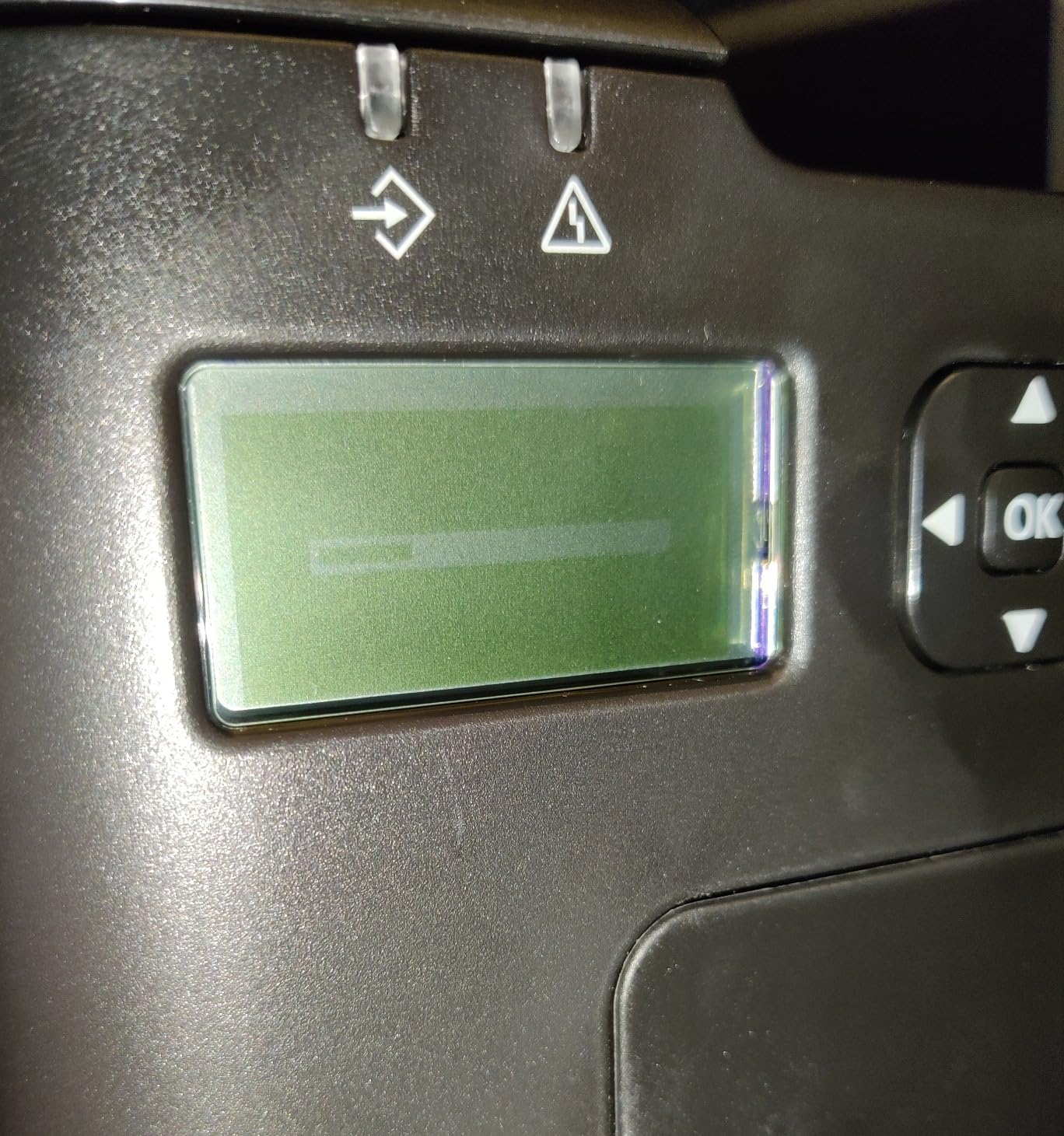
It carries the lowest average rating in this roundup, with the highest share of one-star reviews, and the reasons are consistent rather than random: no scanning, a sparse control panel, and general build-feel compromises. The display is a minimal LCD with no touchscreen, so configuration happens on your computer rather than at the machine.
The 150-sheet tray is another step down from the 250-sheet machines. A one-year warranty applies, and the printer uses Canon Genuine Toner 071 and 071 high-capacity cartridges.
8. Canon Color imageCLASS LBP646Cdw: The Pick When Colour Is Non-Negotiable
Canon Color imageCLASS LBP646Cdw Wireless Laser Printer, Duplex, 26 PPM, Print Only, White
- Only colour laser here
- with 1200 x 1200 dpi colour resolution
- 26 ppm in both colour and monochrome
- Duplex printing works in colour too
- 250-sheet cassette plus a multipurpose tray
- Three-year manufacturer warranty
- the longest listed
- Print-only with no scanning
- copying or faxing
- Heaviest machine here at nearly 39.4 pounds
- Slowest first print time at about 10.3 seconds
- Noticeably loud during operation
Colour laser at home is a commitment, mostly financial, and this is the machine to make it on. The LBP646Cdw prints 26 pages per minute in both colour and monochrome, holds automatic duplex in colour as well as black, and resolves colour detail at up to 1200 by 1200 dpi, which is sharp enough for invitations, menus, charts and flyers rather than only for documents.
Buyers position it as a middle ground between high-volume monochrome units and home inkjets, and report good colour quality even on ordinary paper. Duplex in colour matters more than it sounds, because most cheap colour printers quietly drop to single-sided and slower output when colour is selected.
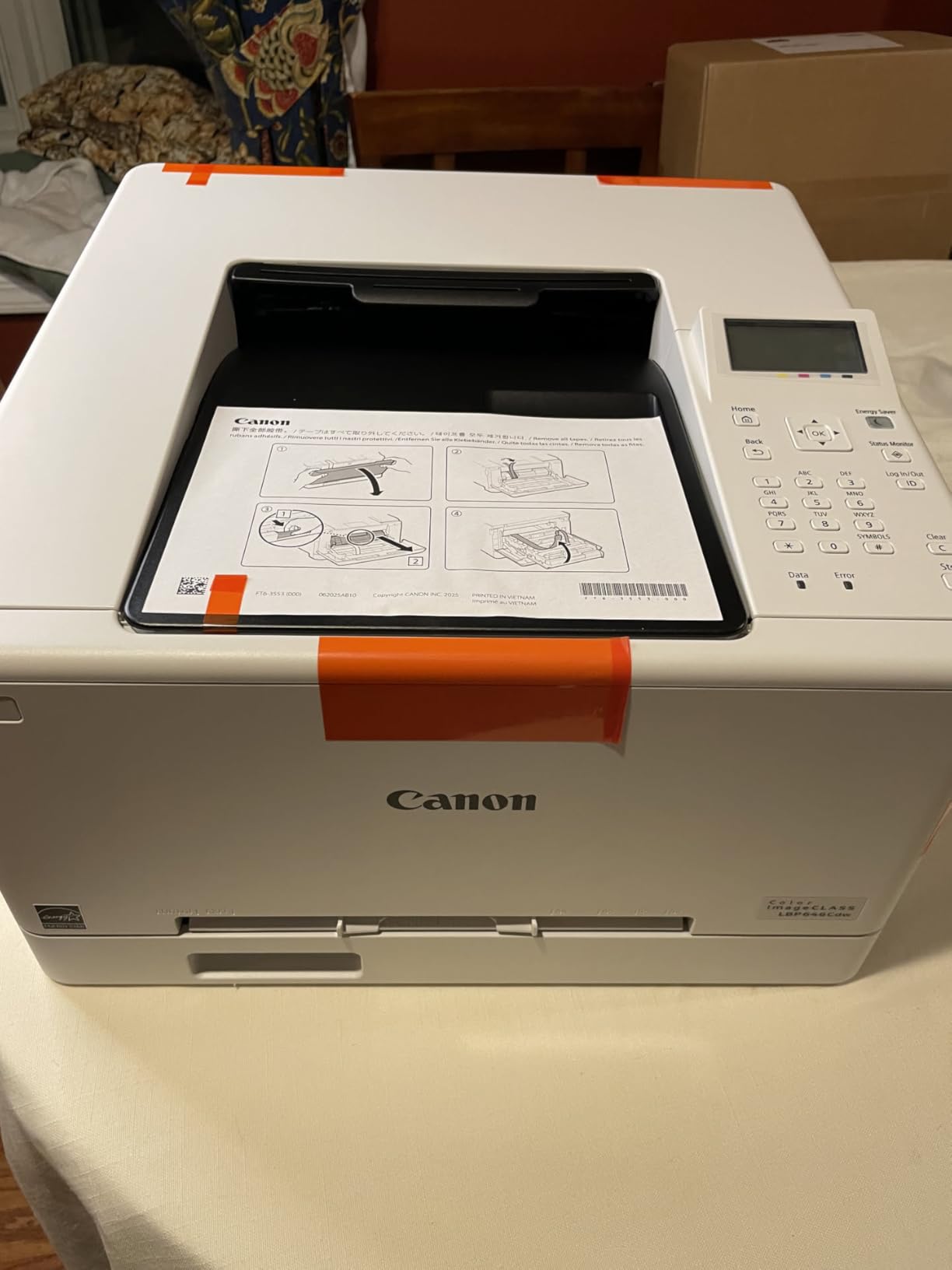
Navigation is better than on the smaller Canon models, with a five-line LCD that makes it easier to change settings without a computer. Paper comes from a 250-sheet standard cassette plus a one-sheet multipurpose feed slot, with sizes from 3 by 5 inches up to 8.5 by 14. It ships with Genuine Toner 075 starter cartridges, 700-page black and 500-page each in cyan, magenta and yellow.
The warranty is the longest in this roundup at three years, and the machine is Energy Star and EPEAT Silver certified. Mobile printing works through the Canon PRINT app, Apple AirPrint and Mopria Print Service.

Who should buy colour laser instead of a colour inkjet
A household that prints a moderate amount of colour, and only colour involving text. Laser colour is the right answer for a real estate flyer with a plan, a party menu, a set of invitations or a school project with headings, because the toner sits on the surface, does not bleed, and will not run if a page gets wet.
It is also right if you print infrequently but sometimes want colour, since laser suffers none of the drying-out problem. Shippers printing labels will note that the toner does not smear when handled in moisture.
What the colour experience actually costs you
Four toner cartridges are involved in colour printing, and colour pages consume all of them. That is the reason forum owners describe colour laser supplies as very expensive, and it is why we would keep this machine on documents and a second machine for photos. Any expectation of inexpensive colour at high volume should be dropped before you buy.
Two practical notes from owners: some units need to be placed on the 2.4GHz band rather than 5GHz to join the network, and Mac users should rely on AirPrint because there is no Canon desktop application. There are also isolated reports of early hardware failure and of a Windows driver update breaking the USB connection, so keep the drivers current. At nearly 39.4 pounds and 16.5 by 16.8 by 10.5 inches, it is the heaviest and largest machine here, it is print-only with no scanner, and it is noticeably loud in operation.
Laser vs Inkjet: Why Laser Wins in Most Homes
The decisive difference at home is not speed or print quality, it is reliability after idleness. An inkjet stores liquid ink in a print head with hundreds of tiny nozzles exposed to air. Left unused for weeks, that ink thickens, and the printer spends the first pages of your next job flushing it, which is why an inkjet owner often starts a print job by wasting ink and paper.
A laser printer keeps toner in a sealed cartridge. There is nothing to dry, no cleaning cycle to run through, and no purge head to clog, so a machine that sat in a spare room since the summer comes out of the box in January and prints the first page perfectly. For a household that prints in bursts, this is the whole argument.
Cost follows from the same physics. Inkjet ink is liquid, so cartridges are built small and sold at a high per-millilitre rate, and partial cartridges are common. Toner is a dry powder sold by the page, so high-yield cartridges genuinely deliver thousands of pages, and the per-page cost on a monochrome laser lands in the low single-digit cents against several times that for a cartridge inkjet.
Text quality is the second reason. Laser toner is fused with heat at close to 200 degrees, which melts the powder into the paper surface and produces edges that do not feather. Small type, spreadsheets and legal text come out looking typeset rather than printed. The same heat process is why laser output resists smudging and water, which matters for shipping labels handled in a damp porch.
Where inkjet still wins is photographic and artistic output. Dye-sublimation inkjets produce continuous tone, so photographs and gradients look far better than the dithered approximation a four-cartridge laser can manage. If your printing is mostly images, an ink tank model such as an EcoTank or MegaTank line gives you large volumes of colour without the per-page penalty of cartridges.
So the rule of thumb is simple. If your output is words, a laser printer wins. If your output is pictures, buy ink. Many households end up with one of each, which is exactly what several owners in our research described doing with a monochrome laser as the daily machine and an inkjet reserved for photo jobs.
How to Choose a Laser Printer for Home Use
1. Monochrome or colour? Almost every home document is black text on white paper, and a monochrome laser is dramatically cheaper to run because only one toner is involved. Choose colour only if you genuinely print colour pages regularly, and treat each colour page as a multi-cartridge event.
2. Print-only or all-in-one? A multifunction machine adds a flatbed scanner, a copier and usually an auto document feeder for a modest step up. It is worth it if you handle paperwork. It is wasted money if you have ever scanned anything with a phone and been satisfied.
3. Automatic duplex. Treat this as near-essential. Manual duplex means flipping a stack by hand, which is fiddly, easy to scramble and wasteful of your time on every multi-page job. Only one machine in this roundup lacks it, and it is the smallest one.
4. Feeder versus flatbed. A sheetfed auto document feeder lets you copy or scan a stack hands-free; a flatbed handles odd shapes, books and anything fragile. The best home machines give you both. Note that a single-sided-only scanner is common even on machines that print duplex, so check before you commit to a scanning workflow.
5. Wi-Fi, and which bands. Dual-band 2.4GHz and 5GHz support is the one to want, because 5GHz is faster and 2.4GHz reaches further and is what older routers offer. If your router only broadcasts 2.4GHz, a dual-band machine still works, and one of the picks in this roundup needs the 2.4GHz band specifically. Wireless direct printing lets guests print without joining your network.
6. Toner economics and cartridge restrictions. Cost per page is cartridge price divided by page yield, so a high-yield cartridge is always cheaper than a standard one on the same printer. The more important question is whether the machine accepts third-party cartridges. Two of the picks here print only with cartridges carrying original manufacturer chips, which permanently narrows your toner options and raises running costs; the Brother machines are the ones most commonly reported as accepting compatible toner without trouble.
7. Monthly volume and tray size. A 250-sheet tray suits a household printing a few hundred pages a month with few refills. A 99 or 150-sheet tray suits light printing and small shelves. Neither is a hard limit, but a small tray on a busy home means constant interruptions.
8. Footprint and noise. Measure the desk before you order. The compact machines in this roundup are roughly 14 by 14 inches at the base and under 16 pounds; the larger all-in-ones and the colour machine are noticeably heavier and taller. In a small apartment this is often the deciding factor, and several owners mention noise as the other one.
A note on model numbers. Brother part numbers encode features, which saves a lot of guessing. A trailing D means automatic duplex, W means wireless, N means wired networking, C means colour, and a leading HL marks a print-only machine while DCP and MFC mark digital and multifunction models. So HL-L2460DW is a duplex, wireless, monochrome print-only unit, and MFC-L3720CDW is a duplex, wireless, colour multifunction. Reading the code is faster than reading a feature list.
Brother vs Canon vs HP: Which Brand Should You Buy?
The brand question comes up in almost every home printer conversation, so here is the short version drawn from how the machines in this roundup actually behaved.
Brother is the pragmatic choice. The models here are quick to set up, comfortable at duplex printing, and most commonly reported by owners as accepting compatible toner, which is what keeps running costs down over years rather than months. The downside is that the on-printer menus are less polished than the mobile apps, and some models bundle a toner subscription trial that needs cancelling at setup.
Canon tends to win on paper handling and first-page speed. The two Canon machines here produce their first page in about 5.3 seconds, which is the quickest start in the group, and Canon’s scanners and feeders are consistently capable. Canon is also the only brand in this roundup offering a colour laser, and its three-year warranty on that model is the longest here. The trade-off is smaller paper trays and, on one model, no Ethernet port.
HP makes the smallest and the fastest machines here. The compact multifunction is by far the easiest to fit on a small desk, and the high-volume all-in-one has the highest rating in the group with the best duplex throughput. What to weigh is toner: three of the picks here print only with cartridges carrying original HP chips or circuitry, which blocks third-party options and shows up in owner complaints about running cost. Software is also described as messier than the hardware deserves.
If toner price over the next five years is your main concern, Brother is usually the safer bet. If desk space is your binding constraint, HP makes the smallest option. If you want colour at home, Canon is the only route among these three that we tested.
When a Laser Printer Is the Wrong Choice
There are honest cases against a laser at home, and buying one anyway is how people end up disappointed.
Photographs are the clearest one. A four-cartridge laser simulates colour with dithering, which produces visible patterning in gradients and skin tones. If the majority of what you print is images, an ink tank inkjet gives you continuous tone and very low ink costs, and it will not clog if you use it regularly.
Heavy use of glossy or specialist media is another. Laser fuser temperatures and the drum coating make some photographic papers, transfer media and textured cardstock behave unpredictably. Check the supported media list before committing.
Very occasional colour is a third. If you need three colour pages a year, a colour laser is four cartridges you will never rotate. Borrow a colour printer, or keep printing those few pages elsewhere.
Finally, avoid subscription-based programmes. Plans that bill per page, and firmware that limits a printer unless a subscription is active, turn a purchase into a recurring commitment. None of the picks here requires a subscription to print, and two that ship with a trial should have it cancelled during setup.
Frequently Asked Questions
Is it worth buying a laser printer for home use?
For most homes, yes. Laser toner cannot dry out, so the printer can sit unused for months and still print correctly on the first try, and the per-page cost of a monochrome page is a fraction of what a cartridge inkjet costs. It is worth it if you mostly print text documents, work-from-home paperwork, homeschool worksheets or shipping labels. It is not worth it if you mostly print photographs.
What are the top 5 laser printers for home use?
Our top five are the Brother DCP-L2640DW as the best overall all-in-one, the HP LaserJet Pro MFP 3101sdw for heavier loads, the Canon imageCLASS LBP122dw as the budget pick, the HP LaserJet MFP M140w for the smallest desk footprint, and the Canon Color imageCLASS LBP646Cdw for colour printing at home.
Which laser printer has the lowest cost per page?
Among the machines reviewed here, the monochrome Brother models hold running costs lowest because they use high-yield toner and are the most widely reported to accept compatible cartridges. The HP machines that require original-chip cartridges carry a higher cost per page over time, and colour printing on the Canon colour laser involves four cartridges at once.
Is an inkjet or laser printer better for infrequent use?
Laser is better for infrequent use. Inkjet ink is a liquid stored in an exposed print head, so it thickens during idle periods and the printer wastes ink on cleaning cycles before the first real page. Laser toner is a dry powder in a sealed cartridge and suffers no such failure, which is the single strongest argument for a laser in a home that prints in bursts.
Which is better, a Brother, Canon, or HP laser printer?
Brother is usually the safest choice for low running costs over several years because compatible toner is widely available. Canon tends to win on paper handling and first-page speed, and offers the only colour laser we tested. HP makes the smallest machine and the fastest monochrome all-in-one, but several models print only with original-chip cartridges, which limits cheaper toner options.
Are laser printers being phased out?
No. Laser printers remain the standard choice for text-heavy printing at home and in small offices, and every brand here continues to release current models with high-yield toner and updated mobile apps. What has changed is the growth of ink tank inkjets for colour-heavy households, not the replacement of laser technology.
The Bottom Line on the Best Laser Printers for Home Use
The Brother DCP-L2640DW is our pick for 2026 because it gives a household almost nothing to complain about: 36 pages per minute, a 50-page feeder, automatic duplex, a 250-sheet tray and dual-band Wi-Fi in a body that fits a home office, with toner that is easy and cheap to keep supplied. If your desk is tiny, take the HP LaserJet MFP M140w and accept the single-sided printing; if you print in serious volume, take the HP LaserJet Pro MFP 3101sdw; if colour matters, the Canon Color imageCLASS LBP646Cdw is the only machine here that does it.
Whichever you choose, buy a model with automatic duplex, check whether it accepts compatible toner before you fall for the headline price, and give it a shelf where it can sit quietly for months. That last habit is the reason a laser printer for home use keeps working when an inkjet would have given up on you.