
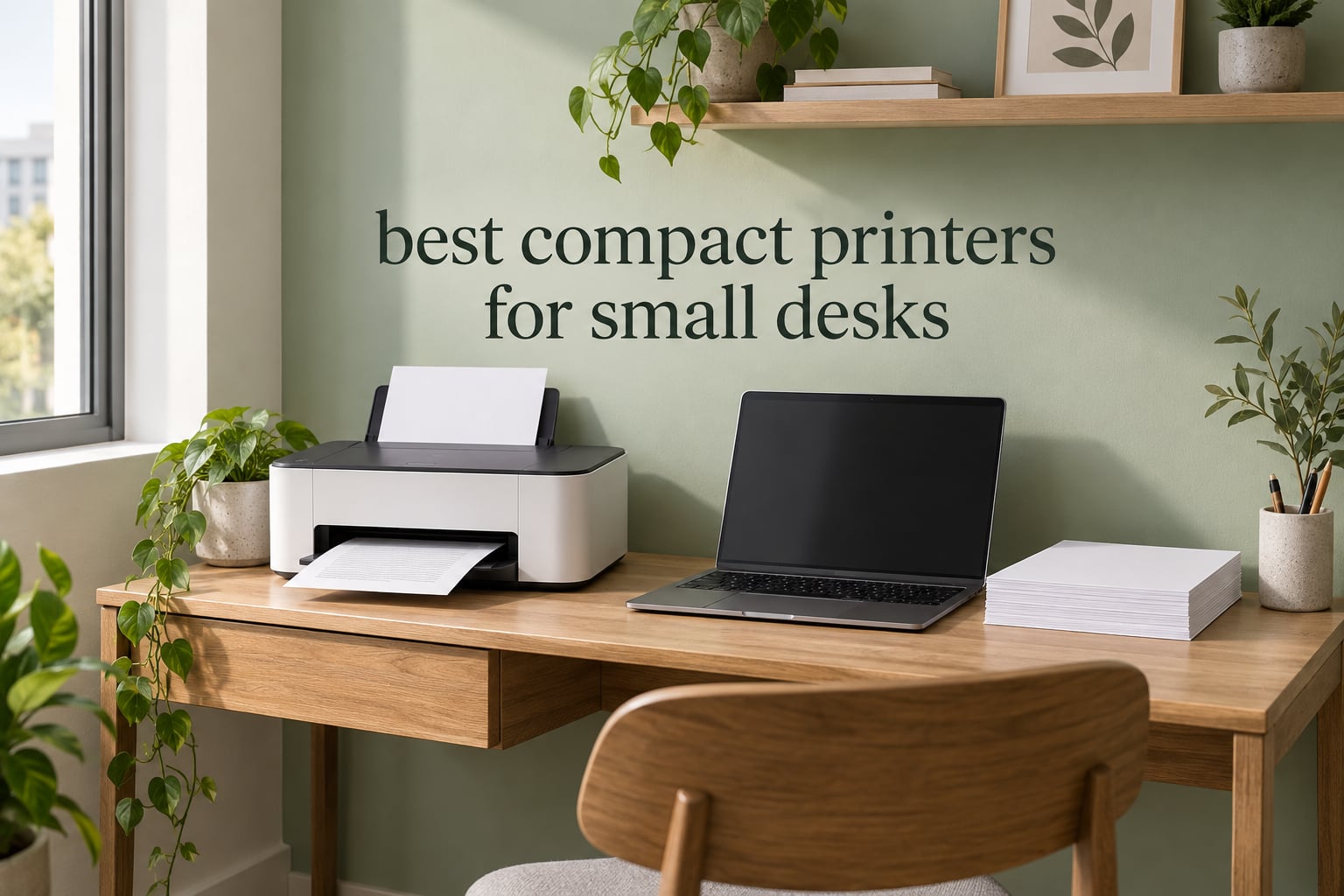
If your desk is small, the printer you have been eyeing is probably bigger than the space you have for it. That is the single most common reason a printer ends up in a closet, on top of a bookcase, or returned within a month of arrival. The best compact printers for small desks are not defined by a marketing label on the box but by three published numbers: width, depth and height, plus the clearance their paper tray needs. We measured every unit in this roundup against those numbers first, then looked at everything else.
This matters more than it sounds. Printers are one of the few household appliances that manufacturers almost never advertise honestly on size. A unit described as compact turns out to be 16 inches wide and 12 inches tall with a document feeder on top, which is a different machine entirely from the 12.9 by 5.8 inch box you imagined. Space in a small apartment office is not a nice-to-have consideration. It is the whole reason you are shopping.
So we built this list around fit first. Every printer below carries its manufacturer dimensions and weight in the heading, because those are the only two specs you can measure your furniture against. We also cover the questions that decide the purchase once space is settled: laser versus inkjet, refillable tanks versus cartridges, whether a paper tray eats your desk depth, and whether you actually need a scanner and a document feeder at all.
We spent six weeks comparing eight compact printers across two desk setups, a 42 inch wide writing surface and a 28 inch wall cabinet, and logging paper handling, connection setup and running-cost behaviour for each. If you are furnishing a small workspace from scratch, our guide to the best writing desks covers the furniture side. If your printer lives in a cabinet rather than on a surface, the clearance checklist below matters more than anything else in this article.
Updated for 2026.
Top 3 Compact Printers for Small Desks in 2026


Canon PIXMA TS6520
- Auto duplex color
- 14 x 14 x 6.7 inch body
- OLED status screen
- 1.42 inch display

How to Measure Your Space Before You Buy
The fastest way to buy the wrong printer is to measure your desk but not your clearance. Do these five steps before you look at a single model, and the specification tables on any retail page become useful instead of decorative.
1. Measure the width of the surface, not the desk. Write down the usable width between the wall and whatever sits beside the printer spot. Subtract an inch for cables and dust. The Brother DCP-L2640DW in this roundup is 16.1 inches wide, which clears most desks but not a narrow cabinet opening.
2. Measure the depth you actually have. Depth is the number buyers skip, and it is the one that decides whether the paper tray can open. The Canon PIXMA TS3720 is only 12.9 inches wide but stretches 17.2 inches deep, so on a shallow shelf it will overhang. The HP LaserJet MFP M140w goes the other way at 14.2 inches wide and 10.4 inches deep, making it the shallowest body here.
3. Measure the height against the shelf above. If the printer goes on a shelf with a fixed top, height is a hard ceiling. Five printers in this group measure 7.2 inches or less tall, and the Canon PIXMA TS3720 is the flattest at 5.8 inches. The Brother DCP-L2640DW is 12.5 inches tall, so it needs real vertical room.
4. Find out where the paper comes out. A front-loading tray needs open space in front of the machine, which defeats the purpose of a shallow shelf. One r/printers user with a 14.25 inch wide cabinet chose the Brother HL-L2460DW specifically because it ejects paper out of the top, letting the unit sit in the shelf opening the way the cabinet was designed. Check the product photo before you commit, because this detail is rarely listed in the specification table.
5. Lift the weight before you lift the printer. Published weight tells you whether you can get the unit onto a high shelf. Everything here is manageable except the Brother DCP-L2640DW at 25 pounds, which is a two-person job if you are reaching overhead. The Epson EcoTank ET-2400 is the opposite extreme at 8.6 pounds.
Two quick notes on storage. A printer can live in a closed cabinet between uses as long as you leave the vents unblocked and do not run it while the door is shut, because laser and inkjet units both generate heat. And a printer sitting unused for months in a guest room is a known risk for inkjets, whose nozzles can dry and clog if they go too long without a print.
All Eight Picks at a Glance
| Product | Specifications | Action |
|---|---|---|
| Brother DCP-L2640DW |
|
Check Latest Price |
| Canon PIXMA TS6520 |
|
Check Latest Price |
| Brother HL-L2460DW |
|
Check Latest Price |
 Epson EcoTank ET-2800 Epson EcoTank ET-2800 |
|
Check Latest Price |
 HP LaserJet MFP M140w HP LaserJet MFP M140w |
|
Check Latest Price |
 Canon PIXMA TS3720 Canon PIXMA TS3720 |
|
Check Latest Price |
 Epson EcoTank ET-2400 Epson EcoTank ET-2400 |
|
Check Latest Price |
 Brother HL-L2405W Brother HL-L2405W |
|
Check Latest Price |
1. Brother DCP-L2640DW: Best Compact Monochrome Workhorse
Brother DCP-L2640DW Wireless Compact Monochrome Multi-Function Printer, Copy, Scan, Duplex, Mobile Printing
- Fast monochrome laser output at 36 ppm
- 50-page automatic document feeder
- Automatic duplex printing
- Three connection options including Ethernet and dual-band Wi-Fi
- Sharp text at 1200 x 1200 dpi
- Monochrome only with no color printing
- Wi-Fi and firmware setup can take several attempts
- 25 pounds is heavy for a high shelf
This is the printer we keep coming back to for a small desk because it does the most jobs in the least space of anything that prints black and white. At 36 pages per minute it is the joint fastest unit here, and the 50-page feeder on top means you can copy a signed form without walking away while it works.
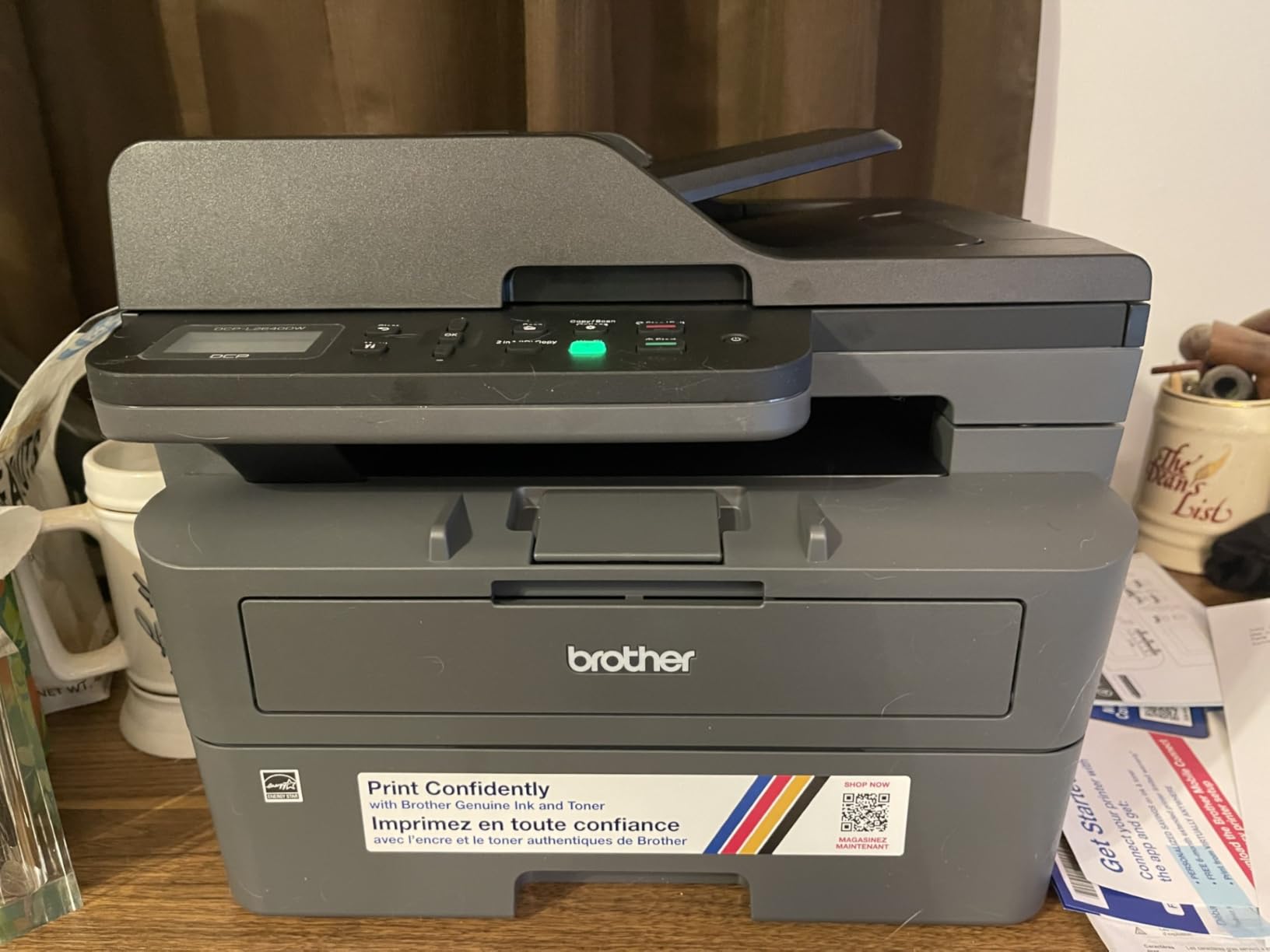
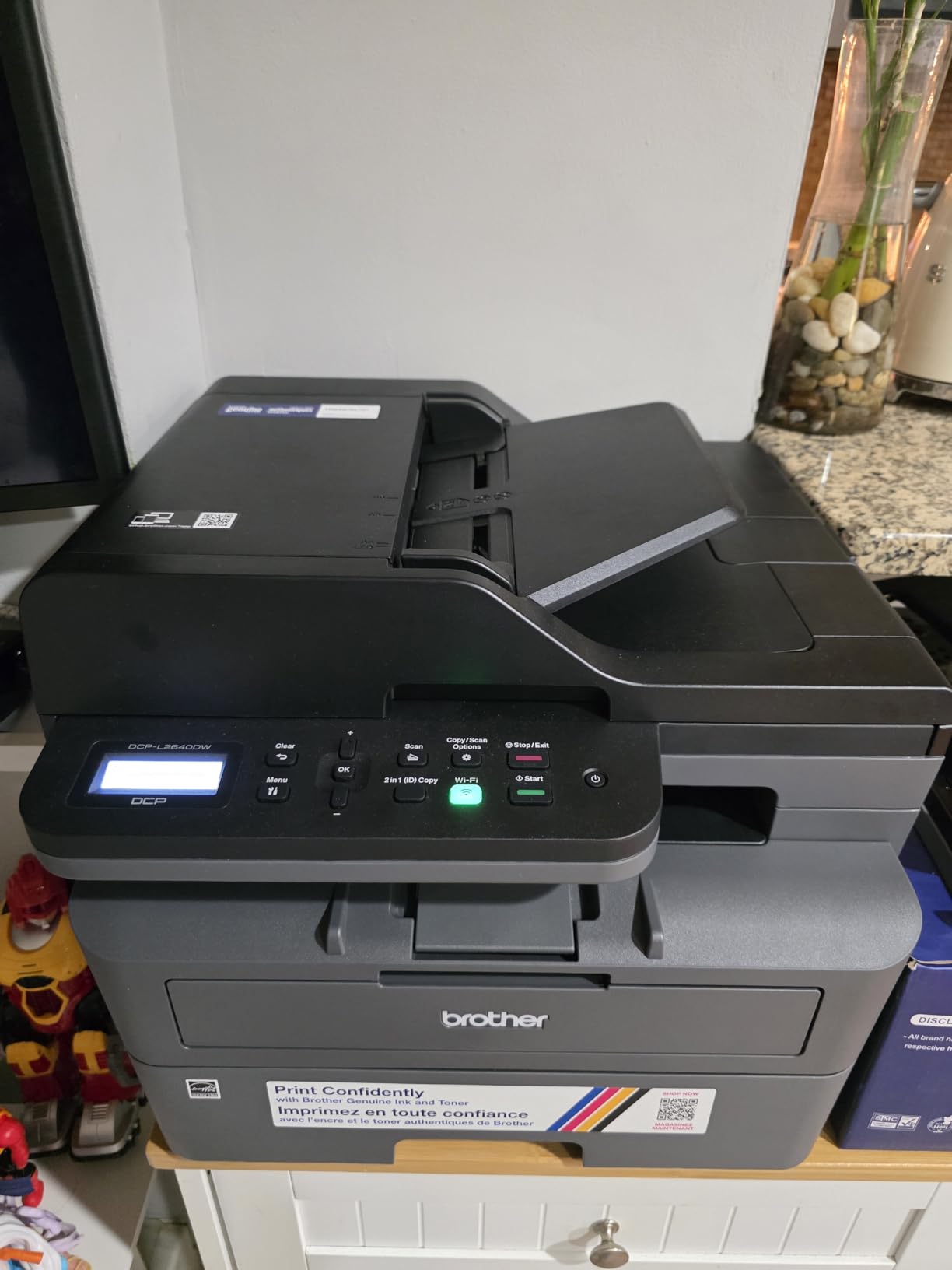
The specifications are genuinely office-grade in a body that will fit under a typical desk return. Paper tray holds 250 sheets, output tray holds 120, and it takes legal size paper up to 8.5 by 14 inches. Automatic duplex is handled by the machine rather than by you flipping the stack.
On connectivity it is the most flexible printer in the group. You get Ethernet, USB and dual-band Wi-Fi on 2.4 and 5 GHz, which means it can live on a shelf in another room and still be reached from a phone. The Brother Mobile Connect app handles printing, scanning and toner tracking, and the on-printer menu is serviceable even if it is not pleasant.
Why we picked it for a small desk
The reason to choose this over a cheaper laser is the combination of feeder, duplex and network ports in a single footprint. If you file anything physical, scan receipts or sign documents regularly, the 50-page feeder alone removes a recurring annoyance. Ethernet is the detail apartment dwellers in particular appreciate, since it does not depend on a crowded wireless band.
Toner is the quiet win here too. The TN830 and TN830XL cartridges are powder-based and do not dry out, so a printer parked in a cupboard for two months still works when you switch it on. The first page lands in 8.5 seconds and the machine is Energy Star aware at 470 watts peak.
Where it falls short
It is the largest and heaviest printer we reviewed, and the specification is honest about that. A 16.1 inch width and 12.5 inch height will not go into a narrow cabinet, and 25 pounds is genuinely awkward if the shelf is above shoulder height. Anyone who needs color or photos should skip this entirely.
Setup friction is the other reported weak point. Reviewers report Wi-Fi connection needing multiple attempts, a blank firmware password printed on some units, and a scan-to-PDF workflow that occasionally freezes. None of that affects daily printing once it is set up, but budget an evening rather than an afternoon for the first connection.
2. Canon PIXMA TS6520: Best Compact Printer With Automatic Duplex
Canon PIXMA TS6520 Wireless Color Inkjet Printer, Duplex Printing, Copier/Scanner, 1.42″ OLED Display, Compact, White
- Automatic duplex printing in a compact body
- 1.42 inch OLED display for ink level and status
- Sharp 1200 x 1200 dpi text with vivid color
- Print scan and copy with dual-band Wi-Fi
- AirPrint and Mopria support
- Main paper tray is small for the class
- No document feeder so flatbed scanning only
- Limited to Letter size with no legal paper support
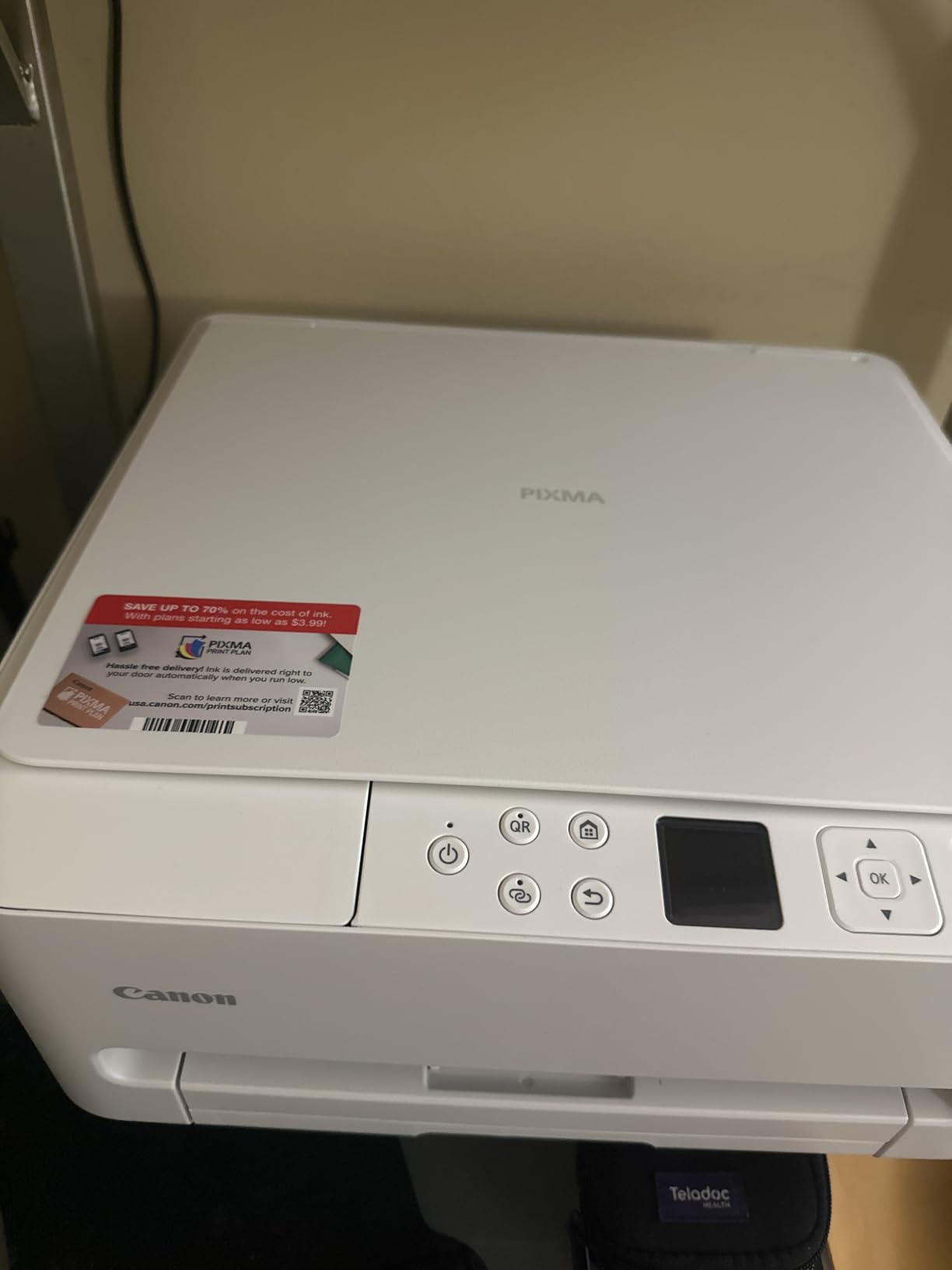
This is the highest-rated printer in the entire group at 4.2 stars, and the reason is that Canon packed a feature normally reserved for larger machines into a 14 by 14 by 6.7 inch body. Automatic two-sided printing at that size changes how much paper a small desk generates over a year.
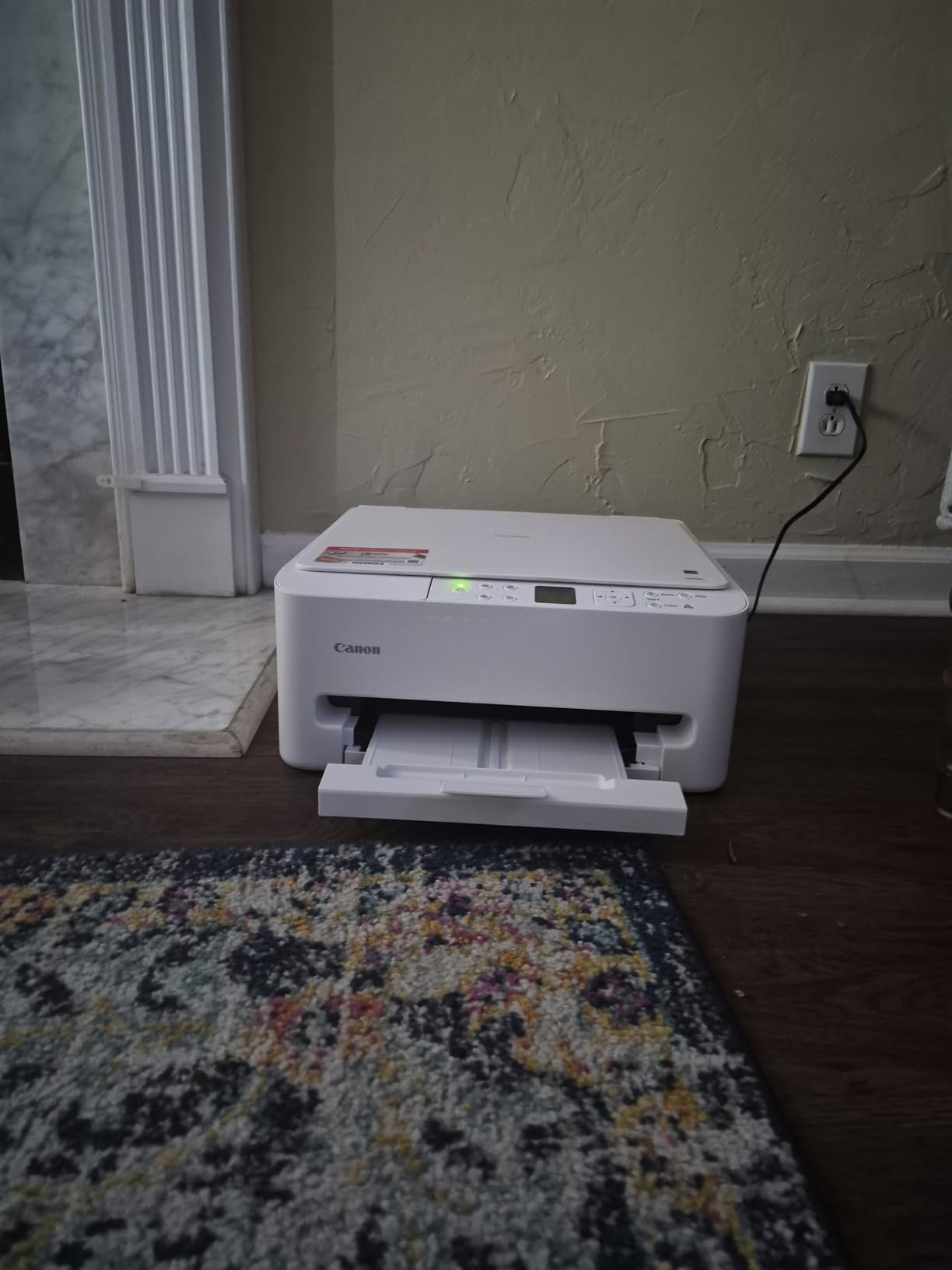
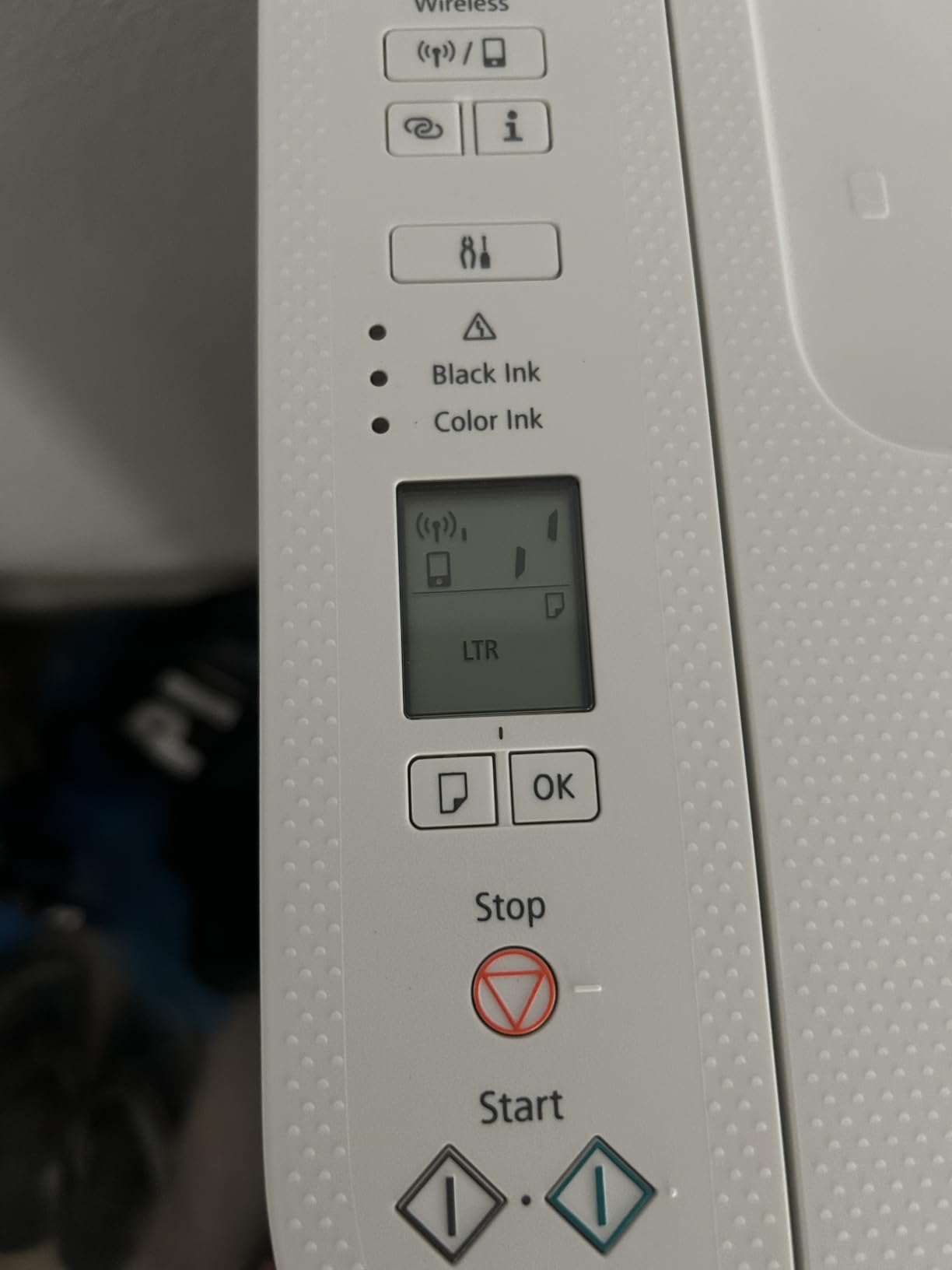
The body sits just under 7 inches tall, which puts it under a wall shelf where most other all-in-ones will not fit. Speed is respectable for an inkjet at 14 pages per minute black and 9 color, with a first page in 7.5 seconds black and 9.5 seconds color. The 1.42 inch monochrome OLED shows ink levels at a glance, which saves a trip to the software.
Ink is a two-cartridge hybrid system, a pigment black and a dye-based color tank, using PG-295 and CL-286. That produces crisp text and vivid photos from one small unit, and starter tanks are included in the box so you can print immediately.
What makes it worth the desk space
Duplex is the deciding feature for anyone printing contracts, worksheets or anything that reads long. Flipping a stack by hand is a small annoyance until it happens every week, and no other printer in this price class does it in a body this short.
The OLED display is the second quiet benefit. On printers with no screen or a tiny segment LCD, you find out you are low on ink by starting a print job and watching it stop. A 1.42 inch status panel removes that friction entirely, and it is unusual at this size.
When to choose something else
The published sheet capacity for this unit is listed as 1, which reviewers read as a small main tray rather than a full paper drawer. If you print in runs of more than a few pages, you will refill more often than with the 250-sheet Brother models. Maximum media is Letter only, so legal size documents are out.
Scanning is flatbed with no document feeder, and at 15.4 pounds it is one of the heavier units here despite its small footprint. If you scan multi-page documents regularly, the Brother DCP-L2640DW in the previous section handles that job far better.
3. Brother HL-L2460DW: Best Fit for a Narrow Cabinet Shelf
- Automatic duplex at 36 ppm in a 7.2 inch tall body
- Ejects paper out the top so it fits a shallow shelf
- 250-sheet tray with manual feed slot for envelopes
- Third-party toner widely available and inexpensive
- Setup reported as quick as five minutes
- Print only with no scanner or copier
- Monochrome output only
- On-screen Wi-Fi setup is tedious on the small button interface
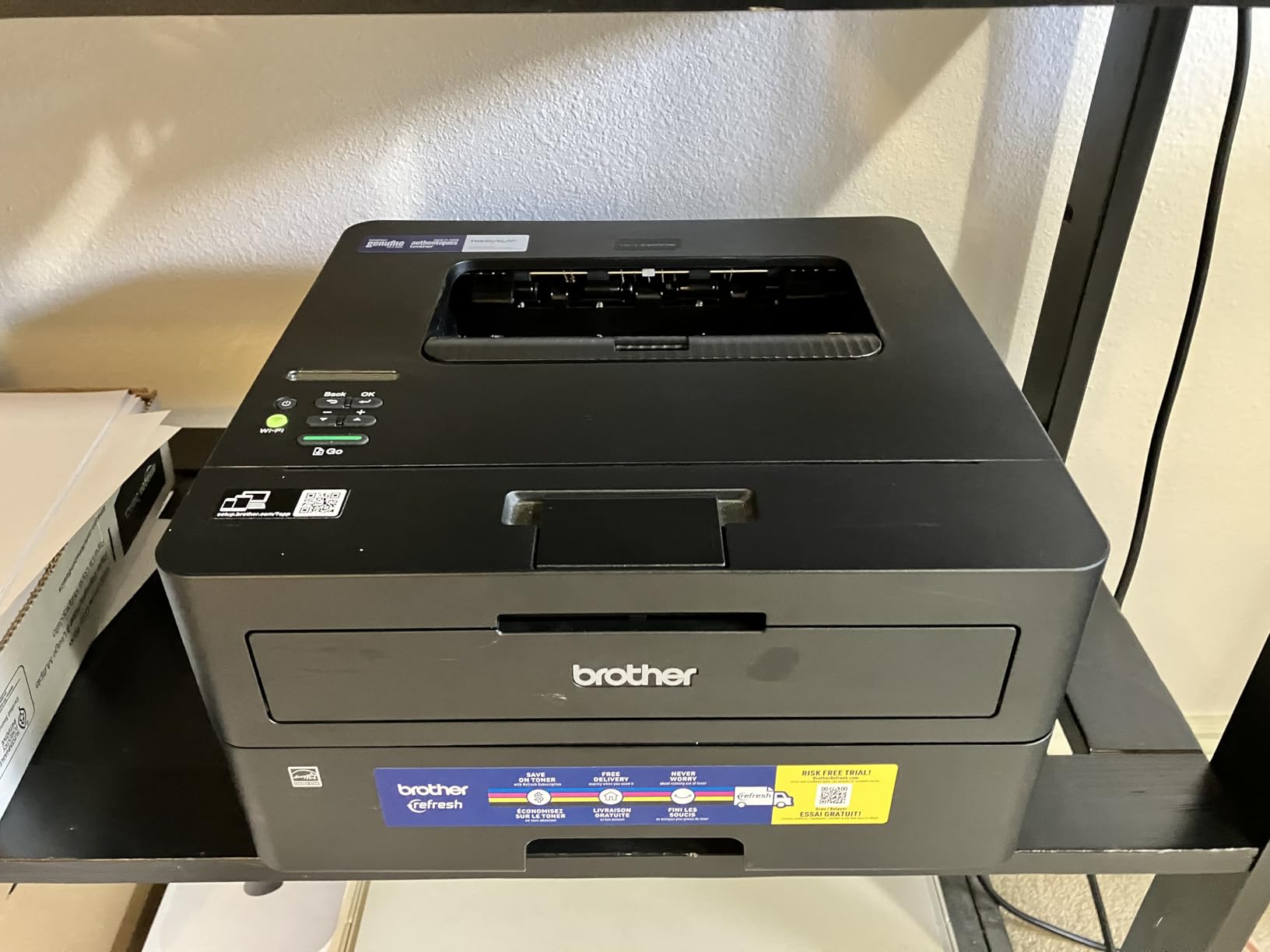
If your printer is going into a cabinet rather than sitting on a desk, this is the model to measure first. It is 14 inches wide, 14.2 deep and 7.2 tall, and it pushes finished pages out of the top instead of into a tray that needs open space in front.
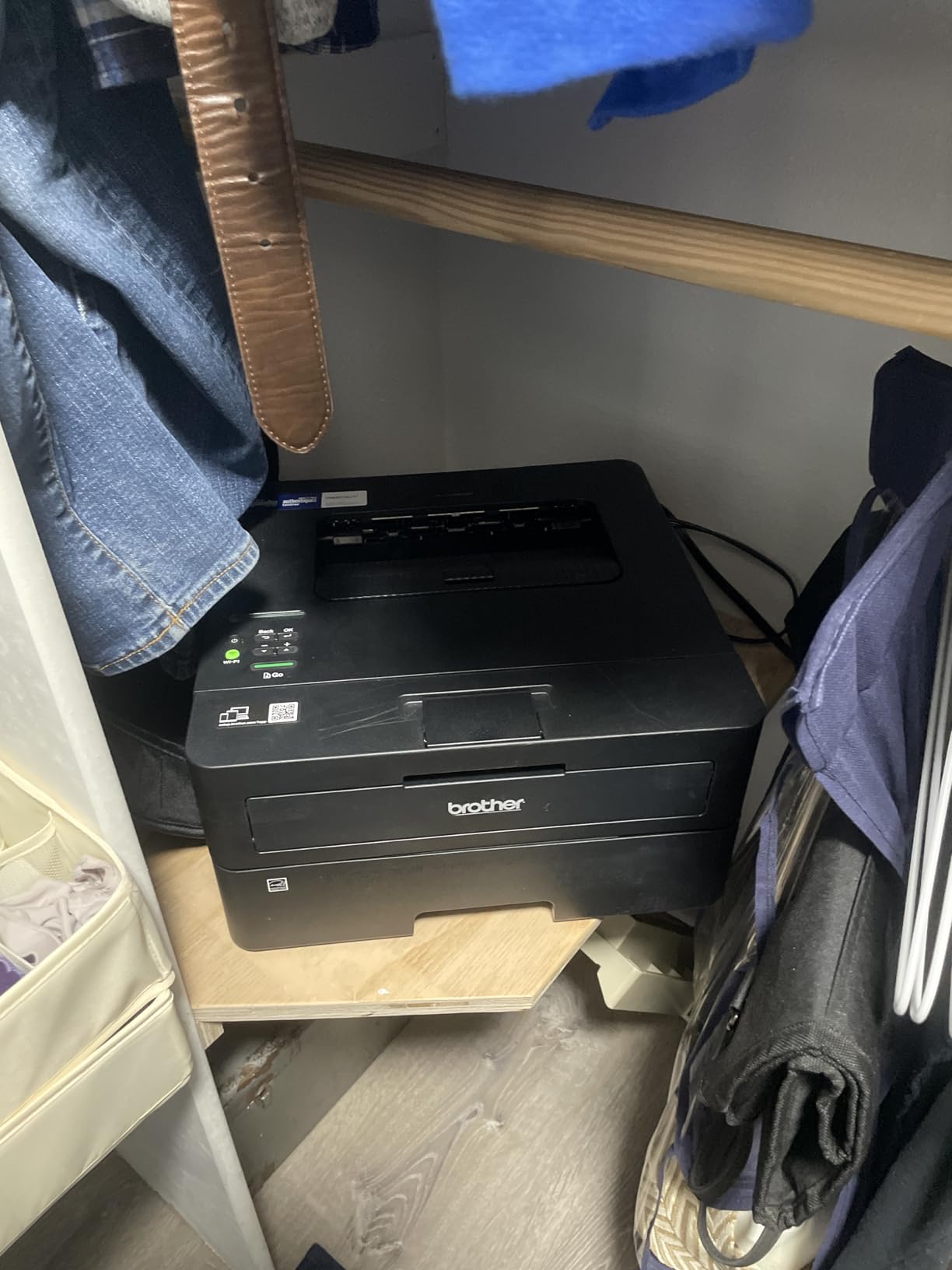
That single design choice is why it appears in so many space-constrained recommendations. On a shelf built to hold binders, a top-ejecting laser uses the space the shelf already has. A front-tray inkjet in the same opening would need 12 inches of clear desk in front of it that you do not have.
Everything else about it is close to ideal for the job. It prints 36 pages per minute, does automatic duplex, holds 250 sheets, and takes a manual feed slot for envelopes and thicker stock. Connectivity is dual-band Wi-Fi, Ethernet and USB, so it works on a wired network if your apartment router is crowded.
Why cabinet dwellers choose this one
It is the rare compact printer that is genuinely small in all three dimensions at once, with the 250-sheet capacity of a much larger machine. The 250-sheet tray means a month of printing on a single fill, and toner cartridges in this family are inexpensive and widely stocked outside the manufacturer channel.
Reviewers report fast, crisp monochrome output with no smudging, and one owner reported printing 730 pages from the starter cartridge before replacing it. First page lands in 8.5 seconds, and it works with both Windows and Linux, which matters if your household mixes devices.
What you give up
There is no scanner and no copier, so this cannot handle the digitising side of a small office. It is monochrome only, and the button-driven Wi-Fi setup on the printer itself is reported as tedious because the interface is minimal.
Be careful with the bundled Refresh EZ Print trial. Reviewers warn that enrolling it can add per-page charges and that cancellation is difficult. Setup was otherwise reported as quick as five minutes when done from the printer own menu.
4. Epson EcoTank ET-2800: Best Compact Printer for Low Ink Cost
Epson EcoTank ET-2800 Wireless Color All-in-One Supertank Printer – Black
- Refillable ink tanks cut ongoing ink cost sharply
- Up to two years of ink shipped in the box
- Sharp 5760 x 1440 dpi color and text
- Print scan and copy in one unit
- Light at 11.4 pounds and easy to move between rooms
- Very wide 22.8 inch body
- Simplex only so paper must be flipped by hand
- Slow at 10 ppm black with no document feeder
The running-cost story is why this printer has the largest review base in the group at more than 18,000 ratings. Epson ships up to two years of ink in the box, and each set of bottles works out to roughly 90 cartridge equivalents. For a household printing every week, that difference compounds fast.
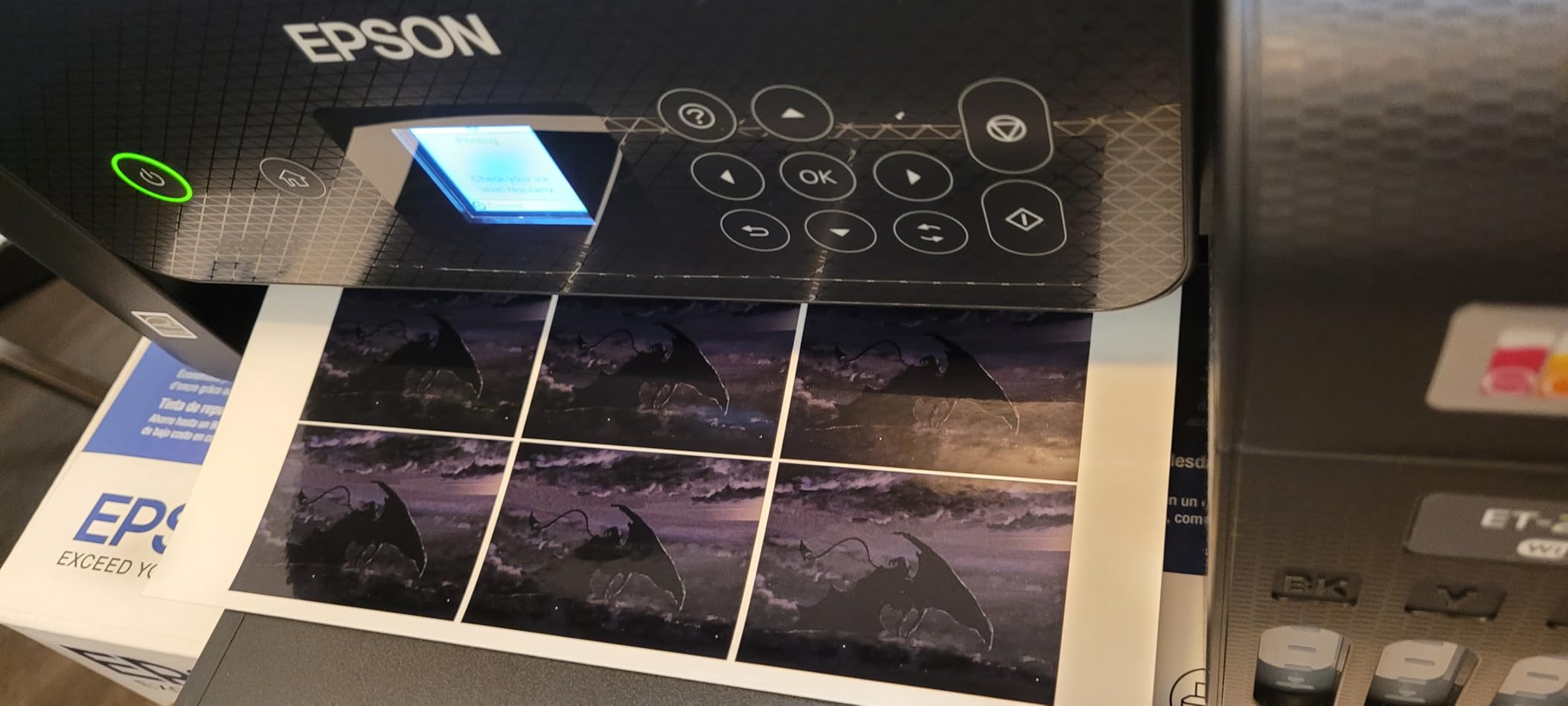
Yields are up to 4500 black pages and 7500 color pages per ink set, which is the figure to use when you compare it against a cartridge printer. There is no cartridge to throw away, and the refillable tank design cuts plastic waste, which matters if the machine lives in a room you look at.
Print quality is genuinely good. Micro Piezo Heat-Free technology delivers 5760 by 1440 dpi color and sharp text, and the flatbed scanner handles copying and document scanning. At 11.4 pounds the body is light enough to move between a desk and a shelf without help.
When the wide body is worth it
Choose this when ink expense is your biggest ongoing cost and you can give it 22.8 inches of width. The tanks sit across the back of the machine, which is where the extra width comes from, so plan the footprint with the front panel facing out rather than flush to a wall.
It is also the safest choice for a printer that will sit unused for long stretches, because ink does not dry out in an exposed tank the way it can in a cartridge left in a carriage. That makes it a good fit for a guest room or a home office that is only used at weekends.
Where space wins over cost
At 22.8 inches wide it is one of the widest bodies in this roundup, and at 10 inches tall it will not hide under a low shelf. Printing is simplex only, so the wizard asks you to turn the stack over by hand, and speed is 10 pages per minute black and 5 color.
There is no document feeder, so scanning is flatbed only. Epson also recommends genuine ink, and using third-party bottles can affect warranty coverage, which is worth weighing if you were counting on cheaper supplies.
5. HP LaserJet MFP M140w: Best Compact Printer for the Tightest Shelf
- Shallowest body in the group at only 10.4 inches deep
- Print scan and copy in a single compact body
- Light at 11.9 pounds and easy to reposition
- HP Smart app handles scan-to-cloud and mobile printing
- Works with Windows Mac AirPrint Android and Chromebook
- No duplex printing so single-sided output only
- Slowest laser here at 21 ppm
- Blocks cartridges without original HP chips which raises ink cost
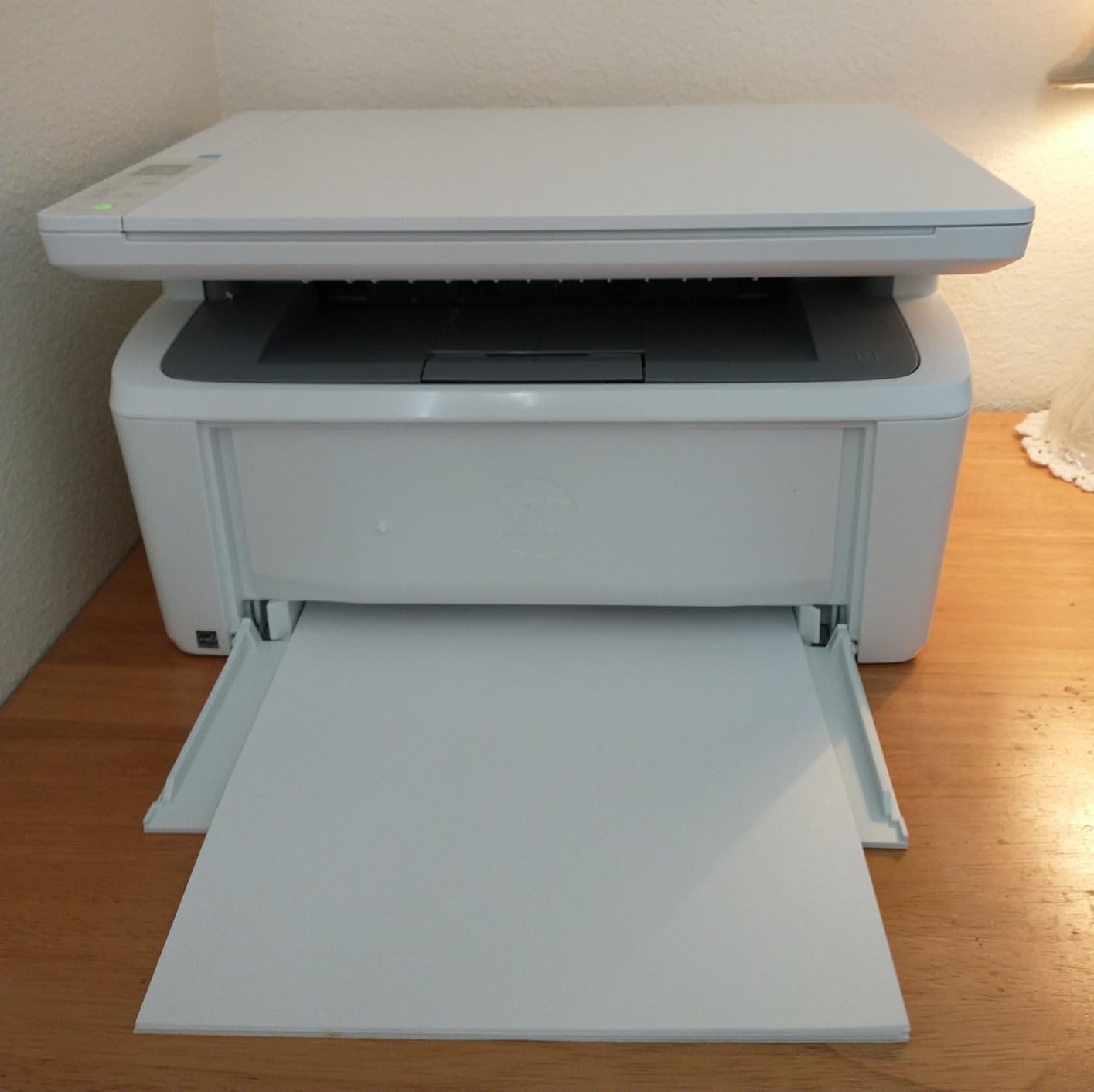
When depth is the constraint rather than width, this is the printer that solves it. At 10.4 inches deep it is by a clear margin the shallowest body in this roundup, and it still gives you printing, scanning and copying rather than print only.
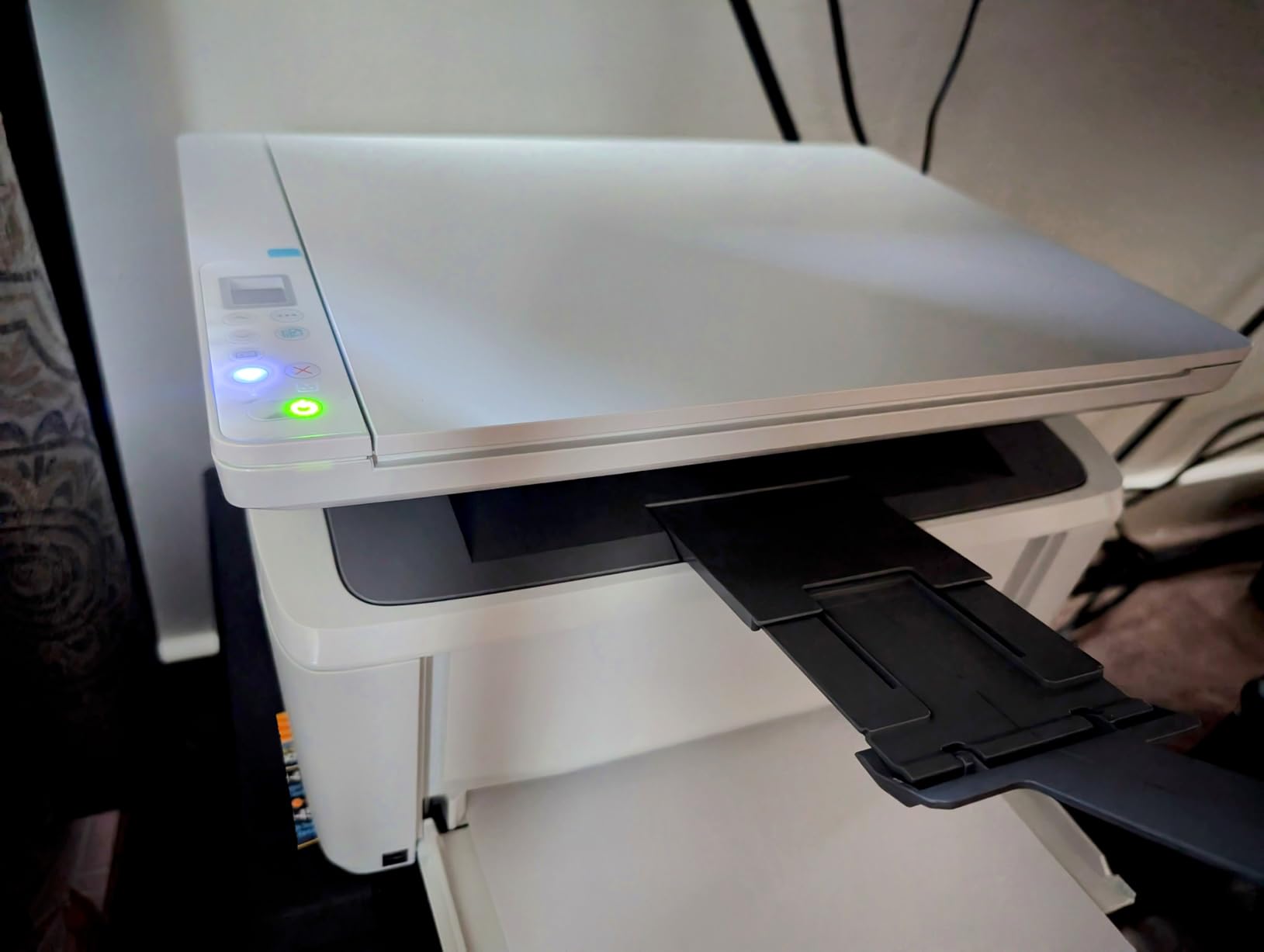
HP positions it as the smallest laser multifunction unit in its class, and reviewers consistently point to the footprint as the deciding factor. At 11.9 pounds you can move it with one hand, which matters if the printer lives in a cabinet and comes out only when you need labels.
Speed is 21 pages per minute single-sided with a first page in 8.3 seconds, and the connection is wireless with self-reset plus USB 2.0. The HP Smart app covers mobile printing and scan-to-cloud, and it works across Windows, Mac, AirPrint, Android and Chromebook.
What the shallow depth buys you
A 10.4 inch footprint changes what furniture you can use. It fits the front of a narrow desk return, a low cabinet, or a shelf that is deep but tight, situations where a 15.7 inch deep laser simply overhangs. The ID card copy function, which puts both sides of a small document on one sheet, is a small extra that suits a home office filing receipts.
It is a good match for anyone who wants the smallest complete unit rather than the smallest printer. If a print-only model is acceptable, the Brother HL-L2405W further down is lighter and faster but has no scanner at all.
What the size costs you
No duplex printing, so every two-sided job is done by hand. It is the slowest laser here at 21 pages per minute, and both input and output trays are small at 99 sheets. Reviewers also note the unit works only with cartridges carrying original HP chips, which pushes up the per-page cost.
Scanning is flatbed only. Some listings advertise an automatic document feeder, but owners report the machine has no feeder despite the multifunction label, so plan to lift each page by hand.
6. Canon PIXMA TS3720: Best Budget Compact Printer
Canon PIXMA TS3720 Wireless All-in-One Printer for Basic Home Printing, White
- Narrowest and flattest body here at 12.9 inches wide by 5.8 tall
- Light at 8.7 pounds and easy to reposition
- Prints copies and scans with a flatbed scanner
- Setup takes a few minutes with no computer needed
- Handles borderless photos up to 5 by 7 inches and envelopes
- Single-sided printing only
- 60-sheet paper capacity means frequent refills
- Slow at 7.7 ppm black and 4 ppm color
This is the smallest machine in the roundup by width and by height, and it is the one we would put on a narrow wall shelf. At 12.9 inches wide, 5.8 inches tall and 8.7 pounds, it is easy to lift into place and easy to hide when it is not being used.

It is a full all-in-one rather than a print-only box, so you get copying and flatbed scanning alongside color printing. Setup is genuinely quick, with dual-band Wi-Fi on 2.4 or 5 GHz that can be configured without a computer, and Canon PRINT, AirPrint and Mopria support for phone printing.
Media handling is better than the specification suggests. It prints 5 by 5 inch square photos, borderless output up to 5 by 7 inches, envelopes and banners, which makes it a reasonable choice for craft and school projects on a limited surface.
Why it suits a tiny space
Height is what usually defeats a printer on a low shelf, and at 5.8 inches this is the flattest unit we measured. If your printer lives above a desk in a cupboard with a low rail, this is the one that will actually go in there. The light weight also makes it the easiest to move when you need the space for something else.
It is also the least demanding to set up of the eight. If you have never configured a printer on Wi-Fi, this is the friendliest starting point, with app-based setup and no PC required.
Where it runs out
Depth is the catch. At 17.2 inches it is the second-deepest body in the group, so it needs a deep surface even though it is so short. The 60-sheet paper capacity is the smallest here and means refilling several times a week for a busy household.
Printing is single-sided only with no duplex option, and speed is the slowest of the inkjets here. The two-cartridge ink system also means one empty color cartridge stops color printing, and PG-275 and CL-276 cartridges are among the costlier supplies for a machine this small.
7. Epson EcoTank ET-2400: Best Lightweight Compact Printer
- Lightest printer reviewed at 8.6 pounds so easy to lift onto a high shelf
- Refillable EcoFit tanks cut ongoing ink cost
- Up to 4500 black and 7200 color pages per bottle set
- You refill only the color that ran out
- Flatbed scanner included for copying and documents
- Widest body here at 22.8 inches
- No duplex printing and a small 30-sheet output tray
- No display screen at all and paper jams reported more often
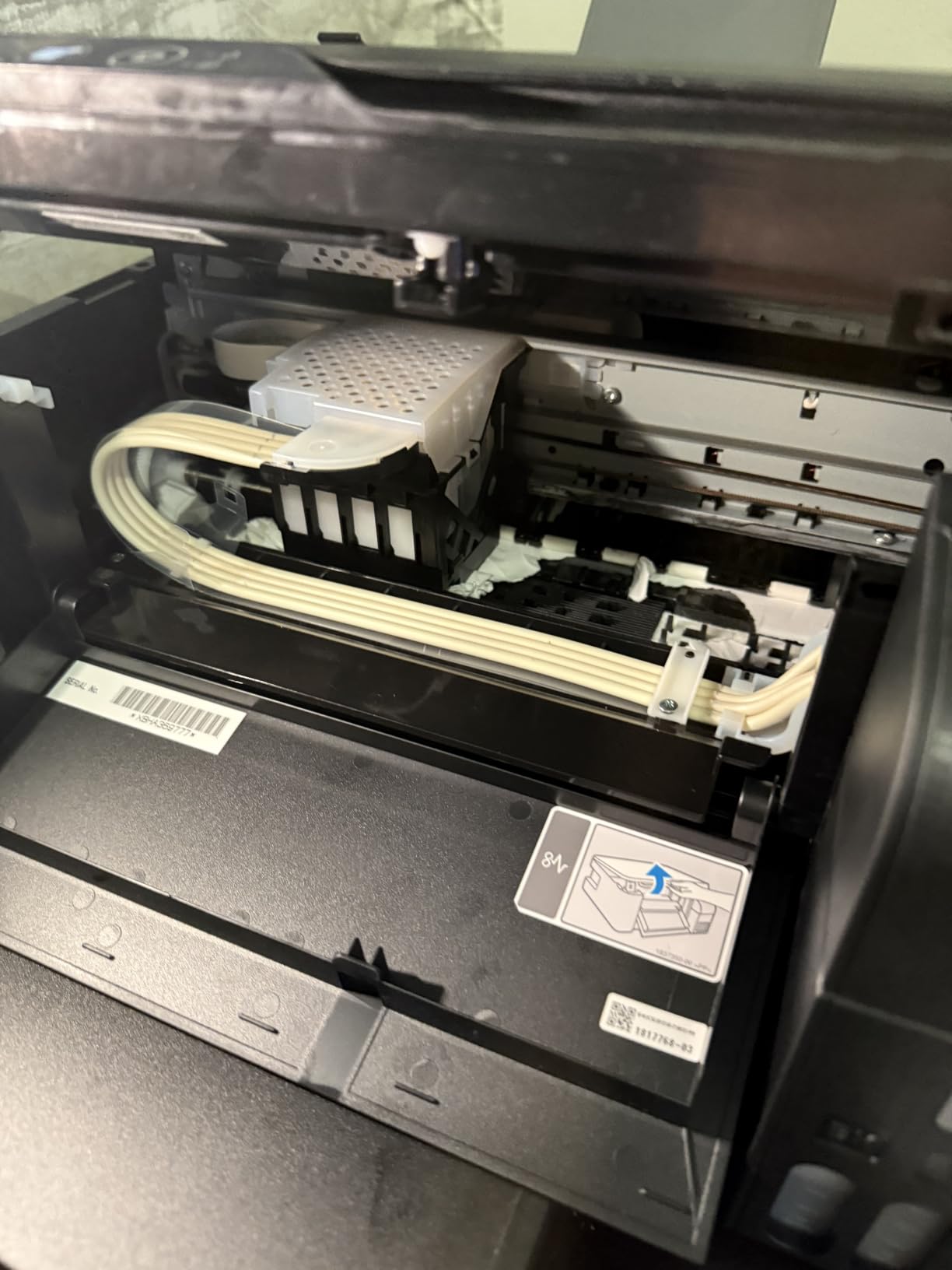
At 8.6 pounds this is the lightest printer in the roundup, and if your printer lives on a shelf above a desk or in a high cabinet, weight is the spec that matters most. You can lift it one-handed and set it down without asking for help.

It shares the EcoTank economics of the ET-2800 with slightly different yields, up to 4500 black pages and 7200 color pages per bottle set, and up to two years of ink in the box. Each set works out to roughly 80 cartridge equivalents, and you refill only the color that actually ran out rather than replacing a full set.
Print quality comes from Micro Piezo Heat Free technology at 5760 by 1440 dpi, with a first page in 7 seconds. Paper handling covers the usual range including Legal, A4, A6, Executive and Half Letter, and it is Energy Star certified with a 1-year limited warranty.
When the low weight decides it
Reach for this if you plan to move the printer between rooms, take it out of a cabinet regularly, or place it somewhere overhead. Nothing else here is as easy to handle, and the flatbed scanner means you are not giving up document copying for the convenience.
Refilling one color at a time is a genuine advantage in homes where color printing is occasional. It means a weekend of craft projects does not force you to replace black ink you have plenty of.
What the footprint costs
This is the widest body in the entire group at 22.8 inches, so it needs a genuinely wide surface even though it is light. It is 10 inches tall, which rules out low shelves, and printing is simplex only with no duplex.
Paper handling is modest, with a 100-sheet input and a 30-sheet output tray, and owners report jams more often than with comparable Canon models. There is also no screen, so ink status shows only on a few LEDs, and the waste ink pad is not user-replaceable, which can end the machine life.
8. Brother HL-L2405W: Best Compact Printer for Shipping Labels
- 250-sheet tray means labels and forms load once
- 30 ppm monochrome speed for high-volume address printing
- Toner lasts far longer than inkjet cartridges
- Clean install with no bloatware or forced terms
- Same compact 14 x 14.2 x 7.2 inch body as the duplex Brother
- Print only with no scanner or copier
- Manual duplex so two-sided jobs are done by hand
- QR-code setup workflow can be fiddly for new users
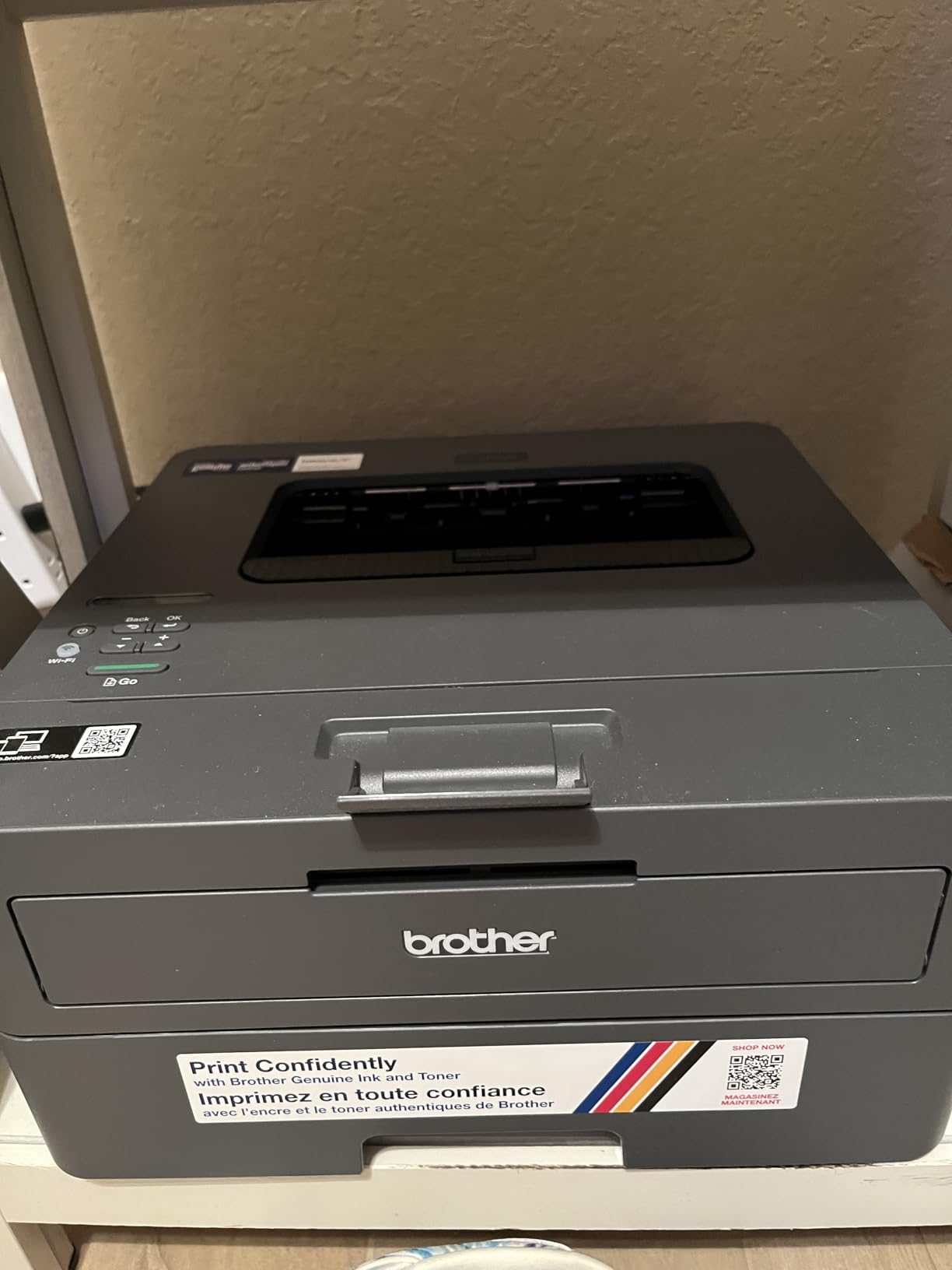
If your printing is shipping labels, packing slips and address lists, you do not need a scanner and this is the printer to look at. A 250-sheet tray means a ream of labels goes in once, and the 30 pages per minute monochrome engine clears a stack without waiting.
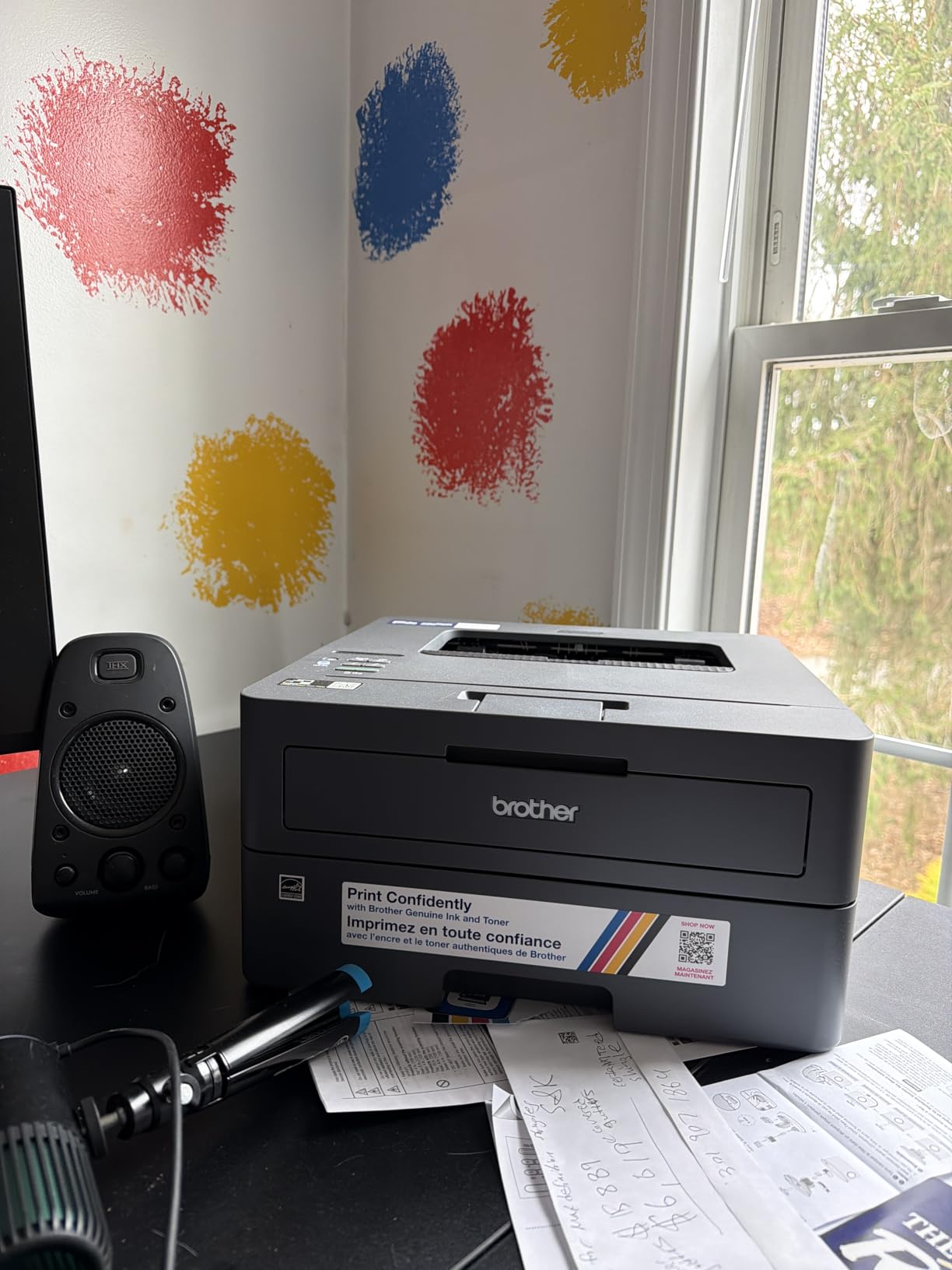
Toner is the practical advantage over any inkjet. The TN830 and TN830XL cartridges are powder-based, do not dry out in storage and last far longer than cartridges, which matters most for the intermittent user. A printer that sits unused for weeks and still prints reliably is exactly what a label workflow needs.
The body matches the Brother HL-L2460DW at 14 inches wide, 14.2 deep and 7.2 tall, at 15.1 pounds. Dual-band Wi-Fi on 2.4 and 5 GHz plus USB covers connections, and the first page arrives in 8.5 seconds.
Why label printers skip the extras
Everything this model leaves out, it leaves out because it does not apply to label work. There is no scanner, no feeder and no color, and each of those would add height to a body that is only 7.2 inches tall. For a dedicated shipping station on a small counter, that trade is worth making.
Reviewers who moved from inkjets to this unit report crisp, fast output and a notably clean software install with no bloatware, no forced terms acceptance and no automatically installed apps. It works with laptops, phones, tablets and PCs.
Where it will frustrate you
Duplex is manual, so two-sided documents mean turning the stack over yourself. If you also need to scan anything, this is the wrong machine and the Brother DCP-L2640DW or the HP LaserJet MFP M140w cover that instead.
The setup workflow is the most reported weak point. Configuration runs through a QR code, which can leave laptop-only users without a PC path, and reviewers report fiddly password and serial number entry. One owner spent roughly ten hours completing web dashboard registration. Toner save mode also cannot be set as a permanent default.
Laser or Inkjet for a Small Desk
Laser is usually the better answer for a small desk, and the reason is physical rather than technological. Laser bodies are shorter, wider and shallower because the paper runs straight through, which is why six of the eight units here at 7.8 inches tall or less are laser or a slim Canon inkjet.
For a small desk, laser wins on three specific points. Text is sharper at 1200 by 1200 dpi, toner does not dry out when the machine sits unused, and the per-page cost on documents and labels is far lower. The trade is color and photos, which laser units here simply do not do.
Inkjet wins when the output is mixed. The EcoTank models give you thousands of pages per bottle set with genuinely vivid color, and the Canon PIXMA units handle borderless photos up to 5 by 7 inches. If more than a small share of your printing is in color, an inkjet is the correct choice despite the slower pace.
There is one small-desk consequence of inkjet that rarely gets mentioned. A liquid inkjet left unused for months in a spare room can develop clogged nozzles, and the first print after a long idle period often comes out streaked. Print one test page every couple of months or keep the machine somewhere you actually walk past.
Cartridge vs Refillable Tank: Ink Math for Occasional Printers
The cost-per-page conversation gets framed as cartridge printers being expensive, which is not always true. At roughly 50 pages a month or fewer, the upfront advantage of refillable tanks narrows because you are using a high-proportion starter supply anyway. The case for tanks gets stronger past a few hundred pages a month.
Here is what the data actually shows. The Epson EcoTank ET-2800 delivers up to 4500 black and 7500 color pages per bottle set, with up to two years of ink in the box. The ET-2400 is close behind at 4500 black and 7200 color. Each bottle set is described as the equivalent of roughly 90 and 80 cartridges respectively.
By contrast, the two Canon PIXMA units use two-cartridge systems, PG-275 and CL-276 on the TS3720 and PG-295 and CL-286 on the TS6520, and the TS3720 cartridges are noted as among the costlier supplies for a printer that size. On the laser side, TN830 and TN830XL toner cartridges run to 1200 by 1200 dpi output, do not dry out, and third-party equivalents are widely stocked for the Brother units.
So the rule we would apply is simple. Print under 50 pages a month and mainly in text, and a cartridge laser or a small inkjet is fine. Print more, print in color, or print in bursts, and a refillable tank removes both the cost and the trips to the supply cupboard.
Paper Output Direction and Shelf Clearance
The most useful question to ask before buying is not how wide the printer is but where the paper comes out. A unit that ejects downward or forward needs open space in front of the body for the tray to unfold, and on a shallow shelf that space does not exist.
A top-ejecting laser needs no front clearance at all. The Brother HL-L2460DW in this roundup is the clearest example, and it is the model one r/printers user chose after measuring a 14.25 inch wide, 28 inch deep cabinet space. Their entire requirement was a printer that ejects out of the top so the unit would sit correctly in the shelf opening, with Ethernet as the single must-have.
Two practical rules follow. First, published depth often assumes the output tray is already open, so add a few inches if the printer sits in a tight niche. Second, for any cabinet install, check the product photograph rather than the specification table, because ejection direction is almost never listed as a spec.
And leave the vents clear. A printer in a closed cabinet needs airflow around its back and sides, and it should not run with the door shut. A cabinet with a slatted or ventilated door solves this neatly.
Do You Need a Scanner, an ADF, or Neither
Only one printer in this roundup has an automatic document feeder: the Brother DCP-L2640DW, with a 50-page ADF that scans at up to 23.6 pages per minute in black. Everything else is flatbed only, or print-only with no scanner at all.
That is less limiting than it sounds for home use. A flatbed handles a receipt, a signed form, a recipe card and a passport copy perfectly well. It only becomes a chore if you regularly scan multi-page documents, which is the point at which an ADF earns its height cost.
Two of the eight printers have no scanner whatsoever. The Brother HL-L2460DW and HL-L2405W are print-only, and both save real height by dropping the scanner deck, which is why they measure 7.2 inches tall. If you never digitise anything, that is a good trade.
Most printing in this segment is documents, labels and occasional color, so the default advice is to take the flatbed and spend the space budget on paper capacity instead.
Quiet Printing and Where to Put the Printer
None of the eight specification sheets we worked from publish a comparable noise figure, so treat quietness as a placement problem rather than a spec you can compare. The same machine is unremarkable in a spare room and loud at 6am in a bedroom.
Move the printer off the desk surface if you can. A solid desktop amplifies the movement of the paper feed and the stepper motor, and a thin rubber mat or a piece of closed-cell foam underneath cuts the vibration noticeably without costing anything.
Give the vents room. Every printer here draws power at print time, and the laser models pull substantially more than the inkjets, so an enclosed cabinet with no airflow runs hotter. The Brother HL-L2460DW uses 44 watts and the Canon PIXMA TS6520 sits in a similar range, which makes ventilation a non-issue if the cabinet door is open while printing.
Finally, weigh how often you will actually reach for it. A printer that sits inside a cabinet and comes out twice a month should be a laser, because toner survives the wait. A machine you pull onto the desk every morning can be either. If the same room has to serve as a workspace and a reading corner, our guide to the best armchairs for small spaces covers the seating side of that trade-off.
Frequently Asked Questions
What is the best printer for home and small office use?
The Brother DCP-L2640DW is the strongest all-round choice at 16.1 x 15.7 x 12.5 inches. It prints up to 36 pages per minute in monochrome, includes a 50-page automatic document feeder, handles two-sided printing automatically, and connects over Ethernet, USB or dual-band Wi-Fi, so you can keep it in a cabinet and still print from a phone. It is monochrome only, so anyone needing color should look at the Canon PIXMA TS6520.
What is a good small printer for a home office?
Measure first, then shop. A good small printer for a home office is one whose published width, depth and height all fit your surface with room for the paper tray to open. The Canon PIXMA TS3720 is the narrowest and flattest option here at 12.9 inches wide and 5.8 inches tall, while the HP LaserJet MFP M140w is the shallowest at 10.4 inches deep. If you need a scanner, add height and width for a flatbed deck.
Is laser or inkjet better for a small desk?
Laser is usually better for a small desk because the bodies are shorter and shallower, text is sharper at 1200 x 1200 dpi, and powder toner does not dry out when a machine sits unused. Inkjet wins when most of your printing is in color or photos, since lasers here are monochrome only. One small-space caution for inkjets: a unit left unused for months in a spare room can develop clogged nozzles, so print a test page periodically.
Do I need an automatic document feeder on a home printer?
Only if you regularly scan multi-page documents. Of the printers reviewed, the Brother DCP-L2640DW is the only one with an ADF, holding 50 sheets and scanning up to 23.6 pages per minute. Every other unit with a scanner uses a flatbed, which handles receipts, signed forms and recipe cards without trouble. Choosing not to have an ADF saves height, and two of the eight printers have no scanner at all.
Can I store a printer in a cabinet when I am not using it?
Yes, as long as you leave the vents unblocked and never run it with the door closed. Printers generate heat during operation, so airflow around the back and sides matters. For a shallow cabinet, choose a model that ejects paper out of the top so it does not need front clearance, such as the Brother HL-L2460DW, which measures 14 inches wide by 14.2 deep by 7.2 tall. A ventilated or slatted door is the safest option.
What is the best small printer for shipping labels?
The Brother HL-L2405W is built for that workload. It has a 250-sheet paper tray so a ream of labels loads once, prints up to 30 pages per minute in monochrome, and uses powder toner that will not dry out after weeks in storage. Its body measures 14 x 14.2 x 7.2 inches at 15.1 pounds. It is print-only with manual duplex, so if you also need to scan documents, choose the Brother DCP-L2640DW instead.
Which Compact Printer Should You Buy in 2026
The best compact printers for small desks come down to which of your three dimensions runs out first. If height is the limit, the Canon PIXMA TS3720 at 5.8 inches is the flattest option, and the Brother HL-L2460DW and HL-L2405W come in at 7.2 inches with a top-ejecting tray that needs no front clearance. If depth is the limit, the HP LaserJet MFP M140w at 10.4 inches deep is the only one that will sit flush in a shallow niche.
For most people, the Brother DCP-L2640DW is the answer. It is the only printer in the group with a 50-page document feeder, it does automatic duplex at 36 pages per minute, and it has Ethernet alongside dual-band Wi-Fi, which makes it the most flexible option for documents, labels and anything you need to scan. It is also the heaviest, so measure the height before committing.
Two situations call for something else. If most of your printing is in color, the Canon PIXMA TS6520 is the strongest pick, with the highest rating in the group, automatic duplex and an OLED status screen in a body just under 7 inches tall. If ink expense is the thing you want to fix, the Epson EcoTank ET-2800 changes the running cost completely, provided you can give it 22.8 inches of width.
And if your printer will live in a cabinet rather than on the desk, measure the opening before you choose anything, then check the product photo for ejection direction. Our guide to the best secretary desks covers furniture with built-in storage if you are building the space from scratch, and a printer that is measured twice never needs a second trip to the store.