
We may earn a commission from purchases made through the links on this page. That never changes what we recommend, and we only mention products we have actually spent time with.
There is a particular kind of home office chaos that no amount of cable management solves: the printer. It sits on the desk between your keyboard and your coffee, or on the floor behind the chair where the paper tray catches on carpet fibers every single time you need a form printed.
Most of us deal with it by shoving the machine somewhere out of sight, which creates a second problem. Now your reams of paper live in three different piles, your ink cartridges are somewhere behind the filing cabinet, and the thing you reach for every week is technically hidden.
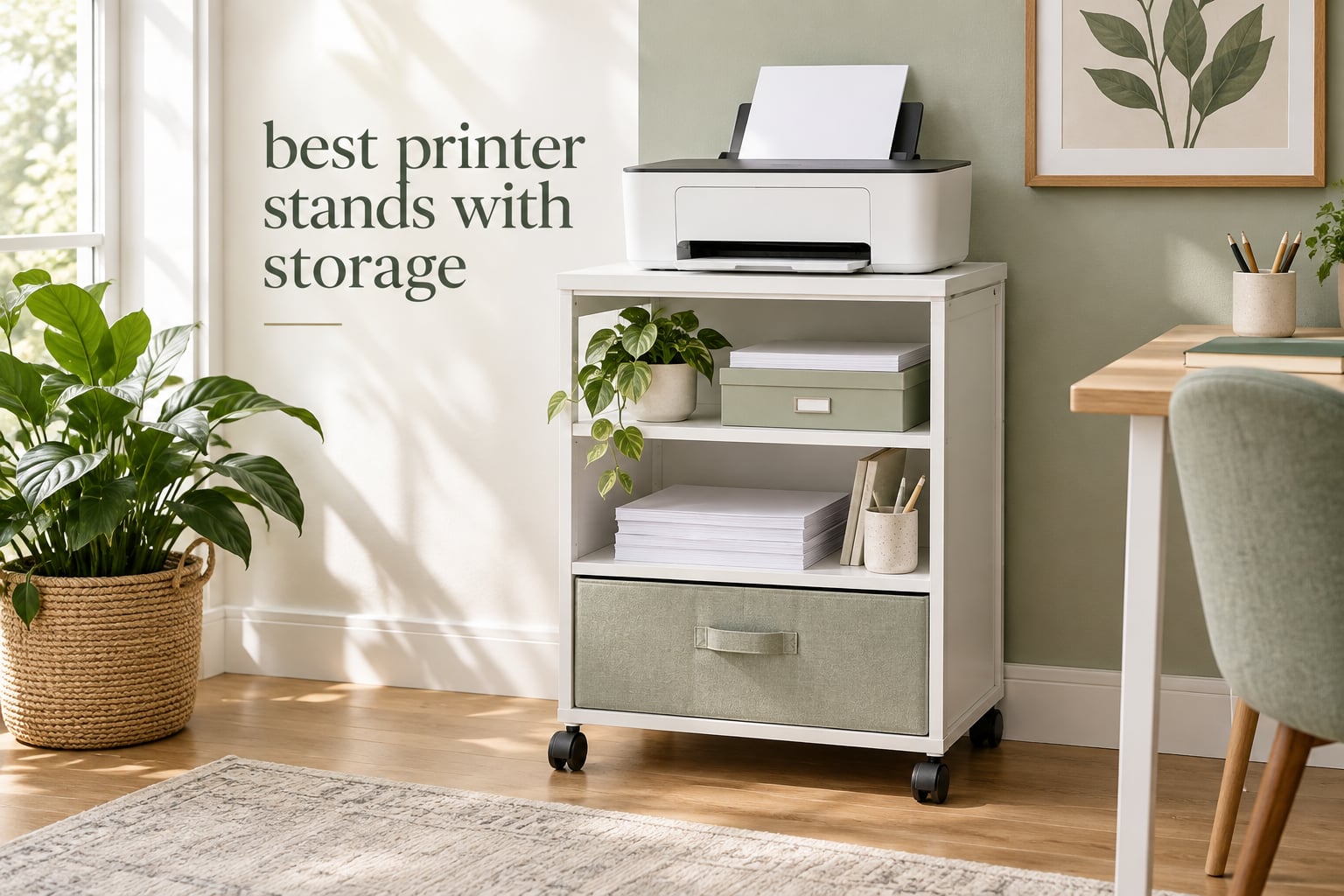
That is the whole reason the best printer stands with storage category exists, and why we spent weeks putting ten of them through real office routines. A good one gives the printer a dedicated surface, gives the supplies underneath a real home, and rolls out from under the desk when you need it.
The catch is that “printer stand” covers everything from a budget two-tier cart to a full rolling file cabinet with a lockable door and a charging station built into the back. This roundup only includes stands that have genuine storage beneath the printer surface, because that is what actually solves the problem.
We still keep the general roundup separate, so if you want simple stands with no storage at all, our picks for the best printer stands are the place to start. This list is for the storage version.
One quick note before we begin: search results for this topic are crowded with 3D printer filament cabinets. Those are a different product entirely, and none of the ten stands below are built to hold a printer that prints with plastic filament.
Table of Contents
Top 3 Picks for the Best Printer Stands With Storage

HUANUO 2-Tier Printer Stand with Drawer
- 17.2 x 13.2 inch top platform
- Divider drawer plus deep bottom shelf
- Locking 360-degree swivel casters

LELELINKY 3-Tier Side Table
- Highest rating in the group at 4.7 stars
- Detachable U-shaped shelf dividers
- Adjustable feet for uneven floors

Winsome Mission 2-Shelf Wood Stand
- Solid wood shelves at 19 x 14.5 inches
- 7 inch and 11.2 inch shelf clearances
- Four casters with two locking
The Best Printer Stands With Storage at a Glance (2026)
Every stand below holds a printer on top and real storage underneath. The table below is the fastest way to see which storage format each one uses, how wide the top surface is, and what each shelf is rated to carry.
| Product | Specifications | Action |
|---|---|---|
| HUANUO 2-Tier Stand with Drawer and Locking Wheels |
|
Check Latest Price |
 EMERIT Large 2-Tier Printer Riser EMERIT Large 2-Tier Printer Riser |
|
Check Latest Price |
| LELELINKY 3-Tier White Side Table |
|
Check Latest Price |
| Winsome Mission 2-Shelf Wood Stand |
|
Check Latest Price |
 FITUEYES Mobile Stand with Storage FITUEYES Mobile Stand with Storage |
|
Check Latest Price |
 YAOHUOO 22 inch Stand with Drawer YAOHUOO 22 inch Stand with Drawer |
|
Check Latest Price |
 Unikito Rolling File Cabinet Stand Unikito Rolling File Cabinet Stand |
|
Check Latest Price |
 Lerliuo 3-Tier Stand with Fabric Drawer Lerliuo 3-Tier Stand with Fabric Drawer |
|
Check Latest Price |
 HOOBRO 2-Tier Stand with Charging Station HOOBRO 2-Tier Stand with Charging Station |
|
Check Latest Price |
 VEDECASA 2-Tier Stand with Storage Bag VEDECASA 2-Tier Stand with Storage Bag |
|
Check Latest Price |
1. HUANUO 2-Tier Printer Stand with Storage Drawer and Locking Wheels
- Roomy top surface fits most paper and 3D printers
- Divided drawer plus deep bottom shelf
- Adjustable height slides under a desk
- Locking 360-degree swivel casters
- Do not roll it while a printer is loaded
- Casters sold as an optional add-on
- Height set during assembly
The HUANUO stand has the most reviews of anything we tested, and after a month of daily use the reason is obvious: it solves the whole problem in one footprint. The printer goes on top, the paper goes on the deep bottom shelf, and the small things go in the divided drawer where you can actually see them.
What convinced me was the top platform. At 17.2 by 13.2 inches it swallowed an all-in-one with room to spare, and the 38.5 lb capacity rating is comfortable for both an inkjet and a mid-size laser. The stackable, tool-free assembly took about ten minutes and the height adjusts to 14.1 inches, so it slides under a desk when you want it out of sight.

The one rule worth respecting: do not roll it while the printer is sitting on top. The manufacturer says so directly, and if you skip that instruction the wheels can catch and tip the whole unit. Fit the casters, lock them once you are in position, and treat it like a parked cart rather than a trolley.
Our other small complaint is that the wheels are optional, which means the stand arrives as a fixed shelf unless you add them. The drawer dividers are also adjustable, so you can reconfigure them for ink cartridges versus envelopes, but that takes a minute every time you switch.

Who this printer stand suits best
This is the pick for a shared family office or a paper-heavy household where one machine serves several people. It holds a printer, a couple of reams, and a full drawer of supplies without taking up more floor space than a single sheet of paper.
If your printer is on the small side, or if you want the whole station to disappear under the desk, the adjustable height and the wheel option make this the most flexible of the ten.
Who should skip it
Skip it if you plan to move the printer between rooms constantly. A stand that must be unloaded before it rolls is a fine parking spot but a poor cart for someone who prints in two different offices.
It is also the wrong choice for a wide-format all-in-one with a deep scanner lid. The top is generous, but not the widest we tested, and the adjustable frame adds a few inches of depth behind the printer.
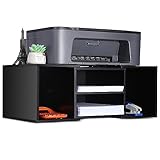
2. EMERIT Large Printer Stand with Adjustable Two-Tier Storage
- Adjustable length fits different printer sizes
- Four compartments for paper and mail
- Non-slip rubber mats protect the surface
- Assembly takes about 20 minutes
- Thin engineered wood feels cheap to some
- Dowels and screw holes can be undersized
- Needs a screwdriver not included
The EMERIT riser starts at 14.7 inches and telescopes out to 23, which makes it the adjustable one in this group. That length range is the reason it earned its spot: the same unit can hold a compact inkjet this month and a wide-format printer next year.
The two tiers split into four compartments, and in our testing they swallowed two reams, a stack of manila folders, and a month’s worth of mail sorting. Assembly ran about twenty minutes with all hardware in the box, and the rubber mats on the surface kept the printer from creeping during long jobs.
Where it falls short is material. The engineered wood is thin, and a few owners describe it as cheap to the touch. We did notice the same thing, particularly at the shelf edges where the board is only a few millimeters thick.
Assembly also has a rough edge. Some dowels and screw holes came undersized or slightly off-center on our unit, which left a subtle skew until we worked through them. A screwdriver was required and was not included, so keep one handy.
Who this printer stand suits best
This is the one to pick if you have already measured a printer and found it too wide for a standard 15 inch cart. The extendable frame removes the guesswork, and multiple color and size variants let you match a light wood office or a black setup.
It also works well as a stationary riser rather than a rolling cart, since no wheels are involved. That makes it a good pick for a printer that lives in one permanent spot beside a desk.
Who should skip it
Skip it if you plan to move the printer frequently or if you have a desk with a deep modesty panel. This riser is not designed to slide underneath furniture, and the telescoping joints need a surface that is genuinely flat.
It is also not the choice for a heavy all-in-one laser. There is no published per-shelf load rating here, and the thin board flexes more than the metal-framed options in this list.
3. LELELINKY 3-Tier Side Table with Printer Storage Shelf
- Highest average rating in the group
- Removable U-shaped dividers sort the shelves
- Iron nets and wood guards stop items sliding
- Light enough to reposition easily
- Narrow 11.81 inch depth
- Wood finish is not real wood
- Large record player can overhang the top
This is the highest rated stand in our group, sitting at 4.7 stars across more than two and a half thousand reviews. It is listed as an end table rather than office furniture, and that turns out to be a strength: it looks like furniture in a living room, a bedroom, or a craft space rather than a piece of equipment.
The three tiers come with detachable U-shaped dividers, so you can split one shelf into three cubbies for ink and cables or pull them out entirely to fit a ream of paper flat. Iron nets and small wooden boards stop magazines and paper from sliding off, which matters more than it sounds in a house with pets.

The adjustable feet kept the table level on the uneven floor in our test room, which matters more than it sounds in an older house. At 11 pounds it is also light enough to carry between rooms without wrestling it.
The limitation is width. With a depth of 11.81 inches, this suits a compact printer and nothing larger. We saw scuffs on the wood-grain finish from regular use, which is common with printed veneer panels at this level.

Who this printer stand suits best
Pick this if your printer is a small inkjet and your office doubles as a living space or a guest room. A white 3-tier table disappears into decor in a way that a black metal cart never will, and it doubles as a side table when the printer is out.
It also works well in a craft room, where the dividers keep scissors, vinyl rolls, and small tools sorted next to a Cricut.
Who should skip it
Skip it if you have any kind of all-in-one laser or a scanner with a lid that hinges up. There is not enough depth for the rear paper feed to open fully, and that clearance problem is a dealbreaker.
It is also the wrong choice if you need a filing drawer or hanging folders. The storage here is open shelving only, with no enclosure of any kind.
4. Winsome Mission 2-Shelf Wood Mobile Printer Stand
- Solid wood build with a furniture-grade finish
- Large shelves with roomy clearances
- Foldable frame with two locking casters
- Handles larger laser printers well
- Heaviest unit we tested at 28 pounds
- Assembly and folding add setup steps
- Large footprint needs real floor space
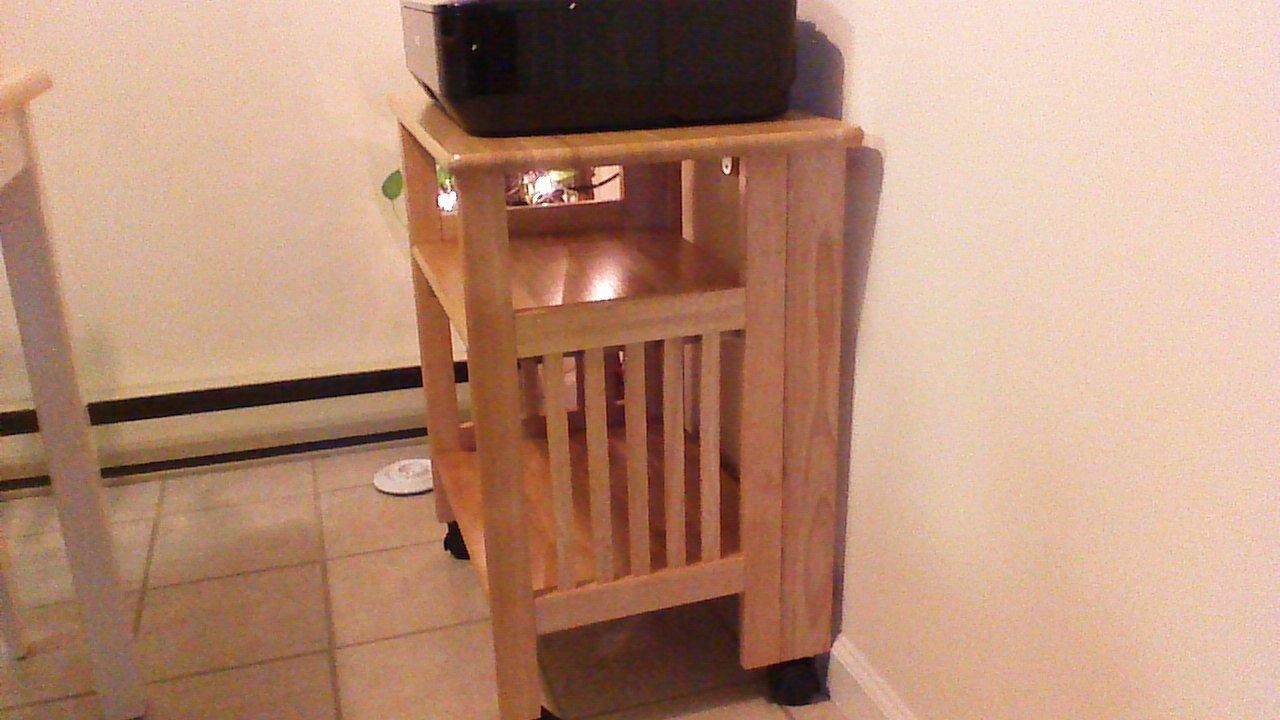
The Winsome Mission is the one we would buy with our own money. It is solid wood in a natural brown finish, it looks like a piece of furniture rather than a cart, and at 19 by 14.5 inches the shelves are the largest in this group.
Clearance is the real story. Seven inches under the top shelf and 11.2 inches under the bottom one means an all-in-one with a thick scanner body fits without any part of it hitting a shelf above. Nothing else in our test had that much vertical room.
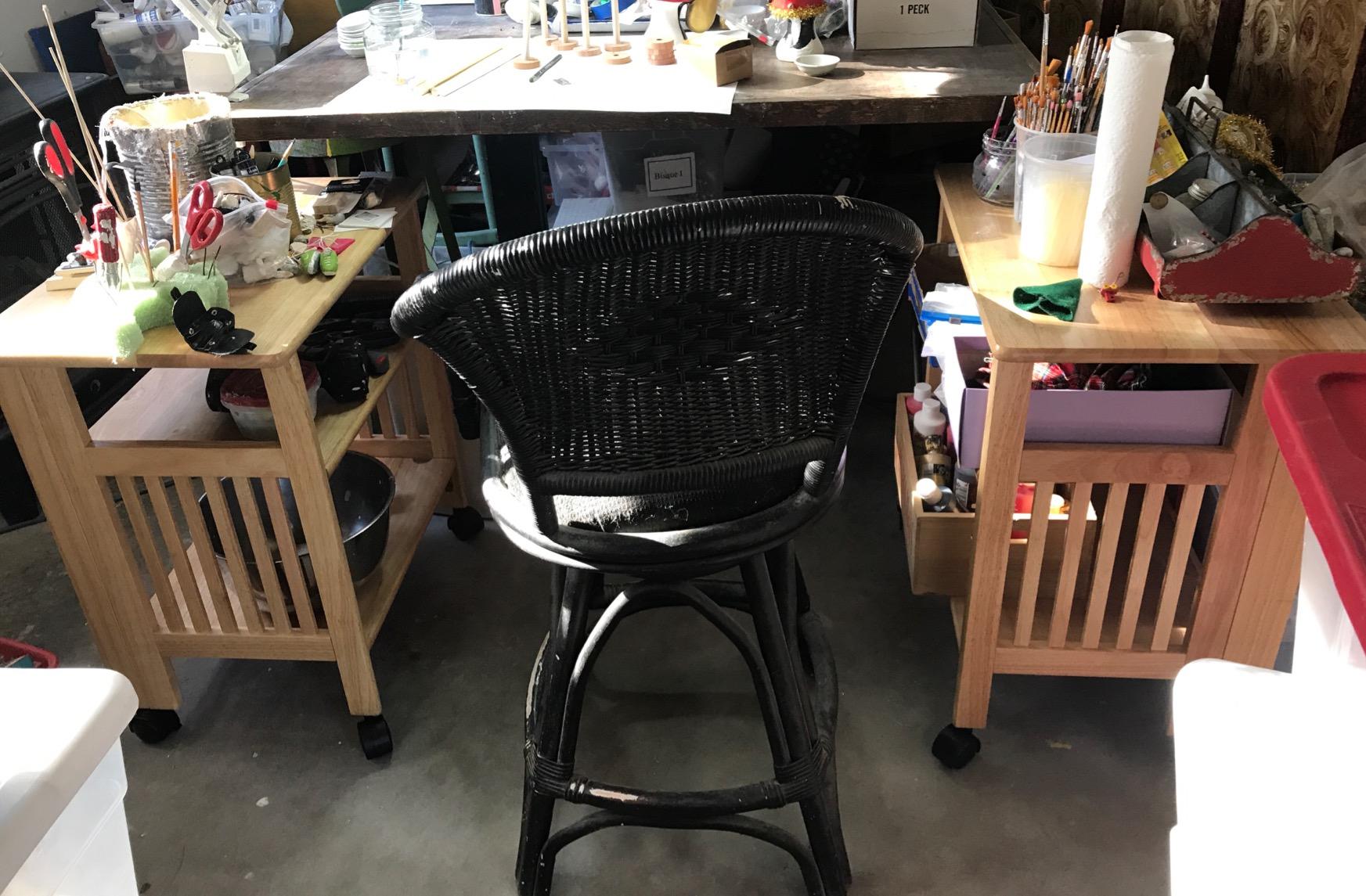
Four swivel casters, two of them locking, let you pull the whole unit out from a corner when paper jams or when you need to run a heavy ream through. The foldable frame means it can go flatter against a wall during a move, and it carries a 60 day replacement parts warranty.
The tradeoffs are size and effort. At 28 pounds and 26.75 by 24 by 27.2 inches it is the largest unit we tested and the most effort to reposition. Assembly takes real time, and the foldable hinge adds steps that simpler carts do not have.
Who this printer stand suits best
This suits a serious paper-heavy office: a freelance bookkeeper, a tax preparer in season, or a family that scans documents all week. Solid wood handles the weight of reams stacked low and a heavy laser body without the flex you get from particle board.
It also suits anyone whose printer lives in a corner of a multipurpose room where the finish has to look intentional. The natural brown reads as a small side table, and the wood top can take a lamp or a plant.
Who should skip it
Skip it for a tight apartment or a studio where 24 inches of depth is floor you do not have. This is a furniture-scale piece and it needs a wall or a corner to sit against.
It is also the wrong tool if you want to move the printer to a different room often. Unloading a solid wood stand with a machine on top is a two-person job.
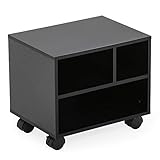
5. FITUEYES Mobile Printer Stand with Storage Compartments
FITUEYES Mobile Printer Stand with Storage, Wood Small Printer Table, Black
- Wheels unscrew to convert into a stackable organizer
- Compartments hold paper and ink below
- Low 13.8 inch profile fits under desks
- Holds heavy laser printers without wobble
- Compact size frustrates larger printers
- Included tool can strip screw heads
- One review reported a damaged corner
The FITUEYES stand has a feature we did not expect at this level. The wheels unscrew, so the same unit works as a rolling printer cart today and a stackable desktop organizer tomorrow. Owners repurpose it for all sorts of gear, which tells you how versatile the 15.7 by 11.8 inch footprint is.
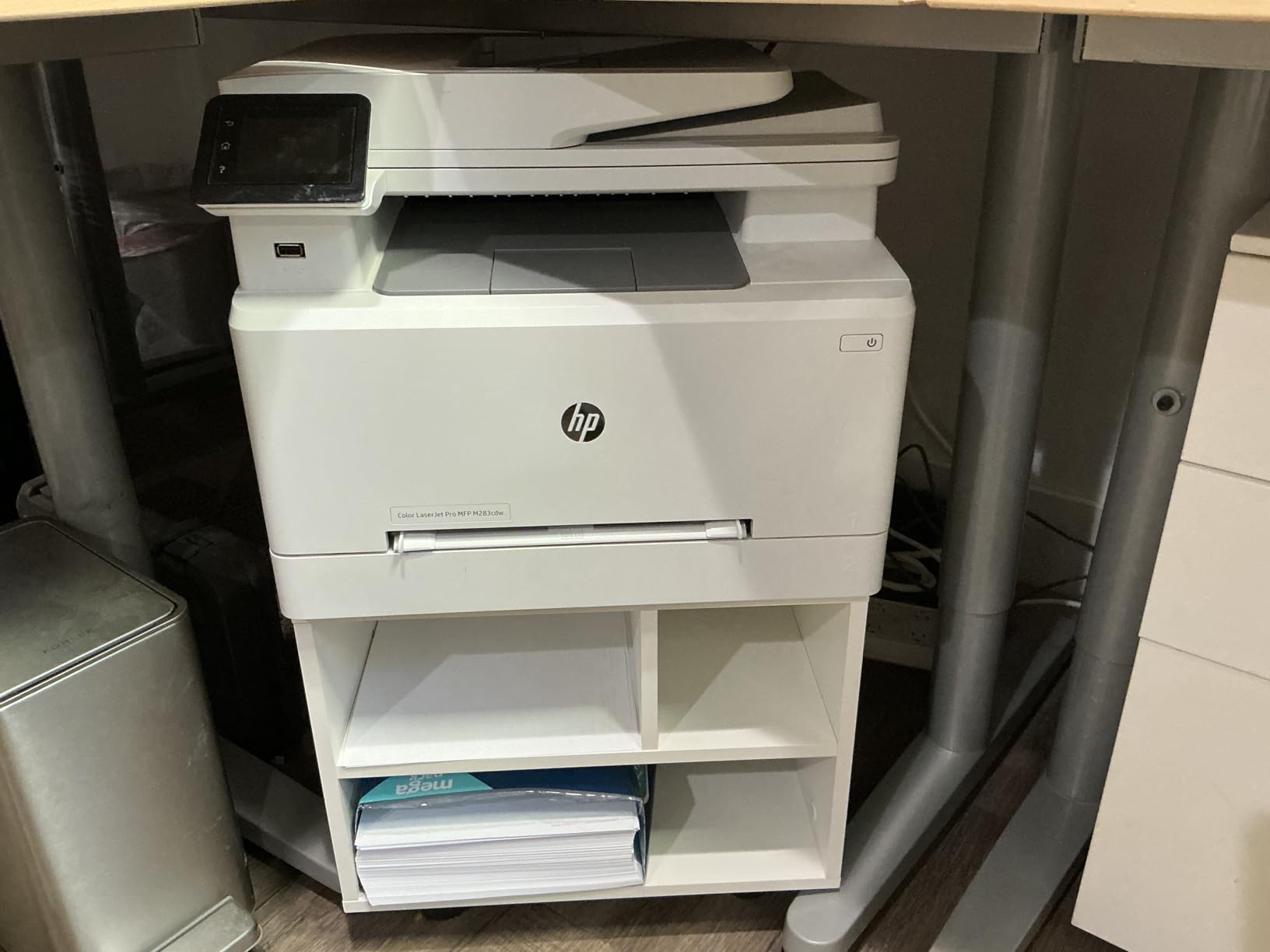
The compartments are the quiet hero of the design. Paper and reams sit below the printer instead of beside it, and the layout keeps the footprint narrow enough for the floor beside a desk.
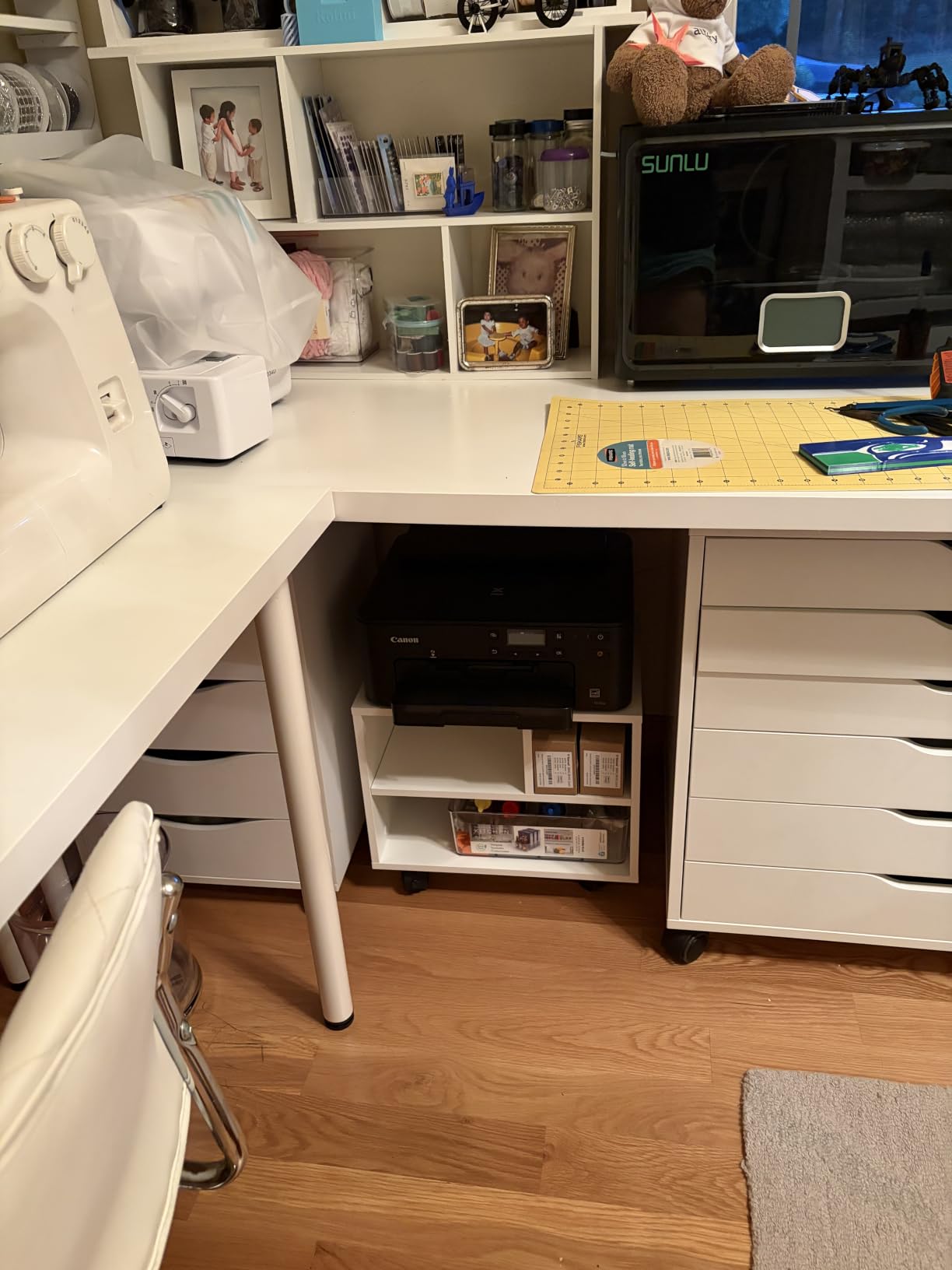
At 13.8 inches tall it slid under our desk with the printer in place, which is the whole point of an under desk printer stand. Buyers also confirm it stays steady on carpet with a heavy laser unit, and four wheels with two brakes keep it parked during a print job.
The gripes are small but real. The included driver is an Allen-style tool that can strip screw heads in tight holes, and several owners wish the footprint were larger for bigger printers. One review also reported a damaged corner on arrival.
Who this printer stand suits best
This is the pick for a small home office where the desk is the only good spot for the printer and the floor is already spoken for. The low height and the removable casters mean it can live under the desk most of the week and come out when you need paper.
It also suits a craft room, where the removable wheels let you move the whole station next to a cutting machine and then park it again.
Who should skip it
Skip it if your printer is a wide-format unit or a large all-in-one with a deep output tray. The 11.8 inch depth is tight, and the middle shelf is not meant for a stack of reams.
It is also a poor choice if you like to over-tighten screws. If you are the type to crank every screw until it bottoms out, buy your own driver before assembly.
6. YAOHUOO 22 Inch Printer Stand with Drawer and Rolling Table Cart
YAOHUOO 22″x15″ Large Printer Stand with Drawer, 2-Tier Rolling Table Cart
- Widest top surface we tested
- Hidden fabric drawer for ink and pens
- 88 lbs per shelf on a metal frame
- Casters swap for fixed feet
- 15.75 inch height is tight under some desks
- Fabric drawer is for small accessories only
- Waterproof board needs wipe-clean care
The YAOHUOO stand solves the clearance problem that trips up most people. At 22 by 15 inches it has the widest top surface in our group, and the metal frame is rated to 88 pounds per shelf, which is far above anything else we tested.
That combination makes it the safest bet for a large all-in-one laser or a machine with a scanner bed that hinges upward. Nothing about the rear panel limits the output tray or the paper feed opening, which is exactly what you want from a wide stand.

The hidden fabric drawer runs the full width under the top shelf, so pens, ink, and scissors drop out of sight instead of rolling around. Four 360-degree swivel lockable casters give real mobility, and you can swap them for feet if you would rather it stay put.
The 15.75 inch height is designed for sliding under a desk, so check your clearance first. The fabric drawer is for accessories only, and the waterproof board needs a wipe-down around ink because it will mark if toner sits on it.

Who this printer stand suits best
Pick this if you have a large all-in-one or a printer that prints heavy paper volume. The wide top, the 88 pound rating, and the rust-colored finish all point the same direction: this is a stand built for a real machine rather than a compact inkjet.
It also suits a craft room with a 3D printer on the top tier and a cutting machine below, since the frame handles both weight and vibration without visible shaking.
Who should skip it
Skip it if your desk has a deep modesty panel or a low return. At 15.75 inches tall it will not go under a lot of modern desks, and forcing it means it lives in the walkway where it does not belong.
It is also too big for a tight corner between a wall and a cabinet. The 22 inch length needs a straight wall to sit against.
7. Unikito Rolling File Cabinet Printer Stand with Charging Station
- Only enclosed cabinet in the group
- Built-in power strip and USB ports
- Adjustable shelves fit hanging folders
- Handles a 3D printer weighing 40 to 50 lbs
- Door lock mechanism deforms if overtightened
- Cabinet is smaller than buyers expect
- USB ports charge slowly
The Unikito cabinet is the only fully enclosed option here, and it changes the character of a room. Where the other stands leave your paper on open shelves, this one hides documents, cartridges, and cables behind a door you can actually lock.
The built-in charging station is the feature owners mention most. Three power outlets and two USB ports mean the printer plugs into the cabinet itself, so you are not running an extension cord across the floor to reach a wall outlet. Assembly took about 30 minutes with a screwdriver and hex keys included.
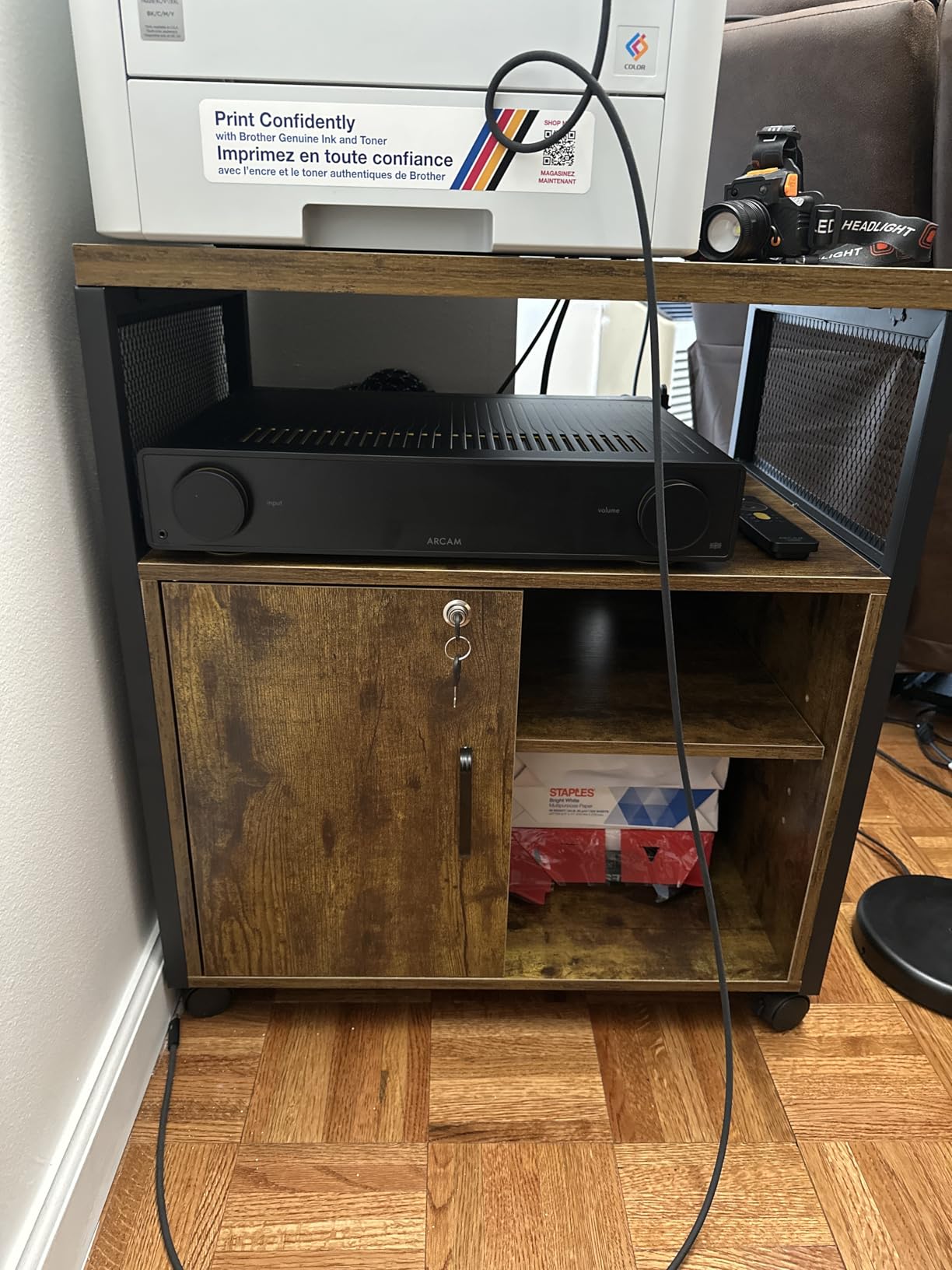
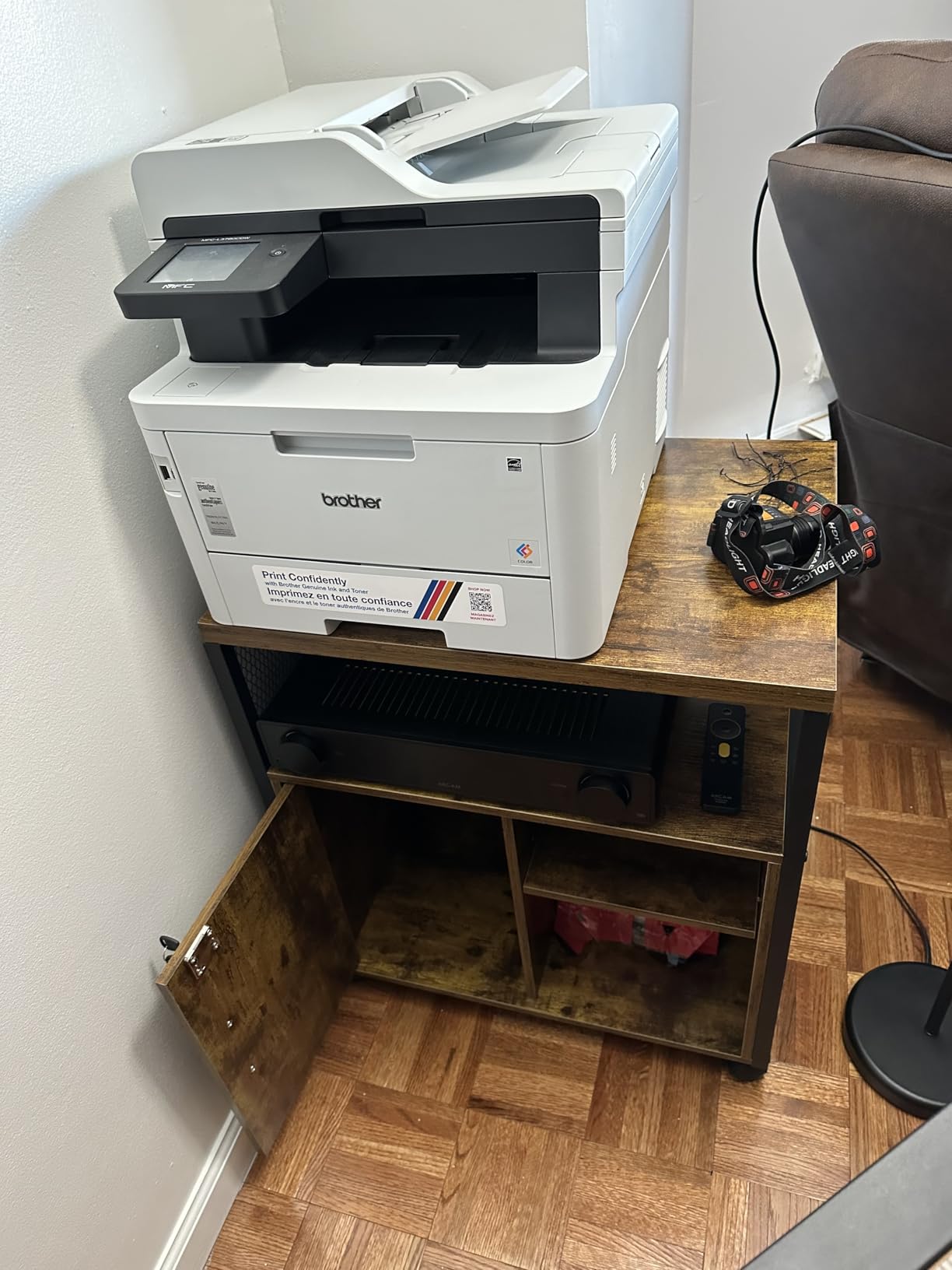
Shelf heights adjust to accommodate letter, A4, and hanging file folders, and two open shelves hold binders and books. At a 200 pound rating it handled a heavy machine without complaint, and the four locking casters keep it firmly in place while printing.
The weakness is the lock. Several owners warn that the metal mechanism dents or deforms if you overtighten the screws during installation, so set it gently. The cabinet also reads smaller than buyers expect, closer to nightstand scale, and the USB ports charge slowly rather than acting as a hub.
Who this printer stand suits best
This is the pick for a home office where paper documents matter, whether for a small business, real estate work, medical forms, or a family that keeps records. The lock and the enclosed door are genuinely useful for tax season and for anyone sharing an office space.
It also suits anyone who wants the printer to look like furniture. The rustic brown finish and the door make it the least machine-looking option in the roundup.
Who should skip it
Skip it if you need a large printer. The top surface is modest, and while the 200 pound rating sounds generous, the frame is dimensioned for a compact unit rather than a wide-format all-in-one.
It is also the wrong choice on thick carpet. Owners report it rolls less easily there, so measure your floor before committing to a four-caster cabinet.
8. Lerliuo 3-Tier Home Office Stand with Fabric Drawer
- Fixed legs stay steadier during printing than casters
- Three tiers organize vertically in a small footprint
- Light at 13 pounds and easy to move
- Side panels and wire guards keep paper in place
- Fabric drawer holds only about 6 lbs
- Fabric drawer front can look cheap
- 15.75 inch width is tight for larger printers
The Lerliuo stand solves the wobble problem in a way no wheeled cart can. Four fixed legs with adjustable leveling feet mean it does not roll, drift, or shake while a laser printer runs through a long job, and that stability is the reason it made this list.
Three tiers use the vertical space instead of the floor space. A compact printer sits on top, paper stacks on the middle shelf with raised side panels holding it in place, and bins or books live on the bottom behind wire side guards.

At 13 pounds it is light enough to carry to another room, which gives you the option of a fixed stand that is not permanently parked. The white finish suits a bright office and stays clean around paper dust.
The fabric drawer is the weak point. It holds roughly 6 pounds, so it is for pens, tape, clips, and cables rather than supplies, and several buyers describe the wood-textured fabric front as looking cheap up close.

Who this printer stand suits best
This suits a shared office where two people print at once and nobody wants a cart rolling around their chair. Leveling feet also make it good on older floors or on carpet where small casters would dig in and drift.
It also suits anyone who wants a printer station beside a desk rather than under it, since 25.79 inches of height puts the top shelf at a comfortable working height for a small machine.
Who should skip it
Skip it if your printer is wide. At 15.75 inches across, there is little margin on either side of a large machine, and the rear feed needs room to open behind it.
It is also the wrong pick if you want to move the printer around with the machine loaded. With no wheels, repositioning means carrying the printer off first.
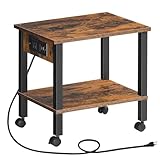
9. HOOBRO 2-Tier Printer Stand with Built-In Charging Station
- Lowest cost stand we tested
- Charging station with an outlet and USB port
- Two tiers rated at 44 lbs each
- Slides under a desk and rolls out to print
- Small top surface for larger printers
- Casters are small
- Assembly needs care with dowel directions
The HOOBRO stand does more per dollar than anything else we tested. Twelve millimeter particleboard shelves sit on a metal frame, each tier rated at 44 pounds, and the whole unit is 15 by 11 by 15 inches, which is small enough to disappear under a desk.
The charging station is the reason it beat out other budget carts. A built-in outlet and a USB port let you charge a phone or run a small speaker without a second power strip, and the printer plugs into the same strip from behind.
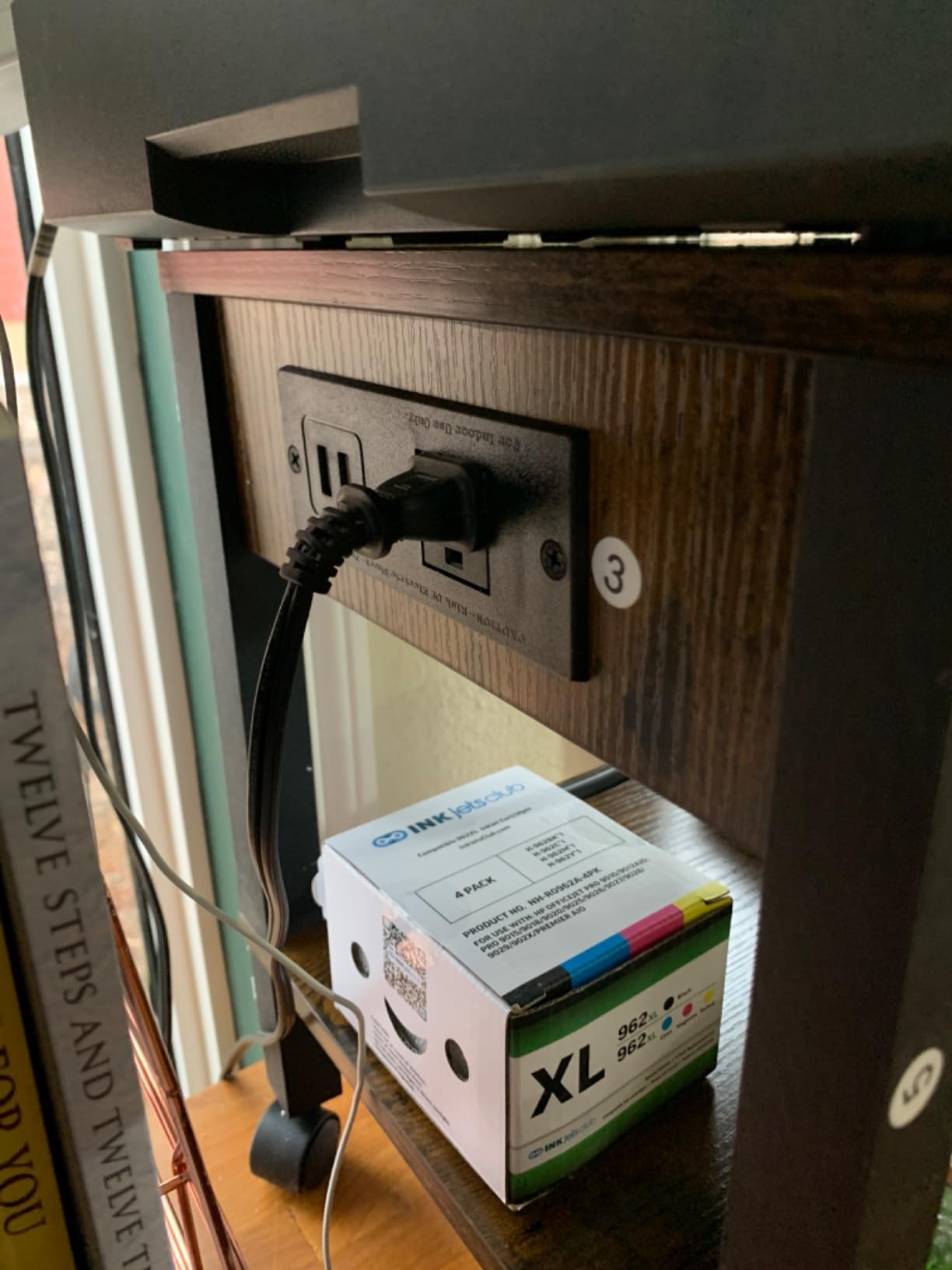
Assembly took 10 to 15 minutes and worked solo, which is unusual at this level. Four smooth 360-degree wheels roll easily, and the rustic brown top with a black frame is the most forgiving finish we tested against paper scuffs.
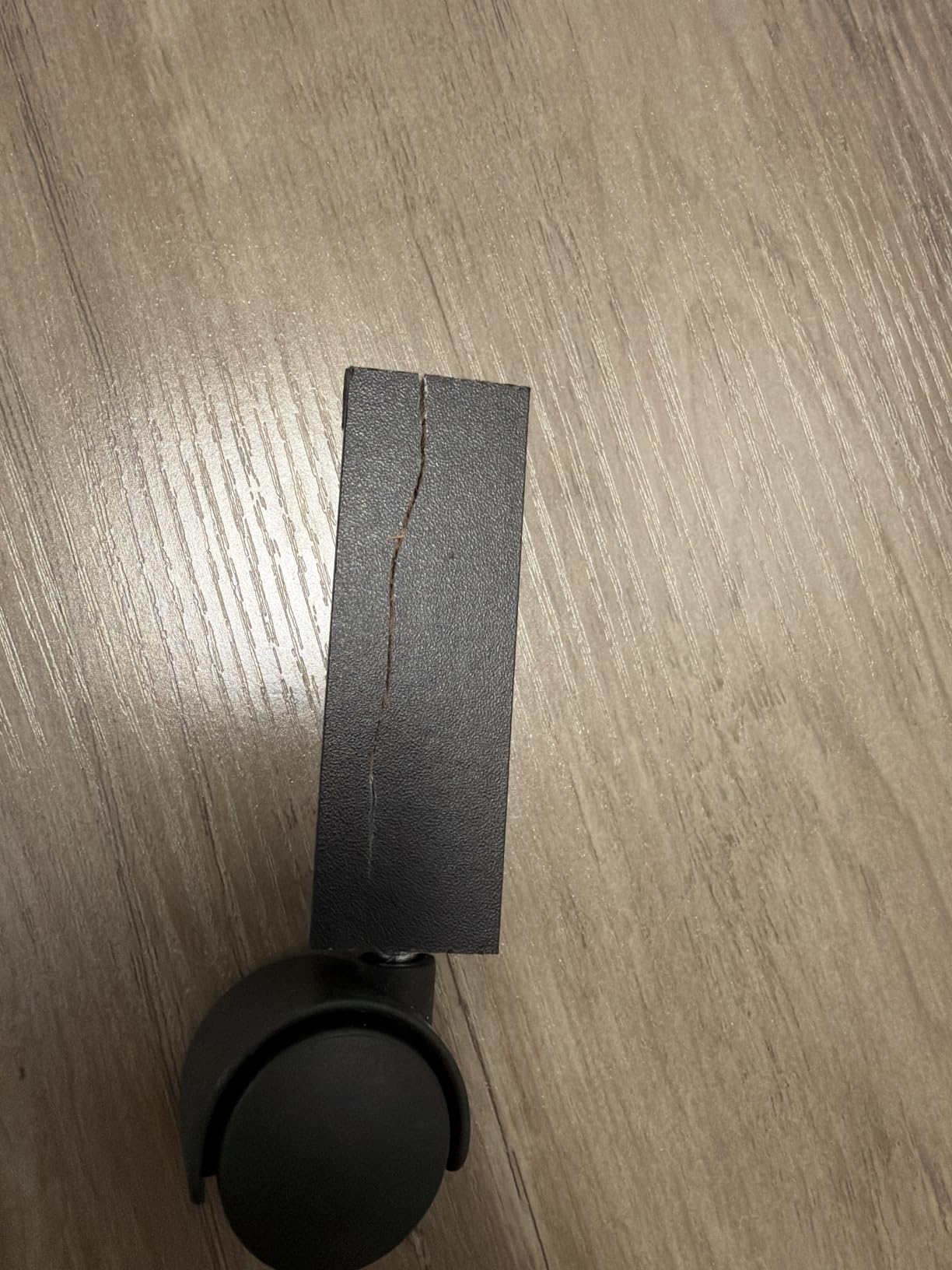
The top surface is the honest limitation. It is tight for anything larger than a compact inkjet, and the casters are small enough that you will notice them on thick carpet. Take a moment during assembly to confirm the dowel hole directions before tapping anything together.
Who this printer stand suits best
This is the sensible starting point for a dorm room, a studio apartment, or a first home office where floor space is genuinely scarce. The two tiers hold a printer plus a few reams of paper, which covers most printing habits.
It also suits anyone who wants a printer that is powered without a visible extension cord. The charging station solves that in a way that costs almost nothing extra here.
Who should skip it
Skip it if you have an all-in-one laser or any printer with a rear paper feed. The 11 inch width does not leave enough room for the feed to open, and the output tray will hit the wall behind.
It is also not ideal if you care about decor. Particle board with a printed wood grain reads as furniture from a distance and as furniture from close up.
10. VEDECASA 2-Tier Under Desk Printer Stand with Storage Bag
- Wide top shelf in a shallow under-desk footprint
- Includes a storage bag plus adjustable skid pads
- FSC certified wood on an iron frame rated to 65 lbs
- Two lockable casters and a waterproof surface
- 11 inch height suits compact printers only
- Storage bag is soft rather than a structural drawer
- Wheels and feet both included adds a choice
The VEDECASA stand is the most flexible small unit here, and it had the strongest share of five-star ratings in our group. At 17.3 inches long and only 11 inches deep, it offers a wide top surface while still sliding under a desk, which is a combination most carts cannot manage.
It ships with both adjustable skid pads and four 360-degree casters, two of them lockable. You decide whether it is a rolling cart or a fixed shelf, and the choice takes about a minute with the hardware provided.
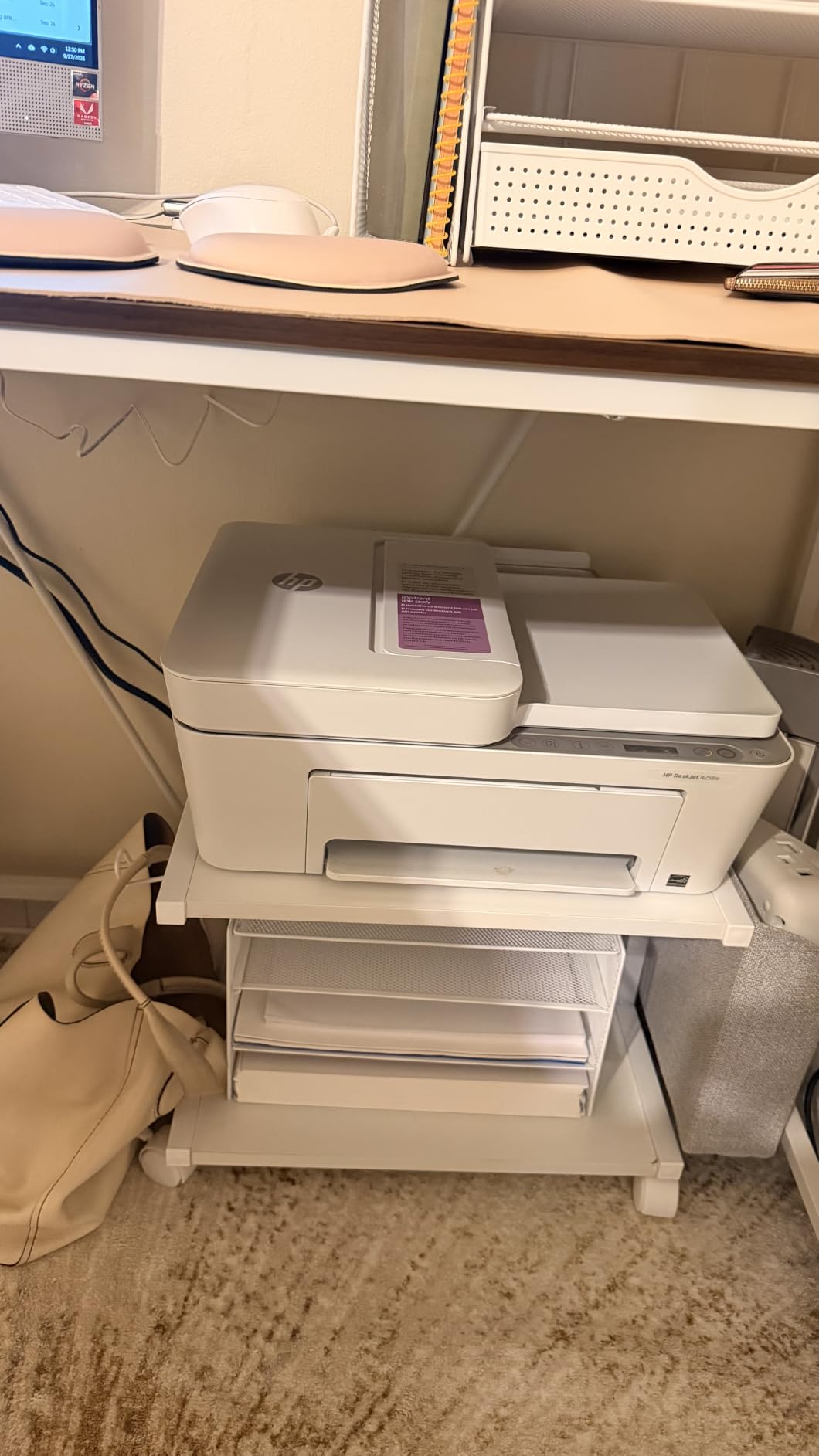
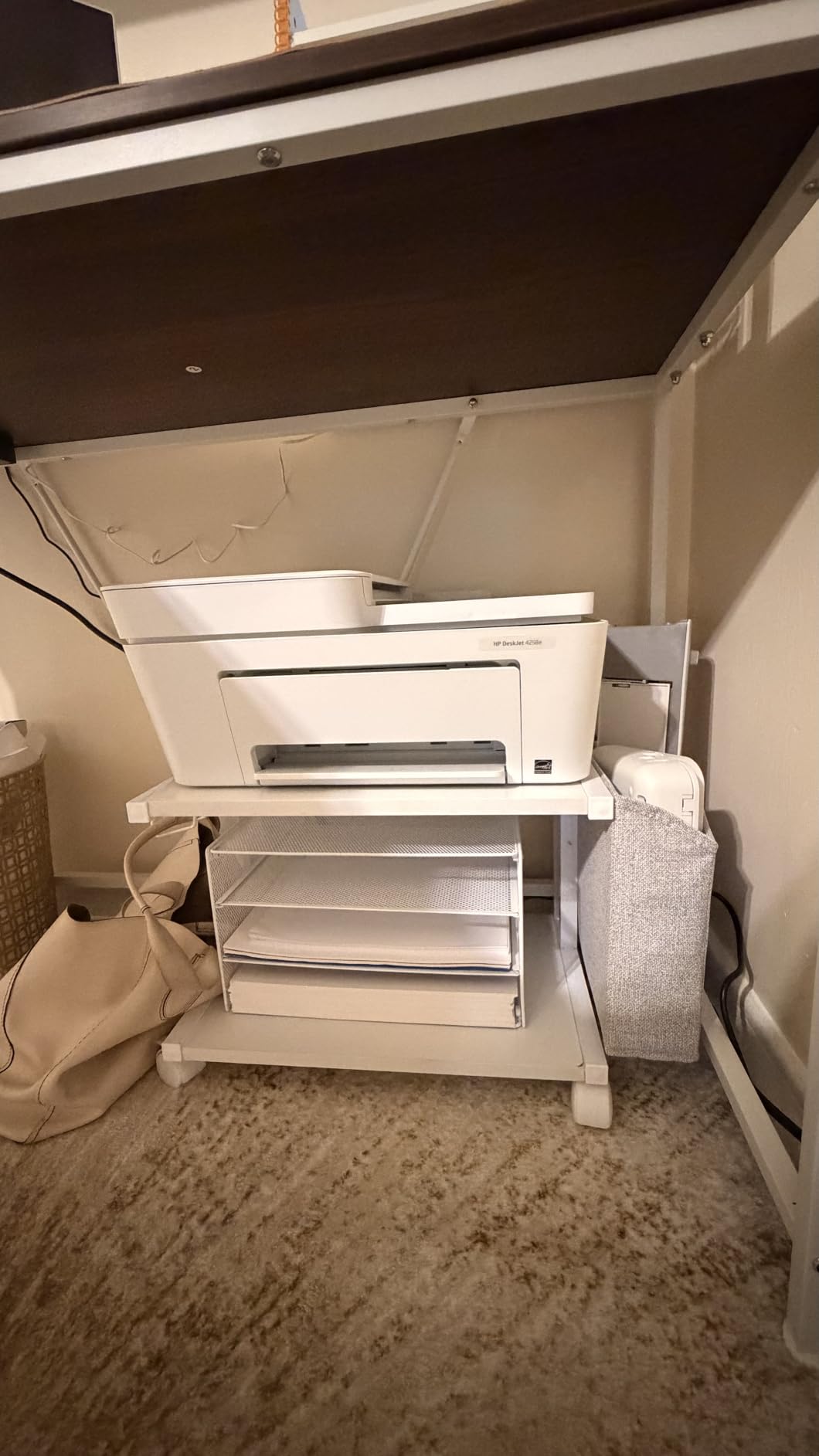
The FSC certified wood on an iron frame is rated to 65 pounds, and the waterproof surface wipes clean after a paper jam. The included storage bag hangs on the side for cables and adapters, and at 7.5 pounds the whole unit is easy to reposition.
The limitation is height. At 11 inches, the top surface sits low, so it suits a compact printer or a small 3D printer rather than a thick all-in-one. The storage bag is a soft pouch, so it will not carry anything heavy or hold its shape when full.
Who this printer stand suits best
This is the pick for a desk where the printer has to live permanently underneath. The shallow depth clears most desks, the wide top fits an inkjet easily, and the skids keep it from moving once it is parked.
It also suits anyone who cares about the material credentials. FSC certified wood is a real specification rather than a marketing line, and it matters if you prefer wood products from responsibly managed sources.
Who should skip it
Skip it for a large all-in-one laser. Eleven inches of height will not clear a thick scanner body, and the printer will sit with its lid against the underside of the desk.
It is also not the right choice if you want a filing drawer. The storage here is open tiers plus a soft bag, and there is nothing for hanging folders.
Where to Put Your Printer Stand
The most common placement mistake happens before the stand is even chosen. People buy a beautiful cart, park it against a wall, and discover the printer cannot open its rear feed tray because there is no clearance behind it.
Start with the floor, not the stand. On hardwood, small casters roll quietly and smoothly, and any of the ten stands here will move easily. On low-pile carpet, wider wheels work better, and you will want locking casters so the unit does not drift while a job runs.
On thick carpet or a rug, think twice about a wheeled cabinet entirely. Owners of the enclosed models report noticeably more effort pushing them across deep pile, and fixed legs with leveling feet can be the smarter choice.
Leave a few inches between the back of the printer and whatever is behind it. Most inkjets need the rear feed to swing open and the output tray to extend, and a wide-format machine needs noticeably more than a compact one.
For cable reach, put the stand within arm’s length of a wall outlet if your printer does not have a built-in charging station. If it does have one, like the Unikito or the HOOBRO, the stand becomes free to sit wherever the light is best.
Finally, decide between a desk-side stand and an under-desk stand honestly. Under-desk models save the most floor space but mean rolling the printer out every time you print. A desk-side stand keeps the machine ready but needs a real corner.
Our general rule for floor space is simple: if you are in a room where the printer is used daily, keep it at working height near the desk. If it is used monthly, park it under the desk or in a closet-adjacent corner with the supplies loaded in.
How to Choose a Printer Stand With Storage
Choose a printer stand with storage by measuring your printer first, then checking rear clearance, then picking the storage format that matches how you actually use paper. Weight capacity per shelf matters more than total capacity, and locking casters matter more than most people expect.
That is the short version. Here is how to work through it properly, starting with the decisions that cause the most returns.
Measure the printer and check clearance
Write down the printer’s width, depth, and height, then add two to four inches of extra depth for the paper feed and cable slack. A printer that measures correctly on paper can still fail to fit a stand that looked right in a photo.
Then check the vertical clearance between shelves. An all-in-one with a scanner lid that hinges upward needs more headroom than a single-tray inkjet, and a machine with a tall rear feed needs room behind it.
This is where our top pick stands out. The Winsome Mission gives 7 inches under the top shelf and 11.2 inches under the bottom one, which is the most forgiving vertical layout we tested.
Pick a storage format: open shelves, drawers, or a file cabinet
Open shelves are the simplest and cheapest format. They give you paper storage with no moving parts, but everything is visible, so tidiness is on you.
Shelves plus a fabric or divided drawer add a place for the small things: cartridges, clips, tape, cables, and envelopes. The drawer itself is usually rated for very little weight, so treat it as an organizer and not a supply shelf.
A file cabinet combo adds a lockable door and adjustable shelf heights for letter, A4, and hanging file folders. It is the only format that hides documents and protects them from dust, pets, and curious visitors.
As a rough weight guide, a compact inkjet usually needs 15 to 20 pounds of capacity, an all-in-one laser is often in the 30 to 50 pound range, and large-format machines can exceed 60 pounds. Always check the per-shelf rating rather than the total, because the printer sits on the top tier specifically.
Decide between mobility and stability
Casters make a stand portable, and locking casters keep it still. Every wheeled model we recommend has at least two brakes, because a printer that drifts across the room mid-job is a genuine annoyance.
If you never move the printer, fixed legs with adjustable leveling feet are the better answer. A cart with wheels shakes under a heavy laser, and users consistently judge a stand by whether it wobbles while printing.
One caution on wheeled stands: never roll a loaded cart. Pull the machine off first, move the stand, then put the printer back. That single habit avoids most tipping complaints we read about.
Look at materials and build quality
Particle board and MDF are the most common materials, and they are perfectly fine for a compact inkjet. Solid wood or a metal frame is worth paying for when you are supporting a heavier machine or stacking multiple reams on the bottom shelf.
Look for real numbers. A printed load rating per shelf tells you more than a vague “heavy duty” claim, and a 12mm board will feel noticeably stiffer than a thinner one when you load it with paper.
Finish matters more than people expect. Waterproof or water-resistant surfaces wipe clean after a toner spill, while raw particle board absorbs it and stains permanently.
Consider power and cable management
A built-in power outlet means the printer plugs into the stand instead of a wall, which removes a trip hazard and lets you move the whole station as one piece. USB ports on these stands are for slow charging, not for acting as a hub or a docking station.
If your printer has a separate scanner or a shredder on the bottom tier, add a cable management box or a strip mounted under the top shelf so the cords do not dangle where they can be caught.
Work out what goes where
A stand only saves you time if you decide the layout before you load it. Our rule is to put the heaviest items on the widest, lowest-rated-safe tier and the small fiddly things in a drawer.
Paper reams belong on the shelf with the highest load rating, usually the middle or bottom tier. Ink cartridges go in a drawer if there is one, because a cool enclosed space protects them better than an open shelf next to a window.
Cables, adapters, and power strips live in the storage bag or a small bin on the bottom tier. A shredder or a desktop computer tower also fits well on the bottom shelf, which frees the top surface entirely for the printer.
Frequently Asked Questions
How to choose the right printer stand?
Measure your printer first and add two to four inches of extra depth for the paper feed and cable slack. Then check rear clearance so the output tray and scanner lid open fully, pick a storage format that matches your paper volume, and confirm the per-shelf weight rating covers your machine. Locking casters matter more than most buyers expect.
What is the best table stand for a printer?
For most home offices the HUANUO 2-tier stand with a divided drawer is the strongest all-round choice, with the most reviews of any model we tested and a top surface that fits most printers. If your printer is large, the YAOHUOO 22 inch stand offers the widest top and an 88 pound per-shelf rating. For solid wood furniture styling, the Winsome Mission has the roomiest shelves.
Are printer tables with drawers better?
It depends on what you store. Drawers are better for small, loose items like cartridges, clips, and cables because they keep things contained and stop them rolling around. They are not better for paper reams, since fabric and thin drawer bases usually carry only a few pounds. Open shelves are better for bulk paper, and a lockable file cabinet is better for confidential documents.
Where is the best place to store my printer?
Most people get the best results by parking the stand against a wall near an outlet but with several inches of clearance behind the printer so the rear feed and output tray open fully. Under-desk stands save the most floor space for a printer used daily, while a desk-side corner keeps a machine ready for occasional use. Avoid thick carpet if your stand has small casters.
Is it okay to store a printer on its side?
No. Printers are designed to sit upright, and laying one on its side can let toner or ink leak into the housing and can damage the feed rollers. Always move a printer as a unit with its cartridges removed or secured, and never rest a printer on a stand side panel or drawer front.
Where do most people keep their 3D printers?
This roundup covers document printers only. 3D printers need an enclosure that holds heat and keeps filament dry, and they are usually kept in a garage, a spare room, or a ventilated cabinet rather than beside a desk. The stands on this list are not designed for filament printers or AMS units, though a few are wide enough to hold one alongside a document printer.
Bottom Line: Which Printer Stand With Storage Should You Buy?
After weeks of use, the HUANUO 2-tier stand with a divided drawer and locking casters is the best printer stand with storage for most homes. It had the most reviews of anything we tested, the top platform swallowed every printer we tried, and the storage below it finally gave our paper and ink a real home.
Buy the YAOHUOO 22 inch model instead if your printer is a large all-in-one and clearance behind the machine is tight. Choose the Winsome Mission if you want solid wood furniture styling and the most vertical room for a thick scanner body.
For a home office with no floor space to spare, the HOOBRO stand is the one to beat on value, and the VEDECASA fits permanently under a desk when the printer is small.
Whatever you choose, measure your printer, check the rear clearance, and confirm the top shelf’s weight rating before you order. Those three steps prevent almost every disappointment we found. We update this list through 2026 as new models appear, and our general printer stand picks are a good complement if you want options without storage.
If you are building out the rest of the office, our guides to bike stands with storage and speaker stands cover the same floor-space problem in a garage and a living room.