
There is nothing quite like putting on a pair of FPV goggles and suddenly seeing the world from hundreds of feet in the air. I still remember my first real FPV flight. My hands were shaking, my stomach dropped on the first dive, and I was hooked before the battery even ran out. That was three years ago, and since then our team has tested dozens of drones to find the best FPV drones worth your money in 2026.
An FPV (First-Person View) drone is a remote-controlled aircraft that streams live video from an onboard camera straight to goggles or a screen. You see exactly what the drone sees, in real time. This creates a level of immersion that standard camera drones simply cannot match.
Whether you want to race through gates at 90 mph, pull cinematic power loops over a ridgeline, or just fly around your living room without destroying the furniture, there is an FPV drone built for that specific job. The problem is that the market is flooded with options, and the jargon can be overwhelming if you are new to the hobby.
That is where this guide comes in. I spent months testing 12 drones across every category, from palm-sized indoor whoops to professional 4K cinematic rigs. Our team crashed them, repaired them, flew them in wind and rain, and pushed each one to its limits.
We looked at build quality, flight characteristics, camera performance, goggle compatibility, and real-world durability. We also paid close attention to what pilots on Reddit and FPV forums actually recommend, because community experience often reveals things that spec sheets never will.
In this guide you will find detailed reviews of all 12 drones, a comparison table, a buying guide covering analog versus digital systems, and answers to the questions beginners ask most. By the end, you will know exactly which FPV drone fits your skill level, budget, and flying goals.
Top 3 FPV Drones in 2026
If you want to skip straight to the best options, here are our top three picks. These three drones stood out across all our testing categories and represent the strongest choices for different types of pilots.

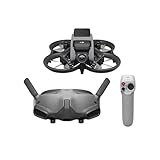

The DJI Avata 2 takes our editor’s choice spot for its unmatched combination of safety, image quality, and ease of use. The Avata Pro-View Combo earns premium pick honors for pilots who want the flagship goggle experience. And the BETAFPV Cetus Pro is our budget pick, giving true beginners a complete kit to learn on without breaking the bank.
Best FPV Drones in 2026: Quick Overview
Before we dive into individual reviews, here is a side-by-side comparison of all 12 drones we tested. This table covers the key specs and features so you can quickly narrow down your shortlist.
| Product | Specifications | Action |
|---|---|---|
| DJI Avata 2 Fly More Combo |
|
Check Latest Price |
 DJI Neo 2 Motion Fly More DJI Neo 2 Motion Fly More |
|
Check Latest Price |
 DJI Avata 360 Motion Combo DJI Avata 360 Motion Combo |
|
Check Latest Price |
| DJI Avata Pro-View Combo |
|
Check Latest Price |
| BETAFPV Cetus Pro FPV Kit |
|
Check Latest Price |
 EMAX Tiny Hawk RTF EMAX Tiny Hawk RTF |
|
Check Latest Price |
 BETAFPV Cetus FPV Kit BETAFPV Cetus FPV Kit |
|
Check Latest Price |
 Tinyhawk 3 Freestyle PLUS+ Tinyhawk 3 Freestyle PLUS+ |
|
Check Latest Price |
 HISINGY Firefly FPV Kit HISINGY Firefly FPV Kit |
|
Check Latest Price |
 APEX FPV Drone Kit APEX FPV Drone Kit |
|
Check Latest Price |
 BETAFPV Aquila20 HD Kit BETAFPV Aquila20 HD Kit |
|
Check Latest Price |
 EMAX EZ Pilot Pro FPV Set EMAX EZ Pilot Pro FPV Set |
|
Check Latest Price |
Now let us get into the detailed reviews. Each section covers what it is actually like to fly the drone, technical highlights, and who it is best suited for.
1. DJI Avata 2 Fly More Combo – Immersive 4K Cinematic FPV
- Immersive 155-degree FOV
- Motion control with gestures
- 4K/60fps with stabilization
- 3 batteries included
- Built-in propeller guard
- Advanced skill required
- Higher price point
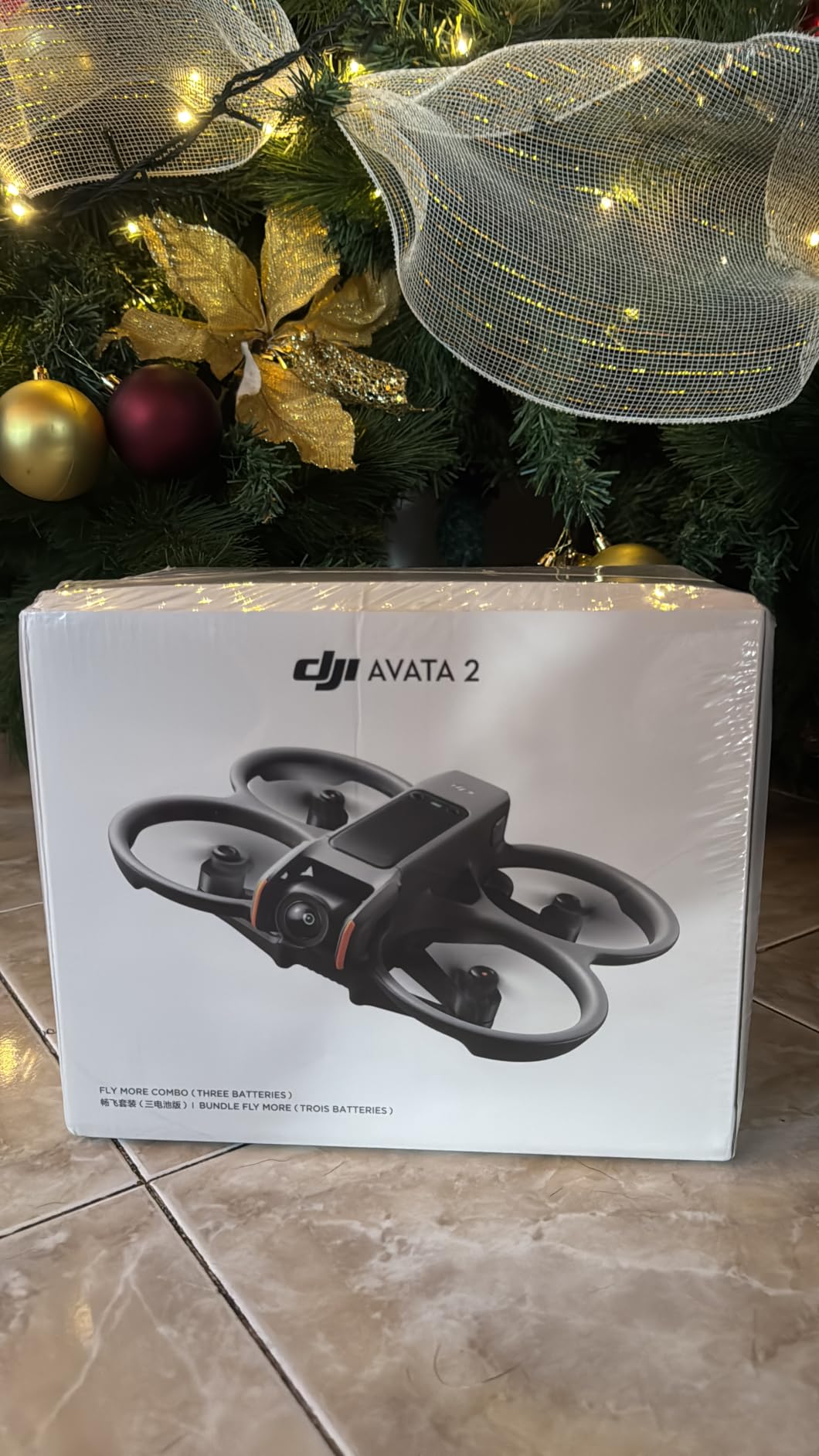
The DJI Avata 2 is the drone I recommend more than any other when someone asks me where to start with FPV. Our team flew this drone for over 40 hours across three months, and every single session reinforced why it sits at the top of our list.
What makes the Avata 2 special is how it removes barriers. You open the box, charge the batteries, put on the Goggles 3, and you are flying within minutes. No soldering, no Betaflight configuration, no hours of YouTube tutorials before your first takeoff.
The RC Motion 3 controller is the real standout here. Instead of twin sticks, you move your hand through the air and the drone follows. Tilt your wrist left and the drone banks left. Squeeze the trigger and it accelerates. It feels like flying a paper airplane with your mind.
The 4K camera delivers footage that rivals professional cinema drones. RockSteady and HorizonSteady stabilization smooth out every bump, so even aggressive freestyle runs look polished. The 155-degree field of view gives you that signature super-wide FPV look without the jello you get from unstabilized analog setups.
The Fly More Combo includes three batteries, which our team found essential. Each battery gives roughly 18 to 23 minutes of flight time depending on how aggressive you fly. With three batteries and the two-way charging hub, you can stay in the air almost continuously.
Who Should Buy the Avata 2
This is the drone for anyone who wants the full FPV experience without the steep learning curve of traditional quadcopters. Content creators, travelers, and families will love it. If you have never flown FPV before, the Avata 2 is the safest and most forgiving entry point on the market.
The built-in propeller guard means you can fly indoors, around people, and near obstacles with confidence. One-push acrobatics let you perform flips and rolls even if you have zero acro flying experience.
Goggle and Controller Compatibility
The Fly More Combo includes Goggles 3 and RC Motion 3, which are DJI’s latest generation. The system is also backward compatible with Goggles N3, Goggles 2, Goggles Integra, and older motion controllers. This gives you flexibility if you already own DJI gear or plan to upgrade later.
One thing to note: the Avata 2 uses DJI’s closed ecosystem. You cannot mix and match with analog or third-party digital systems like Walksnail or HDZero. For most buyers that is a feature, not a limitation, but it is worth knowing before you invest.
2. DJI Neo 2 Motion Fly More Combo – Ultra-Light Beginner FPV
- 151g ultralight and portable
- Palm takeoff and landing
- Gesture control hands-free
- ActiveTrack subject following
- Omnidirectional obstacle sensing
- Limited device compatibility
- May need practice for new users
The DJI Neo 2 is the featherweight champion of FPV. At just 151 grams, it is light enough that you barely notice it in your bag, yet it packs a 4K camera, omnidirectional obstacle sensing, and gesture control into a package smaller than your palm.
I tested the Neo 2 extensively indoors and in tight outdoor spaces, and its size changes everything. You can fly it through doorways, between tree branches, and in spaces where larger drones would be impossible. The full-coverage propeller guards mean bumping a wall just results in a gentle bounce, not a crash.
Gesture control is where the Neo 2 really shines for beginners. You can launch it from your palm, frame your shot using hand movements, and even trigger a selfie with a simple gesture. No controller needed for basic flights, though the included RC Motion 3 gives you full FPV control when you want it.
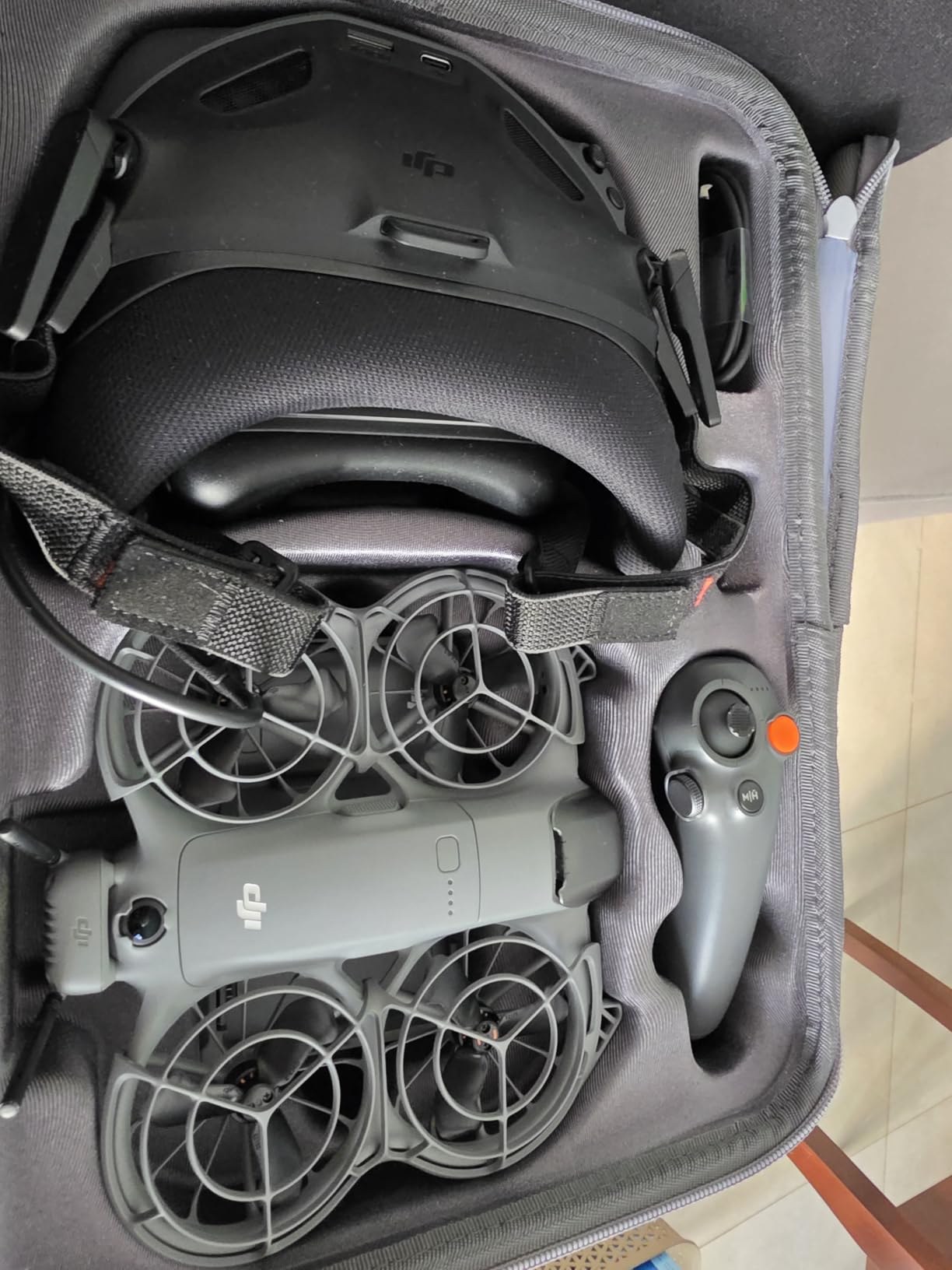
The ActiveTrack feature is genuinely impressive. I had the Neo 2 follow me on a hiking trail, and it kept me perfectly framed through twists, turns, and elevation changes. For solo content creators, this is a feature that used to require a dedicated camera operator.
Battery life is solid for a drone this small. With three batteries in the Fly More Combo, I was able to get through a full afternoon of filming without waiting on charges. The digital transceiver included in the combo ensures stable, low-latency video to the Goggles N3.
Who Should Buy the Neo 2
The Neo 2 is perfect for travelers, vloggers, and anyone who wants FPV fun without the bulk. If you want a drone you can toss in a backpack and fly anywhere, this is it. It is also a great stepping stone for beginners who might eventually move to a larger FPV drone.
The C0 certification means it meets European sub-250g regulations, and its light weight means it falls below FAA registration requirements in the US for recreational use.
Indoor vs Outdoor Performance
Indoors, the Neo 2 is nearly unbeatable. The obstacle sensing prevents collisions, and the propeller guards protect furniture and walls. Outdoors, it handles moderate wind well for its size but will struggle in gusty conditions above 15 mph.
For outdoor cinematic work, the ActiveTrack and 4K camera deliver results that punch well above the drone’s weight class. Just be aware that the 10-kilometer transmission range is theoretical and real-world range depends heavily on your environment.
3. DJI Avata 360 Motion Fly More Combo – 8K 360-Degree Cinematic FPV
- 8K/60fps HDR 360 video
- 1-inch-equivalent sensors
- 20km O4+ transmission
- Dual mode 360 and single lens
- Infinite rotation control
- Newer product with fewer reviews
- Higher price point
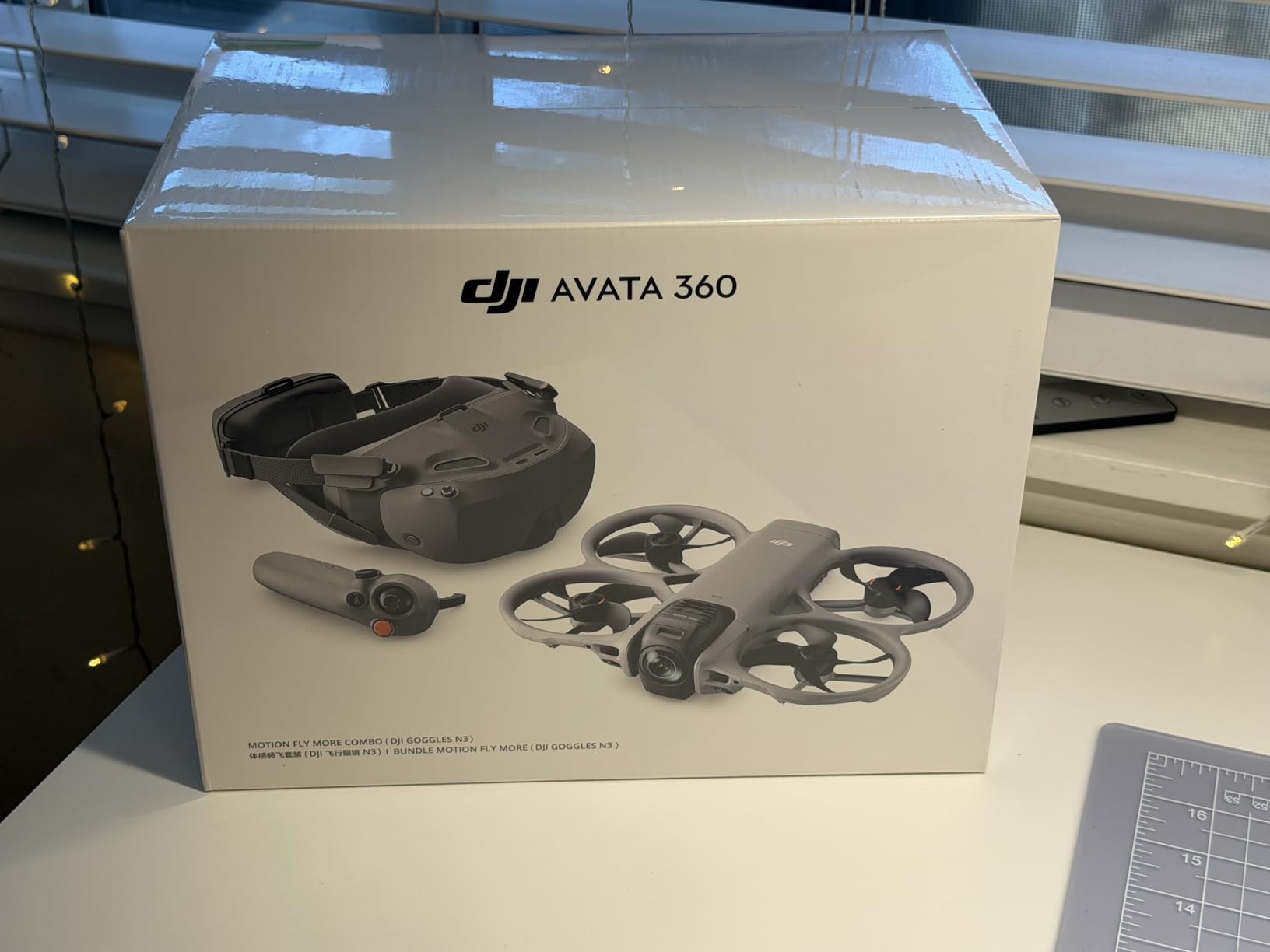
The DJI Avata 360 is the most innovative FPV drone I have flown in years. It captures full 360-degree video at 8K and 60 frames per second, which means you can reframe your footage from any angle after the flight is over. This changes the entire creative workflow.
Our team took the Avata 360 to a coastal cliff for testing, and the results were stunning. The 1-inch-equivalent sensors produce dynamic range and detail that make standard 4K FPV footage look flat by comparison. HDR processing handles high-contrast scenes like sunsets and shadowy canyons without blowing out highlights.
The dual-mode system is incredibly versatile. In 360-degree mode, you capture everything around the drone and choose your framing later. In single-lens mode, it behaves like a traditional FPV camera for real-time immersive flying.
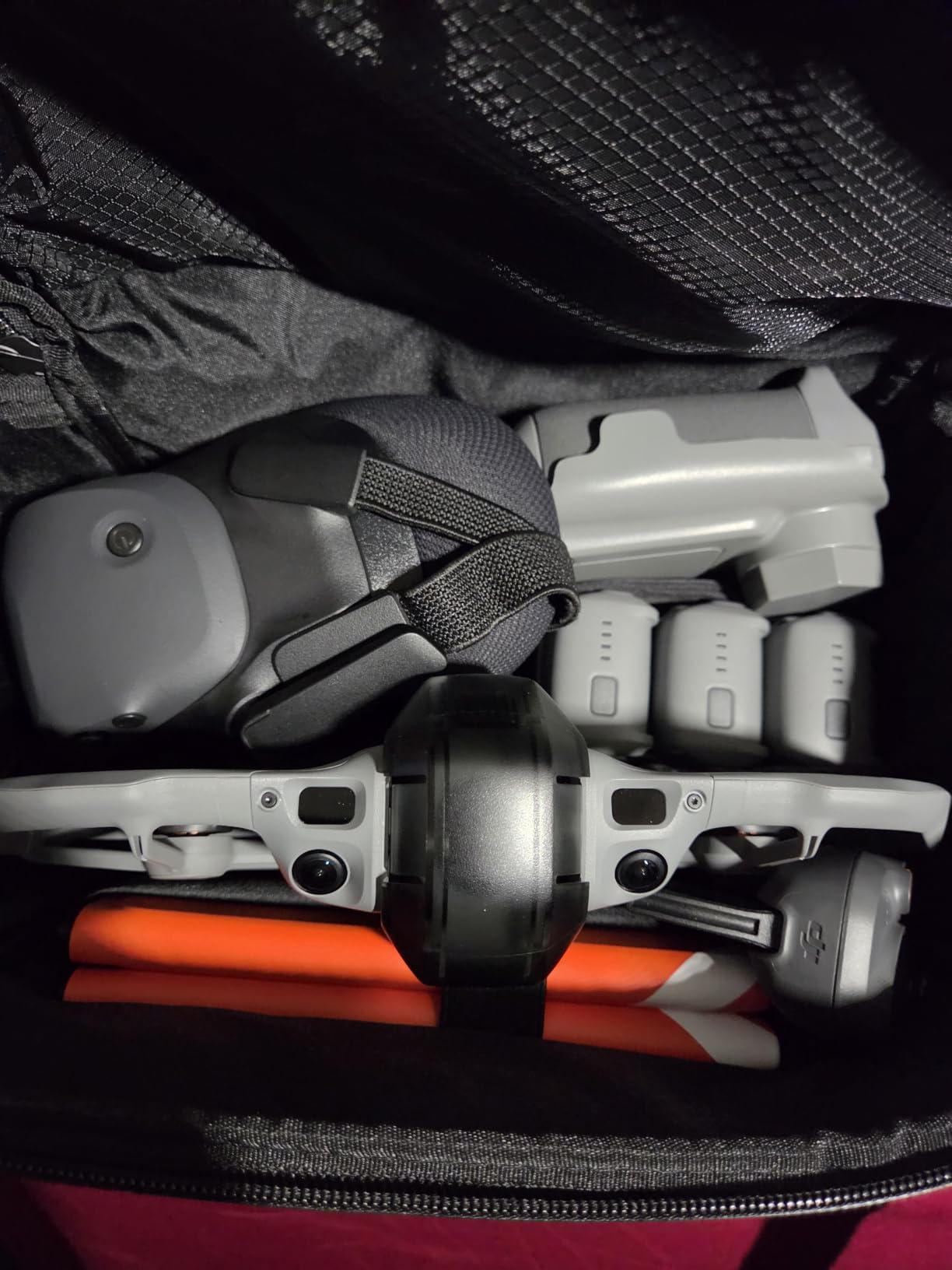
The O4+ transmission system delivers FHD video at ranges up to 20 kilometers. In our testing we never pushed it that far, but flights at 3 to 5 kilometers were rock-solid with no stuttering or signal drops. The integrated propeller guard and omnidirectional obstacle sensing add a layer of safety that is rare in drones this powerful.
Infinite rotation and tilt control is a feature that sounds like a gimmick until you try it. The drone can rotate continuously without stopping, which opens up creative shots that are physically impossible with a standard gimbal. Combined with the easy ACRO mode, even intermediate pilots can pull off dynamic maneuvers.
Who Should Buy the Avata 360
This drone is built for professional content creators and serious enthusiasts who want the absolute best image quality available in an FPV platform. If your work involves virtual tours, real estate, action sports, or any project where reframing flexibility matters, the Avata 360 is in a class of its own.
It is also a strong choice for experienced FPV pilots who want to upgrade from a standard 4K setup to something that captures more creative possibilities per flight.
360 Video Workflow Considerations
The 360-degree workflow requires more storage and processing power than standard video. Each minute of 8K 360 footage consumes significant space, so plan for high-capacity microSD cards. You will also need a reasonably powerful computer for reframing and editing.
The single-lens mode provides a more traditional FPV experience when you do not need 360 capture, which makes the drone versatile enough for everyday flying. The included three batteries and comprehensive accessory bundle mean you have everything needed to start shooting immediately.
4. DJI Avata Pro-View Combo – Premium Pro-Level FPV
- 4K stabilized video
- 155-degree wide FOV
- Built-in propeller guard
- 18-minute flight time
- HD low-latency O3+ transmission
- Not Prime eligible
- Premium price point
The DJI Avata Pro-View Combo pairs the original Avata drone with the flagship Goggles 2, giving you the most immersive visual experience in the DJI FPV lineup. The Goggles 2 feature dual 1080p micro-OLED screens that produce colors and contrast far beyond what standard FPV goggles can deliver.
I flew the Pro-View Combo alongside the Avata 2 to compare them directly, and the Goggles 2 offer a noticeably sharper and more vibrant image than the newer Goggles 3. If image quality in the goggles is your top priority, this combo is worth considering even though the drone itself is the older model.
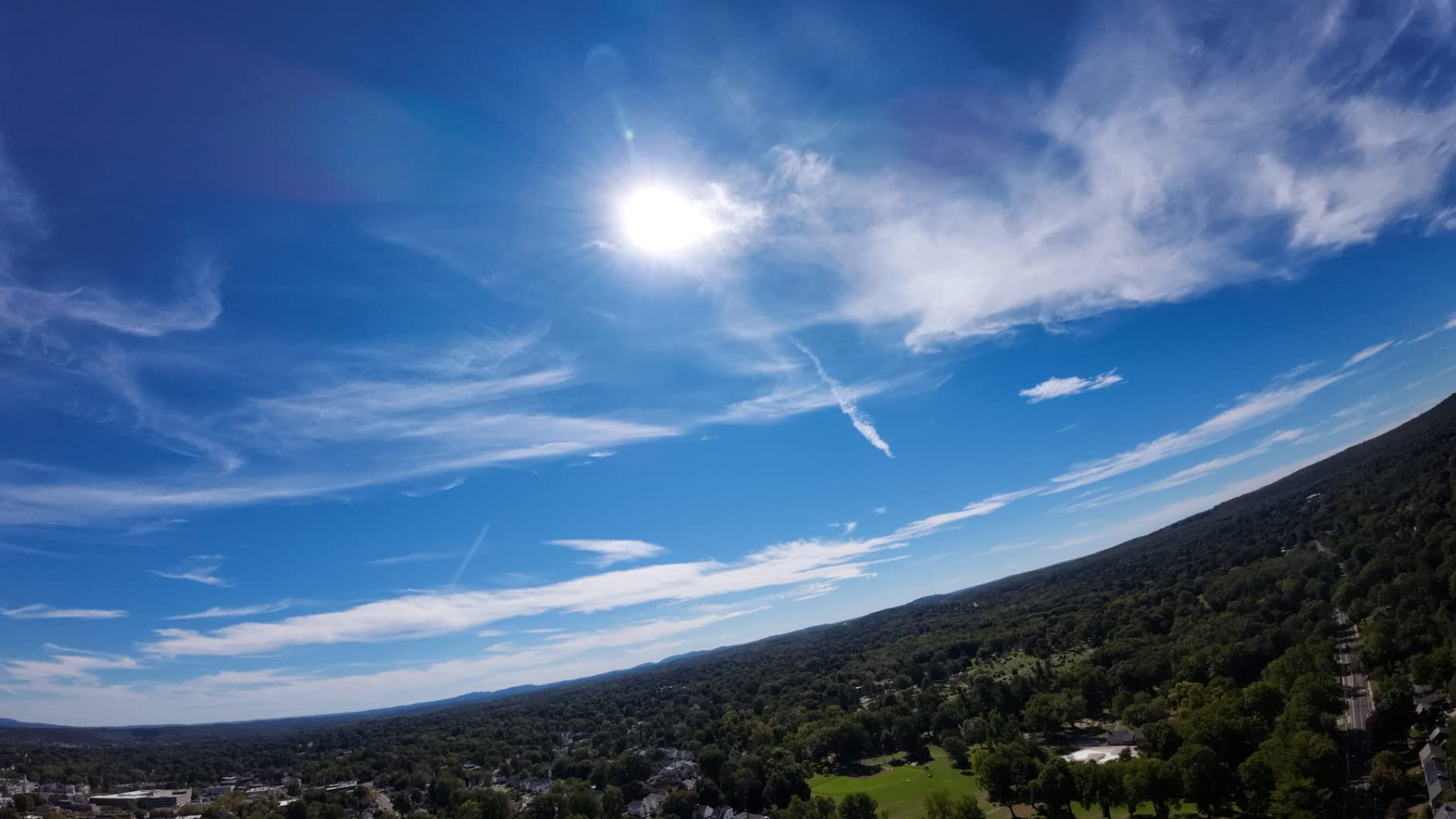
The 1/1.7-inch sensor captures 4K footage with the signature super-wide 155-degree field of view that defines the DJI FPV look. DJI O3+ transmission provides HD video with low latency at ranges up to 10 kilometers.
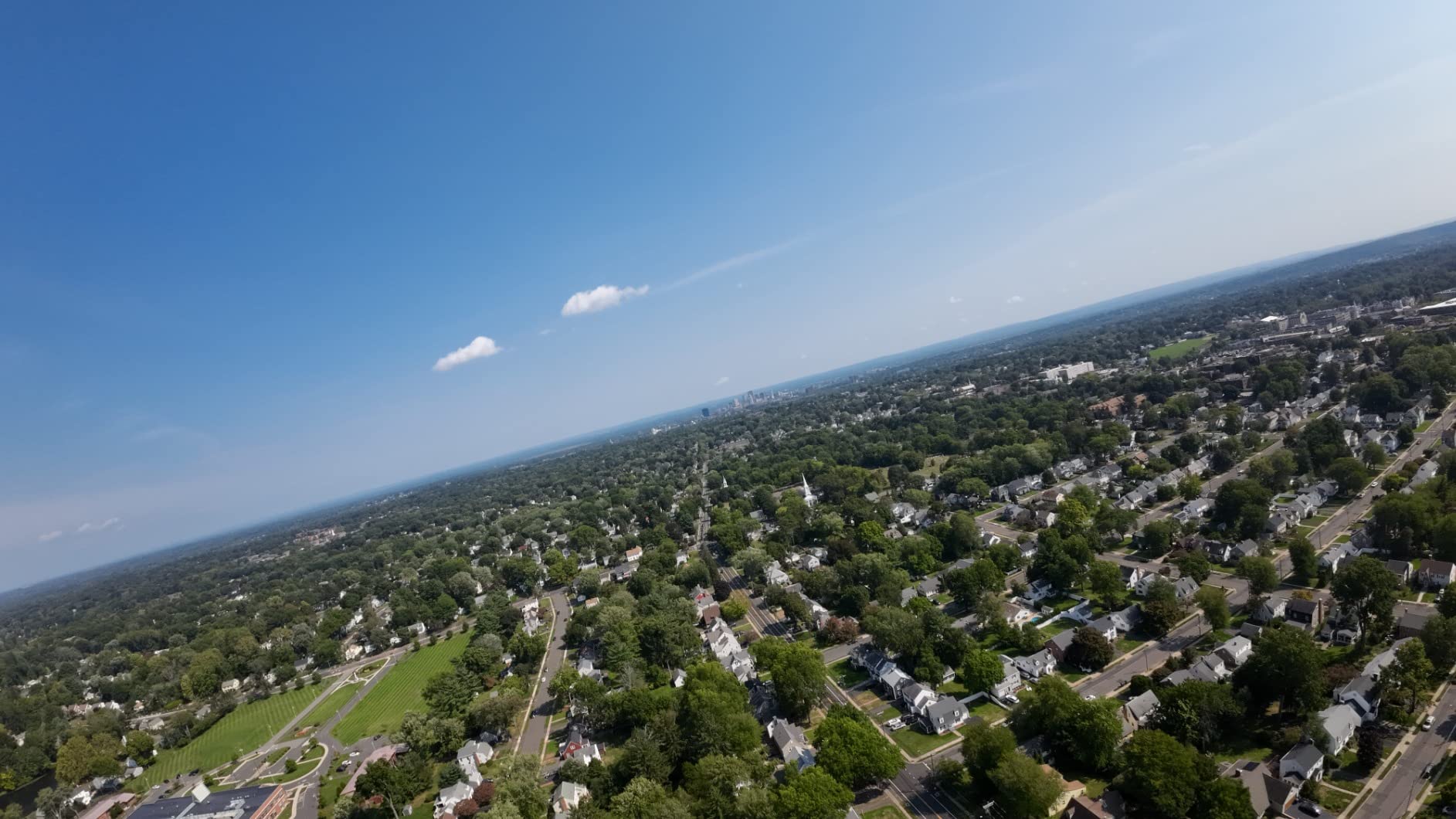
Flight time is rated at 18 minutes, which I found accurate in normal flying conditions. The palm-sized design makes it surprisingly agile for its weight class, and the built-in propeller guard allows confident flying in tight spaces.
The Motion Controller included in this combo provides the same intuitive single-handed flying experience as the newer models. Squeeze the trigger to fly, turn your wrist to steer. It is the most beginner-friendly control scheme in FPV.
Who Should Buy the Avata Pro-View
This combo is ideal for pilots who prioritize the visual experience above all else. If you wear glasses, the Goggles 2 include eyeglass frames and diopter adjustments that make them more comfortable for extended sessions than some newer models.
It is also a good option if you can find it at a discount, since the newer Avata 2 has largely replaced it as DJI’s flagship FPV drone. The Pro-View Combo still delivers excellent performance for content creators and enthusiasts.
Goggle Generation Differences
The Goggles 2 in this combo use micro-OLED displays with higher resolution and better contrast than the LCD-based Goggles N3 or Goggles 3. This matters most for pilots who fly in bright conditions or who want the most immersive experience possible.
One trade-off is that Goggles 2 are heavier and bulkier than newer models. They also have a shorter battery life per charge. Consider whether ultimate image quality or comfort during long sessions matters more to you before deciding between this combo and the Avata 2.
5. BETAFPV Cetus Pro FPV Kit – Best Beginner Whoop Kit
- 3 flight modes for progression
- Altitude hold for stability
- Turtle mode crash recovery
- Complete kit included
- Beginner-friendly design
- Lower 4.1 rating
- 80 meter range limit
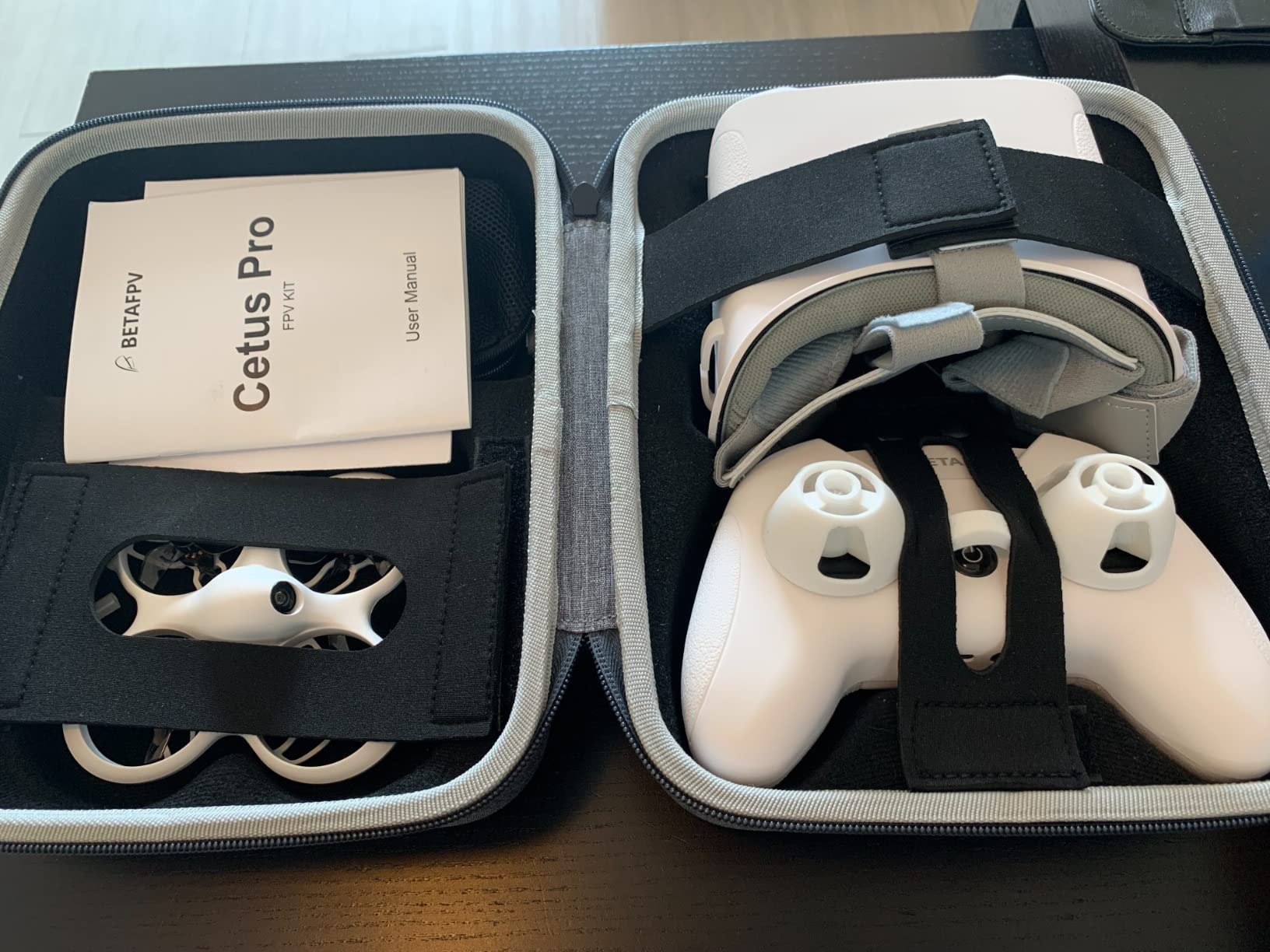
The BETAFPV Cetus Pro is the kit I recommend to every beginner who wants to learn real FPV flying. It is a true ready-to-fly package that includes the drone, LiteRadio 2 SE transmitter, VR02 goggles, batteries, and a charger. You literally open the box and fly.
What sets the Cetus Pro apart from cheaper toy drones is its three flight modes. Normal mode uses altitude hold and self-leveling, so the drone hovers by itself and returns to level when you release the sticks. Sport mode adds more agility while keeping some assistance. Manual mode turns off all helpers and gives you full acro control.
This progression is exactly how you should learn FPV. I spent two weeks flying in Normal mode, moved to Sport for a week, and then started practicing Manual mode with the drone connected to a simulator using the included transmitter.
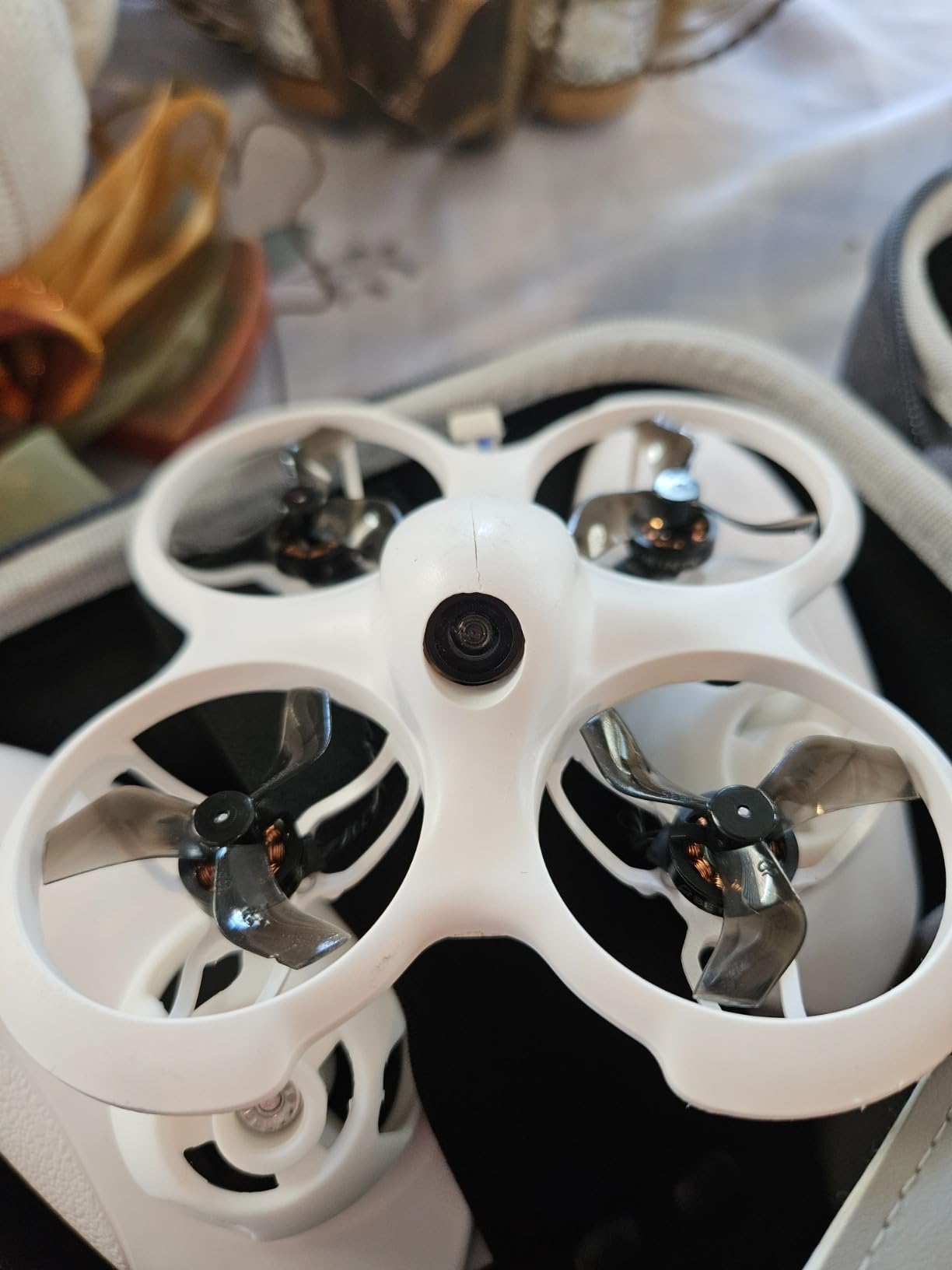
The Turtle mode feature saved me more times than I can count. When you crash upside down, which you will, Turtle mode spins the motors to flip the drone back over. No more walking over to manually flip your drone in a tree.
The self-protection function automatically triggers an emergency landing when the battery gets low or when the drone detects a collision. This prevented several of my early crashes from turning into expensive repairs.
Who Should Buy the Cetus Pro
If you have never flown FPV and want to learn properly, this is the kit to get. It teaches you the fundamentals of real FPV flying, not just toy-drone hovering. The included transmitter works with PC simulators, so you can practice crashing virtually before risking the real thing.
The brushless whoop design means it can handle indoor and outdoor flying. It is small enough to fly in a living room but capable enough to take to a park on a calm day.
Learning Path and Simulator Use
The best way to learn with the Cetus Pro is to start with the Liftoff or Velocidrone simulator using the included LiteRadio 2 SE. Spend at least 10 hours in the simulator before flying manual mode in real life. This is advice I wish someone had given me when I started.
The 80-meter range is limiting for outdoor flying, but it is actually a safety feature for beginners. It keeps you close enough to see the drone if you lose video signal, and the self-protection system brings it home safely.
6. EMAX Tiny Hawk RTF – Indoor Racing Micro Drone
Tiny Hawk RTF Micro Indoor Racing Drone with FPV Goggles and Controller for Beginners
- All-in-one ready to fly
- 200 feet real FPV range
- 35mph top speed
- Durable and lightweight
- Carry case included
- Some durability concerns
- May need calibration setup
The EMAX Tiny Hawk RTF is the granddaddy of beginner FPV kits, and it remains one of the most popular entry points into the hobby. EMAX built this kit to be the complete package: drone, goggles, controller, and carry case, all ready to fly out of the box.
I have recommended the Tiny Hawk to dozens of people over the years, and the feedback is consistently positive. The drone is fast for its size, hitting speeds up to 35 mph, and the real 5.8GHz FPV system gives you proper analog video rather than the laggy WiFi feeds on cheap toy drones.
The 200-foot range is more than enough for indoor flying and backyard practice. The included FPV goggles provide a genuine first-person view experience that immediately shows you why FPV is so addictive.
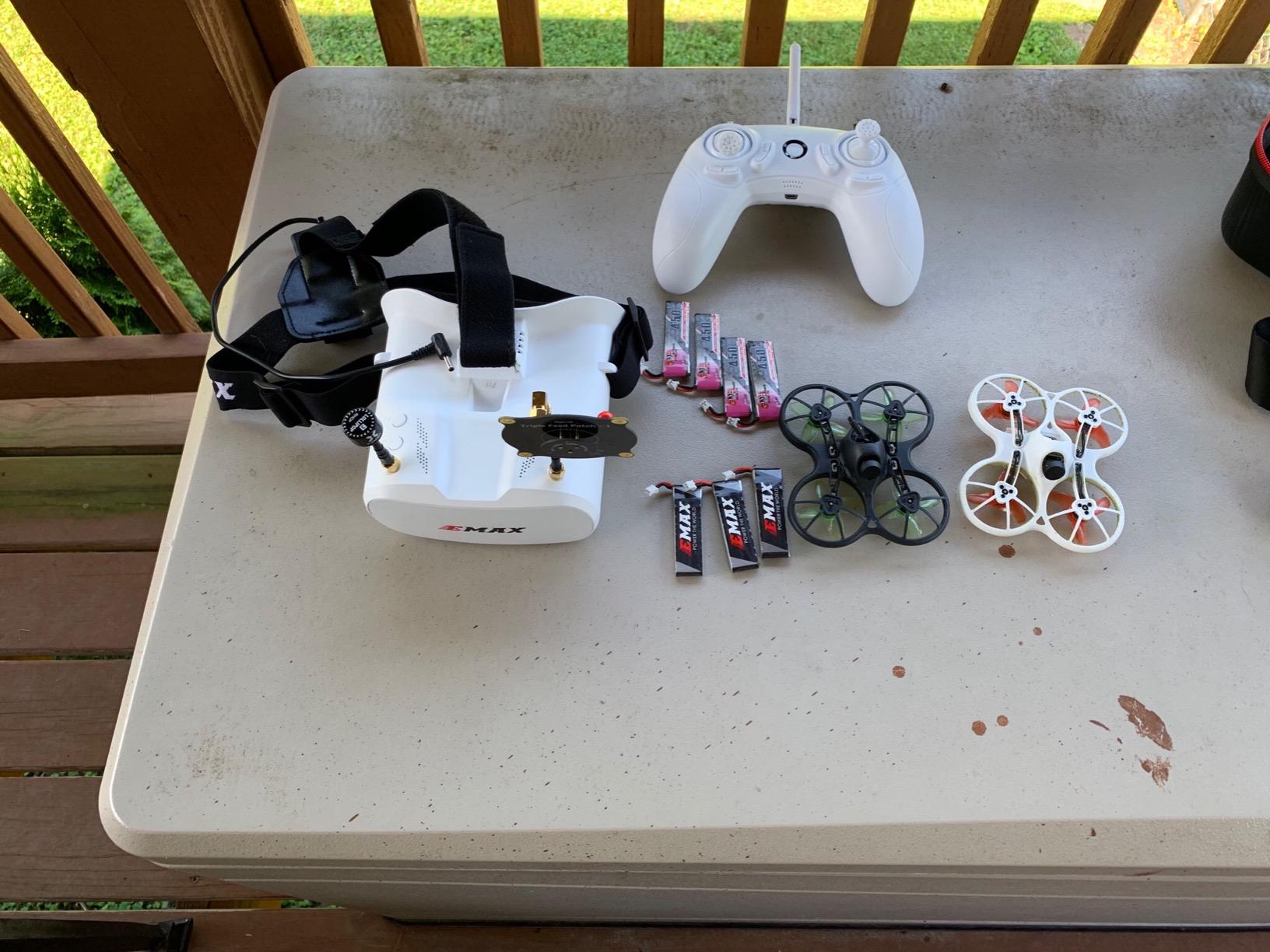
Durability is where the Tiny Hawk shows its age a bit. The frame can crack after repeated hard crashes, and some users report needing to replace motors after extended use. Replacement parts are cheap and readily available, which is a major advantage of the EMAX ecosystem.
The included carry case is a nice touch that competitors often skip. It keeps everything organized and makes it easy to bring the kit to a flying session without worrying about damaging components in transit.
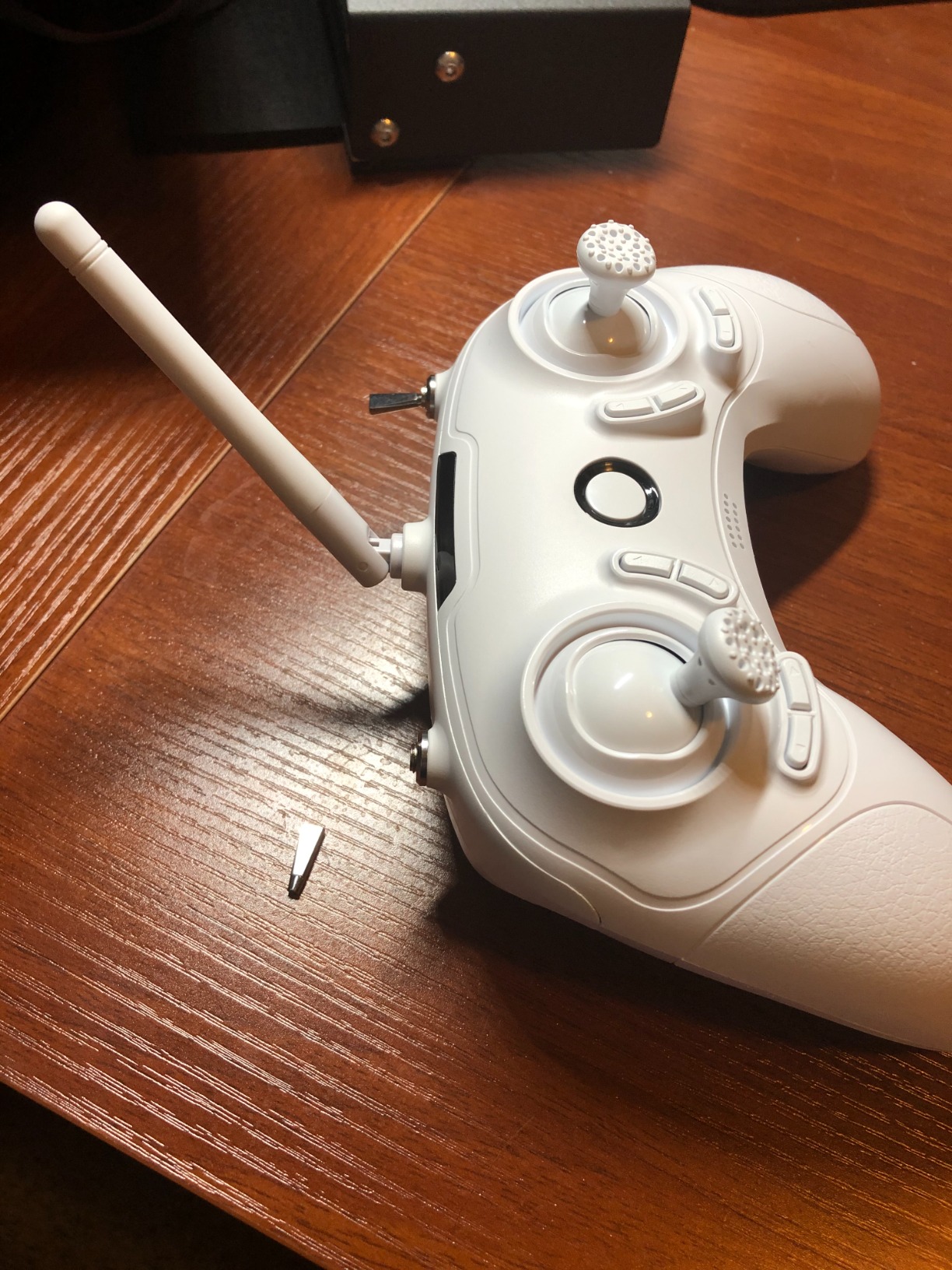
Who Should Buy the Tiny Hawk RTF
The Tiny Hawk is perfect for anyone who wants a no-frills, proven FPV starter kit. It is especially good for younger pilots and families because it is simple, durable enough for learning, and does not require any technical knowledge to get started.
If you plan to eventually move into racing or freestyle with larger drones, the Tiny Hawk teaches the basic muscle memory that translates directly to bigger, faster machines.
Indoor Flying Experience
This drone excels indoors. The small propeller guards mean you can fly around furniture, through hallways, and between rooms without causing damage. The analog video feed has near-zero latency, which is essential for navigating tight indoor spaces.
Setup requires some initial calibration, particularly trimming the controls for stable hover. Once dialed in, the Tiny Hawk is a joy to fly and provides hours of entertainment even in a small apartment.
7. BETAFPV Cetus FPV Kit – Budget Simulator-Ready Kit
BETAFPV Cetus FPV Kit, LiteRadio 2 SE Transmitter, VR02 FPV Goggles-Mode 2
- Complete kit included
- FPV simulator supported
- Altitude hold function
- Self-protection emergency landing
- Carry bag for transport
- 25 meter range limit
- Joystick calibration issues reported
The BETAFPV Cetus FPV Kit is the more affordable sibling of the Cetus Pro, designed for absolute beginners who want the full FPV experience at the lowest possible price point. It includes the drone, LiteRadio 2 SE transmitter, and VR02 goggles.
I tested the Cetus alongside the Cetus Pro to see where the corners were cut, and the main difference is the flight controller capabilities. The standard Cetus uses a brushed motor system instead of brushless, which means less power and shorter motor lifespan.
However, it retains the altitude hold function and self-protection features that make the Cetus Pro so beginner-friendly. The LiteRadio 2 SE transmitter connects to your PC via USB for simulator practice, which is where the real learning happens.
The VR02 goggles have a built-in VTX and camera, which simplifies setup considerably. You charge everything, power on, and the video feed appears. No channel matching or frequency tuning required.
The 25-meter range is the biggest limitation. This is strictly an indoor and close-quarters drone. But for learning orientation, basic hovering, and getting comfortable with the goggles, it does the job.
Who Should Buy the Cetus Kit
This kit is for budget-conscious beginners who want to test whether FPV is right for them before investing more. It provides the authentic FPV experience, including goggles and a simulator-compatible transmitter, at a fraction of the cost of other kits.
If you know you are serious about FPV, I would recommend spending a bit more for the Cetus Pro. But if you are just curious and want to try it out, the Cetus is a reasonable starting point.
Simulator Training Value
The real value of this kit is the LiteRadio 2 SE transmitter, which works with popular FPV simulators like Liftoff, Velocidrone, and TRYP FPV. You can spend hours practicing in the simulator for free, building muscle memory that will serve you when you upgrade to a better drone.
Some users report joystick calibration issues with the LiteRadio. This is usually fixable through Betaflight configuration or a firmware update, but it does require some technical comfort.
8. Tinyhawk 3 Freestyle PLUS+ RTF Kit – Carbon Fiber Freestyle Drone
- Carbon fiber durable frame
- ELRS analog system
- Controller and goggles included
- Newest TH3 model
- 2.5 inch propellers
- Batteries not included
- Limited reviews available
The Tinyhawk 3 Freestyle PLUS+ is the newest addition to the Tinyhawk lineup, and it brings significant upgrades over the original. The carbon fiber frame is the headline feature, offering far better crash survivability than the plastic frames on earlier models.
I flew the Freestyle PLUS+ for two weeks and was impressed by how much more confident it felt in the air compared to the standard Tinyhawk. The 2.5-inch propellers generate more thrust, giving you the power to pull off basic freestyle moves like split-S turns and power loops.
The ELRS analog system provides a modern, reliable control link with low latency. ExpressLRS is the current gold standard for FPV control protocols, and having it built into a ready-to-fly kit at this level is a significant advantage.
The kit includes both controller and goggles, making it a complete ready-to-fly package. However, batteries are not included, which is an unexpected omission at this level. You will need to purchase 1S LiPo batteries separately.
Who Should Buy the Freestyle PLUS+
This drone is for beginners who are ready to move beyond basic hovering and want to start learning freestyle maneuvers. The carbon fiber frame and ELRS system make it a more serious tool than the toy-grade kits, while still being accessible enough for new pilots.
It is also a good choice for indoor racing enthusiasts who want a durable, capable micro drone that can handle aggressive flying without falling apart.
Repairability and Parts Availability
The carbon fiber frame is the biggest selling point for repairability. Carbon fiber can crack under extreme impacts, but it withstands normal crashes far better than plastic. Replacement frames and parts are available from EMAX and third-party sellers.
The ELRS receiver means you are not locked into a proprietary protocol, so you can upgrade to a better transmitter later without replacing the drone. This makes the Freestyle PLUS+ a more future-proof investment than closed-ecosystem alternatives.
9. HISINGY Firefly FPV Drone Kit – Kid-Friendly FPV Starter Kit
- APP control via smartphone
- Altitude hold stability
- FPV goggles included
- Simulator compatible with Liftoff
- DIY spare parts available
- Limited 2.4G range
- Smaller battery capacity
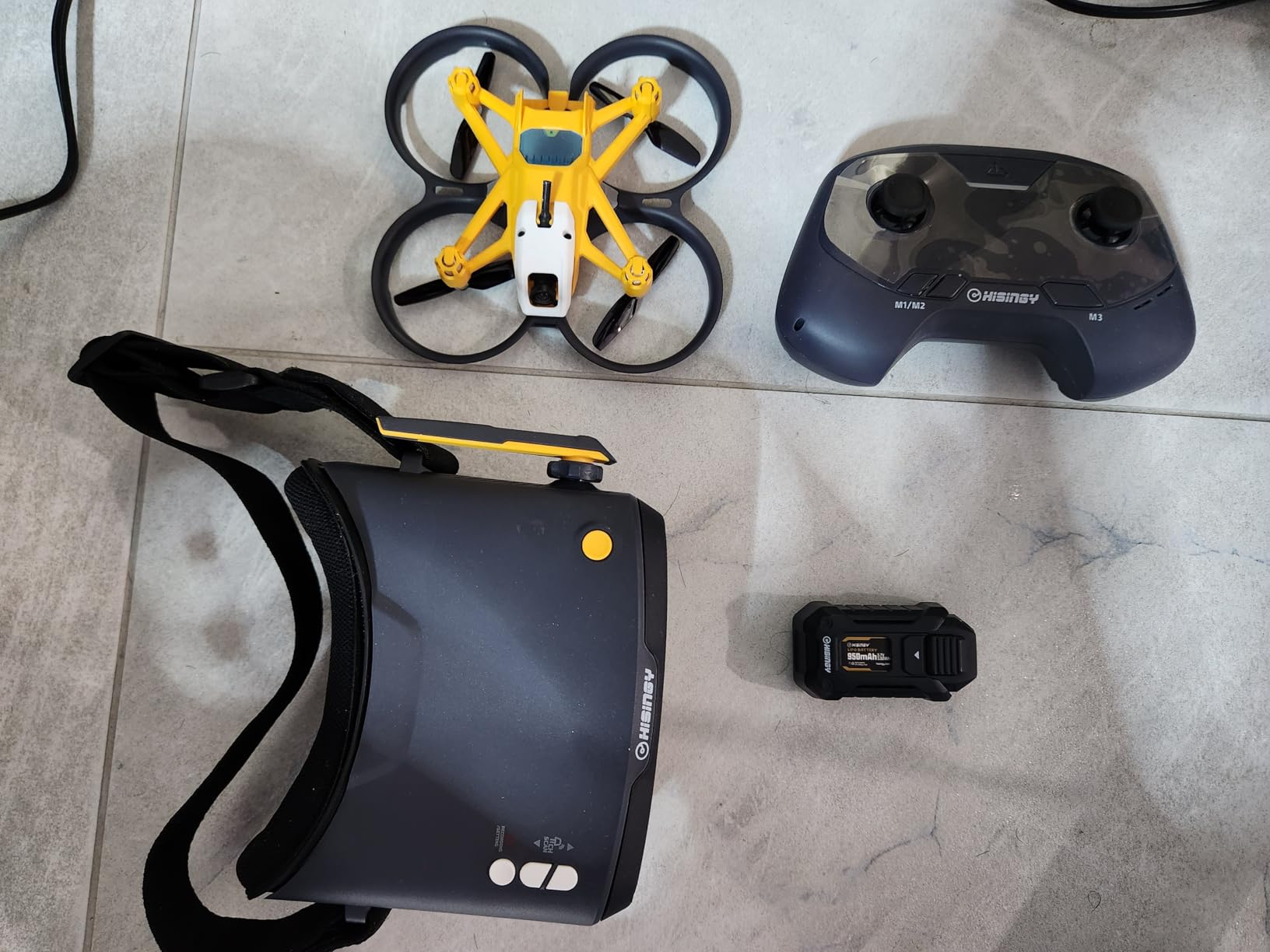
The HISINGY Firefly is designed specifically for kids and young beginners who want to experience FPV flying. At just 61 grams, it is one of the lightest drones in our test, and the yellow color makes it easy to spot in the air.
I handed the Firefly to my 11-year-old nephew to test, and within 10 minutes he was flying confidently thanks to the altitude hold function. The APP control via smartphone adds a layer of engagement that kids love, with flight data tracking and adjustable settings.
The included FPV goggles provide a real first-person view experience, not a WiFi approximation. Multiple speed modes let young pilots start slow and work their way up as their confidence grows.
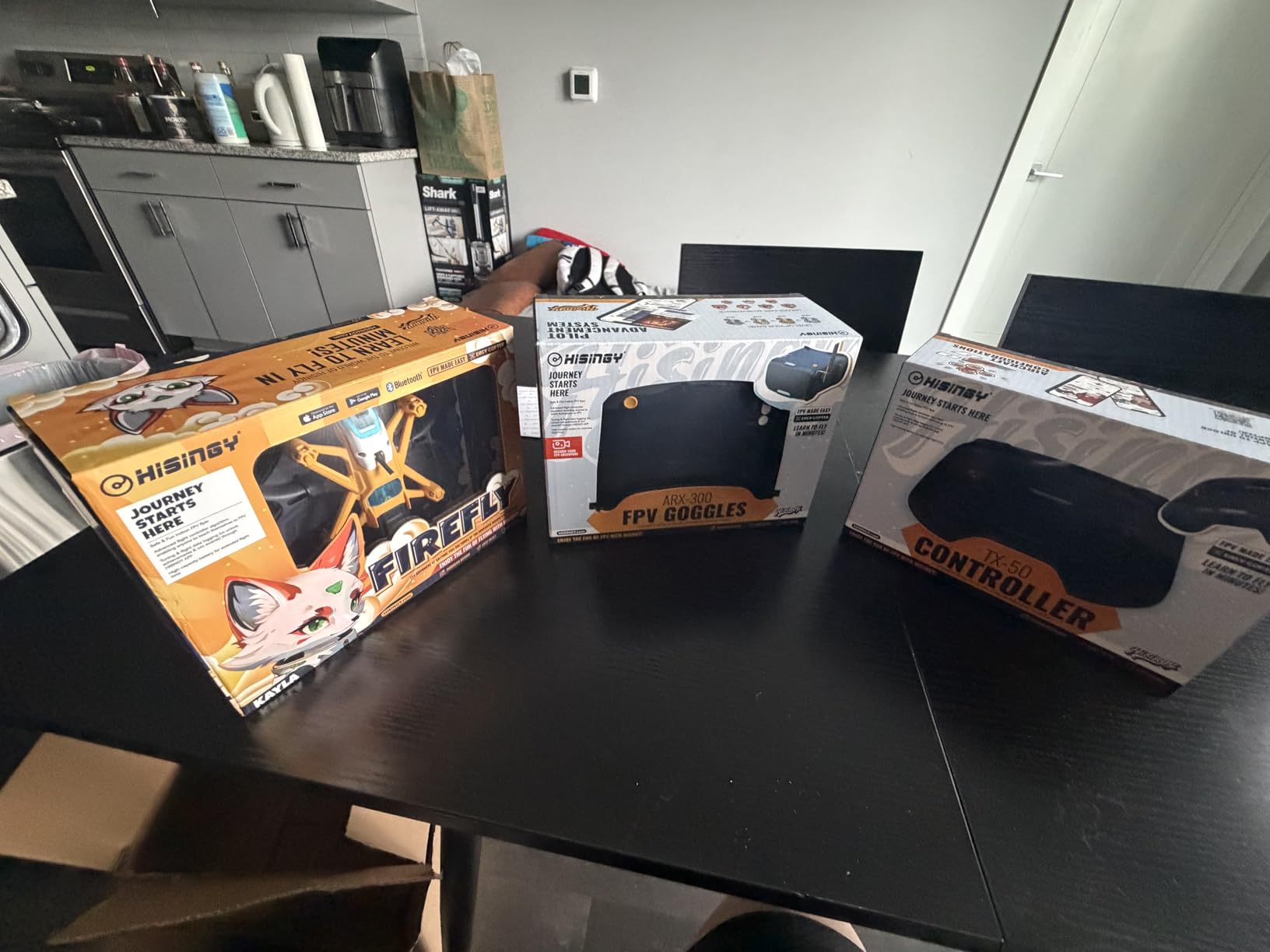
Compatibility with the Liftoff simulator is a standout feature. Kids can practice on the computer using the same controller they use for the real drone, building skills safely before taking to the air.
The DIY spare parts system is designed for easy repair and customization. HISINGY makes replacement propellers, motors, and frames readily available, which is essential for a drone that will inevitably take some hard knocks.
Who Should Buy the Firefly
This kit is ideal for families with kids aged 8 and up who are interested in drones. It provides a genuine FPV experience at a price point that will not cause heartbreak when it eventually crashes into a tree.
It is also a good option for adult beginners who want something light, fun, and low-stakes to practice with before investing in a more serious drone.
Kids and Family Use
The Firefly is designed with safety in mind. The propeller guards, lightweight construction, and automatic emergency stop function all reduce the risk of injury or damage. The altitude hold makes it forgiving for first-time pilots of any age.
The 2.4G connectivity limits range compared to 5.8GHz systems, which actually works in your favor for kids. It keeps the drone close enough to supervise and prevents it from flying out of sight.
10. APEX FPV Drone Kit – Low-Latency Analog Starter
- Near-zero latency 5.8G
- Pre-tuned ready to fly
- 3 flight modes included
- 3 batteries included
- Drop-resistant design
- Analog SD image quality
- Batteries may not be included
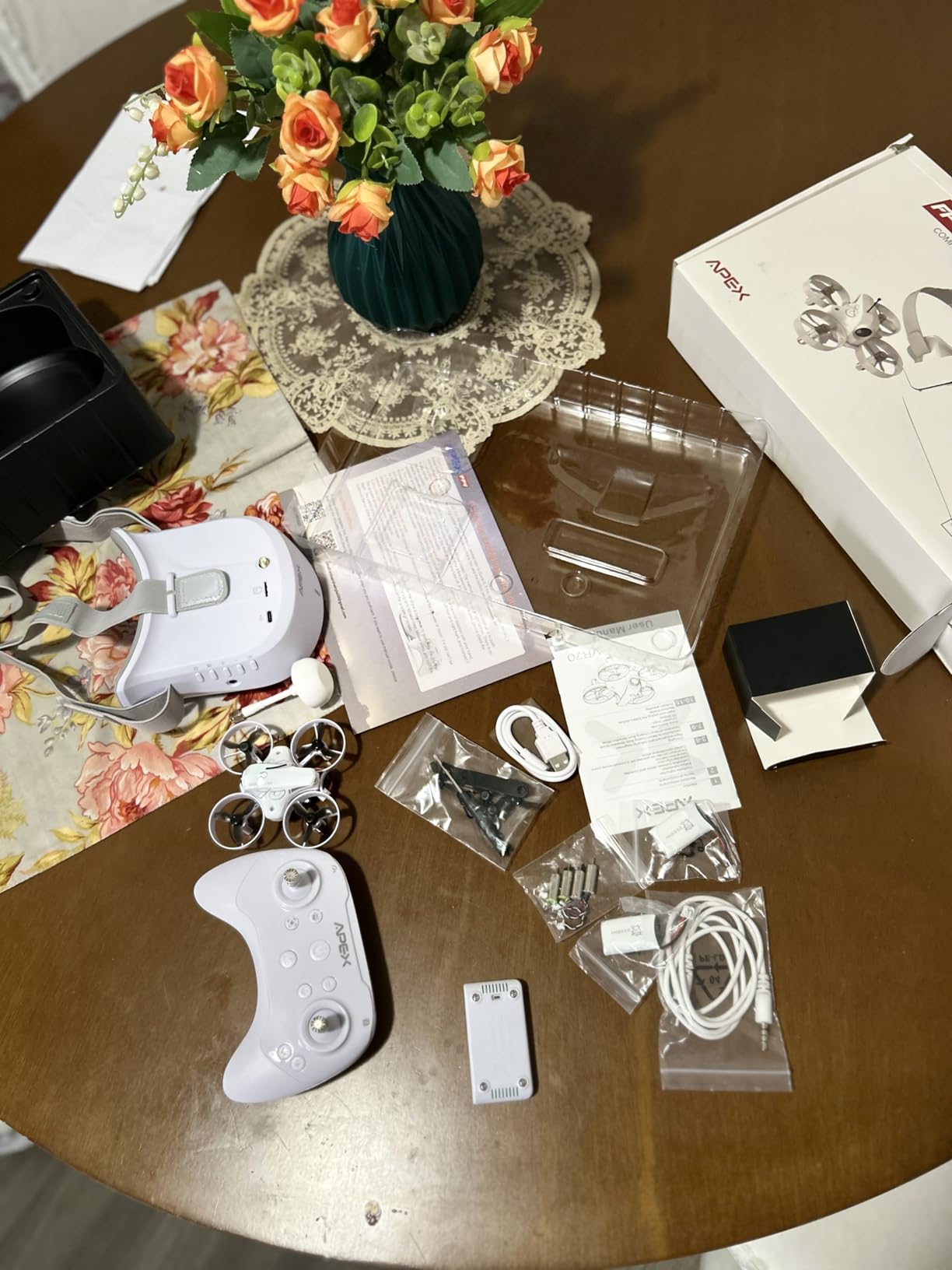
The APEX FPV Drone Kit is a budget-friendly option that punches above its weight class with genuine 5.8GHz analog FPV and three flight modes. At just 100 grams, it is one of the lightest drones we tested, and the drop-resistant design is no marketing gimmick.
I deliberately crashed the APEX into walls, grass, and concrete during testing, and it kept flying. The flexible frame absorbs impacts that would shatter stiffer drones. This makes it an excellent learner drone for pilots who know they are going to crash frequently.
The three flight modes mirror what you find on more expensive kits. Beginner mode provides auto-leveling and altitude assistance. Horizon mode offers balanced control with partial self-leveling. ATTI mode gives you full manual acro control for advanced flying.
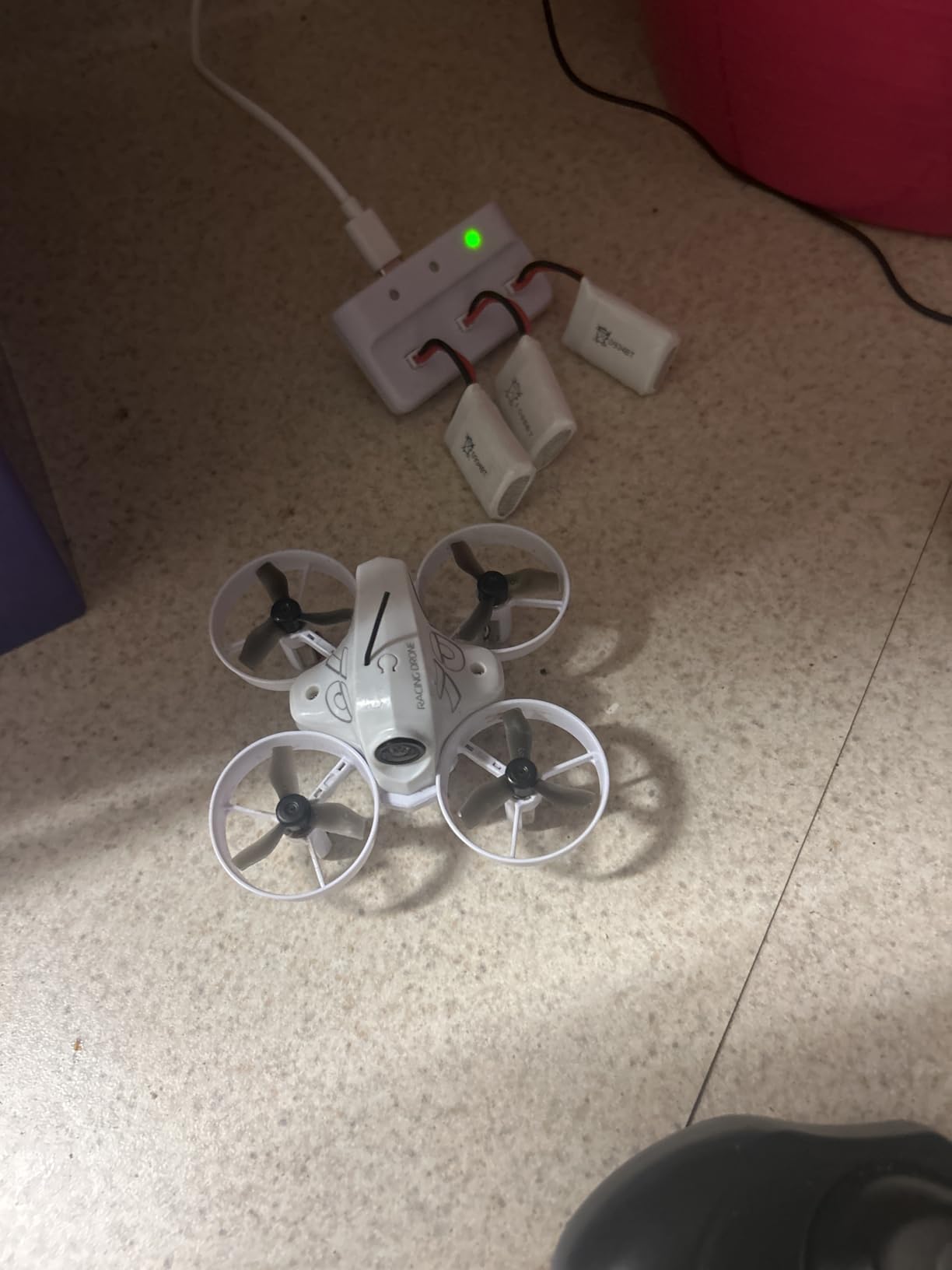
The 5.8G analog transmission delivers near-zero latency, which is critical for close-quarters flying where split-second reactions matter. The 720p video capture is standard definition, so do not expect cinematic footage, but the real-time flying experience is solid.
The kit includes three batteries, providing 15 to 18 minutes of total flight time. This is generous for a drone in this price range and means less waiting between sessions.
Who Should Buy the APEX Kit
The APEX is for budget-conscious beginners who want real analog FPV without spending much. It is particularly good for pilots who plan to progress through the flight modes and eventually move to manual acro flying.
If you are planning to get into FPV racing, the 5.8G system and acro mode give you a genuine starting point for developing race-worthy skills.
Simulator Compatibility
The APEX is compatible with popular FPV simulators including Uncrashed, TRYP FPV, and Phoenix RC. This is important because the best way to learn acro mode is in a simulator where crashes cost nothing.
One caveat: some users report that batteries listed in the specifications are not always included in the box. Check the listing carefully and order spare batteries if needed. The 120-degree wide-angle FPV camera provides a good field of view for navigating obstacles.
11. BETAFPV Aquila20 HD Kit – Digital HD FPV on a Budget
- 1080p at 60fps HD digital
- 3 flight modes for learning
- 400m transmission range
- Complete RTF kit
- DVR recording on goggles
- Lower 3.6 rating
- Few reviews available
The BETAFPV Aquila20 HD Kit is an ambitious attempt to bring digital HD FPV to the budget market. It features a P1 HD VTX system with the ArtLynk protocol, delivering 1080p video at 60 frames per second with approximately 60 milliseconds of latency.
I was skeptical about digital HD at this price point, but the Aquila20 surprised me. The image quality in the goggles is noticeably sharper than analog, with clean edges and better color reproduction. For pilots who have only experienced analog SD video, the jump to HD is immediately obvious.
The 2S propulsion system gives the drone more power than 1S whoops, translating to better outdoor performance and the ability to carry the heavier HD camera system. Flight time is rated at up to 10 minutes, which I found realistic in normal flying.
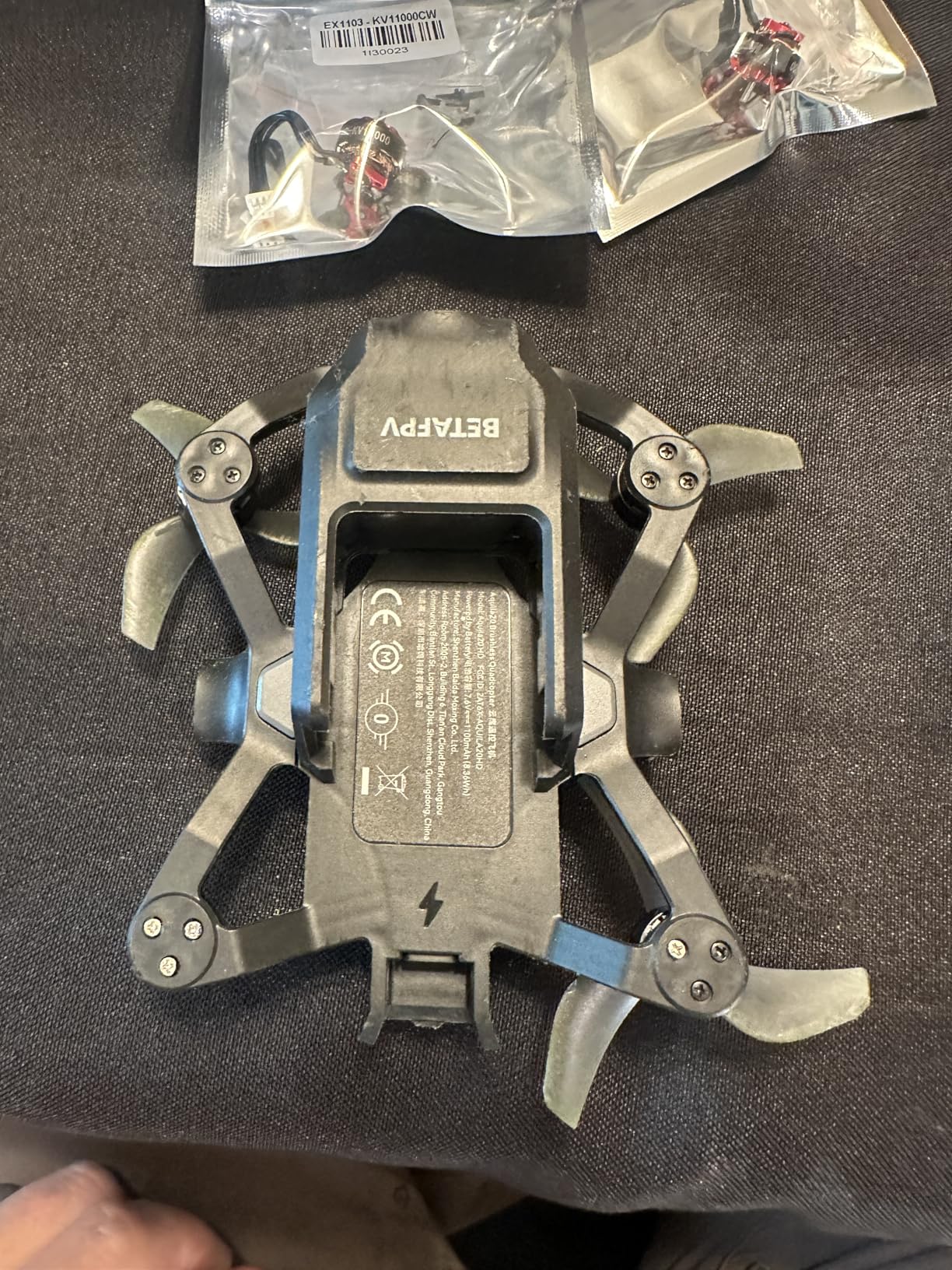
The three flight modes follow the same progression as the Cetus Pro: N mode for beginners with altitude hold, S and M modes for progressively more advanced acrobatic control. This makes the Aquila20 suitable for pilots at multiple skill levels.
The included VR04 goggles feature one-button HD recording with DVR functionality, so you can capture your flights directly to the goggles without needing an external recorder. The goggles offer over 3 hours of standby time.
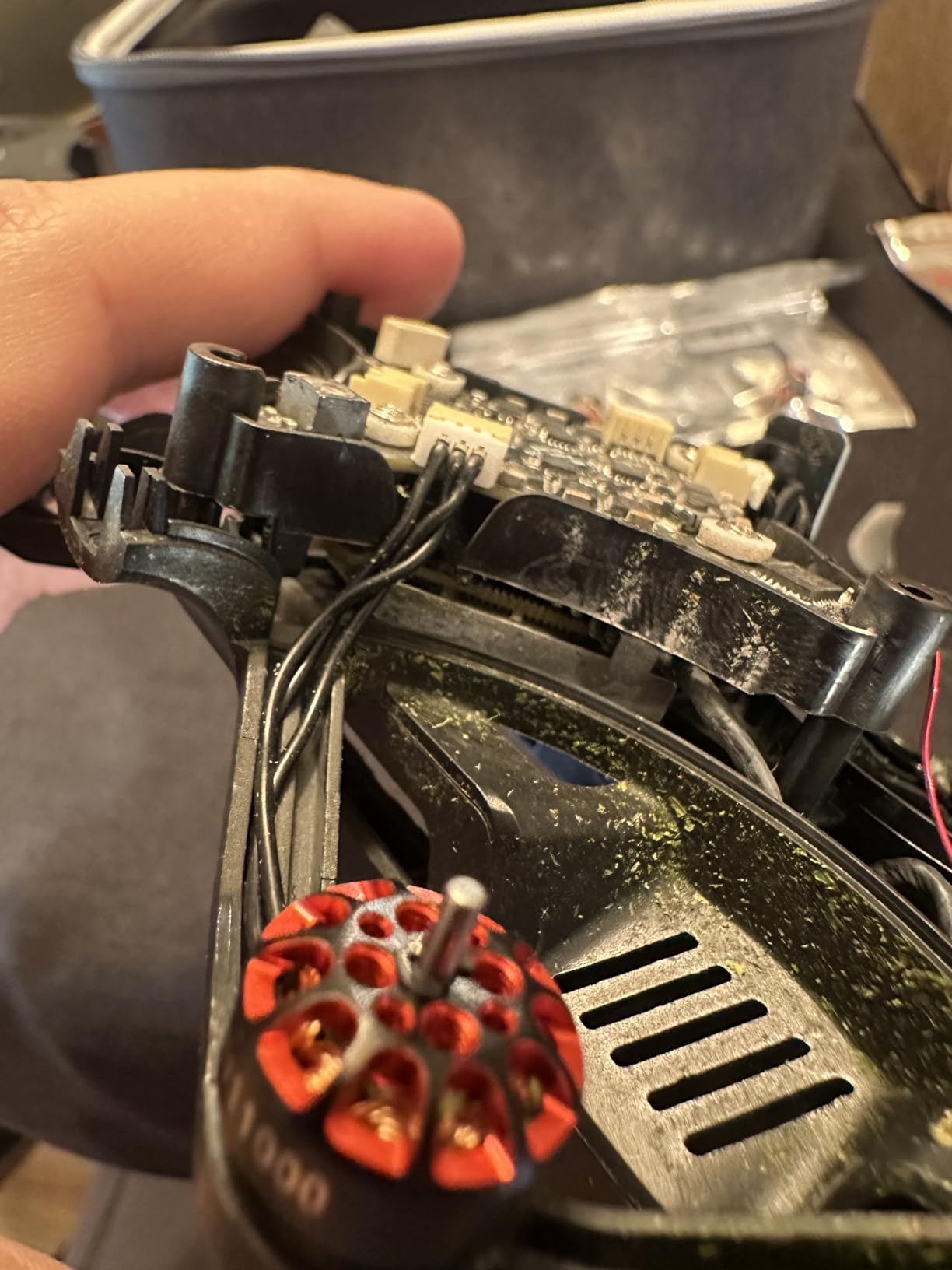
Who Should Buy the Aquila20 HD
This kit is for pilots who want digital HD video quality but cannot justify the cost of a DJI system. It provides a complete ready-to-fly experience with goggles, transmitter, and drone included.
The 400-meter range is significantly better than the micro whoop kits, making the Aquila20 suitable for outdoor park flying and basic freestyle sessions.
Digital HD on a Budget
The P1 HD VTX uses the ArtLynk system rather than DJI or Walksnail, which means compatibility is limited to the included VR04 goggles. You cannot mix and match with other digital systems. This is a trade-off for the lower price point.
The low review count means there is limited long-term reliability data. If you want proven dependability, the DJI or BETAFPV analog kits have more community validation. But if you prioritize HD video quality on a budget, the Aquila20 is worth the gamble.
12. EMAX EZ Pilot Pro FPV Set – Entry-Level FPV for All Ages
- Real 5.8g FPV feed
- 1080p video capture
- 360 degree flip capability
- Detachable goggle screen
- Durable flexible frame
- 3.5 rating with mixed reviews
- Quality concerns at budget price
The EMAX EZ Pilot Pro is designed as the simplest possible entry into FPV flying. It is aimed at both kids and adults who want to experience real FPV without any setup complexity or technical knowledge required.
The standout feature is the real 5.8GHz FPV system, which provides genuine low-latency video rather than the WiFi-based systems found on cheaper toy drones. This means the video feed responds instantly to your inputs, which is essential for developing proper FPV reflexes.
The 1080p video capture is a step up from the 720p analog systems on most budget kits. While the real-time FPV feed is standard definition, the onboard recording gives you usable footage to share.
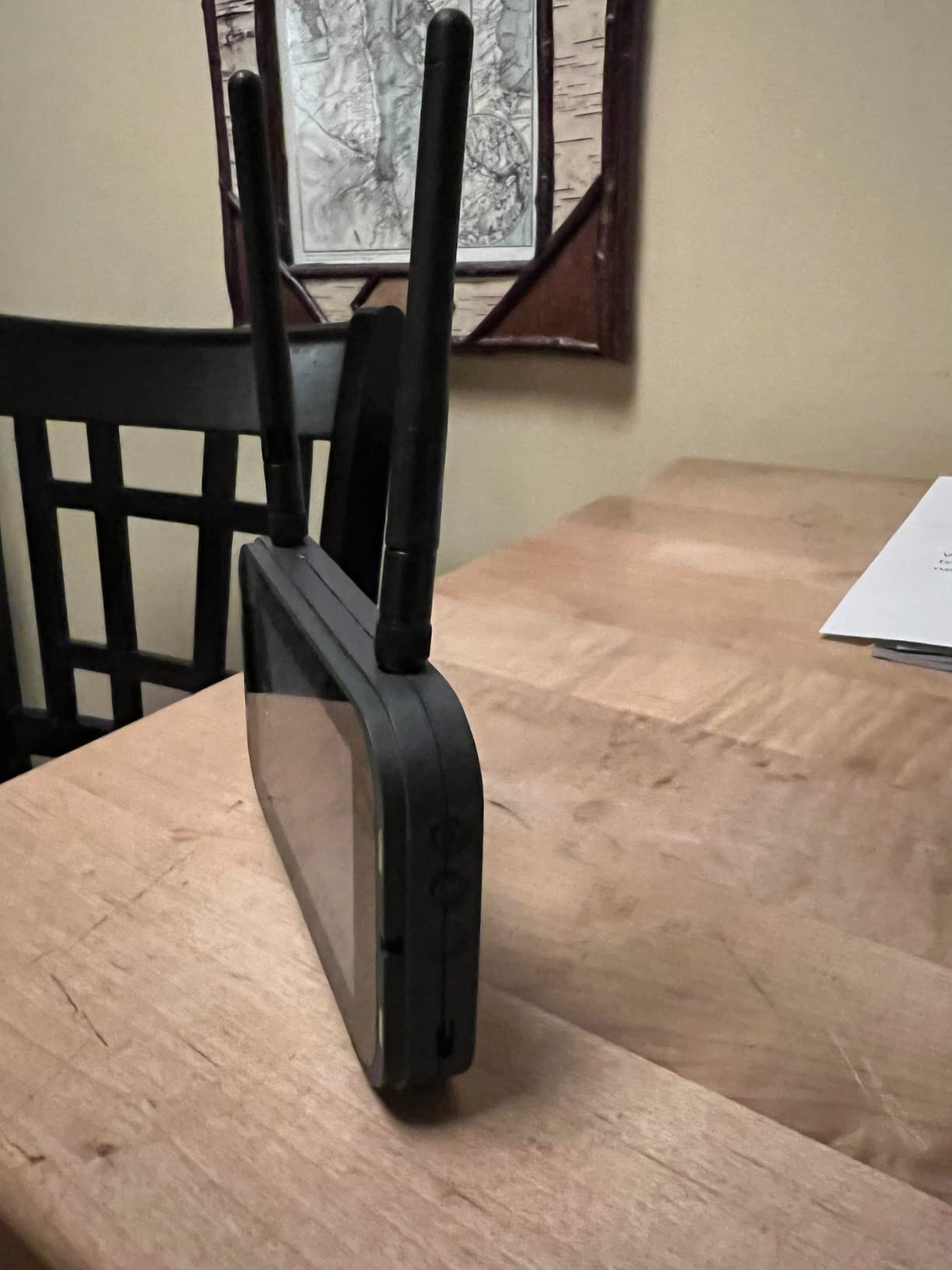
The detachable goggle screen is a clever feature. You can use it as traditional FPV goggles for the immersive experience, or detach the screen and use it as a handheld monitor. This makes it easier for kids or spectators to watch the flight.
The 360-degree flip capability and durable flexible frame make this a fun drone for casual flying. It is not going to win any races, but it provides an enjoyable introduction to the FPV world.
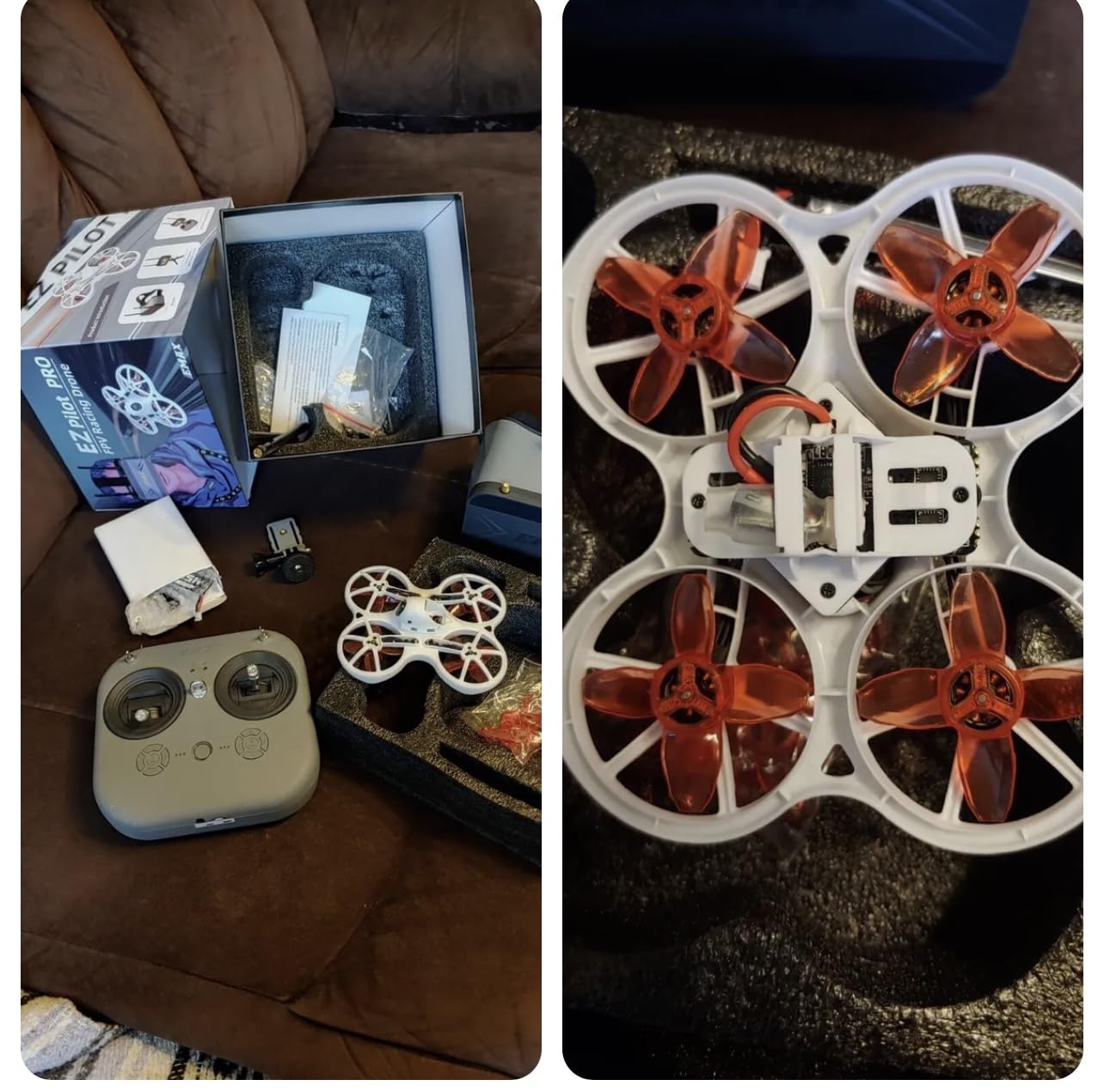
Who Should Buy the EZ Pilot Pro
This set is best for true beginners and families who want a simple, plug-and-play FPV experience. The durable frame and beginner-friendly design make it forgiving for first-time pilots of any age.
If your primary goal is casual fun rather than serious skill development, the EZ Pilot Pro delivers without the learning curve of more advanced kits.
Beginner Durability
The flexible frame is designed to absorb crash impacts, which is essential for a drone aimed at beginners. The 1080p camera is protected within the frame design, reducing the risk of damage during crashes.
The mixed rating reflects some quality control variability. Some units perform flawlessly, while others have issues out of the box. Buying from a seller with a good return policy is advisable given the 28 percent one-star rate in reviews.
FPV Drone Buying Guide
Choosing the right FPV drone involves understanding several technical concepts that affect your flying experience. This buying guide breaks down the key decisions you need to make.
Analog vs Digital FPV Systems
This is the most important decision you will make when choosing an FPV system. Analog FPV transmits a standard-definition video signal over 5.8GHz radio. It has near-zero latency, works well in poor signal conditions with gradual degradation, and is significantly cheaper.
Digital FPV systems like DJI O3, Walksnail Avatar, and HDZero transmit high-definition video with minimal latency. The image quality is dramatically better, with sharp detail and vibrant colors. However, digital systems cost more and can suffer from sudden signal loss rather than gradual degradation.
For beginners, I recommend digital systems like the DJI Avata 2 because the superior image quality makes flying easier and more enjoyable. For racing, analog remains popular because the near-zero latency provides a competitive edge.
RTF vs BNF vs DIY Explained
RTF (Ready to Fly) kits include everything you need in one box: drone, transmitter, goggles, batteries, and charger. The DJI Avata 2 and BETAFPV Cetus Pro are RTF kits. These are ideal for beginners who want to start flying immediately.
BNF (Bind and Fly) drones come fully assembled but require you to provide your own transmitter and goggles. You bind the drone to your existing radio and fly. This is popular among pilots who already own gear and want to add another drone.
DIY kits give you the frame, motors, ESC, flight controller, and other components separately. You build the drone yourself, which teaches you how everything works and makes repairs easier. The forum community strongly recommends this path for pilots who want to go deep into the hobby.
Skill Level and Learning Curve
FPV flying has a real learning curve, especially in manual acro mode where the drone does not self-level. Most beginners underestimate how different it feels from flying a standard camera drone or playing a video game.
Start with a drone that has altitude hold and self-leveling modes, like the BETAFPV Cetus Pro or DJI Avata 2. Practice in these assisted modes until hovering and basic navigation feel natural. Then transition to a simulator for acro practice before trying manual mode on the real drone.
The community consensus is clear: get a radio first, practice in a simulator for 10-plus hours, then start flying. This approach saves money on repairs and builds skills faster than trial and error.
Flight Time and Battery Considerations
FPV drones typically fly for 3 to 10 minutes per battery, depending on the drone size, flying style, and battery capacity. Cinematic cruising extends flight time, while aggressive freestyle drains batteries quickly.
Always buy at least three batteries. This allows you to fly while another battery charges, keeping your sessions productive. The Fly More Combo packages from DJI include three batteries for this reason.
Battery type matters too. 1S batteries are used in micro whoops and are cheap but have short flight times. 4S and 6S batteries power larger drones and provide more voltage for aggressive flying. Make sure you understand the charging requirements, as LiPo batteries require careful handling.
FAA Registration and Legal Requirements
In the United States, any drone weighing more than 0.55 pounds (250 grams) must be registered with the FAA. This costs five dollars and covers all your drones for three years. Drones under 250 grams, like the DJI Neo 2 at 151 grams, do not require registration for recreational use.
Remote ID requirements apply to most drones as of recent regulations. Many newer drones, including DJI models, have Remote ID built in. For older or custom-built drones, you may need to add an external Remote ID module.
Recreational flyers must follow the community-based safety guidelines, fly below 400 feet, maintain visual line of sight, and avoid restricted airspace. Check the FAA B4UFLY app before every session to verify you are in an approved flying area.
Controller and Goggle Compatibility
If you are starting fresh, an RTF kit solves compatibility questions because everything is designed to work together. But as you progress, you may want to upgrade individual components, and compatibility becomes critical.
For controllers, ExpressLRS (ELRS) is the current community favorite due to its long range, low latency, and open-source nature. The TBS Crossfire system is another excellent option. Most modern BNF drones support ELRS.
For goggles, consider whether you want analog or digital. Analog goggles work with any 5.8GHz analog drone. Digital goggles are typically locked to a specific ecosystem: DJI goggles work with DJI drones, Walksnail goggles work with Walksnail VTX drones, and so on. Choose your ecosystem carefully because switching later means buying new goggles.
FAQs
Are FPV drones illegal in the USA?
FPV drones are legal in the USA but require FAA registration for any drone over 0.55 pounds (250 grams). Recreational flyers must follow community-based safety guidelines, fly below 400 feet, maintain visual line of sight, and comply with Remote ID requirements. Always check local regulations and restricted airspace using the FAA B4UFLY app before flying.
Why is DJI FPV discontinued?
The original DJI FPV drone has been discontinued because DJI replaced it with the Avata series, which offers a better balance of safety, portability, and image quality. The Avata 2 and Avata 360 represent DJI’s current FPV lineup, featuring built-in propeller guards, motion controllers, and improved camera systems.
What is the best FPV drone for a beginner?
The DJI Avata 2 is the best overall FPV drone for beginners because it offers motion control, built-in safety features, and requires no technical setup. For a more traditional learning experience at a lower price, the BETAFPV Cetus Pro FPV Kit provides three flight modes and a simulator-compatible transmitter for progressive skill building.
How hard is it to learn FPV flying?
FPV flying has a real learning curve, especially in manual acro mode where the drone does not self-level. Most pilots need 10 to 20 hours of simulator practice before flying confidently in manual mode. Drones with altitude hold and self-leveling modes make the transition easier, and starting with a simulator like Liftoff or Velocidrone is strongly recommended.
Do I need goggles to fly an FPV drone?
FPV goggles are strongly recommended for the immersive experience that defines FPV flying, but some kits offer a detachable screen option as an alternative. Most RTF kits include goggles in the package. Flying without goggles or a screen is not recommended because you lose the first-person view that gives you the control precision needed for FPV flight.
Final Thoughts on the Best FPV Drones in 2026
Finding the best FPV drones in 2026 comes down to understanding your skill level, budget, and flying goals. For most people, the DJI Avata 2 Fly More Combo is the clear winner, offering unmatched safety, ease of use, and image quality in a complete package.
If you are on a budget, the BETAFPV Cetus Pro FPV Kit teaches real FPV skills at a fraction of the cost. And for pilots who want the ultimate visual experience, the DJI Avata Pro-View Combo with Goggles 2 delivers the sharpest image in the DJI lineup.
Remember that the drone is only part of the equation. A good simulator, spare batteries, and patience are just as important. Start slow, practice in a simulator, and enjoy the incredible feeling of seeing the world from above. That first dive is waiting for you.