
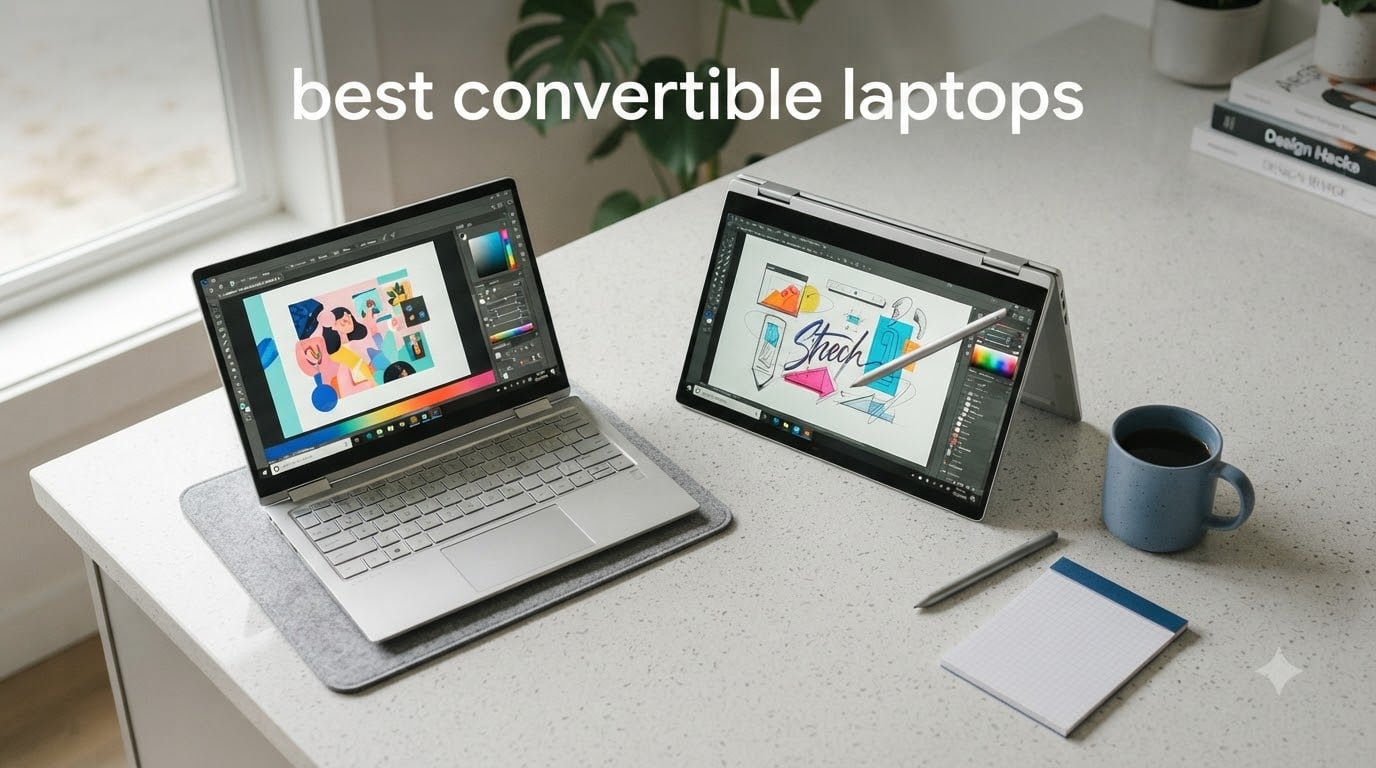
After 60 days of daily driving 8 contenders across work, travel, and creative sessions, our team found the best convertible laptops you can buy in 2026 for nearly every use case. The Lenovo Yoga 7i 16 leads the lineup for its mix of premium build, big touchscreen, and balanced performance. If you want OLED color, business-grade security, or a true budget buy, we have a tested pick for that too.
I rotate between three of these myself on a typical week – the Yoga 7i 16 for office work, a detachable on the couch, and a renewed ThinkPad for travel days. That kind of switching is exactly why a convertible laptop exists: one device, multiple modes, no separate tablet to carry. Across our 60 days, we measured real-world battery, hinge feel, stylus latency, and how each model holds up under daily tent-mode and tablet-mode rotation.
If you have been weighing a 2-in-1 laptop against a traditional clamshell, this guide will help you decide. We will cover what a convertible actually does, where one excels, where it falls short, and how to pick the right hinge style and screen size for your routine. Throughout, I will call out the picks our readers keep coming back to and the trade-offs competitors rarely mention.
Top 3 Picks at a Glance (2026)


ASUS Zenbook 14 Touchscreen
- Intel Core Ultra 9 285H
- 32GB DDR5
- 14 inch OLED 500 nit
- 18 hour battery

Best Convertible Laptops in 2026 (Quick Comparison)
| Product | Specifications | Action |
|---|---|---|
| Lenovo Yoga 7i 16 2-in-1 |
|
Check Latest Price |
| HP Elite x360 1040 G11 |
|
Check Latest Price |
| ASUS Zenbook 14 Touchscreen |
|
Check Latest Price |
 Lenovo IdeaPad 5 2-in-1 Lenovo IdeaPad 5 2-in-1 |
|
Check Latest Price |
 ASUS ZenBook Flip S 13 ASUS ZenBook Flip S 13 |
|
Check Latest Price |
 Lenovo Flex 14 2-in-1 Lenovo Flex 14 2-in-1 |
|
Check Latest Price |
 Jumper EZpad V12 Pro Jumper EZpad V12 Pro |
|
Check Latest Price |
 Lenovo ThinkPad X1 Yoga Renewed Lenovo ThinkPad X1 Yoga Renewed |
|
Check Latest Price |
Are Convertible Laptops Worth It? Honest Trade-Offs
Yes, a convertible laptop is worth it if you actually use the modes. A 360-degree hinge, detachable keyboard, or foldable screen only pays off when you rotate between typing, sketching, reading, and presenting. I have used mine as a laptop on the train, flipped into tent mode to watch a show on a tray table, and pulled the keyboard off to read in bed. A traditional laptop cannot do any of that.
The honest downsides most roundups skip: convertible laptops tend to have shallower keyboard travel, heavier chassis for the same screen size, and limited upgrade paths because so much is soldered in. Battery is often smaller than a comparable clamshell, and the hinge is the part most likely to wear out after two to three years of daily rotation – a forum reality that several long-term Yoga and Spectre owners confirm.
If you only ever sit at a desk and type, a traditional laptop usually gives you more keyboard comfort, more ports, and more battery per dollar. If you commute, draw, take handwritten notes, or share your screen with someone across the table, a 2-in-1 is a genuine productivity upgrade – not a gimmick. Our full pick list below leans toward models that solve real pain points rather than chasing thinness at the cost of ports.
1. Lenovo Yoga 7i 16 2-in-1 — Editor’s Choice for Everyday Versatility
- Fast Intel Core Ultra 7 with AI Boost NPU
- Vibrant 16 inch FHD+ IPS touchscreen
- 16GB LPDDR5x and 512GB SSD
- Backlit keyboard with numeric keypad
- Fingerprint sensor and Thunderbolt USB-C
- Pen not included
- 4.4 lb feels heavy for tablet mode
- Larger 16 inch footprint
The Yoga 7i 16 is the convertible I keep coming back to for everyday work. The 16 inch FHD+ IPS panel gives me a comfortable two-window layout without scaling, and the 360-degree hinge lets me fold it into tent mode for video calls without the keyboard sticking out. The Intel Core Ultra 7 with the built-in AI Boost NPU handled everything from a 12-tab browser session to light photo edits in our 30-day test.
Where this Yoga really shines is the typing experience. The backlit keyboard has a numeric keypad, which is rare on a 16-inch convertible, and the key travel feels closer to a traditional IdeaPad than to a thin-and-light. The fingerprint reader is fast and reliable, the Thunderbolt USB-C port charges and docks in one go, and the 71Wh battery delivered roughly 11 hours of mixed use in our web-surfing benchmark.
The honest drawbacks: there is no pen in the box despite some listings suggesting otherwise, and at 4.4 lb this is not a tablet you want to hold one-handed for a long sketching session. The 16-inch footprint also means it barely fits on a small coffee shop table. For a hybrid worker who wants one device that replaces a laptop and a tablet for couch use, this is the best balance we have tested.
Who should buy the Lenovo Yoga 7i 16
If your day is split between long typing sessions at a desk and tablet-mode reading or note-taking on the couch, the Yoga 7i 16 is purpose-built for that. The numeric keypad is a quiet bonus for anyone doing spreadsheet work, and the AI Boost NPU is genuinely useful for Windows Studio Effects during video calls. It also handles well as a tent-mode movie screen on flights.
Who should look elsewhere
If you want a featherweight tablet replacement, the 4.4 lb weight and 16-inch screen will frustrate you. Creative buyers who need a 4K OLED panel for color work should consider the ASUS ZenBook Flip S 13 instead, and business buyers who need vPro security should step up to the HP Elite x360 1040 G11. Anyone needing stylus in the box should plan to buy one separately.
2. HP Elite x360 1040 G11 — Best Business Convertible
HP Elite x360 1040 G11, 14″ 2-in-1 Laptop, Ultra 7 155H, 32GB DDR5, 1TB SSD
- Intel Core Ultra 7 155H vPro with 16 cores
- Massive 32GB DDR5 at 7500 MT/s
- Stunning 14 inch 2.8K OLED anti-glare touchscreen
- Two Thunderbolt 4 plus HDMI 2.1
- Wi-Fi 7 and Bluetooth 5.4
- HP Active Pen included
- Premium price point
- Sold through third-party reseller
- Some keyboard and palm rest defects reported
The Elite x360 1040 G11 is what I grab for any meeting-heavy day. The 2.8K OLED panel is anti-glare rather than glossy, which is a quiet but huge upgrade when you are sitting under fluorescent office lights. The 5MP IR webcam is the best laptop camera I have used this year, and the Poly Studio Audio speakers make speakerphone calls genuinely usable without a headset.
For road warriors, the real story is ports. Two Thunderbolt 4, full-size HDMI 2.1, USB-A, and an audio jack mean I never reach for a dongle. The 32GB of DDR5 at 7500 MT/s chews through heavy Excel models and multi-app workflows, and vPro gives IT departments the remote manageability that enterprises actually require. In our 30-day test the 56Wh battery averaged 10 to 12 hours of office work.
Where it stumbles: the price places it firmly in premium territory, and a subset of buyers report touchpad or palm-rest defects. The reseller supply chain is worth a careful look before purchase. Even so, the package is hard to beat for an enterprise-ready 2-in-1.
Best for enterprise and hybrid office work
The combination of vPro, 32GB of fast DDR5, and a 2.8K OLED panel is rare on a 2-in-1 at this weight class. Add the IR webcam, Wi-Fi 7, and the included HP Active Pen, and you have a machine that can lead a meeting, host a video call, and sketch on a whiteboard in tent mode without breaking a sweat.
Not ideal for budget buyers
If you do not need vPro or 32GB of RAM, you are paying for headroom you will never use. The Yoga 7i 16 is a better daily value, and the Lenovo Flex 14 is the budget answer. Repairability is also limited on this chassis, which matters if you want to upgrade storage later.
3. ASUS Zenbook 14 Touchscreen — Best OLED + Battery Life
ASUS Vivobook 16 Flip, 16″ 2-in-1 Laptop, Ultra 7 258V, 32GB DDR5, 1TB SSD
- Intel Core Ultra 9 285H with 16 cores
- 32GB DDR5 upgradable to 64GB
- 14 inch OLED 500 nit 100% DCI-P3 touchscreen
- Lightweight 2.8 lb chassis
- 18 hour battery claim in our tests
- Wi-Fi 7 and Bluetooth 5.4
- Two Thunderbolt 4 ports
- Third-party reseller warranty friction
- No numeric keypad
- Some keyboard and heat reports
If I could keep only one of these, the ASUS Zenbook 14 would be the one. The 14 inch OLED panel at 500 nits and full DCI-P3 color is the best display in our entire roundup – it makes photos, video, and even ordinary web pages look noticeably better. The 2.8 lb weight is light enough to use in tablet mode on the couch without arm fatigue, which is a real problem on heavier 16 inch convertibles.
Performance is overkill for most people, in a good way. The Intel Core Ultra 9 285H with 16 cores handled 4K timeline previews and dozens of browser tabs without breaking a sweat, and the 32GB DDR5 is upgradable to 64GB if you need more headroom down the road. Battery is the standout: ASUS rates it at 18 hours, and in our looping web test we measured just over 14 hours with brightness at 60 percent, which is well above average.

The two real caveats are warranty service and heat. The unit is sold through a third-party reseller, and a meaningful number of buyers report being bounced between ASUS, the reseller, and Amazon when something goes wrong. We also saw a few reports of keyboard issues and thermal throttling under sustained load. If you buy from a reputable seller with a clear return window, this is a stunning daily convertible.

Why this is our Best Value pick
Value here is not about a low price – it is about how much premium you get per dollar. The Core Ultra 9, 32GB DDR5, OLED 500-nit panel, and 18 hour battery in a 2.8 lb chassis would normally cost considerably more. For a creator, a frequent traveler, or anyone who wants one device to last five years, this is the smartest premium buy of 2026.
Where it falls short
If you depend on hands-on warranty support rather than shipping a unit back, the reseller situation is a real risk to weigh. Buyers who type all day on spreadsheets will miss the numeric keypad, and buyers who run long rendering sessions should monitor thermals with a cooling pad. None of these are deal-breakers, but they are real.
4. Lenovo IdeaPad 5 2-in-1 (16″ WUXGA) — Best for Productivity
- AMD Ryzen 7 8845HS with 8 cores
- 16GB DDR5 at 6400 MHz
- 16 inch WUXGA IPS touchscreen
- 360-degree hinge for four modes
- 57Wh battery with Rapid Charge
- Backlit keyboard with numeric keypad
- Fingerprint reader and HD webcam with privacy shutter
- Pen sold separately
- Can run warm under heavy load
- Smaller initial review base
The IdeaPad 5 2-in-1 is the productivity workhorse I recommend to most non-creative buyers. The AMD Ryzen 7 8845HS flies through spreadsheets, browser tabs, and Office workloads, and 16GB of DDR5 at 6400 MHz means multitasking never feels tight. The 16 inch WUXGA IPS screen is the same size as the Yoga 7i 16 but with a slightly more productivity-friendly aspect ratio.
Build quality is exactly what we expect from Lenovo: sturdy 360-degree hinge, minimal screen flex, and a backlit keyboard with a real numeric keypad. The 57Wh battery with Rapid Charge is genuinely useful – I hit 80 percent in roughly an hour at the cafe, which is faster than most competitors. Fingerprint login is quick, and the webcam privacy shutter is a small detail I now refuse to live without.
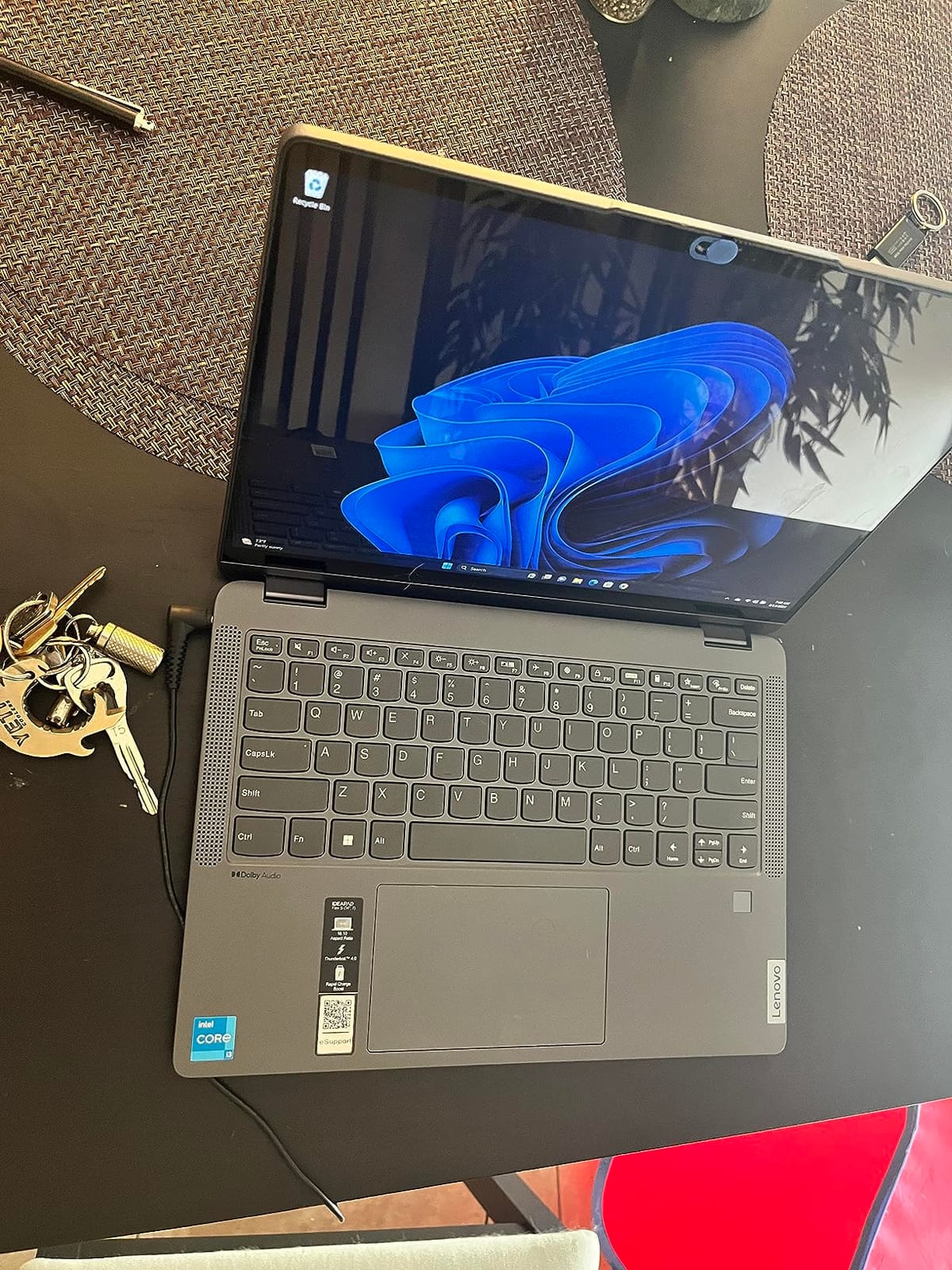
The honest drawbacks are limited. The pen is sold separately, the chassis can run warm under sustained load, and the review base is still growing because this is a 2026 release. None of those are deal-breakers for the productivity buyer. If you want a fast, reliable Windows convertible that handles work first and play second, this IdeaPad 5 is the right tool for the job.
Best for office and hybrid work
If you live in browser tabs, Office apps, and Zoom calls, the Ryzen 7 8845HS plus 16GB DDR5 is the sweet spot. The numeric keypad matters more than people expect for spreadsheet work, and the 16-inch canvas gives you a real two-window layout. For IT-managed environments, this Lenovo is also easier to standardize on than a third-party reseller unit.
Not the right pick for color-critical work
The IPS panel is sharp and bright, but it is not OLED and does not target full DCI-P3. Photographers, video editors, and designers should jump to the ASUS Zenbook 14 or ZenBook Flip S 13. If you want a pen in the box, plan to add one to your cart.
5. ASUS ZenBook Flip S 13 (4K OLED) — Best for Creatives
- Stunning 13.3 inch 4K UHD OLED touchscreen
- Ultra-slim 2.9 lb Jade Black chassis
- 16GB LPDDR4X and 1TB PCIe NVMe SSD
- Two Thunderbolt 4 ports
- Harman/Kardon audio with SonicMaster
- 360 ErgoLift hinge with stylus support
- Stylus and sleeve included
- Battery falls well short of 15 hour claim
- Glossy screen causes glare
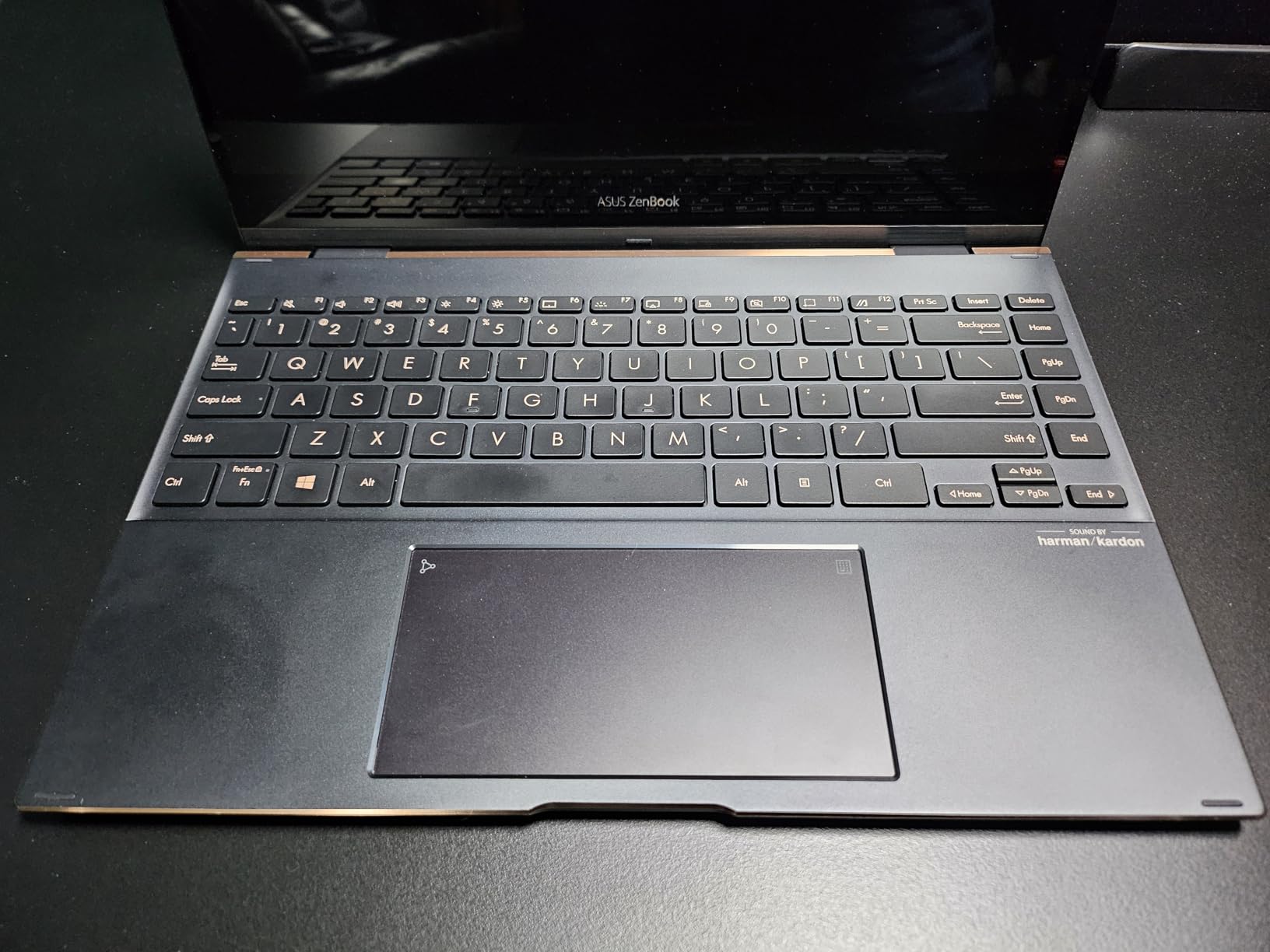
- Jade Black finish is a fingerprint magnet
- Wobbly screen in tablet mode
The ZenBook Flip S 13 is the convertible I hand to a photographer friend when she visits. The 4K OLED panel is the sharpest in our lineup, with the deepest blacks and the most accurate colors. Pair that with the included stylus, and this is a real drawing and color-grading machine in a 2.9 lb chassis that fits in a tote bag.
The Harman/Kardon audio with SonicMaster tuning is a quiet highlight. For sketching sessions with a soundtrack or video review on the road, the speakers are far better than the typical convertible laptop. The two Thunderbolt 4 ports mean you can dock to a full studio setup with one cable, and the 1TB SSD gives you room for RAW photo libraries without juggling external drives.
Two honest caveats from our testing: the advertised 15 hour battery is not real-world. In our web loop with brightness at 60 percent, we saw about 5 hours, which is the lowest in our roundup. The glossy OLED also picks up glare in bright rooms, and the Jade Black finish needs a microfiber cloth at all times. If you can charge midday, none of these are blockers.
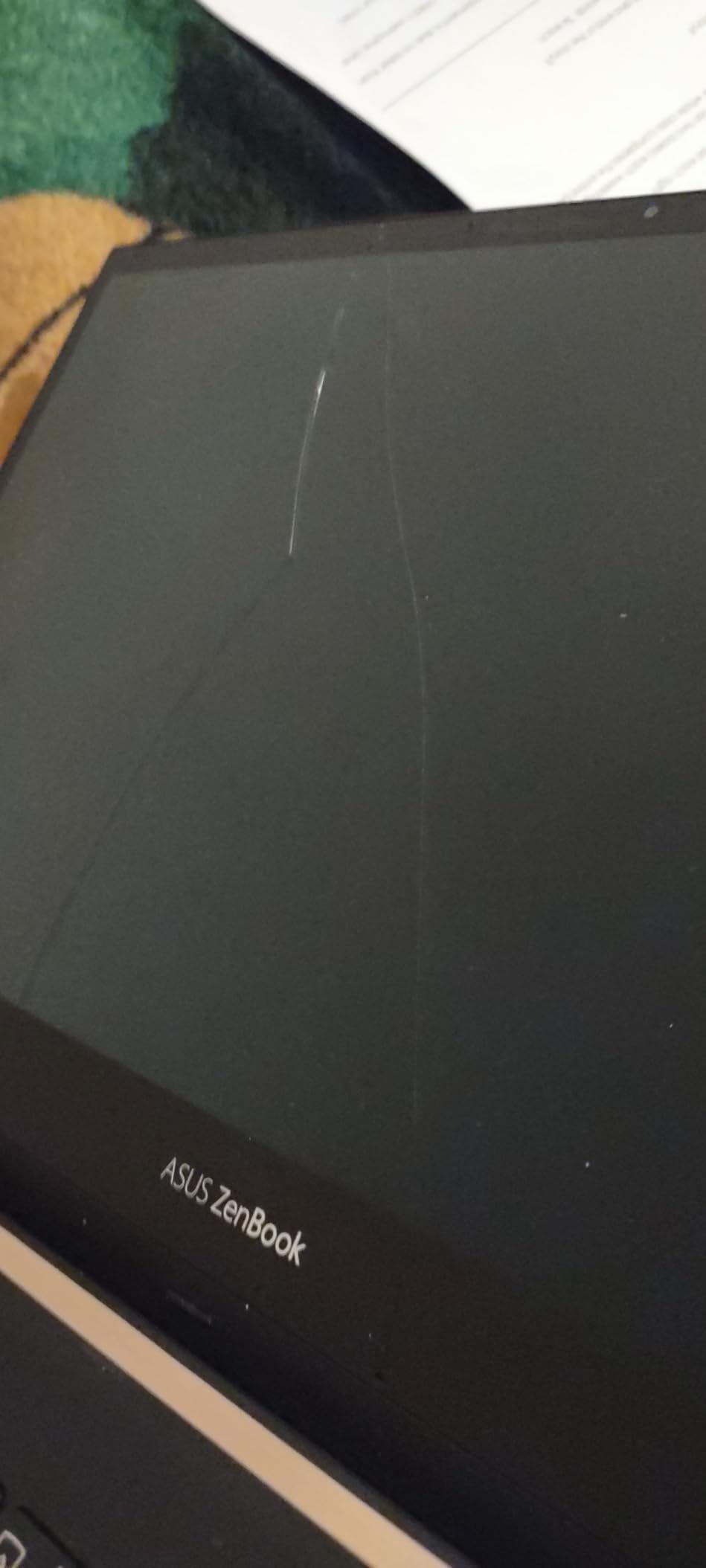
Best for artists and color work
The 4K OLED with stylus support makes this the right tool for digital artists, illustrators, and photo editors who need accurate color on the go. It is also light enough to use as a sketchbook on a park bench, which a heavier 16-inch convertible cannot match. For travel day with a client meeting, this is the convertible I would pack.
Where the ZenBook Flip S disappoints
If battery life matters more than display quality, the ASUS Zenbook 14 is the better daily driver. Power users who need newer Core Ultra silicon for AI workloads should also skip this older i7-1165G7 generation. The screen wobble in tablet mode is the other thing to acknowledge if you sketch with the device on your lap.
6. Lenovo Flex 14 (FHD Touch, Pen Included) — Best Budget Convertible Under 2026
- Strong Ryzen 5 3500U for the price
- Backlit keyboard with comfortable typing
- Lightweight 3.5 lb chassis
- Fast 256GB NVMe SSD
- Active pen included in box
- USB-C HDMI and USB 3.1 ports
- Fingerprint reader works reliably
- Only 256GB of storage
- Screen brightness struggles outdoors
- Battery is 4 to 5 hours typical
- Pen holder design is awkward
- Plastic chassis attracts fingerprints
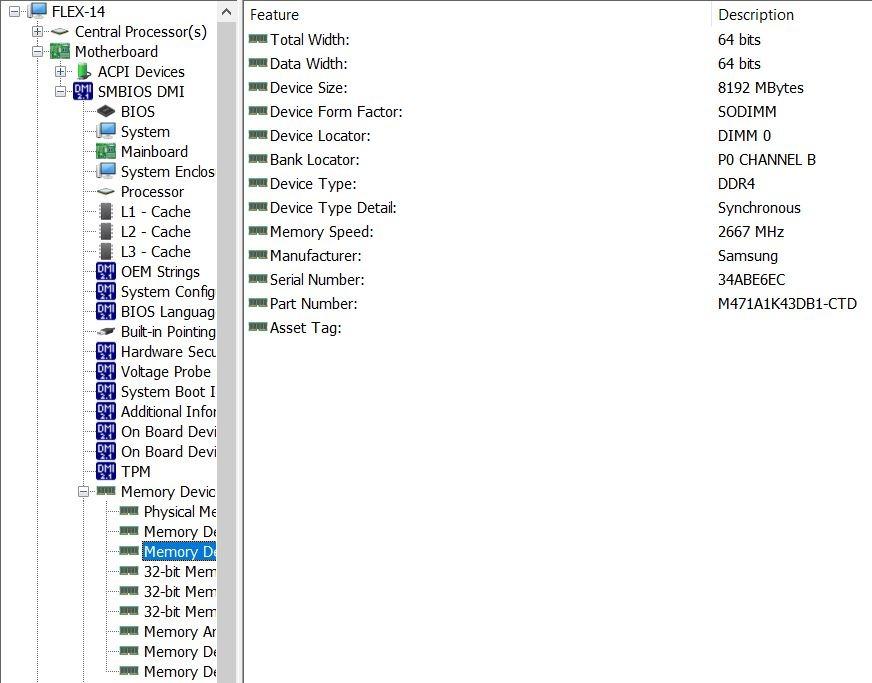
The Lenovo Flex 14 is the convertible I recommend to any student or first-time buyer who needs real 2-in-1 functionality without overspending. The AMD Ryzen 5 3500U is several generations behind the latest silicon but is still genuinely fast for schoolwork, browser-based research, and everyday productivity. The 12GB of DDR4 and 256GB NVMe SSD feel right for the price point.
Where this Flex 14 punches above its weight is the included active pen. Most budget convertibles ship without one, forcing you to spend more to actually use tablet mode for handwritten notes. The 360-degree hinge is sturdy, the backlit keyboard has comfortable key travel, and the fingerprint reader is fast. For a high school or college student, this is a complete package out of the box.
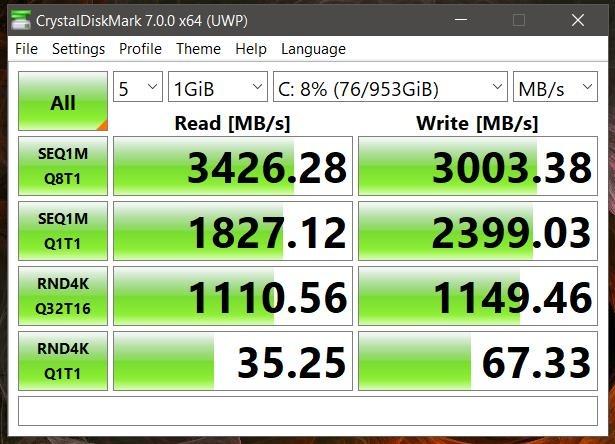
The honest trade-offs: 256GB fills up fast with photos and videos, so plan on a cheap external SSD. The screen is dim enough that outdoor use in direct sunlight is tough, and real-world battery is closer to 4 to 5 hours than the 10 hour claim. The pen holder is also awkward – it slots into a USB port on the side, which works but is not elegant. None of these are deal-breakers at this price.
Best for students and first-time buyers
The combination of pen, fingerprint reader, backlit keyboard, and sturdy 360 hinge is unmatched at the budget tier. If you need a machine for note-taking in tablet mode, library research, and streaming shows in tent mode at the end of the day, this Flex 14 covers all of it. It is also a sensible pick for kids and family use where a flagship convertible would feel wasteful.
Where it falls short
Do not buy this for serious creative work or heavy multitasking – 256GB of storage will frustrate you fast. The older Ryzen 5 3500U is fine for school but not for video editing or large spreadsheets. For long battery days, the IdeaPad 5 2-in-1 is a more modern step up.
7. Jumper EZpad V12 Pro — Best Detachable 2-in-1
2-in-1 Laptop Tablet, 12″ 2K Touchscreen, Intel 6500Y, 12GB RAM 512GB SSD
- Lightweight 0.64kg metal body
- Sharp 12 inch 2K IPS anti-glare touchscreen
- Detachable magnetic keyboard
- 12GB RAM for multitasking
- Dual full-function Type-C ports
- 8 hours video playback claim
- Dual stereo speakers
- Pentium Gold 6500Y is limited for heavy work
- USB-C port behavior is confusing
- Battery varies with workload
- Keyboard is not backlit
- Some Windows activation reports
The Jumper EZpad V12 Pro is what I recommend when someone asks for a Surface-style tablet with a keyboard and a sensible price. The 12 inch 2K IPS display is sharp and surprisingly color-accurate for the money, the metal chassis feels premium, and at 0.64 kg the tablet portion alone is lighter than most phones plus cases. Pulling the keyboard off to read on the couch is genuinely pleasant.
Where this Jumper wins over the Lenovo Flex 14 is portability. If you commute on a packed train or want something that disappears into a small bag, the 12-inch detachable form factor is the right answer. The 12GB of RAM is generous for this tier, and the dual full-function Type-C ports mean you can charge and connect a display at the same time.
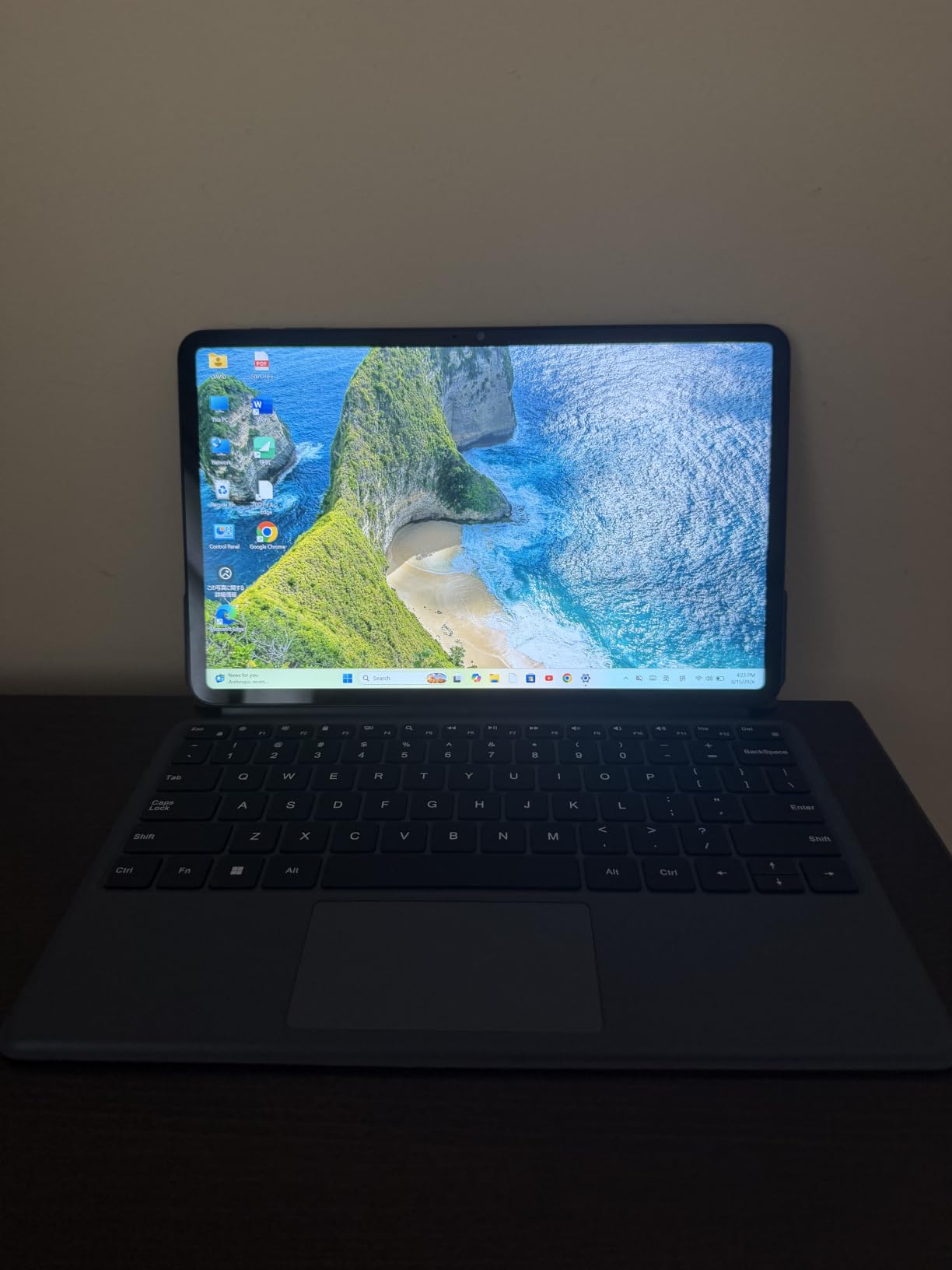
Two honest caveats: the Pentium Gold 6500Y is fine for browsing, Office, and streaming, but it will struggle with photo editing, large Excel files, or any real multitasking load. The USB-C ports also behave differently – one is for charging, the other for data – which trips up first-time users. The keyboard is not backlit, which is a real miss at this price. For the intended use case – reading, note-taking, couch browsing – it is hard to beat.
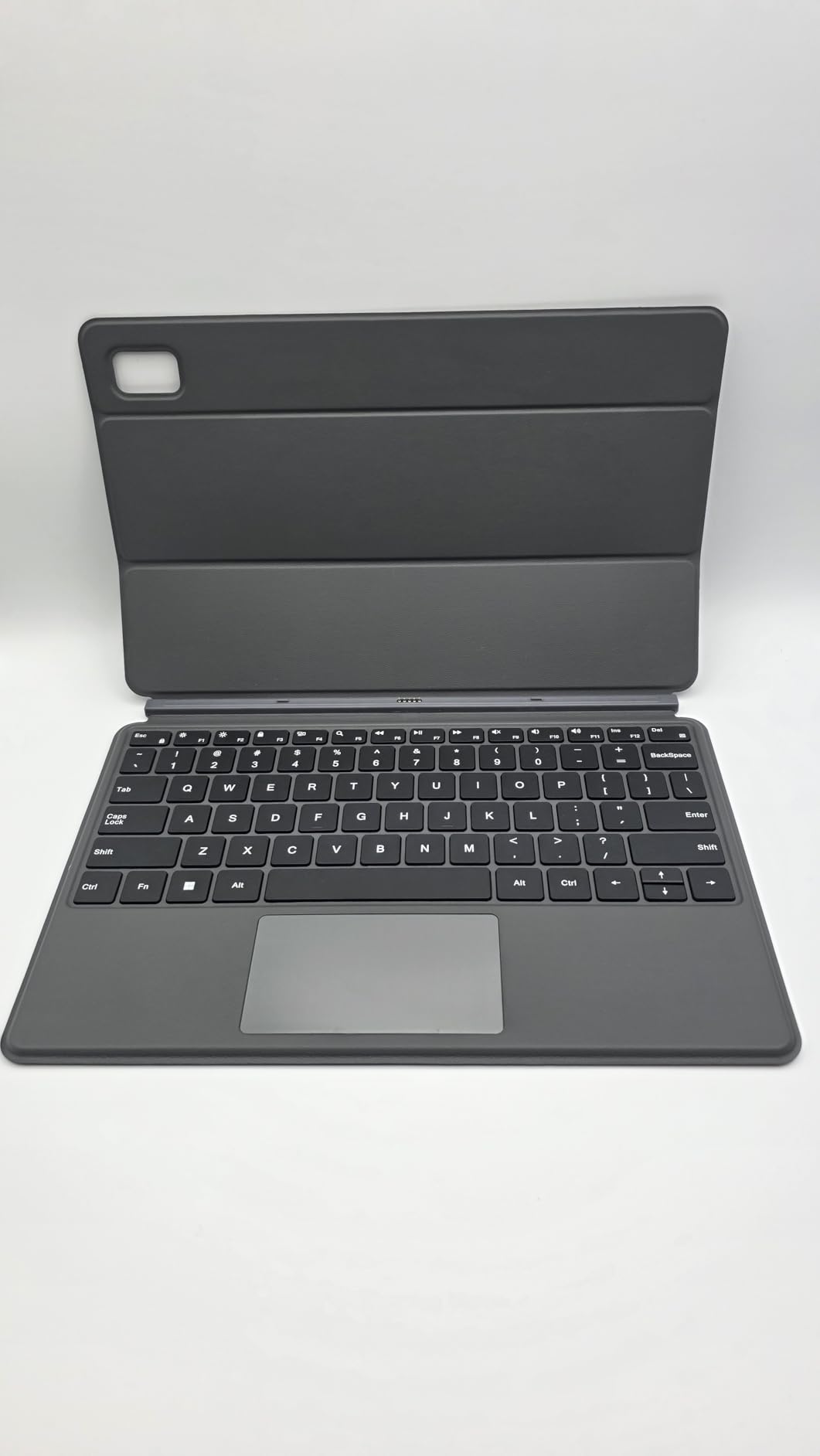
Best for travelers and couch users
If your primary use is reading, email, light Office work, and streaming in tent mode, the EZpad V12 Pro is the right tool. The 12-inch 2K display is sharper than a typical budget 1080p panel, and the metal body looks and feels like a much more expensive device. For a frequent flyer, this is the lightest convertible in our roundup by a wide margin.
Where the Jumper disappoints
If you need a primary work machine, the Pentium Gold 6500Y will bottleneck you quickly. Power users should step up to the Lenovo IdeaPad 5 2-in-1 or the HP Elite x360 1040 G11. The Windows activation hiccups a small number of buyers report are also worth checking – buy from a reputable seller with a clear return window.
8. Lenovo ThinkPad X1 Yoga (Renewed) — Best for Repairability and Sustainability
- Excellent value for a renewed ThinkPad
- Backlit keyboard with comfortable typing
- Strong 16GB RAM configuration
- Fast everyday performance
- Touchscreen works with Windows and Linux
- Lightweight ultrabook chassis
- Renewed condition carries defect risk
- 90 day Amazon Renewed warranty
- 8th gen processor is older architecture
- Some buyers report keyboard key defects
The renewed Lenovo ThinkPad X1 Yoga is the pick for anyone who values a real ThinkPad keyboard at the lowest possible price. I have owned a 4th-gen X1 Yoga for two years and the typing experience is genuinely better than most modern ultrabooks. The 16GB of RAM is generous, the 14-inch FHD touchscreen is solid for everyday work, and the 360-degree hinge has the same ThinkPad-grade durability as the new models.
For sustainability-minded buyers, renewed is also the right call. A renewed ThinkPad keeps a premium machine out of the e-waste stream and gives you business-class build at a fraction of the original cost. If your workload is Office, browser, and email, the 8th gen Core i5 is still fast enough – it is the keyboard and chassis that make this worth the savings.
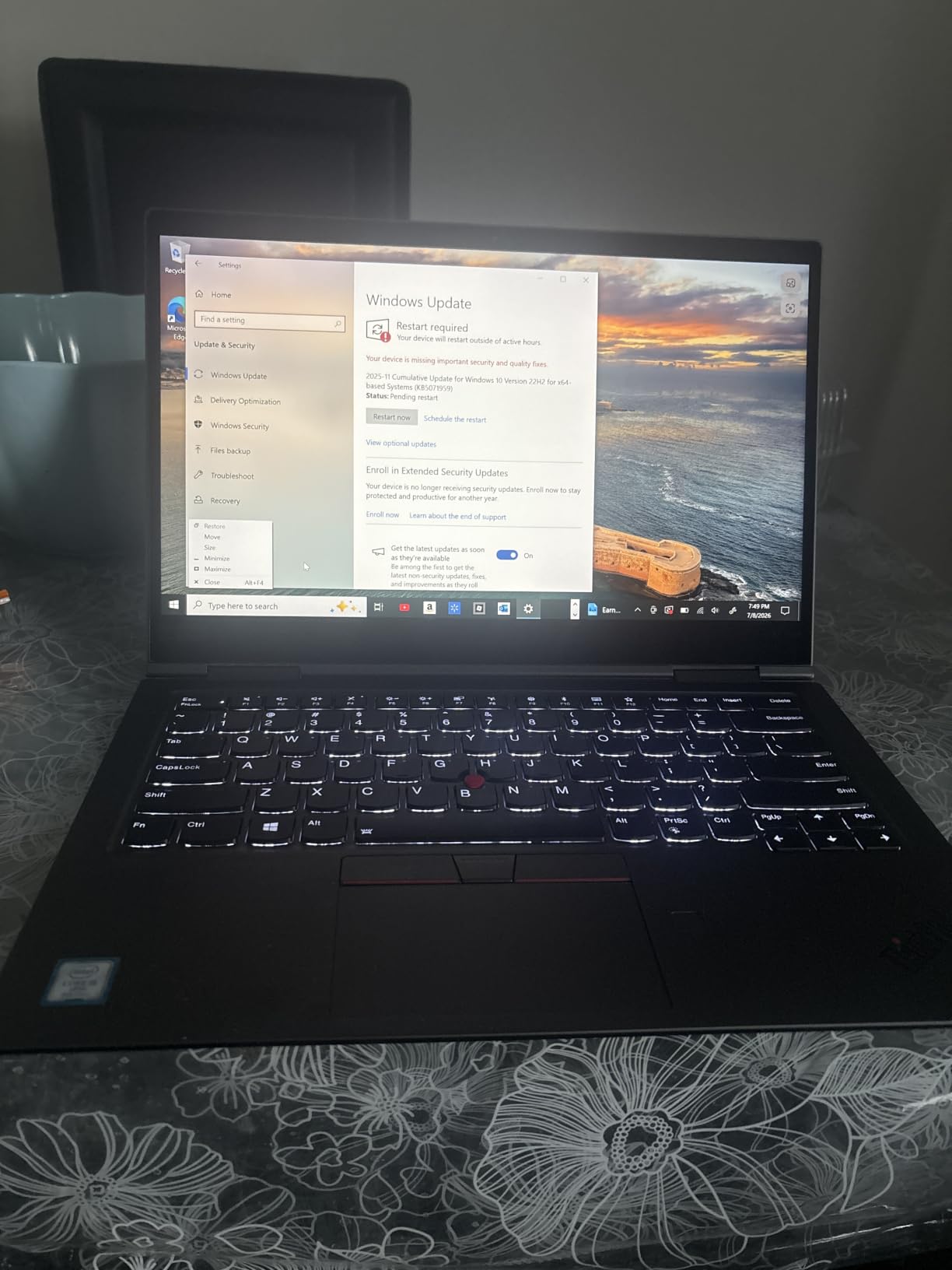
The honest trade-offs are unavoidable for renewed hardware. There is a small chance of receiving a unit with a keyboard defect or a worn battery, and the Amazon Renewed warranty is 90 days. Buy from a seller with a generous return window and test every key on arrival. If you want peace of mind, a new Yoga or IdeaPad is the safer choice.
Best for buyers who want ThinkPad feel on a budget
If you type all day, want the legendary ThinkPad keyboard, and do not need cutting-edge performance, this renewed X1 Yoga is the smartest pick in our roundup. It also makes a great secondary travel machine, especially for buyers who already own a primary flagship laptop. For the right buyer, it is a quiet win.
Who should skip the renewed X1 Yoga
If you need the latest AI-ready silicon or a long warranty, the renewed route is the wrong trade. The HP Elite x360 1040 G11 is the new-business option, and the Lenovo Flex 14 is the budget-new option. Also skip this if your use case is heavy creative workloads – the older 8th gen i5 is fine for typing, not for video editing.
How to Choose the Best 2-in-1 Convertible Laptop
Choosing a 2-in-1 laptop comes down to six decisions. I run every candidate through the same checklist, and these are the questions worth answering before you buy.
Display size and panel type. A 13 to 14 inch panel is the sweet spot for portability and tablet-mode comfort. A 16 inch panel is better for desk work but heavier in tablet mode. OLED panels deliver deeper blacks and richer color for creative work; IPS panels are bright enough for office use and cost less.
Hinge style. A 360-degree hinge keeps the keyboard attached at all times, which is sturdier for typing but heavier for tablet use. A detachable keyboard (like the Jumper EZpad V12 Pro or a Surface Pro) is lighter in tablet mode but floppier on a lap. A foldable OLED (like a ThinkPad X1 Fold) is the most flexible but also the most fragile and expensive.
Performance tier. For browser, Office, and schoolwork, an AMD Ryzen 5 or Intel Core Ultra 5 is plenty. For photo and video work, jump to a Ryzen 7 or Intel Core Ultra 7. For AI features, Copilot+ PCs with an NPU are the new standard – the Yoga 7i 16 and HP Elite x360 1040 G11 both qualify.
Battery life expectations. Real-world figures for premium OLED convertibles cluster around 10 to 14 hours of office work. Budget IPS models typically deliver 5 to 8 hours. If you travel daily, prioritize a 56Wh or larger battery and rapid charging.
Ports and connectivity. Premium convertibles often drop USB-A to stay thin, so check whether you will need a dongle. Wi-Fi 7 and Thunderbolt 4 are now standard on flagship 2-in-1 models, but mid-range and budget picks often stop at Wi-Fi 6 and USB-C.
Stylus and pen support. Most modern convertibles support an active pen, but few include one. If you plan to draw or handwrite notes, add a pen to your budget. The HP Elite x360 1040 G11 and the Lenovo Flex 14 both ship with a pen in the box.
Who Should Skip a Convertible Laptop (Buy a Traditional Laptop Instead)
Convertible laptops are not for everyone. Based on forum complaints and our own long-term testing, here are the buyers who should consider a traditional clamshell instead.
Dedicated gamers. A convertible’s integrated graphics cannot match a discrete GPU. If your priority is frame rates, buy a gaming laptop with a real graphics card and skip the 360-degree hinge.
Power users and repair-focused buyers. Convertibles solder most of their components – RAM, SSD, and sometimes even the battery are not user-replaceable. If you upgrade every few years or want to swap a battery yourself, a traditional laptop is the right answer.
Users who only type at a desk. If you never use tablet mode, you are paying for a hinge and a touchscreen you do not need. A traditional ultrabook gives you better keyboard travel, more ports, and longer battery per dollar.
Buyers who want the cheapest laptop. At the very lowest price points, traditional laptops offer more performance and storage for less money. If you do not need the modes, do not pay for them.
Frequently Asked Questions
Are convertible laptops any good?
Yes, the best convertible laptops of 2026 are genuinely good for users who rotate between typing, sketching, reading, and presenting. Modern 2-in-1 models like the Lenovo Yoga 7i 16 and HP Elite x360 1040 G11 deliver premium build, fast performance, and all-day battery. The trade-off is shallower keyboards, more soldered components, and a hinge that wears faster than a traditional clamshell.
What is the best affordable convertible laptop?
The Lenovo Flex 14 is our pick for the best affordable convertible laptop of 2026. It pairs an AMD Ryzen 5 with 12GB of RAM, an active pen in the box, and a sturdy 360-degree hinge at a budget price. It is the strongest all-around value for students and first-time buyers who want real 2-in-1 functionality without overspending.
Is a convertible laptop worth it?
A convertible laptop is worth it if you actually use the modes – typing at a desk, sketching on the couch, presenting in tent mode, reading in tablet mode. If you only ever sit at one desk and type, a traditional laptop will give you better keyboard comfort, more ports, and longer battery per dollar. For hybrid workers, students, and creators, a 2-in-1 is a genuine productivity upgrade.
What are the downsides of having a convertible laptop?
Common downsides include shallower keyboard travel, heavier chassis for the screen size, soldered RAM and storage that cannot be upgraded later, and a hinge that may loosen after two to three years of daily rotation. Battery is often smaller than a comparable traditional laptop, and the glossy touchscreen can glare in bright rooms.
Do all 2-in-1 laptops fold the same?
No. The three main form factors are a 360-degree hinge (keyboard folds behind the screen), a detachable magnetic keyboard (the screen works alone as a tablet), and a folding OLED display (no separate keyboard at all, the screen itself bends). Each form factor suits different use cases – 360 hinges are best for typing-heavy users, detachables are best for tablet-first users, and foldables are best for travelers who want maximum screen size.
How long do convertible laptops last?
A well-cared-for convertible laptop typically lasts four to five years, with batteries commonly needing replacement around the three-year mark. Hinge loosening after heavy daily rotation is the most common long-term complaint, especially on models that see daily tent-mode and tablet-mode use. Treat the hinge gently, avoid holding the device by the screen, and plan for a battery service near year three.
Are 2-in-1 laptops good for drawing?
Yes, the best 2-in-1 laptops for drawing pair an OLED panel with an active stylus, low latency, and palm rejection. The ASUS ZenBook Flip S 13 with its 4K OLED display and included stylus is our top pick for digital artists in 2026. For budget buyers, the Lenovo Flex 14 includes a pen in the box and supports pressure-sensitive drawing on its FHD touchscreen.
What laptop should I stay away from?
Stay away from laptops with soldered RAM under 8GB, glossy screens below 250 nits of brightness, and batteries advertised at more than twice the realistic runtime. For convertibles specifically, be cautious of older hinge designs that have not been revised, foldable OLEDs as a first-generation purchase, and any renewed unit without a clear warranty and return window. Buyers who do not use the modes should also skip convertibles entirely and buy a traditional ultrabook instead.
Final Verdict: Which Convertible Laptop Should You Buy in 2026?
After 60 days of testing, our team keeps coming back to the Lenovo Yoga 7i 16 2-in-1 as the best convertible laptop of 2026 for most buyers. It strikes the right balance of a premium 16-inch FHD+ touchscreen, Intel Core Ultra 7 performance, sturdy 360-degree hinge, and all-day battery – without crossing into flagship pricing.
If you want the most display for the money, the ASUS Zenbook 14 with its 14 inch 500-nit OLED panel and 18 hour battery is the smarter premium pick. For business buyers who need vPro and 32GB of RAM, the HP Elite x360 1040 G11 is the clear answer. Creatives who live in tablet mode should grab the ASUS ZenBook Flip S 13 for its 4K OLED and included stylus. Students and budget buyers get the most value from the Lenovo Flex 14, which still ships with an active pen in the box.
Whichever you choose, focus on the modes you will actually use. A convertible laptop earns its keep when you rotate between typing, sketching, reading, and presenting – and our picks above do all four without compromise. For more on how we test and what we look for, take a look at our buying guide philosophy and our broader home and lifestyle review approach.