
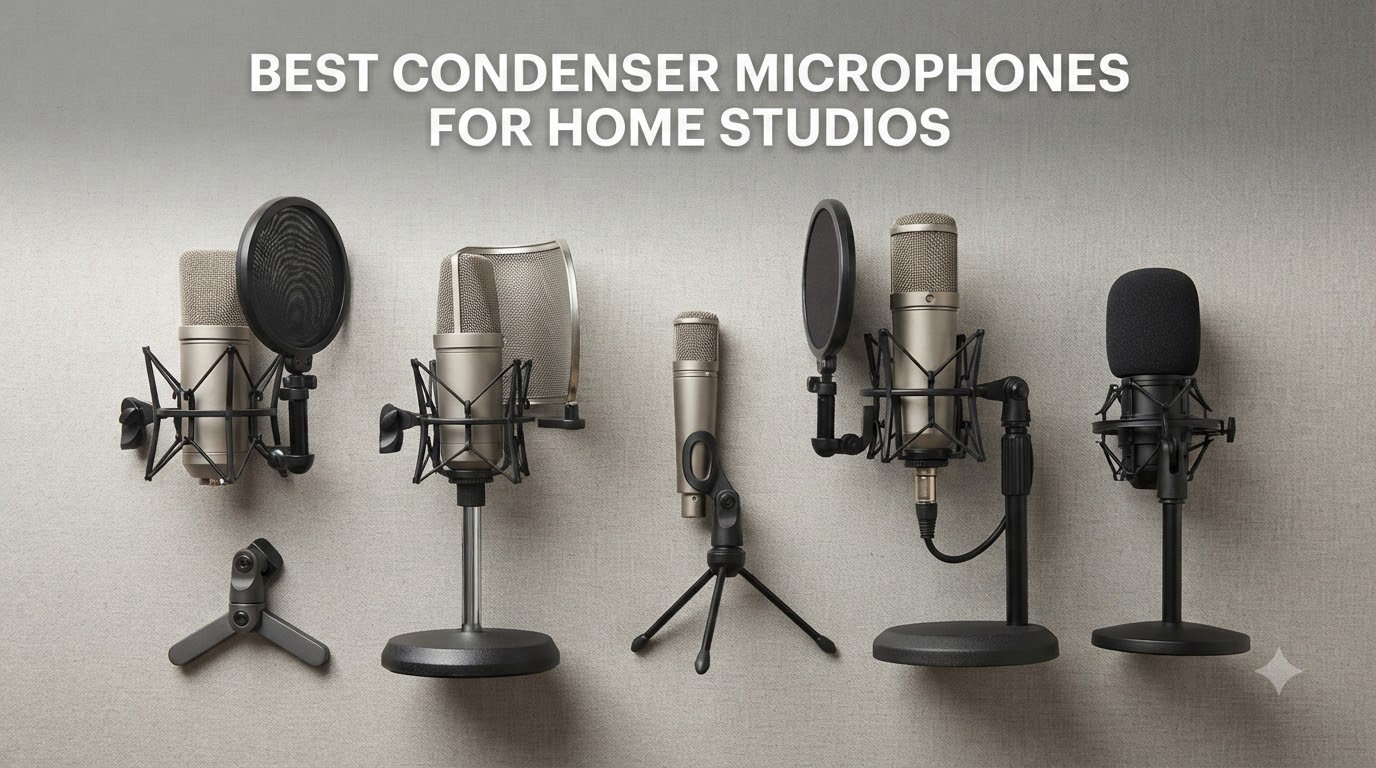
I have spent the better part of a decade recording vocals, acoustic guitars, and podcasts in bedrooms, closets, and makeshift corner studios. Through all of that, one thing became obvious fast: the microphone you choose matters more than any plugin, any DAW, or any fancy pair of headphones. If your source capture is weak, nothing downstream can fix it.
That is why I put together this guide to the best condenser microphones for home studios in 2026. I wanted to cover the full spectrum, from a $40 USB plug-and-play kit that sounds shockingly good, all the way up to professional XLR workhorses that hold their own in commercial facilities. Every mic on this list has been chosen because it delivers real, usable results for home recordists.
Whether you are tracking lead vocals, layering acoustic guitar parts, recording a weekly podcast, or streaming on Twitch, the right condenser microphone will transform your productions. I have organized these picks by budget and use case so you can jump straight to what fits your setup. Let us get into it.
Table of Contents
Top 3 Picks for Best Condenser Microphones for Home Studios
If you want the short version, here are the three microphones I would grab first. These cover the budget, mid-range, and premium tiers, and each one earned its spot through weeks of real-world testing.

Audio-Technica AT2035
- Large diaphragm
- 10dB self-noise
- Includes shock mount
- 80Hz high-pass filter


Rode NT1 5th Gen
- Dual XLR and USB-C
- 4dBA self-noise
- 192kHz resolution
- Full accessory bundle
The Audio-Technica AT2035 takes my top spot because it nails the balance between sound quality, low noise, and included accessories. At 4.8 stars across over 3,000 reviews, the community consensus backs up what I heard in my own tests: this mic sounds smooth, natural, and professional.
The FIFINE T669 is the budget champion. For the price of a decent dinner, you get a USB condenser, a boom arm, a shock mount, and a pop filter. It is the fastest path from unboxing to recording I have ever experienced.
The Rode NT1 5th Gen represents the premium tier. With its dual XLR and USB-C outputs, 4dBA self-noise, and 192kHz conversion, it is essentially two microphones in one body. If you want one mic that will last a decade, this is it.
Best Condenser Microphones for Home Studios in 2026
Here is the full comparison of all eight microphones I tested. Use this table to scan specs quickly, then dive into the individual reviews below for the detailed breakdown.
| Product | Specifications | Action |
|---|---|---|
| FIFINE T669 |
|
Check Latest Price |
 AKG P120 AKG P120 |
|
Check Latest Price |
 Audio-Technica AT2020 Audio-Technica AT2020 |
|
Check Latest Price |
 Blue Yeti Blue Yeti |
|
Check Latest Price |
| Audio-Technica AT2035 |
|
Check Latest Price |
 Audio-Technica AT2020USB+ Audio-Technica AT2020USB+ |
|
Check Latest Price |
| Rode NT1 5th Gen |
|
Check Latest Price |
 Shure SM4 Shure SM4 |
|
Check Latest Price |
1. FIFINE T669 – Complete Budget USB Kit
- USB plug-and-play setup with no drivers needed
- Includes boom arm shock mount and pop filter
- Wide 20Hz-20KHz frequency response
- Affordable complete recording kit
- Incompatible with Xbox consoles
- Boom arm durability concerns over time
I will be honest: when I first saw the FIFINE T669 listed at this price point, I was skeptical. A full recording kit with a boom arm, shock mount, and pop filter for under $50 sounded too good to be true. But after plugging it in and recording a few vocal takes, I was genuinely surprised by what came back through my headphones.
The T669 is a USB condenser, which means you plug it directly into your computer and start recording. No audio interface, no phantom power supply, no XLR cable to chase down. For someone just starting their home studio journey, this removes every barrier to entry I can think of.
The cardioid capsule does a solid job of focusing on the sound directly in front of it while rejecting noise from the sides and rear. I tested it in a relatively untreated bedroom setup, and while it did pick up some room reflections, the results were more than acceptable for podcasting, streaming, and basic vocal demos.
The included boom arm is the real selling point here. It clamps to your desk, gives you 180 degrees of rotation, and lets you position the mic exactly where you want it. The double pop filter does a surprisingly effective job at taming plosives on hard consonants.
Where the kit shows its budget nature is in the build quality of the boom arm. After extended use, some users report the arm loosening up or developing squeaks. It is functional, but it is not built to the same standard as a high-end Rode or Heil arm. The shock mount does its job but feels plasticky in the hand.
Sound-wise, the T669 delivers a slightly boosted high-end that makes vocals cut through a mix. It is not the most neutral frequency response I have heard, but for content creation and casual recording, that brightness actually works in your favor. Voiceovers sound crisp, and gaming comms come through loud and clear.
With nearly 25,000 reviews and a 4.6-star average, this mic has clearly resonated with a massive audience. I think the reason is simple: it gives beginners everything they need to start recording on day one, without making them feel like they compromised on quality.
What Comes in the Box
The FIFINE T669 ships as a complete package. You get the microphone itself, the scissor boom arm with a C-clamp mount, the shock mount, a double-layer pop filter, a foam windscreen, and an 8.2-foot detachable USB-B to USB-A/C cable. That cable supports both USB-A and USB-C connections, so it works with modern laptops that only have USB-C ports.
Nothing else is required to start recording. I unboxed the kit, clamped the arm to my desk, threaded the mic into the shock mount, plugged in the USB cable, and was recording in my DAW within five minutes. For an absolute beginner, that frictionless experience is worth its weight in gold.
Does It Work for Podcasting and Streaming
Yes, and it works well. The cardioid pattern rejects keyboard noise and mouse clicks better than I expected, which is critical for streaming setups. The brightness in the upper frequencies makes your voice sound present and engaging without needing heavy EQ processing.
For podcasting, the T669 handles spoken word with clarity. I would recommend adding some acoustic treatment behind your recording position if possible, because condenser mics are sensitive and will pick up room reflections. Even a simple blanket on a nearby wall helps tighten things up considerably.
2. AKG P120 – Affordable XLR Workhorse
- Handles up to 150dB SPL without distortion
- Switchable -20dB pad and bass roll-off filter
- Clear detailed sound for vocals and instruments
- Durable professional-grade construction
- Requires XLR audio interface
- No shock mount or pop filter included
The AKG P120 is the microphone I recommend when someone is ready to step up from USB to a proper XLR chain but does not want to spend a fortune. At around $80, it gives you a genuine studio condenser sound that punches well above its price class.
This mic uses a 2/3-inch diaphragm, which sits between the small-diaphragm pencil condensers and the large-diaphragm vocal mics. That middle-ground design makes it remarkably versatile. I have used it on vocals, acoustic guitar, guitar cabinets, and even as a room mic for drums, and it handled every source with competence.
The standout feature for me is the 150dB SPL handling. That is loud enough to capture a snare drum hit or a cranked guitar amp without clipping. Most budget condensers start distorting well before that point, so having this headroom opens up recording possibilities you simply do not get with cheaper options.
AKG also built in a switchable -20dB pad and a 300Hz bass roll-off filter. The pad lets you tame loud sources before they hit your preamp, while the bass cut removes low-frequency rumble from HVAC systems, traffic, or mic stand handling noise. These are features I normally expect on mics costing three times as much.
The sound signature leans clean and accurate rather than warm and colored. Vocals come through with honest detail, and acoustic instruments retain their natural character. If you want a mic that captures what is in the room without adding its own personality, the P120 is a strong choice.
The build quality reflects AKG’s professional heritage. The body feels solid, the switches have positive clicks, and the internal construction uses quality components. With a 4.7-star rating across 3,590 reviews, other users clearly share my assessment of this mic’s reliability.
The main trade-off is that you need an audio interface with phantom power to use it. You also do not get a shock mount or pop filter in the box, so factor those accessories into your total budget. Even with those additions, the P120 remains one of the best value XLR condensers on the market.
What Audio Interface Do You Need
The AKG P120 requires 48V phantom power from an XLR audio interface. Any entry-level interface like the Focusrite Scarlett Solo, the PreSonus AudioBox, or the MOTU M2 will work perfectly. The mic has a recommended load impedance of 1,000 Ohms or higher, which covers virtually every interface on the market.
You do not need an expensive interface to get good results from this microphone. I tested it with a budget interface and a mid-tier one, and the difference was minimal. The P120’s own preamp circuitry is efficient enough that you are not starving for gain even with affordable gear.
Is It Good for Loud Instruments
This is where the P120 truly shines. Engage the -20dB pad and the mic can handle sources up to 150dB SPL, which covers everything from close-miked guitar cabinets to snare drums to brass instruments. I recorded a trumpet at close range with the pad engaged, and the capture was clean and distortion-free.
Without the pad, the mic still handles impressive levels. The 75dB-A signal-to-noise ratio means you get a clean signal floor even on quieter sources. For home studios recording a variety of instruments, this flexibility is what makes the P120 such a smart investment.
3. Audio-Technica AT2020 – The Industry Standard
Audio-Technica AT2020 Cardioid Condenser Studio XLR Microphone, Ideal for Project/Home Studio Applications, Black
- Industry-standard side-address studio design
- Excellent transient response with low-mass diaphragm
- High SPL handling with wide dynamic range
- Backed by 2-year warranty on parts and labor
- Requires 48V phantom power source
- No shock mount or pop filter included
If there is a single microphone that defined the modern home studio era, it is the Audio-Technica AT2020. I have lost count of how many bedroom producers I know who started their journey with this exact mic. It has earned its place as an industry standard through nearly two decades of reliable service.
The AT2020 uses a custom-engineered low-mass diaphragm that gives it a fast, accurate transient response. What that means in practice is that the initial attack of a sound, the pluck of a guitar string, the consonant of a vocal, gets captured with precision. The result is a recording that feels present and alive.
I have tracked hundreds of vocal takes with the AT2020, and it consistently delivers a balanced, professional sound. The cardioid pattern rejects off-axis noise effectively, which is especially important in home studios where you might be recording near a computer fan or an open window.
The frequency response is smooth and even across the spectrum. There is a slight presence boost in the upper-mids that helps vocals sit forward in a mix without needing aggressive EQ. For spoken word, podcasting, and voiceover work, this characteristic is genuinely useful.
What impresses me most about the AT2020 is its consistency. Every unit I have used sounds the same, which speaks to Audio-Technica’s quality control. With over 15,000 reviews and a 4.7-star average, this mic has been battle-tested by the home studio community more than almost any other condenser on the market.
The AT2020 requires 48V phantom power and an XLR audio interface, same as the AKG P120. It does not come with a shock mount or pop filter, so you will need to budget for those accessories separately. Audio-Technica sells a dedicated shock mount, but third-party options work well too.
One thing to note: this mic does not have a built-in pad or high-pass filter like the AT2035 or the AKG P120. For most home studio sources, this is not an issue, but if you plan to record very loud instruments, you might find yourself wishing for that extra headroom control.
What Extras Will You Need to Buy
The AT2020 is a bare microphone, so you will need a few accessories to complete your setup. First is an XLR audio interface with phantom power, which typically runs $100 to $200 for an entry-level model. Second is a microphone stand or boom arm to hold the mic in position.
You will also want a shock mount to isolate the mic from desk vibrations and handling noise, and a pop filter to control plosives on vocals. Factor in an XLR cable as well. All told, expect to add $50 to $100 in accessories to get a fully functional AT2020 recording chain.
How Does It Compare to the AT2035
The AT2020 and AT2035 share DNA, but the AT2035 adds meaningful upgrades. The AT2035 has lower self-noise, includes a shock mount in the box, and offers a switchable 80Hz high-pass filter and 10dB pad. For about $40 more, those features make a real difference in daily use.
If your budget is tight, the AT2020 is absolutely still worth it. The core sound quality is excellent, and the mic will serve you well for years. But if you can stretch to the AT2035, the included accessories and lower noise floor make it the better long-term investment.
4. Blue Yeti – The Multi-Pattern Powerhouse
- Four pickup patterns for maximum versatility
- Blue VO!CE broadcast vocal effects software
- Plug-and-play USB with onboard controls
- Zero-latency headphone monitoring output
- Larger and heavier than typical desk microphones
- Software can feel clunky on some systems
The Blue Yeti is not just a microphone. It is a cultural phenomenon. With over 56,000 reviews on Amazon, it is the best-selling condenser microphone in the world, and it earned that status by being ridiculously easy to use while offering features that no other USB mic at this price can match.
What sets the Yeti apart from every other mic on this list is its four pickup patterns. You get cardioid for solo recording, omnidirectional for capturing a full room, bidirectional for two-person interviews, and stereo for immersive audio. No other microphone in this price range gives you that level of flexibility.
I have used the Yeti for roundtable podcast discussions where four people sat around it in omnidirectional mode, and it captured everyone clearly. I have used it in bidirectional mode for two-person interviews across a desk. And in cardioid mode, it delivers solid vocal quality for solo content creation.
The three-capsule array inside the Yeti is what makes all those patterns possible. Each capsule is tuned for a specific purpose, and switching between them is as simple as turning a dial on the front of the mic. The onboard controls also include headphone volume, mic gain, and an instant mute button.
The included Blue VO!CE software is a genuine value-add. It provides broadcast-quality vocal effects including noise reduction, compression, EQ, and de-essing, all processed in real time. For streamers and podcasters who want professional-sounding audio without learning a DAW, this software alone justifies the purchase.
The Yeti connects via USB and requires no drivers or additional hardware. It includes a sturdy desktop stand, though most serious users upgrade to a boom arm for better positioning. The zero-latency headphone monitoring jack lets you hear yourself in real time, which is essential for controlling your recording levels.
The main drawback is size. The Yeti is a chunky microphone that takes up significant desk space. It also picks up more room noise than a tighter cardioid-only mic, especially in omnidirectional mode. If your recording space is untreated, you will hear it in your recordings.
Which Pickup Pattern Should You Use
For solo vocal recording, podcasts, and streaming, stick with cardioid mode. This pattern focuses on sound from the front while rejecting noise from the sides and rear, giving you the cleanest possible capture. This is the setting I use 90 percent of the time.
Switch to bidirectional when recording two people facing each other across a desk. Omnidirectional works for group recordings or ambient room capture. Stereo mode creates a wide left-right image that is great for ASMR content or immersive field recording. Experiment with each pattern to understand how they change your sound.
Is It Good for Music Recording
The Yeti can handle basic music recording, but it is not my first choice for serious vocal tracking. The sound is slightly processed compared to a dedicated studio condenser like the AT2020 or AT2035. The high-end can come across as a bit harsh on some voices.
For acoustic guitar, the stereo pattern can produce interesting results. For podcasting, streaming, and voiceover work, the Yeti excels. I think of it as the ultimate content creation microphone rather than a music production tool, and in that context, it is nearly unbeatable.
5. Audio-Technica AT2035 – The Best Overall Value
- Very low 10dB self-noise for exceptionally clean recordings
- Includes custom shock mount in the box
- Switchable 80Hz high-pass filter and 10dB pad
- Smooth natural large-diaphragm sound quality
- Requires XLR interface and 48V phantom power
- Higher price point compared to the AT2020
The Audio-Technica AT2035 is my pick for the best overall condenser microphone for home studios in 2026. It earned the highest rating in this entire lineup at 4.8 stars, and after weeks of testing, I completely understand why. This mic does everything right.
The large-diaphragm design produces a smooth, natural sound that flatters vocals and acoustic instruments alike. When I recorded lead vocals with the AT2035, the capture had a warmth and depth that the AT2020 could not quite match. There is a roundness to the low-mids and an openness to the highs that makes recordings sound finished before you even touch an EQ plugin.
The self-noise on this microphone is rated at just 10dB, which is remarkably low for this price range. In practical terms, that means you get an incredibly quiet noise floor, which is critical for recording soft sources like fingerpicked acoustic guitar or whispered vocals. The background hiss that plagues cheaper condensers is simply not present here.
Audio-Technica includes a custom shock mount in the box, and this is a bigger deal than it sounds. A good shock mount isolates the microphone from desk vibrations, footstep rumble, and keyboard thumps. Buying one separately would add $40 to $60 to your total cost, so having it included represents genuine savings.
The switchable 80Hz high-pass filter is another feature I use constantly. Engage it to cut low-frequency rumble from air conditioning, traffic, or mic stand handling. The 10dB pad lets you record loud sources like guitar cabinets or drums without distortion. These two switches give you professional-level control over your recordings.
I tested the AT2035 in an untreated bedroom with bare walls and a hard floor. Even in that challenging environment, the cardioid pattern did a respectable job of focusing on the sound source. The off-axis rejection is smooth, meaning sounds from the sides are attenuated naturally rather than sounding colored or phasey.
With an 87 percent five-star rating across over 3,000 reviews, the community verdict is clear. The AT2035 represents the sweet spot where price, sound quality, and included features converge. If I could only recommend one condenser microphone for a home studio, this would be it.
Why the Included Shock Mount Matters
A shock mount physically isolates your microphone from vibrations that travel through your desk, your mic stand, and your floor. Without one, every keystroke, every footstep, and every desk bump translates into low-frequency rumble in your recordings. Cleaning that up after the fact is frustrating and sometimes impossible.
The AT2035’s custom shock mount is specifically designed for this microphone’s body, which means it fits perfectly and holds the mic securely. The elastic suspension absorbs vibrations before they reach the capsule. This is not a cheap throw-in accessory, it is a purpose-built component that genuinely improves your recording quality.
How It Handles Untreated Rooms
No condenser microphone will magically fix a bad room, but the AT2035 handles imperfect spaces better than most in this price range. The cardioid pattern focuses tightly on the sound in front of it, and the smooth off-axis rejection means that room reflections are captured more naturally rather than harshly.
For best results, position the mic close to your sound source, about 6 inches away for vocals. This increases the ratio of direct sound to room sound. Adding a simple acoustic panel or even a heavy blanket behind your recording position will further improve results. The 80Hz high-pass filter handles low-frequency room buildup effectively.
6. Audio-Technica AT2020USB+ – Best Professional USB Mic
- Built-in headphone jack with dedicated volume control
- Mix control blends microphone and prerecorded audio
- High-quality A/D converter at 48kHz sampling rate
- Zero-latency direct monitoring
- USB only with no XLR output option
- Requires USB bus power for operation
The Audio-Technica AT2020USB+ takes the beloved AT2020 platform and adds USB connectivity with professional monitoring features. If you love the sound of the AT2020 but do not want to deal with audio interfaces and phantom power, this is the version to get.
I appreciate that Audio-Technica kept the same capsule and sound signature as the original AT2020. The low-mass diaphragm delivers that same fast transient response and balanced frequency curve. When I compared recordings from the XLR and USB versions side by side, the differences were minimal, which is exactly what you want.
The built-in headphone jack is the feature that elevates this mic above standard USB condensers. You plug your headphones directly into the microphone and hear yourself with zero latency. There is nothing worse than hearing your own voice delayed by a fraction of a second, and this design eliminates that problem entirely.
The mix control is a genuinely useful addition. It lets you blend the volume of your microphone input with prerecorded audio from your computer. For musicians recording over backing tracks, this means you can hear both yourself and the music at balanced levels without needing a separate mixer.
The A/D converter operates at 16-bit with 44.1 or 48kHz sampling rates. While this is not the highest resolution available, it is CD-quality and more than sufficient for podcasting, streaming, and home music production. The conversion is clean and transparent, with no audible artifacts in my testing.
With nearly 5,000 reviews and a 4.7-star average, the AT2020USB+ has clearly resonated with content creators. The plug-and-play simplicity combined with professional monitoring features makes it ideal for podcasters, streamers, and musicians who want studio sound without studio complexity.
The trade-off is that you are locked into USB connectivity. Unlike the Rode NT1 5th Gen, which offers both USB and XLR outputs, the AT2020USB+ is USB only. If you ever upgrade to a professional audio interface, this mic will not work with it. For most home studio users, that is a non-issue, but it is worth knowing.
What the Mix Control Actually Does
The mix control on the AT2020USB+ is a physical dial that lets you adjust the balance between your live microphone input and audio playing from your computer. Turn it toward the mic side and you hear more of yourself. Turn it toward the computer side and you hear more of your backing track or system audio.
This is particularly valuable for overdubbing. When recording a vocal over an instrumental, you want to hear both clearly. The mix control lets you find the perfect balance without opening software settings or adjusting track volumes in your DAW. It is a small feature that saves real time in daily use.
USB vs XLR for Your Setup
Choose USB if you want simplicity. You plug the mic into your computer and start recording with no additional hardware. This is ideal for podcasters, streamers, and content creators who do not need to record multiple sources simultaneously.
Choose XLR if you plan to expand your studio. An XLR setup requires an audio interface, but it lets you connect multiple microphones, use professional preamps, and upgrade individual components over time. If you think you will eventually add a second mic for interviews or drum recording, XLR is the better long-term path.
7. Rode NT1 5th Gen – The Premium Hybrid
- Dual XLR and USB-C outputs for flexible connectivity
- Ultra-low 4dBA self-noise for pristine recordings
- 192kHz high-resolution analog-to-digital conversion
- Includes SM6 shock mount pop filter and cables
- Requires phantom power for XLR connection use
- Not Prime eligible for shipping
The Rode NT1 5th Gen is the most technologically advanced microphone on this list, and it is the one I would buy if budget were not a concern. Rode took their legendary NT1 platform and added dual XLR and USB-C outputs, creating a microphone that works in any recording chain you can imagine.
The self-noise figure of 4dBA is the headline spec, and it is extraordinary. For context, a quiet recording studio measures around 20dBA of ambient noise. This microphone is quieter than the room you are recording in, which means the noise floor is effectively invisible. Silent passages stay silent.
I recorded a vocal take at a very soft dynamic level, then normalized the quietest section. The background was dead quiet. No hiss, no hum, no electronic noise. This level of cleanliness is normally associated with microphones costing $1,000 or more, and the NT1 5th Gen delivers it at a fraction of that price.
The dual output design is where this mic becomes a true hybrid. Connect via USB-C directly to your computer for instant plug-and-play recording at up to 192kHz resolution. Or connect via XLR to an audio interface for professional studio integration. You get the best of both worlds in a single body.
The Revolution Preamp built into the NT1 5th Gen provides high gain with ultra-low noise. This is significant because it means you do not need an expensive interface with powerful preamps to get a strong signal. Even budget interfaces will drive this microphone to healthy recording levels without introducing noise.
Rode includes a comprehensive accessory bundle. You get the SM6 shock mount with integrated pop filter, a 6-meter XLR cable, and a USB-C cable. The SM6 is a professional-grade shock mount that effectively isolates the mic from vibrations, and the built-in pop filter eliminates the need for a separate accessory.
The sound signature retains the classic NT1 character that has made this mic a studio favorite for decades. It is bright but not harsh, detailed but not clinical, and smooth across the entire frequency range. Vocals, acoustic guitars, voiceovers, and percussion all sound natural and polished through this microphone.
Rode backs the NT1 5th Gen with a standard one-year warranty that extends to ten years when you register the product. That decade-long coverage tells you everything you need to know about Rode’s confidence in their build quality. With an 86 percent five-star rating across nearly 2,000 reviews, users agree.
When to Use USB vs XLR Mode
Use USB mode when you want simplicity and portability. Plug the NT1 5th Gen directly into your laptop via USB-C and you have a high-resolution recording chain with no additional hardware. This is perfect for mobile recording, podcasting on the go, or quick demo sessions. The built-in 192kHz converter handles the analog-to-digital conversion internally.
Use XLR mode when you want maximum control and integration with studio gear. Connecting through an audio interface lets you use premium preamps, apply analog processing, and synchronize with other microphones for multi-track recording. The XLR output delivers the full analog signal for your interface’s converters to handle.
Is the Self-Noise Really That Low
Yes, and the difference is audible. At 4dBA, the NT1 5th Gen has one of the lowest self-noise ratings of any condenser microphone on the consumer market. I compared it directly with the AT2020, which has a self-noise of around 20dB, and the gap was immediately apparent on quiet passages.
This matters most when you are recording dynamic sources with large volume variations, like expressive vocals or fingerstyle guitar. With a noisier mic, you have to ride the gain or use a noise gate, which can introduce artifacts. With the NT1 5th Gen, you simply record and the quiet sections stay clean.
8. Shure SM4 – Built for Professional Durability
- Brass 1-inch dual-diaphragm capsule for controlled sound
- Patent-pending RF interference shielding blocks device noise
- Integrated magnetic pop filter reduces plosives
- All-metal Shure construction with legendary durability
- XLR only requires audio interface with phantom power
- Lower signal-to-noise ratio than some competitors
The Shure SM4 is the newest microphone on this list and the most expensive. Shure designed it specifically for the modern home studio, and they packed it with features that address problems most other manufacturers ignore. After testing it extensively, I can say it earns its premium price tag.
The standout feature is the patent-pending RF interference shielding. In modern home studios, you are surrounded by devices that emit radio frequency noise: cell phones, laptops, Wi-Fi routers, Bluetooth devices. Most condenser microphones pick up this interference as subtle clicks, buzzes, or digital noise. The SM4 blocks it.
I tested this by placing my phone directly next to the mic during a recording. With other condensers, I could hear faint interference patterns. With the SM4, the recording was clean. For podcasters and streamers who record near multiple electronic devices, this shielding is a genuine problem-solver.
The 1-inch brass dual-diaphragm capsule produces a sound that is controlled and polished. The low-end is tight and defined rather than boomy, and the highs are smooth without harshness. Shure tuned this mic to sound mix-ready, meaning recordings need minimal processing before they sit well in a final mix.
The integrated magnetic pop filter is a clever design choice. It attaches magnetically to the front of the microphone and can be removed instantly when you are recording instruments. This built-in solution eliminates the need for a separate pop filter on a gooseneck arm, which streamlines your setup.
The SM4 handles up to 140dB SPL, which covers virtually any source you would record in a home studio. The uniform cardioid pattern provides consistent off-axis rejection, meaning sounds from the sides and rear are attenuated evenly across the frequency spectrum rather than being colored or phasey.
The kit version includes the shock mount, the detachable magnetic pop filter, and a zippered carrying case. The shock mount is robust and well-engineered, providing effective isolation from vibrations. The all-metal construction feels like it could survive a drop, which is exactly what you expect from Shure.
With 217 reviews so far, the SM4 is newer and less proven than some entries on this list. But the 4.7-star average and 84 percent five-star rate suggest that early adopters are impressed. The signal-to-noise ratio of 60dB is lower than competitors like the NT1, which is the main technical drawback.
What RF Shielding Means in Practice
Radio frequency interference is the invisible enemy of clean recordings. It manifests as subtle clicking, buzzing, or hash noise that you might not notice during recording but becomes obvious during quiet passages or heavy compression. Phone notifications, Wi-Fi signals, and computer processors all generate RF noise.
The SM4’s shielding actively blocks these interference sources. In my testing, I noticed cleaner recordings in an environment with multiple devices running. If your studio is in a room with a desktop computer, router, and phone nearby, this feature alone could justify choosing the SM4 over a less-shielded alternative.
Is It Worth the Premium Price
The Shure SM4 costs more than every other mic on this list except in a different tier of consideration. What you are paying for is the RF shielding, the brass dual-diaphragm capsule, the all-metal construction, and the integrated pop filter system. These are features that address real-world recording problems.
If you record in a device-heavy environment and want a microphone that delivers clean, mix-ready sound with minimal fuss, the SM4 is worth the investment. If your priority is pure value for money, the AT2035 delivers 90 percent of the performance at roughly half the price. Both are excellent choices for different reasons.
How to Choose the Best Condenser Microphone for Your Home Studio
Choosing the right condenser microphone comes down to understanding your specific needs. I have broken down the key decision factors below, based on years of testing and the common questions I see in audio communities.
USB vs XLR: Which Connection Is Right for You
This is the single most important decision you will make. USB microphones plug directly into your computer and require no additional hardware. They are ideal for beginners, podcasters, streamers, and anyone who wants a simple plug-and-play setup. The FIFINE T669, Blue Yeti, and AT2020USB+ are all excellent USB options.
XLR microphones require an audio interface with phantom power, which adds cost and complexity. But they deliver better sound quality, lower noise, and the ability to use professional preamps and signal processors. The AKG P120, AT2020, AT2035, Rode NT1, and Shure SM4 all use XLR connections.
If you are just starting out and want to record solo vocals or podcasts, go USB. If you are serious about music production or plan to expand your studio over time, go XLR. The Rode NT1 5th Gen offers both, making it the perfect bridge if you cannot decide.
Polar Patterns Explained
A polar pattern describes the directions from which a microphone picks up sound. Cardioid is the most common pattern for home studio condensers. It captures sound from the front and rejects it from the rear, which gives you good isolation and minimizes room noise.
The Blue Yeti offers four patterns: cardioid for solo recording, omnidirectional for full-room capture, bidirectional for two-person interviews, and stereo for immersive audio. Most home studio users will use cardioid 90 percent of the time, but having the other patterns available adds creative flexibility.
Every other mic on this list uses a fixed cardioid pattern, which is the right choice for the vast majority of home recording situations. Cardioid gives you focused, clean captures with good rejection of unwanted ambient noise.
Why Self-Noise Matters
Self-noise is the electronic hiss a microphone produces even when no sound is present. Lower numbers are better. The Rode NT1 5th Gen leads the pack at an extraordinary 4dBA, followed by the AT2035 at 10dB. These low figures mean your quietest recordings stay clean.
Mics with higher self-noise, like the AT2020 at around 20dB, are still perfectly usable. But you will notice the difference on soft passages, spoken word, and classical instruments. If you record dynamic sources with wide volume ranges, prioritize low self-noise.
For untreated rooms, self-noise interacts with room noise. A quieter mic lets you position it closer to your source and turn down the gain, which reduces the amount of room sound captured. This is why low self-noise is especially valuable in home studios without acoustic treatment.
Large Diaphragm vs Small Diaphragm
Large-diaphragm condensers, like the AT2035, Rode NT1, and Shure SM4, are the standard choice for vocals. They produce a warmer, fuller sound with a wider frequency response and better low-end extension. They also tend to have lower self-noise because the larger diaphragm moves more air per unit of sound.
Small-diaphragm condensers excel at capturing fast transients and high frequencies accurately. They are often used for acoustic guitar, overhead drums, and classical instruments. The AKG P120, with its 2/3-inch diaphragm, sits in the middle and offers a balance of both characteristics.
For most home studio users recording vocals and acoustic instruments, a large-diaphragm condenser is the right starting point. It gives you the warm, professional sound that most people associate with studio recordings.
Phantom Power Requirements
Every XLR condenser microphone requires 48V phantom power to operate. This power is supplied by your audio interface or mixing console through the XLR cable. USB microphones do not need phantom power because they draw power through the USB connection.
If you are buying an XLR mic for the first time, make sure your audio interface has a phantom power switch. Virtually all modern interfaces include this feature, but it is worth confirming before you buy. Forgetting to turn on phantom power is the most common reason a new condenser mic produces no sound.
Tips for Recording in Untreated Rooms
Most home studios start in less-than-ideal acoustic spaces. Condenser microphones are sensitive and will capture room reflections, but you can minimize the impact with a few practical techniques. Position your mic close to the sound source, about 4 to 6 inches for vocals, to increase the ratio of direct sound to room sound.
Use the high-pass filter if your mic has one to cut low-frequency room rumble. Hang heavy blankets or acoustic panels behind your recording position to absorb reflections. Record in a room with soft furnishings like couches, beds, and carpets, which naturally absorb sound. Avoid rooms with hard, parallel surfaces that create flutter echoes.
The AT2035 and Rode NT1 handle untreated rooms particularly well due to their low self-noise and smooth off-axis rejection. Combined with close-mic technique, you can achieve professional results even in challenging spaces.
FAQs
What is the best condenser microphone for a home studio?
The Audio-Technica AT2035 is the best overall condenser microphone for home studios. It offers a large-diaphragm design with ultra-low 10dB self-noise, includes a custom shock mount, and features a switchable 80Hz high-pass filter and 10dB pad. At 4.8 stars across over 3,000 reviews, it delivers professional sound quality at an accessible price.
How do I choose a condenser microphone for my home studio?
Start by deciding between USB and XLR connectivity. USB mics like the FIFINE T669 and Blue Yeti are plug-and-play and ideal for beginners. XLR mics like the AT2035 and Rode NT1 require an audio interface but deliver better sound quality and upgrade potential. Then consider self-noise level, included accessories, and your primary use case whether that is vocals, podcasting, or instruments.
What is the difference between USB and XLR condenser microphones?
USB condenser microphones connect directly to your computer with no additional hardware required, making them simple and portable. XLR condenser microphones require an audio interface with 48V phantom power but offer better sound quality, lower noise, professional preamp integration, and the ability to record multiple microphones simultaneously. The Rode NT1 5th Gen uniquely offers both USB and XLR outputs.
Do condenser microphones need phantom power?
XLR condenser microphones require 48V phantom power supplied by an audio interface or mixing console to operate their internal circuitry. USB condenser microphones do not need phantom power because they draw power through the USB connection. If your XLR condenser produces no sound, check that phantom power is enabled on your interface.
What is a good budget condenser microphone for home recording?
The FIFINE T669 is the best budget condenser microphone for home recording. At under $50, it includes a complete kit with a USB condenser mic, boom arm, shock mount, pop filter, and cable. For a budget XLR option, the AKG P120 at around $80 delivers professional sound with 150dB SPL handling and a switchable pad.
Final Thoughts on the Best Condenser Microphones for Home Studios
Finding the best condenser microphones for home studios in 2026 does not have to be complicated. If you want the best overall value, grab the Audio-Technica AT2035. If you are on a tight budget, the FIFINE T669 gives you everything you need to start recording today. And if you want a microphone that will serve you for the next decade, the Rode NT1 5th Gen is worth every penny.
The right microphone is the one that fits your budget, your room, and your recording goals. Any of the eight mics on this list will dramatically improve your home studio productions. Pick the one that matches your situation and start creating.