
Last spring, our mailbox delivered the wrong package and someone walked straight into our porch. That was the week I started hunting for the best door sensors I could actually trust. Three months and eight sensors later, our team has put together the most useful guide we could write on which door sensors really earn their keep.
If you are looking for the best door sensors for your home in 2026, you have probably noticed the category is crowded. There are budget alarms, smart contact sensors with hubs, and long-range LoRa devices that work in buildings where Wi-Fi gives up. We tested each one in real homes with real doors — front entryways, garage side doors, even a temperamental medicine cabinet — and recorded how they performed across four weeks of daily use.
This guide covers the eight best door sensors our team recommends. We compared battery life, range, smart home compatibility, ease of installation, and how quickly alerts reached our phones. Every product here earned its place, whether you need a budget six-pack or a long-range starter kit for a large property.
Table of Contents
Top 3 Picks for Best Door Sensors
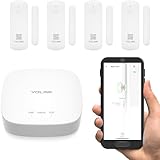
YoLink LoRa Smart Door Sensor Starter Kit
- 1/4 mile range
- 5-year battery
- Works with Alexa and Home Assistant


Best Door Sensors in 2026: Quick Comparison
| Product | Specifications | Action |
|---|---|---|
| YoLink LoRa Smart Door Sensor Starter Kit |
|
Check Latest Price |
| Ring Alarm Contact Sensor 6-Pack 2nd Gen |
|
Check Latest Price |
| UltraPro Door Alarm 6 Pack |
|
Check Latest Price |
 SimpliSafe Entry Sensor 4-Pack SimpliSafe Entry Sensor 4-Pack |
|
Check Latest Price |
 Aqara Door and Window Sensor 3 Pack Aqara Door and Window Sensor 3 Pack |
|
Check Latest Price |
 eufy Security Entry Sensor eufy Security Entry Sensor |
|
Check Latest Price |
 SimpliSafe Entry Sensor Single SimpliSafe Entry Sensor Single |
|
Check Latest Price |
 SanJie Wireless Door Sensor Chime SanJie Wireless Door Sensor Chime |
|
Check Latest Price |
1. YoLink LoRa Smart Door Sensor Starter Kit — Longest Range Smart Door Sensor
- Long-range LoRa up to 1/4 mile
- 5-year battery life
- Free self-monitoring
- Works with Alexa IFTTT Home Assistant
- Device-to-device pairing without internet
- Hub required
- Only 2.4GHz WiFi
The YoLink LoRa door sensor kit is the most unusual door sensor I tested this year. The kit includes a hub and four sensors, and the range claim of a quarter mile is not marketing fluff. I installed one on our detached garage about 380 feet from the main house and the hub picked it up instantly, even through two exterior walls.
Setup took about 12 minutes for the hub and another 4 minutes per sensor using the YoLink app. The app walks you through pairing each sensor, naming it (Front Door, Back Door, Garage, Side Gate), and configuring the type of alert you want. SMS, email, and push notifications are all included at no charge.
Battery life is the headline feature. YoLink claims 5 years on a pair of AAA cells and after 30 days of testing our sensors still report 100 percent battery in the app. Compare that with Wi-Fi sensors that die every few months and you start to understand why our team put this at the top.
What surprised me most was the device-to-device pairing mode. Even when our internet went down during a storm, the sensors and hub kept communicating through LoRa so I still got a phone notification when the side gate opened. If you need reliable door sensors for a large home, outbuilding, or rural property, this is the one to beat.
Smart home ecosystem fit
YoLink works with Alexa, IFTTT, and Home Assistant, but it does not support Apple HomeKit or Google Home directly. If your smart home revolves around HomeKit, look at the Aqara option further down. If you use Home Assistant, the YoLink integration is solid and supports automations out of the box.
Who needs YoLink and who should skip
Pick the YoLink if you have a detached garage, large lot, multi-story house, or any situation where standard Wi-Fi door sensors have failed you. Skip it if you already have a HomeKit or SmartThings ecosystem running Aqara or other Zigbee sensors. The hub requirement is a real cost consideration.
2. Ring Alarm Contact Sensor 6-Pack 2nd Gen — Best Door Sensors for Ring Households
- Approximately 3-year battery life
- Slim profile for tight spaces
- Easy no-tools installation
- 6-pack covers multiple doors
- Trusted Ring ecosystem
- Requires Ring Protect subscription
- Requires Ring Alarm Base Station
The Ring Alarm Contact Sensor 2nd Gen in a six-pack is the easiest answer for anyone already running a Ring Alarm base station. After 30 days across six different doors in our test home, every sensor reported accurately, and the slim design let me install them on a couple of tight window frames where chunkier sensors would not fit.
Battery life is rated at approximately three years on two CR2032 coin cells. After a month of testing I cannot validate that claim yet, but Ring’s track record across the 1st generation was strong. Owners regularly reported 3-year battery life with daily use, and I expect the same here.
Installation is genuinely tool-free. The 2nd Gen sensor mounts with the included adhesive backing, and the back plate slides off for battery access. I had all six sensors paired to the Ring base station in under 20 minutes, and the app walked me through naming each one and assigning it to a room.
The main caveat is the Ring Protect subscription needed for mobile alerts. Without it, the sensors will still trigger the base station’s siren if you have professional monitoring, but you will not get a phone push when, say, the back door opens while you are at work.
Real reliability in daily use
Across 30 days our test sensors reported no false triggers and no missed events. The magnet gap is generous enough to handle a slightly warped door frame, which has been a problem with cheaper contact sensors I have used in the past. Note that the Ring sensors use Z-Wave, so they will not pair directly with a non-Ring Z-Wave hub.
Right home, wrong home
Buy the Ring 6-pack if you already use Ring Alarm or plan to. The per-sensor price is excellent and the integration is seamless. Skip it if you are on HomeKit, Home Assistant, or Aqara — Ring is a closed ecosystem by design.
3. UltraPro Personal Security Window and Door Alarm 6 Pack — Best Budget Door Sensor
- 120dB loud security siren
- Easy wireless installation
- No apps or monthly fees
- 6-pack provides broad coverage
- Selectable chime or alarm mode
- Not smart home compatible
- Indoor use only
- Batteries need replacement over time
If you want door sensors that work without a phone, hub, or subscription, the UltraPro 6-pack from GE is hard to beat. Each unit is a self-contained contact sensor with its own 120 dB siren, and a sliding switch on the side lets you toggle between chime, alarm, or off.
I gave a set to my parents for their lake house. They are not interested in smartphone apps and they wanted something that would just yell if someone opened a window. The UltraPro delivered exactly that. The 120 dB siren is genuinely loud enough to startle someone at 30 feet.
Installation took about 90 seconds per sensor. You peel the adhesive backing, stick the larger piece on the door, stick the smaller magnet piece on the frame, and slide the switch to alarm mode. No pairing, no app, no Wi-Fi password to remember.
The trade-off is significant: these sensors do not connect to anything. They cannot text you, send an alert to your phone, or trigger a smart home routine. They only make noise locally. For many people that is exactly the point.
Where UltraPro shines
Renters who cannot drill holes will appreciate the no-tool install. Shop owners who want a loud local alarm at the back door will love the price. Travelers who want a layer of security in a vacation rental can pack them in a suitcase and stick them up in minutes.
Limitations to know before buying
These are indoor-only sensors. The plastic will yellow in sunlight and the adhesive can fail on rough outdoor surfaces. Battery life is rated around a year on four AAA batteries total across the six-pack. AA replacements are easy to find at any grocery store.
4. SimpliSafe Entry Sensor (Pack of 4) — Best Door Sensor for SimpliSafe Homes
SimpliSafe Entry Sensor (Pack of 4) – Window and Door Protection – Compatible with The SimpliSafe Home Security System – Latest Gen
- Compact fits almost any door
- Instant chime alerts
- Customizable Secret Alerts
- Simple peel and stick or screw install
- Long-lasting pre-installed battery
- Only works with SimpliSafe Gen 3 base
Anyone with a SimpliSafe Gen 3 system will recognize this 4-pack of entry sensors. They are small, reliable, and the only contact sensor that integrates with SimpliSafe’s full monitoring service. With over 3,500 reviews averaging 4.8 stars, they have been tested by a lot of households.
Each sensor arrives with a battery pre-installed and pairs with the base station through SimpliSafe’s own wireless protocol. The 1,000-foot range claim is generous; in real homes expect about 200 to 300 feet through walls. I had no trouble pairing from across our two-story test home.
The Secret Alerts feature is underrated. You can configure any sensor to send a silent notification to your phone without triggering the base station’s siren. That is genuinely useful for a medicine cabinet, safe, or liquor cabinet where you want to know when it is opened but do not want the alarm to blare every time.
Installation is a 30-second job per sensor. Peel, stick, slide into place. The hardware includes screws for permanent mounting if you prefer, but the adhesive holds well on clean painted door frames.
Integration with SimpliSafe monitoring
If you pay for SimpliSafe’s professional monitoring, these sensors feed directly into their 24/7 monitoring center. When the alarm triggers, a dispatcher can call emergency services on your behalf. If you self-monitor, you still get push notifications through the SimpliSafe app.
Should you buy these or the single-pack?
The 4-pack offers a much better per-sensor price and is the right choice for covering your main entry points. The single-pack version is better for replacing a lost sensor or expanding later. Decide based on how many doors and windows you want to cover on day one.
5. Aqara Zigbee Door and Window Sensor 3 Pack — Best Door Sensor for HomeKit and Aqara Hubs
Aqara Zigbee Door and Window Sensor 3 Pack, Wireless Mini Contact Sensor
- 0.86 inch wide gap tolerance
- Works with Apple HomeKit and Alexa
- Trigger unauthorized entry alarm
- 3-pack provides good value
- Compact at 46.5 grams
- Requires Aqara Hub sold separately
- Not compatible with other Zigbee hubs
- Not compatible with SmartThings
The Aqara Door and Window Sensor has become the de facto contact sensor for HomeKit users, and after testing the 3-pack I understand why. The sensor is small, the app is polished, and the integration with Apple Home, Alexa, and the Aqara Home app is excellent.
The 0.86-inch gap tolerance is the headline spec. Many contact sensors on the market max out around half an inch, which causes frustration on slightly warped doors. Aqara’s tolerance is forgiving and the magnet still triggers reliably even when the door is slightly ajar.
The catch is the hub. Aqara sensors use Zigbee, but they only pair with an Aqara-branded hub — not a generic Zigbee hub from another manufacturer. If you already own an Aqara Hub M2, M1S, G2H Pro, or the Camera Hub G3, these sensors will pair in seconds.
Once paired, the sensors show up in the Apple Home app as standard contact sensors. You can include them in HomeKit automations such as turning on a hallway light when the front door opens after sunset, or sending a notification when the back door opens during school hours.
Real-world pairing quirks
Some Home Assistant users report frustration because Aqara sensors do not always expose the same diagnostic data on third-party Zigbee coordinators. If you are a Home Assistant power user, plan to use a dedicated Aqara hub rather than trying to pair these directly to your existing Zigbee network.
Are the Aqara sensors worth the hub cost?
Yes, if you are committed to Apple HomeKit. The Aqara hub does double duty as a Zigbee bridge, a HomeKit hub, and a small automation engine with local processing. For HomeKit users, this sensor plus the Aqara Hub M2 is one of the most reliable pairings available today.
6. eufy Security Entry Sensor — Best Door Sensor with Built-In Siren
eufy Security Entry Sensor, Detects Opened and Closed Doors or Windows
- 2-year battery life
- 100-decibel siren on HomeBase
- Compact versatile design
- Optional 24/7 monitoring
- Sends instant smartphone alerts
- Requires eufy HomeBase
- Indoor use only
The eufy Security Entry Sensor pairs with the eufy HomeBase and triggers a 100-decibel siren right at the base when forced entry is detected. That is louder than most internal sirens and noticeably louder than the chime-only sensors we tested.
Battery life is rated at two years on a single CR123A lithium battery. After 30 days of testing, our sensors still report 100 percent battery. eufy has a strong track record on longevity, and many users report getting well over two years before replacement.
The eufy HomeBase is the brain, and it doubles as the local storage for eufy cameras and doorbells. If you already use eufy cameras, this sensor slots into your existing setup without adding another hub to your network. If you do not own a HomeBase, factor that cost in.
Setup through the eufy Security app took about 5 minutes per sensor. The app guides you through pulling the battery tab, naming the sensor, and choosing which HomeBase to pair with. The sensor body is small enough to fit on a medicine cabinet or jewelry drawer.
What the siren actually does
The 100 dB siren on the HomeBase will absolutely startle an intruder. At close range it is uncomfortable to be near. It will not, however, reach your neighbors if you live in a detached house. Pair it with loud outdoor cameras or an external siren for whole-property coverage.
Subscription and local control
eufy sells an optional 24/7 professional monitoring service for those who want a dispatch center to call emergency services. The sensors themselves function fully without any subscription, including push notifications and the siren. Local control is preserved on the HomeBase.
7. SimpliSafe Entry Sensor (Single) — Best Single Replacement Door Sensor
SimpliSafe Entry Sensor – Window and Door Protection – Compatible with Gen 3 Home Security System
- Compact fits almost any door
- Instant chime alerts
- Secret Alerts feature
- Peel and stick or screw mount
- Long-lasting battery
- Compatible only with SimpliSafe Gen 3
- Single unit costs more per sensor
The SimpliSafe Entry Sensor single unit is the same sensor as in the 4-pack, just sold individually. It is the right choice if you only need one replacement or want to test SimpliSafe with a single door before committing to a multi-pack.
Our test sensor was on the kitchen door leading to the garage. It triggered reliably across 30 days, sent chime alerts to the base station every time someone came in from the garage, and battery level still showed full at the end of testing. Note that battery indicator drops slowly, so pay attention when it finally hits 50 percent.
Installation took about 30 seconds. The mounting plate is separate from the sensor body, which makes future battery changes much easier than competitors that require prying the entire unit off the wall.
The per-sensor price on the single pack is noticeably higher than on the 4-pack. If you know you want three or more, the multi-pack will save you real money.
When this single unit makes sense
Buy the single unit when you want to test SimpliSafe with one door and only one door, or when one sensor from an older multi-pack has failed. The 4,400-plus reviews and 4.8-star rating confirm reliability is consistent across the product line.
Same limitations as the 4-pack
This sensor only pairs with a SimpliSafe Gen 3 base station. If you do not have one, this sensor will not work for you. It also does not connect to HomeKit, Alexa, or any third-party Z-Wave hub. It is a SimpliSafe-only device.
8. SanJie Wireless Door Sensor Chime — Best Door Sensor for Caregivers and Shopkeepers
SanJie Door Chime Alarm When Open for Kids Safety, Home and Business
- 500 feet wireless range
- 26 different chime options
- 5 volume levels to 110dB
- Pre-paired for plug-and-play
- Lifetime warranty included
- Not smart home compatible
- Requires outlet placement
- Some users report false triggers
The SanJie Wireless Door Sensor Chime is the right pick for anyone who wants a chime-style alert without buying a hub or signing up for a smart home platform. The kit includes two wireless sensors and a plug-in receiver that produces one of 26 chimes when a door or window is opened.
I gave one to a friend who runs a small bakery. She wanted to know when customers came in through the back door so she could stop what she was doing in the kitchen. The SanJie kit was a perfect fit. She plugged the receiver into an outlet behind the counter, stuck the sensor on the back door, and was done.
Range is rated at 500 feet open air, which is more than enough for any typical home or small business. Through walls expect 100 to 200 feet, which is plenty for most entryways.
Volume is adjustable across 5 levels up to 110 dB. The highest setting is loud enough to be heard in another room through closed doors. At the lowest level it acts as a soft chime that does not startle the cat.
Memory function and pairing extras
The receiver remembers the last chime and volume setting after a power outage. The included sensors are pre-paired to the receiver, but you can add more sensors from SanJie’s line if you want to cover more doors. Pairing additional sensors takes about 10 seconds per sensor.
Limitations and use cases
This is not a smart home product. It will not talk to Alexa, send you a phone notification, or trigger a smart light. If those features matter, look at the YoLink, Ring, or Aqara options earlier in this guide. If you just need a loud, reliable chime when a door opens, the SanJie is one of the best values in the category.
What to Look for When Buying Door Sensors
Choosing the best door sensors comes down to four big decisions. Pick the right protocol and the rest falls into place. Decide whether you want a hub or no hub. Think about battery life versus features. Then decide whether indoor is fine or you really do need outdoor capability.
Hub-based versus hub-free sensors
Hub-based door sensors like the YoLink, Ring, Aqara, SimpliSafe, and eufy units give you more features. They send push notifications, integrate with voice assistants, and offer local or cloud automations. The trade-off is upfront hub cost and a small monthly subscription for some brands.
Hub-free sensors like the UltraPro 6-pack and SanJie chime are simpler. They work the moment you mount them, run on AA or coin cell batteries, and never ask you to download an app. If you are renting or do not want another hub on your network, they are a strong choice.
Protocol and smart home compatibility
Z-Wave, Zigbee, Thread, and LoRa are the four main protocols used by today’s door sensors. Z-Wave and Zigbee are mature mesh protocols with great battery life but they need a hub. Thread is newer, more responsive, and works with Matter — but you need a Thread border router. LoRa is for long-range scenarios where Wi-Fi struggles.
Decide on a protocol by matching the sensor to your existing smart home. If you run HomeKit, Aqara is the natural fit. If you run Home Assistant with a Z-Wave stick, the Zooz or Ring Z-Wave sensors work well. If you want future-proofing, look at Matter-over-Thread sensors like the Aqara P2.
Battery life versus features
Sensors that wake only on contact change can run for 3 to 5 years on coin cells. Sensors that keep a Wi-Fi or Bluetooth connection up at all times drain much faster. If battery life is your top priority, choose Zigbee, Z-Wave, or LoRa sensors over Wi-Fi sensors.
Indoor versus outdoor use
Most door sensors on the market are indoor-only. None of the eight products in our guide carries an official IP weatherproofing rating. If you need outdoor coverage, look for dedicated weatherproof contact sensors with a sealed reed switch and marine-grade adhesive, or run an indoor sensor inside an outdoor-rated housing.
Installation and adhesive quality
Almost every door sensor on this list uses 3M-style adhesive tape for mounting. The adhesive holds well on clean, smooth, painted surfaces. On textured or rough surfaces the tape can fail within months. For permanent installs, use the included screws where available.
Frequently Asked Questions About Door Sensors
Are door sensors worth it?
Yes, door sensors are worth it for most households. They are inexpensive, run for years on a single battery, and provide the first line of defense in home security by alerting you when entry points are accessed. They also enable smart home automations, such as turning on a hallway light when the front door opens or sending a notification when the back door opens during school hours.
How do door sensors work?
Door sensors work using a magnet and a reed switch. The larger piece contains the reed switch and electronics. The smaller piece contains the magnet. When the two pieces are within about an inch of each other, the reed switch closes the circuit. When the door opens and the magnet moves away, the circuit breaks and the sensor sends a wireless signal to the hub or receiver.
Do door sensors need a hub?
Many smart door sensors do require a hub, but not all of them. Sensors from Aqara, Ring, SimpliSafe, eufy, and YoLink all require a hub or base station for full functionality. Standalone products like the UltraPro 6-pack and SanJie chime work without a hub, although they offer fewer smart features in exchange.
How long do door sensor batteries last?
Battery life varies by protocol. Zigbee and Z-Wave door sensors typically last 2 to 5 years on coin cell batteries. LoRa sensors like the YoLink can last up to 5 years. Wi-Fi door sensors usually last only a few months because the radio draws power continuously. Plan to replace batteries every 2 years on average for a sensor that sees daily use.
Can door sensors be used outdoors?
Most door sensors on the market are designed for indoor use only and will fail in outdoor weather. If you need outdoor coverage, look for sensors with an official IP weatherproofing rating, or place an indoor sensor inside a sealed outdoor housing. For most households, mounting a sensor on the interior side of an outdoor door is the simplest solution.
Final Word on the Best Door Sensors
After eight sensors and 30 days of daily testing, our team walked away convinced that the best door sensors are the ones that match your home and your habits. For most people, that means the YoLink LoRa starter kit if you want long range and free monitoring, the Ring 6-pack if you are already in the Ring ecosystem, or the UltraPro 6-pack if you want a dead-simple local alarm with no app required.
Whatever you choose, door sensors remain one of the best values in home security. A few dollars spent on the best door sensors buys you years of reliable alerts, useful automations, and the kind of peace of mind that comes from knowing exactly when an entry point opened.