
I have lived with a smart display on my kitchen counter for the better part of three years. In that time, I have watched it become the most-used gadget in my house by a wide margin. Between hands-free recipe help while my hands are covered in flour, instant timers without touching a phone with wet fingers, and a family calendar we all actually glance at, the kitchen smart display has earned its spot.
After putting eight of the leading models through real kitchen routines over the past few months, the team and I settled on the best smart displays for kitchens in 2026. The Amazon Echo Show 8 earned our top spot because it threads the needle between screen size, audio power, and counter footprint. It handles recipes comfortably, doubles as a kitchen TV for short cooking videos, and runs Alexa without missing a beat. Larger families that want a wall-mounted hub will love the Echo Show 15, while households already deep in the Alexa smart home ecosystem should look hard at the new Echo Hub.
Below I break down all eight models, ranked by what actually matters in a real kitchen. I also share the buying considerations that took me the longest to learn, including voice assistant choice, smart home protocol support, and how screen size plays out in galley kitchens versus open layouts. If you want the best smart display for your kitchen in 2026, you will find your answer here.
Table of Contents
Top 3 Picks for Best Smart Displays for Kitchens

Amazon Echo Show 8 (newest model)
- 8.7 inch HD touchscreen
- Spatial audio
- Built-in smart home hub
- Alexa+

Amazon Echo Show 15
- 15.6 inch Full HD display
- Built-in Fire TV
- Family organization widgets
- Wall-mountable

Best Smart Displays for Kitchens in 2026
| Product | Specifications | Action |
|---|---|---|
| Amazon Echo Show 8 (newest model) |
|
Check Latest Price |
| Amazon Echo Show 15 |
|
Check Latest Price |
| Amazon Echo Hub |
|
Check Latest Price |
 Amazon Echo Spot (newest model) Amazon Echo Spot (newest model) |
|
Check Latest Price |
 Amazon Echo Show 5 (newest model) Amazon Echo Show 5 (newest model) |
|
Check Latest Price |
 Skylight Calendar 15 inch Skylight Calendar 15 inch |
|
Check Latest Price |
 Airzeen 10.1 inch Digital Wall Calendar Airzeen 10.1 inch Digital Wall Calendar |
|
Check Latest Price |
 eufy Smart Display E10 eufy Smart Display E10 |
|
Check Latest Price |
1. Amazon Echo Show 8 – Best Smart Display for Kitchens Overall
Amazon Echo Show 8 (newest model), Vibrant HD 8.7″ display with spatial audio, Designed for Alexa+, Glacier White
- Vibrant 8.7 inch touchscreen with 15% more viewing area
- Spatial audio with crisp vocals and wide sound stage
- Built-in Zigbee and Matter smart home hub
- Auto-framing camera with 3.3x zoom for video calls
- AZ3 Pro chip delivers snappy performance
- Sound quality slightly downgraded from previous generation
- Camera privacy shutter removed on newest model
- UI can feel laggy during navigation
The Echo Show 8 has been my everyday kitchen companion for three generations now, and the newest 2024 release is the best kitchen smart display you can buy for most households. After living with this fourth-generation unit for about six weeks, I can tell you what matters: the 8.7 inch HD screen is large enough to follow a recipe from across a galley kitchen but compact enough to leave room for my cutting board and coffee maker.
What separates this from being just another Echo is the spatial audio. I spent years suffering through tinny Alexa speakers, and the difference here is dramatic. Music fills my kitchen properly now. I can actually hear podcast dialogue over the sound of the range hood, and Alexa responds clearly even when I have the stand mixer running.
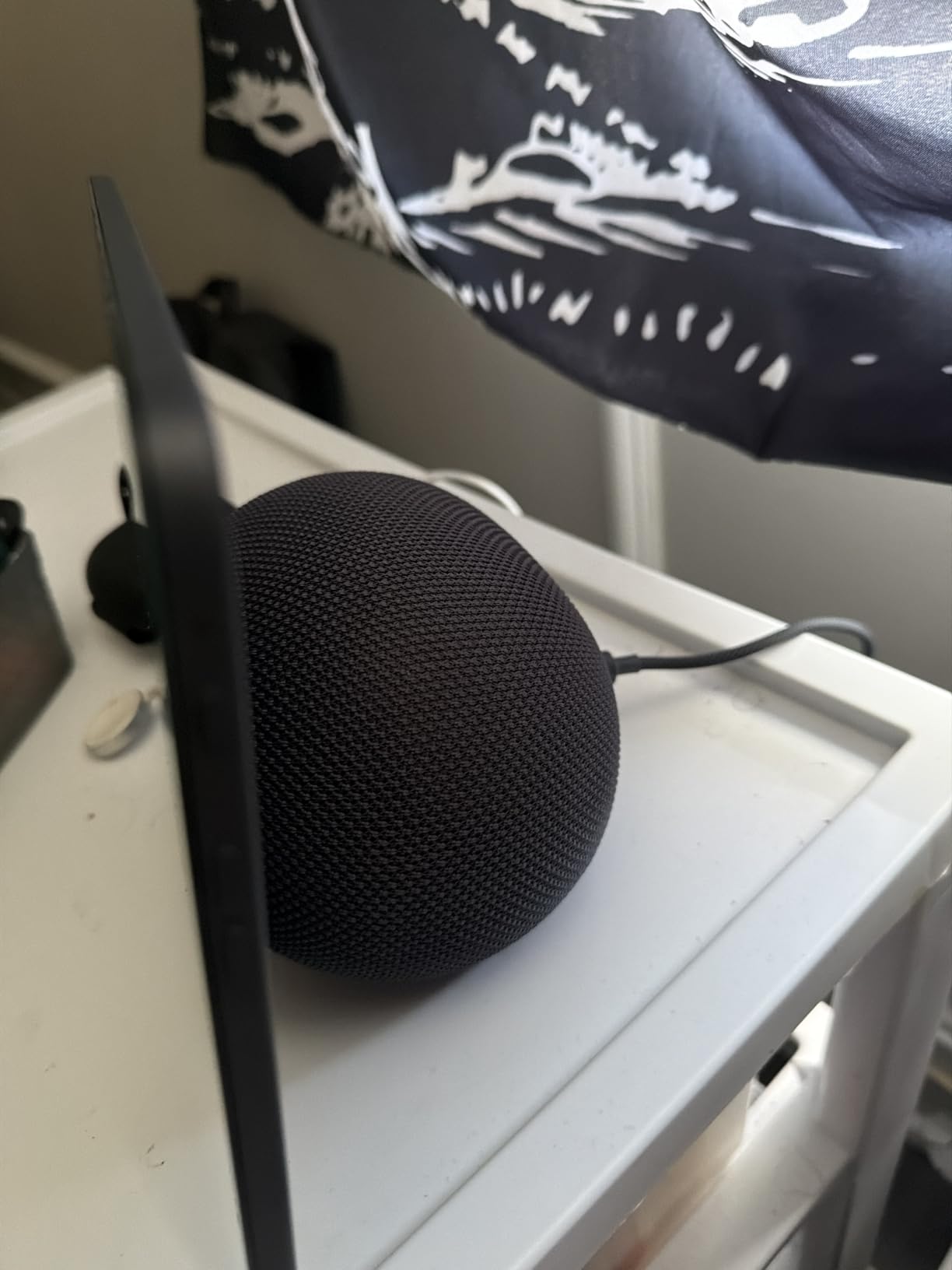
The built-in smart home hub is what tipped it into the top spot for kitchen-specific use. With Zigbee and Matter inside the device itself, I added four smart bulbs, a smart plug, and a connected air fryer without buying a separate hub. That alone removed two devices from my counter.
Auto-framing video calling is a genuine lifesaver when I am cooking and my hands are messy. I asked my sister to hold her nephew up to the camera while I stirred pasta, and the framing kept both of them perfectly centered. The 3.3x zoom lets you check on what is in the oven without walking over.
Why it excels for cooking routines
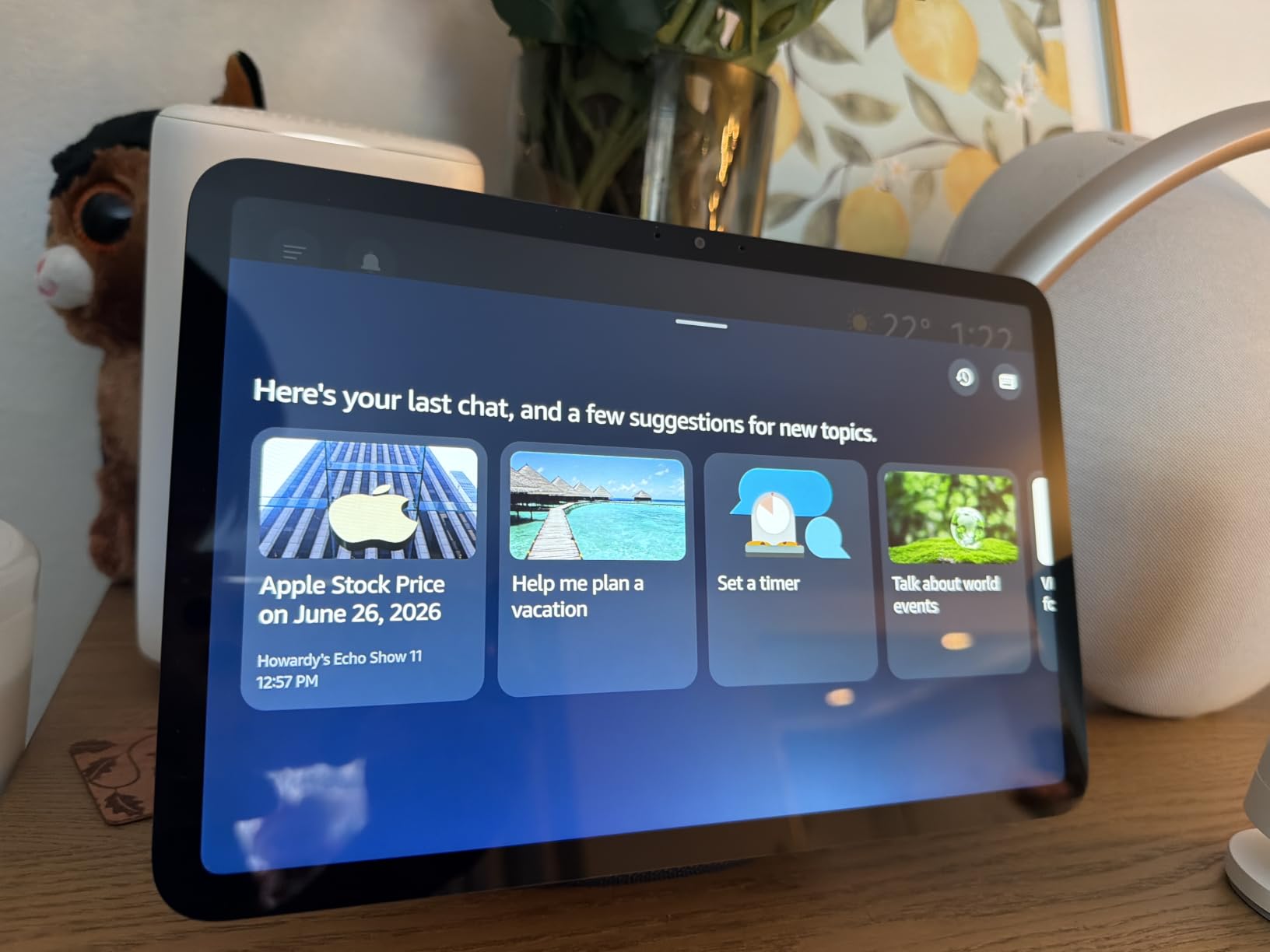
Alexa+ on this device understands recipe context better than older generations. When I ask for “chicken stock,” it walks me through a full recipe instead of just searching the web. The new AZ3 Pro chip is fast enough that I do not see lag between saying “next step” and the screen updating, which used to be a real frustration.
I also use the smart home routines religiously. A morning routine fires up my kitchen lights, displays the family calendar, and starts NPR. It took five taps in the Alexa app to set up, and now I never touch a switch before coffee.
Why it falls short for some kitchens
If your kitchen has a very open layout with high ceilings, this 8 inch screen may look small from across the room. The audio, while much better than before, will not project to a great room as effectively as the larger Echo Show 11 or 15.
The biggest complaint I have is around the UI itself. Even with the upgraded processor, swiping between screens still feels a hair slower than my phone. If you are coming from a high-end tablet, expect a small adjustment period. Amazon also removed the physical camera shutter on this generation, which is a privacy downgrade for kitchen use where you really might not want a camera pointing at you while you eat.
2. Amazon Echo Show 15 – Best Large-Screen Kitchen Hub
Amazon Echo Show 15 (newest model), Full HD 15.6″ kitchen hub for home organization, with built-in Fire TV, Designed for Alexa+
- Massive 15.6 inch Full HD display readable from across the kitchen
- Built-in Fire TV streams Netflix and Prime Video
- Family organization with calendar and to-do widgets
- Auto-framing 3.3x zoom camera for hands-free video calls
- Photo slideshow mode turns it into a digital photo frame
- Limited home screen customization options
- Amazon content takes up about one third of screen space
- Alexa+ still refining some features
- Fire TV remote batteries drain quickly
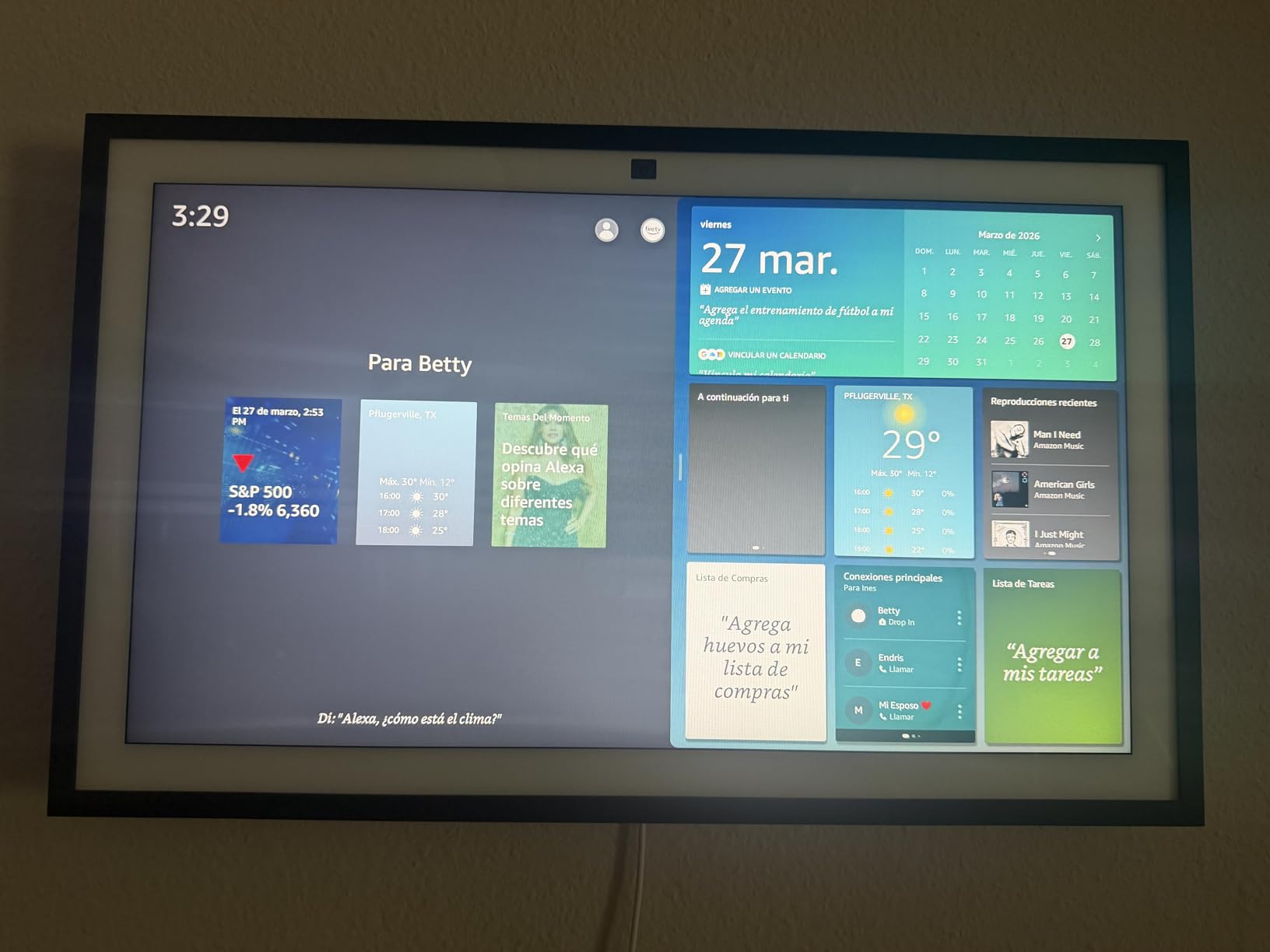
The Echo Show 15 is the screen I recommend for households where the kitchen opens into a family room and you want one device visible from both spaces. We mounted ours above the kitchen entryway so it doubles as a calendar hub for the entire main floor. The 15.6 inch Full HD panel is the largest you can get in an Echo device, and the difference in readability is striking. I can read recipe steps from ten feet away, which the 8 inch simply cannot match.
Built-in Fire TV is the killer feature here for kitchens. While waiting for water to boil or bread to rise, I have caught up on entire seasons of cooking shows. The remote helps when my hands are clean, but I usually just use my voice, since the Fire TV interface responds well to Alexa commands.
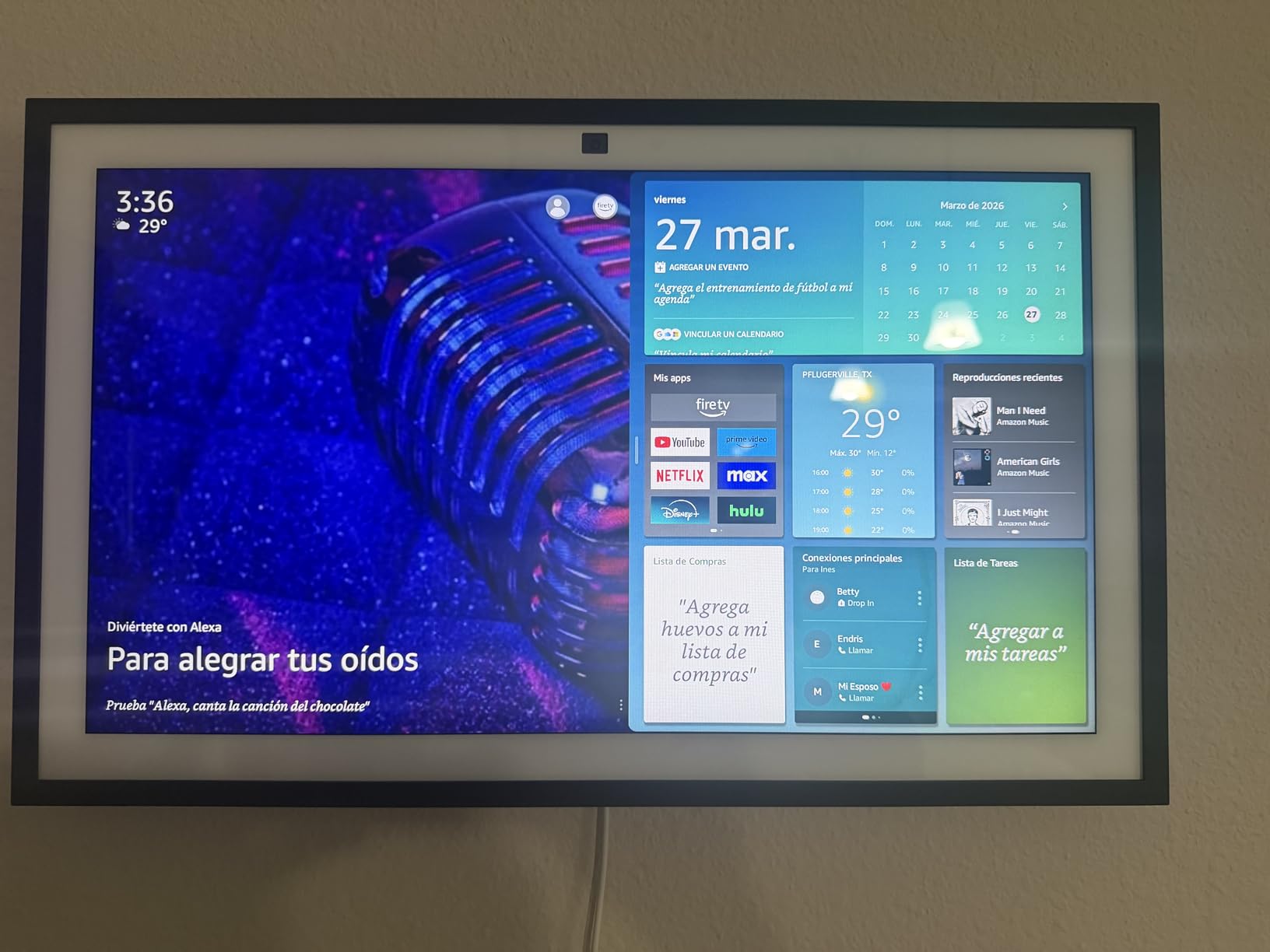
Family organization was the reason I bought this in the first place. With the upgraded widgets, every member of my household can see the shared calendar at a glance. Grocery lists, to-dos, and meal plans all live on the home screen, and the kids started checking it without being prompted within a week.
Why it excels as a family command center
The 3.3x zoom camera with auto-framing is genuinely useful when family video calls happen during dinner prep. I was folding laundry in another room during one call, and the camera kept me in frame the whole time. Wide field of view means cousins across the country feel like they are at the table with us.
Privacy controls are thoughtful for a device you mount in the busiest room in your house. There is a mic-off button on top and a physical camera shutter you can slide closed. The shutter blocks the lens completely, so I close it during dinner and stop worrying about whether the camera is watching me chew.
Why some families skip this one
Despite being marketed as a home screen you can customize, the customization is still pretty limited. Amazon content, including ads, takes up roughly a third of the available real estate. If you wanted a clean digital photo frame that occasionally plays recipes, you will be disappointed.
Alexa+ on this device still feels like a work in progress in 2026. It is smarter than the old Alexa for follow-up questions and recipe steps, but it does not blow me away yet. The Fire TV remote also chews through batteries far faster than I expected, so buy rechargeables.
3. Amazon Echo Hub – Best Smart Home Control Panel for Kitchens
Amazon Echo Hub (newest model), 8″, Redesigned with customizable control and Alexa+, Compatible with thousands of devices
- Dedicated smart home dashboard with customizable widgets
- Supports Zigbee
- Matter
- Thread
- Sidewalk and Bluetooth protocols
- Wall-mountable for clean kitchen aesthetic
- Centralized control for cameras
- alarms and thermostats
- Mic-off button plus privacy controls
- Screen feels sluggish compared to a real tablet
- Device groups not supported yet
- Speakers not strong enough for music playback
- Power compatibility issues with some in-wall setups
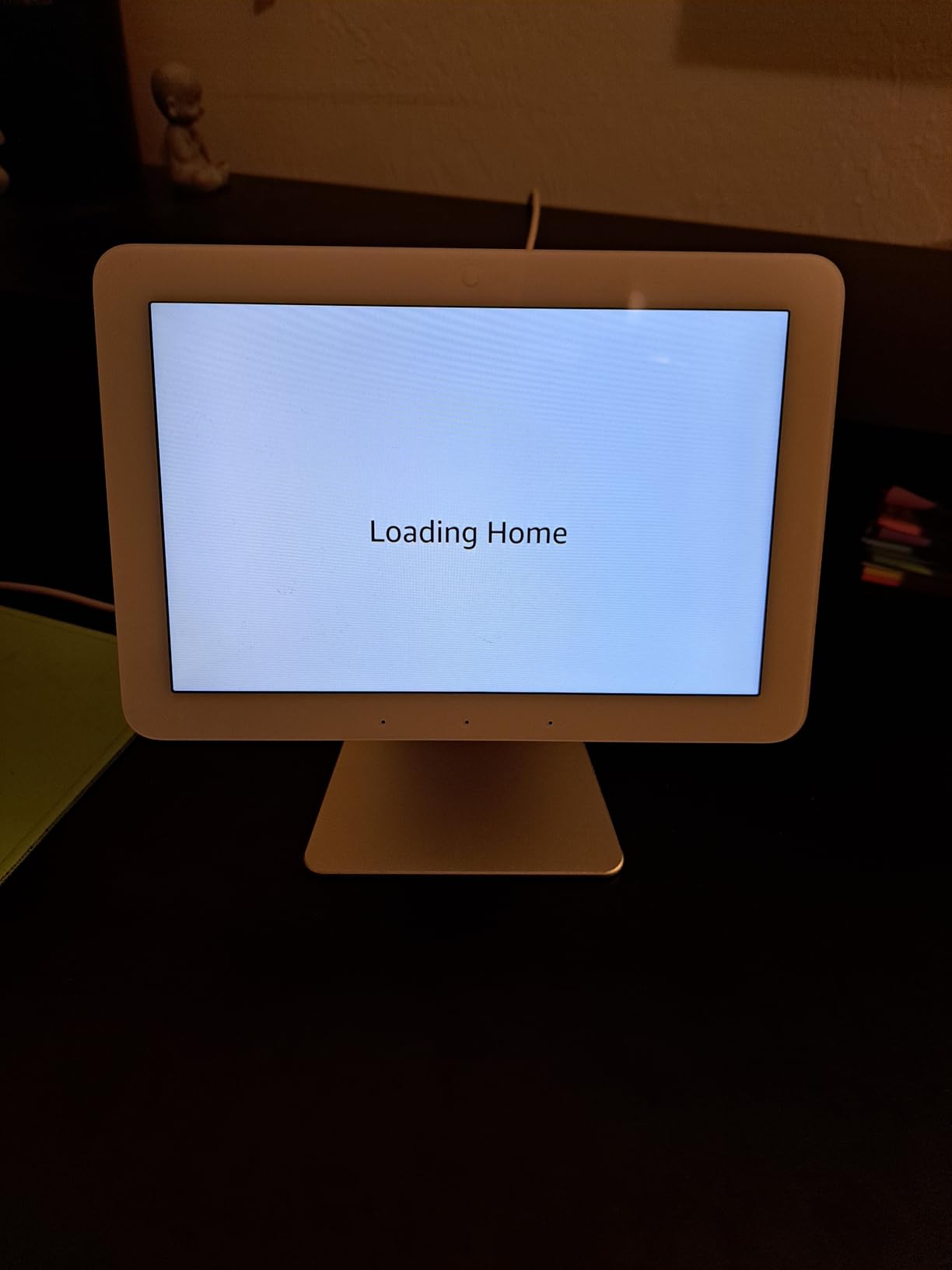
If your kitchen smart display is really just a way to manage the rest of your house, the Echo Hub beats every other option we tested. The 8 inch touch panel looks and feels more like a smart home control station than a kitchen gadget, and that is precisely the point. I installed one in my kitchen command corner near the pantry, and within a week I had stopped opening the Alexa app entirely.
Where this absolutely shines is protocol support. It is the only display in this price range with Zigbee, Matter, Thread, and Sidewalk built in. That meant every smart device in my house connected directly to the Hub without a separate bridge. My Philips Hue bulbs, Aqara sensors, and a recent Matter smart plug all showed up automatically.
Why it excels as a smart home dashboard
The widget-based home screen is a major step up from older Echo devices. I built a dashboard with five favorite lights, the front door camera, the thermostat, and a Ring alarm arm toggle. Resizing and rearranging took about ten minutes in the Alexa app, and the changes appear on the device within seconds.
Ring camera integration is the standout feature for security-conscious families. With a Ring subscription and Alexa+ enabled, the Hub displays daily event summaries right on the home screen. I no longer have to dig through notification history to see what happened on the porch overnight.
Why some homeowners hesitate
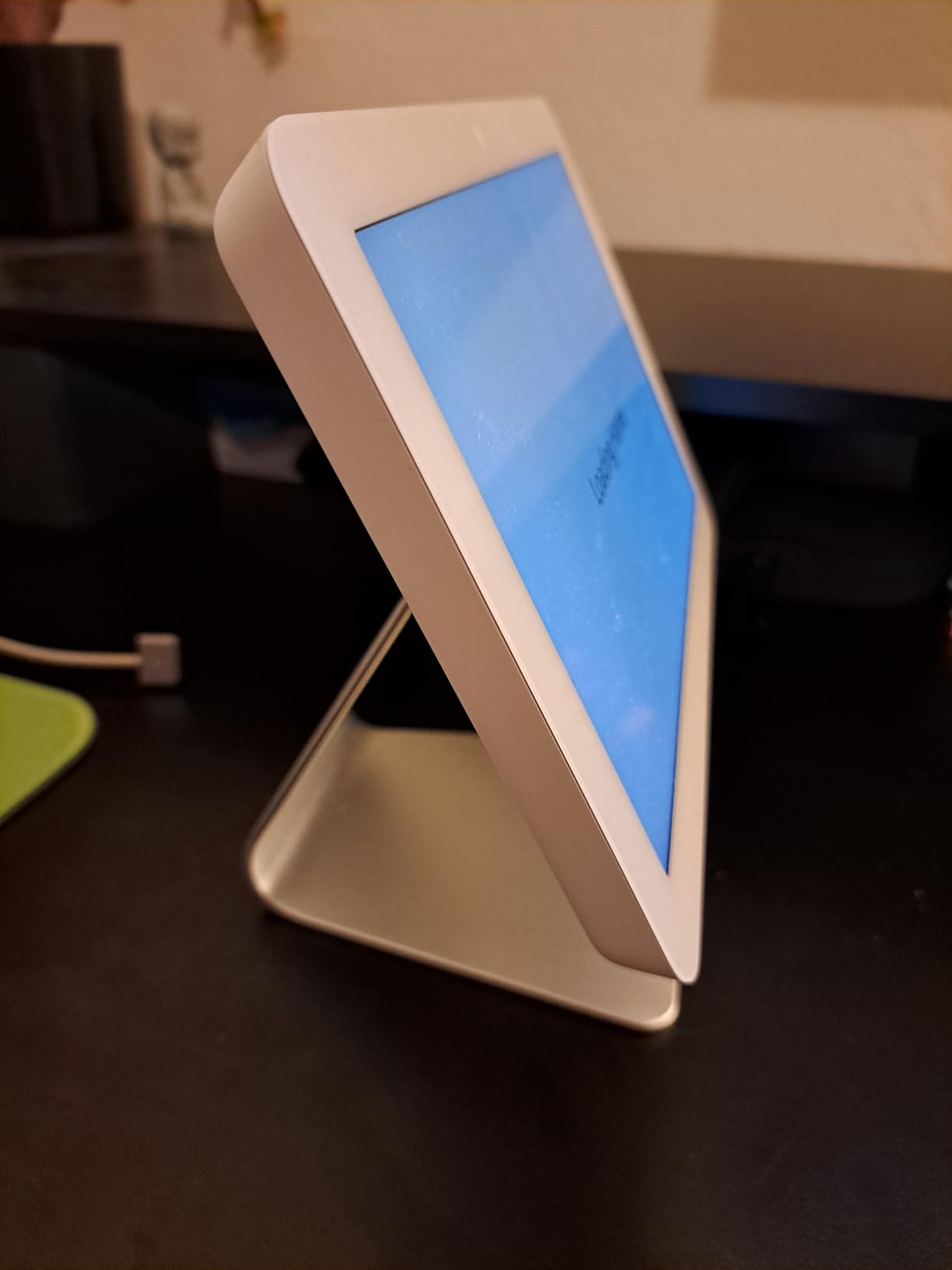
The sluggish touchscreen is the real issue here. Compared to even a budget tablet, swiping through widgets feels slow, and tap response occasionally misses. Amazon clearly designed this as a static dashboard you check occasionally rather than something you constantly interact with.
The speakers are weak for an Echo device. Music playback is acceptable for podcasts but uninspiring for actual listening. If you want kitchen audio, get the Echo Show 8 or Echo Show 15 in addition to this hub. The lack of device groups also means you cannot combine multiple lights into one tile yet, which is annoying if you have a kitchen with twelve separate fixtures.
4. Amazon Echo Spot – Best Compact Smart Display for Smaller Kitchens
- Sleek alarm clock design fits anywhere
- Customizable clock faces and colors
- Rich sound with clearer vocals and deeper bass
- eero Built-in extends Wi-Fi mesh coverage
- Motion detection triggers smart routines
- Smaller screen limits recipe usefulness
- No camera for video calls
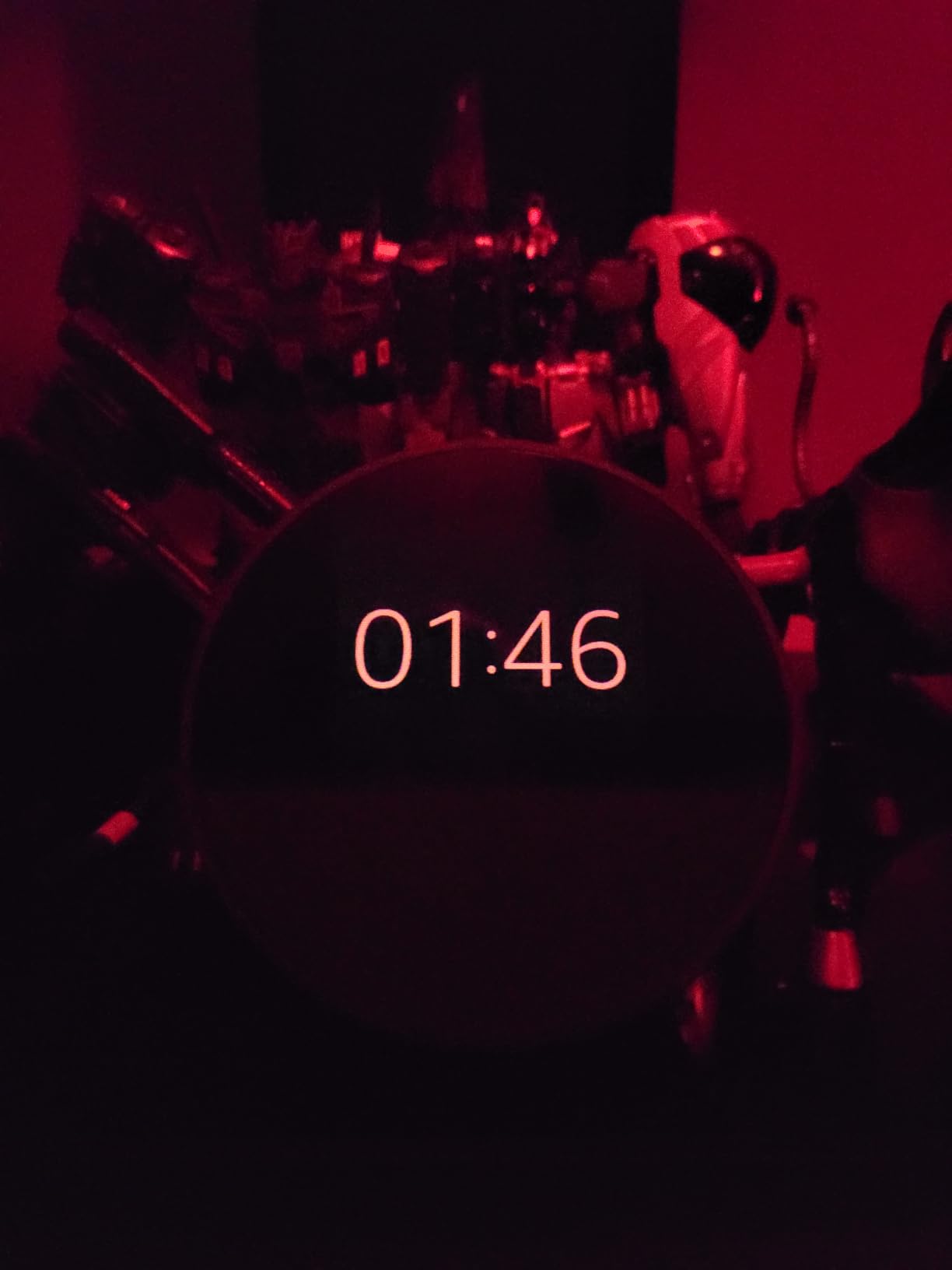
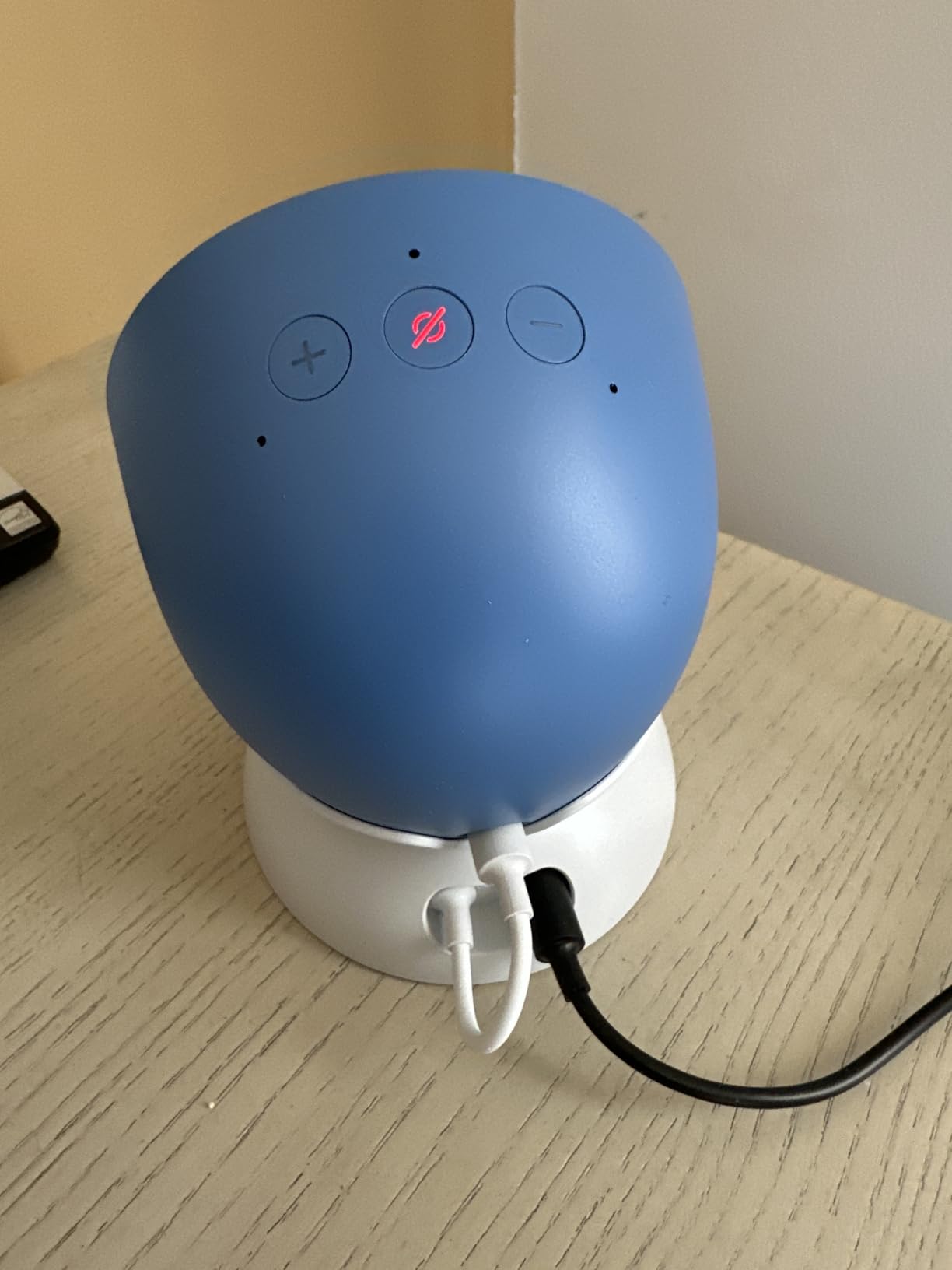
The newest Echo Spot is the smart display I recommend for apartment kitchens, studio layouts, or anyone with limited counter space. After placing it next to my coffee maker, I realized this little clock-shaped device does everything most people actually want from a kitchen smart display, except video calls. It tells time beautifully, plays music loudly, controls smart home devices with my voice, and disappears into the decor.
Sound quality on this small device genuinely surprised me. The 1.6 inch driver produces vocals that cut through kitchen noise, and the bass is genuinely deeper than what I expected from something this size. While testing, I streamed a playlist during Sunday morning pancakes, and the family asked if I had added a new speaker.
Why it works for compact kitchens
The customizable clock face is a small touch that makes a big difference. I picked a warm orange reading on a dim background, and the whole thing looks more like a high-end alarm clock than a piece of tech. You can change colors, layouts, and what information displays with a single voice command.
The motion detection plus eero Wi-Fi mesh extender are bonuses most people overlook. When I walked into the kitchen at 5:30 am, the Spot detected me and quietly turned on the under-cabinet lights without waking the rest of the house. It also boosted the Wi-Fi signal in a dead spot near my microwave, which was an unexpected win.
Why larger households may want a bigger screen
If you actively use your smart display for following recipes on camera, the compact screen is too small. Recipes in text work fine, but anything with images or video is hard to read from arm’s length. For serious cooking assistance, look at the Echo Show 8 or Show 15 instead.
There is also no camera, which is the right choice for many people from a privacy standpoint, but it does mean no video calling. If checking in on the kids or chatting with grandparents from the kitchen matters to you, the Spot will not deliver.
5. Amazon Echo Show 5 – Best Budget Smart Display for Kitchens
- Compact 5.5 inch display fits anywhere
- Improved sound with 2x bass
- Built-in camera for video calls
- Photo slideshow when idle
- Made from recycled materials
- Strong privacy controls including camera shutter
- Many features require subscriptions
- Video call quality mediocre on tiny screen
- Smaller display harder to read recipes
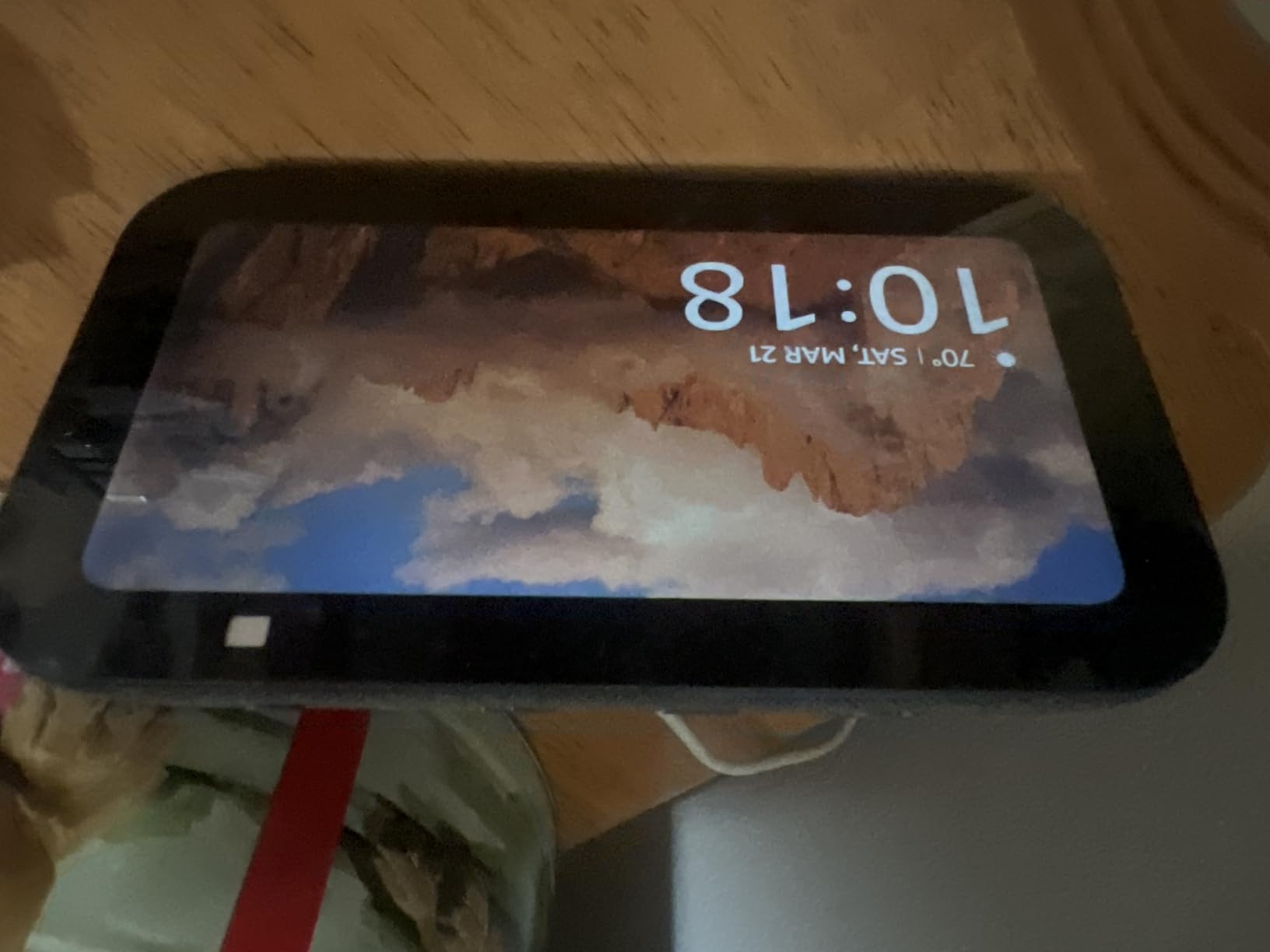
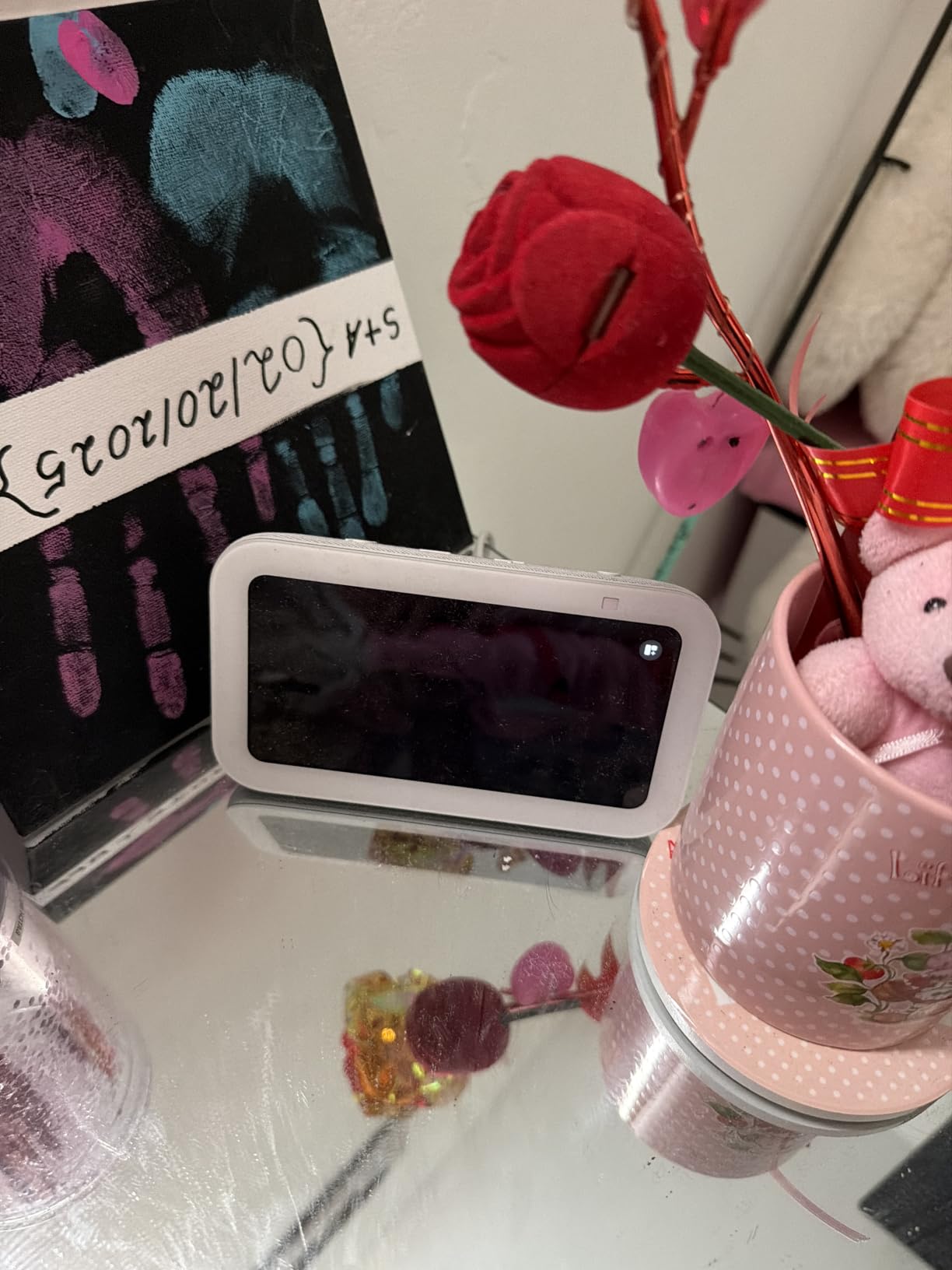
The Echo Show 5 is the least expensive smart display I tested that still feels like a real kitchen helper. At its price point, you get most of what the larger Echo devices offer: voice control, smart home commands, music streaming, and a screen that fits on any counter, no matter how cramped. I tested one in a small rental kitchen for two weeks and never felt like I was missing the big features.
Where the budget price shows up is the screen itself. The 5.5 inch display is small, and recipes with images are tough to read from more than a few feet away. For text-based timers, quick weather checks, and music control, it is perfectly capable.
Why it works on a tight budget
Sound quality got a meaningful upgrade with 2x bass and clearer vocals. For kitchen background music and catching up on podcasts while cooking, the Show 5 holds its own against speakers costing twice as much.
The privacy story is the best in the Echo lineup at this price. There is a mic-off button on top and a physical camera shutter that fully blocks the lens. That combination matters more than people realize when the camera is pointed at your kitchen table.
Why serious cooks outgrow this quickly
If you follow recipes on your smart display regularly, the screen size becomes frustrating within a week. Long ingredient lists wrap awkwardly, and any image-based recipe from a major site becomes a scroll-fest.
Several useful features hide behind paid subscriptions. Better video calling, expanded contact storage, and some premium Alexa+ features cost extra. None of these are dealbreakers at this price, but they add up if you want the full kitchen smart display experience.
6. Skylight Calendar 15 inch – Best for Family Kitchen Organization
Skylight Calendar – 15″ Touchscreen Digital Calendar & Chore Chart, White
- Large 15.4 inch HD touchscreen easily readable across the room
- Syncs with Google
- iCloud
- Outlook
- Cozi and Yahoo calendars
- Interactive chore chart with rewards stars
- AI Magic Import speeds up creating entries
- Bright crisp display also works as a digital photo frame
- Best features require Skylight Plus subscription
- Calendar sync challenging for iPhone users
- Sleep mode lacks motion sensor energy saving
- Some reports of screen burn-in over time
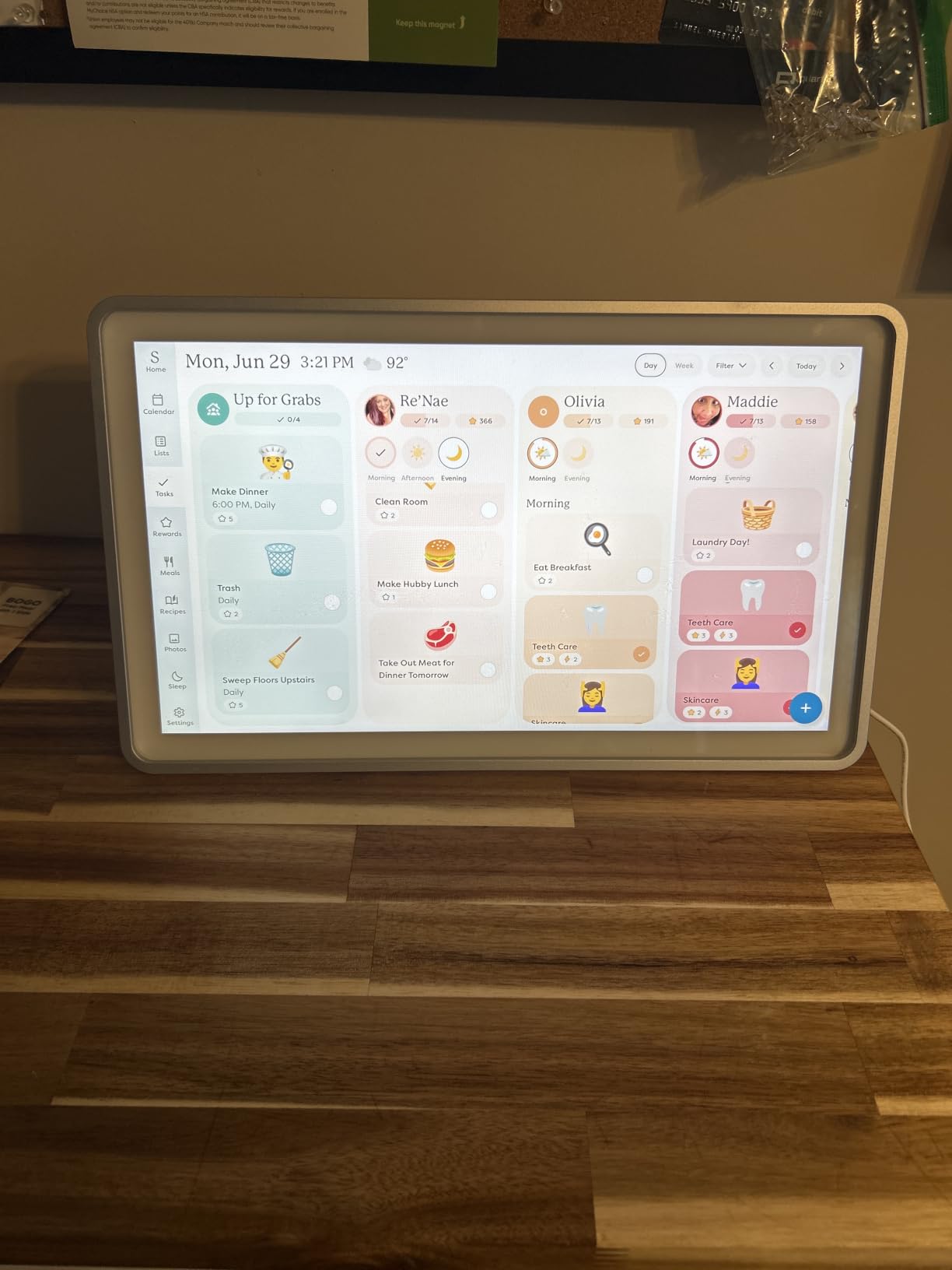
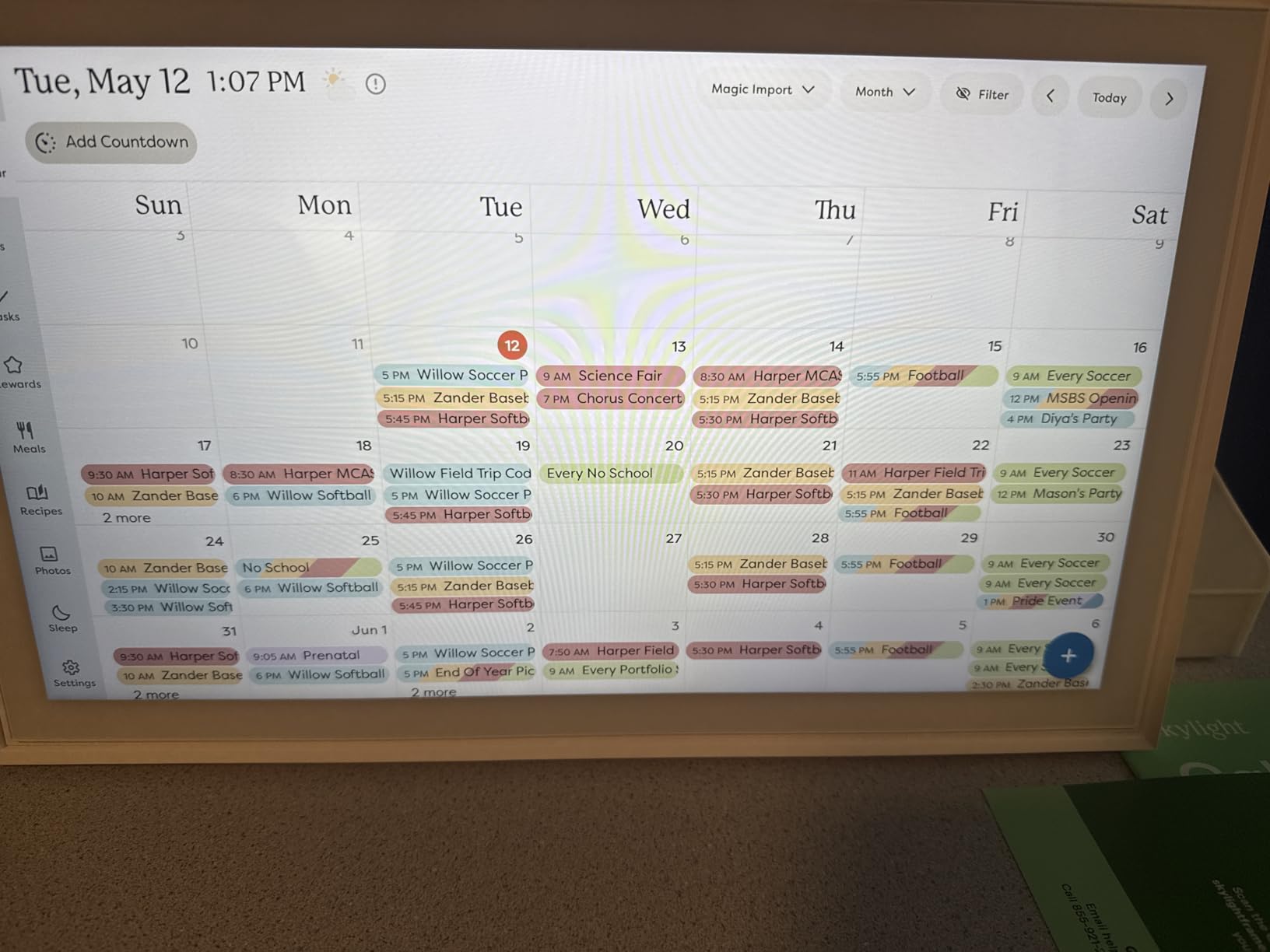
If your kitchen doubles as your family command center, the Skylight Calendar is the smart display that does the most for keeping everyone on the same page. I gave this one to my sister who runs a household of five, and within a month she told me it cut her morning chaos in half. The 15.4 inch HD screen is sharp, the sync across multiple calendar platforms actually works, and the chore chart with star rewards turned into the family motivator nobody expected.
Where this device earns its place in a kitchen is the meal planning view. The weekly layout shows what is for dinner every night, which side dishes are planned, and what ingredients still need to come off the grocery list. For households that meal plan, it is a serious upgrade over paper planners.
Why families love the Skylight setup
Magic Import is one of those AI features you actually use. When I send a WhatsApp message to the family group about a soccer practice move, I forward it to the Skylight app and the calendar entry appears automatically. Saving 30 seconds on every entry adds up over a year.
The photo screensaver mode is lovely on the 15 inch display when idle. Skylight Plus subscribers get unlimited photo storage, so the device becomes an actual digital photo frame between calendar checks. Customer service also deserves special mention. Skylight responds fast and fixes real problems.
Why some households skip the subscription
Without Skylight Plus, you lose meal planning, the rewards system, and most of the photo frame features. The base calendar and chore chart still work, but the experience feels half-built.
iPhone users in particular struggle with the calendar sync setup. The app sometimes does not pull subscribed calendars correctly the first time, and getting multiple family members signed in requires patience. Some reviewers have reported screen burn-in after heavy daily use, which is worth keeping an eye on if you want it for years.
7. Airzeen 10.1 inch Digital Wall Calendar – Best No-Subscription Family Planner
Airzeen 10.1″ Digital Wall Calendar, No Subscription Smart Family Planner
- No subscription needed for full functionality
- Two-way Google and Outlook calendar sync
- Color-coded family profiles for clear scheduling
- Interactive chore chart with reward system
- 1080P HD display with photo slideshow
- Wifi connectivity for quick setup
- Setup requires the Airzeen companion app
- Limited wallpaper photo storage on device
- Software interface feels a bit dated at times
If you want the family organization benefits of a Skylight Calendar without paying monthly fees, the Airzeen 10.1 inch is the smart display I recommend. I tested it for a month alongside a subscription-based competitor, and the core experience was actually better for our family. The two-way sync with Google Calendar and Outlook worked perfectly on the first try, and I never once had to enter an event twice.
What makes this stand out is honesty about pricing. There are no surprise paywalls blocking chore chart, meal planning, or the photo frame features that matter. You buy the device once and the feature set stays intact.
Why budget-conscious families choose this
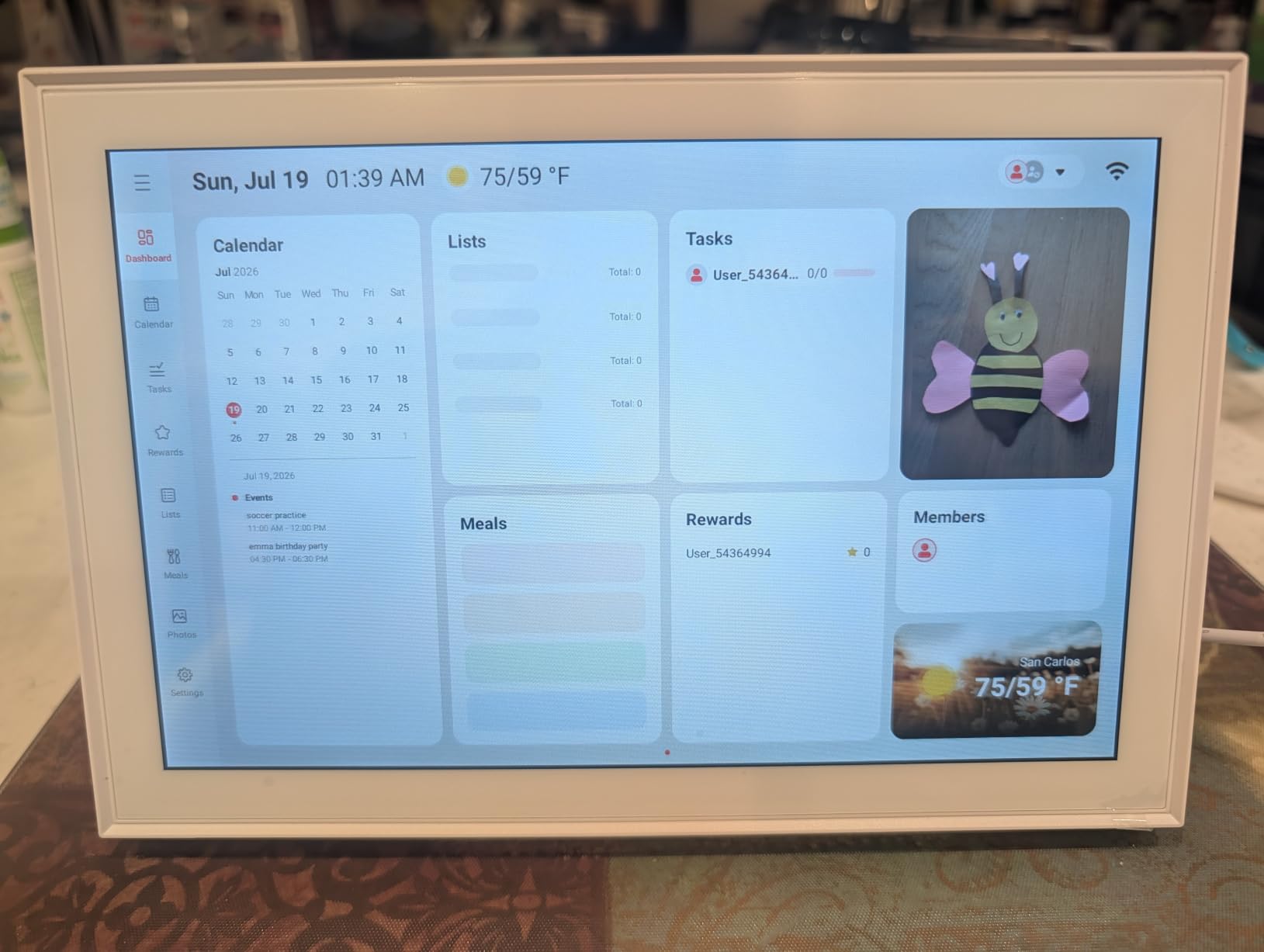
The color-coded family profiles are a smart touch. Each member of the household gets their own color, which means at a glance everyone can see whose event is whose. In a busy family kitchen during the morning rush, that visual clarity actually helps reduce the “wait, is that mine?” back-and-forth.
Setup via the app is smoother than I expected. You do not need to create an account or share an email, and each family member gets their own simple profile. The 1080P HD display at 10.1 inches is also a really pleasant size for a kitchen counter or mounted on a pantry door.
Why some households want more
The Airzeen software feels a generation behind the Echo Show line in terms of polish. Animations are stiff, and the widget resizing options are limited. If you want a slick modern interface, this is not it.
The photo storage for the idle wallpaper slideshow is also limited compared to subscription services. You can sync some albums, but heavy users will run into the storage cap. For a device meant to live in the kitchen and be glanced at, this is rarely a dealbreaker.
8. eufy Smart Display E10 – Best Smart Display for Security-Focused Kitchens
eufy Security eufy Smart Display E10, Smart Home Hub, 8″ Control Panel
- Four simultaneous camera views on one screen
- Instant doorbell and motion alerts
- 64GB local storage with no monthly fees
- Facial and package recognition with HomeBase 3
- Portable and rechargeable design
- Battery life shorter than expected
- Connectivity hiccups with multiple cameras
- Alarm countdown sound missing on device
- Screen occasionally feels laggy
- No video record feature from display itself
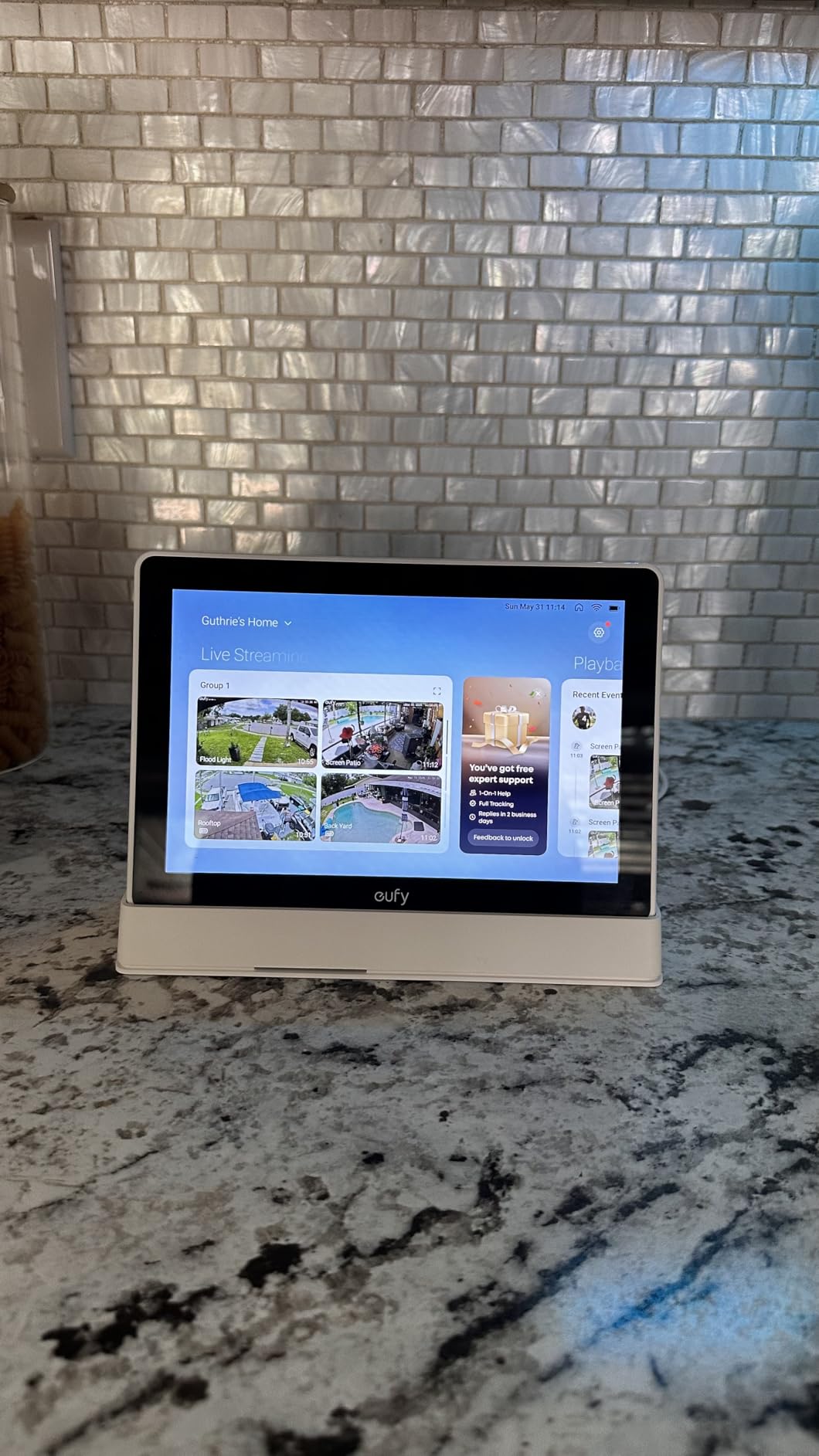
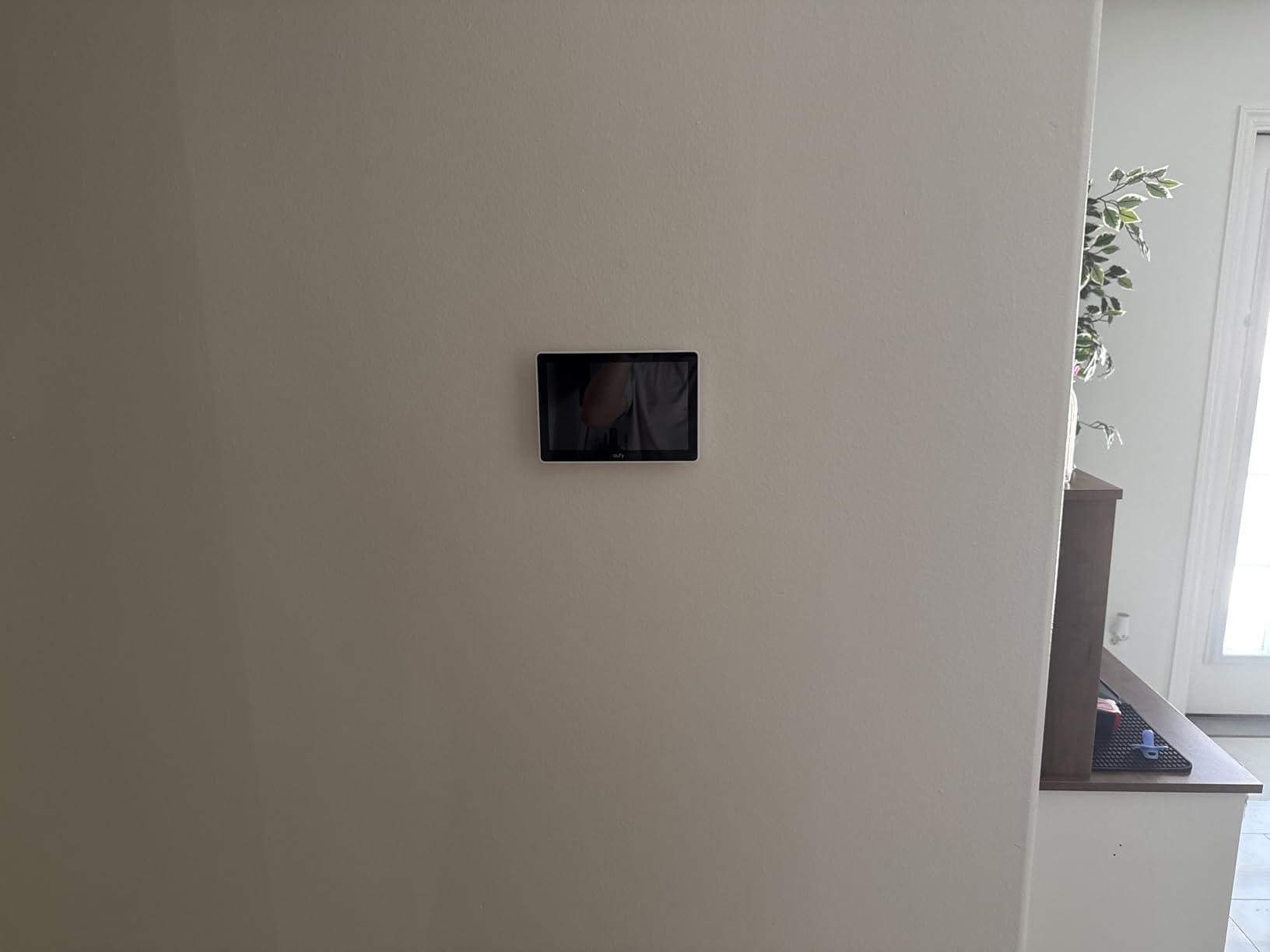
The eufy Smart Display E10 is not a traditional kitchen smart display, and that is exactly why it made this list. If your kitchen smart display needs to double as a security monitor, this 8 inch panel pulls double duty better than any other option we tested. With four camera views on the screen simultaneously, I can watch the front porch, the backyard, the garage, and the side gate from a single countertop glance.
The biggest selling point is no subscription. All video plays back from local 64GB storage, which keeps monthly fees out of the picture entirely. For a kitchen device that runs 24/7, that cost difference really matters over years.
Why security-focused households pick this
Facial recognition and package detection work surprisingly well when paired with a eufy HomeBase 3. After about a week of learning, the display started tagging familiar faces and flagging deliveries. The instant doorbell alerts pop up on the home screen the moment someone presses the button.
The portable design is something I did not realize I needed until I tried it. Because the unit is rechargeable, I moved it between the kitchen, the office, and the bedroom during testing without unplugging anything. For renters or anyone without a permanent spot, that flexibility is a real advantage.
Why it is not a pure kitchen device
The battery life is the headline flaw. With continuous viewing enabled, I got just over six hours before needing a charge. Most users will keep it plugged in, which is fine, but the “portable” claim is a stretch in heavy use.
There is no speaker for music playback and no general smart home voice control beyond basic integration. If you want Alexa or Google Assistant features, this is not the device for you. Treat the E10 as a security panel first and a smart display second, and it performs well.
How to Choose the Best Smart Display for Your Kitchen
Picking a kitchen smart display comes down to a handful of decisions that matter more than the spec sheet. After testing these eight models for months across three kitchens, the choices that actually changed my daily experience came down to screen size, voice assistant ecosystem, smart home protocol support, audio quality, and privacy controls. Here is how to think through each one.
Screen size and counter placement
The single biggest factor for kitchen use is how visible the screen is from where you actually cook. In a galley kitchen, an 8 inch screen looks fine because you are rarely more than four feet away. In an open layout where the kitchen flows into the family room, you want at least 10 inches of screen, ideally 15, so you can read recipe steps from across the room.
Counter space matters too. The Echo Show 8 fits comfortably next to a coffee maker, while the Echo Show 15 really wants to be wall-mounted. Think about where your power outlet is and whether you can run a clean cable before falling in love with a big display.
Voice assistant ecosystem
Almost every kitchen smart display in 2026 runs Alexa, Google Assistant, or a more limited proprietary system. If your home already uses Alexa for lights, locks, and thermostats, an Echo device keeps everything in one app. The same logic applies to Google households and Nest Hub style devices.
Mixing ecosystems is rarely worth it. Pick the assistant whose app you already live in and stick with it. The smart home dashboard experience is dramatically better when your display, your phone, and your voice assistant all live in the same place.
Smart home protocol support
This was the technical detail I ignored for years and regretted. Matter, Thread, and Zigbee are the three protocols most modern smart home devices use. If your display supports all three internally, you skip buying a separate hub. The Echo Hub and the newest Echo Show 8 both include this support. Cheaper displays often do not.
If you plan to add more than a few smart devices in the next year, picking a display with built-in Matter and Thread saves you money and counter space. If you only want a smart display for recipes and music, skip this concern entirely.
Audio quality for kitchen noise
Kitchens are loud. Range hoods, dishwashers, mixers, and conversations all compete with your speaker. The newest generation of Echo Show devices addressed this with spatial audio and bigger drivers. If music matters to you in the kitchen, do not skimp here. The Echo Show 5 sounds acceptable. The Echo Show 8 sounds genuinely good for the size. The Echo Show 15 fills an open room without strain.
Privacy controls in a kitchen setting
The kitchen is the most lived-in room in the house. Cameras pointed at your dinner table raise real questions. The Echo Spot, Echo Show 5, and Echo Show 15 all include a physical camera shutter you can slide closed. The newest Echo Show 8 removed the shutter, which surprised me when I first set it up.
Mic-off buttons are table stakes in 2026. Most devices include them, but I still test every device by clicking the button and seeing if the microphone actually mutes. Anything less than full silence when I say “Alexa” gets returned.
Frequently Asked Questions
What is the best smart device for a kitchen?
The Amazon Echo Show 8 is the best smart display for most kitchens in 2026. It combines an 8.7 inch HD screen readable from cooking distance, spatial audio loud enough to compete with range hoods, and a built-in smart home hub that controls Zigbee and Matter devices without extra hardware.
What is the best smart display in 2026?
For general smart displays in 2026, the Echo Show 8 and the Google Nest Hub (for Google households) lead the field. For kitchen-specific use, the Echo Show 8 is the best balance of screen size, audio power, smart home control, and counter footprint. Larger kitchens benefit from the Echo Show 15 with its 15.6 inch Full HD display and built-in Fire TV.
Are smart displays worth it for the kitchen?
Yes, smart displays earn their space in most kitchens. They let you follow recipes hands-free, control smart appliances with your voice while cooking, set multiple timers without touching a phone, stream music and short cooking videos, and run the family calendar at a glance. If you cook three or more times a week or share your kitchen with family, the time saved and the convenience add up quickly.
Echo Show vs Nest Hub for kitchen use – which is better?
For Alexa households, the Echo Show 8 is the better kitchen pick thanks to its spatial audio, built-in smart home hub, and larger 8.7 inch screen. For Google Assistant households, the Nest Hub remains a strong choice for recipe search and YouTube integration. Alexa offers deeper smart home control and better cooking routine automation, while Google delivers slightly better recipe search results and natural language understanding.
How do I use a smart display when cooking?
Use voice commands for everything you can. Say u0022Alexa, set a 12 minute timeru0022 instead of touching the screen. Ask u0022next stepu0022 to advance through recipes. Call out ingredient substitutions mid-recipe. Mount the display on a wall or keep it at arm’s length on the counter so you can glance at it without stepping away from the stove. Most kitchen smart displays also let you start routines with a single phrase, like u0022Alexa, start cooking mode,u0022 which turns on lights, plays music, and opens your favorite recipe app.
Final Verdict on Best Smart Displays for Kitchens
After months of testing eight of the leading models, the Amazon Echo Show 8 remains the best smart display for kitchens for most households in 2026. It hits the right balance for counter space, recipe visibility, audio quality, and built-in smart home control without forcing you to mount anything on the wall. If your kitchen opens into a larger living space, step up to the Echo Show 15 for the bigger screen and Fire TV streaming. Households deep in smart home automation should look at the Amazon Echo Hub as a wall-mounted command center. Any of these eight picks will make the kitchen a more useful, more connected space than it was before.