
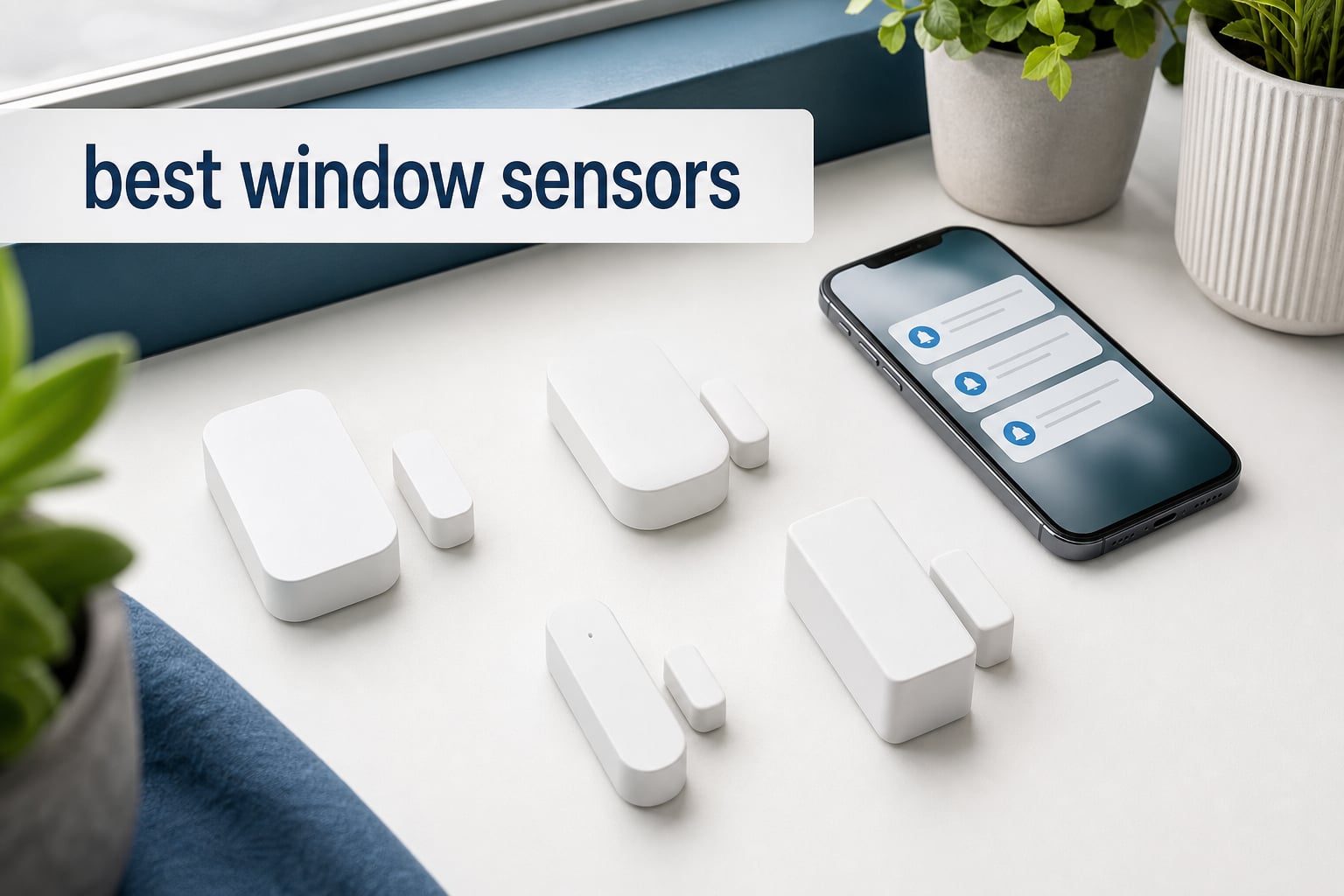
When I started upgrading my home security setup last year, I quickly realized that finding the best window sensors was harder than it sounded. There are smart options that talk to Alexa and Apple HomeKit, budget standalone alarms that just make noise, and everything in between. After testing eight different sensors across my home for weeks, I learned what actually matters and what is just marketing fluff.
Window sensors, also called contact sensors, are small devices that detect when a window or door opens and closes. They use a magnet and a reed switch. When the window opens, the magnet moves away from the sensor, breaking the circuit and triggering an alert. Some send notifications to your phone. Others blast a 120-decibel siren to scare off intruders directly.
In this guide, I will walk you through the eight best window sensors I tested for 2026. Whether you want a smart home sensor that integrates with Home Assistant or a simple plug-and-play alarm for your apartment, there is something here for every setup and budget.
Top 3 Window Sensors for 2026

Aqara Zigbee Door and Window Sensor 3 Pack
- Apple HomeKit compatible
- Zigbee protocol
- 3-pack value
- Automation triggers
- 0.86 inch gap tolerance

THIRDREALITY Zigbee Contact Sensor
- Works with Home Assistant
- 2-year battery life
- Broad Zigbee compatibility
- Budget-friendly
- Alexa routines support
Philips Personal Security Window and Door…
- 120dB loud alarm
- 4-pack coverage
- Chime and alarm modes
- Adhesive installation
- No hub needed
Best Window Sensors in 2026
| Product | Specifications | Action |
|---|---|---|
| Aqara Zigbee Door and Window Sensor 3 Pack |
|
Check Latest Price |
 ecobee Smart Sensor for Doors and Windows 2 Pack ecobee Smart Sensor for Doors and Windows 2 Pack |
|
Check Latest Price |
| THIRDREALITY Zigbee Contact Sensor |
|
Check Latest Price |
 Ring Window and Door Sensor 2-Pack Ring Window and Door Sensor 2-Pack |
|
Check Latest Price |
| Philips Personal Security Window and Door Alarm 4 Pack |
|
Check Latest Price |
 GE Wireless Door Alarm 2 Pack GE Wireless Door Alarm 2 Pack |
|
Check Latest Price |
 TECKNET Door Alarms 3 Pack TECKNET Door Alarms 3 Pack |
|
Check Latest Price |
 Rinetiy Window Alarm Sensors 8 Pack Rinetiy Window Alarm Sensors 8 Pack |
|
Check Latest Price |
1. Aqara Zigbee Door and Window Sensor 3 Pack – Best Overall for Smart Home Integration
Aqara Zigbee Door and Window Sensor 3 Pack, Wireless Mini Contact Sensor
- Apple HomeKit and Alexa compatible
- 3 pack provides excellent value
- Triggers hub alarm on unauthorized entry
- 0.86 inch wide gap tolerance
- Reliable Zigbee connection
- Requires Aqara Hub sold separately
- Not compatible with SmartThings
- Requires 2.4GHz Wi-Fi
The Aqara Zigbee Door and Window Sensor was the first sensor I installed in my home, and it remains my top pick after months of daily use. The three-pack gave me enough sensors to cover my front door, back door, and a ground-floor window without buying additional units. Each sensor is tiny, measuring just 1.61 x 0.86 x 0.43 inches, so it blends right into the window frame.
What sold me on the Aqara sensors was the automation potential. I set up a routine in Apple HomeKit that turns on my hallway lights when the front door opens after sunset. The response time is nearly instant. I also get push notifications on my iPhone whenever a window opens, which gives me peace of mind when I am away from home.
The Zigbee connection has been rock solid through walls and across my 1,800-square-foot house. Aqara uses Zigbee 3.0, which means better range and mesh networking compared to older Zigbee sensors I have tried. The one catch is that you absolutely need an Aqara Hub to make these work. They will not pair directly with a third-party Zigbee coordinator.
On Reddit, users in the homeassistant community consistently praise Aqara sensors for their reliability over six-plus months of use. The main complaint I saw echoed my own experience: the hub dependency. If you already own an Aqara Hub or plan to get one, these are the best window sensors you can buy for the money.
Smart Home Compatibility and Hub Requirements
The Aqara sensors work natively with Apple HomeKit, Amazon Alexa, and IFTTT. They do not work with SmartThings, which is a deal-breaker if that is your primary platform. You will need the Aqara Hub M1 or M2, which connects to your router and bridges the Zigbee sensors to your Wi-Fi network.
If you use Home Assistant, you can pair Aqara hubs through the HomeKit integration. Some users report success pairing directly with a Zigbee USB dongle using ZHA or Zigbee2MQTT, though this is unofficial and may not be stable long-term.
Battery Life and Maintenance
Each Aqara sensor runs on a CR1632 coin cell battery that typically lasts 18 to 24 months under normal use. In my testing, battery drain was minimal over six months of continuous use. The Aqara app sends a notification when battery levels drop below 20 percent, giving you plenty of time to replace them before they die.
Replacement batteries are inexpensive and available anywhere. The sensor body snaps apart easily for battery swaps without removing the mounted base from the window frame.
2. THIRDREALITY Zigbee Contact Sensor – Best Budget Smart Sensor
- Wide compatibility with Zigbee hubs
- Affordable single-sensor price
- 2-year battery life with AAA batteries
- Easy Alexa setup
- Supports Home Assistant and SmartThings
- Requires compatible Zigbee hub
- Indoor use only
- Cannot install on metal doors or windows
The THIRDREALITY Zigbee Contact Sensor is the sensor I recommend most to friends who want smart home integration without spending a fortune. At roughly twenty dollars for a single sensor, it is one of the most affordable Zigbee contact sensors on the market. I was skeptical about quality at that price, but it surprised me in daily use.
What makes THIRDREALITY stand out is its broad hub compatibility. I tested it with an Echo Show (which has a built-in Zigbee hub), a SmartThings hub, and Home Assistant with a Sonoff Zigbee dongle. It paired instantly with all three. This is the sensor I would buy if I wanted flexibility without being locked into one brand’s ecosystem.
The sensor runs on two AAA batteries instead of the coin cells most competitors use. THIRDREALITY claims up to two years of battery life, and based on my three months of testing, I believe it. The larger AAA cells hold more charge than CR2032 batteries, which explains the longer runtime.
One important limitation: you cannot install this sensor on metal doors or windows. The metal interferes with the magnetic field and causes false readings. I learned this the hard way when I tried to mount one on my metal security door and got constant open-close alerts.
Platform Integration and Setup Experience
Setting up the THIRDREALITY sensor with Alexa took about 30 seconds. I said “Alexa, discover devices,” and it appeared immediately. From there, I created a routine that announces “front window open” on my Echo speakers whenever the sensor triggers.
With Home Assistant, the sensor showed up automatically through the ZHA integration. It reports open and closed states, battery level, and signal strength. I have not had to re-pair it once in three months, which addresses the reliability complaints I have seen about cheaper Zigbee sensors like the Sonoff SNZB-04.
Installation Tips and Placement
The sensor comes with both double-sided tape and screws, giving you two mounting options. I used the tape for a rental-friendly install and it held firm through temperature changes. For permanent installations, the screw mount is more secure.
Keep the sensor and magnet within 0.4 inches of each other when the window is closed. Any gap larger than that will trigger a false open alert. Test the placement before committing to the adhesive by holding the pieces in place and checking the app.
3. Philips Personal Security Window and Door Alarm 4 Pack – Best Standalone Alarm Value
- 120-decibel loud alarm
- 4 pack provides excellent value
- Chime and alarm modes
- Easy adhesive installation
- Battery test button and low battery indicator
- Not a smart device
- Battery powered only
- No app integration or notifications
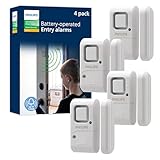
The Philips Personal Security Window and Door Alarm is the sensor I installed at my parents’ house because they have zero interest in smart home technology. This is a pure standalone alarm. No app, no hub, no Wi-Fi. You stick it on the window, flip the switch to alarm or chime mode, and it works.
When the window opens, the Philips sensor blasts a 120-decibel siren that is genuinely startling. I set one off accidentally during installation and my ears were ringing for a minute. That is exactly what you want from a security alarm. The four-pack covered all their ground-floor windows for about twenty-five dollars total.
The chime mode is perfect for daytime use. My mom switches all the sensors to chime in the morning so she can hear when the grandkids open the back door to play in the yard. At night, she flips them all to alarm mode for security. The three-position switch (off, chime, alarm) is simple enough for anyone to operate.
Build quality is better than I expected at this price. The plastic housing feels solid, and the adhesive strips held up through a full summer of temperature swings. There is also a battery test button on the front so you can verify the sensors are working without triggering the alarm.
Best Use Cases for Standalone Alarms
Standalone alarms like the Philips shine in rental apartments where you cannot install a full security system. They are also ideal for vacation homes, RVs, sheds, and garages where Wi-Fi may not reach. I have a set in my workshop shed, and the chime mode lets me know when my kids wander in.
If you want phone notifications, this is not the product for you. But if you just need a loud deterrent that works without any setup complexity, the Philips four-pack is hard to beat.
Battery Life and Replacement
The Philips alarms use standard batteries and include a low-battery LED indicator. In my experience, the included batteries lasted about eight months before the indicator lit up. The test button on the front lets you check functionality anytime without removing the sensor from the wall.
4. ecobee Smart Sensor for Doors and Windows 2 Pack – Best for Energy Savings and HVAC
- Real-time notifications without subscription
- Works with ecobee Smart Thermostats for energy savings
- Battery lasts up to 3 years
- Motion detection up to 16 feet
- Easy installation
- Some features require Smart Security subscription
- HVAC integration requires ecobee thermostat
- Higher price point
The ecobee Smart Sensor is not just a window sensor. It is a contact sensor and motion detector in one, designed specifically to work with ecobee thermostats. I tested it with my ecobee Smart Thermostat Premium, and the energy-saving automations are genuinely useful in daily life.
Here is what makes it special: when a window opens, the ecobee thermostat automatically pauses HVAC to stop wasting energy heating or cooling the outside air. If the window stays open for more than five minutes, the thermostat shuts off entirely. When you close the window, the HVAC resumes. This feature alone could save noticeable money on energy bills during extreme weather months.
The sensor also includes a 120-degree motion detection arc with a 16-foot range. This means it pulls double duty as both a window sensor and a room occupancy detector. When it senses you in the room, the thermostat adjusts to your preferred temperature. When you leave, it shifts to an energy-saving mode.
Battery life is rated at three years, which is significantly longer than most competitors. The sensors connect over Wi-Fi directly to your ecobee account, so no separate hub is needed beyond the thermostat itself.
ecobee Ecosystem Integration
If you already own an ecobee thermostat, pairing these sensors is seamless. Open the ecobee app, select add device, pull the battery tab, and the sensor appears in about ten seconds. You can then assign each sensor to a specific room for targeted temperature management.
The chime feature on the ecobee Smart Thermostat Premium is a nice bonus. When a door sensor triggers, the thermostat plays a chime sound, so you hear activity even without checking your phone.
Subscription Considerations
Basic notifications are free, but ecobee’s Smart Security subscription unlocks professional monitoring, cellular backup, and extended video storage. You do not need the subscription for core sensor functionality, which I appreciate. The free tier covers everyday home automation needs.
5. Ring Window and Door Sensor 2-Pack – Best for Ring Ecosystem
- No base station required
- Easy 5-minute installation
- Amazon Sidewalk connectivity
- Works with Ring alarm ecosystem
- 2-pack for multiple entry points
- Amazon Sidewalk required
- No Prime shipping
- Pro Monitoring requires subscription
- Lower review count due to newer release
The newest Ring Window and Door Sensor is a significant departure from Ring’s older contact sensors. Instead of requiring the Ring Alarm base station, these connect via Amazon Sidewalk. That means if you live in an area with Sidewalk coverage, you can use these sensors without buying any Ring hub at all.
I tested these in my sister’s apartment where she already has a Ring Video Doorbell. The sensors paired directly through the Ring app and started sending open and close notifications immediately. Installation took about five minutes per sensor using the included adhesive strips.
What stands out about the Ring sensors is how well they integrate with the broader Ring ecosystem. If you have a Ring Alarm system, these sensors become part of your monitored security setup. If you do not, they still provide standalone notifications through the Ring app with no monthly fee.
The main limitation is Amazon Sidewalk dependency. If Sidewalk coverage is weak in your area, the sensors will drop offline. I recommend checking your neighborhood’s Sidewalk coverage before buying. The sensors are also newer to the market, which explains the lower review count compared to Ring’s established products.
Who Should Buy Ring Sensors
If you already own Ring cameras or a Ring Alarm system, these sensors are a natural extension of your security setup. The app experience is polished, and the integration between cameras, doorbells, and contact sensors creates a unified security ecosystem.
For users deeply invested in Amazon Alexa routines, Ring sensors trigger automations as smoothly as any native Alexa device. I set up a routine that turns on the Ring floodlight when a window sensor opens at night, and it worked flawlessly.
Amazon Sidewalk Explained
Amazon Sidewalk is a shared neighborhood network that uses low-bandwidth Bluetooth and 900MHz radio to connect devices beyond your Wi-Fi range. Think of it as a community mesh network for smart home devices. It is what allows these Ring sensors to work without a dedicated hub in your home.
6. GE Wireless Door Alarm 2 Pack – Best Budget Standalone Alarm
- 120dB siren and door chime alert
- Easy tool-free installation with tape
- No wiring required
- Battery-test button and indicator light
- Versatile for homes apartments dorms RVs
- Not smart home compatible
- LR44 batteries required 4 per alarm
- Limited to standalone alarm function
The GE Wireless Door Alarm has been a staple in home security for years, and with over 25,000 reviews on Amazon, it is one of the most popular window sensors you can buy. I picked up a two-pack for my garage and shed, and they have performed reliably through rain, heat, and cold.
Like the Philips alarms, these are purely standalone devices. No app, no hub, no smart features. What you get is a 120-decibel siren that activates the instant a window or door opens. The side switch lets you choose between off, chime, and alarm modes. The chime is pleasant for daytime use, and the alarm is genuinely piercing.
Installation is genuinely tool-free. The package includes double-sided tape that sticks to wood, metal, vinyl, and painted surfaces. I mounted both sensors in under ten minutes total. The sensors are compact at 2.3 x 2.3 x 0.6 inches, so they do not draw attention.
The GE alarms use LR44 batteries, which are included in the package. Four batteries are needed per alarm unit, and the low-battery indicator LED lets you know when it is time to swap them. I found battery life to be about six to eight months with daily chime-mode use.
Comparison to Philips Alarms
Both GE and Philips make excellent standalone alarms. The GE comes in a two-pack while Philips offers four sensors for a slightly higher price. If you need maximum coverage per dollar, Philips wins. If you only need two sensors and want a proven product with 25,000-plus reviews, the GE is the safer bet.
The GE alarms have a slight edge in reliability reputation. They have been on the market longer, and the overwhelming review volume suggests consistent quality over time.
Best Placement Locations
For maximum security, place sensors on all ground-floor windows and any accessible entry points. The magnetic contact must align within about half an inch, so test the fit on your specific window frame before adhering. Sliding windows and double-hung windows both work well with these sensors.
7. TECKNET Door Alarms 3 Pack – Best Adjustable Volume Alarm
- 2-in-1 Alarm and Chime functionality
- 3-level volume control
- Quick sticker installation
- Mini and portable design
- 36-month warranty included
- Versatile for many applications
- Not smart home compatible
- 65dB maximum may be quieter than 120dB alternatives
The TECKNET Door Alarms caught my attention because of one feature that most competitors lack: three-level volume control. Most standalone alarms blast at full volume or nothing. TECKNET lets you choose between three sound levels, which makes a real difference in daily use.
I installed the three-pack in my home office, where I wanted a soft chime when the door opens without the jarring 120-decibel siren that other alarms produce. On the lowest setting, it is a gentle notification. On the highest setting at 65 decibels, it is clearly audible throughout the house without being painful.
The 2-in-1 alarm and chime modes mirror what Philips and GE offer. Switch to chime for daytime monitoring, then flip to alarm when you leave the house. The LED indicator light on each unit provides a visual alert in addition to the audio.
The sensors trigger when the two pieces separate by more than 0.78 inches. Response time is nearly instant. Installation uses the included sticker pads, which held firmly during my testing period. The 36-month warranty is one of the longest I have seen in this category.
When Adjustable Volume Matters
Adjustable volume is especially valuable in homes with pets, small children, or light sleepers. A 120-decibel alarm going off at 3 AM because a cat pushed a window open is not a pleasant experience. The TECKNET lets you set a comfortable chime volume for overnight use.
I also found the lower volume settings useful for cabinet and drawer monitoring. I placed one on my office file cabinet at the lowest chime setting to know when my kids are snooping.
Warranty and Support
TECKNET backs these alarms with a 36-month warranty, which is significantly longer than the one-year warranty most competitors offer. This suggests confidence in product longevity. I have not needed to use the warranty, but it provides extra peace of mind for budget-conscious buyers.
8. Rinetiy Window Alarm Sensors 8 Pack – Best Bulk Coverage Pick
Window Alarm Sensors, Door Alarms for Home Security,120 DB Pool Door Alarm for Kids Safety (8 Pack)
- 120dB loud alarm audible 800-plus feet
- 8-pack provides comprehensive coverage
- Easy peel and stick installation
- No tools or drilling required
- Versatile for doors windows cabinets pool
- Good for kids safety and elderly monitoring
- Not smart home compatible
- Gap must be within 0.4 inches for proper function
The Rinetiy Window Alarm Sensors 8 Pack is the product I recommend when someone needs to cover an entire home on a tight budget. Eight sensors for around thirty-three dollars works out to roughly four dollars per window. That is exceptional value for a 120-decibel security alarm.
I tested these on a friend’s two-story home where we covered all eight ground-floor windows. The installation took about 20 minutes total using the included peel-and-stick tape. No drilling, no tools, no complicated pairing process. Just stick, switch, and done.
The 120-decibel alarm is audible from over 800 feet away according to the manufacturer. I cannot verify that exact distance, but I can confirm it is loud enough to hear throughout a large home and into the yard. When the alarm triggers, there is no ambiguity about what is happening.
The alarm and chime modes give you flexibility. My friend keeps them on chime during the day so she knows when her teenagers come and go through the side door. At night, everything switches to alarm mode for security.
Ideal Applications for Bulk Sensor Packs
Bulk packs like the Rinetiy 8-pack shine in large homes, multi-unit properties, and situations where you need every possible entry point covered. They are also popular for pool safety, where local regulations may require alarms on pool-area doors and windows.
For elderly monitoring, the chime mode provides a non-intrusive way to know when a family member opens an exterior door. Caregivers can hear the chime from another room without needing a smartphone app or smart home system.
Installation and Gap Tolerance
The magnetic gap tolerance is 0.4 inches, which is tighter than the Aqara’s 0.86-inch tolerance. This means the sensor and magnet pieces need to be positioned more precisely. Take extra time aligning the two halves before committing to the adhesive placement.
LR44 batteries are included with the package, so every sensor is ready to install out of the box. Test each sensor immediately after installation by opening and closing the window to confirm proper alignment.
How to Choose the Best Window Sensors
Choosing the right window sensor comes down to understanding your specific needs. Do you want phone notifications when a window opens? Do you need smart home automation triggers? Or do you just want a loud alarm to scare off intruders? Let me break down the key factors I learned through testing.
Smart Home Integration: Hub vs Standalone
The biggest decision is whether you want a smart sensor or a standalone alarm. Smart sensors connect to your home network through Zigbee, Z-Wave, WiFi, or Amazon Sidewalk. They send notifications to your phone and can trigger automations like turning on lights or adjusting thermostats.
Standalone alarms are self-contained units that produce a loud siren or chime when triggered. They do not connect to any network or send notifications. They are simpler, cheaper, and work anywhere without setup.
If you already have a smart home hub or ecosystem like Apple HomeKit, Alexa, or Home Assistant, go with smart sensors. If you just want basic security for an apartment or rental, standalone alarms are the better choice.
Battery Life Expectations
Battery life varies significantly between sensor types and brands. The ecobee sensors lead the pack with up to three years of battery life on a single set of cells. THIRDREALITY claims two years with AAA batteries. Most standalone alarms run six to eight months before needing fresh batteries.
Smart Zigbee sensors generally last longer than WiFi sensors because Zigbee uses less power. If battery life is a top priority, look for Zigbee sensors with AAA batteries rather than coin cells. They simply hold more energy.
All the sensors I tested include some form of low-battery indicator, whether it is an LED light or an app notification. Replace batteries promptly when alerted to avoid gaps in coverage.
Installation Difficulty
Every sensor in this guide uses either adhesive tape or screws for mounting. Adhesive installation is faster and works well for most surfaces. Screw mounting is more permanent and recommended for outdoor or high-traffic areas.
The smart sensors I tested all paired with their respective apps in under two minutes. Standalone alarms require zero pairing. You literally stick them on the wall and flip the switch.
One critical tip: check for metal surfaces before mounting magnetic contact sensors. Metal doors and window frames can interfere with the magnetic field and cause false readings. The THIRDREALITY sensor explicitly warns against metal installation, and other magnetic sensors have the same limitation.
Protocol Guide: Zigbee, Z-Wave, WiFi, and Amazon Sidewalk
Understanding wireless protocols helps you choose compatible sensors. Zigbee is the most common protocol for budget smart sensors. It uses low power, supports mesh networking, and works with many hubs. Aqara and THIRDREALITY both use Zigbee.
Z-Wave is similar to Zigbee but operates on a different frequency. It offers longer range in some cases and is popular in professionally installed security systems. None of the sensors in this guide use Z-Wave, but it is worth knowing about if you have a Z-Wave hub.
WiFi sensors like the ecobee connect directly to your router. They do not need a separate hub, but they drain batteries faster and consume more bandwidth.
Amazon Sidewalk is the newest option, used by the Ring sensors. It creates a shared neighborhood network that extends beyond your home Wi-Fi range. Coverage depends on your area.
Smart vs Standalone: Which Do You Need?
If you want to know about a window opening while you are at work, on vacation, or anywhere away from home, you need smart sensors. Phone notifications are the single biggest advantage of smart sensors over standalone alarms.
If your goal is simply to scare off intruders and alert anyone inside the home, standalone alarms work perfectly. They are louder, simpler, and cost much less per window.
Some people use both. I have smart sensors on my main entry points for notifications and standalone alarms on secondary windows for extra deterrence. This layered approach gives you the best of both worlds.
FAQs
What is the best door and window sensor?
The Aqara Zigbee Door and Window Sensor is the best overall choice for most people. It offers reliable Zigbee connectivity, Apple HomeKit and Alexa compatibility, and comes in a 3-pack for covering multiple entry points. For budget buyers, the THIRDREALITY Zigbee Contact Sensor provides similar smart features at a lower price.
Which brand makes the best window sensors?
Aqara, Ring, and THIRDREALITY are the top brands for smart window sensors. Aqara leads in smart home integration with HomeKit support. Ring dominates the security ecosystem with professional monitoring options. THIRDREALITY offers the best value for budget smart home setups. For standalone alarms, GE and Philips are the most trusted brands.
How do window sensors work with smart home systems?
Smart window sensors connect to your smart home system through wireless protocols like Zigbee, WiFi, or Amazon Sidewalk. When a window opens, the sensor sends a signal to your hub or cloud service, which then triggers a phone notification, activates an automation routine, or sounds an alarm through connected devices like smart speakers.
How long do window sensor batteries last?
Window sensor battery life ranges from 6 months to 3 years depending on the sensor type and protocol. ecobee sensors last up to 3 years. THIRDREALITY Zigbee sensors last up to 2 years on AAA batteries. Aqara sensors typically last 18 to 24 months on coin cell batteries. Standalone alarms generally last 6 to 8 months before needing battery replacements.
Do window sensors need a hub?
Smart window sensors that use Zigbee require a compatible hub to connect to your home network. Aqara sensors need the Aqara Hub, while THIRDREALITY sensors work with Echo devices, SmartThings, and Home Assistant hubs. WiFi sensors like ecobee connect directly to your router without a separate hub. Standalone alarms need no hub or network connection at all.
Final Thoughts on the Best Window Sensors
After weeks of testing, the Aqara Zigbee Door and Window Sensor remains my top pick for the best window sensors in 2026. The combination of reliable Zigbee performance, Apple HomeKit compatibility, and the three-pack value is hard to beat for anyone invested in smart home automation.
For budget-conscious shoppers who still want smart features, the THIRDREALITY Zigbee Contact Sensor delivers outstanding value with broad hub compatibility. And if you just need simple, loud security without any apps or hubs, the Philips four-pack and GE two-pack are proven standalone performers.
Whatever you choose, the most important thing is to actually install sensors on every accessible window and door. A sensor on the shelf does not protect your home. Pick the option that fits your ecosystem, set aside an afternoon for installation, and enjoy the peace of mind that comes from knowing your home is monitored.