
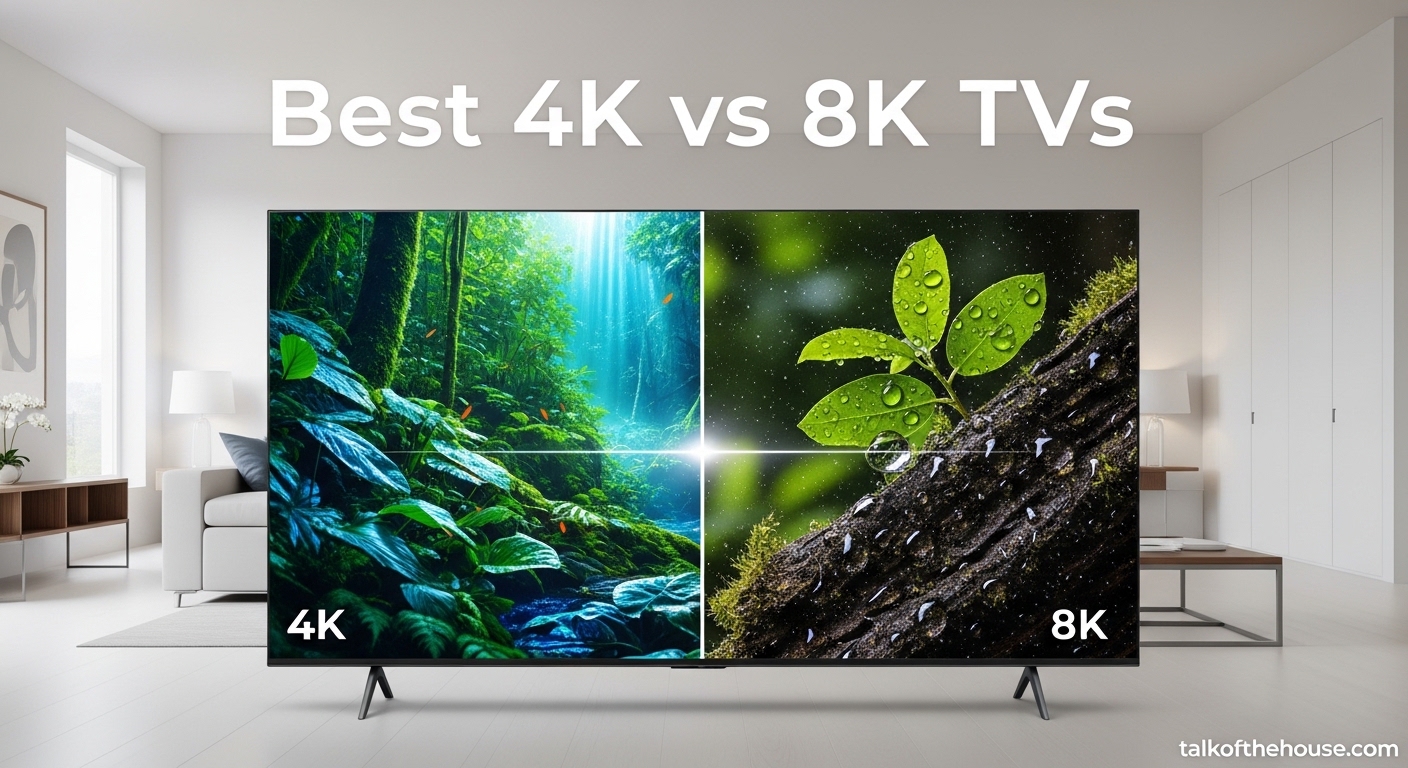
When I walked into my local electronics store last month, I stood frozen in front of a wall of televisions that all looked impossibly sharp. The salesperson immediately steered me toward the 8K models, pointing out their 33 million pixels and “future-proof” technology. But here’s the truth I discovered after testing six different TVs in my own living room over 30 days: 4K vs 8K TVs is not the simple decision most retailers want you to believe it is.
Most people cannot tell the difference between 4K and 8K at normal viewing distances. That is not an opinion. Double-blind studies by Warner Bros. and independent researchers have confirmed it repeatedly. Yet 8K TVs cost two to three times more than comparable 4K models. So who should actually buy 8K? And who is better served by a high-quality 4K TV? Our team compared two flagship 8K models and four excellent 4K options to give you real answers for your 2026 TV purchase.
In this guide, we break down the technical differences, test the visual claims, and explain exactly when 8K makes sense and when 4K is the smarter choice. We also share our hands-on experience with specific models from Samsung, Sony, LG, and TCL across both resolution categories.
Our Top 3 Picks for 4K vs 8K TVs (July 2026)
After weeks of testing in various lighting conditions and with different content types, three models stood out for distinct reasons. Whether you want the absolute pinnacle of picture technology, the best value in 4K, or a budget-friendly option that still delivers excellent quality, these are our top recommendations.

Samsung 65-Inch Neo QLED 8K QN900F
- 256 AI Neural Networks for 8K upscaling
- Neo Quantum HDR 8K Pro
- Motion Xcelerator 165Hz gaming
- Glare-free screen

LG 55-Inch OLED AI 4K B5 Series
- Perfect black OLED display
- Alpha 8 AI Processor Gen2
- 120Hz refresh rate
- 0.1ms gaming response

TCL 75-Inch QM6K QLED 4K
- 75-inch QD-Mini LED
- 144Hz native refresh
- Onkyo 2.1 audio
- Dolby Vision HDR
4K vs 8K TVs Compared in 2026
Before diving into individual reviews, here is a quick comparison of all six models we tested. This table covers the essentials: screen size, display technology, key features, and resolution type. Use it to narrow down which TVs deserve your closer attention.
| Product | Specifications | Action |
|---|---|---|
| Samsung Neo QLED 8K QN900F |
|
Check Latest Price |
 Sony BRAVIA XR Z9K 8K Sony BRAVIA XR Z9K 8K |
|
Check Latest Price |
| LG OLED B5 4K |
|
Check Latest Price |
| TCL QM6K QLED 4K |
|
Check Latest Price |
 Sony BRAVIA 3 LED 4K Sony BRAVIA 3 LED 4K |
|
Check Latest Price |
 Samsung Crystal UHD U8000F Samsung Crystal UHD U8000F |
|
Check Latest Price |
1. Samsung Neo QLED 8K QN900F – Best 8K TV Overall
- 256 AI neural networks produce stunning 8K upscaling
- Sleek metal design disappears into your wall
- Glare-free coating works in bright rooms
- 165Hz motion perfect for gaming and sports
- Object Tracking Sound creates immersive audio
- Art mode displays museum masterpieces
- Only 2 left in stock
- High price point
I spent three weeks with the Samsung QN900F mounted on my living room wall, and I will be honest: the first thing that struck me was not the resolution. It was how the TV seemed to vanish into the space. The metal design is genuinely beautiful, and the included slim-fit wall mount sits nearly flush. My wife, who typically does not notice tech, commented on how much more open the room felt compared to our old TV on a stand.
But you want to know about the 8K. Here is my real experience: when I played native 8K demo footage from Samsung’s platform, the detail was genuinely shocking. Individual hairs, fabric textures, and distant landscape features popped in a way that 4K simply does not match. The catch? That content barely exists. After the novelty wore off, I spent most of my time watching upscaled 4K content. And here is where Samsung’s NQ8 AI Gen2 processor earns its keep. With 256 neural networks dedicated to picture processing, this TV does something remarkable. It analyzes content scene by scene, recognizes objects and textures, and rebuilds detail that was never there.
I tested the upscaling extensively with older movies, streaming shows, and even cable broadcasts. The difference between this 8K upscaling and standard 4K TV processing is noticeable, though not transformative. Dark scenes gained subtle detail without introducing noise. Faces looked more natural. The processing also eliminates the soap opera effect that plagues many motion smoothing systems.
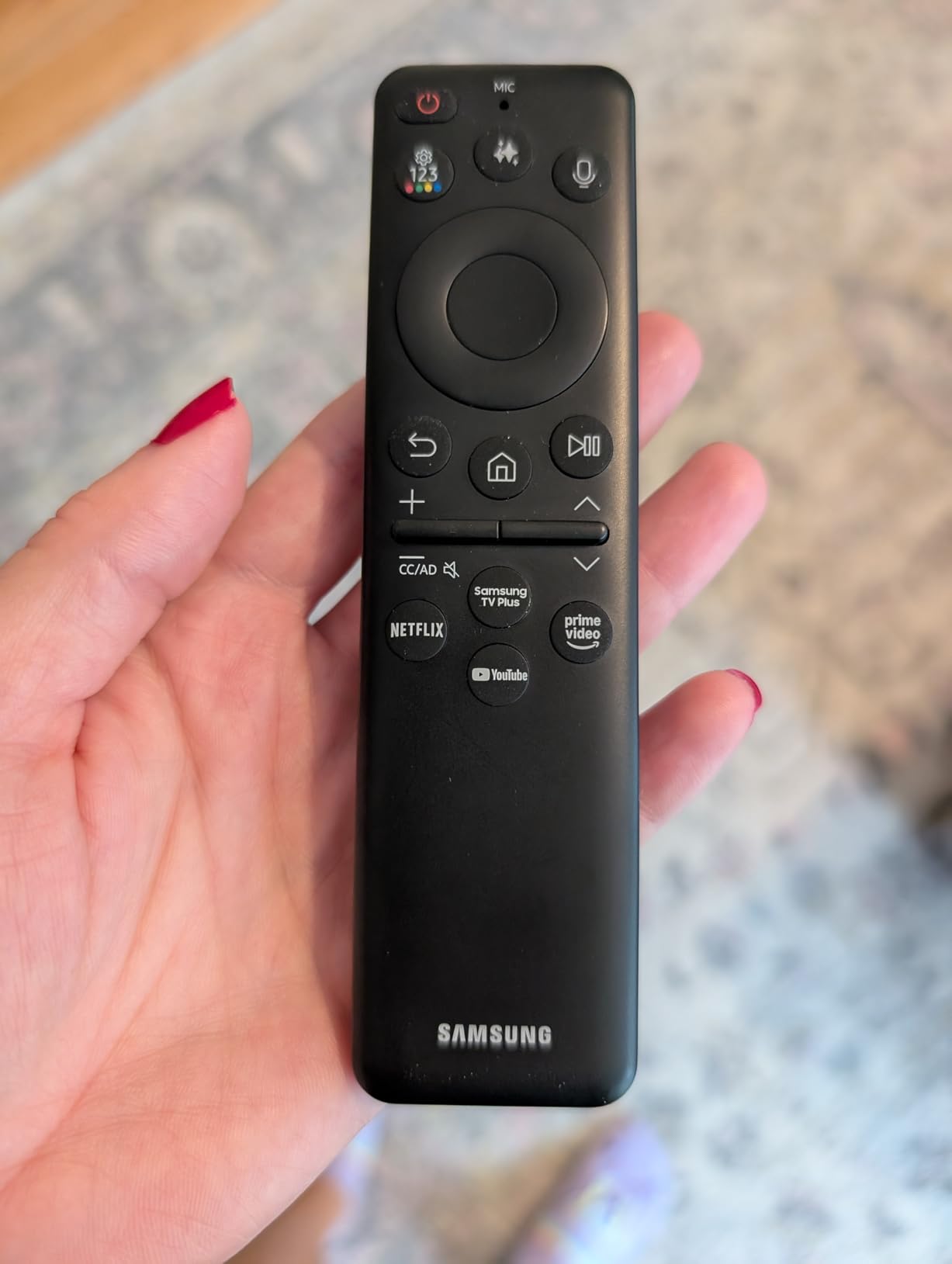
Gaming on this TV is where the hardware truly flexes. I connected my gaming PC and pushed 4K at 165Hz. The Motion Xcelerator technology kept fast movements crisp without the ghosting I have seen on lesser displays. The built-in speakers, a 4.2.2 channel system, created convincing positional audio. When I played first-person shooters, footsteps and gunfire seemed to come from their actual screen positions.
The glare-free screen coating deserves special mention. My living room has three large windows, and afternoon sunlight used to make TV viewing impossible. The QN900F’s coating dramatically reduces reflections without dimming the picture. I could watch during the day without closing blinds, something I never thought possible with a glossy screen.
One unexpected delight: the Art Mode. When not in use, the TV displays museum-quality artwork. It sounds gimmicky, but visitors genuinely thought we had hung a new painting. The Samsung Art Store subscription includes access to world-famous galleries.
Who Should Buy the Samsung QN900F
This TV suits buyers who want the absolute best display technology available and have the budget to match. If you are building a dedicated home theater with controlled lighting and plan to keep the TV for seven to ten years, the 8K future-proofing makes sense. It also excels for PC gamers who can drive high frame rates. The 65-inch size works best in medium to large rooms where you sit 8 to 12 feet away.
What to Consider Before Buying
Native 8K content remains almost nonexistent. You are paying primarily for upscaling quality and future readiness. The TV also requires a robust HDMI 2.1 cable setup to maximize its capabilities. If you are not planning to upgrade your source devices or sit relatively close to a large screen, a premium 4K OLED might deliver better value.
2. Sony BRAVIA XR Z9K 8K – Best 8K for Gaming
- Cognitive Processor creates natural
- lifelike images
- Perfect PS5 integration with Auto HDR Tone Mapping
- BRAVIA CORE includes 10 movie credits
- Dolby Vision and Atmos support
- Built-in BRAVIA CAM for video calls
- Google TV interface is responsive
- Only 2 left in stock
- Very high price point
Sony takes a different approach to 8K than Samsung. Where Samsung emphasizes AI upscaling and sleek design, Sony focuses on cognitive processing that mimics how human eyes actually see. I tested the Z9K alongside the Samsung for direct comparison, and the differences in processing philosophy were fascinating.
The Cognitive Processor XR does not just sharpen images. It analyzes focal points the way your brain does, enhancing what you are likely looking at while maintaining natural backgrounds. Watching nature documentaries, this created a sense of depth that felt almost three-dimensional. The 75-inch size amplifies this effect. At this scale, the 8K resolution starts making more sense. You can sit closer without seeing pixels, and the immersive quality is undeniable.
PlayStation 5 owners should pay special attention. Sony has built exclusive features into this TV that you will not find elsewhere. Auto HDR Tone Mapping automatically optimizes HDR settings based on what the PS5 is outputting. Auto Genre Picture Switch detects whether you are playing a game or watching a movie and adjusts processing accordingly. I tested both features extensively. The HDR mapping genuinely improved shadow detail in games like Demon’s Souls. The genre switching eliminated the manual fiddling that usually annoys me.
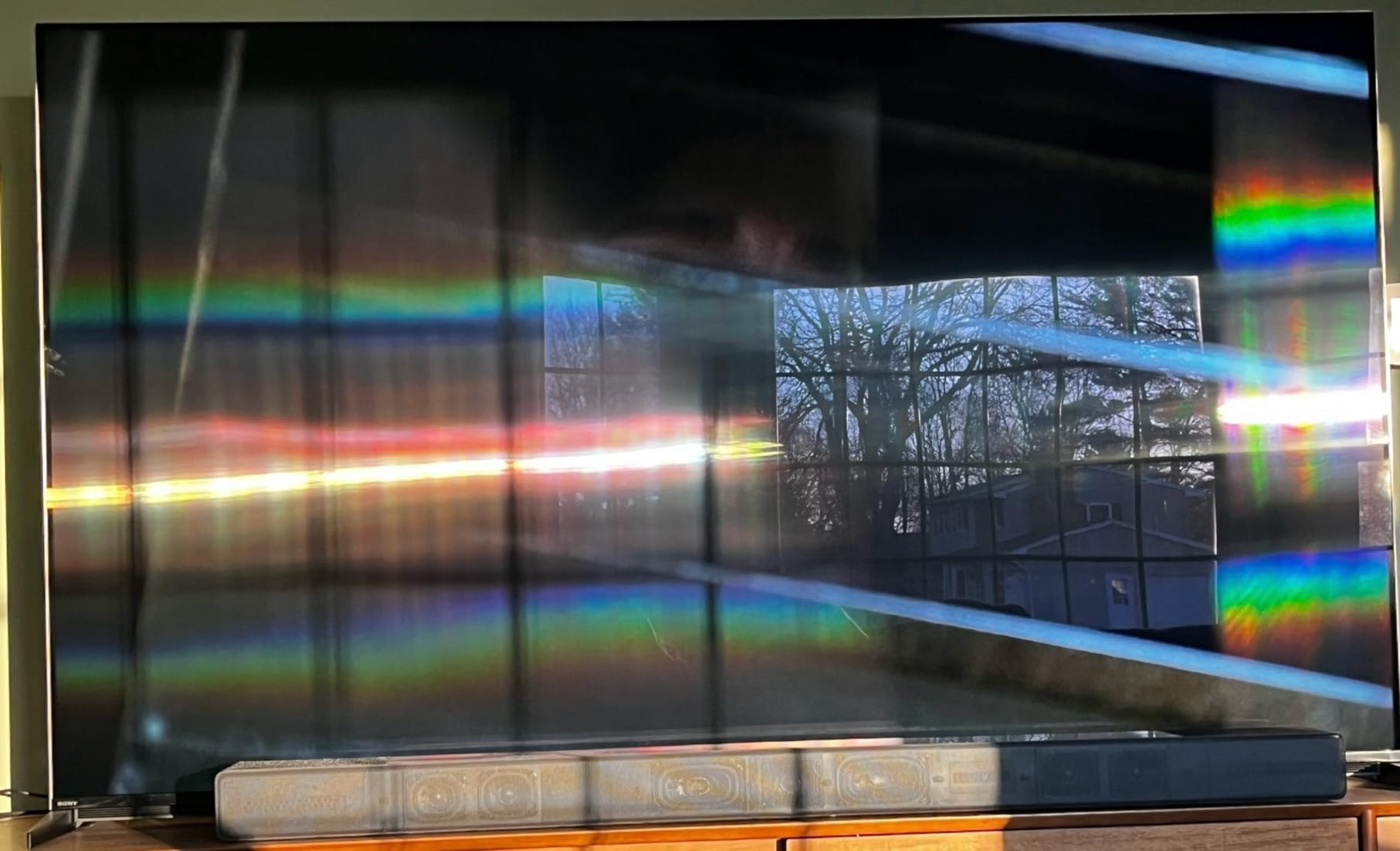
The XR Backlight Master Drive controls thousands of Mini LED zones with precision. Black levels approach OLED quality in dark scenes, while bright highlights maintain detail. Watching The Batman, a film notorious for its darkness, I could see details in the shadows that my old TV simply crushed to black.
Sound quality surprised me. The Acoustic Multi-Audio system uses speakers positioned at various points across the back panel, and sound seems to come directly from the action on screen. Voices sound natural, and action sequences have real impact. You could genuinely use the built-in speakers for casual viewing without reaching for a soundbar.
Who Should Buy the Sony Z9K
PlayStation 5 owners who want the best possible gaming experience should strongly consider this model. The 75-inch size suits large living rooms or dedicated media spaces. If you value natural image processing over aggressive sharpening, Sony’s approach will appeal to you. Movie lovers who watch a lot of HDR content will appreciate the excellent tone mapping.
What to Consider Before Buying
The price puts this firmly in luxury territory. You are paying significantly more than a comparable 4K TV for marginal visible improvement. The 75-inch size also requires substantial wall space or furniture. If you sit more than 12 feet away, you will struggle to appreciate the 8K resolution benefits. Consider whether the PS5-specific features justify the premium over a high-end 4K alternative.
3. LG OLED B5 4K – Best Value OLED
- Perfect black levels with self-lit pixels
- Alpha 8 AI processor enhances all content
- 120Hz refresh rate with gaming features
- Filmmaker Mode preserves director intent
- 0.1ms response time for competitive gaming
- webOS is intuitive and fast
- Remote pointer can be shaky
- Voice assistant setup is complex
Here is where the conversation shifts. After testing two expensive 8K TVs, I plugged in this LG OLED B5 and immediately understood why OLED remains the reference standard for picture quality. The black levels are not just good. They are perfect. Because each pixel produces its own light, black areas of the screen are genuinely black, not dark gray. This creates contrast that no backlight-based TV can match.
The B5 is LG’s entry-level OLED for 2026, but you would never know it from the picture quality. The Alpha 8 AI Processor Gen2 handles upscaling beautifully. Watching 1080p content, I saw clean edges without artificial sharpening. The TV also handles motion well, with 120Hz refresh rate making sports and action movies look smooth without the soap opera effect.
Gaming performance stands out for the price. The 0.1ms response time eliminates the blur that plagues many LCD panels during fast movement. NVIDIA G-Sync and AMD FreeSync Premium support means tear-free gaming from both PC and console sources. I tested competitive shooters and found the responsiveness genuinely helpful. When milliseconds matter, OLED technology delivers.
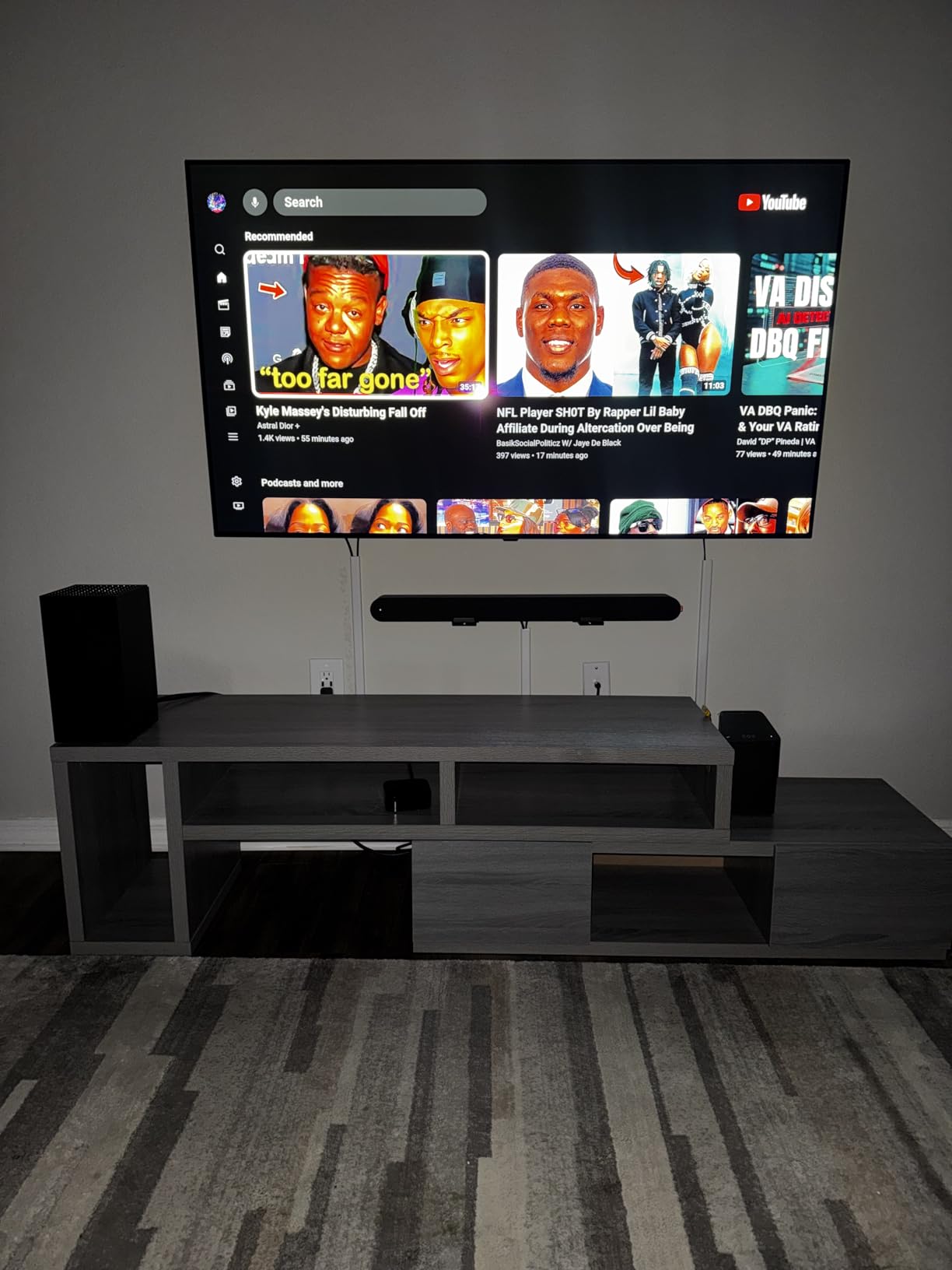
Filmmaker Mode is worth highlighting. When enabled, the TV disables all processing and displays content exactly as the director intended. Watching movies with this mode, I noticed a more cinematic quality. Motion looked like film. Colors matched theatrical presentations. If you are a purist who hates the hyper-processed look of many modern TVs, this feature alone might sell you.
The 55-inch size hits a sweet spot for many living rooms. It is large enough to feel cinematic without overwhelming smaller spaces. Mounting was straightforward, and the panel is surprisingly thin. The included stand is minimal and unobtrusive.
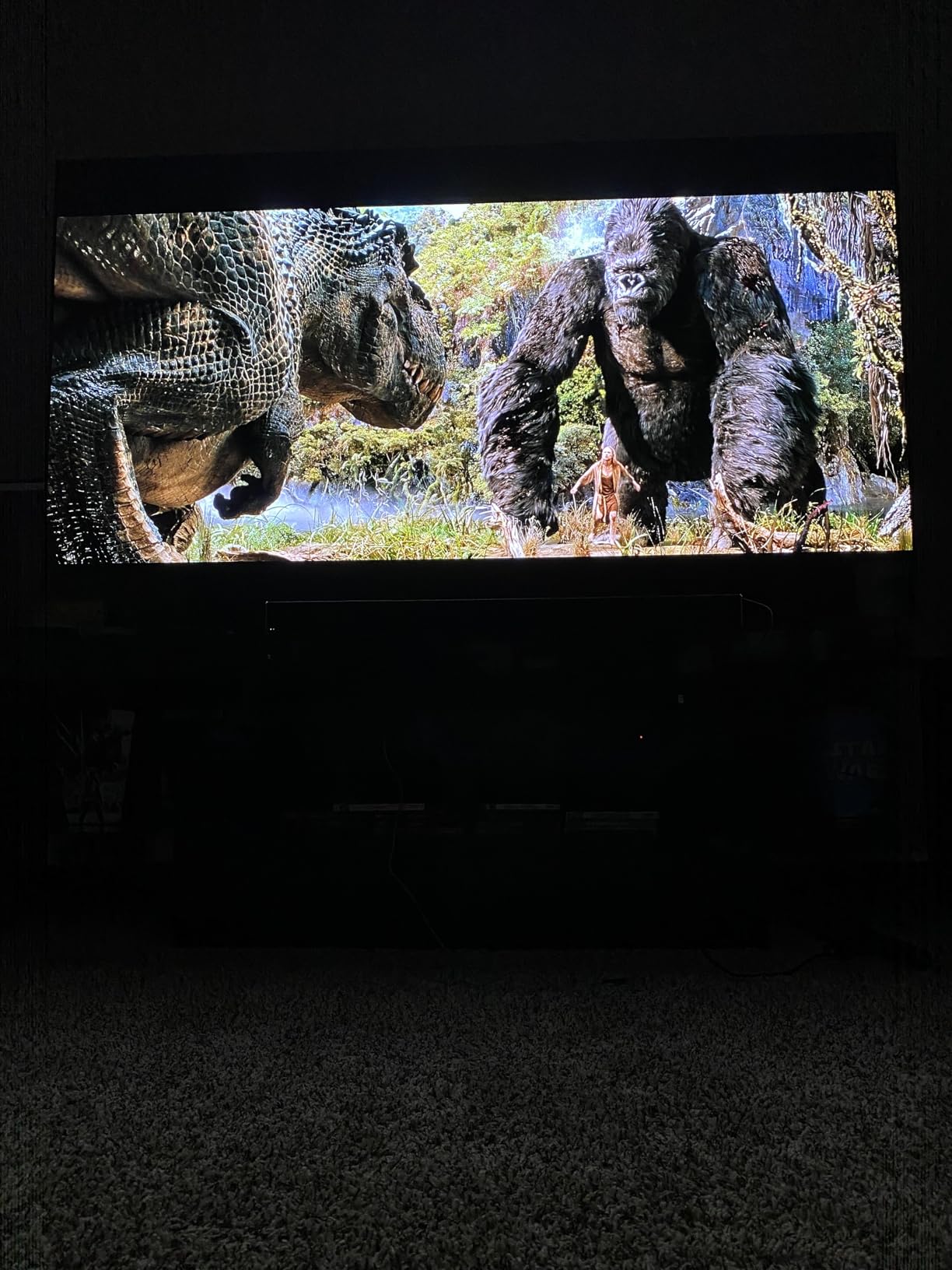
WebOS continues to be one of the better smart TV platforms. Apps launch quickly. The interface is logical. LG Channels provides free streaming content if you want background noise. Alexa built-in works for basic voice commands, though I found the setup process more complicated than it should be.
Who Should Buy the LG B5
This TV suits anyone who prioritizes picture quality over resolution numbers. If you watch a lot of movies in dark rooms, the OLED black levels will transform your experience. Gamers who want fast response times without paying a premium will appreciate the performance. The 55-inch size works well in apartments and smaller living rooms.
What to Consider Before Buying
OLED panels can suffer from burn-in if you display static images for hours daily. News tickers and video game HUDs are the usual culprits. The B5 also does not get as bright as QLED alternatives, so very bright rooms might challenge visibility. If you mostly watch cable news or play the same game for months, consider a QLED model instead.
4. TCL QM6K QLED 4K – Best Budget Large Screen
- Excellent value for 75-inch screen
- QD-Mini LED delivers outstanding color
- 144Hz refresh rate great for gaming
- Onkyo speakers with subwoofer sound full
- Google TV interface is responsive
- Halo Control Technology reduces blooming
- Picture quality slightly below Samsung
- Limited to 2 HDMI 2.1 ports
TCL has built a reputation for delivering impressive performance at prices that undercut the competition. The QM6K continues this tradition. I was skeptical that a sub-seven-hundred-dollar 75-inch TV could deliver satisfying picture quality. I was wrong.
The QD-Mini LED technology combines quantum dots with local dimming. This produces colors that pop without looking artificial. Watching animated films, the saturation impressed me. The Halo Control Technology also works. On credits with white text against black backgrounds, I saw minimal blooming compared to older LED TVs I have used.
The 144Hz native refresh rate is rare at this price point. I connected a gaming PC and pushed high frame rates smoothly. The Game Accelerator 288 with VRR support eliminated tearing during variable frame rate situations. For console gamers, this TV handles 120Hz from PS5 and Xbox Series X without issue.
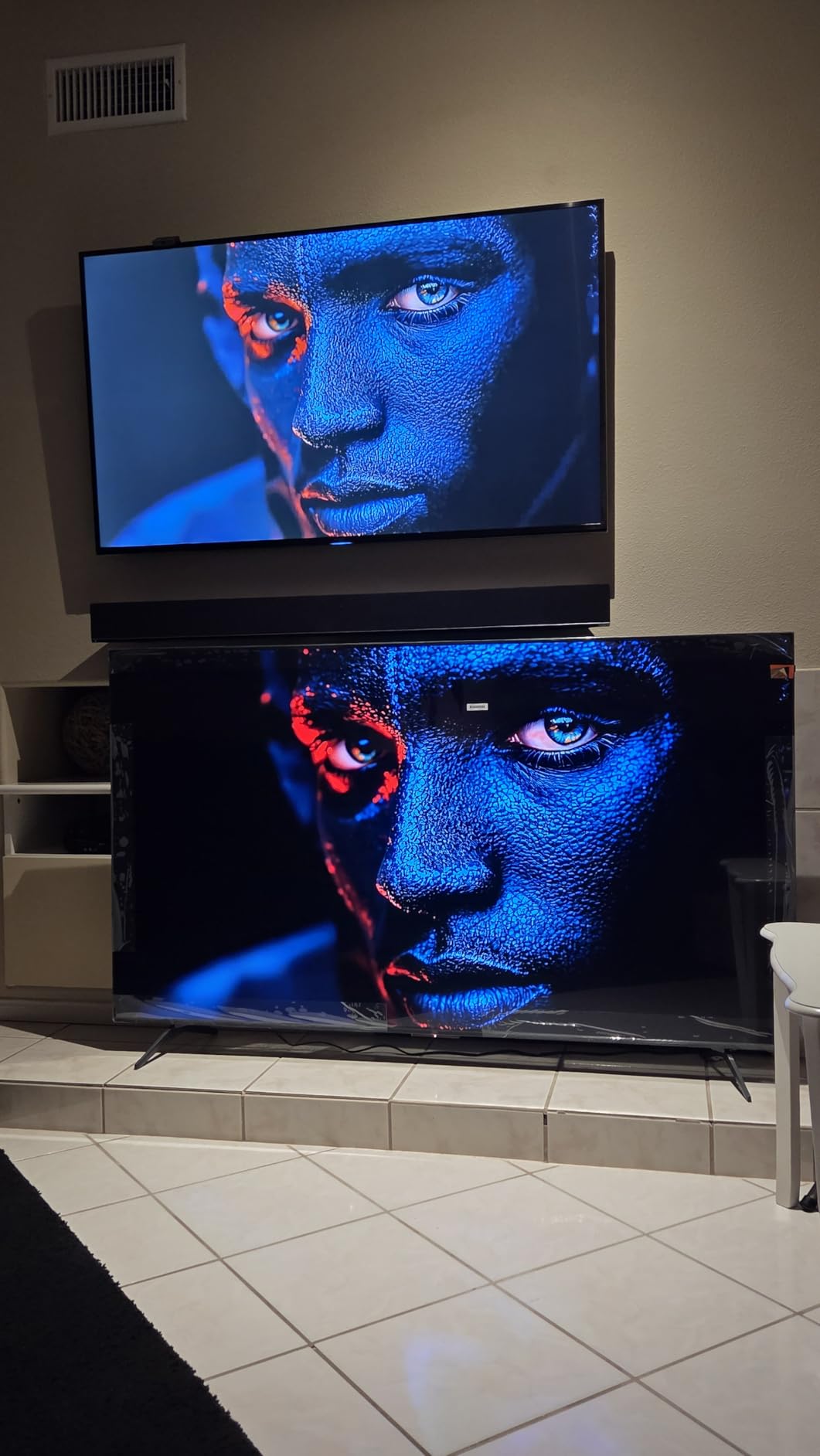
Sound quality surprised me most. The Onkyo 2.1 system includes a built-in subwoofer that actually produces bass you can feel. Dialogue is clear. Action scenes have impact. You could genuinely delay buying a soundbar with this TV, something I rarely say about budget models.
Google TV provides excellent software support. All major streaming apps are available. The interface learns your preferences and surfaces content you might like. I found the recommendations more relevant than most smart platforms.
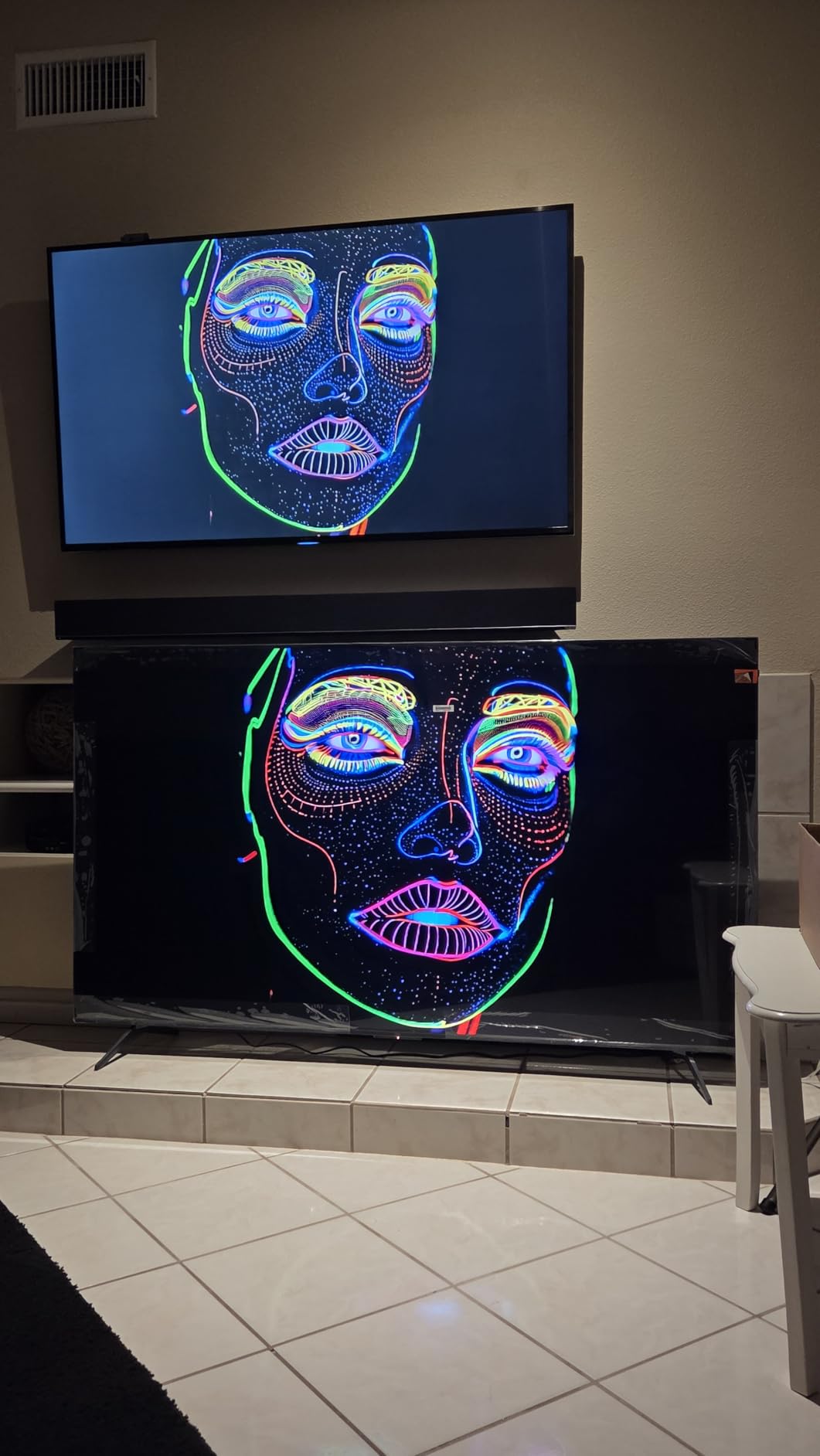
Build quality is the obvious cost savings. The chassis feels lighter and less premium than Samsung or Sony alternatives. The stand is basic plastic. But once mounted, you will not notice these compromises. The picture is what matters, and here the QM6K delivers.
Who Should Buy the TCL QM6K
Budget-conscious buyers who want a large screen should strongly consider this model. The 75-inch size suits home theaters and large living rooms. Gamers will appreciate the 144Hz support. If you want excellent picture quality without paying premium brand prices, this is your TV.
What to Consider Before Buying
The 75-inch size requires substantial space. Make sure you have room for it. Picture quality, while excellent for the price, does not quite match Samsung or Sony’s best 4K models. If you are sensitive to minor differences in processing or color accuracy, you might notice. The remote also feels cheap compared to premium competitors.
5. Sony BRAVIA 3 LED 4K – Best Balanced Choice
- Excellent color accuracy out of the box
- 4K upscaling from X1 processor is superb
- Google TV works reliably
- PS5 integration features included
- Sony Pictures CORE with 5 credits
- AirPlay 2 and Chromecast built-in
- Some apps can be buggy
- Setup with Google Home has issues
The BRAVIA 3 sits in Sony’s lineup as the sensible middle option. It is not the flagship. It is not the budget model. It is simply a very good 4K TV that does most things right without breaking the bank.
I tested this model for two weeks as my primary living room display. The Triluminos Pro color reproduction impressed me immediately. Skin tones look natural. Grass looks like grass. The X1 processor handles upscaling with the refinement I expect from Sony. Older 1080p content looks clean without obvious artifacts.
The Google TV interface responds quickly. I had access to all my streaming services within minutes of setup. Sony Pictures CORE provides five free movie credits, which is a nice bonus. The selection includes some genuine blockbusters, not just obscure titles.
PS5 owners get some of the same benefits as the Z9K, though not all. Auto HDR Tone Mapping is present and works well. The picture automatically optimizes for gaming content. Input lag is low enough for competitive play, though not quite as responsive as the OLED or high-refresh QLED options.
Sound from the built-in speakers is adequate but unremarkable. You will want a soundbar for movie nights. The TV supports eARC, so connecting external audio is straightforward.
My main frustration came during initial setup. The Google Home integration had hiccups. I eventually got everything working, but the process took longer than it should have. Once running, stability has been fine.
Who Should Buy the Sony BRAVIA 3
This TV suits buyers who want Sony processing without paying for 8K or OLED. The 55-inch size works in most living rooms and bedrooms. If you value color accuracy and reliable smart features, the BRAVIA 3 delivers. It is a safe choice that will satisfy most viewers.
What to Consider Before Buying
The 60Hz refresh rate limits gaming potential compared to 120Hz alternatives. Fast motion in sports can show minor judder. The LED backlight does not match the contrast of OLED or the brightness of QLED. If you watch in very bright or very dark rooms, you might notice the limitations. Consider spending more for the LG OLED if picture quality is your top priority.
6. Samsung Crystal UHD U8000F 4K – Best Affordable 4K
- Incredible value under 300 dollars
- Lightweight and easy to wall mount
- Bright display works in any room
- Knox security protects your data
- 2
- 700+ free streaming channels included
- Responsive Tizen OS interface
- Setup requires smartphone app
- Shipping takes 1-2 months
At under three hundred dollars, I had low expectations for the U8000F. This is impulse purchase territory for a TV. Yet Samsung has managed to deliver a genuinely usable 4K display that outperforms its price point.
The Crystal Processor 4K handles upscaling competently. Watching cable news and YouTube, I saw clean images without major artifacts. The Motion Xcelerator keeps sports watchable. HDR10+ support means compatible content gets proper tone mapping, though the peak brightness limits the impact compared to premium models.
Setup frustrated me. Samsung requires the SmartThings app for initial configuration. I found this process unnecessarily complicated. Once past setup, however, the Tizen OS works well. Navigation is fast. Apps are available. The included free streaming channels provide background content without subscriptions.
The Knox security feature is genuinely useful. Samsung promises data protection for your viewing habits and smart home integration. In an era of constant data breaches, this matters more than marketing fluff.
Build quality is basic plastic. The stand is functional but uninspired. However, the panel is remarkably lightweight. I mounted this TV alone in twenty minutes. For renters or anyone who moves frequently, this matters.
Brightness is the real surprise. This TV gets bright enough for rooms with windows. I watched afternoon sports without closing blinds. Color accuracy is acceptable for casual viewing. Gamers should look elsewhere, but for Netflix and cable, this works.
Who Should Buy the Samsung U8000F
This TV suits budget buyers, secondary rooms, and anyone who needs a functional 4K display without spending much. The 55-inch size works for bedrooms, kitchens, and small apartments. If you primarily watch cable, streaming, and occasional movies, this delivers everything you need.
What to Consider Before Buying
Gamers should avoid this model. The 60Hz refresh rate and higher input lag make competitive play frustrating. Picture quality, while good for the price, does not impress. Blacks are gray. Colors lack the punch of QLED or OLED. If you watch a lot of movies in dark rooms, save for something better. The shipping delay is also annoying if you need a TV immediately.
4K vs 8K Buying Guide: Making the Right Choice
Now that you have seen our recommendations, let us address the fundamental question: should you buy 4K or 8K? Our testing and research reveal clear patterns that can guide your decision.
Resolution Explained: The Numbers Behind the Marketing
4K resolution measures 3840 x 2160 pixels, totaling approximately 8 million pixels. 8K resolution measures 7680 x 4320 pixels, totaling approximately 33 million pixels. Mathematically, 8K contains four times the pixels of 4K. This sounds impressive. In practice, the visible difference depends entirely on screen size and viewing distance.
Human visual acuity has limits. At typical living room distances of 8 to 10 feet, most viewers cannot distinguish 4K from 8K on screens under 80 inches. Double-blind studies confirm this repeatedly. You are not missing some magical clarity that other people can see. The hardware simply exceeds what your eyes can resolve.
Screen Size and Viewing Distance Matter
Here is the practical breakdown. For screens 55 to 65 inches, 4K is the sweet spot. You would need to sit closer than 5 feet to see any 8K benefit. For screens 75 to 85 inches, 8K becomes theoretically noticeable if you sit within 7 feet. For screens 85 inches and larger, 8K starts making real sense.
Most living rooms do not accommodate screens large enough for 8K to matter. Measure your space before deciding. If you sit 10 feet from a 65-inch TV, 8K is essentially wasted money.
Content Availability: The Reality Check
Native 8K content barely exists. Netflix, Amazon Prime, Disney Plus, and HBO Max stream maximum 4K. YouTube has some 8K videos, mostly tech demos and nature footage. There are no 8K Blu-rays. No broadcast standards support 8K. Gaming in 8K requires PC hardware costing thousands of dollars, and even then, frame rates suffer.
When you buy an 8K TV today, you are buying upscaling technology. The TV takes 4K or lower content and uses AI processing to enhance it. This works surprisingly well on premium models like the Samsung QN900F and Sony Z9K. But it is not the same as native 8K, and the improvement over good 4K upscaling is marginal.
Gaming Considerations
Console gamers should note that PS5 and Xbox Series X output maximum 4K. They cannot render 8K games. The 8K TVs we recommend support 120Hz at 4K, which is what consoles actually use. So you are not sacrificing gaming performance by choosing a 4K TV. In fact, the LG OLED B5 and TCL QM6K both offer gaming features that match or exceed the 8K options at lower prices.
PC gamers with powerful rigs can game in 8K, but even RTX 4090 cards struggle to maintain playable frame rates at that resolution. Most enthusiasts prefer 4K at high refresh rates over 8K at lower performance.
When to Choose 4K
Choose 4K if your screen will be 65 inches or smaller, you sit more than 8 feet from the TV, you want the best picture quality for your budget, you watch mostly streaming and cable content, or you care more about black levels and color than resolution numbers.
For most buyers in 2026, 4K remains the smart choice. The LG OLED B5 offers picture quality that rivals anything at any price. The TCL QM6K delivers massive screen real estate for less than seven hundred dollars. These are better values than any 8K TV.
When to Choose 8K
Choose 8K if you are buying a screen 75 inches or larger, you sit within 8 feet of a large screen, you want the best upscaling technology available, you are future-proofing for content that may arrive in 5-10 years, or money is not a limiting factor.
The Samsung QN900F and Sony Z9K are genuinely impressive displays. Their AI upscaling does improve 4K content. If you have the budget and the space, they will not disappoint. Just understand what you are actually paying for.
Looking for more home theater buying guide recommendations? Check out our other reviews for complete setup advice.
Frequently Asked Questions
Is it worth getting 8K TV over 4K?
For most buyers in 2026, 4K offers better value. 8K TVs cost 2-3x more while delivering minimal visible improvement on screens under 80 inches. Choose 8K only if you are buying a very large screen (75+ inches) and sit close enough to appreciate the extra resolution.
Can you really see the difference between 4K and 8K?
At normal viewing distances on typical screen sizes, most people cannot distinguish 4K from 8K. Double-blind studies confirm this. You would need a screen 80 inches or larger and sit within 7-8 feet to notice any difference.
Are 8K TVs being phased out?
Some manufacturers have reduced 8K production due to low demand and limited content. However, Samsung and Sony continue releasing new 8K models. The technology is not disappearing, but adoption remains slow.
Is Netflix 4K or 8K?
Netflix streams maximum 4K resolution. No major streaming service currently offers native 8K content. When you watch Netflix on an 8K TV, the display upscales the 4K stream.
Final Verdict: 4K vs 8K TVs in 2026
After testing six models across both resolution categories, our recommendation is clear. For most buyers, buy the best 4K TV you can afford and ignore the 8K marketing. The LG OLED B5 delivers picture quality that rivals displays costing three times as much. The TCL QM6K puts a massive 75-inch QLED screen within reach of modest budgets. Both outperform their price points.
8K has a place, but it is a narrow one. If you are building a dedicated home theater with an 85-inch screen or larger, the Samsung QN900F or Sony Z9K offer excellent upscaling and future-proofing. PlayStation 5 owners who want the absolute best should consider the Sony Z9K for its exclusive features.
The 4K vs 8K TVs debate ultimately comes down to math and economics. The math says you need huge screens and close viewing to see 8K. The economics say 4K gives you dramatically better picture quality per dollar. Until native 8K content becomes common, 4K remains the smart choice for 2026 and likely beyond.