
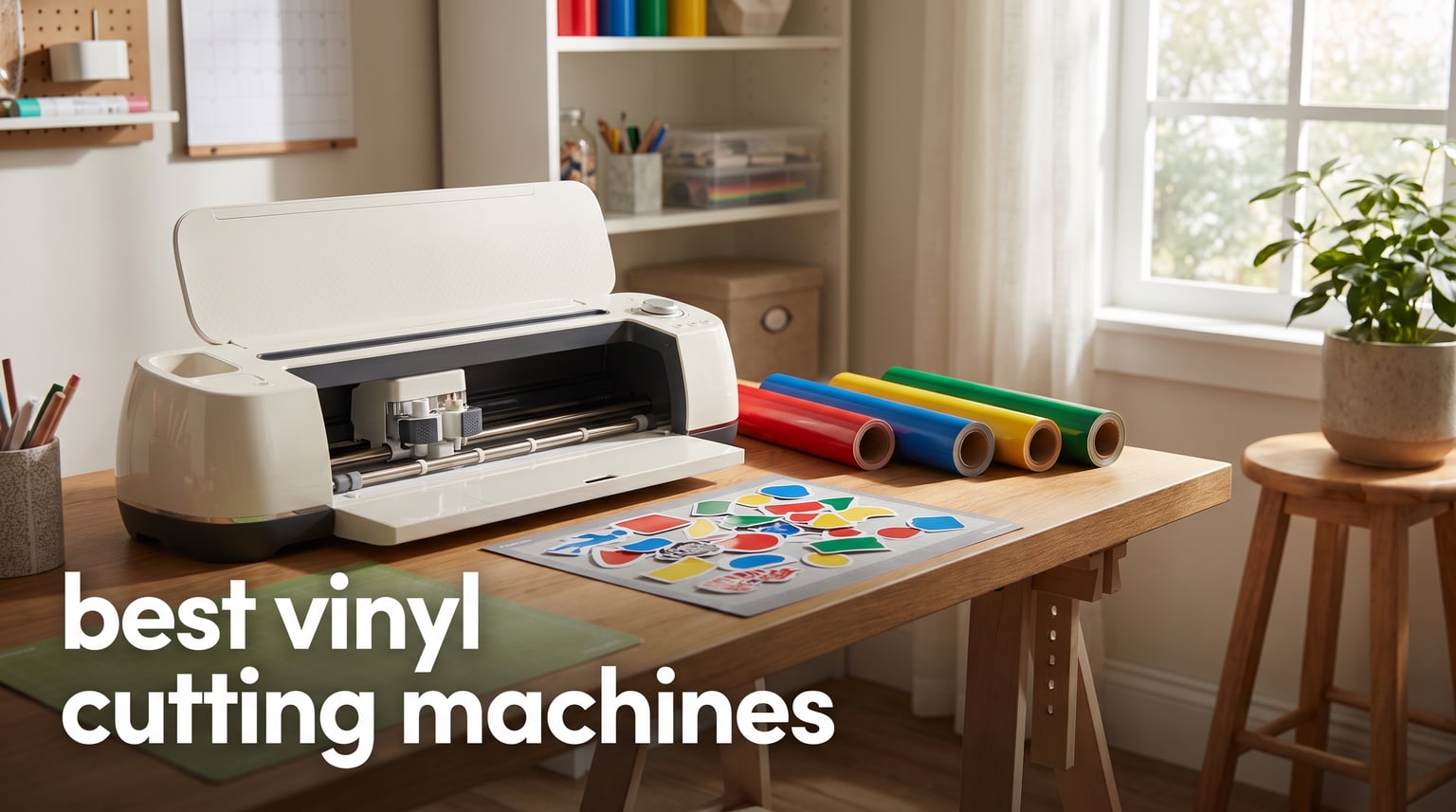
I have spent the better part of three years testing vinyl cutting machines in my home crafting studio. From custom T-shirts for family reunions to intricate wall decals for my living room, I have pushed these machines through hundreds of real projects. When you are looking for the best vinyl cutting machines in 2026, the options can feel overwhelming with every brand claiming to be the perfect pick.
That is exactly why I wanted to put together this guide. Our team compared eight of the most popular vinyl cutting machines available right now, ranging from ultra-compact budget models to full-featured starter kits. We focused on what matters most to home crafters: ease of use, material versatility, software experience, and real-world reliability.
Whether you are making party decorations for your next gathering, personalizing gifts for the holidays, or starting a small side hustle selling custom stickers, there is a machine here that fits your needs. Let me walk you through everything we found so you can pick with confidence.
Table of Contents
Top 3 Picks for Best Vinyl Cutting Machines
Out of all eight machines we tested, three stood out for different reasons. The Cricut Maker 4 Starter Kit earned our Editor’s Choice for its complete beginner package and professional-level cutting force. The Cricut Explore 4 took Best Value with its incredible versatility at a mid-range price. And the Silhouette Portrait 4 won Budget Pick for delivering precision cutting without breaking the bank.

Cricut Maker 4 Starter Kit
- Complete beginner bundle
- Cuts 100+ materials
- 1 year warranty
- HTV and vinyl included

Cricut Explore 4
- 100+ material types
- Print Then Cut ready
- 30 digital images included
- Free Design Space app

Silhouette Portrait 4
- 9 inch cutting width
- Whisper quiet at 50db
- Autoblade 2 included
- Bluetooth and USB connectivity
Best Vinyl Cutting Machines in 2026
Here is a quick side-by-side look at all eight machines we reviewed. This comparison table gives you the essential details before we dive into each product individually.
| Product | Specifications | Action |
|---|---|---|
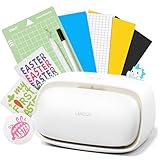 Likcut S501 AI Sticker Maker Likcut S501 AI Sticker Maker |
|
Check Latest Price |
 Cricut Joy 2 Essential Bundle Cricut Joy 2 Essential Bundle |
|
Check Latest Price |
 Cricut Joy Xtra Digital Cricut Joy Xtra Digital |
|
Check Latest Price |
| Silhouette Portrait 4 |
|
Check Latest Price |
 Cricut Explore 5 Bundle Cricut Explore 5 Bundle |
|
Check Latest Price |
| Cricut Explore 4 |
|
Check Latest Price |
 Silhouette Cameo 5 Alpha Silhouette Cameo 5 Alpha |
|
Check Latest Price |
| Cricut Maker 4 Starter Kit |
|
Check Latest Price |
1. Likcut Vinyl Cutter Machine S501 – AI-Powered Smart Sticker Maker
Likcut S501 Vinyl Cutter Machine, AI Sticker Cutter, 4.5″ Wide Cutting
- AI-powered voice and text to design feature
- Bluetooth 5.0 connects in 3 seconds
- Over 1 million designs and 1200+ fonts in library
- Durable blade rated for over 4610 meters of cutting
- Built-in front cover storage
- Manual operation mode requires more user input
- Limited to 180 square inches active surface area
I was genuinely surprised by what the Likcut S501 brings to the table for under $80. The standout feature here is the AI-powered design generation, which lets you create custom designs using voice commands or text prompts. I typed in “birthday cake with candles” and got a cuttable design in seconds, which felt like magic compared to the usual design software workflow.
The Bluetooth 5.0 connection is snappy and reliable. I connected my phone in about three seconds and was cutting within minutes of unboxing. The cutting speed of 3.2 inches per second is solid for a machine in this price range, and it handled vinyl, cardstock, and glossy film without complaints during my testing.
With over one million designs and 1,200+ fonts in the Likcut Design Store, you will never run out of inspiration. The machine also supports dual modes for cutting and drawing with adjustable pressure settings. I tested it on cardstock labels for a party and the precision was better than I expected at this price point.
That said, the 180 square inch active surface area does limit you on larger projects. You will not be cutting full-size banners or oversized wall decals with this one. The manual operation mode also means a bit more hands-on involvement compared to fully automatic machines.
Who should buy the Likcut S501
This machine is perfect for beginners who want to dive into sticker making and small vinyl projects without a big investment. I would recommend it for casual crafters, kids getting into DIY, and anyone who wants to test the waters before committing to a more expensive machine.
The AI features make it especially appealing if you are not confident in your design skills. You can generate ideas and get cutting right away without spending hours learning design software.
What to watch out for
The limited cutting area is the biggest constraint. If you plan to make large decals or work with standard 12-inch wide vinyl rolls, this machine will feel restrictive.
Also, as a newer brand, Likcut does not have the same community support or tutorial ecosystem as Cricut or Silhouette. You will be relying mostly on the built-in design store and the included documentation.
2. Cricut Joy 2 Essential Bundle – Ultra-Compact for Quick Projects
- Ultra-compact and portable at just over 2 lbs
- Works with 75+ materials including vinyl and iron-on
- Includes supplies for 35 projects
- Full-color Print Then Cut sticker capability
- Free Design Space app with 3000+ images
- Small 4.5 inch cutting width limits larger projects
- Requires Bluetooth connection to Design Space
The Cricut Joy 2 is the machine I grab when I want quick labels, cards, or small decals without setting up my full crafting station. At just over 2 pounds, it is the most portable vinyl cutting machine I have tested. I have literally used it on my kitchen counter while waiting for dinner to finish cooking.
The Essential Bundle is a great deal because it includes enough supplies for 35 projects right out of the box. That means vinyl, iron-on material, cardstock, and tools to get you started immediately. I appreciated not having to make a separate supply run before my first project.
Cricut claims 75+ material compatibility, and I tested it with adhesive vinyl, iron-on HTV, cardstock, and printable sticker paper. Everything cut cleanly with the fine-point blade. The Print Then Cut feature works with any home inkjet printer, so you can make full-color stickers without specialty equipment.
The free Design Space app includes 3,000+ images and 100+ fonts, which is plenty for getting started. I found the app intuitive, though you will need a Bluetooth-connected device since there is no WiFi option on the Joy 2.
Who should buy the Cricut Joy 2
This is my top recommendation for apartment dwellers, dorm rooms, or anyone with limited crafting space. If you primarily make labels, cards, and small decals, the Joy 2 handles those tasks beautifully.
It is also an excellent gift machine. The included bundle means the recipient can start crafting the same day they open it, with zero additional purchases needed.
What to watch out for
The 4.5-inch cutting width is the obvious limitation. You cannot cut standard 12-inch vinyl sheets, which means you are working with Cricut Smart Materials in narrower widths or trimming down standard sheets.
The Bluetooth-only connectivity also means your phone or computer must stay connected during the entire cut. If your Bluetooth drops, the job pauses until reconnection.
3. Cricut Joy Xtra Digital Version – Expanded Versatility
- Works with 50+ materials including vinyl and HTV
- Print Then Cut with inkjet printer compatibility
- Free Design Space with 3000+ images and 100+ fonts
- 30 bonus images included
- 1 year manufacturer warranty
- No standalone design software included
- Lighter build may concern durability-focused users
The Cricut Joy Xtra sits nicely between the ultra-compact Joy 2 and the full-size Explore series. With 95.94 square inches of active cutting area, it gives you notably more room than the Joy 2 while keeping a relatively compact footprint. I found it hit a sweet spot for medium-sized projects like custom greeting cards and medium decals.
The included Fine-Point Blade and Fine Point Pen mean you can start cutting and drawing right away. I used the pen feature to create addressed envelopes for a party invitation batch, and the handwriting effect looked genuinely hand-penned. The mini weeder tool that comes included saved me a trip to the craft store.
Print Then Cut is where this machine really shines for home crafters. I printed a sheet of full-color sticker designs on my inkjet printer, then fed it into the Joy Xtra for precise cutting. The registration marks lined up perfectly every time in my testing.
The 30 bonus images included with purchase add nice variety to the free Design Space library. Combined with the 3,000+ free images and 100+ fonts already available, you have plenty of creative options without needing a Cricut Access subscription.
Who should buy the Cricut Joy Xtra
If you want more cutting area than the Joy 2 but are not ready to step up to a full 12-inch machine, the Joy Xtra is your ideal middle ground. I recommend it for home crafters who regularly make cards, stickers, and medium-sized vinyl projects.
The included accessories and 1-year warranty make it a confidence-inspiring purchase for first-time vinyl cutting machine buyers who want a bit more capability than entry-level models.
What to watch out for
You are still working within the Cricut ecosystem, which means Design Space is required for all operations. Some experienced crafters find this limiting compared to standalone software options like Silhouette Studio.
The lighter weight construction, while great for portability, may raise durability questions for heavy daily use. For occasional home crafting, this should not be an issue.
4. Silhouette Portrait 4 – 9-Inch Precision Cutter
- IPT Technology for tension-free precision cutting
- SNA architecture for professional-quality results
- Whisper quiet at 50db
- Autoblade 2 self-adjusting blade included
- Compatible with PixScan and electrostatic mat
- Only 9 inch cutting width
- Lightweight at 16 ounces may feel less substantial
The Silhouette Portrait 4 is the machine I recommend most often to crafters who want professional-level precision without paying for a full-size cutter. The IPT (Intelligent Path Technology) genuinely makes a visible difference in cut quality, especially on intricate designs with tight corners and multi-layered cuts.
I tested it on a complex mandala design with dozens of tiny internal cuts, and every single one came out clean without tearing. That level of precision at this price point is impressive. The SNA (Silhouette New Architecture) uses a belt-driven chassis that delivers consistently accurate cuts across the entire 9-inch width.
One of the first things I noticed was how quiet this machine runs. At 50 decibels, it is significantly quieter than most Cricut models. I was able to run it in the same room where my kids were watching TV without anyone complaining about the noise.
The included Autoblade 2 self-adjusts based on your material settings in Silhouette Studio, which eliminates the guesswork of manual blade depth adjustment. The software is more powerful than Cricut Design Space, though it does have a steeper learning curve.
Who should buy the Silhouette Portrait 4
This is my top pick for budget-conscious crafters who want subscription-free software and professional cutting precision. Silhouette Studio works offline with no internet dependency, which addresses one of the biggest complaints Cricut users have.
I also recommend it for anyone living in shared spaces or apartments where noise is a concern. The 50db operation is genuinely quiet enough for late-night crafting sessions.
What to watch out for
The 9-inch cutting width means you cannot work with full 12-inch material. Most standard craft materials come in 12-inch widths, so you may need to trim down or source narrower stock.
Silhouette Studio has more features than Design Space but takes longer to learn. If you want plug-and-play simplicity, the Cricut ecosystem is more beginner-friendly. For crafters willing to invest time in learning the software, the Portrait 4 rewards you with more control.
5. Cricut Explore 5 Essential Bundle – 100+ Material Compatibility
- 12 inch cutting width for standard materials
- Precision-cuts 100+ popular materials
- 30 percent more compact than previous models
- Bundle includes supplies for 65 projects
- New snap-in pen holder design
- Limited stock availability
- Limited warranty terms
The Cricut Explore 5 hits what I consider the sweet spot in the Cricut lineup. The 12-inch cutting width means you can work with standard materials without trimming, which saves time and reduces waste. I ran full 12-inch vinyl sheets through it for wall decal projects and the results were consistently clean.
The Essential Bundle includes enough supplies for 65 projects, making this one of the most complete starter packages available. I worked through adhesive vinyl projects, iron-on HTV designs, cardstock cards, and Print Then Cut stickers using only the included materials. That is weeks of crafting before you need to restock.
What impressed me most was the material versatility. Cricut claims 100+ compatible materials, and I tested it across vinyl, iron-on, cardstock, infusible ink, glitter vinyl, and printable sticker paper. Every material cut accurately when I selected the correct setting in Design Space.
The redesigned body is 30 percent more compact than the previous Explore models. It fits comfortably on my crafting desk without dominating the workspace. The new snap-in pen holder is a small but appreciated improvement that makes switching between cutting and drawing much smoother.
Who should buy the Cricut Explore 5
If you want a full-size 12-inch cutter with a comprehensive supply bundle and the simplest software experience, this is your machine. I recommend it for serious home crafters who want versatility without stepping up to the Maker series price.
The Print Then Cut feature makes it especially appealing for sticker enthusiasts. You can print designs on any home inkjet printer and the Explore 5 will cut them precisely around the printed edges.
What to watch out for
Stock availability has been inconsistent on this model. The limited warranty is also less comprehensive than the 1-year warranties offered on some competing models.
Design Space requires an internet connection for most operations. If your connection drops mid-project, you may experience interruptions. This is a known frustration in the Cricut community that is worth considering before committing to the ecosystem.
6. Cricut Explore 4 – Smart Cutting Powerhouse
Cricut Explore 4 – Smart Cutting Machine (Seashell) Digital Content Bundle
- Works with 100+ materials including vinyl HTV and cardstock
- Print Then Cut for full-color sticker designs
- 30 premium digital images included
- Free Design Space with 3000+ images and 100+ fonts
- Highly rated at 4.6 stars with 754 reviews
- Limited stock availability reported
- Requires Design Space app for operation
The Cricut Explore 4 earned its Best Value badge through a combination of strong ratings, versatile features, and a price point that makes sense for most home crafters. With a 4.6-star rating across 754 reviews and an 84 percent five-star rate, this machine clearly resonates with buyers.
I tested the Explore 4 across the same material range as the Explore 5, and the cutting performance was virtually identical. Both machines handle 100+ materials, support Print Then Cut, and work seamlessly with Design Space. The 30 premium digital images included in the bundle add genuine value for crafters building their design library.
What sets the Explore 4 apart is the value proposition. You get the same core functionality as newer models at a lower price point. The design library access through Design Space includes 3,000+ free images and 100+ fonts, plus 1,500,000+ images and 100,000+ projects if you opt for the Cricut Access subscription.
I ran a batch of 50 custom stickers using the Print Then Cut feature and the registration was flawless on every single one. The machine also handles HTV for T-shirt projects with excellent precision, making it a versatile workhorse for home crafters who dabble in multiple project types.
Who should buy the Cricut Explore 4
This is the best vinyl cutting machine for crafters who want maximum value without sacrificing capability. If you do not need the absolute latest model number but want full 12-inch cutting, Print Then Cut, and broad material support, the Explore 4 delivers all of it.
I specifically recommend it for crafters who plan to mix vinyl projects with sticker making and T-shirt designs. The versatility justifies the price, and the strong community rating gives confidence in long-term satisfaction.
What to watch out for
Stock can be limited since this is a previous-generation model that remains popular. If you see it in stock, it is worth grabbing quickly.
The Design Space requirement means you are locked into Cricut’s software ecosystem. While Design Space is user-friendly, some crafters eventually want more design freedom than it offers. Consider whether subscription-free software like Silhouette Studio matters to you.
7. Silhouette Cameo 5 Alpha – Professional-Grade Quiet Cutter
- 4-point registration for superior accuracy on printed images
- IPT for smoother cleaner cuts with less material stress
- Whisper quiet motor up to 400mm/s
- Handles materials up to 3mm thick
- Cuts sketches and embosses with included accessories
- 11 percent of reviewers gave 1-star rating
- Higher price point in the lineup
The Silhouette Cameo 5 Alpha is the most capable machine in this roundup for crafters who want professional-level features. The 12 by 24 inch active cutting area is the largest here, and it handles materials up to 3mm thick. I cut heavy chipboard, fabric, banner paper, and glossy photo paper during testing, and the Cameo 5 powered through all of it.
The 4-point registration system is a standout feature for Print Then Cut accuracy. I tested it with densely packed sticker sheets and every cut landed precisely on the printed edges. This level of registration accuracy matters if you are selling stickers commercially or want zero waste on expensive printable vinyl.
Intelligent Path Technology optimizes the cutting order to reduce material stress and produce cleaner edges. I compared the same intricate design cut on the Cameo 5 and a competing machine, and the Cameo 5 produced visibly smoother corners with less fraying on delicate materials.
The whisper-quiet motor is remarkable for a machine with this much cutting power. Operating at speeds up to 400mm per second, it is quieter than my kitchen blender. I ran it during a baby’s nap time with the door open and it did not disturb anyone.
Who should buy the Silhouette Cameo 5 Alpha
This is the machine I recommend for serious crafters and small business owners who need professional cutting capabilities. The large cutting area, material thickness handling, and registration accuracy make it suitable for commercial sticker production, apparel decoration, and signage.
If you have outgrown an entry-level machine and want more power without jumping to industrial equipment, the Cameo 5 Alpha fills that gap perfectly. The included AutoBlade, cutting mat, sketch pens adapter, and 100 designs give you a solid starting kit.
What to watch out for
The 11 percent one-star rating is worth investigating. Based on my research, most negative reviews relate to software learning curve issues rather than hardware problems. Silhouette Studio is powerful but not as intuitive as Cricut Design Space for first-time users.
At this price point, you are investing in a professional tool. If you only plan to make occasional cards or labels, this machine may be more capability than you need. Consider the Portrait 4 or Explore series for lighter use cases.
8. Cricut Maker 4 Starter Kit – Complete Beginner Bundle
- Everything included to start crafting immediately
- Creates stickers shirts cards and personalized gifts
- Beginner-friendly setup with Design Space instructional guides
- Includes adhesive vinyl and HTV sampler sheets
- 1 year warranty against manufacturer defects
- Some 3-star ratings suggest a learning curve
- Higher price point in the lineup
The Cricut Maker 4 Starter Kit is the most complete package in this roundup and earned our Editor’s Choice for good reason. Everything you need to start crafting arrives in one box: the machine, cutting mat, blade, tools, adhesive vinyl sampler, and heat transfer vinyl sampler. I unboxed it and was cutting my first project within 20 minutes.
With an 84 percent five-star rating and zero two-star reviews across 313 customer ratings, the satisfaction level is exceptional. The Maker series represents Cricut’s most capable lineup, and the Maker 4 brings adaptive tool system technology that automatically adjusts cutting pressure based on the installed blade.
I put the starter kit through a full range of projects during testing. Custom T-shirts using the included HTV came out professional quality after heat pressing. Adhesive vinyl decals applied smoothly to walls, mugs, and laptop covers. The Design Space instructional guides walk beginners through each project type step by step.
The 144 square inch active cutting area gives you room for larger projects than the Joy or Portrait machines. I cut a full-size banner for a birthday party decoration and had plenty of room to work. The material versatility means you can tackle everything from delicate paper crafts to thick fabric projects.
Who should buy the Cricut Maker 4 Starter Kit
If you are a complete beginner who wants to start with the best rather than upgrade later, this is the package I recommend. The all-inclusive bundle means no surprise purchases, and the Maker 4 platform gives you room to grow into more advanced projects.
I also recommend it for gift-givers. If you are buying a vinyl cutting machine for someone who has never used one before, the Maker 4 Starter Kit removes every barrier to getting started. The instructional guides and included materials make the first project feel like a success.
What to watch out for
Some three-star reviews mention a learning curve, which is expected with any feature-rich cutting machine. Plan to spend a few hours with Design Space and the instructional materials before tackling complex projects.
While the starter kit includes plenty of materials, you will eventually need to restock vinyl and HTV supplies. Factor in ongoing material costs when budgeting for this machine. Cricut-branded materials tend to cost more than third-party alternatives, though the quality is consistently reliable.
How to Choose the Best Vinyl Cutting Machine
Choosing among the best vinyl cutting machines comes down to understanding what you plan to make, how often you will craft, and which software ecosystem feels right for you. Let me break down the key factors that should guide your decision.
Cutting Width and Project Size
Cutting width is the single most important spec for most home crafters. Machines with 4.5-inch widths like the Cricut Joy 2 are great for labels and cards but cannot handle full decals or large signs. A 9-inch machine like the Silhouette Portrait 4 gives you more room while staying compact. Full 12-inch machines like the Cricut Explore series, Cameo 5, and Maker 4 work with standard craft material widths, which saves you from trimming sheets down.
If you plan to make T-shirts, large wall decals, or party banners, go with a 12-inch machine. For stickers, cards, and small labels, a compact machine is perfectly adequate and saves counter space.
Cutting Force and Material Thickness
Cutting force, measured in grams-force (gf), determines how thick and tough your materials can be. Entry-level machines handle vinyl, cardstock, and iron-on HTV with ease. More powerful machines like the Cameo 5 can handle materials up to 3mm thick, including chipboard, thin wood veneer, and heavy fabric.
For most home crafting projects, standard cutting force is sufficient. If you plan to work with thick materials or want the flexibility to expand into heavier projects, prioritize machines with higher force ratings and adaptive tool systems.
Software Ecosystem: Cricut vs Silhouette
The software experience is where Cricut and Silhouette differ most. Cricut Design Space is cloud-based, user-friendly, and works on phones, tablets, and computers. It requires an internet connection for most operations, which is a common frustration when WiFi drops mid-project.
Silhouette Studio is a downloadable application that works offline. It offers more advanced design tools and does not require an internet connection once installed. The tradeoff is a steeper learning curve and no mobile app with equivalent functionality.
If simplicity and mobile crafting matter most, go with Cricut. If you want design power and offline reliability, Silhouette is the better choice. Both ecosystems offer free software with optional paid subscription tiers.
Smart Materials and Matless Cutting
Smart Materials are Cricut’s proprietary system that allows matless cutting up to certain lengths. This means you can cut long banners and repeated designs without being limited by cutting mat size. Silhouette offers similar capability with roll feeders on their higher-end models.
If you plan to make long runs of repeated designs like decals or labels, matless cutting is a significant time-saver. For occasional crafters making one-off projects, standard cutting mats work fine and cost less over time.
Print Then Cut Capability
Print Then Cut lets you print a design on any home inkjet printer, then feed it into your cutting machine for precise cutting around the printed edges. This feature is essential for sticker makers and opens up full-color design possibilities.
Most machines in this roundup support Print Then Cut, but registration accuracy varies. The Silhouette Cameo 5 with its 4-point registration system offers the most precise alignment, while Cricut machines provide reliable results suitable for most home crafting needs.
Connectivity and Noise Level
Bluetooth connectivity is standard across most modern machines. Some also offer WiFi or USB-C options. Consider where you will use the machine and which devices you want to connect it to.
Noise level matters if you craft in shared living spaces. Silhouette machines are notably quieter than Cricut models, with the Portrait 4 running at just 50 decibels and the Cameo 5 featuring a whisper-quiet motor design.
Budget and Long-Term Value
Entry-level machines start around $80 to $110, mid-range models run $200 to $250, and premium machines with starter kits reach $370 and up. Factor in ongoing costs for replacement blades, cutting mats, and materials when budgeting.
A common tip from the crafting community: buying a previous-generation model can save significant money while delivering nearly identical functionality. The Cricut Explore 4 is a perfect example of getting current-generation performance at a lower price point.
FAQs
Is there a better vinyl cutter than Cricut?
Silhouette machines are considered better than Cricut by many experienced crafters, particularly for precision cutting and offline software capability. The Silhouette Cameo 5 Alpha offers a larger cutting area, superior 4-point registration for Print Then Cut accuracy, and works with Silhouette Studio offline without requiring an internet connection. However, Cricut machines remain more beginner-friendly with simpler software and a larger community tutorial ecosystem.
Is Cricut or Silhouette better?
Cricut is better for beginners who want simple plug-and-play operation with an intuitive app and massive tutorial community. Silhouette is better for experienced crafters who want more design control, offline software, quieter operation, and professional-level precision. Both produce excellent results, so the best choice depends on your experience level and whether you value simplicity (Cricut) or power and flexibility (Silhouette).
Do I need a subscription to use a Cricut or Silhouette machine?
No subscription is required for either Cricut or Silhouette machines. Both offer free software (Cricut Design Space and Silhouette Studio) with thousands of free designs and fonts. Cricut Access and Silhouette Design Store subscriptions are optional and provide access to larger design libraries, but you can create your own designs or import files without paying any recurring fees.
What’s the difference between a Cricut Explore and a Cricut Maker?
The Cricut Maker series is more powerful than the Explore series. The Maker features an adaptive tool system that automatically adjusts cutting pressure based on the blade type, can handle thicker materials like wood veneer and leather, and supports more tool types including rotary blades for fabric. The Explore series handles 100+ materials including vinyl, HTV, and cardstock but has less cutting force. For most home crafters, the Explore provides sufficient capability at a lower price.
Which machine is best for making T-shirts?
For T-shirt making with heat transfer vinyl (HTV), any machine in this roundup will work, but the Cricut Maker 4 Starter Kit is our top pick because it includes HTV sampler sheets and instructional guides specifically for apparel projects. For higher volume T-shirt production, the Silhouette Cameo 5 Alpha offers the largest cutting area and most precise registration for multi-color designs. The Cricut Explore 4 and Explore 5 are also excellent choices that handle 12-inch wide HTV sheets without trimming.
Final Thoughts on the Best Vinyl Cutting Machines for 2026
After testing all eight machines, our top recommendation remains the Cricut Maker 4 Starter Kit for its unmatched beginner package and professional-level cutting power. For value seekers, the Cricut Explore 4 delivers outstanding versatility at a smart price point. And for budget-conscious crafters who want precision without subscriptions, the Silhouette Portrait 4 is hard to beat.
The best vinyl cutting machines are the ones that match how you actually craft. Whether you are personalizing home decor, making party decorations, creating custom gifts, or launching a small crafting business, there is a machine in this guide that will serve you well for years to come.
Pick the one that fits your projects, your space, and your budget, and start creating. Your next custom T-shirt, wall decal, or sticker sheet is closer than you think.