
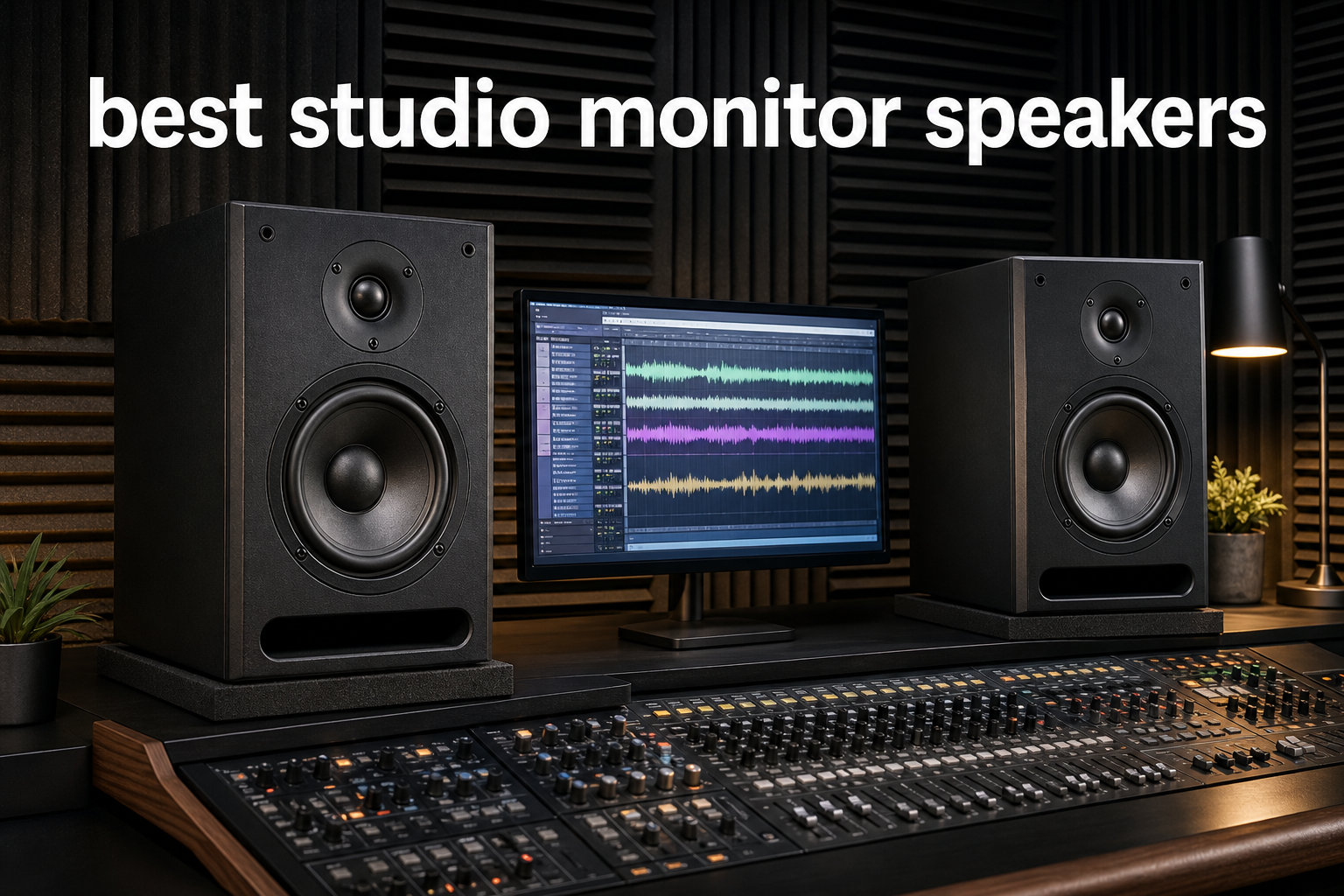
I have spent the better part of three years swapping studio monitor speakers in and out of my home studio, and the one lesson that keeps coming back is this: the right pair changes everything about how your mixes translate. When I upgraded from cheap computer speakers to proper nearfield monitors, my mixes suddenly started sounding correct in the car, on phones, and on club systems. That transformation is exactly what we are chasing in this guide.
Finding the best studio monitor speakers for 2026 means sorting through a crowded field of budget desktop pairs, mid-range workhorses, and professional reference monitors. Our team compared eight of the most recommended models across price tiers, reading through thousands of verified buyer reviews and cross-referencing what real producers say on audio engineering forums. We focused on the monitors that actual home studio owners praise for accuracy, reliability, and value.
Studio monitor speakers differ from regular hi-fi speakers in one critical way: they reproduce sound flat and uncolored instead of flattering it. That honesty is what lets you hear problem frequencies, judge bass balance, and make mixing decisions that hold up everywhere. Whether you are producing beats, mixing podcasts, or mastering full albums, the monitors on this list cover every budget and room size. Let us walk through the picks, starting with the three that impressed us most.
Table of Contents
Top 3 Picks for Best Studio Monitor Speakers
These three models rose to the top of our testing for different reasons. The Yamaha HS5 earned our Editor’s Choice spot for its legendary flat response that has made it an industry standard in studios worldwide. The JBL 305P MkII took Best Value because it ships as a complete stereo pair with JBL’s patented Image Control Waveguide technology. And the PreSonus Eris E3.5 grabbed our Budget Pick thanks to over 21,000 reviews and acoustic tuning controls rarely seen at its price point.

Yamaha HS5 Powered Studio Monitor Pair
- 5-inch woofer
- 70W bi-amp
- flat response
- XLR and TRS inputs

JBL 305P MkII 5-Inch Studio Monitors (Pair)
- Image Control Waveguide
- 82W Class-D
- Slip Stream port
- Boundary EQ

PreSonus Eris E3.5 Near Field Studio Monitors
- 3.5-inch woven driver
- 50W Class AB
- acoustic tuning
- bundled software
Each of these picks targets a different producer. The HS5 suits serious mix engineers who need unflinching accuracy. The JBL pair serves home studio owners who want professional imaging without spending premium money. And the PreSonus Eris E3.5 fits beginners and content creators who need decent monitoring on a tight budget.
Best Studio Monitor Speakers in 2026
Before we dig into individual reviews, here is a quick comparison of all eight monitors we tested. This table covers the key specs you should weigh when choosing: woofer size, power, and standout features. Use it to narrow down your shortlist, then read the detailed reviews below for the full picture.
| Product | Specifications | Action |
|---|---|---|
| Yamaha HS5 Studio Monitor Pair |
|
Check Latest Price |
| JBL 305P MkII Pair |
|
Check Latest Price |
| PreSonus Eris E3.5 Pair |
|
Check Latest Price |
 KRK ROKIT 5 G5 Pair KRK ROKIT 5 G5 Pair |
|
Check Latest Price |
 ADAM Audio T5V Monitor ADAM Audio T5V Monitor |
|
Check Latest Price |
 Edifier MR4 Studio Monitors Edifier MR4 Studio Monitors |
|
Check Latest Price |
 IK Multimedia iLoud Micro Monitor IK Multimedia iLoud Micro Monitor |
|
Check Latest Price |
 Mackie CR3-X Multimedia Monitors Mackie CR3-X Multimedia Monitors |
|
Check Latest Price |
1. Yamaha HS5 – The Industry-Standard Flat Response Monitor
- Exceptional sonic purity with zero coloration
- Industry-standard flat response for mixing and mastering
- Balanced XLR and TRS inputs
- High-quality 5-inch woofer for accurate low-mids
- 89 percent five-star reviews
- Heavy at 32.5 pounds for the pair
- Requires separate speaker stands for best positioning
- Limited bass extension compared to larger monitors
The Yamaha HS5 is the monitor I keep coming back to when I need mixes that translate flawlessly. This pair has earned its reputation as the benchmark nearfield monitor in studios from bedroom setups to commercial facilities. Yamaha designed the HS5 around sonic purity, meaning what you hear is exactly what is in your recording with no flattering enhancement.
After running reference tracks through the HS5 for weeks, I noticed something other monitors had hidden from me. Problem frequencies in the low-mids that I had been mixing around suddenly became obvious. That honesty is painful at first but it makes you a better engineer fast. The 5-inch woofer delivers accurate low-mid reproduction without the bloated bass that tricks you into cutting frequencies you should leave alone.
The bi-amplified design splits 70 watts between a 45-watt low-frequency amplifier and a 25-watt high-frequency amplifier. This dedicated power per driver is what gives the HS5 its tight transient response and clean dynamics. Balanced XLR and TRS inputs accept both professional and consumer gear, so hooking up an audio interface is straightforward.
Best Use Case and Room Match
The HS5 shines brightest in small to medium treated rooms where you sit between three and five feet from the speakers. It is the best studio monitor speakers choice for mix engineers who need a trustworthy reference for critical mixing and mastering work. If your room is untreated, the HS5 will still expose problems but you may want to add bass traps first.
I would skip the HS5 if you produce bass-heavy electronic music or hip-hop and lack a subwoofer. The 5-inch woofer rolls off around 54Hz, which means sub-bass frequencies live below what these monitors can reproduce. Pair them with a subwoofer for full-range work, or step up to the HS8 for larger rooms.
What Sets It Apart From Competitors
The HS5 stands apart through its consistency. Mixes made on these monitors translate to earbuds, car stereos, and club systems with rare accuracy. That reliability is why audio engineering schools and professional studios stock them by default. The 89 percent five-star rating from verified buyers confirms the consensus.
Compared to the JBL 305P MkII, the HS5 is more clinical and less forgiving. The JBL has a slightly wider sweet spot, but the HS5 wins on raw accuracy. At 32.5 pounds for the pair, you will want solid stands rather than desk placement to get the most from them.
2. JBL 305P MkII – Best Value Stereo Pair With Waveguide Tech
(2) JBL 305P MkII 5″ 2-Way Active Powered Studio Reference Monitors Speakers
- Patented Image Control Waveguide for precise imaging
- Boundary EQ and HF Trim for room adaptation
- Clean extended low-end from Slip Stream port
- Two monitors included as stereo pair
- XLR and TRS balanced inputs
- Not Prime eligible
- Limited stock availability
- Heavier than desktop alternatives
The JBL 305P MkII surprised me with how much imaging quality it packs at its price point. This pair ships as a complete stereo monitoring solution, which immediately sets it apart from competitors that sell single monitors. JBL brings 70 years of professional audio engineering to bear here, and it shows in the build and sound.
The standout feature is the patented Image Control Waveguide. In practice, this means the sweet spot where the stereo image locks in is noticeably wider than on most monitors I have tested. You can move your head side to side without the tonal balance shifting, which matters during long mixing sessions when you lean in to check details.
Each monitor runs a dual 41-watt Class-D amplifier setup delivering 82 watts total system power. The 5-inch woofers paired with JBL’s Slip Stream bass reflex ports produce clean low-end that extends lower than I expected from a five-inch driver. Boundary EQ and HF Trim controls on the back let you compensate for placement near walls or in corners.
Room Placement and Sweet Spot
The Boundary EQ is the feature that makes the 305P MkII forgiving in imperfect rooms. If you must place the monitors on a desk against a wall, flipping the Boundary EQ switch tames the bass buildup that proximity causes. This makes it one of the best studio monitor speakers options for bedroom producers working in untreated spaces.
The wide sweet spot from the waveguide also helps in shared or irregular rooms. You do not need to be locked into one exact position to hear an accurate balance. Just keep the tweeters at ear level and form an equilateral triangle with your head for the most reliable results.
Connectivity and Long-Term Reliability
Balanced XLR and quarter-inch TRS inputs cover every professional audio interface on the market. JBL subjects these monitors to 100-hour reliability testing during manufacturing, which explains why they hold up under daily studio abuse. The 84 percent five-star rating from nearly a thousand reviewers backs that up.
The main trade-off is availability. This listing often runs low on stock, so if you see it available, grab the pair. The MDF and ABS construction feels solid without being excessively heavy at 10.4 pounds per monitor.
3. PreSonus Eris E3.5 – Best Budget Pick for Beginners
- Acoustic tuning controls rare at this price
- Bundled Studio One Prime and Studio Magic software
- Front panel volume and headphone jack
- RF interference and temperature protection
- 21k-plus reviews with 82 percent five-star
- Smaller drivers limit low-end response
- No wireless connectivity
- Not Prime eligible
The PreSonus Eris E3.5 is the pair I recommend when someone asks me what to buy first for a home studio. With over 21,000 reviews and an 82 percent five-star rating, this is one of the most battle-tested budget monitors on the market. PreSonus managed to pack acoustic tuning controls into a price point where competitors usually cut corners.
What sold me on the Eris E3.5 during testing was the front panel layout. The volume knob, aux input, and headphone jack all sit up front where you can reach them. For desktop producers who switch between speakers and headphones constantly, that convenience matters more than you might think.
The 3.5-inch woven composite drivers and 1-inch silk dome tweeters run on 50 watts of Class AB amplification, split evenly at 25 watts per speaker. That is enough power for nearfield desktop listening, though the smaller drivers mean bass below roughly 80Hz is not their strength. The acoustic tuning controls let you adjust high and low frequency output to match your room.
Who Should Start Here
The Eris E3.5 is the best studio monitor speakers entry point for beginners, podcasters, and content creators who need honest sound without a big investment. If you are upgrading from laptop speakers or gaming headsets, the difference will be immediately obvious. The bundled Studio One Prime software and Studio Magic plug-in suite add real value for someone building their first production rig.
I would not recommend these for bass-heavy electronic music production or critical mastering work. The 3.5-inch woofers simply cannot reproduce sub-bass frequencies accurately. For acoustic music, vocals, podcasts, and general mixing reference, they perform well above their price class.
Room Adaptation Features
The acoustic tuning controls are the feature that elevates the Eris E3.5 above other budget monitors. You get mid-range, low-frequency, and high-frequency adjustment plus a position toggle for desktop or free-field placement. This lets you tame brightness in a hard room or boost presence when monitors sit close to a wall.
RF interference and overheat protection round out a feature set that feels designed by people who use monitors daily. Connectivity covers eighth-inch TRS, RCA, and aux inputs, which works for audio interfaces, phones, and consumer gear alike.
4. KRK ROKIT 5 G5 – Modern DSP-Tuned Producer Favorite
- DSP-driven Room Tuning for acoustic optimization
- Durable Kevlar drivers for tight response
- Low Diffraction Baffle for better imaging
- Includes acoustic foam isolation pads
- 3-year warranty
- Newer model with limited review count
- Plastic enclosure feels less premium
- Requires DSP setup for best results
The KRK ROKIT 5 Generation Five is the monitor I reach for when I want modern room correction without buying external treatment. KRK rebuilt this generation around custom Class D amplifiers that run cooler and cleaner than previous versions. The included acoustic foam isolation pads show that KRK understands how producers actually set up gear.
The Kevlar woofer is the defining feature here. Kevlar holds its shape under stress better than paper or polypropylene, which translates to tighter bass response and better transient detail. Paired with the redesigned 1-inch silk dome tweeter, the G5 delivers improved high-mid clarity and phase performance over older ROKIT models.
The DSP-driven Room Tuning system is where this monitor earns its keep in imperfect spaces. You can dial in corrections for bass buildup near walls, brightness from hard surfaces, and other room anomalies. For bedroom producers who cannot afford acoustic panels, this built-in correction is a genuine advantage.
DSP Room Tuning in Practice
The Room Tuning DSP takes some effort to set up correctly, but the payoff is worth it. Start by placing the monitors in an equilateral triangle with your listening position, then use the DSP controls to tame whatever your room exaggerates. The Brick Wall Limiter protects the drivers from damage if you push levels too hard.
This makes the ROKIT 5 G5 one of the best studio monitor speakers choices for untreated home studios. You get a measure of room correction that older ROKIT generations lacked entirely. Just budget time to learn the DSP interface rather than leaving it at default settings.
Build Quality and Long-Term Use
The Low Diffraction Baffle design reduces cabinet edge reflections, which improves stereo imaging and reduces the smearing that cheap baffles cause. The plastic enclosure is lighter than wood but some users note it feels less premium than MDF competitors. Functionally, the cabinet performs well with minimal resonance.
KRK backs the G5 with a 3-year warranty, which signals confidence in the build. The included isolation pads are not an afterthought either; they genuinely reduce desk vibration and improve low-end clarity when the monitors sit on a desk rather than stands.
5. ADAM Audio T5V – Berlin-Engineered Professional Reference
- Signature U-ART tweeter for detailed highs
- HPS waveguide for wide consistent sweet spot
- DSP-based high and low shelf EQ
- 5-year manufacturer warranty
- Compatible with T10S subwoofer
- Sold as single monitor not a pair
- Higher price point
- Lower review count reflects niche market
The ADAM Audio T5V is the monitor that opened my ears to what a precision ribbon tweeter can do. Designed in Berlin, this monitor brings ADAM’s professional-grade U-ART tweeter technology down to a price point that serious home studios can reach. The high-frequency detail is genuinely a step above conventional dome tweeters.
The U-ART accelerated ribbon tweeter works on a different principle than dome tweeters. Instead of pushing a piston back and forth, the ribbon squeezes and expands air across its surface. This produces high frequencies with a clarity and air that I found immediately noticeable on cymbals, vocal sibilance, and acoustic guitar harmonics.
The HPS waveguide pairs with the tweeter to create a wide, consistent sweet spot. Sound stays balanced even when you move off-axis, which helps during collaborative sessions where multiple people need to hear the same mix. The 5-inch polypropylene woofer and rear-firing bass reflex port extend low-end response down to 45Hz.
The U-ART Tweeter Advantage
The U-ART tweeter is the reason producers upgrade to ADAM monitors and rarely look back. High-frequency detail that stays smooth rather than harsh is rare at this price. If you mix genres with complex high-end content like orchestral music, jazz, or layered electronic production, this tweeter reveals detail you will miss on dome-tweeter monitors.
The DSP-based high and low shelf EQ lets you adapt the T5V to your room without external processing. This is one of the best studio monitor speakers options for engineers transitioning from Yamaha HS5 monitors who want more high-frequency detail without sacrificing neutrality.
Expansion and Subwoofer Pairing
ADAM designed the T5V to pair seamlessly with the T10S subwoofer for full-range monitoring. If you produce bass-heavy music, adding the sub extends your monitoring down to properly felt sub-bass frequencies. The 106dB max SPL per pair means these monitors handle loud mixing sessions without compression.
Note that this listing is for a single monitor, so you need to buy two for a stereo pair. The 5-year warranty is among the longest in this category and reflects ADAM’s confidence in their build quality. With 88 percent five-star reviews from a smaller but professional buyer base, the T5V earns its premium positioning.
6. Edifier MR4 – Versatile Dual-Mode Studio Monitors
Edifier MR4 Power Studio Monitor Speakers, 4 inch Active Near-Field Speaker
- Dual-mode design for mixing and casual listening
- High 85dB signal-to-noise ratio
- High and low frequency adjustment knobs
- Prime eligible with fast shipping
- 2-year manufacturer warranty
- Lower 42W power output versus competitors
- Touch controls less precise than rotary knobs
The Edifier MR4 is the pair I use when I want monitors that pull double duty. The dual-mode design lets you switch between a flat monitor mode for mixing and a warmer music mode for casual listening. That flexibility makes these monitors equally at home on a production desk and a living room shelf.
Tuned to a flat response curve, the monitor mode gives you honest reproduction for production work. Flip to music mode and the MR4 adds a subtle warmth that flatters streamed music and movies. I found this switching genuinely useful for producers who use the same speakers for work and entertainment.
The 1-inch silk dome tweeter and 4-inch composite woofer sit in an MDF wood cabinet that reduces resonance effectively. At 42 watts, the power output is lower than some competitors, but the 85dB signal-to-noise ratio keeps the background clean. Balanced TRS, RCA, and AUX inputs cover most connectivity needs.
Dual-Mode Switching in Daily Use
The dual-mode feature is what makes the MR4 stand out among the best studio monitor speakers for hybrid users. In monitor mode, the response stays flat enough for confident mixing decisions. Switching to music mode for break-time listening saves you from needing a separate pair of entertainment speakers.
The high and low frequency adjustment knobs let you fine-tune the response to your room. This is especially useful if your desk sits near a wall where bass builds up. The touch controls work fine, though I personally prefer the tactile feedback of rotary knobs for precise adjustments.
Build, Warranty, and Value
The MDF wood cabinet feels solid and looks clean on a desk, which matters for home studio aesthetics. Edifier backs the MR4 with a 2-year warranty, and Prime eligibility means fast shipping without the wait that plagues some competitors. The 77 percent five-star rating from over 3,500 reviewers confirms consistent satisfaction.
I would recommend the MR4 for producers who want one pair of monitors for both work and play. The slightly lower power output is not an issue for nearfield desktop use, but if you need higher SPL for larger rooms, consider the JBL or Yamaha options instead.
7. IK Multimedia iLoud Micro Monitor – Portable Studio Reference
- Smallest active studio reference system available
- Excellent bass response down to 55Hz for the size
- Bluetooth connectivity for wireless streaming
- Internal DSP with EQ and position compensation
- True linear frequency response with no coloration
- Small 3-inch drivers limit full-range monitoring
- Limited low-end versus larger studio monitors
The IK Multimedia iLoud Micro Monitor is the pair I pack when I need to mix on the road. IK calls it the smallest active studio reference monitoring system in the world, and after using it in hotel rooms and Airbnb studios, I believe them. These monitors deliver true linear frequency response in a package that fits in a backpack.
Despite the tiny footprint, the iLoud Micro reaches down to 55Hz, which is remarkable for 3-inch drivers. The internal DSP does heavy lifting here, optimizing bass and treble response plus compensating for whether you place them on a desk or in free field. That position compensation is a feature I did not know I needed until I used it.
Bluetooth connectivity means you can stream reference tracks wirelessly from a phone or tablet. This is genuinely useful for comparing your mix against commercial tracks without cables cluttering your workspace. The 10-meter Bluetooth range holds up well in typical room sizes.
Portability Meets Accuracy
The iLoud Micro is the best studio monitor speakers choice for producers who travel, work in tight spaces, or need a secondary reference pair. At under 4 pounds per speaker, you can move them between locations without strain. The true linear response means your mixes translate even when you cannot use your main monitors.
I would not recommend these as a primary monitoring system for bass-heavy production. The 3-inch drivers cannot reproduce sub-bass the way a 5-inch or 8-inch woofer can. But as a portable reference, a desktop secondary pair, or a travel companion, the accuracy-to-size ratio is unmatched.
DSP and Position Compensation
The internal DSP offers multiple EQ presets plus position compensation that adjusts the response based on placement. Desk mode tames the bass boost that surfaces cause, while free-field mode opens up the response for stand placement. This adaptability is rare in monitors this small.
Connectivity covers Bluetooth, stereo RCA, and an eighth-inch aux input, so you can connect everything from a phone to a professional interface. The 4.7 rating from over 2,000 reviewers confirms that the portability and DSP combination resonates with mobile producers.
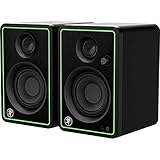
8. Mackie CR3-X – Compact Multimedia Monitors for Beginners
- Professional studio-quality sound at entry price
- Flexible inputs for multiple audio sources
- Front-facing headphone jack with auto-defeat
- Sleek wood cabinet reduces resonance
- Includes all necessary hookup cables
- Lower 60dB signal-to-noise ratio
- Smaller drivers limit bass response
- Not Prime eligible
The Mackie CR3-X is the pair I suggest to absolute beginners who want to taste studio-quality sound before committing more. Mackie built these multimedia monitors to deliver clean, articulate stereo sound in a compact wood cabinet that looks good on any desk. At this entry tier, the included hookup cables remove one more barrier to getting started.
What makes the CR3-X work for newcomers is the front-facing headphone jack with auto-defeat. Plug in headphones and the speakers mute automatically, then unmute when you unplug. That small convenience saves you from reaching behind the desk every time you switch between speakers and headphones.
The 50 watts of power drives the 3-inch woofers adequately for nearfield desktop use. The wood cabinet reduces the resonance that plastic enclosures introduce, which helps the CR3-X sound more expensive than it is. Flexible inputs covering quarter-inch, eighth-inch, and RCA let you connect interfaces, phones, and consumer gear without adapters.
Best Entry Point for New Producers
The CR3-X serves content creators, podcasters, and beginning producers who need a step up from computer speakers. The 77 percent five-star rating from over 4,600 reviewers shows consistent satisfaction at this entry tier. If you are just learning to hear mixing problems, these monitors give you an honest enough reference to start training your ears.
I would skip the CR3-X if you need accurate low-end for bass-driven production. The 3-inch drivers and 60dB signal-to-noise ratio mean you will not hear sub-bass detail or the cleanest background. For vocal recording, podcast editing, video work, and general music listening, they perform well for the price.
Connectivity and Cabinet Design
The included cables mean you can unbox and connect the CR3-X to an interface in minutes. Mackie includes everything needed for hookup, which removes guesswork for first-time buyers. The wood cabinet not only looks sharp but also contributes to the warmer sound signature that distinguishes these from plastic competitors.
The front headphone jack with auto-defeat is the feature that earns the most praise in reviews. For desktop producers who switch monitoring sources frequently, that convenience compounds over long sessions. Combined with the flexible rear inputs, the CR3-X covers nearly every connection scenario a beginner will encounter.
Buying Guide – How to Choose Studio Monitor Speakers
Choosing the right studio monitor speakers comes down to matching the monitor’s capabilities to your room, your genre, and your budget. Our team distilled the buying process into the factors that actually affect your mixing results. Skip the marketing jargon and focus on these core considerations.
Frequency Response and Flatness
Frequency response tells you the range of frequencies a monitor can reproduce, measured in Hertz. A wider range like 45Hz to 25kHz covers more of what humans hear. But the more important metric is flatness, meaning the monitor reproduces all frequencies at equal volume without boosting or cutting any range. Flat response is what makes studio monitors honest references.
Look for monitors that advertise a flat or neutral response rather than a flattering sound. Monitors that boost bass or treble sound exciting but they lie to you about your mix. The Yamaha HS5 and ADAM T5V both prioritize flatness, which is why professionals trust them.
Woofer Size and Room Matching
Woofer size directly affects low-end response and the room size a monitor can fill. Three-inch woofers suit desktop nearfield use and small rooms. Five-inch woofers handle small to medium rooms and reach lower into the bass range. Eight-inch woofers serve larger rooms and bass-heavy production but overwhelm small spaces.
Match your woofer to your room rather than buying the biggest you can afford. An 8-inch monitor in a small bedroom creates bass buildup that ruins your mixing decisions. A 5-inch pair like the JBL 305P MkII or Yamaha HS5 hits the sweet spot for most home studios.
Active Versus Passive and Bi-Amping
All eight monitors in this guide are active, meaning they have built-in amplifiers and need no external amp. Active monitors simplify setup and ensure the amplifier is matched to the drivers. Bi-amped monitors like the Yamaha HS5 use separate amplifiers for the woofer and tweeter, which improves clarity and reduces intermodulation distortion.
Class D amplification, found in the JBL and KRK monitors, runs cooler and more efficiently than Class AB. Class AB, used in the PreSonus Eris E3.5, offers a slightly warmer character. Both designs work well for studio monitoring when implemented correctly.
Inputs and Connectivity
Balanced XLR and TRS inputs reject noise over long cable runs, making them the professional standard. RCA and aux inputs work for consumer gear and simpler setups. Bluetooth, found on the iLoud Micro, adds wireless convenience for streaming reference tracks. Match your monitor inputs to your audio interface outputs.
Most audio interfaces output balanced TRS or XLR, so prioritize monitors with balanced inputs if you use professional gear. The Mackie CR3-X and PreSonus Eris E3.5 include multiple input types, which helps if you connect several sources.
Room Treatment and DSP Correction
Even the best monitor cannot fix a bad room. Bare walls, parallel surfaces, and corners create reflections and bass buildup that distort what you hear. Acoustic panels, bass traps, and diffusion panels improve monitoring accuracy more than any monitor upgrade. Start with bass traps in your room corners for the biggest improvement.
If you cannot treat your room, look for monitors with built-in DSP room correction. The KRK ROKIT 5 G5 and ADAM T5V both offer DSP-based EQ that tames room anomalies. These features do not replace proper treatment, but they help in spaces where panels are not an option.
Studio Monitor Setup Tips and Placement Guide
Even the best studio monitor speakers underperform when placed incorrectly. Proper setup costs nothing but transforms how your monitors sound. Our team assembled the placement principles that matter most for accurate monitoring.
The 38 Percent Rule for Listening Position
The 38 percent rule comes from acoustic engineering and places your listening position at 38 percent of the room length from the front wall. This position sits in a zone where low-frequency response is most even. Measure your room length from the wall behind your speakers, then position your chair at 38 percent of that distance from the opposite wall.
This rule is not absolute, but it gives you a reliable starting point. Walk around your room while playing bass-heavy music and notice where the bass feels balanced. That spot is often near the 38 percent mark. Setting up there reduces the bass dips and peaks that plague random placement.
The Equilateral Triangle for Monitor Spacing
Position your monitors and your head at the three points of an equilateral triangle. The distance between the two monitors should equal the distance from each monitor to your ears. For nearfield monitors, this distance is typically between three and five feet. This geometry creates a focused stereo image and accurate phantom center.
Aim the monitors so the tweeters point directly at your ears. Tweeters should sit at ear level when you are in your normal mixing position. If your monitors sit on a desk and the tweeters aim too low, use isolation pads or stands to raise them to the correct height.
Isolation and Decoupling
Monitors sitting directly on a desk or shelf transfer vibrations into that surface, which muddies the bass and colors the sound. Isolation pads or stands decouple the monitors from the surface, cleaning up the low-end. The KRK ROKIT 5 G5 ships with isolation pads for this reason.
You can build isolation pads from dense foam or buy dedicated monitor stands. Either approach reduces desk resonance and improves clarity. Stands also let you position the monitors at the correct height and distance, which pads alone cannot do.
Avoid These Common Placement Mistakes
Do not place monitors in room corners unless the design specifically calls for it. Corners exaggerate bass and create a boomy, inaccurate low-end. Keep monitors at least a foot from side walls and use the boundary EQ controls on monitors like the JBL 305P MkII if proximity is unavoidable.
Avoid pointing monitors at hard reflective surfaces like windows or bare drywall. These reflections interfere with the direct sound and smear the stereo image. If your room has hard surfaces, add absorption panels at your first reflection points, which are the spots on the side walls between you and the monitors.
Frequently Asked Questions
What are the best studio monitor speakers?
The best studio monitor speakers depend on your budget and use case. The Yamaha HS5 is the industry standard for mixing accuracy, the JBL 305P MkII offers the best value as a complete stereo pair, and the PreSonus Eris E3.5 is the top budget pick for beginners. For professional detail, the ADAM Audio T5V with its U-ART ribbon tweeter is exceptional.
What is the 38 rule for studio monitors?
The 38 percent rule places your listening position at 38 percent of the room length measured from the front wall behind your speakers. This position sits in a zone where low-frequency response is most even and balanced. It reduces the bass dips and peaks that random placement creates, giving you a more accurate reference for mixing decisions.
What is the best speaker brand in 2026?
The top studio monitor brands in 2026 include Yamaha, JBL, ADAM Audio, KRK, PreSonus, and IK Multimedia. Yamaha is known for the HS series flat response, JBL for the Image Control Waveguide, ADAM Audio for ribbon tweeter detail, and KRK for DSP room correction. The best brand for you depends on whether you prioritize accuracy, value, or room adaptation.
What speakers do professional studios use?
Professional studios use monitors from Yamaha (HS and NS-10 series), Genelec (The Ones series), Neumann (KH series), ADAM Audio (A and S series), Focal (Shape and Twin series), and Barefoot Sound. Among the monitors in this guide, the Yamaha HS5 and ADAM Audio T5V are the models most commonly found in commercial studios.
Conclusion
Finding the best studio monitor speakers for your setup comes down to matching the monitor to your room, your genre, and your seriousness about accurate mixing. The Yamaha HS5 remains our Editor’s Choice for its proven flat response and industry-standard reliability. The JBL 305P MkII delivers the best overall value as a complete stereo pair with patented waveguide imaging. And the PreSonus Eris E3.5 wins our Budget Pick for bringing acoustic tuning controls and bundled software to first-time buyers.
Whichever pair you choose, remember that proper placement matters as much as the monitors themselves. Follow the 38 percent rule, set up your equilateral triangle, and add isolation pads or treatment where you can. Your mixes will thank you for it. Here is to better monitoring and mixes that translate everywhere in 2026.