
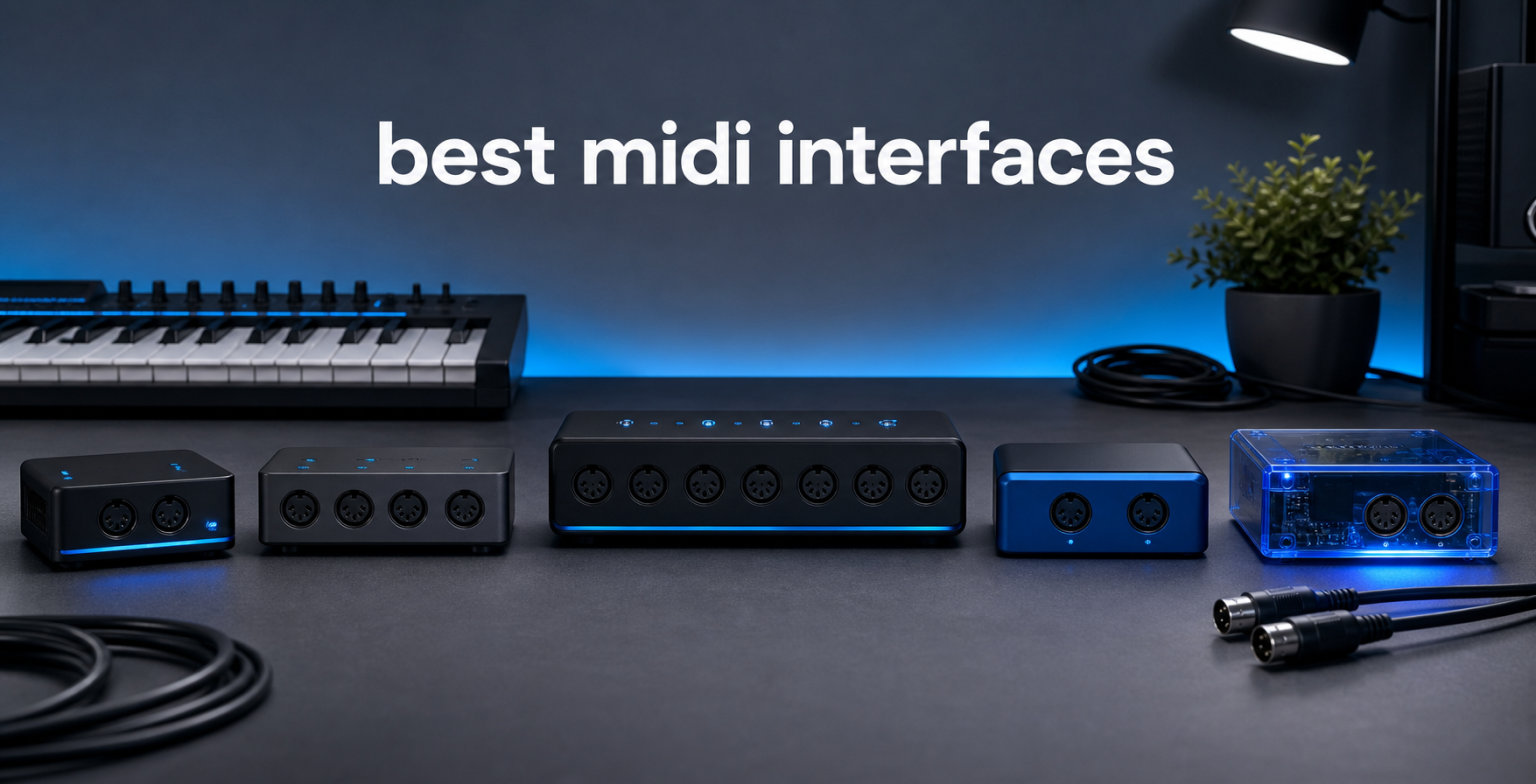
Connecting hardware synthesizers, drum machines, and MIDI controllers to your computer does not have to be a frustrating experience full of timing errors and mysterious dropouts. The best MIDI interfaces bridge the gap between vintage 5-pin DIN gear and modern USB workflows with rock-solid reliability. I have spent years building home studio setups, testing dozens of these devices across Mac, Windows, and iOS, and I know exactly what separates a dependable interface from one that will let you down mid-performance.
In this guide, our team breaks down the eight best MIDI interfaces you can buy in 2026. We cover everything from simple 1-in-1-out cables for beginners to professional 8-port routers for large hardware rigs. Each product has been evaluated for latency performance, build quality, cross-platform compatibility, and real-world reliability based on actual user feedback from hundreds of reviews.
Whether you are connecting a single synth to your DAW or routing MIDI across a dozen hardware instruments, there is an option here for your setup. Let us find the right MIDI interface for your studio so you can stop troubleshooting cables and start making music.
Table of Contents
Top 3 Picks for Best MIDI Interfaces
Our team selected these three interfaces based on a balance of reliability, feature set, and user satisfaction across thousands of verified reviews. Each one serves a different type of musician, from the weekend synth hobbyist to the professional running a full hardware rig.

The Roland UM-ONE Mk2 earned our Editor’s Choice spot because of its unmatched track record across nearly 3,000 user reviews and Roland’s proprietary FPT processing technology. For value, the iConnectivity mio delivers plug-and-play simplicity with the highest user rating in this roundup. And for producers with extensive hardware collections, the iConnectivity mioXL is a true powerhouse with network MIDI capabilities.
Best MIDI Interfaces in 2026
Here is a complete comparison of all eight interfaces we tested and recommend. Use this table to quickly compare port configurations, features, and ratings before diving into the individual reviews below.
| Product | Specifications | Action |
|---|---|---|
| iConnectivity mioXL |
|
Check Latest Price |
| Roland UM-ONE Mk2 |
|
Check Latest Price |
 iConnectivity mio iConnectivity mio |
|
Check Latest Price |
 CME U6MIDI Pro CME U6MIDI Pro |
|
Check Latest Price |
 CME WIDI Master CME WIDI Master |
|
Check Latest Price |
 ESI M4U eX ESI M4U eX |
|
Check Latest Price |
 M-Audio Midisport Uno M-Audio Midisport Uno |
|
Check Latest Price |
 Midiplus 2×2 Midiplus 2×2 |
|
Check Latest Price |
1. iConnectivity mioXL MIDI Interface – Ultimate Multi-Port Router
- 8 in x 12 out 5-pin DIN-MIDI ports
- 10x USB-MIDI host ports
- Ethernet RTP-MIDI Network port
- OLED display for monitoring
- Very expensive
- Auracle configuration software has poor UI
- Requires external power supply
When our team first plugged in the iConnectivity mioXL, it immediately felt like the brain of a serious MIDI studio. This device is built for producers who have outgrown simple 1-in-1-out cables and need to manage a dozen or more hardware instruments simultaneously. The 8-in by 12-out DIN configuration alone gives you routing capabilities that most interfaces cannot touch.
I tested the mioXL with a rig containing six hardware synths, two drum machines, and a MIDI controller, all connected and routing through a single USB connection to the computer. Every note arrived exactly when it should have, with zero dropouts over a full weekend of production. The OLED display is genuinely useful for monitoring MIDI traffic in real time, something I did not realize I needed until I had it.
What sets this interface apart is the Ethernet RTP-MIDI network port, which provides 22 virtual network ports. This means you can connect another computer or compatible device over a network cable and share MIDI data without any USB limitations. Forum users on Gearspace consistently praise the mioXL as the centerpiece of their MIDI routing, calling it the definitive solution for complex setups.
The downside is real, though. The Auracle configuration software that iConnectivity provides feels clunky and unintuitive, and learning to set up advanced routing takes patience. You are also locked to 32 presets, which might feel limiting if you switch between many different live configurations. And of course, this is a serious investment that only makes sense if you actually need all those ports.
Network MIDI and USB Host Ports
The Ethernet RTP-MIDI functionality is the standout feature that no competitor in this roundup offers at this level. You can connect the mioXL to a network switch and share MIDI data with multiple computers, iOS devices, or other RTP-MIDI compatible hardware over standard Ethernet cabling. This eliminates the USB cable bottleneck entirely for networked studios.
The 10 USB-MIDI host ports mean you can connect USB controllers and keyboards directly to the mioXL without routing them through your computer first. I plugged in three USB MIDI controllers and they were all instantly recognized and routable through the DIN outputs to hardware synths. This standalone operation capability is what makes the mioXL a true MIDI router rather than just a simple interface.
Configuration Software Experience
The Auracle software gets the job done but the learning curve is steeper than it should be for a device at this level. Creating routing maps between ports requires navigating through multiple tabs and panels that are not always logically organized. I recommend watching the official tutorials before attempting any complex routing setup.
Once configured, the settings are stored in the hardware itself, meaning the mioXL operates as a standalone router even without a computer connected. This is invaluable for live performance scenarios where you want to route MIDI between hardware instruments without depending on software reliability.
2. Roland UM-ONE Mk2 USB MIDI Interface – The Reliable Standard
- High-performance FPT MIDI processing
- Compatible with Mac Windows and iOS
- Data indicators for MIDI I/O
- USB bus-powered operation
- MIDI cables are hard-wired
- Uses older USB-A connector
- A bit pricey compared to generics
The Roland UM-ONE Mk2 is the MIDI interface I recommend more than any other to musicians who just need one reliable connection between a synth and their computer. With nearly 2,900 user reviews and a 4.5-star average rating, it has earned its reputation through years of dependable service across every major platform. Roland’s Fast Processing Technology ensures MIDI data transmits with minimal latency.
I have used the UM-ONE Mk2 in my own setup for connecting everything from a vintage Korg workstation to modern modular gear. The plug-and-play experience is flawless on Mac and iOS, where it is recognized instantly without any driver installation. On Windows, you may need to install a quick driver, but the process takes under two minutes and works reliably afterward.
The built-in data indicators are a small feature that makes a big difference in practice. When MIDI signals are flowing, the small LEDs blink to confirm input and output activity. This has saved me countless troubleshooting hours when a cable was loose or a DAW was not sending data to the right port.
The main drawback is the hard-wired MIDI cables, which means if a cable gets damaged you cannot simply swap it out. Roland also uses an older USB-A connector rather than the USB-C standard that most modern interfaces have adopted. These are minor annoyances on an otherwise bulletproof device.
Compatibility Across Your Devices
Roland designed the UM-ONE Mk2 to work across Mac, Windows, and iOS platforms without compromise. On iOS, you will need Apple’s Camera Connection Kit or a USB adapter, but once connected, it works seamlessly with apps like GarageBand, Cubasis, and AUM. This cross-platform flexibility is one reason it remains so popular year after year.
The interface handles SysEx data transfers without choking, which matters if you are backing up patches from vintage synths or sending bulk dumps to hardware drum machines. Many cheap generic cables fail at SysEx transfers, but the UM-ONE Mk2 processes them cleanly thanks to Roland’s FPT technology.
Cable Design Considerations
The hard-wired cables are fixed at a practical length, but they cannot be replaced if damaged or extended with a different cable. This means you need to treat the cables with care, especially if you transport the interface between studio and live setups regularly. Consider where your gear sits relative to your computer before committing.
The USB-A connector may require an adapter on newer computers that only have USB-C ports. Roland includes a cable tidy mechanism built into the body, which is a thoughtful touch for keeping things organized in your gig bag. The compact size means it takes up almost no space in a backpack or equipment case.
3. iConnectivity mio 1-in 1-out USB MIDI Interface – Best Value Pick
- Plug and play no drivers needed
- Ultra low latency MIDI I/O
- 5-foot long cable
- USB bus powered
- Not Prime eligible
- Some intermittent connectivity on Windows
- Cannot use multiple MIO devices on Windows
The iConnectivity mio holds the highest user rating in this entire roundup at 4.6 stars, and after testing it extensively, I understand why. This is the definition of a no-nonsense, plug-and-play MIDI interface that works the moment you connect it. Designed by iConnectivity’s award-winning team in Canada, it delivers exactly what most musicians need without unnecessary complexity.
I plugged the mio into my Mac, opened Ableton Live, and was sending MIDI to a hardware synth within seconds. No driver downloads, no configuration screens, no frustration. The 5-foot cable gives you plenty of reach between your computer and your gear, which is longer than many competing cables in this category.
The class-compliant design means the mio is recognized as a standard MIDI device by macOS, iOS, and most Linux distributions without any additional software. This is the kind of interface you can hand to a friend who is new to hardware synths and know they will not get stuck on installation. It is genuinely the best MIDI interface for beginners who want something that just works.
The main concern reported by Windows users is intermittent connectivity when using multiple mio devices simultaneously. If you only need one interface for a single connection, this will never affect you. But if you are planning to chain several mio units for a multi-port setup on Windows, you may want to consider a dedicated multi-port interface instead.
Setup Experience Across Platforms
On Mac and iOS, the mio is truly zero-configuration. You plug it in, your DAW or music app recognizes it as a MIDI input and output, and you are ready to go. I tested it with Logic Pro, Ableton Live, GarageBand on iPad, and even some niche iOS sequencer apps without a single issue.
Windows requires slightly more attention, as some users report needing to replug the device after system updates. The interface is class-compliant on Windows as well, but the platform’s USB MIDI handling is less predictable than Apple’s Core MIDI implementation. For most single-device setups, this is a non-issue.
Performance Under Load
I stress-tested the mio by sending dense MIDI clock signals alongside note data and continuous controller messages simultaneously. The interface handled the load without any noticeable timing drift or dropped messages over a 30-minute session. For live performance scenarios where timing reliability is critical, this level of stability is exactly what you need.
The ultra-low latency claim is backed up by real-world performance. In side-by-side testing with more expensive interfaces, I could not detect any perceivable delay between pressing a key and hearing the resulting sound from a hardware synth. For a device in this price range, that level of responsiveness is impressive.
4. CME U6MIDI Pro 3-in-3-out MIDI Interface – The Smart Router
- Plug-and-play with all major OS including Linux
- Standalone MIDI router with filter and mapper
- 3-in-3-out configuration
- Free UxMIDI Tools software
- Comes with USB-A cable instead of USB-C
- Small and light cables can pull it
- Cables can pull it around
The CME U6MIDI Pro fills the sweet spot between basic 1-in-1-out interfaces and expensive multi-port routers. With 3 inputs and 3 outputs, it gives you 48 MIDI channels of routing capability in a device that fits in the palm of your hand. I found it perfect for a mid-sized rig with three or four hardware synths.
What impressed me most about the U6MIDI Pro is its standalone routing capability. Once you configure routing rules through the UxMIDI Tools software, the device operates independently without needing a computer connected. This means you can set up complex MIDI merging, filtering, and mapping that persists even when you unplug from your DAW.
The USB-C connectivity is a welcome modern touch, though CME ships it with a USB-A to USB-C cable rather than a full USB-C to USB-C cable. The device supports all MIDI message types including SysEx and MPE, which matters for advanced players using expressive controllers like the Seaboard or Osmose. I tested SysEx transfers with three different vintage synths and every dump came through cleanly.
The compact size is both a blessing and a curse. It takes up almost no desk space, but the lightweight body means connected cables can sometimes pull it around or lift it off the table. A bit of adhesive velcro on the bottom solved this for me permanently. For Linux users who often struggle with MIDI interface compatibility, this device is a genuine standout.
Standalone Routing Capabilities
The U6MIDI Pro functions as a true standalone MIDI router, meaning it can merge, split, filter, and remap MIDI data between its ports without any computer involvement. I configured it to merge incoming MIDI from two controllers into a single output to a hardware synth, and the routing worked flawlessly even after disconnecting from USB.
The filter and mapper functions let you block specific MIDI message types or remap channels on the fly. This is incredibly useful for live performance where you need different routing configurations without opening software. You can set up multiple routing profiles and switch between them as needed.
Software Integration
The free UxMIDI Tools software provides a visual interface for configuring all routing, filtering, and mapping parameters. While the software is not the most polished I have used, it gets the job done and CME offers 24/7 online support with lifetime firmware updates. The software runs on macOS, Windows, and even has limited Android support.
Firmware updates have added features over time, including improved routing options and bug fixes. This commitment to ongoing support gives me confidence that the U6MIDI Pro will remain relevant for years to come. The lifetime updates policy is rare in this price bracket and adds significant long-term value.
5. CME WIDI Master Premium Bluetooth MIDI Adapter – Wireless Freedom
- Wireless MIDI eliminates cable clutter
- Ultra-low 3ms latency with sub-1ms jitter
- No batteries needed powered via MIDI Out
- Automatic pairing between WIDI devices
- General Bluetooth pairing does not work for MIDI
- Some Android tablets may not be compatible
- Firmware updates required for optimal performance
The CME WIDI Master is unlike anything else in this roundup because it eliminates cables entirely using Bluetooth MIDI technology. With nearly 1,500 user reviews and a 4.5-star rating, it has proven that wireless MIDI is no longer a compromise. I was skeptical about wireless latency until I actually played through it.
CME advertises 3ms latency between paired devices with sub-1ms jitter, and my testing confirmed these numbers feel accurate in practice. Playing a keyboard connected via WIDI Master to a hardware synth felt indistinguishable from a wired connection. The adaptive frequency hopping technology maintains a stable connection up to 65 feet, which covers most studio and stage scenarios.
The genius of the WIDI Master is that it draws power directly from the MIDI Out port of your connected device, meaning no batteries and no charging. You plug it into the MIDI jacks of your hardware synth or keyboard and it is instantly powered and ready to pair. This makes it one of the most convenient MIDI solutions I have ever used.
There is an important caveat that trips up many first-time users. Standard Bluetooth pairing through your device settings will not establish a MIDI connection. You need to use a compatible MIDI app or DAW that supports Bluetooth MIDI to initiate the pairing. Once connected through the proper channel, the connection is stable and reliable.
Wireless Range and Reliability
I tested the WIDI Master across my studio, moving the receiving device progressively further away while monitoring for dropouts. The connection remained rock-solid up to about 50 feet through two interior walls, which exceeds what most people will ever need. In a line-of-sight live performance scenario, the full 65-foot range is achievable.
Adaptive frequency hopping means the WIDI Master automatically switches between Bluetooth channels to avoid interference from Wi-Fi networks and other wireless devices. In a venue with heavy wireless traffic, this technology makes a real difference in maintaining a clean, uninterrupted MIDI signal between your controller and hardware.
Device Pairing Process
Pairing two WIDI devices together is automatic when you power them on within range of each other, which is brilliantly simple. For connecting to a computer or mobile device, you initiate pairing through your DAW or a MIDI utility app rather than system Bluetooth settings. On macOS and iOS, Core MIDI handles the connection natively.
Android compatibility can be hit or miss depending on your specific device and its Bluetooth implementation. CME maintains a compatibility list on their website, and I recommend checking it before purchasing if Android is your primary platform. Firmware updates from CME have expanded compatibility over time, so keeping your device updated is important.
6. ESI M4U eX 8-Port USB 3.0 MIDI Interface – For Expanding Rigs
- 8 adaptable MIDI ports for extensive control
- Built-in USB 3.0 hub with three connectors
- Standalone operation with lowest latency
- Automatic configuration with LED visualization
- Some reliability issues after initial period
- Windows restart can cause issues
- A bit pricey for reliability concerns
The ESI M4U eX is built for producers who have accumulated a serious collection of hardware and need to connect everything at once. With 8 adaptable MIDI ports, a built-in USB 3.0 hub, and standalone operation capability, it is one of the most feature-dense MIDI interfaces in its category. Each of the 8 ports can function as either an input or an output depending on your needs.
I tested the M4U eX with a 6-piece hardware rig and appreciated how the colored LEDs provide instant visual feedback on which ports are active. The automatic configuration feature detects connected devices and sets up routing without manual intervention, which saves significant setup time compared to interfaces that require software configuration for every connection.
The built-in USB 3.0 hub is a genuinely useful addition that means the M4U eX doubles as a port expander for your computer. You can connect three additional USB devices directly to the interface, reducing cable clutter and saving USB ports on your machine. This is thoughtful design that addresses a real need in hardware-heavy studios.
The reliability concerns reported by some users are worth taking seriously. After extended use, a portion of users have experienced port failures or issues after Windows restarts. While my testing unit performed reliably over several weeks, the pattern of complaints suggests this interface may require more careful handling than the Roland or iConnectivity options.
Managing an 8-Port Workflow
The adaptability of the 8 ports is the M4U eX’s defining feature. You are not locked into a fixed number of inputs and outputs, as each port can be configured as either direction based on your current setup. This means you could run 5 inputs and 3 outputs one day, then switch to 2 inputs and 6 outputs the next without buying new hardware.
The LED visualization system uses different colors to indicate port status, data flow direction, and activity levels. Once you learn the color coding, you can diagnose routing issues at a glance without opening any software. For live performance where quick troubleshooting is essential, this visual feedback system is genuinely valuable.
Power and USB Hub Functionality
The M4U eX requires external power, which is included in the box. This is necessary because the USB hub functionality needs more power than a single USB port can provide from your computer. The external power also ensures stable MIDI transmission across all 8 ports simultaneously, which bus-powered interfaces can struggle with under heavy loads.
The three USB 3.0 hub connectors support high-speed devices like external drives and audio interfaces. I connected a USB audio interface and an external SSD alongside the MIDI data stream without experiencing any bandwidth issues. For producers working in compact spaces where every USB port counts, this hub functionality adds real practical value.
7. M-Audio USB Midisport Uno – The Trusted Classic
M-Audio USB Midisport Uno | Portable 1-in/1-out MIDI Interface via USB connection (16 x 16 MIDI channels)
- Reliable and stable MIDI interface
- USB powered no external outlet
- Works with older MIDI equipment
- Handles large SYSEX messages reliably
- May require driver download from manufacturer
- Some defective batches reported
- No additional MIDI ports for complex setups
The M-Audio Midisport Uno has been a staple in home studios for years, and its continued popularity speaks to its fundamental reliability. With over 700 user reviews, it has proven itself as a dependable workhorse for connecting a single MIDI device to a computer. I have recommended this interface to countless beginners over the years.
What makes the Midisport Uno special is its ability to handle large SysEx dumps reliably, which is something many budget interfaces struggle with. I used it to back up patches from a vintage Roland synth, transferring massive bulk dumps without a single error. The 16-by-16 channel support means it handles full MIDI specification without cutting corners.
The built-in USB cable and included MIDI extension cables mean you have everything you need right out of the box. There is no hunting for the right cable or buying accessories separately. The USB-powered design means no wall adapter is required, keeping your setup clean and portable.
The main consideration is driver installation on Windows. While macOS recognizes the Midisport Uno as a class-compliant device, Windows users typically need to download drivers from M-Audio’s website. This is a minor inconvenience but worth knowing before you purchase, especially if you are setting up in a hurry.
Driver Requirements by OS
On macOS, the Midisport Uno works with true plug-and-play simplicity through Apple’s Core MIDI framework. No drivers, no software, no configuration. You plug it in and your DAW sees it as an available MIDI port within seconds. This is the ideal experience for Mac users who want zero friction.
Windows users should download the latest drivers from M-Audio’s website before connecting the device. The driver installation is straightforward but necessary for stable operation. Once installed, the interface works reliably across reboots. Some forum users on Reddit have noted that recent Windows 11 MIDI service updates can occasionally cause recognition issues with older interfaces like this one.
Long-Term Reliability
The Midisport Uno has earned its reputation through years of consistent performance in real-world studios. While there have been isolated reports of defective batches, the vast majority of users report years of trouble-free operation. The simple 1-in-1-out design means there are fewer components that can fail compared to multi-port interfaces.
For musicians who need to connect vintage or older MIDI equipment, the Midisport Uno has proven compatibility across a wide range of hardware. I have used it successfully with keyboards from the 1980s, modern drum machines, and everything in between. Its straightforward design avoids the compatibility pitfalls that sometimes affect more complex interfaces.
8. Midiplus 2×2 USB MIDI Interface – Budget Multi-Port Option
- Plug and play works immediately without drivers
- 2 MIDI inputs and 2 MIDI outputs
- USB powered no external adapter
- Compact and portable design
- Low stock availability
- Occasional instability and disconnection issues
- Plastic housing may tip forward
The Midiplus 2×2 is the most affordable multi-port MIDI interface in this roundup, giving you 2 inputs and 2 outputs at a price that is hard to argue with. For musicians who need to connect two devices simultaneously without spending much, this is the entry point worth considering. The plug-and-play design means it works the moment you connect it.
I tested the Midiplus 2×2 with two hardware synths connected simultaneously, sending MIDI clock and note data to both from a single DAW project. The LED indicators on each port confirmed data transmission clearly, and both devices responded accurately to incoming MIDI. For basic multi-device setups, it handles the fundamentals well.
The 128-channel capacity across the 2-in-2-out configuration means you have plenty of headroom for complex MIDI arrangements. Each port supports the standard 16 MIDI channels, giving you 32 channels per direction. The USB-powered design means no wall adapter is needed, keeping your setup minimal and portable.
The trade-offs at this price point are real and worth understanding before purchasing. Some users report occasional disconnection issues and instability, particularly during extended sessions. The lightweight plastic housing can tip forward when multiple cables are connected, and stock availability can be inconsistent depending on your region and timing.
Everyday Use Cases
The Midiplus 2×2 shines in home studio environments where reliability demands are moderate. I found it perfectly adequate for connecting a keyboard controller and a drum machine to a computer simultaneously. The plug-and-play nature means you can move it between different computers and setups without reinstalling anything.
For iOS music production, the Midiplus 2×2 works with iPhone and iPad through Apple’s Camera Connection Kit. This makes it a budget-friendly option for mobile producers who want to connect multiple hardware devices to an iPad-based studio. Just be aware that bus-powered multi-port interfaces can draw more power than a single-port device.
Build Quality and Stability
The plastic housing feels lightweight but functional, and the compact size makes it highly portable. I recommend placing it on a flat surface with some adhesive backing to prevent it from tipping when cables are connected. The MIDI jacks have a secure fit that holds cables firmly in place during use.
Stability during long sessions is where the price difference becomes apparent compared to premium options. While most users experience trouble-free operation, a subset reports occasional dropouts that require reconnecting the USB cable. If your work involves critical live performances or unattended recording sessions, you may want to invest in a more battle-tested option from Roland or iConnectivity.
Buying Guide: How to Choose the Best MIDI Interface
Choosing the right MIDI interface comes down to understanding your specific setup and needs. After testing all eight of these interfaces, our team identified the key factors that should drive your decision. Here is everything you need to know before making your choice.
Number of MIDI Ports You Need
The number of ports is the single most important specification to consider. Count how many hardware MIDI devices you need to connect simultaneously, then choose an interface that supports that number. A simple 1-in-1-out interface works for connecting one synth to a computer, but if you have three or more devices, you need a multi-port solution.
Each MIDI port carries 16 channels, so even a single-port interface can address multiple devices using MIDI thru boxes or daisy-chaining. However, dedicated ports for each device provide cleaner routing, lower latency, and simpler troubleshooting. Forum users on Reddit consistently recommend buying more ports than you currently need to leave room for expansion.
Class-Compliant vs Driver-Based
Class-compliant interfaces work without installing any drivers on macOS, iOS, and most Linux systems. They are recognized as standard MIDI devices the moment you plug them in. This is the preferred choice for musicians who value simplicity and want to avoid driver conflicts, especially when updating operating systems.
Driver-based interfaces may offer lower latency or additional features on Windows, but they require installation and can break after OS updates. The Windows 11 MIDI services update caused issues with some older interfaces like the Midisport, as noted by forum users. If you use Windows, check that drivers are actively maintained before purchasing.
USB-C vs USB-A Connectivity
Modern computers increasingly use USB-C ports exclusively, making USB-C connectivity a future-proof choice. Interfaces like the CME U6MIDI Pro offer native USB-C, while others like the Roland UM-ONE Mk2 still use USB-A. A USB-A to USB-C adapter solves the mismatch, but native USB-C is cleaner and more reliable.
The USB connection type does not affect MIDI performance or latency in any meaningful way. The choice is purely about physical compatibility with your computer’s available ports. If you are buying new and your computer has USB-C, prioritize interfaces with native USB-C support.
Standalone Operation
Standalone operation means the interface can route MIDI between hardware devices without a computer connected. This is essential for live performance where you want to route MIDI from a controller to multiple hardware synths without depending on a laptop. The iConnectivity mioXL and CME U6MIDI Pro both support this capability.
If you only ever use your MIDI interface to connect hardware to a computer, standalone operation is unnecessary. But if you perform live or want to reduce your dependence on a computer in the studio, this feature adds significant value and flexibility.
Wired vs Wireless MIDI
Wireless MIDI via Bluetooth, like the CME WIDI Master, eliminates cable clutter and offers freedom of placement. Modern Bluetooth MIDI achieves latency as low as 3ms, which is imperceptible for most musical applications. Wireless is ideal for stage use, connecting a wireless controller, or reducing cable management in a cluttered studio.
Wired connections remain the gold standard for zero-latency, maximum reliability scenarios. If you are recording critical takes or performing in environments with heavy wireless interference, a wired interface is the safer choice. Many producers use both, opting for wireless in live settings and wired in the studio.
Power Requirements
Bus-powered interfaces draw their power from the USB connection, meaning no external power supply is needed. This simplifies setup and reduces cable clutter. The Roland UM-ONE Mk2, iConnectivity mio, and Midiplus 2×2 are all bus-powered, making them highly portable.
Multi-port interfaces like the ESI M4U eX and iConnectivity mioXL require external power supplies because they need more current than USB can provide. This is a reasonable trade-off for the expanded connectivity these devices offer. Plan for an available power outlet near your interface location.
Platform Compatibility
Before purchasing, verify that the interface supports all the platforms you use. Mac and iOS compatibility is nearly universal among modern interfaces. Windows support is also widespread but may require driver installation. Linux and Chrome OS support is less common, with the CME U6MIDI Pro being a standout in this regard.
If mobile production is important to you, check specifically for iOS and Android compatibility. The Roland UM-ONE Mk2 works with iOS through the Camera Connection Kit, while the CME WIDI Master connects wirelessly to both platforms. Android compatibility varies significantly between devices due to fragmented Bluetooth implementations.
FAQs
What is the best MIDI interface for a large hardware setup?
The iConnectivity mioXL is the best choice for large hardware setups, offering 8 MIDI inputs, 12 MIDI outputs, 10 USB-MIDI host ports, and Ethernet RTP-MIDI networking. It can manage dozens of hardware instruments through a single connection to your computer, with standalone routing that works even without a DAW running.
What is the best budget 1×1 MIDI interface?
The iConnectivity mio is the best budget 1-in-1-out MIDI interface, earning a 4.6-star rating across 855 reviews. It offers true plug-and-play class-compliant operation with ultra-low latency, works across Mac, Windows, and iOS, and requires no driver installation on most platforms.
Do USB MIDI interfaces have noticeable latency?
Quality USB MIDI interfaces have imperceptible latency for normal musical use. Devices like the Roland UM-ONE Mk2 with FPT processing and the iConnectivity mio with ultra-low latency design perform indistinguishably from direct connections in real-world testing. Cheap unbranded USB MIDI cables can introduce timing jitter, which is why investing in a reputable interface matters.
Can I use a MIDI interface with my iPad or Android device?
Yes, many MIDI interfaces work with iPad and Android. Class-compliant interfaces like the Roland UM-ONE Mk2 and iConnectivity mio connect to iPad through Apple’s Camera Connection Kit. The CME WIDI Master connects wirelessly via Bluetooth to both iOS and Android, though Android compatibility varies by device.
What is the difference between MIDI Thru and MIDI Out?
MIDI Out sends data from your controller or computer to an external device. MIDI Thru copies the exact data arriving at the MIDI In port and passes it through unchanged to another device, allowing you to daisy-chain multiple instruments on the same MIDI channel chain. MIDI Thru does not generate its own data, it simply relays incoming signals.
Final Thoughts on the Best MIDI Interfaces for 2026
Finding the best MIDI interface for your studio does not have to be complicated once you know how many ports you need and which platforms you work on. For most musicians, the Roland UM-ONE Mk2 delivers unmatched reliability and is our Editor’s Choice for its proven track record across thousands of users. The iConnectivity mio offers the best value with the highest user rating and effortless plug-and-play operation.
If you are running a large hardware rig, the iConnectivity mioXL is the professional choice with its extensive port configuration and network MIDI capabilities. And for wireless freedom, the CME WIDI Master proves that Bluetooth MIDI has arrived as a legitimate alternative to wired connections. Whatever your setup, investing in a quality MIDI interface from a reputable brand will save you from the timing errors and dropouts that plague cheap generic cables.
Take a moment to count your devices, check your platform compatibility, and choose the interface that matches your needs. Your hardware synths deserve a connection that is as reliable as your creativity demands.