
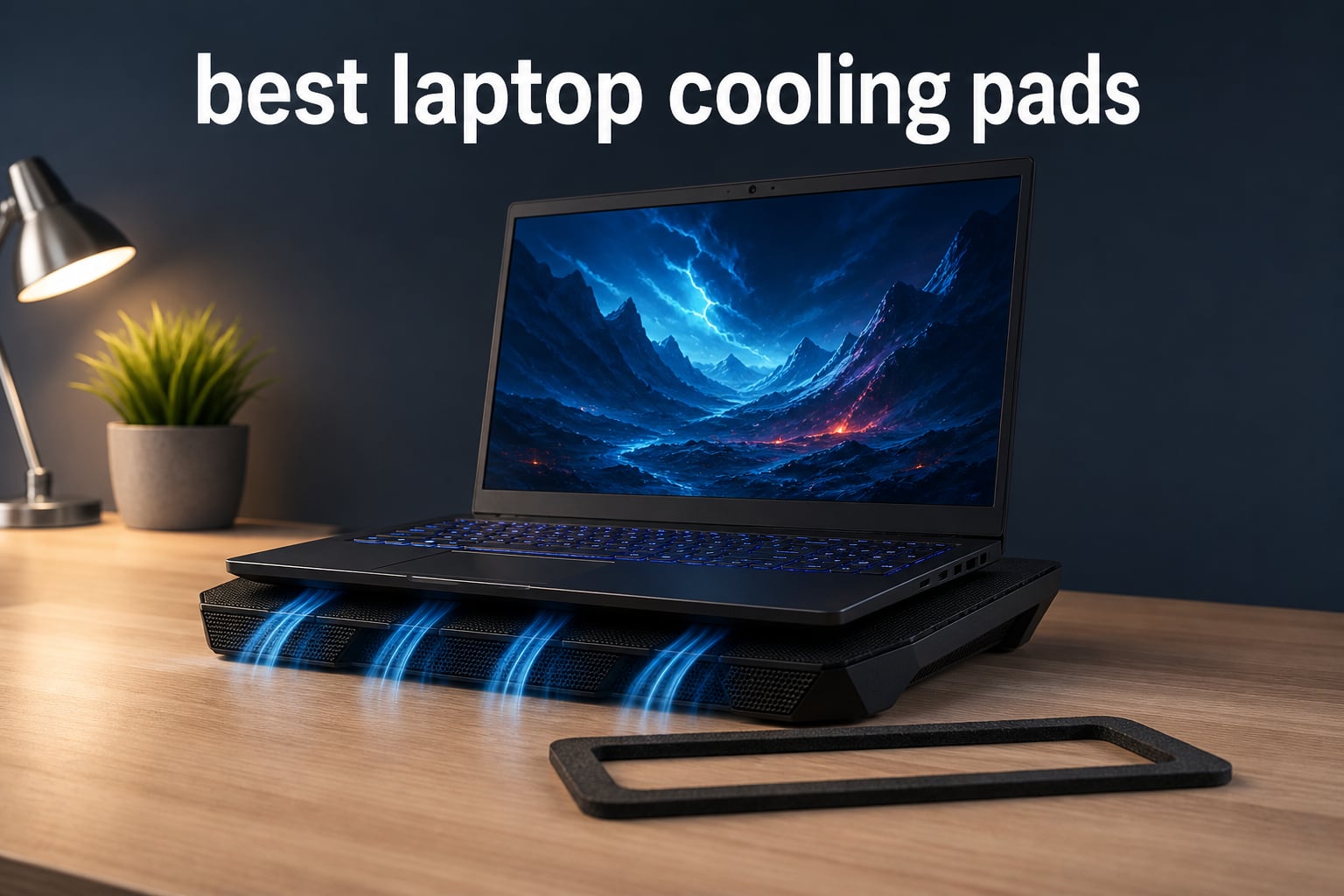
A laptop cooling pad can help when a notebook has bottom intake vents and heat is causing thermal throttling, but the design matters far more than the number of fans printed on the box. The best laptop cooling pads either line up airflow with those vents or use a foam seal to concentrate it, rather than simply moving air around the sides of the chassis.
That distinction keeps coming up in owner discussions: users with gaming laptops that reach the upper 90s report the clearest gains from high-pressure, sealed designs, while cheap open pads can offer modest airflow and a more comfortable typing angle. A cooling pad cannot repair blocked vents, dried thermal paste, or a failing internal fan, so I would address those problems first.
For this guide, I compared eight currently analyzed models by their verified fit ranges, fan setup, controls, ports, ergonomics, warranty, ratings, and stated cooling features. I did not treat a maker’s temperature-drop statement as an independently measured result; use it as a clue about the intended design, then match the pad to your laptop’s ventilation layout and your tolerance for fan noise.
Table of Contents
The Top 3 Laptop Cooling Pads Are the llano V12, TECKNET F9, and ICE COOREL K10
These three cover the main needs: concentrated turbo cooling for large gaming machines, quieter everyday airflow with strong adjustment, and a feature-rich multi-fan stand. The sealed, powered designs are the better starting point for a laptop that repeatedly loses performance under load.
The Best Laptop Cooling Pads in 2026 Cover Sealed Turbo and Open Multi-Fan Designs
The quick overview below keeps the deciding facts together. Before choosing, measure your laptop and look underneath it: a foam-sealed high-pressure pad needs intake openings on the bottom, while an open mesh stand is more forgiving but normally cannot direct air as tightly.
| Product | Specifications | Action |
|---|---|---|
 llano V12 llano V12 |
|
Check Latest Price |
 ICE COOREL K10 ICE COOREL K10 |
|
Check Latest Price |
 TECKNET F9 TECKNET F9 |
|
Check Latest Price |
 IETS GT600 RGB IETS GT600 RGB |
|
Check Latest Price |
 Razer Laptop Cooling Pad Razer Laptop Cooling Pad |
|
Check Latest Price |
 llano V11 Pro llano V11 Pro |
|
Check Latest Price |
 Trullypine 10-Fan Trullypine 10-Fan |
|
Check Latest Price |
 KLIM Everest Plus KLIM Everest Plus |
|
Check Latest Price |
1. llano V12 Is the Best Overall Choice for Large Gaming Laptops
- Strong turbo cooling
- Touch display
- Dust filter
- Adjustable height
- Wide gaming-laptop fit
- No RGB
- Single-fan design
The llano V12 is the model I would put first for a 15.6- to 19-inch gaming laptop with meaningful bottom ventilation. Its single 5.5-inch turbo fan, memory-foam seal, and separate 36W adapter point to a high-pressure approach instead of a conventional scattered-airflow laptop stand with fan.
llano states that the V12 can produce a 44C temperature drop in 90 seconds. That is a manufacturer claim, not a result I would assume for every laptop, because CPU and GPU temperature changes depend on room temperature, the game or workload, fan curve, and the placement of the intake vents.
The smart LED display and touch controls make the speed setting visible without reaching for software. I also like that the box contents list a dust filter and USB-A-to-C cable, while the three USB-A ports reduce the practical penalty of connecting the cooler.
At 1.8 kilograms and 16.9 by 12.9 inches, this is a desk accessory rather than a portable notebook cooler. The adjustable height and double non-slip baffles help with a fixed gaming setup, but users seeking RGB lighting should know that this particular black variant has none.
The llano V12 Fits Bottom-Intake Gaming Laptops Best
Start by checking the underside of an Acer Nitro, Alienware, MSI, Dell, Lenovo Legion, or Asus ROG machine against the pad’s sealing area. llano lists 15- to 19-inch compatibility, but physical vent position matters more than screen size alone.
The foam seal has a job: it limits the path for air to escape, building pressure through the laptop’s intake openings. That is why gasket-based pads are often the models users notice when open pads have not helped much.
The llano V12 Makes Sense When Desk Space Is Available
The AC-powered 36W setup is useful for sustained gaming because it does not rely on a laptop USB port for all of its power. It also means you need an outlet nearby, a trade-off worth planning for before moving it between rooms.
The stated one-year warranty is less generous than KLIM’s coverage, yet the V12 has a 4.5 rating from 2.8k+ reviews in the analyzed product data. That larger feedback base makes it a more established pick than several newer sealed-pad alternatives here.
2. ICE COOREL K10 Is a Flexible Multi-Fan Stand for Everyday Gaming
- Eight-fan coverage
- Six height settings
- LCD controls
- RGB modes
- Phone stand
- Build may feel basic
- RGB may be unnecessary
The ICE COOREL K10 takes the familiar open cooling-pad route with eight fans, top and bottom vents, and multiple cooling modes. It is a practical choice when you want a laptop cooler that also acts as an adjustable desk stand rather than a sealed pressure chamber.
I would set expectations carefully with this type of design. The wide fan coverage can support heat dissipation across a laptop’s underside, but it cannot create the concentrated airflow of a foam-gasket turbo pad when the latter matches the intake layout.
The K10 offers six height settings, two USB ports, touch controls, an LCD fan-speed display, ten RGB modes, and a phone stand. Those are useful convenience features for a gaming desk, especially if your priority is screen height and cable management along with some added ventilation.
Its aluminum enclosure and 1.12-kilogram weight make it more manageable than the heaviest sealed models. The analyzed listing says capacitor components reduce operating noise, though it does not provide a measured decibel figure, so noise-sensitive buyers should not assume a specific sound level.
The ICE COOREL K10 Works Best as an Ergonomic Cooling Stand
Choose this model if your laptop is 15 to 17.3 inches and you want meaningful height adjustment for writing, classes, or casual play. The raised angle can improve posture and frees space under the notebook for airflow.
For a laptop with only side exhausts and few bottom intakes, the stand function may matter more than the fans. An open design cannot force much air into a surface that has no intake path to receive it.
The ICE COOREL K10 Is Better for Moderate Loads Than Seal-Dependent Cooling
This is the sort of pad I would consider for long video calls, editing sessions, and gaming where extra ventilation and comfort are welcome. It has a 4.4 rating from 8.6k+ reviews, the largest review total in this group.
If your main problem is repeat thermal throttling during demanding games, compare it with the llano, IETS, or KLIM sealed designs. Those pads are built specifically to limit air leakage, which is the issue forum users often point to with basic multi-fan pads.
3. TECKNET F9 Is the Quietest Well-Equipped Pick for Mixed Work and Play
TECKNET Laptop Cooling Pad with Phone Stand, Laptop Cooler for 12-15.6 Inch
- Nine fans
- Stepless speed control
- Under 40 dB claim
- Dual USB ports
- Five height levels
- May exceed light-use needs
- No sealed chamber
TECKNET’s F9 combines nine fans with stepless speed control up to 2600 RPM, making it the most complete conventional open-pad option in this roundup. Its stated noise level is below 40 dB, a helpful published detail for a home office where a loud laptop cooling fan would be distracting.
The alloy mesh surface, anti-slip baffle, and integrated phone holder make the F9 feel aimed at a desk that switches between work and leisure. Its five height positions reach up to six inches, with a stated maximum tilt of 34 degrees.
Two USB ports are included: one powers the cooling pad and one remains available for another device. That pass-through approach is sensible, though it is not the same as a powered data hub with guaranteed charging or high-speed transfer capabilities.
The fit range is 12 to 17.3 inches, which covers many mainstream notebooks. Since the pad measures 14.4 by 10.5 inches, I would confirm that a larger 17.3-inch machine has secure support rather than relying only on the advertised screen-size range.
The TECKNET F9 Is a Strong Match for Shared Rooms
A pad rated below 40 dB is more promising for meetings, study spaces, and a living-room desk than a high-pressure turbo unit at full output. The specification does not reveal the sound at every speed, so use the stepless control to find the lowest setting that helps.
LED brightness syncing with fan speed is a small but thoughtful cue: it gives a visual signal when you have turned airflow up. People who prefer an understated workspace can reduce the fan rather than treating lights as a performance measure.
The TECKNET F9 Favors Broad Coverage Over High Pressure
Nine fans can distribute air under different parts of a laptop, a useful arrangement for machines with several bottom vents. It does not include a foam gasket, so it is not the choice I would make solely for the largest possible thermal reduction claim.
Its 4.4 rating comes from 7.7k+ reviews, and the listing includes a 36-month warranty plus lifetime support with registration. That combination makes it a sensible general-purpose laptop stand with fan for people who value a quieter spec and plenty of adjustment.
4. IETS GT600 RGB Is the High-Pressure Pick for Rear-Exhaust Gaming Systems
- High-pressure turbofan
- Magnetic foam seal
- Rear-exhaust friendly
- 3-port hub
- Seven height levels
- Up to 65 dB
- Single fan
The IETS GT600 RGB is made for buyers who put cooling force ahead of a quiet room. Its 5.5-inch industrial-grade turbofan is specified at 71.9 MmH2O of wind pressure, and the magnetic sealed foam is designed to help direct that airflow through the laptop rather than let it escape.
It supports laptops from 14.1 to 19.3 inches and specifically targets rear-exhaust gaming laptops by pulling air through the bottom intake. The front operation panel, display, adjustable buckle, anti-slip foot pad, three-port USB hub, and seven height settings round out a very focused desktop setup.
RGB is present, with seven colors, five modes, and more than 100 listed lighting effects. I see that as secondary to the seal: if a laptop does not have suitable bottom ventilation, the lighting and large fan will not correct the basic compatibility problem.
The biggest trade-off is plainly stated: the GT600 can reach 65 dB at maximum speed. That can be very noticeable in a quiet space, so use headphones or lower the setting when a call, recording, or shared room makes fan sound a concern.
The IETS GT600 Is Best When Bottom Intakes Need Concentrated Airflow
The magnetic foam makes adjustment and replacement less awkward than a fixed seal. Take time to position it around the intake area instead of covering a vent with foam, and confirm that the laptop sits securely against the adjustable buckle.
This configuration addresses the concern behind many user reports: fans matter only when their airflow has somewhere useful to go. A proper seal can reduce side leakage and create the pressure that open mesh pads cannot duplicate.
The IETS GT600 Requires a Realistic Noise Plan
The GT600’s max sound figure is not a defect hidden in fine print; it is the expected consequence of pursuing strong turbofan output. I would choose it for a gaming station, not for someone who needs a nearly silent notebook cooler beside a microphone.
The metal build, two-year warranty, and 4.4 rating from 674 reviews support its specialist positioning. Its smaller review base compared with the V12 means checking recent feedback and your own vent geometry is especially worthwhile.
5. Razer Laptop Cooling Pad Is the Smart-Control Choice for Razer Ecosystem Users
- Adaptive control
- Airtight chamber
- Magnetic frames
- 3-port USB hub
- Custom fan curves
- Synapse needed for full control
- Plastic enclosure
Razer’s Laptop Cooling Pad pairs a 140 mm brushless fan that reaches 3000 RPM with an airtight pressure chamber and interchangeable magnetic frames. This is a compelling approach for someone who wants a sealed design but prefers software-based laptop temperature control rather than constantly adjusting a dial.
Adaptive Smart Cooling can automatically adjust fan speed based on system temperatures, while Razer Synapse gives access to preset and custom fan curves. That lets you choose whether a given session favors lower noise or more aggressive cooling, although full customization does mean installing Synapse.
The stated fit range is 14 to 18 inches and includes MacBooks, a notable contrast with the KLIM Everest Plus. Three magnetic frames help adapt the seal, but I would still inspect the underside of any MacBook or laptop before assuming a pressure chamber will produce a major change.
A three-port USB Type-A hub supports peripherals such as controllers, webcams, and drawing tablets. Razer also lists remappable multi-function buttons, Chroma RGB, and HyperBoost thermal performance for compatible Razer Blade laptops.
The Razer Pad Is Best for People Who Want Automatic Fan Management
Custom curves are most useful when workloads change during the day. A low profile can suit browsing and documents, while a higher profile can respond when rendering, gaming, or compiling increases system temperatures.
That control is not magic hardware monitoring for every notebook, but it is a clear advantage for users already comfortable with Razer’s software. If you want zero software involvement, the touch-controlled llano V12 is simpler.
The Razer Pad Needs a Compatibility Check Beyond Screen Size
Razer gives this pad a broad 14- to 18-inch range and includes magnetic frames, so it is a good contender for varied machines. The pressure chamber benefits most from bottom vents that can receive the directed air.
The plastic enclosure is a trade-off against metal-bodied alternatives, while the two-year manufacturer warranty adds useful coverage. Its analyzed rating is 4.4 from 590 reviews, so it is a feature-focused option with a more limited review history than the top open pads.
6. llano V11 Pro Is a Compact Sealed Option with RGB and Independent Power
- Sealed airflow
- Dust filter
- Independent AC power
- RGB modes
- 3-port hub
- Hub cannot charge
- AC adapter required
The llano V11 Pro brings the pressure-chamber idea into a 14- to 17.3-inch form factor. Its 4.7-inch turbofan, memory foam pad, removable dust filter, and independent 12W AC adapter make it a strong alternative when the V12’s larger fit range is unnecessary.
llano says this model can reduce CPU and GPU temperature by up to 44C in two minutes and that its sealed chamber is 20% quieter than open-fan cooling pads. Both are manufacturer statements, and they should be read as maximum design claims rather than expected results on every notebook.
What I find more concrete is the feature set: a stated 3000 RPM full-power mode, three height levels, three USB 2.0 pass-through ports, and 12 dynamic RGB modes. The separate adapter also means the pad is designed to avoid drawing its full performance power from the laptop battery.
The listed caveat is important: the hub does not support charging. Treat it as connectivity expansion for peripherals, not as a replacement for a laptop charger or a high-power USB-C dock.
The llano V11 Pro Fits Mid-Size Gaming Laptops Best
A 14- to 17.3-inch machine with bottom intake vents is the natural use case. At 14.9 by 12.1 inches and 1.6 kilograms, it occupies less desk space than the V12 while retaining the core sealed-airflow strategy.
Its removable high-density filter is a practical feature for homes with pets, dusty rooms, or frequent gaming sessions. Cleaning a removable external filter is easier than allowing debris to collect unnoticed around a laptop’s own intake area.
The llano V11 Pro Balances Effects and Cooling Hardware
The RGB modes provide more visual customization than the non-RGB V12. That can suit a gaming desk, but the fan speed and the way the foam seals to the notebook remain the relevant performance choices.
The V11 Pro has a 4.4 rating from 464 reviews, including a listed 73% five-star share. With fewer reviews than llano’s V12, it is best selected for its right-sized fit and feature combination rather than assumed to be a universal upgrade.
7. Trullypine 10-Fan Is the Wide-Fit Choice with USB Type-C Expansion
- Ten-fan layout
- Seven height settings
- USB-C expansion
- Wide compatibility
- Low-noise design
- Limited review base
- Build may be basic
The Trullypine 10-Fan pad is built around broad coverage and adjustability: four large fans, six small fans, five speed settings, and a fit claim from 12 to 18.1 inches. It is a conventional open stand, so it is more about providing airflow beneath a large range of devices than making a tight seal.
Seven height settings are a standout for anyone trying to raise a laptop screen closer to eye level. The non-slip design, heat-resistant ABS construction, touch controls, and RGB choices make it a versatile workstation accessory as well as a cooling pad for gaming laptop use.
It includes dual USB Type-C expansion ports, which may appeal to users whose accessories already use USB-C. The analyzed product data describes them as expansion ports, not a charging specification, so I would not promise charging performance that is not verified.
Trullypine describes the fan design as low noise for work, meetings, and gaming, but no decibel number is supplied. Use the five speed settings to limit sound in quiet periods, and remember that ten fans do not automatically mean more cooling than one well-sealed turbofan.
The Trullypine 10-Fan Pad Is Best for Broad Size Compatibility
The 12- to 18.1-inch claim gives this pad a useful span for a household with multiple laptops, tablets, or even a router. Verify the support ledge catches the device securely, particularly with a heavy 18-inch laptop.
The wide-open mesh approach also makes it less dependent on a precise foam-frame match. That makes setup simpler, though users with severe thermal throttling may still see better results from a properly fitted sealed model.
The Trullypine 10-Fan Pad Is a Newer, Less Proven Selection
Its 4.4 rating is based on 191 reviews in the supplied data, much lower than the open-pad leaders. That does not make it unsuitable, but it does make the available feedback less extensive when judging long-term durability.
Choose it for its seven height settings, USB Type-C-oriented expansion, and broad fit rather than as a guaranteed high-pressure thermal solution. The one-year warranty is standard compared with the longer protection offered by TECKNET, Razer, IETS, and KLIM.
8. KLIM Everest Plus Is the Highest-RPM Sealed Choice for Vented Windows Laptops
- 6300 RPM DC mode
- Detachable foam seal
- USB and DC modes
- Five-year warranty
- Durable materials
- Only 20 reviews
- Not for MacBooks
The KLIM Everest Plus is the specification-first choice for a laptop with ventilation openings on its underside. Its two turbo fans can run in USB mode up to 4300 RPM or DC mode up to 6300 RPM, and its detachable foam seal is intended to create high pressure through those bottom vents.
KLIM states that the pad can cool a computer in under 30 seconds, but that is a maker claim rather than a universal temperature test. The more actionable fact is the two-mode power design: USB offers simpler connection, while DC mode is the setting intended for the greatest fan output.
The 14- to 17.3-inch compatibility range should be treated as firm. KLIM explicitly says it is not compatible with laptops without underside ventilation openings, including MacBook models, which is unusually clear compatibility guidance and saves a poor-fit purchase.
The ABS-and-aluminum construction, RGB controls, and five-year manufacturer warranty add weight to its durability pitch. It is also relatively light at 1.1 kilograms for a sealed cooling setup, although the 17-inch by 12.96-inch footprint still calls for a stable desk.
The KLIM Everest Plus Is Best for Bottom-Vented Performance Laptops
A detachable foam seal is useful because it lets you check alignment and replace the part that makes the pressure system work. Do not use it as a blind fit for a laptop with solid bottom panels; there must be actual ventilation openings under the notebook.
The high-RPM ceiling should appeal to a user who needs an external laptop fan for demanding workloads. It also suggests that full-speed operation may not be the quietest option, even though the analyzed listing does not state a decibel rating.
The KLIM Everest Plus Has the Longest Warranty but the Smallest Feedback Pool
Its five-year manufacturer warranty is the longest coverage in this list and can matter to buyers who expect years of regular use. The 4.4 rating is based on only 20 reviews, however, so it is not as extensively customer-tested in the supplied data as the llano V12 or TECKNET F9.
I would choose this model after verifying the vent layout, not merely because 6300 RPM is the largest number here. Effective laptop thermal management comes from matching airflow, pressure, and intake placement, then using only the fan speed you actually need.
A Laptop Cooling Pad Should Match Your Vents, Noise Limit, and Desk Setup
First, turn the laptop over and map the bottom intake vents. A sealed pad such as the llano V12, IETS GT600, llano V11 Pro, Razer, or KLIM Everest Plus relies on those openings because its foam gasket is trying to route air into them.
If your notebook has a mostly solid base, or its cooling system depends on side vents, an open pad may still lift it and improve surrounding airflow, but a perfect pressure-seal result is unlikely. In that situation, a TECKNET, ICE COOREL, or Trullypine stand may be more sensible for ergonomics and general ventilation.
A Foam Gasket Is the Difference Between Directed Air and Escaping Air
A foam gasket seals the gap between pad and laptop. With less air leaking out around the sides, a turbofan can build pressure and send more airflow through bottom intakes; this is why forum users often report a bigger change from sealed systems than from basic open pads.
The seal must not block a vent or force the laptop to sit unevenly. Inspect the contact area after positioning it, and stop if the device cannot rest securely or if a foam edge covers an important intake.
Fan RPM Is Useful Only Alongside Pressure and Noise Information
RPM tells you how quickly a fan spins, not exactly how much cooling reaches the laptop. The KLIM’s stated 6300 RPM DC mode and the Razer and llano V11 Pro’s stated 3000 RPM figures describe potential output, but fan size, pressure, seal quality, and vent alignment change the result.
Noise is part of that equation. The TECKNET lists less than 40 dB, while the IETS GT600 lists up to 65 dB at maximum speed; choose a controllable setting that addresses heat without making your desk unpleasant.
Laptop Size Compatibility Requires More Than Reading the Screen Measurement
Screen size is a starting point, not the full answer. Check the pad’s dimensions, support lip, and your laptop’s weight, then make sure rear feet, bottom vents, and charging cables do not interfere with the stand.
MacBook owners need extra care. Razer says its model fits MacBooks, while KLIM explicitly says the Everest Plus is not compatible with them; do not generalize compatibility from one sealed pad to another.
USB Ports and Independent Power Solve Different Problems
A USB pass-through can preserve a laptop port for a mouse or controller, but it may not provide charging. The llano V11 Pro specifically says its hub does not support charging, and the Trullypine listing identifies expansion ports without a charging claim.
Independent AC power, offered by the llano V12, llano V11 Pro, and KLIM’s DC mode, can support a higher-output design without relying solely on the notebook’s USB power. The trade-off is an additional power cable and the need for an outlet.
A Simple Stand Can Help Comfort but Cannot Replace Cooling Maintenance
Raising a laptop can improve posture and give hot exhaust more room to disperse. It is a reasonable alternative when the machine does not run unusually hot and you mainly need a better keyboard angle.
When temperatures are persistently high, inspect for dust, blocked exhausts, an aging internal fan, and workload settings before buying accessories. A cooling pad supports a healthy ventilation system; it does not cure a hardware fault or make an unsuitable surface safe for airflow.
FAQs
Are there any laptop cooling pads that actually work?
Yes. Pads work best when their airflow matches a laptop’s bottom intake vents. Sealed turbo models use a foam gasket to limit air leakage and create pressure through those vents, while open multi-fan pads usually provide broader but less concentrated airflow. Results vary with the laptop, workload, room temperature, and the condition of its internal cooling system.
What is the best brand for laptop cooling pad?
There is no single best brand for every laptop. llano, IETS, Razer, and KLIM offer sealed or pressure-chamber designs for bottom-vented systems, while TECKNET and ICE COOREL offer open multi-fan stands with ergonomic features. Pick based on vent layout, fit range, noise tolerance, and whether you need a hub, RGB, or height adjustment.
Are cooling pads good for your laptop?
A compatible cooling pad can be good for a laptop because it supports airflow around or through intake vents during demanding work. It should sit securely, avoid blocking vents, and be used on a hard surface. It cannot fix dust buildup, a broken internal fan, or other maintenance issues that cause overheating.
Are cooling mats worth it for laptops?
Cooling mats are worth considering if a laptop regularly runs hot, throttles during gaming or rendering, or needs a more comfortable desk angle. A basic open mat is useful for elevation and broad airflow, while a foam-sealed pad is usually the better choice for a bottom-vented gaming laptop that needs more targeted cooling. Check fit and fan noise before choosing.
The Best Choice Is the Pad That Directs Air Where Your Laptop Needs It
For most large bottom-vented gaming laptops, the llano V12 is my best overall recommendation because its 5.5-inch turbo fan, foam seal, dust filter, adjustable stand, and 15- to 19-inch compatibility form a focused package. The TECKNET F9 is the more flexible quiet-workspace option, while the IETS GT600 and KLIM Everest Plus are for users who accept higher-output cooling trade-offs.
The best laptop cooling pads in 2026 are not interchangeable accessories. Check vent placement, confirm the fit, decide how much fan noise you can live with, and then choose the design that makes airflow useful instead of merely visible.