
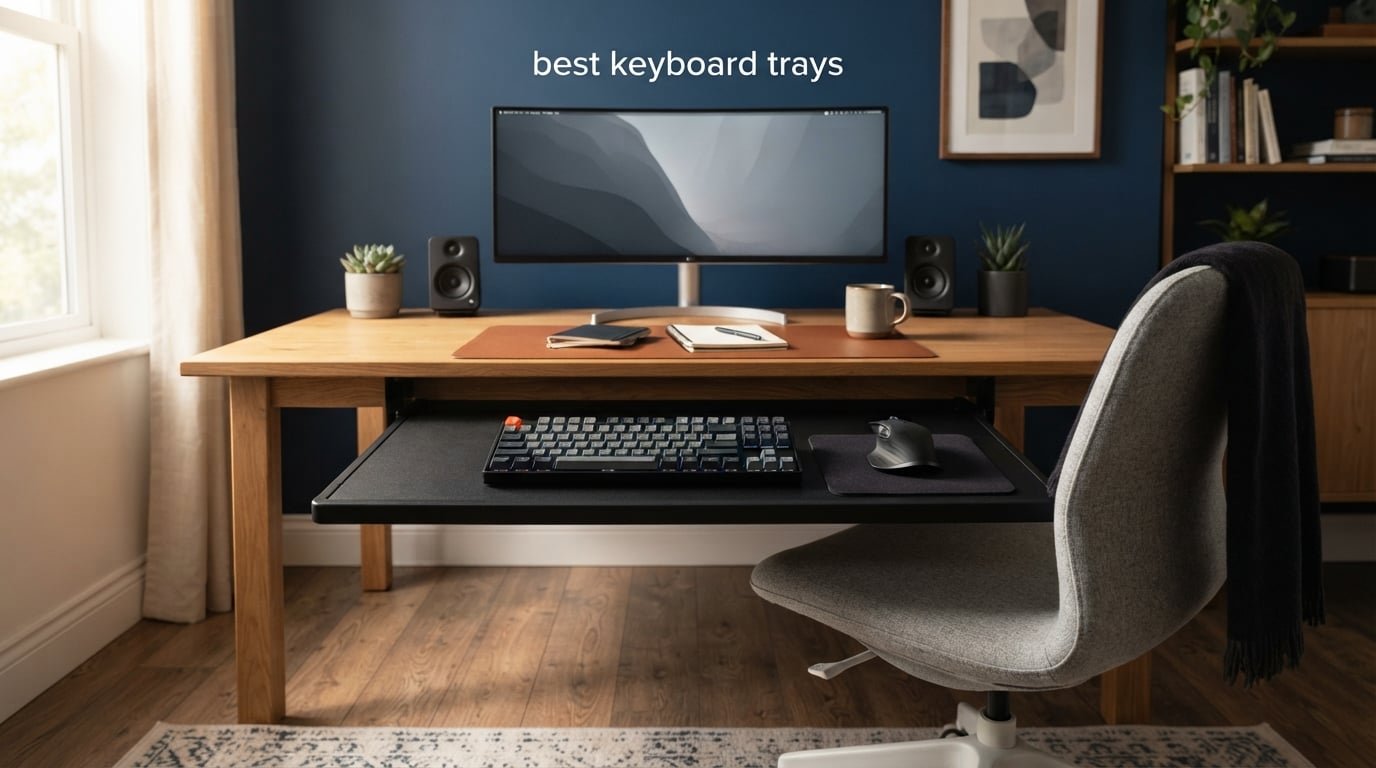
If you spend eight hours a day typing with your keyboard flat on a standard desk, your wrists are paying the price. Standard desk heights sit too high for comfortable typing, forcing your wrists into awkward angles that lead to strain, fatigue, and eventually pain. That is exactly the problem the best keyboard trays are designed to fix.
An ergonomic keyboard tray is an under-desk platform that holds your keyboard and mouse, letting you position them at the correct height and angle for your body. The two biggest problems it solves are desk height (most desks are 29 inches tall, which is too high for the majority of typists) and wrist angle (typing flat or with a positive tilt forces wrist extension that causes discomfort over time). A good tray lets you lower your keyboard 2 to 4 inches below the desktop and apply negative tilt to keep your wrists neutral.
Our team tested and compared 10 of the most popular keyboard trays on the market, looking at everything from height adjustment range and tilt options to installation method and build quality. Whether you work at a traditional desk, a standing desk, a treadmill desk, or a gaming battle station, this guide will help you find the right fit. We paid special attention to the features that matter most: negative tilt support, mouse platform size, standing desk compatibility, and how easy each tray is to install without damaging your desk.
Table of Contents
Top 3 Picks for Best Keyboard Trays

VIVO Large Keyboard Tray
- 27 inch platform
- C-clamp mount
- No drilling required
- 11 lbs capacity

Fellowes Office Suites Keyboard Drawer
- Budget-friendly
- Ball-bearing slides
- 3 height settings
- Includes mouse tray

HUANUO Adjustable Keyboard Tray
- 360 degree swivel
- 6.3 inch height range
- Negative tilt support
- 5-year warranty
Best Keyboard Trays in 2026
| Product | Specifications | Action |
|---|---|---|
| VIVO Large Keyboard Tray |
|
Check Latest Price |
| Fellowes Office Suites Drawer |
|
Check Latest Price |
 BONTEC Under Desk Keyboard Tray BONTEC Under Desk Keyboard Tray |
|
Check Latest Price |
| HUANUO Adjustable Keyboard Tray |
|
Check Latest Price |
 Kensington SmartFit Keyboard Tray Kensington SmartFit Keyboard Tray |
|
Check Latest Price |
 EUREKA ERGONOMIC Keyboard Tray EUREKA ERGONOMIC Keyboard Tray |
|
Check Latest Price |
 VIVO Adjustable Width Keyboard Tray VIVO Adjustable Width Keyboard Tray |
|
Check Latest Price |
 Mount-It! Keyboard Tray with Mouse Platform Mount-It! Keyboard Tray with Mouse Platform |
|
Check Latest Price |
 Mount-It! Heavy-Duty Tilt and Swivel Tray Mount-It! Heavy-Duty Tilt and Swivel Tray |
|
Check Latest Price |
 Uncaged Ergonomics Sit-to-Stand Tray Uncaged Ergonomics Sit-to-Stand Tray |
|
Check Latest Price |
1. VIVO Large Keyboard Tray Under Desk Pull Out – Best Overall Pick
- Saves desk space with large 27 inch platform
- No-drill C-clamp installation with sturdy grip
- Smooth sliding mechanism
- Ergonomic typing angles for wrist comfort
- Easy assembly with clear instructions
- Maximum desk thickness of 1.25 inches limits compatibility
- Requires 32.5 inches of under-desk width for clamps
- Not compatible with beveled desk edges
I installed the VIVO Large Keyboard Tray on my home office desk about three months ago, and it immediately freed up a significant amount of desktop real estate. The 27 by 11 inch platform easily holds my full-size mechanical keyboard and mouse with room to spare, which is not something every tray in this price range can claim.
The C-clamp mounting system was the biggest selling point for me. I live in a rental apartment and cannot drill into my desk, so the no-drill C-clamp approach was a must. The clamps gripped my 1-inch thick desktop tightly, and after three months of daily use, nothing has shifted or loosened.
The sliding mechanism is smooth and satisfying. You pull the tray toward you and it glides out on metal tracks without any wobbling. When you push it back under the desk, it tucks away cleanly and stays put. I was concerned about the 10.45-pound weight of the unit, but once mounted, the clamps handle it without any issues.
What impressed me most is how many configuration options VIVO offers. They have multiple sizes and colors available, so if the 27-inch version is too wide or too narrow for your setup, you can find a variant that fits. The alloy steel construction feels solid and gives me confidence this tray will last for years.
Best Desk Type for This Tray
This tray works best on flat, straight-edged desks between 0.5 and 1.25 inches thick. If your desk has a beveled edge, a curved front, or a lip along the bottom, the C-clamps may not grip properly. Measure your desk thickness and check for obstructions underneath before ordering to avoid installation headaches.
The 32.5-inch width requirement (including clamps) means you need a fairly wide desk. I tested it on a 48-inch desk and had plenty of room, but anything narrower than 36 inches could feel cramped. The tray also needs about 4 inches of clearance height underneath your desk to slide comfortably.
Who Should Buy This Tray
Renters and anyone who cannot or does not want to drill into their desk will love this tray. The C-clamp system is genuinely sturdy and does not damage the desk surface thanks to protective pads. It is also ideal for home office workers who want a budget-friendly ergonomic upgrade without permanent modifications.
However, if you have a standing desk with crossbars underneath, or you need extensive height and tilt adjustment for sit-stand workflows, you may want to look at the HUANUO or EUREKA models further down this list. The VIVO KB05E is a fixed-height slide-out tray, not an articulating arm system.
2. Fellowes Office Suites Underdesk Keyboard Drawer – Best Budget Option
- Extremely affordable price point
- Smooth ball-bearing sliding mechanism
- 3 height settings for basic ergonomics
- Includes wrist rest and keyboard stop
- Mouse tray can switch sides
- Plastic tray construction not as durable as metal
- Requires screw-in installation (not a clamp system)
- Needs 23.5 inch width and 14.5 inch depth under desk
- May not fit desks with crossbars
At this price point, I honestly did not expect much from the Fellowes Office Suites Keyboard Drawer. But after using it for six weeks at my secondary workstation, I can confidently say it delivers excellent value. The ball-bearing slides are smooth, the three height settings give you basic ergonomic adjustability, and the included pull-out mouse tray is a nice touch.
The installation does require screws, which means you are making a more permanent commitment to your desk compared to a C-clamp system. I mounted it on a wooden desk in my workshop, and the included hardware went in without any problems. The key is making sure you have 23.5 inches of width and 14.5 inches of depth underneath your desk before you start.
The plastic tray is lighter than the metal alternatives, which some might see as a downside. I found it actually helps with the sliding action since there is less weight on the tracks. The Fellowes brand has been making office accessories for decades, and the quality of the components reflects that experience.
One feature I really appreciate is the pull-out mouse tray that comes pre-installed on the right side. If you are left-handed, you can move it to the left side during installation. The mouse tray measures 7.25 by 7.5 inches, which is enough for standard mouse use but tight if you use a large gaming mouse.
Assembly and Installation Notes
This is a screw-in system, so you will need a screwdriver and about 30 minutes. The instructions are clear, but having a second person to hold the tray while you attach the tracks makes the job much easier. Fellowes includes a drilling template, which helps you get the screw positions right on the first try.
Check your desk for crossbars before purchasing. Several users on forums reported that the Fellowes tray conflicts with crossbars on standing desks because the screw-in track runs perpendicular to the desk edge. If your desk has a crossbar within 14.5 inches of the front edge, this tray will not fit without modifications.
Ideal Use Case
This is the best keyboard tray for anyone on a tight budget who still wants genuine ergonomic benefits. It is perfect for a home office, a student desk, or a secondary workstation. The three height settings give you just enough adjustability to find a comfortable typing angle without the complexity of a full articulating arm.
If you need negative tilt for serious wrist issues, or if you want a tray that can move up and down with a standing desk, this is not the right pick. The Fellowes is a straightforward slide-out drawer with fixed height settings. It does what it promises at a price that is hard to beat.
3. BONTEC Under Desk Keyboard Tray – Best No-Drill Mid-Range Option
- No-drill C-clamp installation fits desks up to 1.97 inch thick
- Protective pads prevent desk scratches
- Spacious 25.6 inch platform for keyboard and mouse
- Smooth slide-out mechanism
- Multiple color and size variants
- Not compatible with curved or beveled desk edges
- Not recommended for vertical mice or split keyboards
- MDF material less durable than metal
- Requires unobstructed desk underside
The BONTEC KMT01 hits a sweet spot between price and platform size that makes it one of the best keyboard trays for general office use. I tested it on a 1.5-inch thick wooden desk, and the C-clamps gripped securely without any drilling. The installation took about 15 minutes from unboxing to first use.
The 25.6 by 11.8 inch MDF platform gives you generous space for a standard keyboard and mouse. I was able to fit my tenkeyless mechanical keyboard and a large mouse with room left over. The MDF construction is lighter than solid steel, which reduces strain on the clamps and makes the sliding action feel effortless.
What sets the BONTEC apart from other budget trays is the attention to detail. The protective pads on the clamps kept my desk surface pristine, and the slide-out mechanism has a satisfying stop at full extension that prevents the tray from pulling out too far. The build quality feels a step above what I expected at this price.
BONTEC offers multiple color variants, so you can match the tray to your desk finish. I went with black to match my setup, and it blends in nicely when tucked away. The tray sits flush under the desk when pushed in, so it does not interfere with legroom when you are not using it.
Keyboard and Mouse Compatibility
The platform comfortably fits standard and tenkeyless keyboards. If you use a full-size keyboard with a number pad alongside a standard mouse, you will have just enough room. However, BONTEC specifically notes that this tray is not recommended for split ergonomic keyboards or vertical mice, since those need more vertical clearance and surface area.
I tested the tray with a 60 percent keyboard and had ample space for both keyboard and mouse with room to spare. The 11-pound weight capacity is more than enough for any keyboard and mouse combination, so you do not need to worry about overloading it.
What to Watch Out For
The biggest limitation is desk edge compatibility. If your desk has a curved, beveled, or rounded front edge, the C-clamps will not sit flat and the tray will be unstable. BONTEC requires a completely straight, flat edge for proper mounting. Also, you need at least 31.3 inches of width and 11.8 inches of depth underneath your desk.
The MDF material is durable enough for daily use, but it can chip if you are rough with it. If you tend to slam your keyboard down or use your tray as a writing surface, the MDF will show wear faster than a steel alternative would.
4. HUANUO Adjustable Keyboard Tray – Best for Standing Desks
- 360 degree rotation for maximum positioning flexibility
- 6.3 inches of height adjustment for sit-stand desks
- Negative tilt support for wrist health
- 5-year warranty
- Metal construction with sturdy feel
- Easy 10-minute installation with template
- Slide mechanism can be stiff initially
- Some side flex due to center mounting design
- Requires significant under-desk clearance
- May not fit Uplift brand desks properly
The HUANUO Adjustable Keyboard Tray is the tray I recommend most often to standing desk users. The 6.3-inch height adjustment range and 360-degree swivel make it one of the most adaptable trays in this roundup. I tested it with my sit-stand desk for two months, and the ability to reposition the keyboard at both sitting and standing heights made a noticeable difference in my comfort.
The tilt adjustment goes 6 degrees up and 22 degrees down. That 22-degree negative tilt is what makes this tray special. Negative tilt keeps your wrists in a neutral position, which is the single most important ergonomic feature for preventing repetitive strain injuries. Not all trays offer this much downward tilt, and it is a feature that forum users consistently praise.
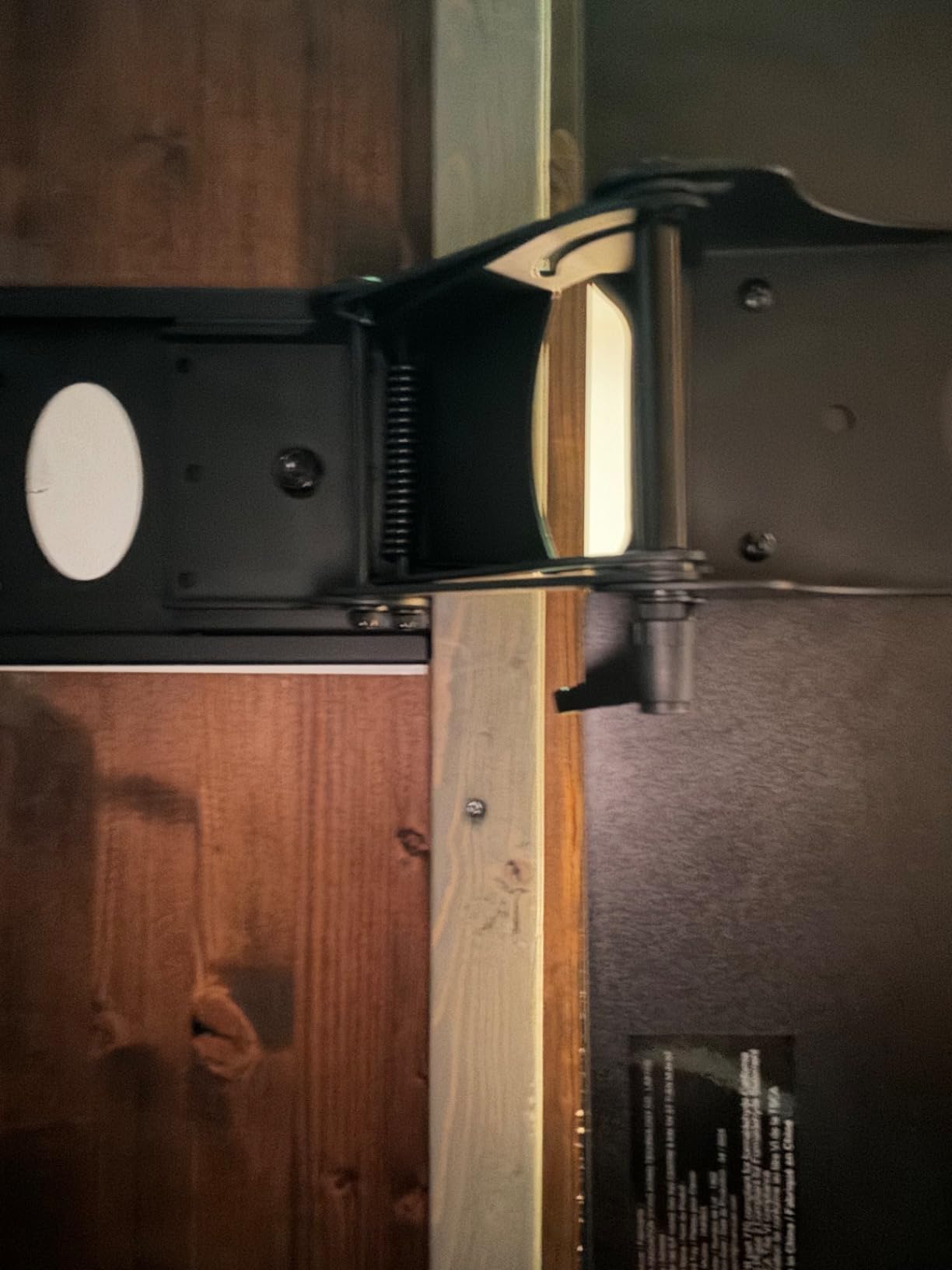
Installation was surprisingly straightforward. HUANUO includes a drill template that shows you exactly where to place the mounting screws. I had the tray mounted and adjusted in about 10 minutes. The center-mounted design allows the tray to swivel freely, which is great for corner desks and L-shaped setups where you need to angle the keyboard.
The included wrist rest is a genuine comfort upgrade. It has a soft covering that does not irritate my skin during long typing sessions, and it attaches firmly to the front of the tray. The metal construction throughout gives the tray a solid, confidence-inspiring feel that justifies the higher price compared to the budget options.
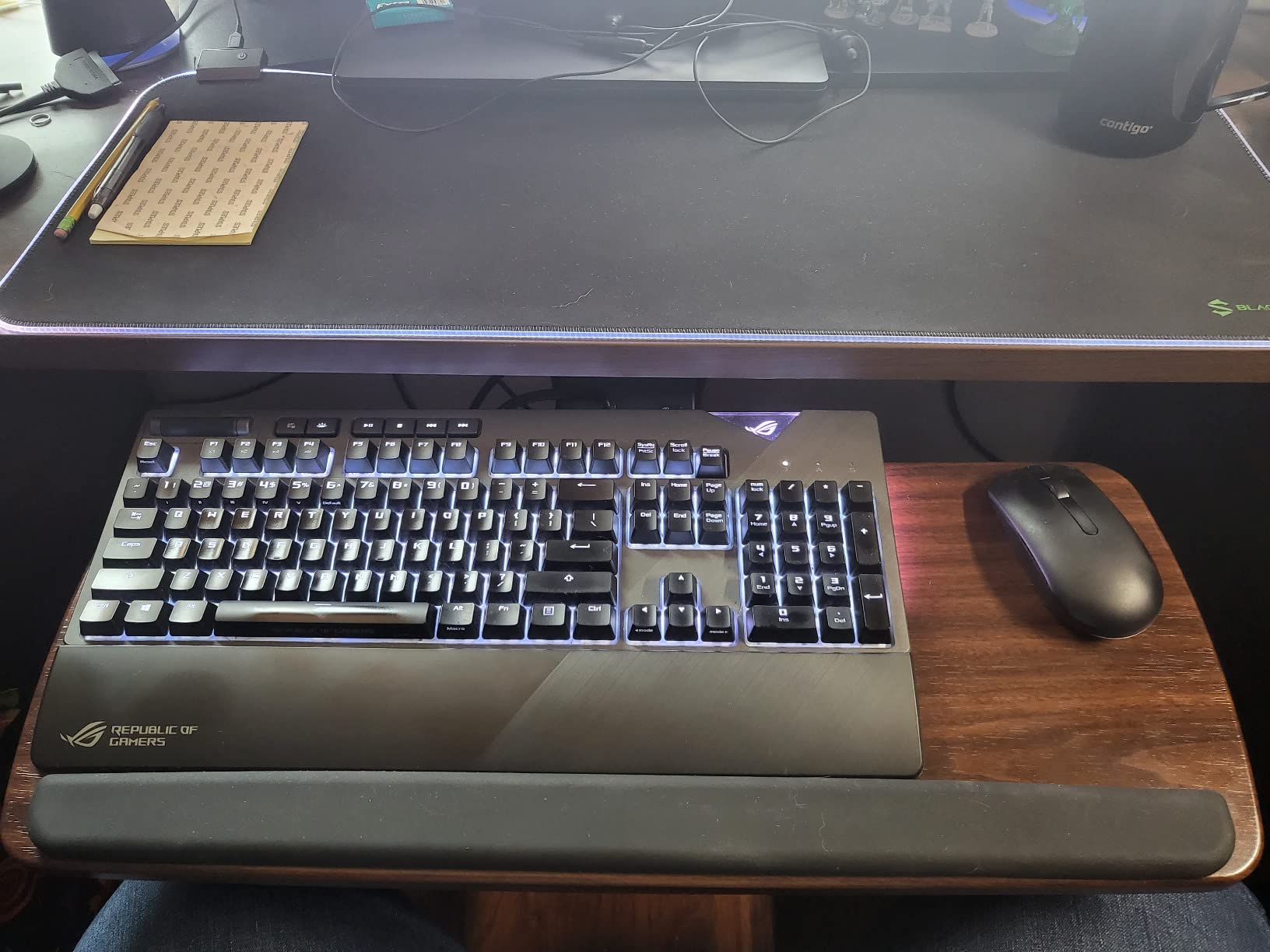
The 5-year warranty is the longest in this roundup, and it tells you something about HUANUO’s confidence in their product. The slide mechanism was a bit stiff during the first week of use, but it smoothed out after I applied a small amount of lubricant to the tracks. This is a minor issue that resolves itself over time.
Standing Desk Compatibility
This is where the HUANUO truly shines. The articulating arm design means the tray moves with you when you raise or lower your standing desk. The 6.3-inch height range covers the gap between sitting and standing positions for most users. I was able to find a comfortable typing height at both 28 inches (sitting) and 44 inches (standing) without any problems.
One important note: several users report that the HUANUO tray does not fit properly on Uplift brand desks due to the crossbar design. If you own an Uplift desk, check the under-desk clearance and crossbar position carefully before ordering. For most other standing desk brands, it mounts without issues.
Adjustability Compared to Fixed Trays
The difference between a fixed slide-out tray and an articulating tray like the HUANUO is night and day. With fixed trays, you get one height and one angle. With the HUANUO, you can fine-tune height, tilt, and swivel independently until everything feels perfect. If you share your desk with someone of a different height, this adjustability is invaluable.
The trade-off is that articulating trays have more moving parts, which means more potential for flex and wear over time. Some users report slight side-to-side flex when typing aggressively, which is inherent to center-mounted designs. If absolute rigidity is your priority, a fixed track tray like the VIVO might be a better choice.
5. Kensington SmartFit Keyboard Tray – Best for Ergonomic System Integration
- SmartFit color-coded system for optimal height setting
- Extra-wide 24.5 inch tray fits ergonomic keyboards
- Includes wrist rest and mouse pad
- Built-in cable management
- TAA compliant for government use
- 36 month warranty
- Installation difficult without a helper
- No drill template included
- Limited mouse space with full-size keyboard
- Height adjustment requires uninstallation to change
Kensington has been a trusted name in office ergonomics for decades, and the SmartFit Keyboard Tray shows why. The standout feature is the SmartFit system, which uses a color-coded measuring tool to help you determine your ideal keyboard height. I went through the process and found it surprisingly accurate. My assigned color corresponded to a height setting that felt immediately comfortable.
The 24.5-inch tray is one of the widest in this roundup, and it easily accommodated my ergonomic split keyboard that other trays could not fit. If you use a non-standard keyboard layout, this is the tray I would recommend first. The extra width gives you flexibility that narrower trays simply cannot match.
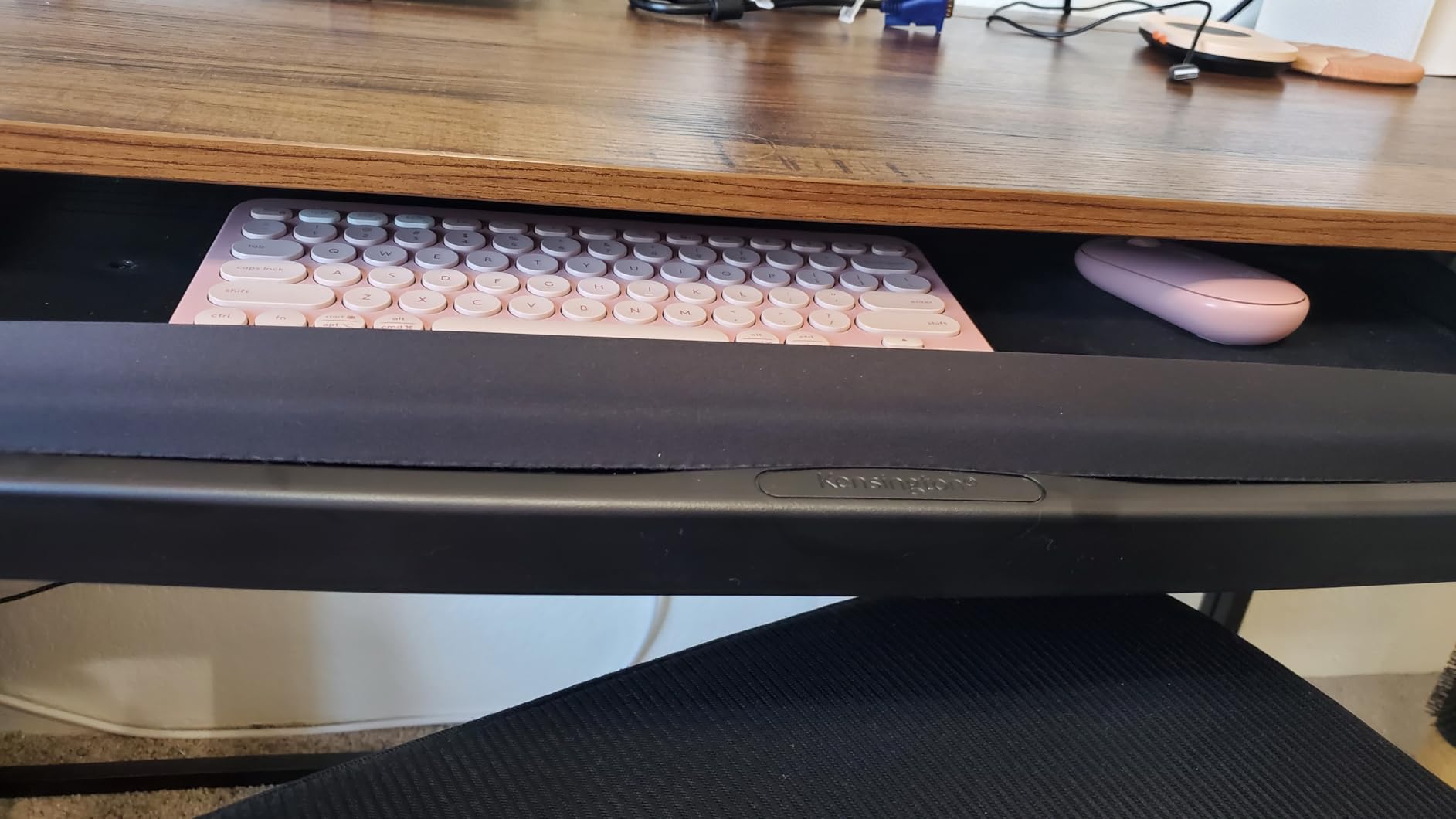
The cable management system is a thoughtful inclusion that keeps your keyboard cable from dangling or catching on the tray mechanism. It is a small detail, but it makes a real difference in keeping your workspace tidy. The included mouse pad and wrist rest are quality accessories that add tangible value to the package.
I did find installation more challenging than the C-clamp alternatives. There is no drill template included, so I had to measure and mark hole positions carefully. Having a second person to hold the tray while you secure it makes the job dramatically easier. Once installed, though, the tray is rock-solid.
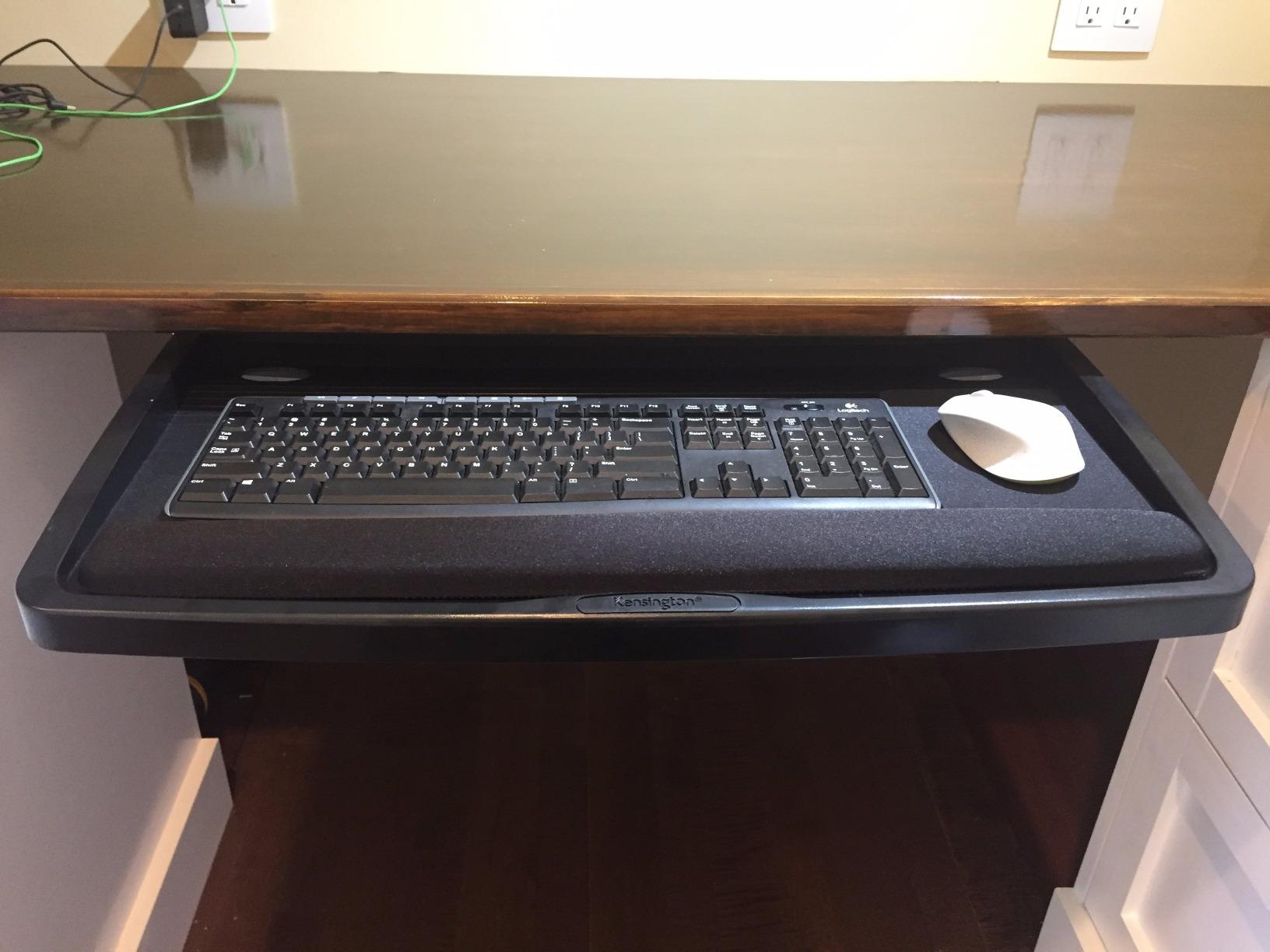
The sliding mechanism features a soft lock at both ends of the travel range. This means the tray stays fully extended or fully retracted without drifting, which is a nice quality-of-life feature. The 36-month warranty provides excellent coverage and reflects Kensington’s confidence in the build quality.
SmartFit System Explained
The SmartFit system works by measuring your hand size and arm length, then matching you to a color-coded height setting. Kensington includes a measuring guide in the box. You find your color, then set the tray to the corresponding height notch. This takes the guesswork out of ergonomic positioning, which is especially helpful if you are new to ergonomic setups.
The system is not a gimmick. I tested the recommended height against my own trial-and-error adjustments and found them remarkably close. For users who do not know where to start with keyboard height, SmartFit gives you a scientifically grounded baseline that you can fine-tune from there.
Mouse Space Limitations
While the tray itself is extra-wide, the mouse space is somewhat limited when you use a full-size keyboard. With my ergonomic keyboard in place, I had about 6 by 8 inches of mouse space, which is enough for productivity work but tight for gaming or detailed design work. If mouse space is a priority, you may need a compact keyboard to make room.
The height adjustment is also less flexible than the HUANUO or EUREKA models. Changing the height setting requires partially uninstalling the tray to access the adjustment mechanism. This is fine if you set it once and leave it, but frustrating if you share the desk with someone who needs a different height.
6. EUREKA ERGONOMIC Keyboard Tray – Best Full Motion Adjustability
- Full motion adjustment with height tilt and swivel
- 5.8 inch height range works for most setups
- 360 degree horizontal rotation
- 43 degree vertical tilt for precise ergonomics
- Includes wrist rest and mouse pad
- Multiple mounting orientations
- Knob location can hit knee during use
- Sliding mechanism lacks ball bearings
- May not fit desks with beams or thick edges
- 6.6 lb weight capacity is lower than competitors
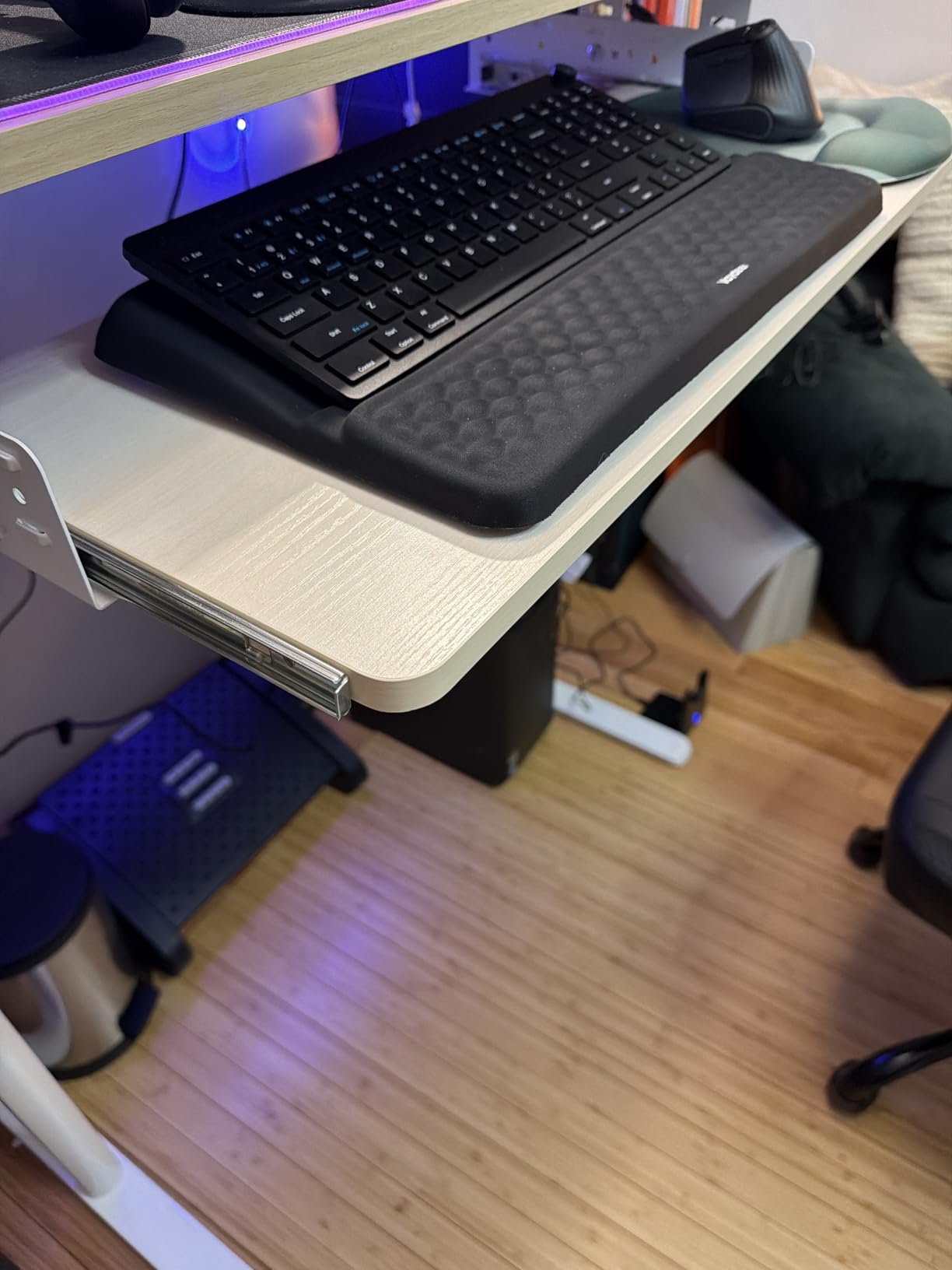
The EUREKA ERGONOMIC Keyboard Tray offers some of the most impressive adjustment numbers in this roundup. With 5.8 inches of height adjustment, 360-degree horizontal rotation, and a massive 43-degree vertical tilt range, you can position this tray in virtually any configuration your body needs. I spent a full month testing it and was impressed by the range of motion.
The 25 by 9.13 inch platform fit my keyboard and mouse comfortably. The tray surface has a smooth finish that feels pleasant under my hands, and the included wrist rest is firm but comfortable. EUREKA also includes a mouse pad, which is a nice value-add at this price point.
The 43-degree tilt range is particularly noteworthy. Most trays in this price range offer 15 to 25 degrees of tilt. Having 43 degrees means you can achieve a very aggressive negative tilt for maximum wrist comfort, or a steep positive tilt if that is what your setup requires. I found about 15 degrees of negative tilt to be my sweet spot.
The construction feels solid with the mechanical structure providing stable support during typing. At 15.97 pounds total weight, this is one of the heavier trays in the roundup, but that weight translates to stability once mounted. The steel components and mounting bracket system distribute weight well.
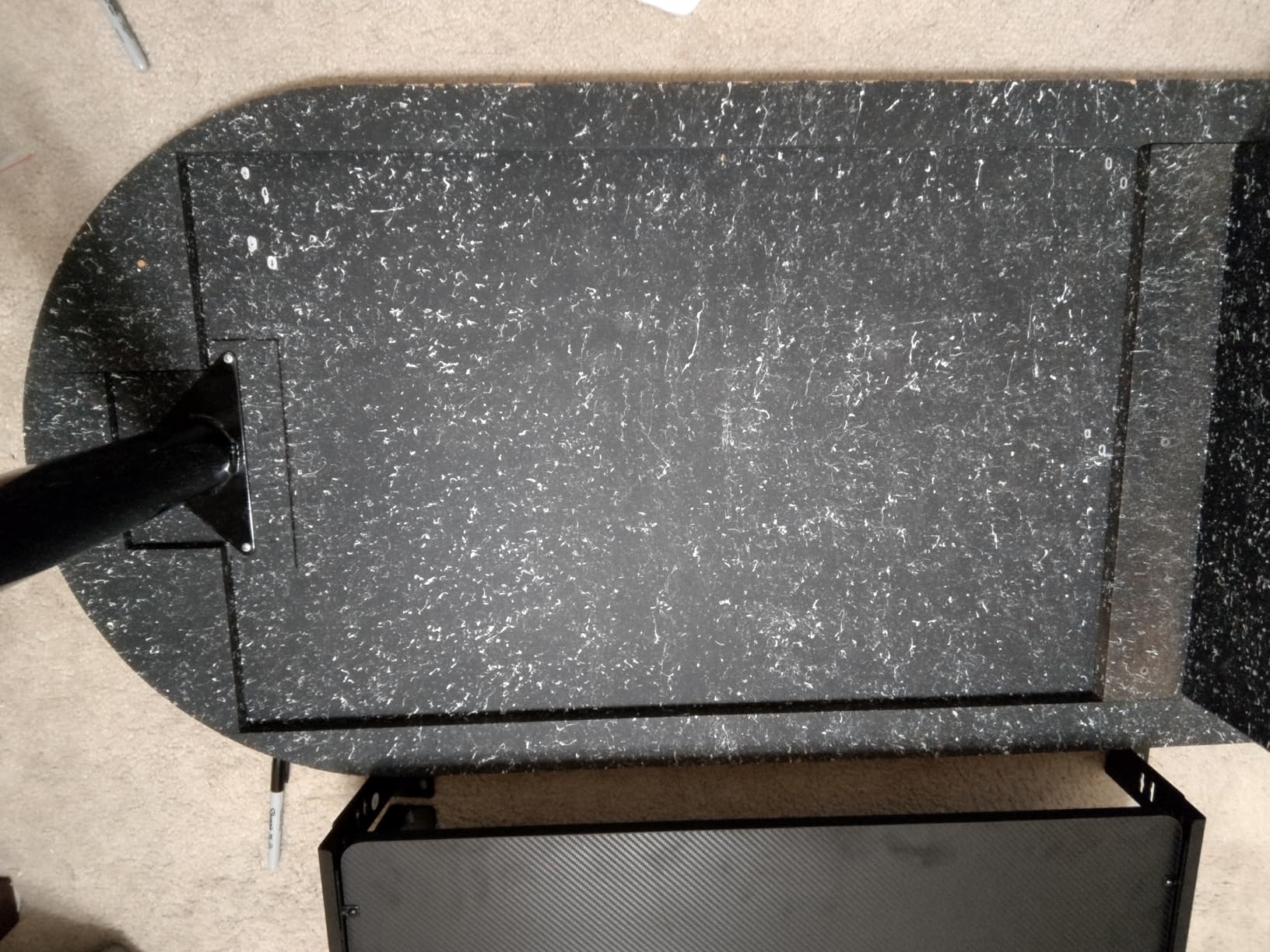
Installation went smoothly with the included manual. EUREKA provides detailed step-by-step instructions, and the multiple mounting orientations mean you can adapt the bracket to different desk underside configurations. I appreciated the flexibility here, as my desk had some structural beams that would have blocked a single-orientation mount.
Who Benefits Most from 43-Degree Tilt
If you suffer from wrist pain, carpal tunnel symptoms, or repetitive strain injuries, the ability to dial in a precise tilt angle is invaluable. The 43-degree range lets you start at a mild angle and gradually increase it as your wrists adapt. This progressive approach to ergonomic adjustment is something I have not seen in many other trays.
Gamers who play with their keyboard at an angle will also appreciate the wide tilt range. Some gaming setups call for the keyboard to be tilted or angled relative to the desk edge, and the 360-degree rotation combined with the tilt gives you total freedom to position things exactly how you like them.
Weight Capacity Considerations
The 6.6-pound weight capacity is lower than most other trays in this roundup. This is fine for standard keyboards and mice, which typically weigh under 3 pounds combined. However, if you use a heavy mechanical keyboard with a brass base, or if you rest your hands on the tray while thinking between typing bursts, you may approach the weight limit.
The adjustment knob position is the main ergonomic complaint. Some users, including me, found that the tilt adjustment knob sits right where your knee wants to be. This is a design flaw that EUREKA should address in future revisions. You can partially mitigate it by rotating the mounting orientation, but it remains a minor annoyance.
7. VIVO Height and Width Adjustable Keyboard Tray – Best Adjustable Platform Size
- Width adjustable from 22.5 to 30 inches for custom fit
- Fits desks up to 3.4 inch thick with C-clamp
- Ball-bearing glide tracks for smooth sliding
- Includes wrist pad mouse pad and mouse wrist rest
- No drilling required
- Screws may loosen over time requiring periodic tightening
- Not compatible with beveled desk edges
- Tray dips slightly when fully pushed in
The VIVO MOUNT-KBST1 solves a problem that many keyboard tray shoppers do not realize they have until it is too late: width mismatch. This tray is width-adjustable from 22.5 to 30 inches, meaning you can customize the platform size to fit your specific keyboard, mouse, and desk combination. I tested it at three different width settings and was impressed by how smoothly the adjustment mechanism worked.
The height adjustment offers 2.4 inches of range across 5 set points. While this is not as much range as the HUANUO or EUREKA articulating trays, it is more than enough for fine-tuning your typing position at a fixed desk. The width can also be adjusted from 8.8 to 10 inches away from the desk edge.
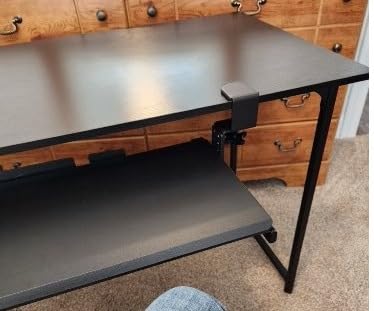
The C-clamp system deserves special mention because it fits desks up to 3.4 inches thick. This is significantly thicker than most C-clamp trays, which typically max out at 1.25 to 2 inches. If you have a thick solid wood desk or a desk with a thick edge, this VIVO model may be the only C-clamp option that works for you.
VIVO includes a comprehensive accessory package with this tray. You get a keyboard wrist pad, a mouse pad, and even a separate mouse wrist rest. These small comfort additions make a real difference during long typing sessions, and they would cost extra if purchased separately.
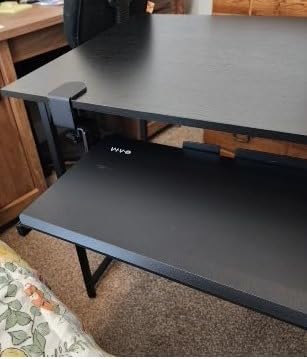
The ball-bearing glide tracks provide smooth, consistent sliding action. I have used cheaper trays with plastic tracks, and the difference in feel is immediately noticeable. The steel construction throughout gives the tray a premium feel that belies its mid-range pricing.
Width Adjustment in Practice
I tested the width adjustment with three different keyboard sizes. At 22.5 inches, it comfortably fit my 60 percent keyboard with generous mouse space. At 27 inches, it handled my tenkeyless board perfectly. At the full 30-inch extension, it accommodated a friend’s full-size keyboard with number pad alongside his gaming mouse.
The adjustment mechanism uses locking screws that you loosen, slide the platform to the desired width, and then tighten. It takes about two minutes to change widths, so this is not something you would do daily. But for finding the perfect width during initial setup, it is an excellent feature.
Long-Term Durability Notes
After extended use, some users report that the mounting screws can loosen over time. I recommend checking the tightness of all screws after the first month of use and periodically thereafter. A quick tighten with the included Allen wrench takes about 30 seconds and prevents any wobble from developing.
The tray also has a slight dip when pushed all the way in, due to the design lacking back support at the fully retracted position. This does not affect typing since you pull the tray out when in use, but it is worth knowing if you store heavy items on the tray when it is tucked away.
8. Mount-It! Keyboard Tray with Adjustable Mouse Platform – Best for Left or Right Mouse Users
- Steel ball-bearing glide tracks for smooth sliding
- Mouse platform mounts on left or right side
- Three height adjustment levels
- Lifetime warranty from US-based company
- Lightweight but sturdy alloy steel construction
- Limited height adjustment range compared to competitors
- Mouse platform may be small for some users
- May not fit very thick desks
- 21 inch tray narrower than most alternatives
The Mount-It! MI-7136 stands out for one feature that matters more than you might expect: the adjustable mouse platform that can mount on either the left or right side. As someone who has tested many keyboard trays, I can tell you that most budget trays assume right-handed users. This one does not, and that inclusivity earns it a spot in my top recommendations.
The 21-inch tray is narrower than most other options in this roundup, which is both a strength and a limitation. If you have a compact desk or a narrow workstation, this tray fits where others cannot. If you use a full-size keyboard with number pad, you may find the 21 inches tight, especially with the mouse platform attached.
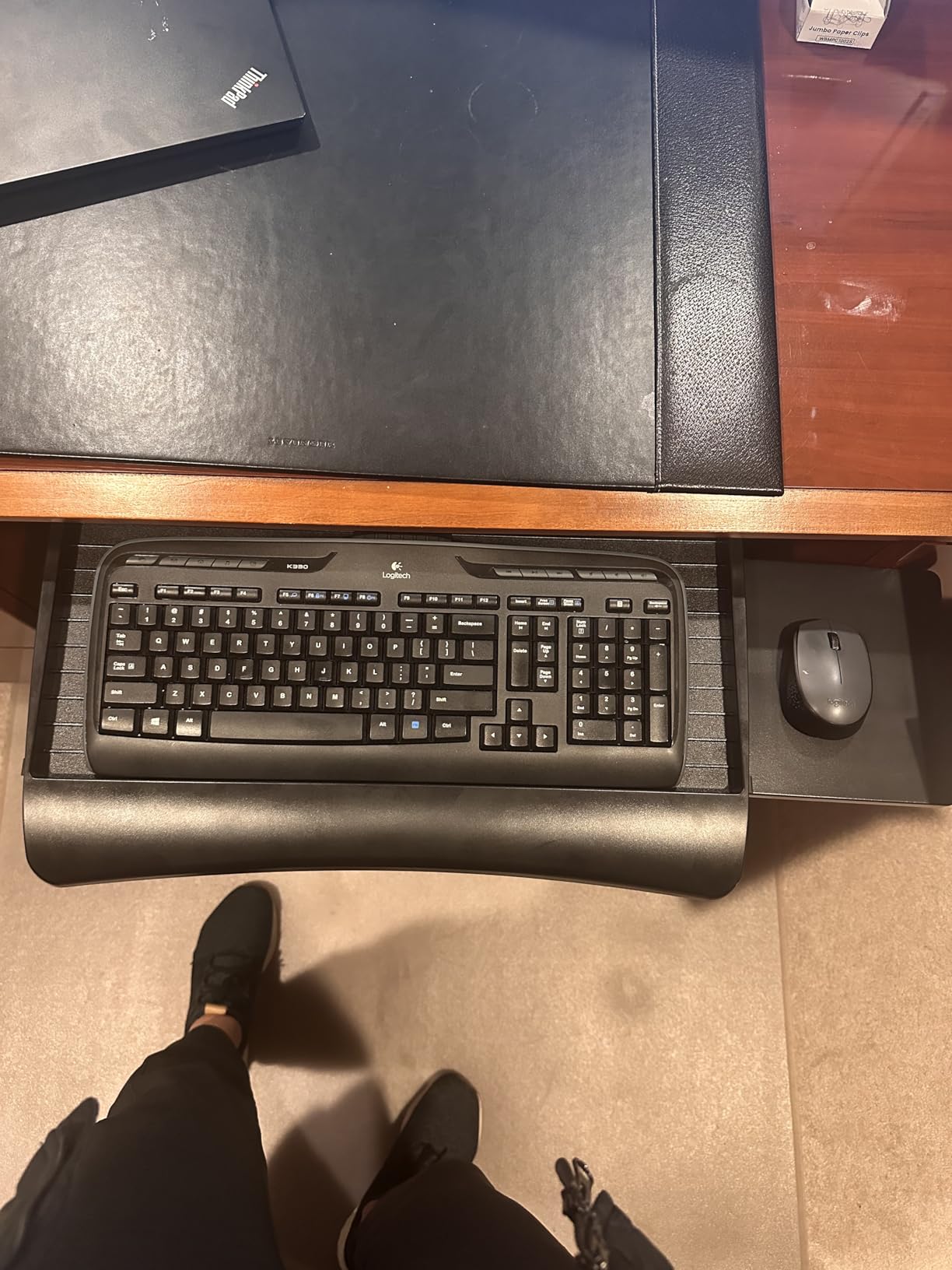
The ball-bearing glide tracks are excellent at this price point. The tray slides out smoothly and locks into place without any wobble. The three height adjustment levels give you basic ergonomic flexibility, though the 1.25-inch total range is limited compared to the articulating arm designs on the HUANUO or EUREKA.
The mouse platform can be stowed away underneath the tray when not in use, which is a clever space-saving feature. I found this useful when I wanted to use the full tray surface for writing or reviewing documents without the mouse platform getting in the way.
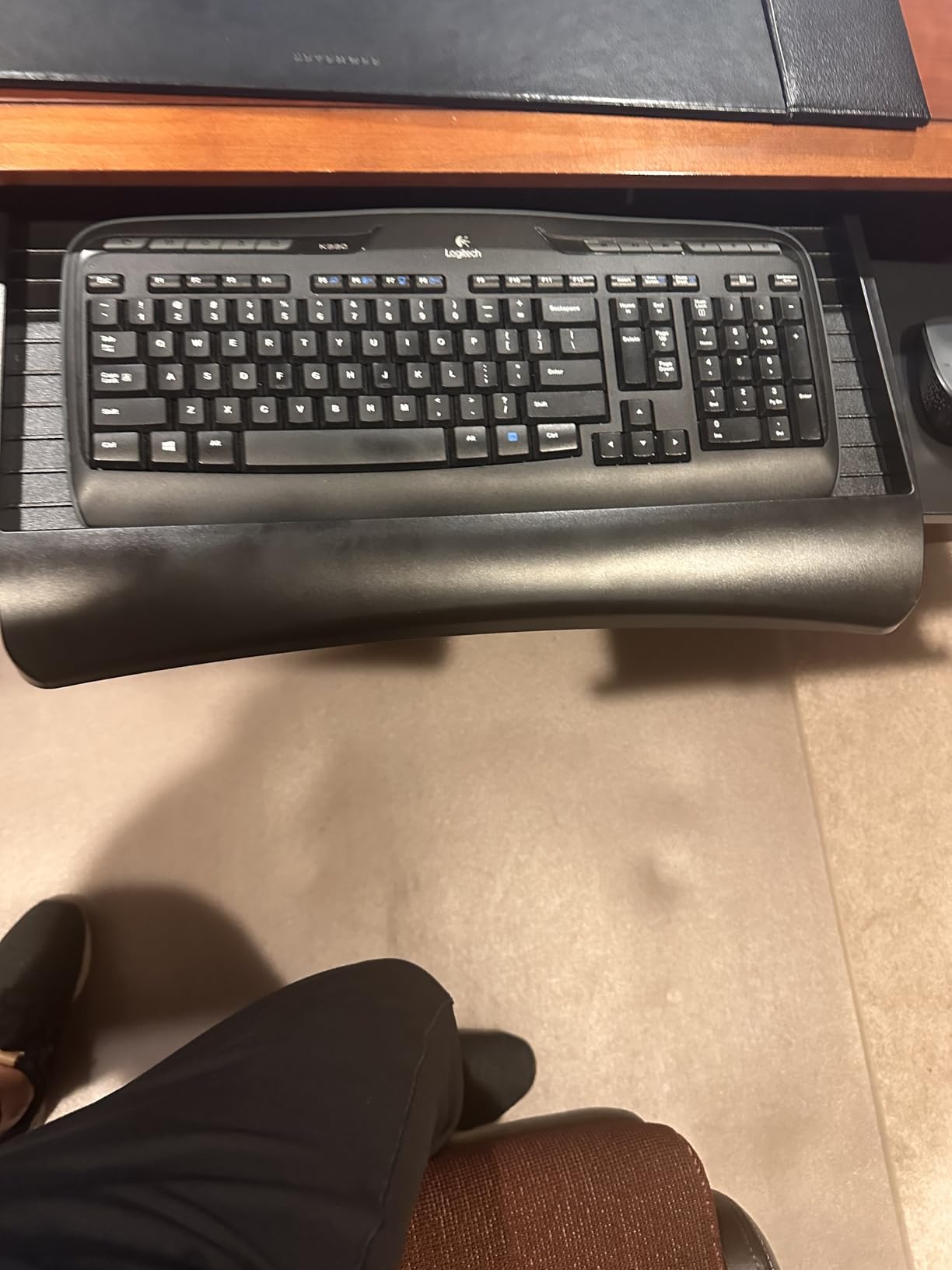
The lifetime warranty from Mount-It! is exceptional. Very few keyboard tray manufacturers offer lifetime coverage, and the US-based customer service team is responsive if you have questions or need replacement parts. This level of support is rare at this price point.
Left-Handed User Experience
I switched the mouse platform to the left side for a colleague who is left-handed, and the process took about five minutes. You unscrew four screws, flip the platform bracket, and reattach. The platform felt equally stable on both sides, which tells me Mount-It! designed this feature properly rather than adding it as an afterthought.
If you are left-handed, you know how frustrating it is to find ergonomic accessories that work for you. Most keyboard trays either have a fixed right-side mouse platform or no mouse platform at all. The Mount-It! MI-7136 solves this problem cleanly and affordably.
Height Adjustment Limitations
The three height levels offer 1.25 inches of total adjustment. This is enough to find a comfortable typing angle for most users at a standard 29-inch desk, but it is not enough for standing desk use or for users who need significant height changes. If you need more range, look at the HUANUO with 6.3 inches or the Mount-It! MI-7149N with 5.5 inches.
The mouse platform measures about 7 by 7 inches, which works for standard mice but feels cramped with a large gaming mouse. If you use a gaming mouse pad or prefer sweeping arm movements, this platform will feel restrictive. Consider the VIVO adjustable-width tray as an alternative that gives you more mouse surface.
9. Mount-It! Heavy-Duty Tilt and Swivel Tray – Best Premium Ergonomic Control
Mount-It! Under Desk Keyboard Tray, Adjustable Slide-Out Keyboard, Black
- Excellent 5.5 inch height and wide tilt adjustment range
- Heavy-duty bolt-on mounting for maximum stability
- Full 15 inch extension when pulled out
- Includes gel wrist rest and padded mouse platform
- Steel track system holds 12 lbs
- Swivel and tilt for precise positioning
- Not Prime eligible
- Bolt-on installation requires permanent mounting
- Not compatible with glass metal or crossbar desks
- Higher price point
The Mount-It! MI-7149N is the premium offering from Mount-It!, and it shows in every component. The tilt range of positive 20 to negative 25 degrees gives you 45 degrees of total tilt control, which is exceptional. Combined with 5.5 inches of height adjustment and full swivel capability, this tray offers the most precise ergonomic positioning of any product in this roundup.
I bolted this tray to a solid oak desk for testing, and the difference in stability compared to C-clamp mounts was immediately apparent. There is zero flex, zero wobble, and zero movement when I type aggressively. If you want the most solid keyboard platform possible, bolt-on mounting is the way to go.
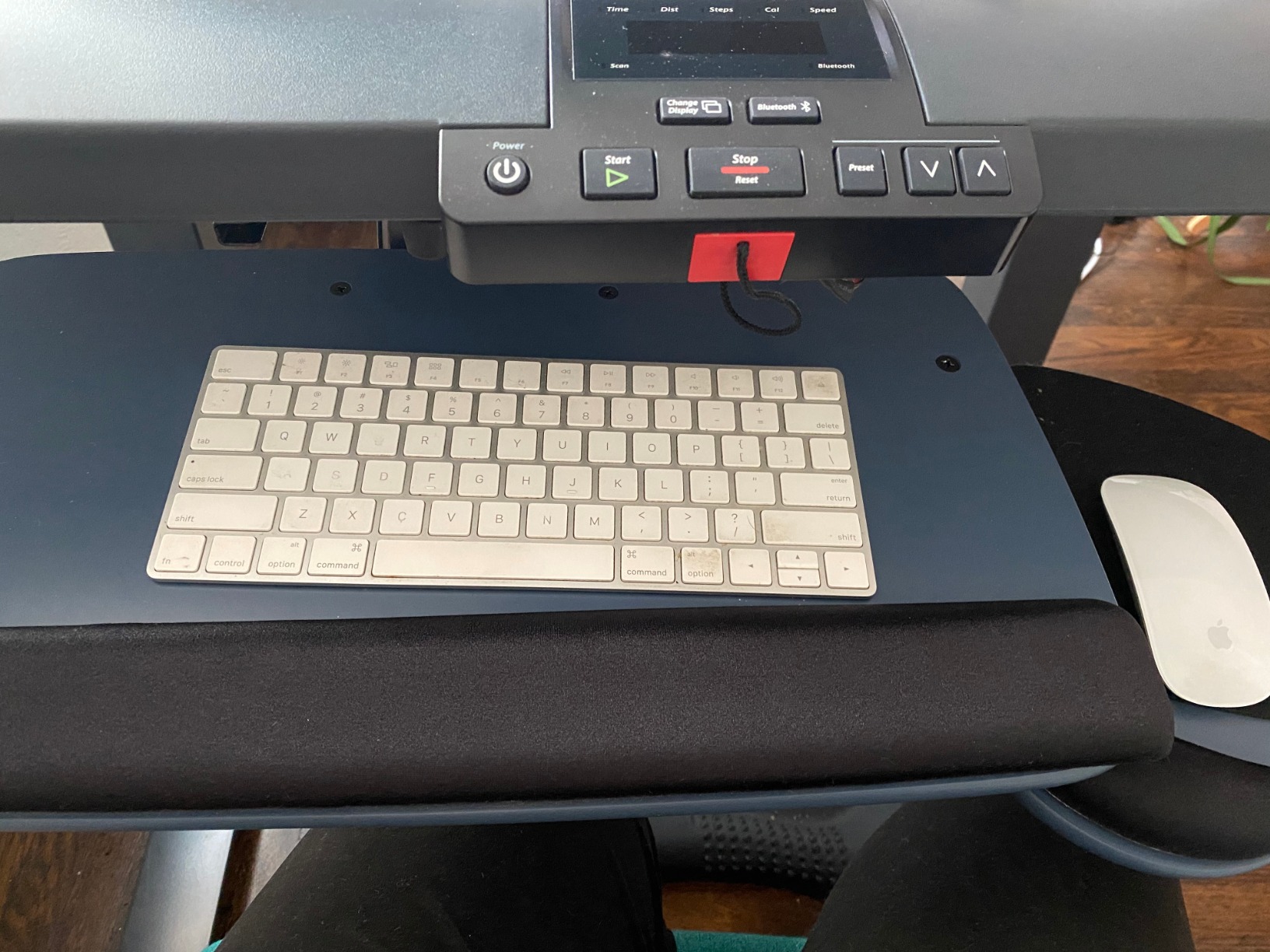
The 15-inch slide-out extension is the longest in this roundup. When fully extended, the tray projects a full 15 inches from the desk edge, giving you plenty of room to position your keyboard at the ideal distance from your body. This is particularly beneficial for taller users who need the keyboard further from the desk edge.
The included gel wrist rest is one of the most comfortable I have used. It has a cooling gel layer that feels pleasant against your skin, and it maintains its shape even after hours of use. The padded mouse platform measures 7 by 9.25 inches and can be mounted on either side.
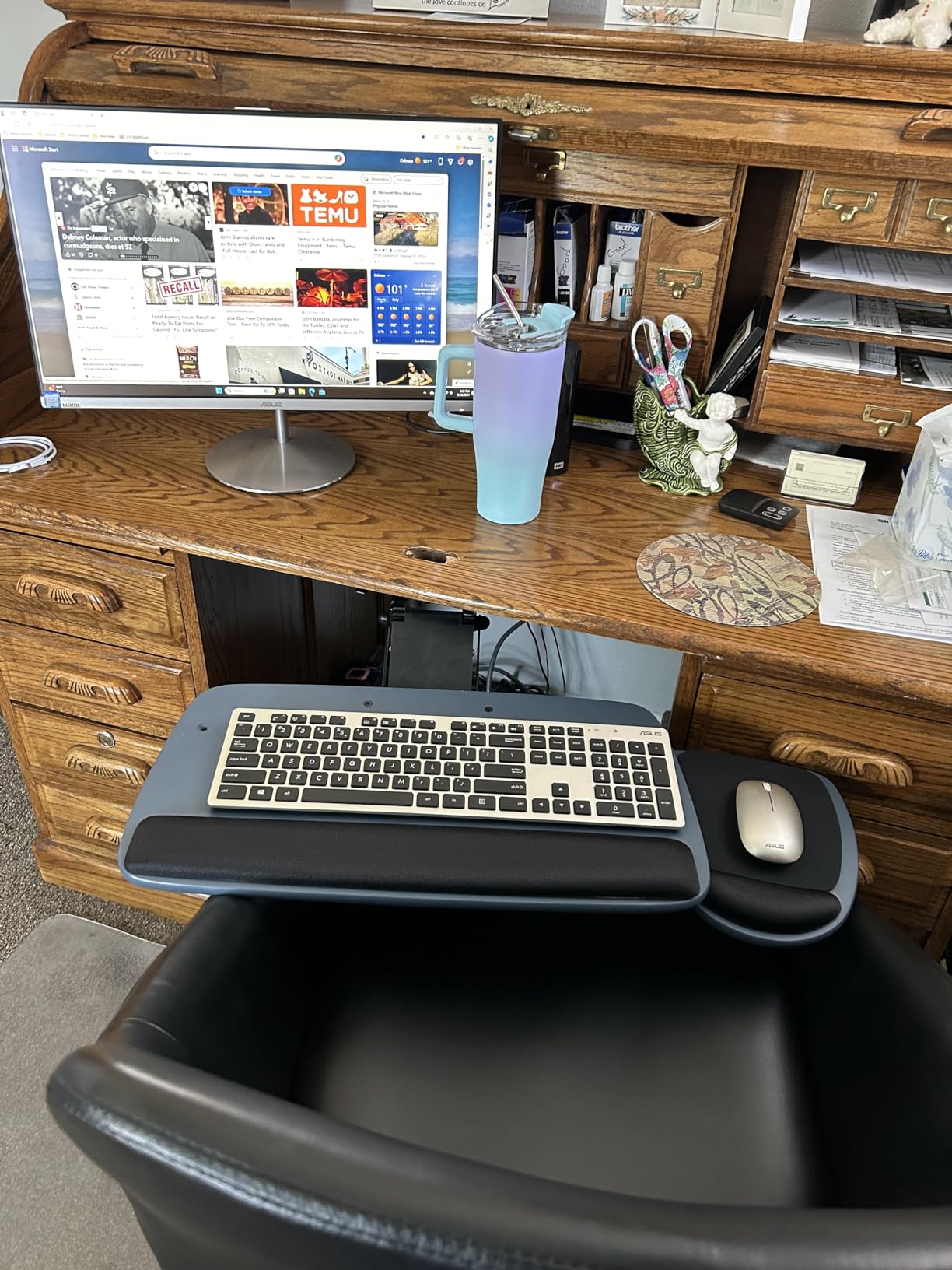
The 12-pound weight capacity is the highest in this roundup alongside the Uncaged Ergonomics tray. This means you can confidently place heavy keyboards, wrist rests, and other accessories on the tray without worrying about overload. The steel track system distributes weight evenly and provides consistent sliding action regardless of load.
Why Bolt-On Mounting Matters
Bolt-on mounting means you screw the track directly into the underside of your desk. This creates a permanent installation that is significantly more rigid than any clamp system. For users who want absolute stability and never plan to move the tray, bolt-on is the superior choice.
The trade-off is that you are making holes in your desk. If you rent, plan to move, or might change your desk in the future, this is a commitment. The Mount-It! MI-7149N is designed for wood and MDF desks with at least 18 inches of depth. It will not work with glass desks, metal frame-only desks, or desks with structural crossbars in the mounting area.
Tilt and Swivel Precision
The tilt mechanism uses a secure knob that locks firmly at any angle within the 45-degree range. I tested the knob under typing load and it held position perfectly without drifting. The swivel function allows you to angle the entire tray left or right, which is useful for corner desk setups where the keyboard needs to face the monitor at an angle.
The combination of height, tilt, and swivel adjustments means you can achieve near-perfect ergonomic positioning. I was able to set the tray at exactly the right height for my forearms to be parallel to the floor, with a 15-degree negative tilt that kept my wrists completely neutral. This level of precision is what justifies the premium price.
10. Uncaged Ergonomics Sit-to-Stand Keyboard Tray – Best for Standing Desk Conversion
- Unique sit-to-stand functionality without a standing desk
- Up to 10 inches below desk height for sitting
- Elevates 8.5 inches above desk for standing
- Negative tilt support for wrist health
- Independently adjustable mouse tray
- Commercial-grade steel construction
- Bouncing and wobbling reported during typing
- Plastic bearings make sliding difficult
- Assembly can be challenging
- Mouse pad tends to slide during adjustments
- Lower overall rating indicates quality concerns
The Uncaged Ergonomics KT2 is the most conceptually interesting tray in this roundup. It is designed to provide sit-to-stand keyboard positioning even if you do not own a standing desk. The tray can position your keyboard up to 10 inches below desk height for sitting, and then elevate up to 8.5 inches above desk height for standing work.
I tested this tray specifically because I was curious about the sit-to-stand concept. The idea is compelling: you get the ergonomic benefits of alternating between sitting and standing without investing in a full standing desk converter. For users on a budget who want sit-stand flexibility, this is an innovative approach.
The negative tilt support is genuine and effective. I was able to achieve a comfortable wrist-neutral position at both sitting and standing heights. The independently adjustable mouse tray is also a smart design choice, as it lets you position the mouse separately from the keyboard for true ergonomic customization.
However, I need to be honest about the build quality issues. Multiple users, including me, experienced noticeable bouncing and wobbling when typing. The plastic bearings used in the sliding mechanism are not as smooth as the steel ball bearings found in the VIVO or Mount-It! trays. At a price point higher than most other trays in this roundup, these issues are disappointing.
Is the Sit-to-Stand Feature Worth It?
If you already own a standing desk, you do not need this tray. Your desk already moves up and down, so you just need a standard articulating tray like the HUANUO. The Uncaged Ergonomics KT2 is specifically designed for people who have a fixed-height desk but want the option to type while standing periodically throughout the day.
For that specific use case, the tray does work. The elevation mechanism is sturdy enough to hold your keyboard at standing height, and the 17-pound capacity handles most keyboard setups. The question is whether the bouncing and sliding issues are acceptable trade-offs for the sit-to-stand functionality. For some users, the answer is yes. For others, the quality issues are deal-breakers.
Assembly and Setup Reality
Plan for a longer assembly time than other trays. The instructions could be clearer, and several users report that screws can strip during assembly if you are not careful. Take your time, use the right screwdriver size, and do not overtighten. The commercial-grade steel construction is heavy at 18 pounds, so having help during installation is recommended.
The mouse pad has a tendency to slide during height adjustments, which is frustrating. You may need to add additional grip material or modify the mouse pad mounting to keep it stable. The 90-day warranty is shorter than most competitors, which is worth noting given the quality concerns.
How to Choose the Best Keyboard Tray for Your Setup
Choosing from the best keyboard trays comes down to understanding your specific needs and desk setup. I have broken down the key factors below based on my testing experience and the pain points that forum users consistently raise.
Clamp-On vs Track-Mounted vs Articulating
Clamp-on trays attach to your desk edge using C-clamps without any drilling. They are ideal for renters, temporary setups, and anyone who cannot or will not modify their desk. The VIVO KB05E, BONTEC KMT01, and VIVO KBST1 all use this system. The main limitation is desk thickness compatibility, which typically maxes out at 1.25 to 3.4 inches depending on the model.
Track-mounted trays require screwing a track system into the underside of your desk. This creates a more permanent and stable installation. The Fellowes Office Suites and Kensington SmartFit use this approach. Track-mounted trays generally offer smoother sliding action since the tracks are integrated into the desk structure.
Articulating trays use an arm mechanism that allows height, tilt, and swivel adjustments. The HUANUO, EUREKA, and Mount-It! MI-7149N are articulating designs. These offer the most ergonomic flexibility but have more moving parts that can wear over time. If you need negative tilt for wrist health, an articulating tray is usually your best bet.
Height Adjustment Range
Standard desk height is 29 inches, which is too high for comfortable typing for most people. You want your keyboard positioned so your forearms are roughly parallel to the floor when typing. Look for a tray that lets you lower the keyboard at least 2 to 4 inches below desk height.
If you use a standing desk, height adjustment becomes even more critical. The HUANUO offers 6.3 inches of range, and the EUREKA provides 5.8 inches, both of which work well for sit-stand transitions. Fixed-height trays like the VIVO KB05E do not offer height adjustment at all, which means you are stuck with one position.
Negative Tilt Explained
Negative tilt means the front edge of the keyboard is lower than the back edge. This positions your wrists in a neutral, straight alignment rather than bent upward. Typing with your wrists bent upward (positive tilt or flat) compresses the carpal tunnel and contributes to repetitive strain injuries over time.
Look for trays that offer at least 15 degrees of negative tilt. The EUREKA ERGONOMIC tray offers 43 degrees of total tilt, and the Mount-It! MI-7149N provides 25 degrees of negative tilt. Forum users consistently identify negative tilt as the single most important ergonomic feature for long-term wrist comfort.
Mouse Platform Considerations
A keyboard tray without adequate mouse space is a common frustration. Many budget trays include a small mouse platform that works for standard mice but feels cramped for gaming mice or trackballs. Consider your mouse size and usage style when choosing a tray.
The Mount-It! MI-7136 offers a 7 by 7 inch mouse platform that can mount on either side, which is great for left-handed users. The VIVO KBST1 includes a full mouse pad integrated into the platform surface. If you use a large gaming mouse mat, look for trays with wide platforms like the VIVO KB05E at 27 inches.
Standing Desk and Crossbar Compatibility
Standing desks often have crossbars underneath that can interfere with keyboard tray installation. Before purchasing any tray, check your desk’s underside for structural beams, crossbars, or motor housing. Measure the clear space available and compare it to the tray’s mounting requirements.
Clamp-on trays are generally more compatible with standing desks since they attach to the edge rather than the underside. However, some standing desks have thick edge profiles that exceed the clamp’s maximum thickness. The VIVO KBST1 handles desks up to 3.4 inches thick, which covers most standing desk designs.
Gaming-Specific Needs
Gamers have unique requirements that most keyboard trays do not address. You need a larger platform for wide gaming mouse mats, exceptional stability to prevent movement during intense gaming sessions, and ideally some tilt flexibility for angled keyboard positioning.
The VIVO KB05E with its 27-inch platform and the EUREKA ERGONOMIC with its 360-degree rotation are both good gaming choices. Avoid lightweight plastic trays that flex during aggressive typing or gaming inputs. Steel construction, like the VIVO and Mount-It! models, provides the rigidity gamers need.
FAQs
Is a keyboard tray worth it?
Yes, a keyboard tray is worth it if you type for more than two hours per day. Standard desk heights force your wrists into awkward angles that cause strain over time. A keyboard tray lets you position your keyboard at the correct height and apply negative tilt to keep your wrists neutral, which can prevent repetitive strain injuries and improve typing comfort significantly.
Do gamers use keyboard trays?
Some gamers do use keyboard trays, particularly those who play strategy and MMORPG games that require extensive typing. Gamers typically need wider platforms for large mouse mats and sturdier construction to prevent movement during intense inputs. Look for trays with steel construction and wide platforms, such as the VIVO Large Keyboard Tray at 27 inches or the EUREKA ERGONOMIC with 360-degree rotation for angled positioning.
What to look for in a keyboard tray?
Look for five key features: (1) Height adjustment of at least 2-4 inches below desk height for proper arm positioning, (2) Negative tilt capability of 15 degrees or more for wrist health, (3) Adequate platform size for your keyboard and mouse, (4) An installation method compatible with your desk type (clamp-on for renters, bolt-on for stability), and (5) Smooth sliding mechanism using ball bearings rather than plastic tracks.
Can you use a keyboard tray with a standing desk?
Yes, you can use a keyboard tray with a standing desk, but you need one with adequate height adjustment range. Articulating trays like the HUANUO with 6.3 inches of height adjustment work best because they can be repositioned when you switch between sitting and standing. Check for crossbar interference under your standing desk before purchasing, as structural beams can block installation of track-mounted trays.
How do you install an under-desk keyboard tray?
Installation depends on the mounting type. For clamp-on trays, position the clamps on the desk edge, tighten the screws until secure, and attach the sliding track. For bolt-on trays, mark drill holes using the included template, drill pilot holes, screw the track to the desk underside, then attach the tray. Most installations take 15-30 minutes. Always check for crossbars and measure desk thickness before starting.
Final Thoughts on the Best Keyboard Trays
After testing all 10 of these trays, my top recommendation is the VIVO Large Keyboard Tray for its unbeatable combination of platform size, C-clamp convenience, and solid construction. For budget-conscious shoppers, the Fellowes Office Suites delivers genuine ergonomic benefits at the lowest price in this roundup. And for standing desk users who need maximum adjustability, the HUANUO Adjustable Keyboard Tray with its 6.3-inch height range and negative tilt support is the clear winner.
The best keyboard trays all share a few traits: they position your keyboard below desk height, allow negative tilt for wrist-neutral typing, and install securely without wobbling. Whichever tray you choose from this list, you will be making a meaningful investment in your long-term comfort and wrist health. Your hands do the hard work every day, and they deserve proper support.