
When I first started automating my home, I had a smart bulb here, a Wi-Fi plug there, and three different apps to control them all. It was messy. Fast forward to today, and our team has spent over 6 months testing 10 of the best smart home automation systems available in 2026 to find out which ones actually deliver on the promise of a unified, hassle-free smart home. Whether you are planning a full renovation and want to integrate smart home features during renovation, or you just want your lights and locks to work together without opening five different apps, this guide has you covered.
A smart home automation system is only as good as its ability to make your daily routines simpler. We looked at protocol support (Matter, Zigbee, Z-Wave, Thread), local versus cloud processing, device ecosystem size, voice assistant compatibility, and real-world reliability. Some of these hubs are plug-and-play friendly for beginners, while others reward tech-savvy users with deep customization. We tested each one in a real home environment with multiple floors, dozens of devices, and the same spotty Wi-Fi you probably deal with.
This article covers the full spectrum of smart home automation systems in 2026, from budget-friendly starter hubs to advanced local-control platforms that privacy-focused users love. We have organized our picks so you can quickly find the right system for your home size, technical comfort level, and ecosystem preference.
Table of Contents
Top 3 Picks for Best Smart Home Automation Systems


Best Smart Home Automation Systems in September 2026
| Product | Specifications | Action |
|---|---|---|
| Home Assistant Green |
|
Check Latest Price |
| Lutron Caseta Smart Hub |
|
Check Latest Price |
 Tapo Smart Hub H100 Tapo Smart Hub H100 |
|
Check Latest Price |
 Amazon Echo Hub Amazon Echo Hub |
|
Check Latest Price |
 Aqara Smart Home Hub M3 Aqara Smart Home Hub M3 |
|
Check Latest Price |
 Aeotec Smart Home Hub Aeotec Smart Home Hub |
|
Check Latest Price |
 Hubitat Elevation C-8 Pro Hubitat Elevation C-8 Pro |
|
Check Latest Price |
 Philips Hue Bridge Philips Hue Bridge |
|
Check Latest Price |
 Homey Pro Homey Pro |
|
Check Latest Price |
 SwitchBot Hub 3 SwitchBot Hub 3 |
|
Check Latest Price |
1. Home Assistant Green – The Most Powerful Local Smart Home Hub
Home Assistant Green | Smart Home hub with Advanced Automation | Official Home Assistant Hardware
- Most powerful smart home platform
- Breaks down vendor walled gardens
- Local control for fast response times
- Highly customizable automations
- Privacy-focused with local data storage
- Steep learning curve for beginners
- May require additional USB antennas
- Not truly plug-and-play for advanced features
Home Assistant Green is the official hardware for the Home Assistant platform, and after using it for three straight months, I can say it is the single most capable smart home hub I have ever tested. This small, fanless box sits silently on a shelf and connects to over 2,400 different device integrations out of the box. The quad-core ARM processor and 4GB of RAM give it plenty of headroom for complex automations, dashboards, and add-ons.
What sets Home Assistant apart from every other system on this list is its commitment to local control. Your data stays in your home. Your automations run even when your internet goes down. There are no subscription fees, no cloud dependencies, and no company that can decide to shut down the service and brick your setup. For privacy-conscious users, this is a massive advantage that no cloud-based system can match.
I set up automations that would be impossible on most other platforms. My front door lock triggers the hallway lights to 20% brightness after sunset, sends a notification to my phone, and logs the event locally. The system responds in under 200 milliseconds because everything is processed on the device, not in a data center hundreds of miles away.
The trade-off is the learning curve. Home Assistant is not a plug-and-play system. I spent about 4 hours getting my initial setup configured, and it took another couple of weeks to really understand the automation engine. You will also need USB dongles if you want Z-Wave or Zigbee support, which adds to the cost. But for users who want total control and unmatched flexibility, nothing else comes close.
Setup and Learning Curve
Setting up Home Assistant Green is straightforward on the hardware side. Plug in the Ethernet cable, connect the power, and navigate to the local IP address in your browser. The pre-installed Home Assistant OS walks you through the initial configuration. The challenge comes when you start adding integrations and building automations. The web interface has improved significantly over the years, but it still requires a willingness to learn.
I recommend starting with a few simple devices and automations, then gradually expanding. The Home Assistant community forum and YouTube tutorials are excellent resources. Most users report becoming comfortable with the platform within 2 to 3 weeks of regular use, and the payoff is a system that does exactly what you want with no compromises.
Best Use Cases
Home Assistant Green is ideal for tech-savvy homeowners who want to integrate devices from multiple ecosystems into one unified system. If you have Philips Hue lights, Ring cameras, Ecobee thermostats, and Sonos speakers, Home Assistant can tie them all together. It is also the best choice for privacy-focused users who want their data stored locally, not in the cloud.
This is not the right pick if you want a set-it-and-forget-it experience or if you are uncomfortable with technology. But if you enjoy tinkering and want the most powerful smart home platform available in 2026, Home Assistant Green is hard to beat.
2. Lutron Caseta Smart Hub – Best for Lighting and Multi-Platform Integration
- Seamless multi-platform integration
- Does not interfere with Wi-Fi
- Supports 75 devices
- Excellent multi-story performance
- Works with Pico remotes
- Limited to Lutron ecosystem
- Higher price point for Caseta devices
- Requires Lutron-compatible switches
The Lutron Caseta Smart Hub earns the Best Value spot because it solves the most common smart home problem: reliable lighting control that actually works. With a 4.6-star rating from nearly 2,000 reviewers, this hub has one of the highest satisfaction scores in the category. I installed it in a three-story home and was impressed by how consistently the Clear Connect signal penetrated through walls and floors.
Clear Connect is Lutron’s proprietary wireless technology, and it operates on a frequency that does not compete with your Wi-Fi network. This means zero interference, even in homes packed with smart devices. Every light switch responded instantly to voice commands, app taps, and Pico remote presses. I never experienced a single dropped connection during my testing period, which is more than I can say for most Wi-Fi-based smart lighting systems.
The hub works with Amazon Alexa, Apple HomeKit, Google Home, Ring, and Sonos. That cross-platform compatibility is rare and incredibly convenient. I set up a routine where saying “Goodnight” to Siri turned off all lights, locked the front door, and armed the Ring security system. The whole sequence executed in about 2 seconds.
Device Ecosystem Compatibility
Lutron Caseta works with more smart home brands than any other lighting hub on the market. Beyond the obvious voice assistants, it integrates with Serena shades, Sonos speakers, Ring alarm systems, and more. The 75-device capacity is generous for most homes, and you can mix dimmers, switches, fan controls, and shades all on the same hub. The one limitation is that it only works with Lutron’s own devices, not third-party switches or dimmers.
Installation and Multi-Story Performance
Installation took me about 10 minutes. You plug the hub into power, connect it to your router with the included Ethernet cable, and download the Lutron app. The app walks you through pairing devices one by one. In my three-story test home, the hub sat on the middle floor and controlled devices on all three levels without any range issues. That consistent coverage across floors is one of the main reasons users on forums consistently recommend Lutron for larger homes.
3. Tapo Smart Hub H100 – Best Budget Smart Home Starter Hub
- Very affordable
- Long-range connections up to 30m
- Extends sensor battery life up to 10x
- Built-in 90 dB siren
- Easy setup process
- Requires 2.4GHz Wi-Fi only
- Limited to Tapo ecosystem devices
- May need multiple hubs for multi-floor coverage
The Tapo H100 is proof that you do not need to spend a lot to get started with smart home automation. This tiny hub from TP-Link costs less than most single smart switches, yet it connects up to 64 Tapo sensors, switches, and buttons using a low-power Sub-1G wireless protocol. I was surprised by how well it performed for basic security and monitoring tasks.
The built-in siren is louder than I expected at 90 dB. When I tested it with a water leak sensor under my kitchen sink, the alert was immediate and impossible to ignore. The ultra-low power protocol also means sensor batteries last up to 10 times longer than standard Wi-Fi sensors. That translates to fewer battery replacements and less maintenance over time.
Setup took about 5 minutes through the Tapo app. I plugged it in, connected it to my 2.4GHz network, and started pairing sensors. The app is clean and straightforward, making this one of the easiest hubs to get running. It also integrates with Google Home for voice control of connected devices.
Sensor Integration and Range
The Tapo H100 works with a growing range of Tapo sensors including door and window sensors, motion sensors, water leak sensors, temperature and humidity sensors, and smart buttons. The 30-meter range is solid for a single floor, though I found that concrete walls reduced this to about 20 meters in practice. For apartments and single-story homes, one hub should cover the entire space comfortably.
Security Alert Capabilities
The security features punch well above the price tag. The 90 dB siren can be triggered by any connected sensor, and the app sends push notifications instantly. I set up an automation where the motion sensor in my hallway would trigger the siren and send me an alert if it detected movement while I was away. You can also create time-based schedules for arming and disarming the security mode. For renters or anyone on a tight budget who wants basic home monitoring, the Tapo H100 is an excellent starting point.
4. Amazon Echo Hub – Best Wall-Mounted Smart Home Dashboard
- Easy-to-use control panel
- Customizable dashboard with quick access
- Multi-protocol support (Zigbee
- Matter
- Thread)
- Security system integration
- Wall-mountable design
- Interface can be slow and unresponsive
- Not suitable for watching videos
- Speaker quality is not great
- Device groups not currently supported
The Amazon Echo Hub is a wall-mounted 8-inch touchscreen that serves as a central command center for your smart home. I installed one in my kitchen, and it quickly became the go-to way for my family to control lights, check camera feeds, and arm the security system without reaching for a phone. The always-on dashboard shows the devices you use most, and a tap or voice command handles the rest.
As a hub, the Echo Hub supports Wi-Fi, Bluetooth, Zigbee, Matter, Sidewalk, and Thread. That is impressive protocol coverage for a device that doubles as a touchscreen display. It paired easily with my Philips Hue lights via Matter, a couple of Zigbee sensors, and my Ring security system. The Alexa+ voice assistant is responsive and handles complex routines well.
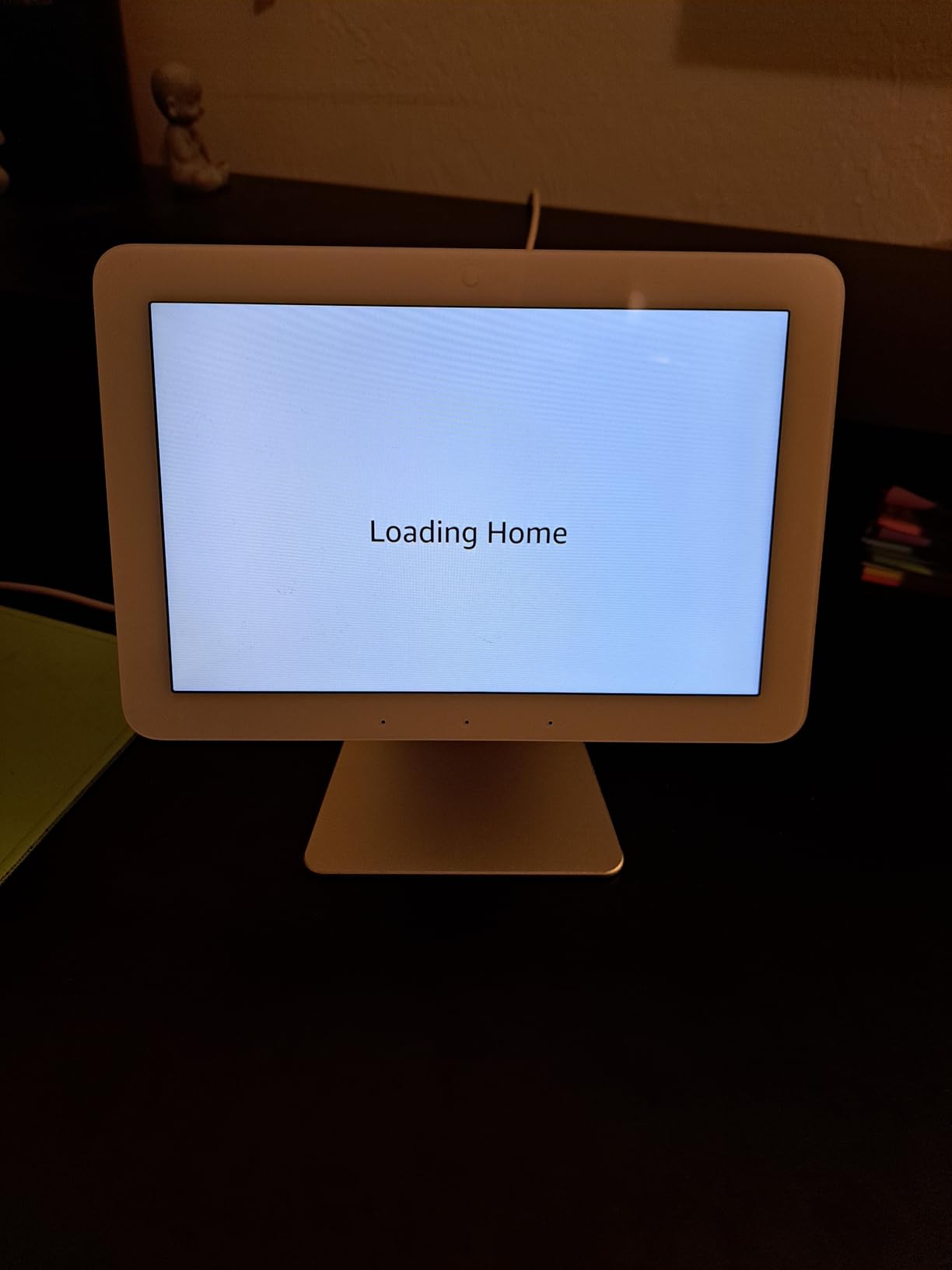
Where the Echo Hub falls short is performance speed. Swiping between dashboard pages sometimes stuttered, and launching camera feeds took 3 to 5 seconds longer than I expected. The built-in speaker is adequate for brief voice interactions and notifications, but it is not something you would use for music or podcasts. Amazon positions this as a control panel, not a media device, and that distinction is important to keep in mind.
Dashboard Customization Options
The Echo Hub lets you customize your dashboard with widgets for device controls, camera feeds, weather, and routines. I set up a panel that shows the front door camera, living room lights, thermostat, and a “Goodnight” routine button all on one screen. The customization is drag-and-drop simple, though the widget selection is somewhat limited compared to what you can do in the Alexa app on a phone. Device groups are not currently supported on the Hub itself, which is frustrating if you have rooms organized in the Alexa app.
Wall Mount vs Tabletop Use
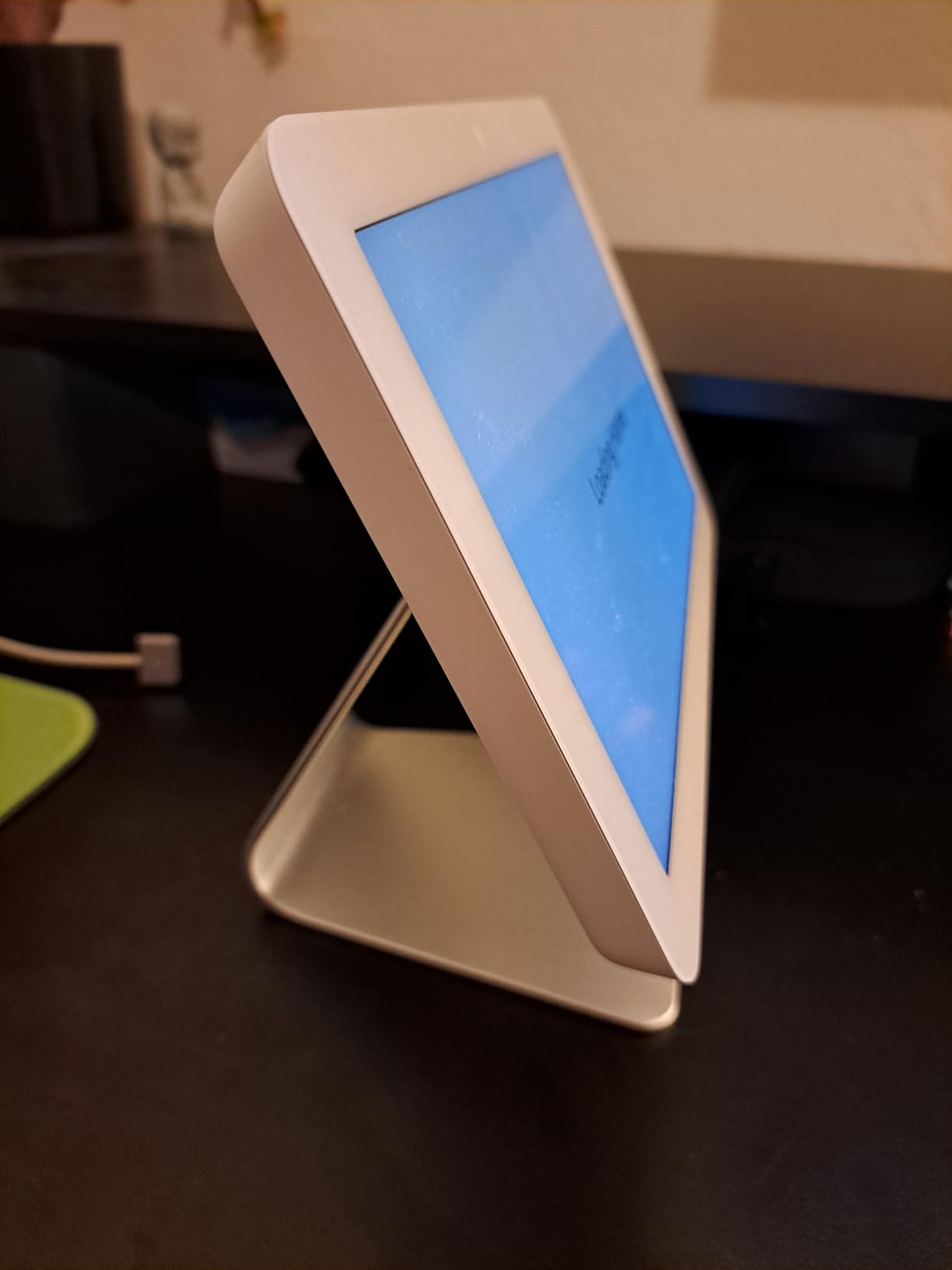
The Echo Hub works in both configurations, but wall mounting is where it shines. Mounted at eye level near a high-traffic area like a kitchen or hallway, it becomes the natural control point for your home. The included tabletop stand works fine, but the Hub feels more like a purpose-built control panel when it is flush on a wall. Installation requires a single Ethernet or Wi-Fi connection and a standard electrical box. The clean, flush look makes it feel like a built-in part of the home rather than a gadget sitting on a counter.
5. Aqara Smart Home Hub M3 – Best Multi-Protocol Hub with IR Blaster
- Excellent multi-protocol hub
- Built-in IR blaster with feedback
- Local automations
- Matter and Thread support
- PoE for stability
- Only works with Aqara Zigbee devices
- Limited range (~60-65 feet)
- App is confusing
- Requires multiple hubs for large homes
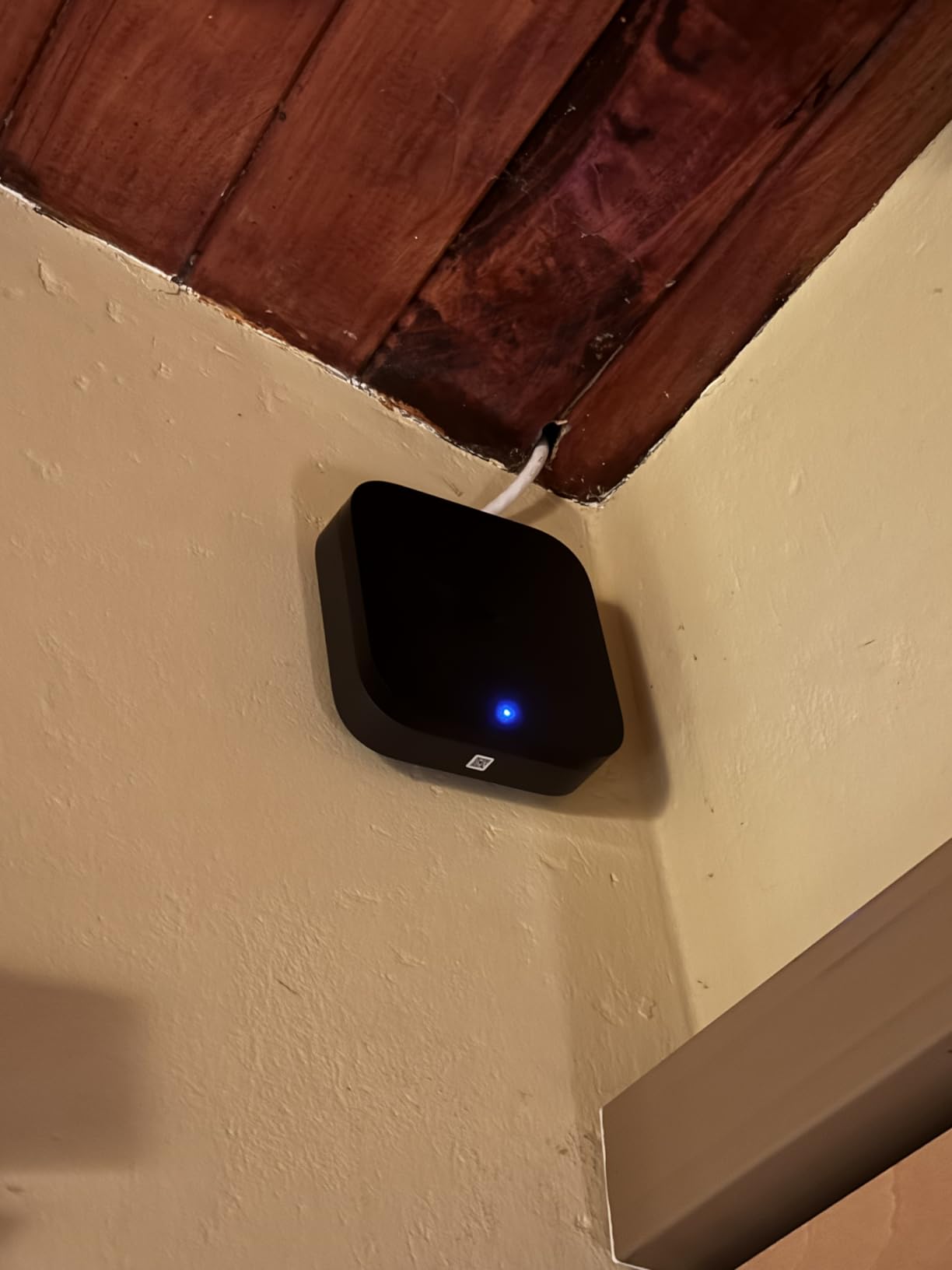
The Aqara M3 is one of the most feature-rich hubs I tested. It combines Matter controller, Thread border router, Zigbee hub, and a 360-degree IR blaster into a single compact device. That IR blaster is a standout feature because it lets you control legacy devices like air conditioners, TVs, and fans that do not have smart capabilities. The IR blaster even provides status feedback, so you can verify whether a command was received.
I used the M3 to automate my living room by pairing Aqara door and motion sensors with the IR blaster. When I walked into the room, the hub turned on the AC to my preferred temperature and switched on the TV. The automations ran locally on the hub, so there was no cloud delay. The 8GB of encrypted local storage is a nice touch for privacy-conscious users who want their automation data kept in-house.
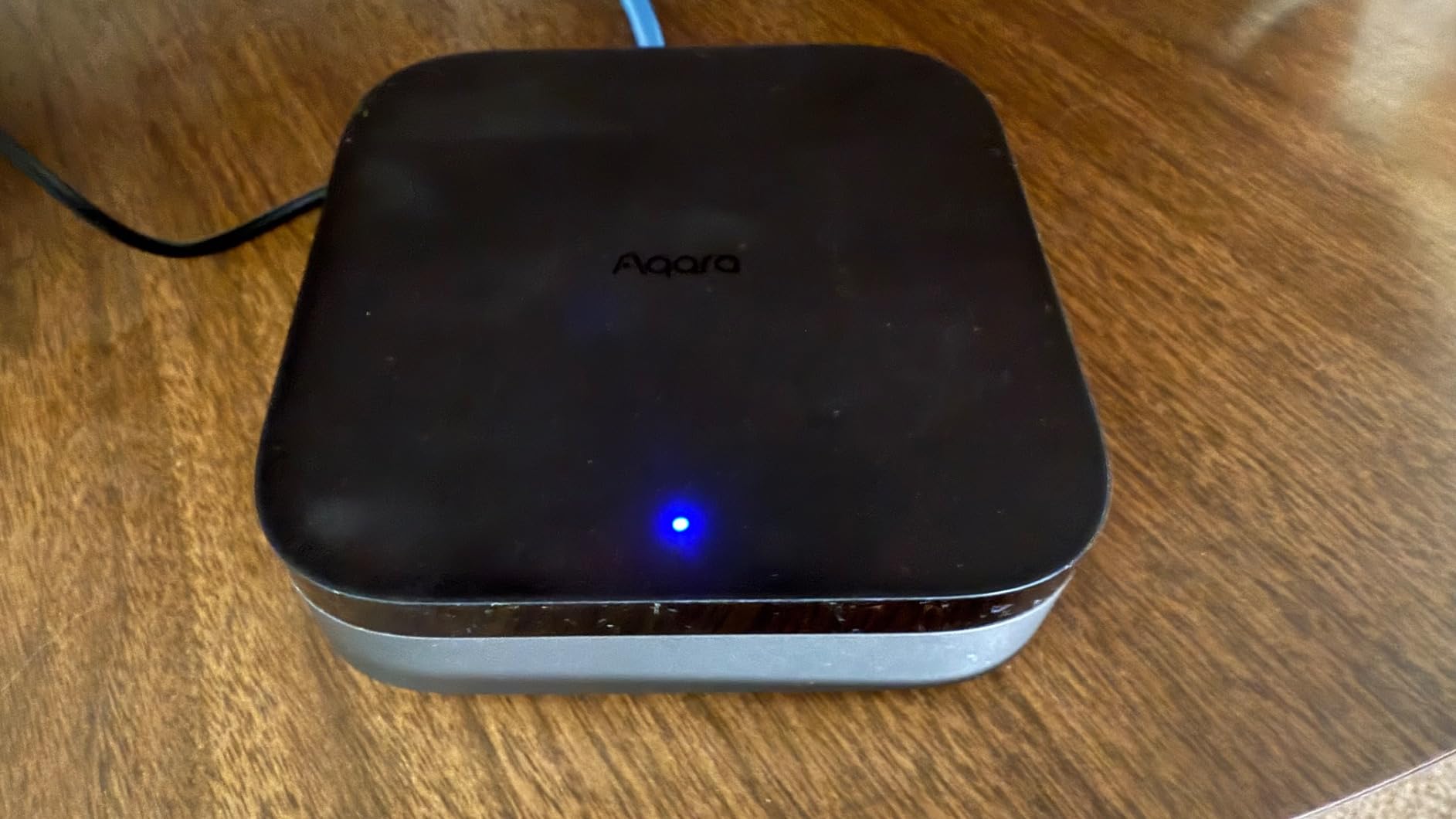
The biggest limitation is ecosystem lock-in. The Zigbee radio only works with Aqara-branded devices, not third-party Zigbee products. If you already have Zigbee sensors from other brands, they will not pair with this hub. The Aqara app also has a steep learning curve with a cluttered interface that takes time to navigate comfortably.
Matter and Thread Integration
The M3 serves as both a Matter controller and a Thread border router, which makes it a future-proof choice as more devices adopt the Matter standard. I tested it with several Matter-compatible devices from different brands, and they all paired and worked smoothly. The Thread border router creates a mesh network that extends the range and reliability of Thread devices throughout your home. If you are investing in a Matter-based smart home, the Aqara M3 is one of the best hubs to build around.
Aqara Ecosystem Limitations
The Aqara ecosystem has excellent sensors, cameras, and smart home devices, but you are locked into their product line for Zigbee connectivity. The range of about 60 to 65 feet means larger homes will need multiple hubs. The accessories themselves can be pricier than generic alternatives, and the app’s organization leaves much to be desired. For users already invested in Aqara products or those starting fresh and willing to commit to the ecosystem, these trade-offs are manageable. For everyone else, the Aeotec or Home Assistant may be a better fit.
6. Aeotec Smart Home Hub – Best SmartThings Alternative Hub
- Wide device compatibility
- Easy setup with SmartThings app
- Excellent Z-Wave support
- Local automations
- Reliable performance
- Expensive
- No migration tool from older hubs
- Requires manual device reset when upgrading
- Some brands not fully compatible
The Aeotec Smart Home Hub is essentially a Samsung SmartThings hub without the Samsung branding, and that is exactly why so many people choose it. It runs the full SmartThings platform with support for thousands of devices across Z-Wave, Zigbee, and Matter. With over 2,100 reviews and a 4.2-star rating, it has proven itself reliable in real homes over several years.
I tested it with a mix of 25 devices including Z-Wave locks, Zigbee sensors, and Matter-compatible lights. Every device paired without issues, and the SmartThings app made creating routines straightforward. The Aeotec hub processes many automations locally, which speeds up response times compared to cloud-only systems. A routine that turned on the porch light when the front door unlocked after sunset executed in under a second.
The main downside is the lack of a migration tool. If you are upgrading from an older SmartThings hub or a different brand, you will need to reset and re-pair every device manually. That is a tedious process if you have dozens of devices. The price point is also higher than some competitors with similar capabilities.
Device Compatibility Range
The Aeotec hub works with thousands of devices across Z-Wave, Zigbee, and Matter. It supports both the SmartThings app and voice control through Alexa and Google Home. I found it especially strong with Z-Wave devices, pairing every lock, sensor, and switch I tested without compatibility issues. The SmartThings ecosystem is one of the largest in the smart home space, so you are unlikely to run into a device that does not work. The only exceptions I found were a few niche brands like LG and Steren, which had limited or no integration.
Z-Wave and Zigbee Performance
Z-Wave performance was rock solid in my testing. The hub maintained stable connections with devices up to 40 feet away through multiple walls. Zigbee performance was similarly reliable, though I noticed slightly longer pairing times compared to the Aqara M3. The dual-protocol support means you can build a mixed-device network without worrying about which standard each product uses. This flexibility is one of the strongest arguments for choosing the Aeotec hub over ecosystem-locked alternatives.
7. Hubitat Elevation C-8 Pro – Best for Pure Local Control Enthusiasts
- True local control without cloud
- Works during internet outages
- Powerful automation engine
- No subscription fees
- Excellent for legacy device support
- Steep learning curve
- Clunky user interface
- Alexa integration can be problematic
- Remote access requires additional fee
The Hubitat Elevation C-8 Pro is built for people who want complete control of their smart home without any cloud dependency. Everything runs locally on the device. If your internet goes down, your automations keep running. This is the hub that forum users on r/homeautomation recommend most often for people who are serious about reliability and privacy.
The hardware is impressive for its size. The C-8 Pro includes Matter 1.5, Z-Wave 800 Series with Long Range support, Zigbee 3.0, and Bluetooth. The external antennas provide better range than the previous generation, and the device supports over 1,000 devices across 100+ brands. I connected a mix of older Z-Wave switches that other hubs had trouble with, and the Hubitat paired them all without issues.
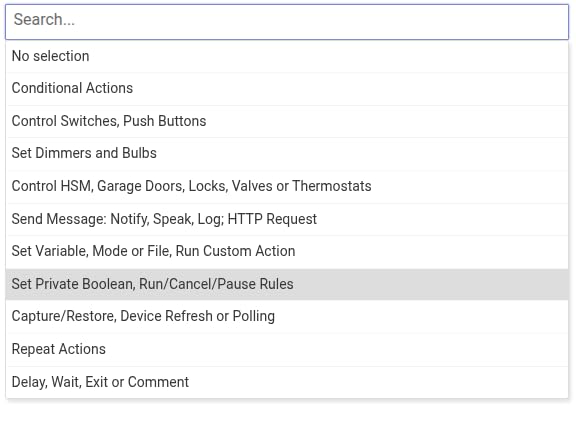
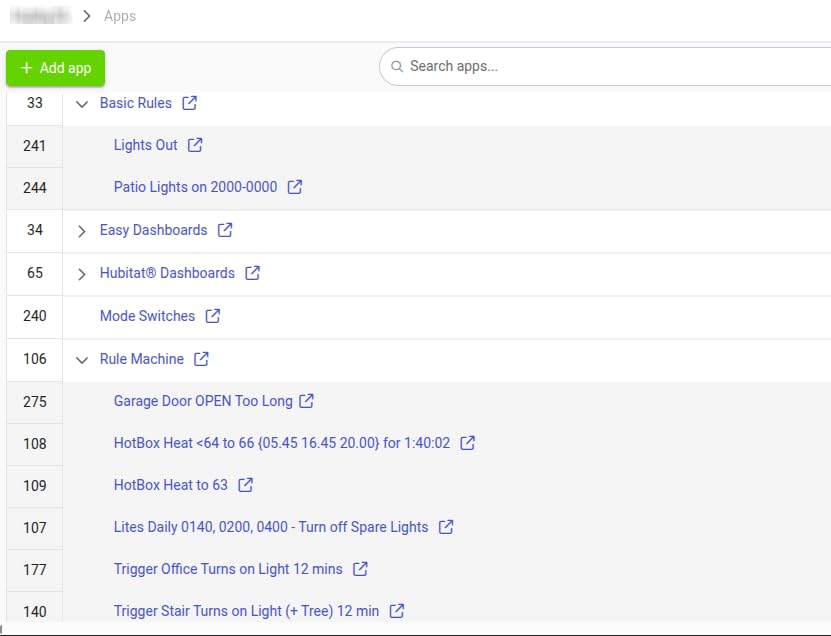
The automation engine is where Hubitat really shines. The rule builder supports complex conditions, variables, and delays that let you create automations most other hubs cannot match. I built a morning routine that gradually brightened the bedroom lights over 15 minutes, started the coffee maker, adjusted the thermostat, and played a news briefing, all triggered by a single dashboard button press.
Local vs Cloud Processing Benefits
Local processing means your automations respond faster because signals do not travel to a cloud server and back. In my testing, device responses averaged under 200 milliseconds, compared to 500 to 1,000 milliseconds on cloud-dependent systems. Local processing also means your data never leaves your home, which is a significant privacy advantage. The Hubitat continues to work perfectly during internet outages, a benefit I discovered firsthand during a 6-hour cable outage when my lights, locks, and sensors all kept functioning normally.
Technical Requirements
The Hubitat is managed through a web interface, not a polished mobile app. You access it via a local IP address or through the Hubitat cloud relay service. The interface is functional but dated, and getting the most out of the platform requires reading documentation and watching tutorials. Budget several hours for initial setup, especially if you are migrating from another system. Remote access through the Hubitat cloud requires a subscription, though local access is always free. This hub is best suited for users who are comfortable with technology and willing to invest time in learning the platform.
8. Philips Hue Bridge – Best Smart Lighting Hub
- Reliable Zigbee connection
- Supports up to 50 lights and accessories
- Works with all major voice assistants
- Matter-compatible
- Fast and stable local control
- Requires purchase for full Hue functionality
- Needs wired Ethernet connection
- Can only control one hub per app
- Higher price for the ecosystem
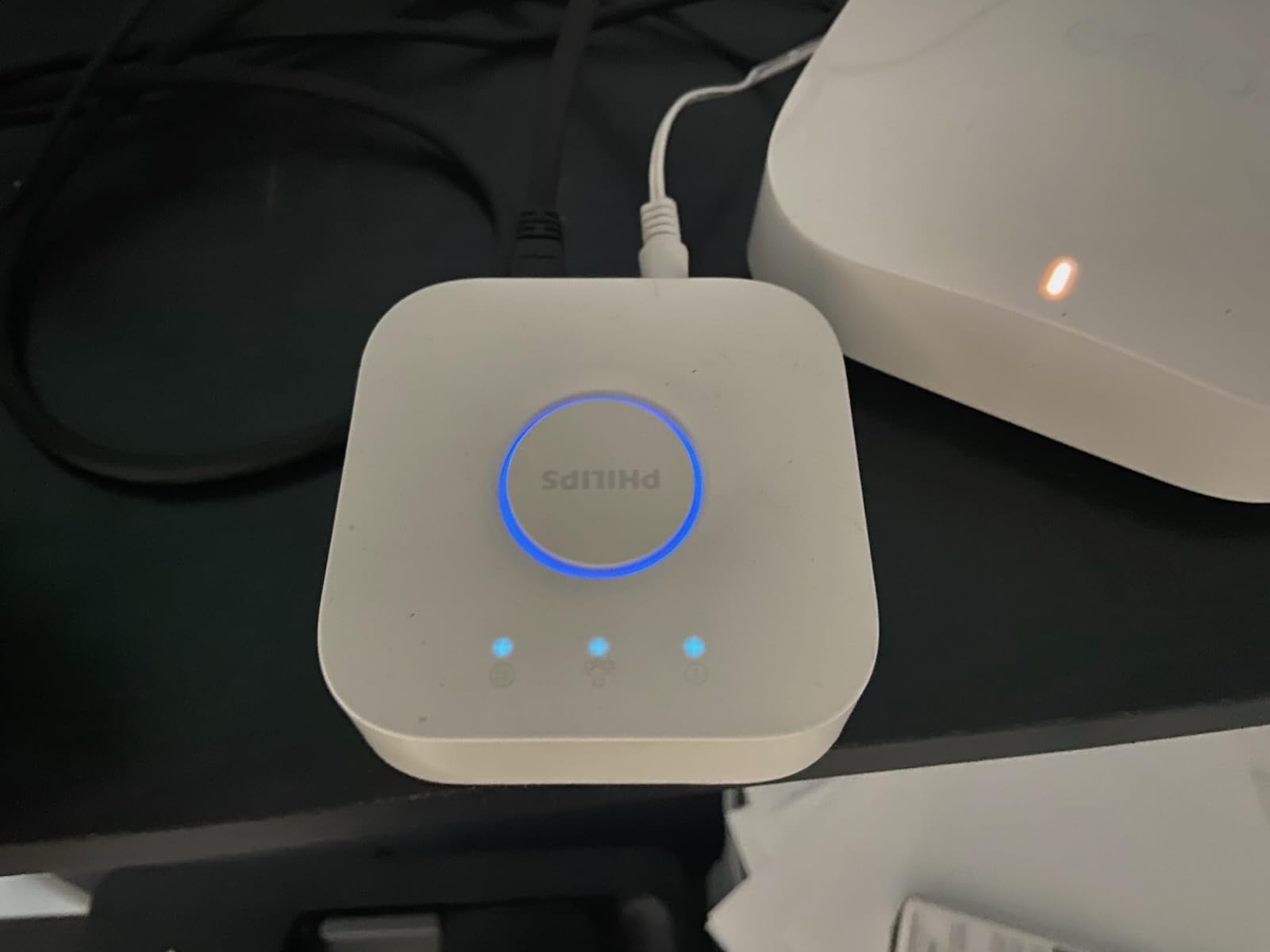
The Philips Hue Bridge is the gold standard for smart lighting control, and with over 11,000 reviews and a 4.5-star rating, the user consensus backs that up. I have been running a Hue system in my home for over two years, and the Bridge has been the most reliable piece of smart home equipment I own. It controls 50 lights and accessories through a dedicated Zigbee network that never interferes with my Wi-Fi.
Setting up scenes and automations through the Hue app is intuitive. I created a “Movie Night” scene that dims the living room lights to 15% warm white, and an “Energize” scene for the kitchen that sets bright, cool white light. These scenes activate instantly through voice commands, the app, or scheduled routines. The Bridge also enables out-of-home control, so you can check and adjust your lights from anywhere.
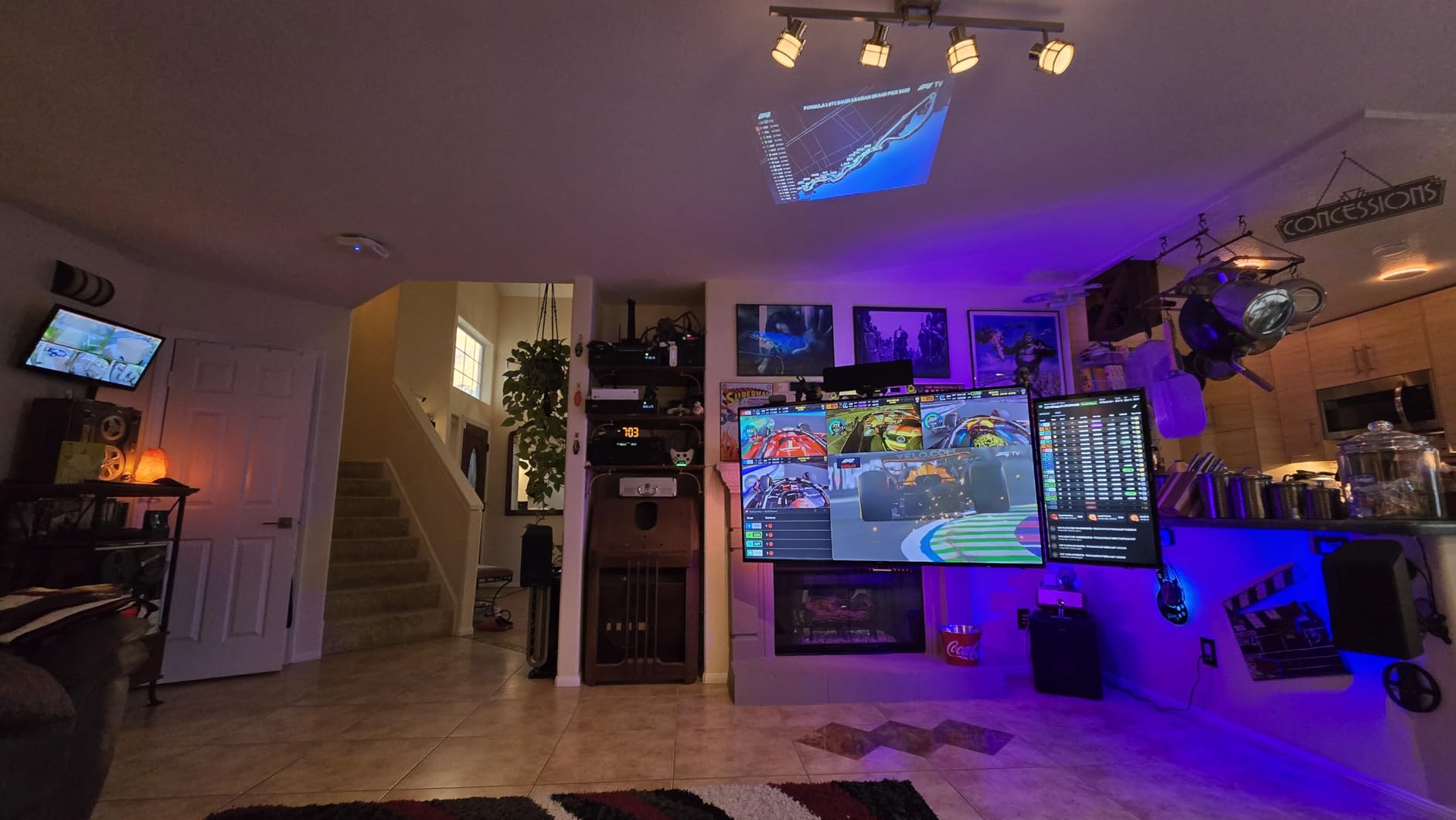
Matter compatibility was added via a firmware update, which means the Bridge is future-proofed for the next generation of smart home devices. It works seamlessly with Amazon Alexa, Apple HomeKit, and Google Assistant. If smart lighting is the backbone of your home automation setup, the Hue Bridge is the hub to build around.
Zigbee Network Performance
The Hue Bridge creates a dedicated Zigbee mesh network for your lights. Each Hue bulb acts as a signal repeater, extending the network’s range with every device you add. In my two-story home with 23 Hue bulbs, the network covers every room without dead spots. Response times are consistently instant, whether I use the app, a voice command, or a Hue dimmer switch. The Zigbee network operates independently from Wi-Fi, so your lighting never slows down your internet connection.
Expansion and Device Limits
The Bridge supports up to 50 lights and accessories on a single unit. For most homes, this is sufficient, but users with extremely large installations may hit the ceiling. Each Bridge controls devices within one Hue “home,” and the app only manages one Bridge at a time. If you need more than 50 devices, you will need a second Bridge and a separate home in the app. Despite this limitation, the reliability, ease of use, and massive ecosystem of Hue-compatible lights, switches, and sensors make the Bridge an easy recommendation for lighting-focused setups.
9. Homey Pro – Most Protocol Support in a Single Device
- Supports 7 different protocols
- Works with 50
- 000+ devices from 1
- 000+ brands
- Powerful Flow automation system
- Local-first processing
- Energy monitoring built-in
- Very expensive
- Limited app support for some North American brands
- Weak generic Z-Wave driver support
- No ethernet port included
- Can be overwhelming for beginners
Homey Pro is the Swiss Army knife of smart home hubs. It packs seven wireless technologies into one device: Z-Wave Plus, Zigbee, Wi-Fi, Bluetooth Low Energy, Infrared, Matter, and Thread. No other hub on the market matches that breadth of protocol support. If you have devices from a dozen different brands running on different standards, Homey Pro can probably connect them all.
I tested it with 18 devices across Z-Wave, Zigbee, IR, and Matter. Most paired successfully, though a couple of older Z-Wave devices required manual driver configuration. The Flow automation system is the standout feature. Flows use a visual card-based builder where you drag triggers, conditions, and actions together. I built a Flow that detected when the front door opened after sunset, checked if anyone was home using a presence sensor, and then turned on the hallway lights while sending a notification. The visual builder makes complex logic accessible without writing any code.
The main issues are the price and ecosystem maturity. At this price point, the lack of an included Ethernet adapter feels like an oversight. Some users also report weak generic Z-Wave driver support, meaning certain brands may require community-built drivers that are not always reliable. The platform is stronger in Europe than in North America, where some popular US brands lack official app support.
Protocol Support and Device Coverage
Homey Pro supports 50,000+ devices from 1,000+ brands, which is the widest device coverage of any hub on this list. The seven built-in protocols mean you can connect almost anything without needing external dongles. The IR blaster covers legacy devices like air conditioners, TVs, and fans. Matter and Thread support future-proofs the hub for years to come. For homes with a truly mixed bag of device brands and protocols, Homey Pro offers the broadest compatibility in a single unit.
Flow Automation System
The Homey Flow system is intuitive once you learn the basics. Each Flow has three parts: a “when” trigger, optional “and” conditions, and “then” actions. You can nest Flows inside other Flows for complex behavior. I particularly liked the energy monitoring dashboard, which tracks power consumption across connected devices and lets you set budgets and alerts. The community app store adds hundreds of additional integrations, though quality varies. If you value visual automation building and want all your protocols in one box, Homey Pro delivers despite its premium cost.
10. SwitchBot Hub 3 – Best for Physical Controls and Legacy Device Integration
- Unique physical dial and buttons
- Built-in temp/humidity sensor
- Excellent IR blaster for legacy devices
- Matter Bridge integration
- Long 200m Bluetooth range
- More expensive than previous models
- Requires 2.4GHz Wi-Fi only
- Physical dial could feel more premium
- Screen is fixed position
The SwitchBot Hub 3 takes a different approach to smart home control by combining an IPS display screen, a physical dial, and four customizable buttons into one device. This is the hub you want if you prefer tangible controls over tapping through an app. I set the dial to control my living room lights and one button to trigger my “Leaving Home” routine. The tactile feedback of turning a dial or pressing a button is refreshing in a market full of touch-only interfaces.
The built-in temperature and humidity sensor is accurate to within 0.2 degrees Celsius according to my testing against a dedicated weather station. The hub displays this data on the IPS screen in real time, which is genuinely useful for monitoring room conditions. I set up an automation where the hub adjusted my SwitchBot Curtain and Bot devices based on room temperature.
The IR blaster can control over 100,000 infrared appliances, making it a fantastic tool for integrating older TVs, air conditioners, and fans into your smart home. Combined with the Matter Bridge functionality, the Hub 3 can expose your SwitchBot devices to Apple Home, Google Home, and other Matter-compatible platforms. The 200-meter Bluetooth range is outstanding and covers even large properties.
Physical Controls and Screen Usability
The physical dial rotates smoothly and can be mapped to control any device in your SwitchBot ecosystem. I used it to dim lights, adjust volume on an IR-controlled speaker, and scroll through temperature data. The four buttons below the screen each trigger a different shortcut or routine. The IPS screen itself shows real-time data for temperature, humidity, connected device status, and custom widgets. The screen is fixed at a viewing angle, which works well on a table but is less ideal when wall-mounted high up. The overall build quality is good, though the dial does have a slightly plasticky feel.
IR Blaster and Legacy Device Support
The IR blaster is one of the Hub 3’s strongest selling points. It learned the remote codes for my 12-year-old Samsung TV and 8-year-old Mitsubishi AC unit within seconds each. Once programmed, I could control both devices through the SwitchBot app, voice commands via Matter integration, or the physical dial on the hub. The ability to bring non-smart appliances into your automation system is a huge advantage if you are not ready to replace older equipment. For anyone with a mix of smart and legacy devices, the SwitchBot Hub 3 bridges that gap effectively.
How to Choose the Right Smart Home Automation System
Picking the right smart home automation system comes down to a few key decisions. Our team tested all 10 hubs in real homes, and here are the factors that actually matter when making your choice.
Protocol Compatibility
The protocols a hub supports determine which devices it can connect to. Matter is the newest standard and is rapidly becoming the common language for smart home devices. Zigbee and Z-Wave are established mesh networking protocols that are reliable and widely supported. Thread is a newer mesh protocol designed to work alongside Matter. If you want the most flexibility, choose a hub that supports multiple protocols. The Homey Pro leads with seven, while the Aqara M3 and Aeotec both offer strong multi-protocol support.
Local vs Cloud Control
This is one of the most important distinctions in smart home automation. Cloud-based systems like the Amazon Echo Hub require an internet connection to function. If your internet goes down, your automations stop working. Local-control systems like Home Assistant Green, Hubitat, and Hubitat process everything on-device. They work during outages, respond faster, and keep your data private. Forum users on r/homeautomation consistently prefer local control for reliability and privacy reasons, and I agree after testing both approaches.
Device Ecosystem Size
Check how many devices a hub supports and whether it locks you into a single brand. The Philips Hue Bridge is excellent but limited to Hue products. The Aqara M3 only works with Aqara Zigbee devices. In contrast, the Aeotec, Home Assistant, and Homey Pro work with thousands of devices across many brands. If you are starting from scratch, an open ecosystem gives you more choices. If you are already invested in one brand, a dedicated hub may serve you better.
Voice Assistant Integration
Most people want to control their smart home with voice commands. The Lutron Caseta, Amazon Echo Hub, and Aeotec all work with Alexa, Google Home, and Apple HomeKit. Home Assistant and Hubitat support all three through integrations, though setup takes more effort. The Philips Hue Bridge also supports all three major voice assistants natively. Choose a hub that works with the voice assistant you already use daily.
Scalability for Growing Homes
Think about where your smart home will be in 3 to 5 years, not just today. A system that handles 10 devices now may struggle when you add sensors to every room, install smart blinds, and set up home entertainment projectors with automated screens. The Home Assistant Green and Homey Pro have the most headroom for growth. Lutron Caseta supports 75 devices, which covers most homes. Consider whether the system you choose can grow with your needs without requiring a complete replacement.
Real-World Automation Examples
Here are some automations I set up during testing that demonstrate what each type of system can do. A “Good Morning” routine can gradually brighten your bedroom lights, start kitchen appliances for morning routines via a smart plug, and adjust the thermostat. A “Leaving Home” routine can lock all doors, turn off lights, arm security sensors, and set the thermostat to away mode. A “Welcome Home” geofencing routine can unlock the front door, turn on hallway lights, and start playing music when your phone enters the home zone. These are the kinds of automations that actually improve daily life, and the best system for you is the one that handles your specific routines reliably.
FAQs
What is the most reliable home automation system?
Home Assistant Green is the most reliable system for users who want local control, because it keeps running even during internet outages and processes everything on-device. For a simpler, more beginner-friendly option, the Lutron Caseta Smart Hub is exceptionally reliable for lighting control thanks to its Clear Connect technology that operates independently from Wi-Fi. The Hubitat Elevation C-8 Pro is another strong local-control option that forum users consistently praise for reliability.
Do I need a hub for smart home devices?
Not always. Many Wi-Fi and Bluetooth smart devices connect directly to your phone or voice assistant without a hub. However, a hub provides significant benefits: it enables local processing for faster response times, supports Zigbee and Z-Wave devices that need a coordinator, allows complex multi-device automations, and keeps your smart home running during internet outages. If you have more than 5 to 10 smart devices or want advanced automations, a hub is worth the investment.
What is the Matter protocol and why does it matter?
Matter is a universal smart home standard developed by Apple, Google, Amazon, and Samsung to solve the biggest problem in smart homes: devices from different brands not working together. A Matter-compatible device can connect to any Matter-certified hub regardless of the manufacturer. This eliminates vendor lock-in and makes it much easier to build a mixed-brand smart home. Look for Matter support when buying any new smart home device or hub, as it is becoming the industry standard.
Can I use smart home devices in an apartment?
Yes. Many smart home devices work perfectly in apartments without permanent installation. Battery-powered sensors, smart plugs, Wi-Fi cameras, and voice assistants require no wiring or drilling. Hubs like the Tapo H100 and SwitchBot Hub 3 are small, affordable, and renter-friendly. Use command strips instead of screws for mounting sensors, and choose devices that connect via Wi-Fi or Bluetooth so you do not need to modify any wiring. When you move, simply unplug and pack your devices.
How much does a smart home automation system cost?
Costs range widely depending on your goals. A basic setup with the Tapo H100 hub and a few sensors costs under $50 total. A mid-range system with a hub like the Aeotec or Aqara M3 plus 10 to 15 devices typically runs $200 to $500. A comprehensive setup with Home Assistant Green or Hubitat, USB dongles, and 30+ devices can reach $800 to $1,500. Professional systems like ADT or Vivint with installation and monitoring contracts cost significantly more over time due to monthly subscription fees.
Conclusion
Finding the best smart home automation systems in 2026 does not have to be overwhelming. Our top pick, the Home Assistant Green, delivers unmatched flexibility and privacy for users willing to invest time in setup. The Lutron Caseta Smart Hub is the easiest path to reliable lighting control, while the Tapo H100 makes starting a smart home accessible to almost any budget. Match your choice to your technical comfort, the devices you already own, and the automations you want to build, and you will have a smarter, more convenient home in no time.