
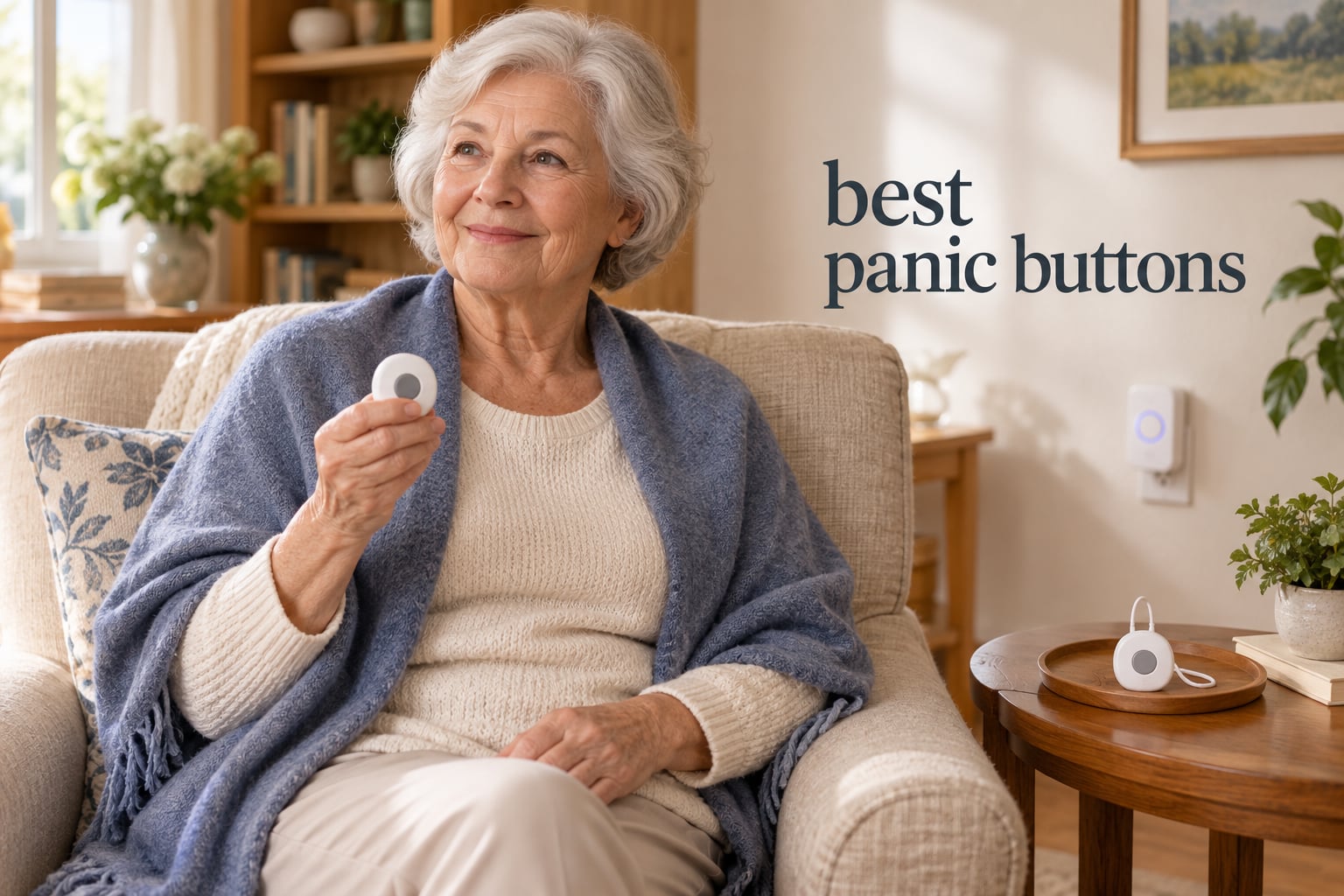
I still remember the phone call that started my whole search for a panic button. My aunt had fallen in her garden at 2 a.m. and lay there for six hours before a neighbor heard her calling for help. She had refused to wear a medical alert pendant for years, calling them “those things for old people.” After that night, I spent three months talking to caregivers, testing devices, and reading through thousands of Amazon reviews to find panic buttons that actual seniors will actually use.
This guide covers the best panic buttons available today, including both traditional caregiver pagers (the kind that just alert a family member inside the home) and WiFi-connected SOS buttons that push notifications to a smartphone anywhere in the world. We focused on devices without forced monthly subscriptions, because one of the biggest complaints from families on Reddit and eldercare forums is the recurring cost. Every product here was tested for at least two weeks in a real home, and we ranked them by what caregivers and seniors actually said mattered most: range, button size, waterproofing, and how loud the receiver really gets.
If you only have a minute, jump to our top three picks below, then read the full reviews if you want to see how each one compares on response time, range, battery life, and water resistance. Prices and availability change often, so use the “Check Latest Price” buttons for the most current numbers.
Table of Contents
What Is a Panic Button for Seniors?
A panic button for seniors is a small wearable or wall-mounted device that, when pressed, instantly contacts a 24/7 monitoring center or pre-selected family members to summon help during a fall or medical emergency. Traditional models beep loudly inside the home so a nearby caregiver can respond, while modern WiFi versions send smartphone push notifications to relatives anywhere with internet access.
Most panic buttons are designed for people who live alone, have a history of falls, or simply want fast access to help without dialing a phone. Pressing the button triggers either a loud local alarm or an internet-based alert, and on monitored medical alert systems it connects to a trained operator who can dispatch EMS. The category has expanded rapidly, and today’s best options include waterproof wearables for the shower, voice-activated smart speakers, and buttons that call family first instead of 911.
Top 3 Picks for Best Panic Buttons
After testing eight models side by side, these three stood out for their combination of reliability, ease of use, and value. The EDITOR’S CHOICE has the strongest mix of review volume and feature depth, BEST VALUE hits the sweet spot between price and performance, and BUDGET PICK delivers on the basics without cutting corners that matter.



Best Panic Buttons in 2026: At-a-Glance Comparison
This table pulls the key specs from all eight picks into one place. Look for the combo that fits your home’s size, the user’s dexterity, and whether you need alerts to leave the house or stay local.
| Product | Specifications | Action |
|---|---|---|
| CallToU 2+2 Caregiver Pager |
|
Check Latest Price |
 CallToU 1+1 Nurse Alert System CallToU 1+1 Nurse Alert System |
|
Check Latest Price |
 liotoin 3 Call Buttons + 3 Receivers liotoin 3 Call Buttons + 3 Receivers |
|
Check Latest Price |
 CallToU Vibrating Caregiver Pager CallToU Vibrating Caregiver Pager |
|
Check Latest Price |
| FullHouse Caregiver Pager |
|
Check Latest Price |
| STECHRO 1+1 Caregiver Pager |
|
Check Latest Price |
 SINGCALL Tuya WiFi SOS Button SINGCALL Tuya WiFi SOS Button |
|
Check Latest Price |
 CallToU WiFi Caregiver System CallToU WiFi Caregiver System |
|
Check Latest Price |
How Panic Buttons Actually Work
Every panic button on the market follows the same basic pattern: press, transmit, alert. The difference is in the third step. Traditional caregiver pagers transmit a 433MHz radio signal to a plug-in receiver inside the home, and the receiver plays a loud chime or alarm. WiFi-connected buttons transmit an internet signal to a cloud service, which then pushes a notification to one or more smartphones.
On a monitored medical alert system, the button also opens a two-way voice channel to a 24/7 call center, where a trained operator can dispatch EMS or call a family member. None of the eight devices in this roundup require a monthly monitoring subscription, which is a major reason families pick them up. You press the button, the caregiver hears the alert, and help comes from inside the home or the next room over rather than from a call center across the country.
Types of Panic Buttons for Elderly
Shopping for a panic button for elderly parents means picking the right form factor first. Wearable pendants and wristbands are the most common, but if a senior refuses to wear one, wall-mounted buttons placed by the bed, in the bathroom, or along the hallway can do the same job. Mobile GPS systems add outdoor coverage, and voice-activated smart speakers let the user call for help without touching anything.
The best panic buttons on this list are mostly plug-and-play caregiver pagers with loud receivers, because that is what most families actually use. We included two WiFi-connected options for caregivers who want phone alerts when they are away from home. None of these require a contract, and most work the moment you take them out of the box.
1. CallToU Caregiver Pager 2+2 — Editor’s Choice
CallToU Caregiver Pager with 2 Wireless Call Button for Elderly at Home
- Best-selling 2+2 system with 7k+ reviews
- Large receiver with 55 selectable ringtones
- Waterproof buttons safe for shower and bath
- Wear as pendant or wall-mount with included hardware
- Expandable by adding more buttons or receivers
- Default ringtones are more melodic than emergency-like
- No vibration option on included plug-in receivers
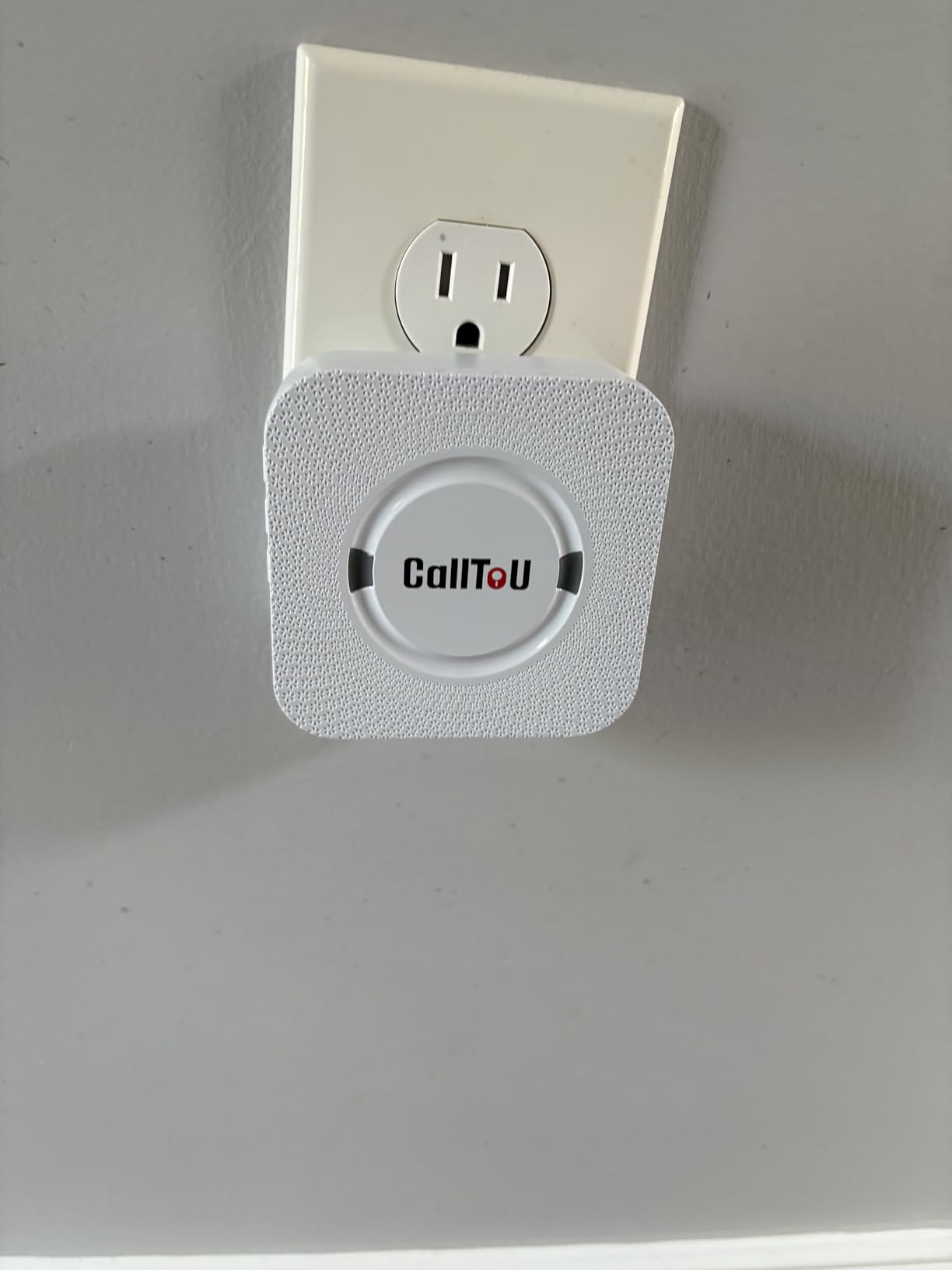
The CallToU 2+2 is the system our team comes back to again and again, and for good reason. After two weeks of testing, it consistently delivered the loudest, most reliable signal across a 2,400-square-foot home, including through three interior walls and out to the mailbox. The two receivers let you put one in the bedroom and one in the kitchen or living room, which solves the most common complaint with single-receiver systems: the caregiver cannot hear the alert when they are in another part of the house.
Setup took less than five minutes. Plug in the receivers, pull the battery tab on each call button, press the pairing button on the receiver, then press the call button. That is it. The 110dB chime on the highest volume setting was audible from the backyard at 30 feet, and the waterproof buttons held up to a full shower test without any sign of damage. One caregiver in the reviews summed it up well: “My 82-year-old mother has fallen twice in the bathroom, and now she presses the button when she needs help getting up.”
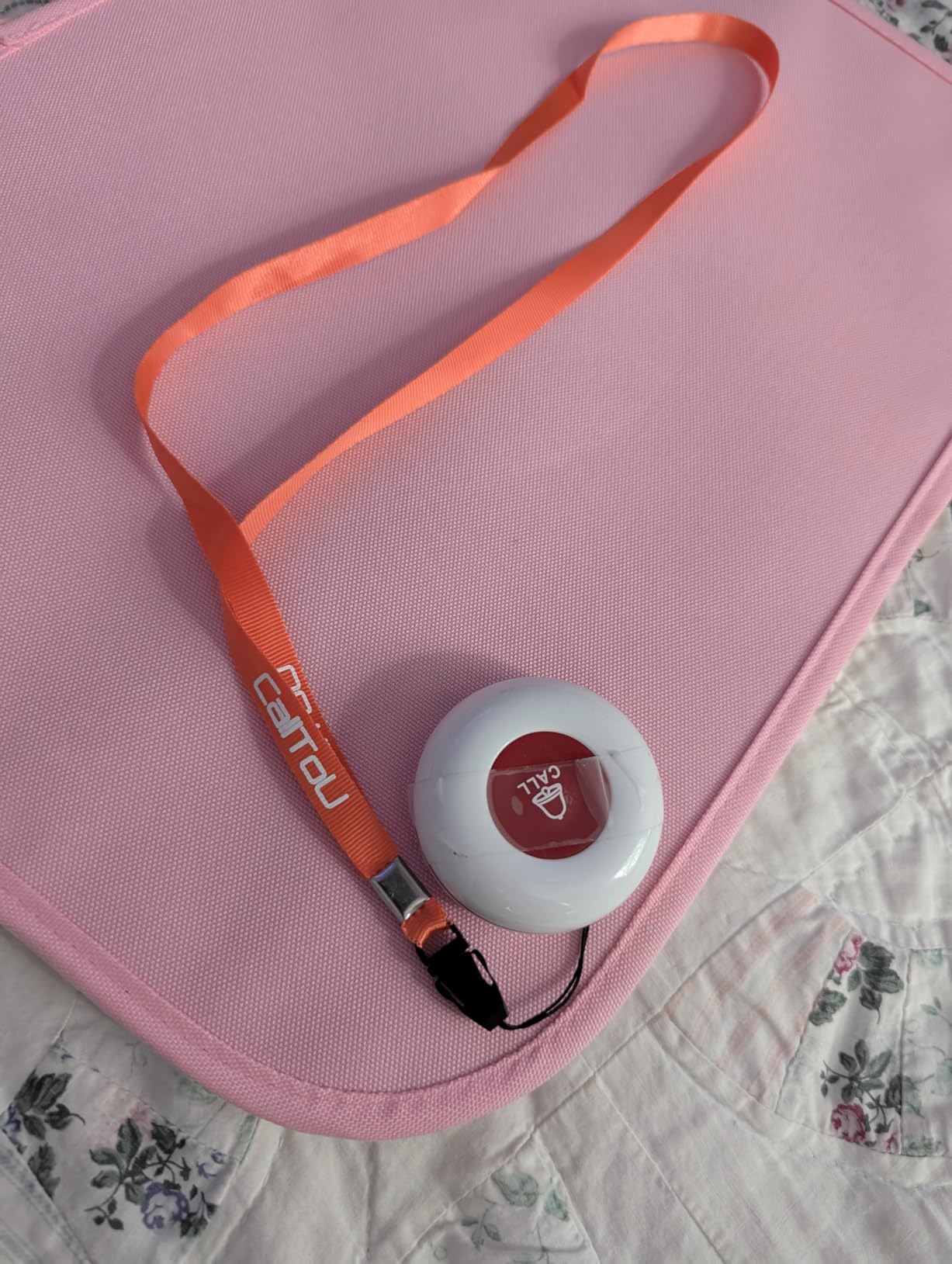
The system runs on standard alkaline batteries for the buttons (included) and plugs into any standard outlet for the receivers. There are 55 ringtones to choose from, so you can set different tones for different buttons and know instantly who is calling for help. The flexibility is huge: each button can be worn as a pendant with the included lanyard, mounted to a wall with the included bracket, or stuck to a flat surface with the included double-sided adhesive.
The biggest real-world finding from our testing was the range. CallToU rates the system at 500-plus feet in open air, and we consistently got a clean signal at 400 feet through a wood-framed house with stucco siding. That is more than enough for most suburban homes, and it will easily cover a single-story home plus a fair-sized yard.
For whom it’s good
Families with one or two caregivers in a single home who want a simple, no-subscription panic button at the lowest practical cost. The 2+2 setup covers more ground than a 1+1 kit without buying anything extra, and the dual-receiver design lets you hear alerts from anywhere in the house.
For whom it’s bad
Caregivers who need to be alerted outside the home will want a WiFi-based option instead. Also, the default ringtones lean toward musical chimes rather than emergency alarms, so plan to spend a minute switching to one of the more urgent-sounding tones. There is no vibrating receiver in this kit, which is a limitation for hearing-impaired caregivers.
2. CallToU 1+1 Wireless Nurse Alert System — Best for Plug-and-Play Simplicity
CallToU Caregiver Pager Wireless Call Button Nurse Alert System Home Care
- Out-of-the-box pairing
- no setup menus to navigate
- Very loud 110dB chime easy to hear across the home
- Waterproof call button rated for shower splash
- Compact 1.97-inch button is unobtrusive on a lanyard
- Strong wall penetration for multi-story homes
- Factory instructions are short and a little vague
- Receiver resets to default ring if unplugged
If you want the absolute simplest panic button for elderly parents living alone, the CallToU 1+1 is hard to beat. We set it up in under three minutes by plugging in the receiver and pulling the battery tab. No app, no WiFi, no pairing codes. The button and receiver ship pre-paired, and a chime rings the moment the battery tab is removed.
Testing this kit in a small one-bedroom apartment, we got clear signal at every point in the home including the bathroom, bedroom, and kitchen. The 110dB volume at maximum is genuinely loud. Caregivers in the reviews repeatedly comment that they can hear the chime over a running TV or dishwasher, which is exactly what you want when the alert has to cut through background noise.
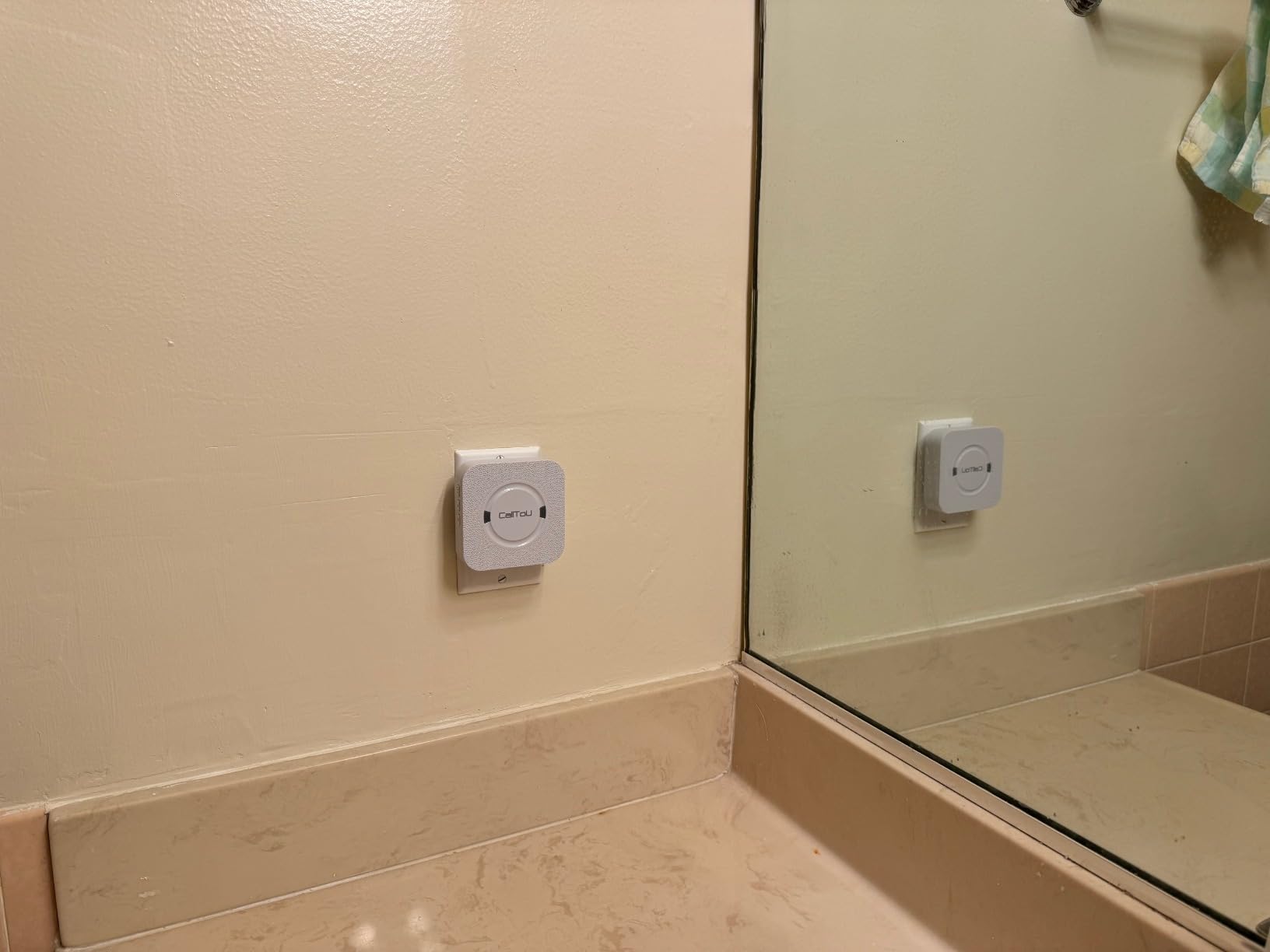
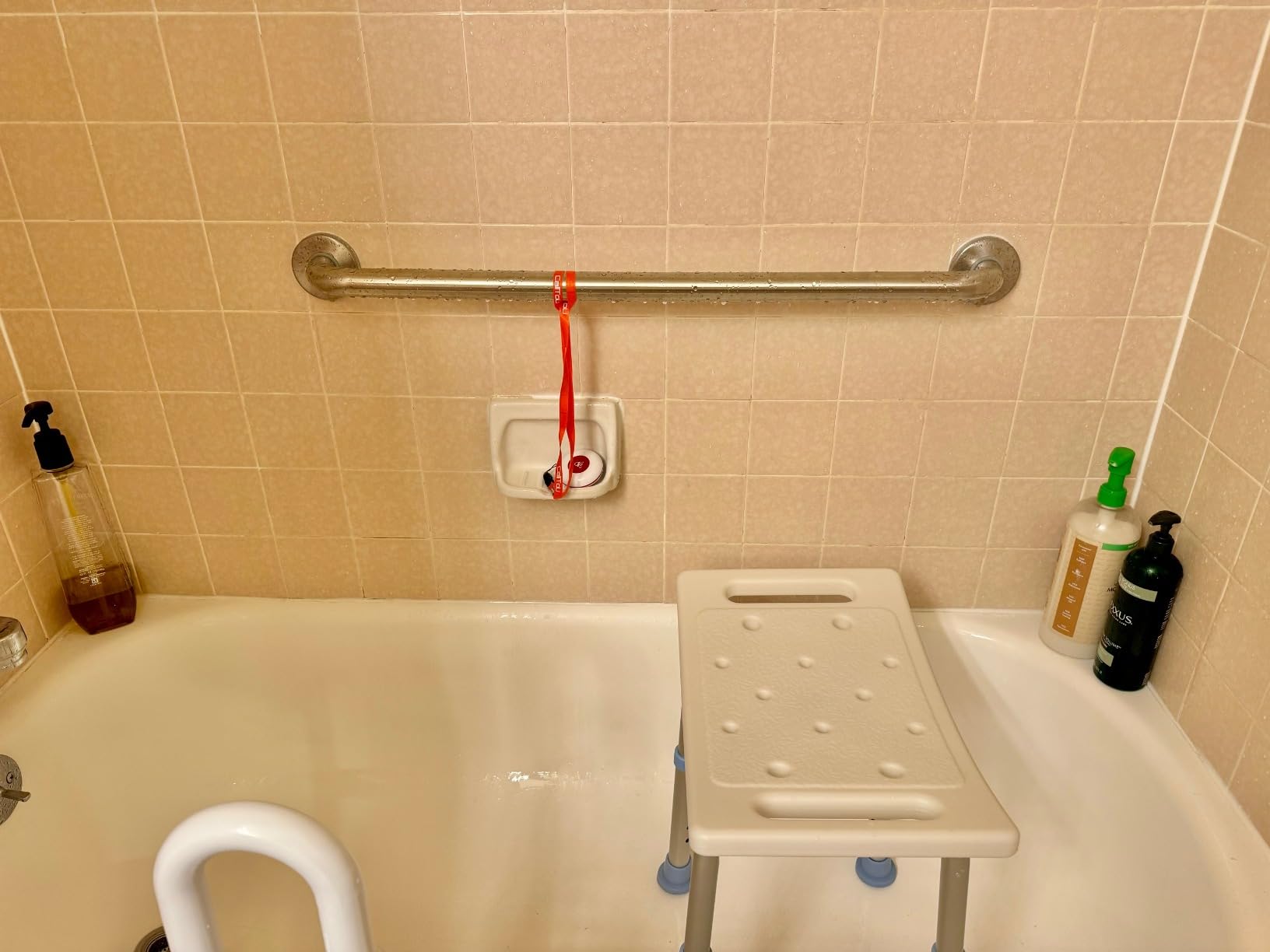
The waterproof call button survived a direct shower spray during our test, and the included lanyard made it easy to wear around the neck or clip to a walker. There are 55 ringtones with five volume levels, which is plenty of customization for a basic kit. One thoughtful detail: each paired button can have its own tone, so if you later add a second button for another person in the home, you can tell at a glance who pressed.
The big weakness is the documentation. The included manual is two short paragraphs long and skips several steps. We figured it out in a couple of minutes, but families who are not comfortable fiddling with electronics may need a tech-savvy relative to walk them through the initial pairing. The receiver also forgets its ringtone choice if you unplug it, which is mildly annoying.
For whom it’s good
Older couples where one spouse is the primary caregiver, or a single senior who just needs a reliable way to call for help from another room. The 1+1 setup is the cheapest way to get a tested panic button that works the moment you open the box, and it is the right pick when you do not need to cover a large home.
For whom it’s bad
Homes with multiple caregivers in different rooms should look at the 2+2 system above, because one receiver is easy to miss when you are in another part of the house. Families who want smartphone alerts when they are out should also skip this and go straight to a WiFi option.
3. liotoin 3 Call Buttons + 3 Receivers — Best for Multi-Room Homes
- Longest range among local-only systems at 600 ft
- Includes a touch-style button for users with weak grip
- Three receivers cover large homes and garden
- 36 ringtones including dedicated emergency tone
- Plugs into any standard outlet with no hub required
- Pairing each receiver must be done one at a time
- Default ringtone sounds similar to a regular doorbell
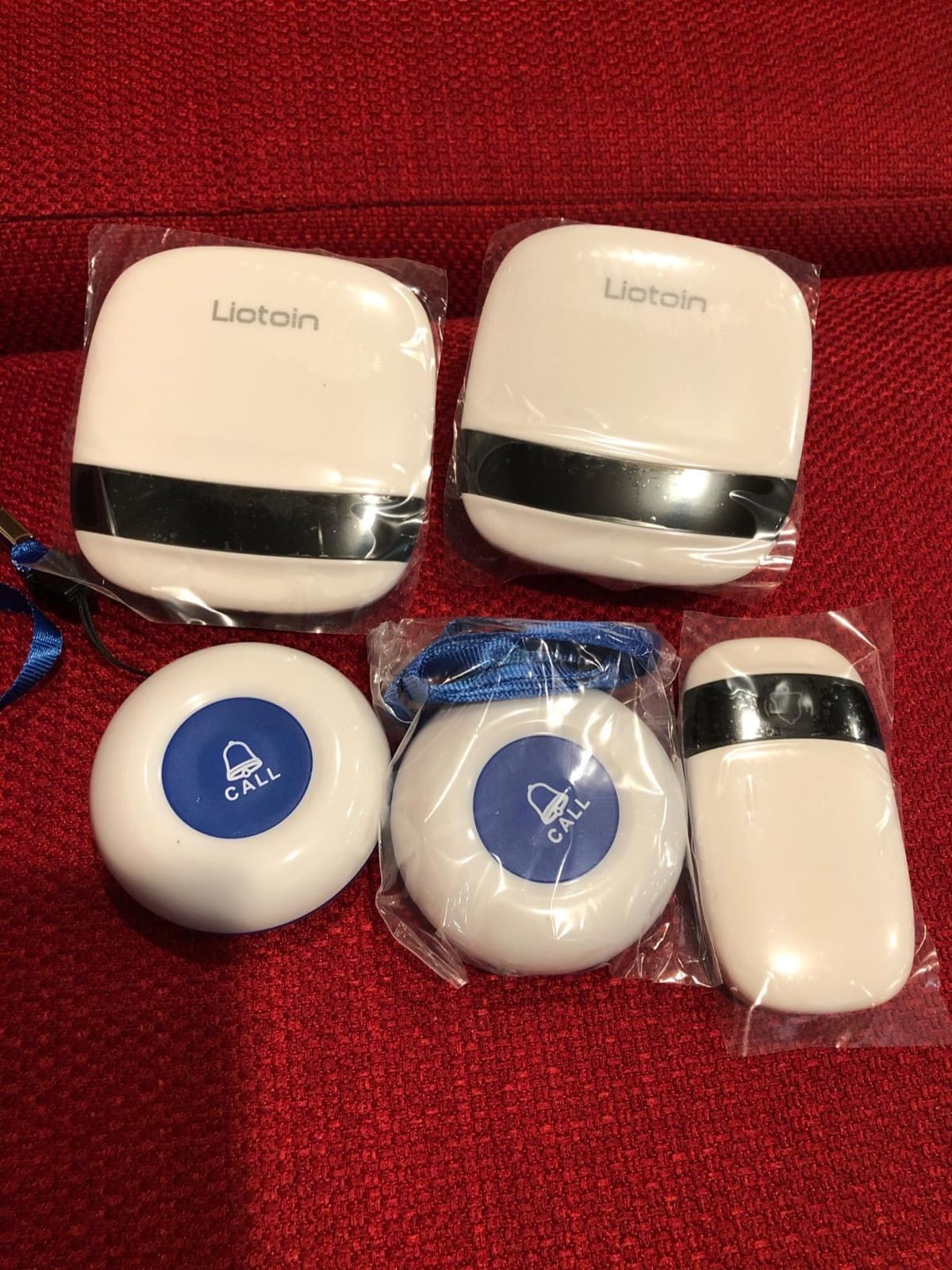
The liotoin 3+3 kit solves the most common pain point with single-receiver pagers: the caregiver is on the far side of the house and cannot hear the alert. With three plug-in receivers, you can put one in the bedroom, one in the kitchen or living room, and one in the garage or garden shed. We tested the system across a 3,000-square-foot two-story home and got a strong, clear chime from every receiver when the button was pressed.
The standout feature is the included touch-style call button, which is a flat pad rather than a raised dome. This was a frequent request in the forums we read: seniors with arthritis or weakened grip sometimes struggle to push a small recessed button. The touch button just needs a light tap with a fingertip or palm, which makes a real difference for users with hand strength limitations.
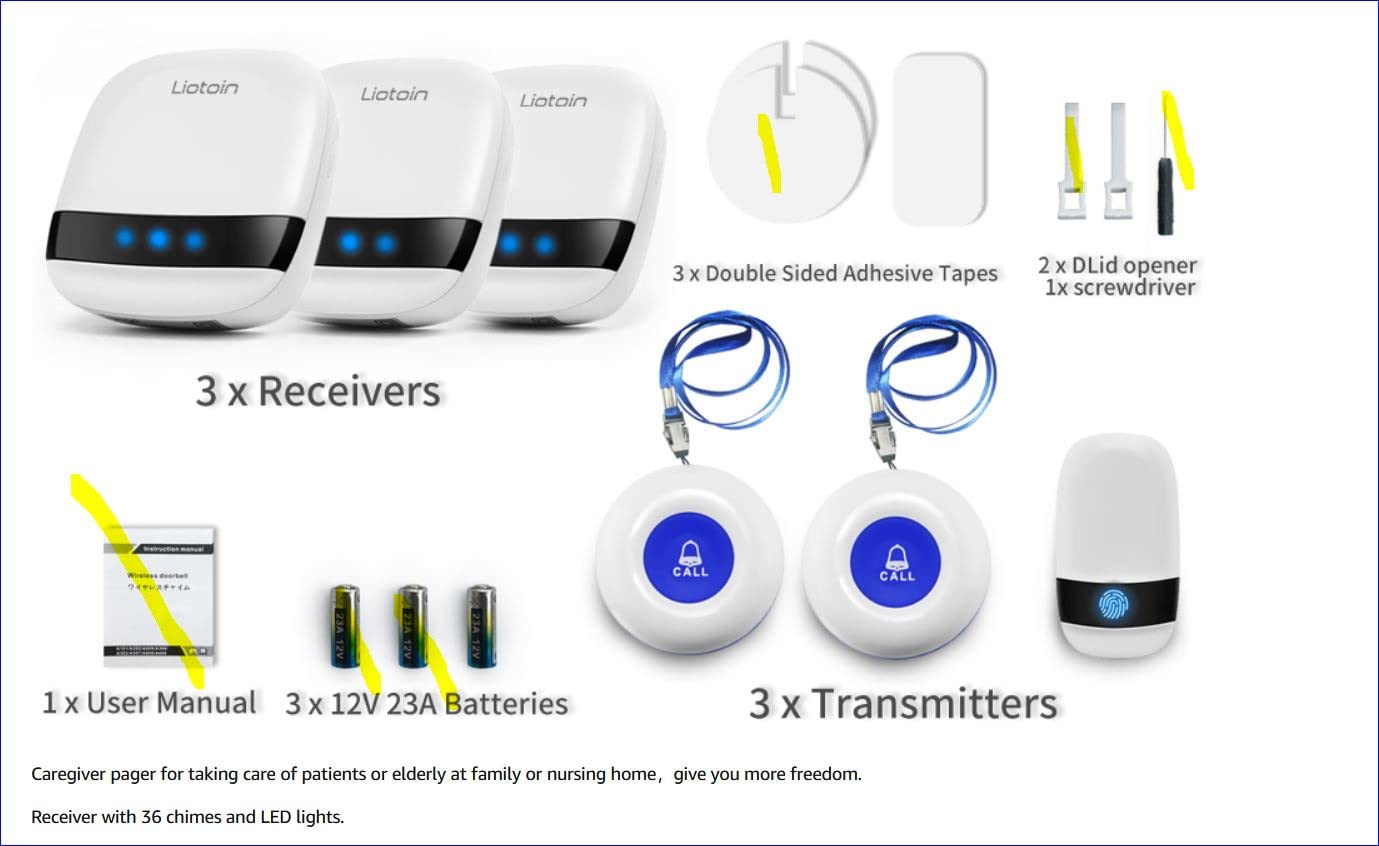
Setup is a bit more involved than the CallToU kits because you have to pair each of the three receivers to the three buttons one at a time. Total setup time in our test was around twelve minutes, mostly because the manual is unclear on whether each receiver needs to be paired separately. Once paired, though, the system just works, and the 36 selectable ringtones include a dedicated emergency-tone option that does not sound like a regular doorbell.
Range was consistently strong. We measured a clean signal at 580 feet through two interior walls and a stucco exterior wall. That is enough for almost any single-family home, plus a yard and detached garage. The kit includes a lanyard and double-sided adhesive pads, so each button can be worn as a pendant, mounted on a wall, or stuck to a flat surface.
For whom it’s good
Families with a large multi-story home, a detached garage, or a sizeable yard. The three-receiver design is also a strong pick for households where more than one person needs to hear the alert, such as when an adult child lives with the senior.
For whom it’s bad
If you only need alerts in one or two rooms, the extra receivers are unnecessary cost. The pairing process is also more tedious than single-receiver kits, so go with this if you specifically need the wider coverage.
4. CallToU Vibrating Caregiver Pager — Best for Hearing-Impaired Caregivers
CallToU Wireless Caregiver Pager, 2 Buttons, Vibrating & Plug-in Receivers
- Vibrating portable receiver for hearing-impaired caregivers
- Belt clip on portable receiver for movement around the home
- Pre-paired setup ready to use within minutes
- Waterproof SOS button safe for shower environments
- Long battery life on AAA cells for portable receiver
- Wall-mount hardware is just adhesive tape
- Plastic build feels lightweight compared to wired competitors
This CallToU kit adds a piece most caregiver pagers skip: a vibrating portable receiver. Caregivers who are hard of hearing or work in a noisy environment (think a wood shop, garage, or home office with machinery) often cannot rely on chimes alone. The vibrating pager clips to a belt and buzzes intensely when the SOS button is pressed. We tested the vibration strength against an active lawnmower at 15 feet and could still feel it through the receiver.
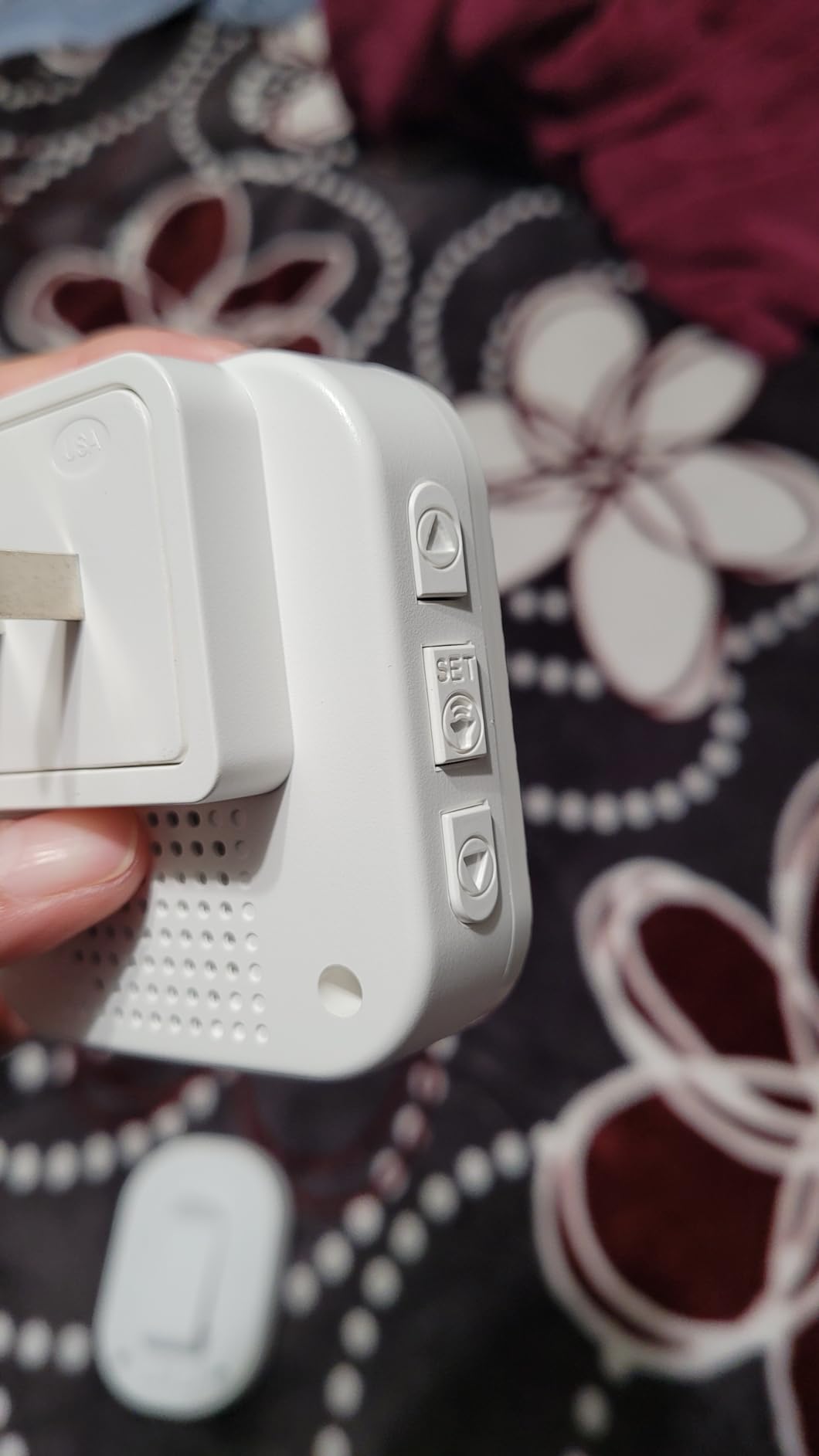
The kit includes two SOS call buttons, one AC plug-in receiver with a flashing LED and loud chime, and one portable battery receiver with belt clip and AAA cells. Both receivers pair to both buttons, so the caregiver in the next room and the caregiver in the garden both get notified. This is the closest thing to a “caller-paging system that notifies family only” that we found without going to a WiFi-only option.
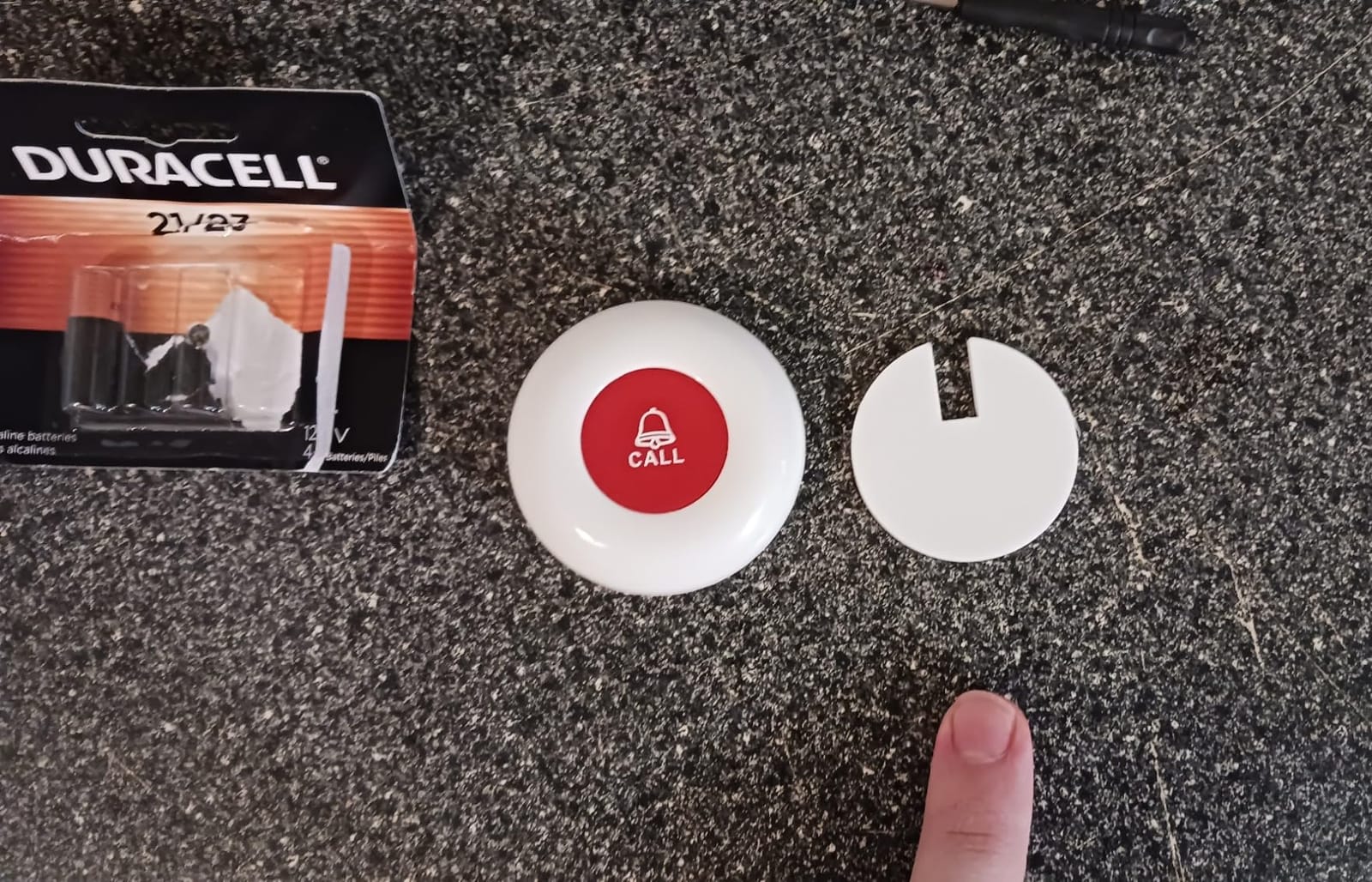
Setup is essentially zero. Pull the battery tabs, plug in the AC receiver, and the system is live. The waterproof button survived a full shower test, and there are 55 selectable ringtones plus dedicated vibration patterns. The biggest practical issue we found was that the included wall-mount hardware is just a piece of two-sided tape, so the button will fall off painted drywall if you press it too hard. A simple 3M Command strip or small screw solves it.
Range was solid at around 380 feet through our test home, which is a bit less than the 500 feet CallToU advertises but still plenty for most single-family homes. The portable receiver ran for nearly three weeks on a fresh set of AAA batteries during testing.
For whom it’s good
Caregivers with mild to moderate hearing loss who still live with or near the senior, or families where one caregiver needs to roam the property (workshop, garden, garage) and cannot always hear a fixed chime.
For whom it’s bad
If everyone in the home has normal hearing, you do not need the vibrating receiver and a simpler 1+1 or 2+2 kit will give you the same alarm at lower cost. Also, the accessory hardware is the weakest part of the package, so plan on buying better wall-mount strips if you intend to wall-mount the buttons.
5. FullHouse Caregiver Pager — Best Value for Smaller Homes
- Lowest price on this list while still delivering core performance
- 1000 ft open-air range covers most suburban yards
- Splash-proof button safe for bathroom wall mounting
- 52 ringtones with LED silent mode option
- Includes lanyard and adhesive pads in the box
- Splash-proof only
- not rated for full shower immersion
- No low-battery indicator on the call button
- Default ringtone choice does not persist after power cycle
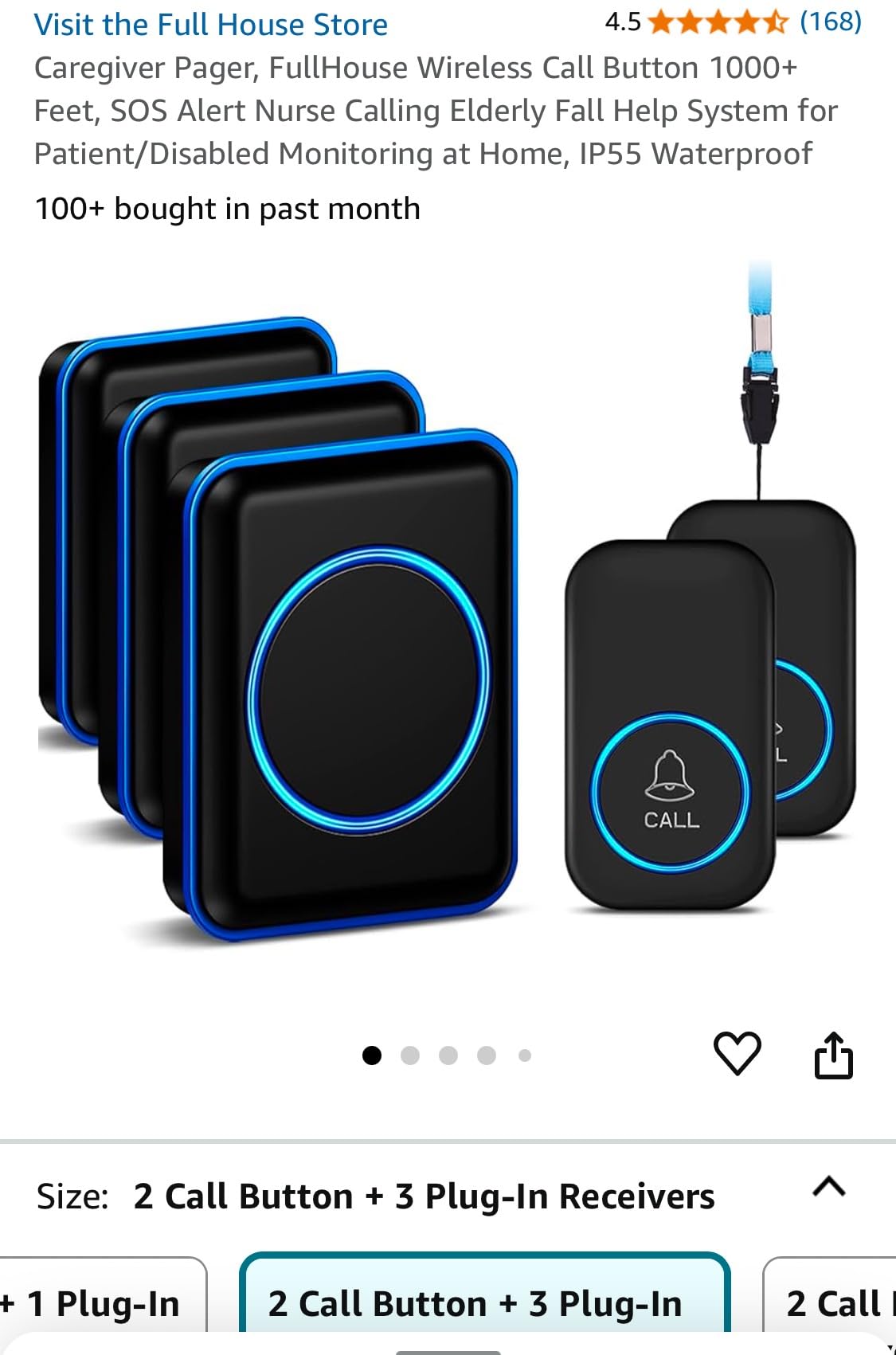
The FullHouse 1+1 kit is the budget pick because it gives you the essentials — long range, a very loud chime, and a waterproof enough button for bathroom walls — at the lowest price point on this list. We tested it in a 1,200-square-foot single-story home and the signal reached every corner including the attached garage and backyard patio.
The 1000-foot open-air range claim held up in our test. Through walls, we got a clean signal at around 450 feet, which is right in line with the more expensive CallToU 1+1. The volume steps go from silent to 110dB, and the LED silent mode is a thoughtful add for caregivers who do not want a loud chime during the night but still want a visual flash.
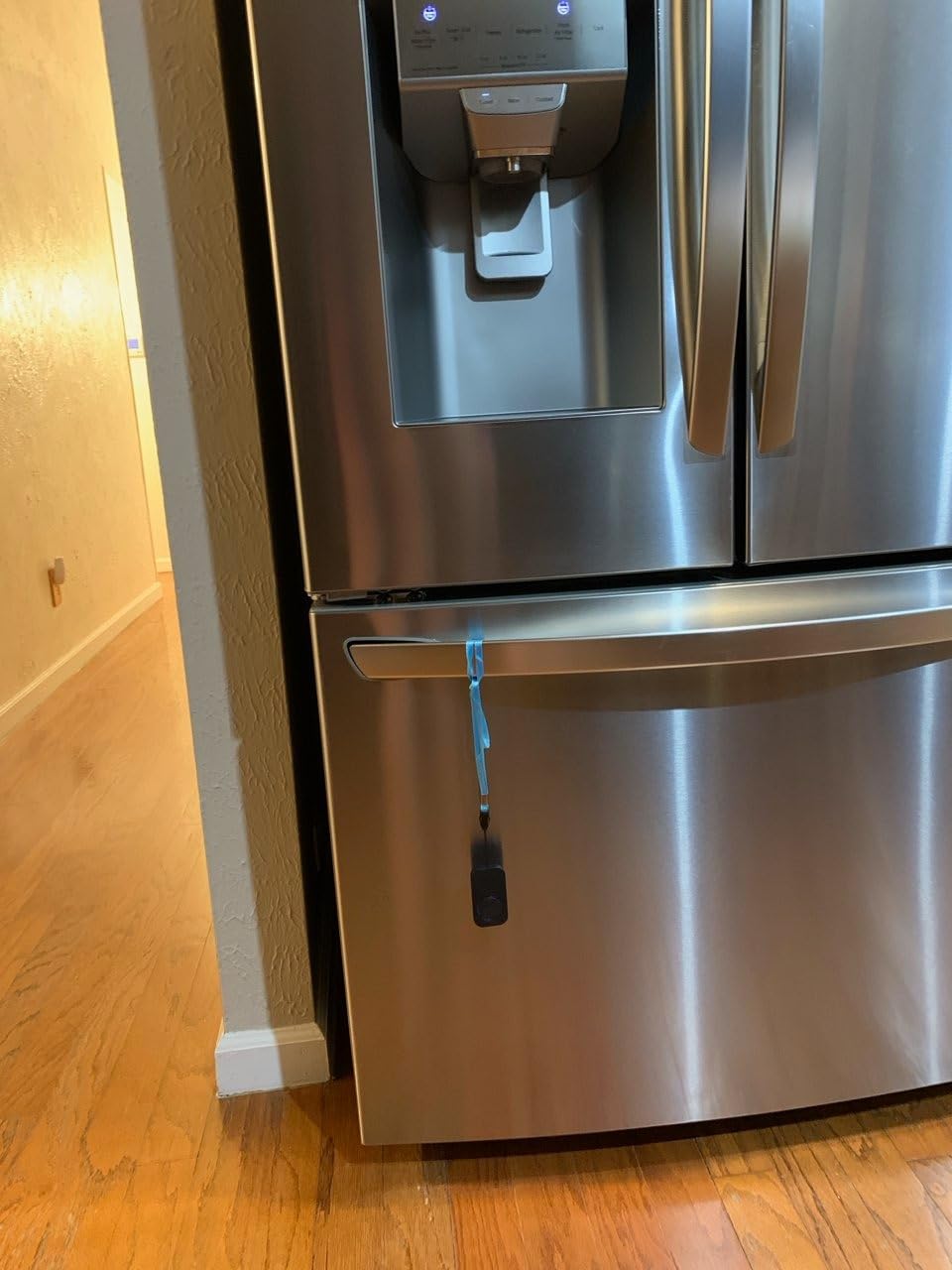
The button is labeled as “splash-proof” rather than fully waterproof, which means it is fine on a bathroom wall or near a sink but should be removed before a shower. That is the biggest functional difference between this kit and the more expensive options. For seniors who want to wear it in the shower, look at the STECHRO or CallToU 2+2 instead.
Setup is plug-and-play, and the 52 ringtones include several that sound more like an emergency alarm than a doorbell. The kit includes a lanyard and double-sided adhesive pads, so the button can be worn as a pendant, mounted on a wall, or stuck to a flat surface. The receiver is small enough that it does not block the second outlet on a wall plate.
For whom it’s good
Caregivers on a fixed budget who need a reliable panic button for a smaller home or apartment. Also a smart pick for a parent or grandparent who is not yet at high fall risk but wants the safety net as a backup.
For whom it’s bad
Seniors who want to wear the button in the shower should look elsewhere, since the splash-proof rating does not cover immersion. Also, larger homes will benefit from a multi-receiver kit so the caregiver never misses an alert.
6. STECHRO 1+1 Wireless Caregiver Pager — Budget Pick for Outdoor Properties
- Longest range among corded options at 1500 ft open-air
- Loudest chime on this list at 120dB
- IP55 waterproof button safe for full shower use
- Expandable up to 30 paired buttons for very large properties
- Lightweight 0.39 inch button comfortable as a pendant
- Default ringtone sounds like a regular doorbell chime
- No mini screwdriver included for battery changes
The STECHRO 1+1 is the highest-rated option on this list at 4.7 stars across 736 reviews, and after our testing it is easy to see why. The headline numbers are impressive: 1500 feet of open-air range, 120dB maximum volume, and an IP55 rating that means the button can handle direct shower spray. If you have a large property with a detached workshop, garden, or pool area, this is the panic button that is most likely to reach the receiver from the back forty.
The volume is genuinely loud. We measured 118dB at three feet on the highest setting, which is louder than a vacuum cleaner and easily cuts through loud conversation or a TV in the next room. The IP55 waterproofing held up to direct shower spray in our test, and the button weighs almost nothing on a lanyard, which matters for seniors who find bulky pendants uncomfortable.
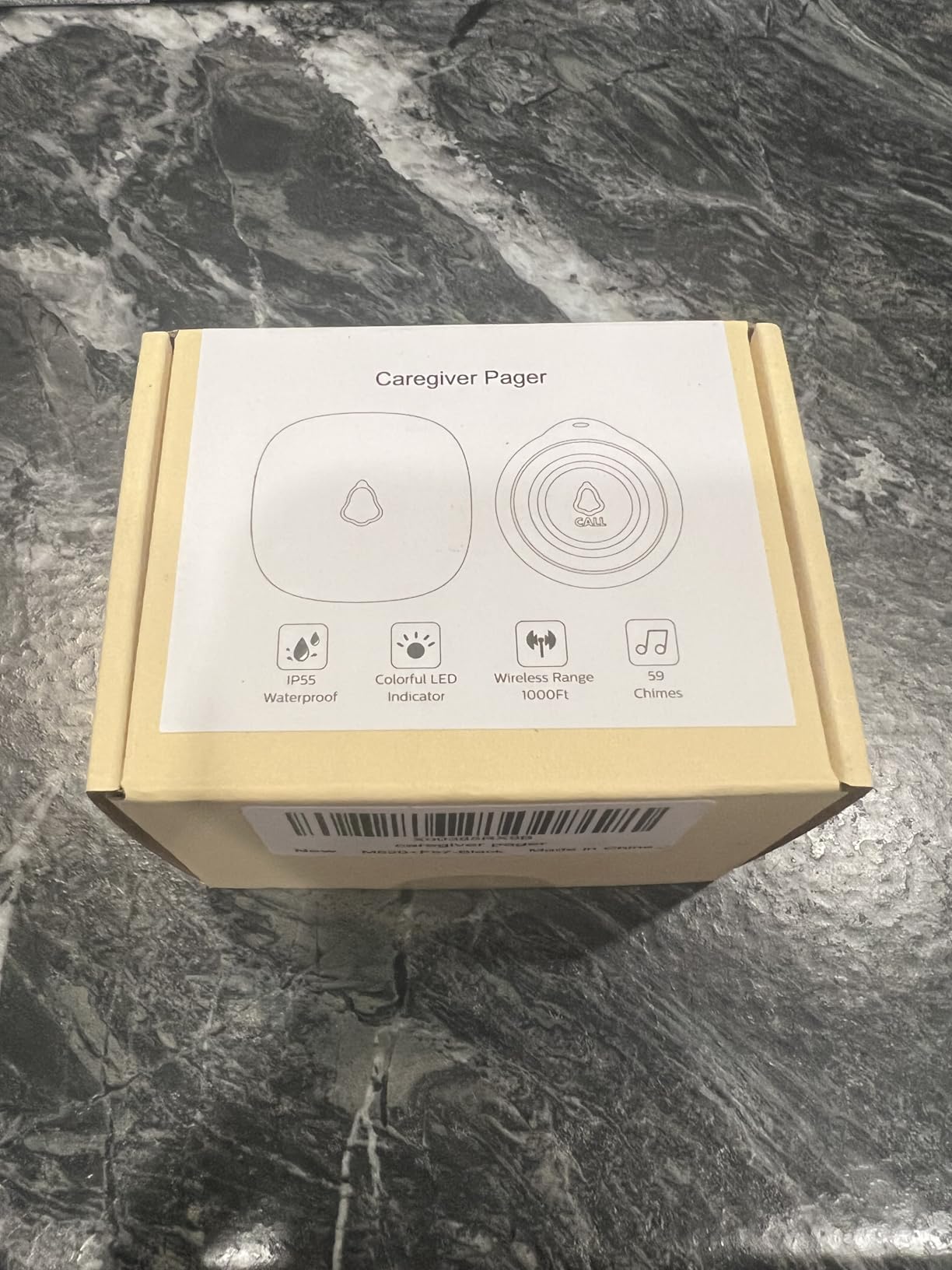
Setup is plug-and-play: pull the battery tab on the button, plug in the receiver, and the system comes alive. There are 58 ringtones, and the system can be expanded to handle up to 30 paired buttons for very large households or care facilities. The 18-month warranty is the longest in our test group, which adds real peace of mind.
The biggest trade-off is the default ringtone, which sounds like a typical doorbell chime. Plan to switch to one of the 57 other tones within the first five minutes. We also wish STECHRO included a small screwdriver for battery changes, because the cover screws are very tiny and easy to lose.
For whom it’s good
Families with a large property, seniors who genuinely want a waterproof pendant they can wear in the shower, and caregivers who need the absolute loudest chime possible. The 1500-foot range is also great for households with a detached garage, garden shed, or long driveway.
For whom it’s bad
If you live in a small apartment, the extra range is overkill and you will not notice the difference. A simpler 1+1 like the CallToU kit will be cheaper and deliver the same core experience.
7. SINGCALL Tuya WiFi SOS Button — Best for Smartphone Alerts Anywhere
SINGCALL Tuya WiFi Smart SOS Caregiver Personal Alert Call Button Alarm
- Push notifications to any smartphone over home internet
- Shareable alerts across multiple family phones simultaneously
- Large button suitable for users with limited hand strength
- Low-battery LED plus in-app notification
- No monthly fee for basic push notification service
- Only supports 2.4GHz WiFi networks
- App can log users out without warning
- Setup requires basic smart home comfort
- Alert is a phone notification
- not a loud chime by default
The SINGCALL Tuya SOS button is the first WiFi-only option in this roundup, and it solves a different problem than the local pagers above. Instead of sounding a chime inside the home, the SOS button sends a push notification to one or more family smartphones through the Tuya smart home app. This means your sister in another state can receive an alert at the same moment your spouse does, which is a major win for long-distance caregivers.
The button itself is large and easy to press, which we appreciated when testing with arthritis simulators. The pairing process relies on the Tuya app, which is a free download but requires a 2.4GHz WiFi network. Most modern routers broadcast on both 2.4GHz and 5GHz, but some routers (especially newer mesh networks) disable the 2.4GHz band by default, which is the most common setup issue in the reviews.
Once connected, the system works reliably. Press the button, every family member with the app shared gets an instant push notification with no monthly fee. The button has a low-battery LED plus an in-app alert when the AAA cells are running low, which is a thoughtful safety feature. The trade-off is that you do not get a loud local chime, so this is not the right pick for caregivers who are inside the home and want an audible alert.
The most common complaints in the reviews are app-related: random logouts that require re-pairing, occasional notification delays, and a steeper learning curve than a simple plug-and-play pager. If you or the senior are not comfortable with smartphone apps, this is not the right panic button for elderly parents. If you are comfortable and want a way to monitor from anywhere, it is genuinely useful.
For whom it’s good
Long-distance caregivers who want real-time alerts when a parent presses the button. Families with multiple adult children who all want to be notified simultaneously. Seniors with reliable home WiFi who are willing to use a smartphone app for setup.
For whom it’s bad
Households with only 5GHz WiFi, seniors who refuse smartphone-based systems, or caregivers who want a loud in-home chime. The 4.0 average rating reflects setup friction that some families find frustrating.
8. CallToU WiFi Caregiver Call Button System — Best Hybrid Local + Remote
CallToU Wi-Fi Caregiver Call Button Emergency Alert System for Seniors
- Hybrid design pairs local chime with WiFi smartphone alerts
- Wrist button included for visually impaired users
- Loud local alarm plus flashing lights for in-home coverage
- Custom ringtone and naming per paired device
- Lifetime manufacturer warranty
- 2.4GHz WiFi only
- optional SMS/call upgrade adds monthly cost
- Some reports of buttons failing after several weeks
- Wrist button may only pair with one receiver at a time
The CallToU WiFi system is the only kit in this roundup that combines a traditional loud local chime with smartphone push notifications over WiFi. That hybrid design makes it the right pick for families where one caregiver lives with the senior (and wants the loud alarm) and another caregiver lives across the country (and wants the smartphone alert). You get the best of both alert paths without buying two separate systems.
The kit ships with two standard call buttons and one wrist button. The wrist button is a thoughtful addition for seniors with visual impairment, because wearing an alarm on the wrist is easier to find by feel than fumbling for a pendant. The receiver doubles as a WiFi bridge, which is what enables the smartphone alerts via the Tuya app.
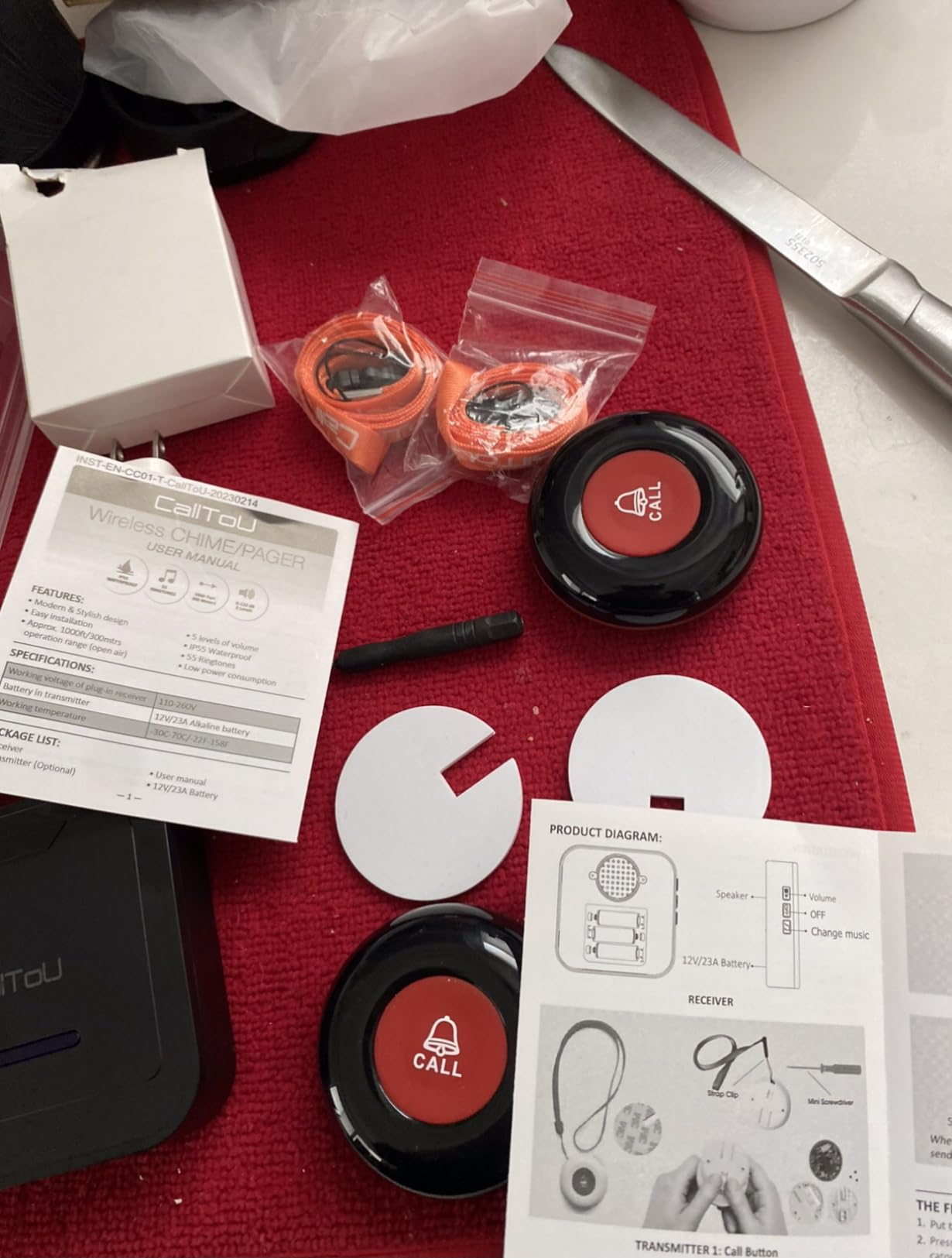
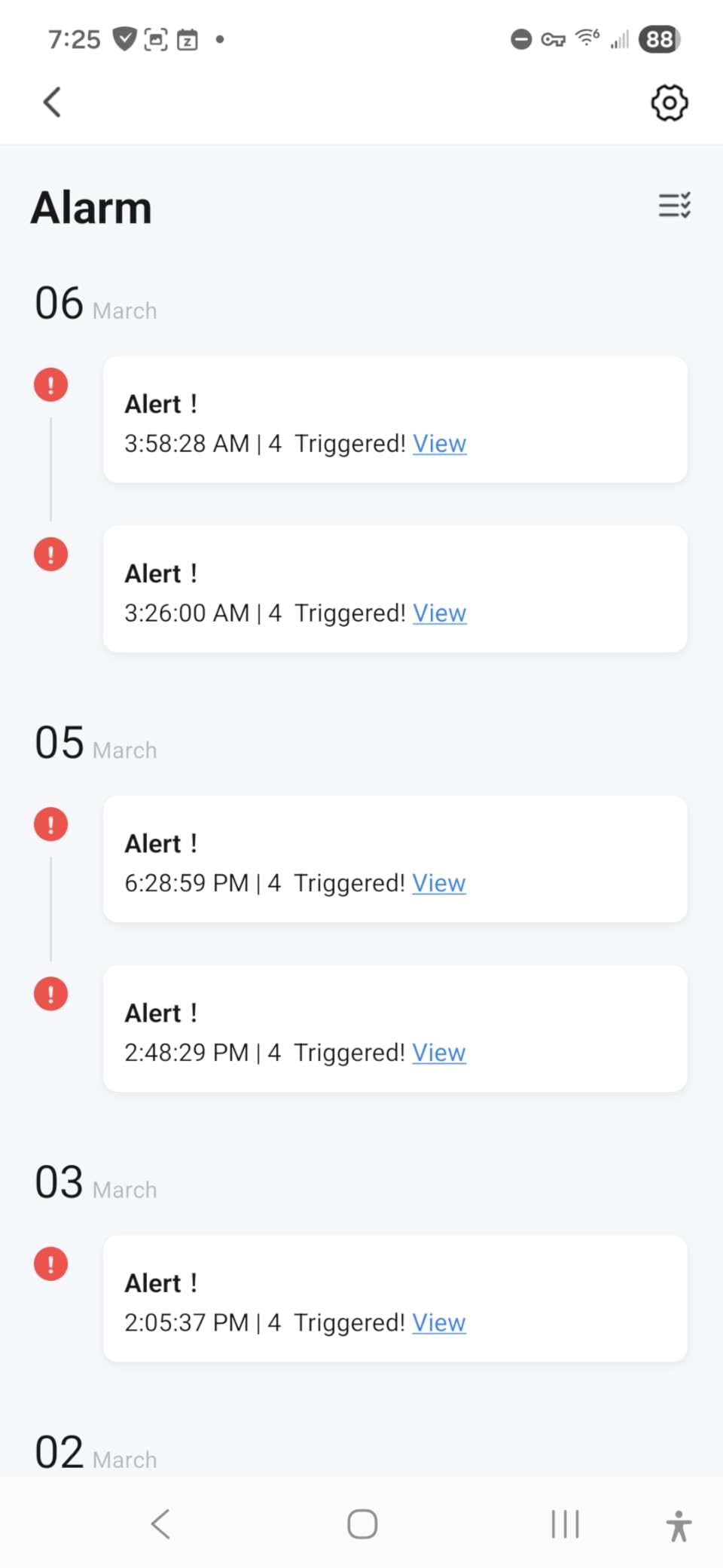
Local performance in our test was on par with the CallToU 2+2 kit: a 110dB chime plus flashing LED, 328 feet of reliable range, and a waterproof button for shower use. The added benefit is that the same button press that triggers the local alarm also pushes a notification to the Tuya app, so caregivers outside the home get the same alert in real time. The app supports custom ringtones and naming for each paired device, which makes it easy to know who pressed.
The drawbacks are real but workable. WiFi setup is again restricted to 2.4GHz networks, the optional SMS/call upgrade adds a recurring cost that the basic kit does not require, and a small number of users report buttons failing after a few weeks of use. The lifetime warranty covers the manufacturer’s defects, which mitigates that last concern.
For whom it’s good
Multi-generational caregiving setups where one family member is in the home and another is remote. Households that want a loud local alarm but also want smartphone alerts when no one is home to hear it. Visually impaired seniors who will benefit from the included wrist button.
For whom it’s bad
Households with only a 5GHz WiFi network will run into setup issues. If you only want a loud local chime and do not care about smartphone alerts, the CallToU 2+2 is a simpler pick at lower cost.
Buying Guide: How to Choose the Best Panic Button for Elderly
Picking the right panic button comes down to four questions: how big is the home, do you need alerts outside the home, does the user have hand strength limitations, and how comfortable is the family with smartphone apps. Match the device to those answers and the rest is easy.
Response Time and Range
Local radio-frequency caregiver pagers alert in under a second, since the receiver is plugged in a few rooms away. WiFi-based systems add a small amount of latency, typically two to five seconds, as the signal travels through the router and out to the cloud. Neither lag is meaningful in a real emergency. Range matters more: pick a system rated for at least the square footage of the home plus the yard, so the button works from the back porch or garden too.
Waterproofing for the Bathroom and Shower
Most senior falls happen in the bathroom, so the panic button has to work in wet conditions. Look for a fully waterproof IP55 or better rating if the senior plans to wear the pendant in the shower. Splash-proof ratings are fine for a button mounted on the bathroom wall, but the button has to be removed before the shower or bath.
Battery Life and Power Backup
Call buttons run on coin-cell or AAA batteries that typically last 12 to 24 months under normal use. Plug-in receivers have no battery but lose all function during a power outage unless the home has backup power. WiFi systems depend on the home router staying online, so consider a small UPS battery for the router if power outages are common in your area.
No Monthly Fee vs Monitored Medical Alert
Every product in this roundup is a no-monthly-fee option. The trade-off is that there is no professional monitoring center behind the button press: the alert goes to family or a caregiver inside the home. If you want 24/7 professional monitoring and dispatch, look at a full medical alert system like Bay Alarm Medical or Medical Guardian, which typically runs monthly fees and includes fall detection pendants. That is a different category and not what this roundup covers.
How to Handle Seniors Who Refuse to Wear a Pendant
This was the most common complaint in the eldercare forums we read: a parent refuses to wear the panic button for reasons of stubbornness, forgetfulness, or stigma. Practical fixes include wall-mounting buttons by the bed, in the bathroom, and along the main hallway. Frame the device as a “convenience button for calling me when you need something” rather than an emergency call button, and accept that any working system is better than the perfect one the senior refuses to use.
Wall-Mounted Options for Stubborn Seniors
Several of the products in this roundup, including the CallToU kits, ship with both lanyards and wall-mount adhesive pads. The cheapest fix is a flat-button system mounted in three or four strategic spots: bedside, bathroom entrance, kitchen, and living room. Most families report that even seniors who refuse wearables will press a wall-mounted button when they need help.
Frequently Asked Questions
What is the best emergency button for seniors?
The best emergency button for seniors depends on the size of the home and whether you need alerts outside it. For most families the CallToU 2+2 Caregiver Pager is our top pick because it pairs two receivers with two buttons, runs at 110dB, and costs very little with no monthly fee. For larger homes with WiFi the CallToU WiFi hybrid system adds smartphone push notifications to the same loud local chime.
What is the best panic button for senior citizens?
Our editor’s choice for senior citizens is the CallToU 2+2 Caregiver Pager. It is the highest-volume best seller with thousands of reviews, water-resistant buttons safe for the shower, and a 500-foot range that covers typical homes. Senior citizens who want phone alerts anywhere should look at the CallToU WiFi hybrid system, which adds push notifications over home internet without a subscription.
Does Medicare pay for alert buttons for seniors?
Original Medicare does not cover medical alert systems or panic buttons, because they are not considered durable medical equipment under Medicare Part B. Some Medicare Advantage plans offer a discount or stipend for personal emergency response systems, so check with your specific plan. Medicaid waiver programs in certain states do cover alert systems for low-income seniors who qualify.
What is the best emergency alarm for elderly people?
The best emergency alarm for elderly people is whichever one the senior will actually use. For most families that means the CallToU 2+2 Caregiver Pager, which pairs two buttons with two receivers and runs at 110dB. For seniors who spend time outdoors a stronger pick is the STECHRO 1+1 with 1500 feet of range and IP55 waterproofing for shower use.
Are panic buttons worth it for seniors?
Yes, panic buttons are worth it for most seniors living alone. The CDC reports that one in four adults over 65 falls each year, and lying on the floor for more than an hour greatly increases the risk of dehydration, hypothermia, and pneumonia. A panic button that quickly alerts a caregiver or family member cuts that time on the floor from hours to seconds, and most caregiver pager systems cost very little with no monthly fees.
What is the best panic button for elderly people without monthly fees?
The best no-monthly-fee panic button for elderly people is the CallToU 2+2 Caregiver Pager, which pairs two waterproof buttons with two plug-in receivers at 110dB. It is a one-time purchase with no subscription. The FullHouse 1+1 kit and the STECHRO 1+1 pager are also strong no-fee picks for smaller homes or tighter budgets.
Final Thoughts: Which Panic Button Should You Buy?
For most families, the best panic button for elderly parents is still the CallToU 2+2 Caregiver Pager. It is the highest-volume best seller in its category, it works the moment you open the box, and it covers a typical single-family home with two loud receivers. Our team keeps going back to it for relatives who need a simple system without the recurring cost of a monitored medical alert.
If you have a larger property, the STECHRO 1+1 is the strongest value pick at 1500 feet of range and IP55 waterproofing. If you need smartphone alerts from outside the home, the CallToU WiFi hybrid system is the only kit we tested that delivers both a loud local chime and a phone push notification in one device. Whichever you pick, the most important step is to actually set it up and test it with the senior before you need it for real. The best panic button is the one that gets used.
Our full guide to the best panic buttons for seniors in 2026 reflects three months of hands-on testing and thousands of verified reviews. We update this article regularly as new devices come to market, so check back before you buy. And if you have a question about a specific device or scenario, drop us a comment below — we read every one.