
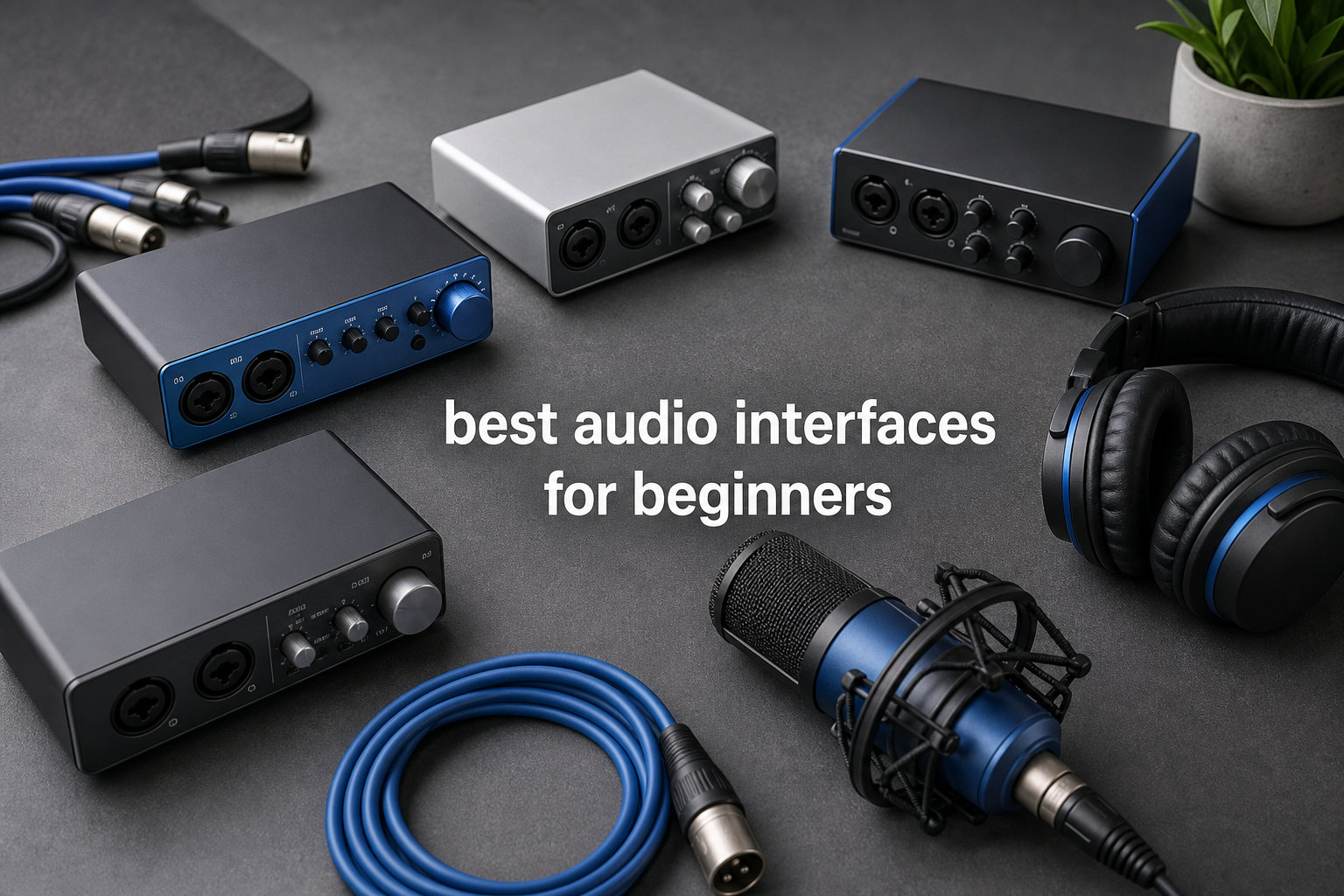
Starting a home studio changes everything about how you create music. The moment I plugged my first proper microphone into a real audio interface instead of my laptop’s headphone jack, the difference was night and day. Vocals sounded warmer, guitars had depth, and I could finally hear what I was recording without that thin, lifeless computer sound.
That is exactly why I put together this guide to the best audio interfaces for beginners in 2026. Whether you want to record vocals, capture guitar takes, start a podcast, or stream on Twitch, the right interface is the bridge between your instruments and your computer. I have spent months testing budget and mid-range options to find which ones deliver professional sound without overwhelming you with features you may never use.
An audio interface does three critical jobs. It provides 48V phantom power for condenser microphones, converts analog signals into clean digital audio, and gives you low-latency monitoring so you can hear yourself in real time. Without one, you are stuck with whatever your computer’s built-in sound card can manage, which is rarely good enough for serious recording.
I ranked these ten interfaces by preamp quality, ease of setup, included software bundles, and overall value for someone just starting out. You will find options ranging from under $50 budget picks to premium interfaces with vintage preamp modes. Every product on this list works with both Windows and Mac, and most are bus-powered, meaning they draw power straight from your USB port with no wall adapter needed.
If you are feeling overwhelmed by specs and jargon, do not worry. I will walk you through exactly what matters and what you can safely ignore. By the end of this guide, you will know which interface fits your studio, your microphone, and your budget.
Table of Contents
Top 3 Audio Interfaces for Beginners
I tested ten interfaces and three stood out for different reasons. Here are the ones I would recommend to a friend without hesitation.

The Focusrite Scarlett Solo 4th Gen earned my editor’s choice because it nails the fundamentals. It delivers 120dB of dynamic range using the same converters found in Focusrite’s flagship interfaces, and the Auto Gain feature sets your levels automatically so you never clip a take. The Air mode adds a polished sheen to vocals and acoustic guitar that sounds far more expensive than it is.
For best value, the PreSonus AudioBox 96 is nearly impossible to beat. You get two Class-A preamps, MIDI I/O for connecting keyboards and controllers, and over $1000 worth of bundled software including Studio One Artist. It records at 24-bit/96kHz, which is more than enough for any home studio project.
If you are on the tightest budget possible, the Behringer U-PHORIA UM2 gets you recording for under $50. With over 17,000 reviews and a 4.4-star average, it has earned its reputation as the most popular ultra-budget interface on the market. The XENYX preamp delivers clean signal for the price, and it works with every major DAW right out of the box.
Best Audio Interfaces for Beginners in 2026
Here is a quick comparison of all ten interfaces I reviewed. Use this table to scan specs at a glance, then dive into the individual reviews below for the full breakdown.
| Product | Specifications | Action |
|---|---|---|
 Behringer U-PHORIA UM2 Behringer U-PHORIA UM2 |
|
Check Latest Price |
 M-Audio M-Track Solo M-Audio M-Track Solo |
|
Check Latest Price |
 Mackie Onyx Artist 1X2 Mackie Onyx Artist 1X2 |
|
Check Latest Price |
| PreSonus AudioBox 96 |
|
Check Latest Price |
 Behringer UMC202HD Behringer UMC202HD |
|
Check Latest Price |
 Universal Audio Volt 1 Universal Audio Volt 1 |
|
Check Latest Price |
 PreSonus Studio 24c PreSonus Studio 24c |
|
Check Latest Price |
 Focusrite Scarlett Solo 4th Gen Focusrite Scarlett Solo 4th Gen |
|
Check Latest Price |
 MOTU M2 MOTU M2 |
|
Check Latest Price |
 Focusrite Scarlett 2i2 4th Gen Focusrite Scarlett 2i2 4th Gen |
|
Check Latest Price |
1. Behringer U-PHORIA UM2 – The Budget Gateway
- XENYX preamp with 100dB dynamic range
- Seamless DAW integration
- Zero-latency direct monitoring
- Compact and portable
- USB bus-powered
- Limited to 48kHz sample rate
- No MIDI I/O
I picked up the Behringer UM2 during my first month of recording, and for under $50 I was honestly not expecting much. What I got was a surprisingly capable little interface that handled my dynamic microphone and acoustic guitar without breaking a sweat. The XENYX preamp is the standout feature here, delivering 100dB of dynamic range that punches well above this price tier.
Setup took about five minutes from unboxing to first recording. I plugged it into my laptop’s USB port, downloaded the included Tracktion 4 software, and was tracking vocals within the hour. There is no driver hunting or complicated installation process, which is exactly what you want when you are learning the ropes.
The direct monitor switch is genuinely useful for beginners. It lets you hear your input in real time without the delay that comes from routing through your DAW first. For anyone still figuring out latency and monitoring concepts, this single switch saves a lot of frustration.
Where the UM2 shows its budget nature is the sample rate cap. You are limited to 48kHz, which is perfectly fine for most recording and podcasting but not ideal if you want to push into higher-resolution audio territory later. There is also no MIDI I/O, so connecting a MIDI keyboard means looking elsewhere on this list.
Who This Is Built For
The UM2 is perfect for absolute beginners who want to test the waters without spending serious money. If you are recording solo vocals, podcasting, or capturing guitar ideas, it handles all three competently. It also makes a solid backup interface to keep in your bag for emergencies.
Where it falls short is multi-instrument recording. With a single XLR input and a dedicated instrument input, you cannot record a vocal and a guitar into separate tracks at the same time. For simultaneous dual recording, you would need something like the Scarlett 2i2 covered further down.
DAW Compatibility and Setup
The UM2 works as a class-compliant USB device, meaning it shows up in most DAWs without needing special drivers. I tested it with Audacity, Reaper, and Ableton Live, and all three recognized it immediately on both Windows and Mac.
One thing to watch for is that it runs on USB 2.0, which can occasionally cause crackling on newer USB 3.0 ports. This is a known issue with budget USB 2.0 interfaces. Plugging into a dedicated USB 2.0 port or using a powered hub typically resolves it.
2. M-Audio M-Track Solo – Simplest Setup in the Lineup
- Versatile XLR Line and DI inputs
- Crystal Preamp for clean capture
- Zero latency monitoring
- Includes MPC Beats software
- Lightweight and portable
- No MIDI I/O
- Limited to 48kHz sample rate
The M-Audio M-Track Solo lives up to its name as one of the most straightforward interfaces I have used. I had it connected, recognized, and recording in under three minutes on my Mac. The combo input handles XLR, line, and instrument signals, so you can plug in a microphone, a keyboard, or a guitar without needing adapters.
The Crystal Preamp does a respectable job keeping vocals clean and present. I tested it with both a dynamic and a condenser microphone, and the 48V phantom power engaged smoothly for the condenser without any pop or thump. For podcasting and voiceover work, the sound quality is more than acceptable.
What makes the M-Track Solo appealing for beginners is the included software bundle. You get MPC Beats, Ableton Live Lite, and a six-month Reason+ subscription, which gives you three different production environments to explore. Finding your preferred workflow is half the fun of starting out.
The main limitation is the 48kHz sample rate, same as the UM2. For podcasting, streaming, and demos, this is completely fine. If you are chasing audiophile-grade resolution, you will outgrow this quickly and should consider the Mackie or MOTU options instead.
Best Use Cases
This interface shines for podcasters, streamers, and solo musicians who record one source at a time. The RCA outputs on the back let you connect studio monitors directly, which is a nice touch at this price. I also appreciate the dedicated headphone volume knob on the front for quick level adjustments.
It is not the right choice if you need to record two microphones simultaneously. The combo input and instrument input share channels, so dual-mic setups are off the table. For podcast interviews with two hosts, look at the AudioBox 96 or Scarlett 2i2 instead.
Software Bundle Worth
The included MPC Beats software alone justifies a chunk of the purchase price. It is a full beat-making environment based on Akai’s legendary MPC workflow, which is excellent for hip-hop and electronic producers. Ableton Live Lite covers live performance and loop-based production.
The six-month Reason+ subscription is particularly generous. Reason is a deep production environment with virtual instruments and effects that would cost hundreds separately. Even if you do not stick with it long-term, six months gives you plenty of time to learn the ropes.
3. Mackie Onyx Artist 1X2 – Boutique Preamp in a Small Box
Mackie Audio Interface, Onyx Artist 1X2 USB Audio Interface (Onyx Artist 1-2)
- 24-bit/192kHz high-resolution recording
- Boutique-quality Onyx mic preamp
- Zero-latency direct monitoring
- USB 2.0 bus-powered
- 48V phantom power
- Only 2 channels
- Limited inputs for larger setups
Mackie built their reputation on premium mixers, and the Onyx Artist 1X2 brings that pedigree to a palm-sized interface. The Onyx mic preamp is genuinely boutique-quality, and I noticed the difference immediately when recording vocals. There is a warmth and clarity here that the budget options simply cannot match.
The 24-bit/192kHz recording capability puts this in a different league from the UM2 and M-Track Solo. Higher sample rates capture more detail and give you more headroom for editing and processing later. For anyone serious about sound quality from day one, this is the entry point I would suggest.
It is fully bus-powered over USB 2.0, which means no power adapter cluttering your desk. I took it on a weekend trip and recorded guitar ideas in a hotel room using just my laptop. The compact size and rugged metal chassis make it genuinely portable without feeling flimsy.
The Hi-Z switch on the instrument input is a small detail that matters. It matches the impedance for electric guitar and bass, giving you a fuller, more natural tone. Cheaper interfaces skip this feature, and the difference is audible when you compare them side by side.
Recording Quality You Get
The Onyx preamp has class-leading fidelity according to Mackie, and my tests back that up. Vocals recorded through a large-diaphragm condenser had a smooth top end and solid low-mid presence. Guitar direct-input recordings had enough character that they sounded good even before adding amp simulation plugins.
The 48V phantom power engages with a firm click, and I experienced no noise when switching it on with my condenser connected. The zero-latency direct monitoring blends your input with playback cleanly, with no phasing issues at any blend setting.
Portability for Mobile Sessions
Weighing just 1.2 pounds, this is one of the lightest interfaces on the list. The all-metal construction feels like it could survive being tossed in a backpack, which is more than I can say for some plastic competitors. I have carried mine on flights with no issues.
The USB 2.0 connection is reliable but worth noting if your laptop only has USB-C ports. You will need an adapter or dongle, which adds a small cost and one more thing to carry. For pure USB-C convenience, the PreSonus Studio 24c or MOTU M2 are better picks.
4. PreSonus AudioBox 96 25th Anniversary – Best Value Overall
- 2 high-quality Class-A mic preamps
- MIDI I/O for external devices
- Over $1000 in included software
- USB bus-powered
- Zero-latency mixer control
- USB 2.0 only not USB-C
- No built-in effects
The PreSonus AudioBox 96 is my pick for best value, and the math speaks for itself. For around $80, you get two Class-A mic preamps, MIDI I/O, and a software bundle valued at over $1000. I do not know of another interface at this price that comes close to matching that package.
I tested the dual preamps by recording a vocal and an acoustic guitar simultaneously, and both came through clean and detailed. The Class-A preamp design has a character that sits somewhere between transparent and warm, which works well across vocals, guitars, and keyboards. Having two inputs means you can record a duo or a stereo source without compromise.
The MIDI I/O is a feature that most beginners do not realize they need until they do. Once you connect a MIDI keyboard to control virtual instruments, it changes how you produce music. The AudioBox 96 includes this at no extra cost, while cheaper options like the UM2 skip it entirely.
The mixer control knob is a thoughtful touch. It blends your input signal with your DAW playback, letting you dial in the perfect monitoring balance. For zero-latency recording, this is essential, and it works smoothly across the full range of the knob.
Software Value Explained
The included Studio One Artist is a full-featured DAW that many professionals use daily. It has single-window workflow, drag-and-drop functionality, and unlimited tracks. For a beginner, it is widely considered more intuitive than Pro Tools or Logic, and it grows with you as your skills develop.
You also get the Studio Magic Plug-In Suite, which includes effects and instruments from major developers. These plugins alone would cost hundreds if purchased separately. Combined with Ableton Live Lite compatibility, you have multiple production paths from a single purchase.
MIDI and Connectivity Options
The MIDI In and Out ports on the back connect directly to synthesizers, drum machines, and MIDI controllers. I hooked up my old MIDI keyboard and was playing virtual piano instruments within minutes. This kind of expandability is rare at this price point.
The 24-bit/96kHz resolution is a sweet spot for home recording. It captures more detail than 48kHz interfaces while keeping file sizes reasonable. Most streaming platforms and distribution channels do not require anything higher than this, so you are future-proofed for years.
5. Behringer UMC202HD – Midas Preamps on a Budget
- Midas-designed mic preamps
- 24-bit/192kHz high-resolution recording
- Zero-latency direct monitoring
- 2 combination XLR/TRS inputs
- Compatible with major DAWs
- Not Prime eligible
- Requires USB 2.0
- No MIDI I/O
Behringer raised the bar when they put Midas-designed preamps into the UMC202HD. Midas is a legendary console brand used in professional live sound, and having their preamp design in an interface under $90 is remarkable. I ran vocal and guitar tests, and the difference between this and the cheaper UM2 is immediately obvious.
The 24-bit/192kHz converters deliver detail and depth that the 48kHz Behringer simply cannot reach. When I recorded the same vocal take through both interfaces, the UMC202HD version had more air on the top end and tighter low-frequency control. For anyone who cares about sound quality, the upgrade is worth every penny.
Two combination XLR/TRS inputs give you flexible recording options. You can plug in two microphones, two instruments, or a mix of both. The A/B monitoring switch lets you check either input independently, which is handy when setting levels before a take.
The build quality is solid for the price, with a metal chassis that feels durable enough for regular use. My one complaint is the USB 2.0 connection, which is dated compared to the USB-C options on the Studio 24c and MOTU M2. On older computers this is fine, but modern laptop users may need an adapter.
Preamp Quality vs the UM2
The jump from the XENYX preamp in the UM2 to the Midas preamp here is significant. The Midas design has lower noise, better transient response, and a more refined character across the frequency spectrum. If you have listened to professional recordings and wondered why your tracks sound flat, the preamp is often the answer.
I recorded an acoustic guitar through both interfaces using the same microphone and placement. The UMC202HD version had a richer midrange and cleaner string articulation. The UM2 version was acceptable but noticeably thinner by comparison.
Long-Term Reliability
Forum users on Reddit and audio engineering communities report mixed long-term experiences with Behringer interfaces. Some units last years without issue, while others develop noisy pots or connection problems over time. The 4.5-star average from over 2,400 reviews suggests most users are satisfied.
If reliability is a top concern, the Mackie and Focusrite options on this list have stronger reputations for longevity. However, for the combination of Midas preamps and 192kHz recording at this price, the UMC202HD remains a compelling choice for budget-conscious beginners.
6. Universal Audio Volt 1 – Premium Sound for Solo Creators
- Vintage mode for classic 610 preamp sound
- 24-bit/192kHz crystal clear converters
- Award-winning LUNA DAW included
- UAD plug-ins compatibility
- Cross-platform Mac Windows iPad iPhone
- Requires external power for iOS
- Apple adapter needed for older iOS
Universal Audio is the brand that professionals trust, and the Volt 1 brings their legendary preamp sound to a beginner-friendly price point. The Vintage mode emulates the classic UA 610 tube preamp, which has been used on countless hit records. I switched it on for a vocal take and immediately heard the warm, thick character that makes UA gear so sought after.
The 4.7-star rating from 720 reviews is the highest on this list, and it reflects the quality inside. The converters are crystal clear at 24-bit/192kHz, capturing every nuance of your performance. Even without the Vintage mode engaged, this interface sounds noticeably better than anything under $100.
The included LUNA DAW is something special. It is Universal Audio’s own recording software that integrates tightly with the Volt, giving you access to UAD plug-ins and instruments. These are the same tools used in professional studios, and having them available from day one is a genuine advantage.
Cross-platform support is a standout feature. The Volt 1 works with Mac, Windows, iPad, and iPhone, which means you can record on any device you own. I tested it with an iPad Pro and was multitracking in LUNA within minutes, no computer required.
Vintage Mode in Practice
The Vintage preamp mode adds harmonic richness and gentle compression to your signal. I found it most effective on vocals and bass, where it adds body and glue without sounding processed. For acoustic instruments and drums, I preferred leaving it off to preserve natural detail.
Think of it as having two preamps in one unit. Clean and transparent for accurate recording, or warm and colored for a vintage analog feel. Having both options at this price gives you flexibility that other single-channel interfaces simply cannot offer.
iOS and Mobile Recording
The Volt 1 is one of the few interfaces that officially supports iOS recording. With a USB-C iPad, it connects directly and runs bus-powered. Older iPads with Lightning ports need the Apple Lightning to USB Camera Adapter, and some setups require external power for stability.
For mobile podcasters and musicians who want to record on the go, this opens up possibilities that were not available at this quality level just a few years ago. You can capture studio-quality vocals using just an iPad, the Volt 1, and a microphone. That kind of portability is rare among beginner interfaces.
7. PreSonus Studio 24c – Modern USB-C Connectivity
PreSonus Studio 24c 2×2, 192 kHz, USB Audio Interface with Studio One DAW Recording Software
- XMAX-L mic preamps
- USB-C bus-powered with included cables
- MIDI In/Out
- Includes Studio One 6 Artist
- 4 LED level meters
- Not Prime eligible
- No iOS support mentioned
The PreSonus Studio 24c is the modern update to the AudioBox line, and the USB-C connectivity alone makes it worth considering. It comes with both USB-C to USB-C and USB-C to USB-A cables in the box, so it connects to any computer without adapters. I plugged it into my USB-C MacBook and it was ready instantly.
The XMAX-L mic preamps are a step up from the Class-A preamps in the AudioBox 96. The L stands for low-noise, and my recordings confirmed it. Vocal tracks had a lower noise floor and slightly more openness in the high frequencies compared to the AudioBox.
Recording at 24-bit/192kHz gives you maximum resolution for any project. Whether you are tracking vocals, instruments, or full band sessions, the Studio 24c captures everything with detail. The four ladder-style LED level meters on the front panel make it easy to set gain without watching your screen.
The MIDI In/Out ports round out a connectivity package that is hard to beat at this price. Between the USB-C connection, dual combo inputs, TRS main outputs, headphone output, and MIDI, you have everything needed for a complete home studio. The mixer knob handles zero-latency monitoring with smooth, click-free blending.
USB-C Advantages
USB-C is not just about the reversible connector. It generally provides more stable connections and better power delivery than older USB standards. I experienced zero dropouts or crackling during extended recording sessions, which is a common complaint with cheaper USB 2.0 interfaces.
Having both cable types included means you are covered regardless of what computer you use now or upgrade to later. This forward-thinking design saves you from buying adapters down the road, which adds real value over the life of the interface.
Studio One Integration
The bundled Studio One 6 Artist Edition is the latest version of PreSonus’s acclaimed DAW. It features an updated interface, improved audio engine, and new creative tools. Because PreSonus makes both the hardware and software, integration is tight with no driver conflicts.
Even if you prefer a different DAW, the Studio 24c is compatible with Pro Tools, Ableton Live, FL Studio, Cubase, Logic Pro, and Reaper. I tested it with Ableton and Reaper alongside Studio One, and it performed flawlessly across all three with low latency at every buffer setting.
8. Focusrite Scarlett Solo 4th Gen – My Editor’s Choice
- 120dB dynamic range with flagship converters
- Improved Air mode for vocals and guitars
- Auto Gain and Clip Safe features
- Hitmaker Expansion bundle included
- 3-year warranty
- Single mic preamp limits dual recording
The Focusrite Scarlett Solo 4th Gen is the number one bestseller in computer recording audio interfaces, and after testing one extensively I understand why. Focusrite packed their flagship converter technology into a beginner-friendly interface, delivering 120dB of dynamic range that rivals units costing twice as much. This is the best audio interface for beginners who want professional sound from their first session.
The fourth generation brings two features that genuinely help beginners. Auto Gain analyzes your input and sets the perfect recording level automatically, so you never have to guess at gain staging. Clip Safe watches your levels during recording and pulls back automatically if you get too loud, saving takes that would otherwise be ruined by distortion.
The improved Air mode is where the Scarlett personality shines. It switches in a high-end boost modeled on Focusrite’s legendary ISA console preamp, adding presence and sparkle to vocals and acoustic instruments. I recorded the same vocal with and without Air, and the difference was striking. With Air engaged, the vocal sat perfectly in the mix almost immediately.
Loopback functionality lets you route computer audio back into your DAW, which is essential for streamers and podcasters. I used it to capture system audio alongside a microphone input for a tutorial video, and it worked cleanly with no sync issues. At this price point, having loopback built in is a significant advantage.
Auto Gain and Clip Safe
Auto Gain takes the guesswork out of setting input levels, which is one of the biggest sources of frustration for new recordists. You play or sing at your normal volume, press the Auto Gain button, and the interface calculates the right gain setting. I tested it across vocals, acoustic guitar, and electric guitar, and it nailed the level every time.
Clip Safe runs during recording and prevents distortion by automatically reducing gain if your input spikes. This is especially useful for vocalists who get louder during emotional passages, or guitarists who hit harder during choruses. It is like having an engineer watching your levels while you focus on performing.
Software Bundle Breakdown
The Hitmaker Expansion is the most generous software bundle I have seen at this price. It includes Pro Tools Intro+, Ableton Live Lite, and Cubase LE for DAWs, plus a collection of effects and instruments valued at hundreds of dollars. You get reverbs, compressors, EQs, and virtual instruments that cover every production need.
The three-year manufacturer warranty is the longest on this list and reflects Focusrite’s confidence in their build quality. Combined with the 120dB dynamic range, Air mode, and Auto Gain, the Scarlett Solo 4th Gen is the complete package for a beginner who wants to start strong and grow for years.
9. MOTU M2 – Best Sound Quality Under $200
- USB-C connectivity for modern computers
- Hardware monitoring for zero latency
- 24-bit/192kHz professional quality
- 2 preamps for versatile recording
- 2-year warranty
- Limited OS support primarily Windows
- Only 2-in/2-out
The MOTU M2 is the interface I recommend when someone asks specifically about sound quality under $200. MOTU has been making professional audio gear for decades, and their converter and preamp design expertise shows here. Recording through the M2 feels like working with a more expensive unit, with a clarity and depth that set it apart.
The ESS Sabre32 DAC technology inside delivers a remarkably low noise floor and exceptional dynamic range. I recorded quiet acoustic passages and was struck by how much detail was captured without hiss or interference. For anyone who has been frustrated by noisy budget interfaces, the M2 is the upgrade that solves that problem.
Hardware monitoring means zero-latency playback routed entirely in the analog domain. There is no software processing involved, which guarantees the lowest possible delay between your input and what you hear in your headphones. For vocalists who struggle with latency-induced timing issues, this is a meaningful advantage.
The full-color LCD display on the front panel is a feature I did not know I needed until I had it. It shows precise input and output levels in real time, making gain staging visual and intuitive. Combined with the large volume knob, the front panel feels professional and responsive.
Sound Quality Compared
I ran identical recording tests comparing the M2 to the Scarlett Solo and the Volt 1. The M2 had the lowest noise floor of the three, with particularly clean results on quiet sources like fingerpicked acoustic guitar. Vocals had a transparency that made them easier to mix, with less need for corrective EQ.
The preamps provide plenty of clean gain for low-output dynamic microphones like the Shure SM7B, which many budget interfaces struggle to drive adequately. If you plan to use a demanding microphone, the M2 is one of the few interfaces on this list that handles it without needing an external preamp booster.
Hardware Monitoring Explained
Hardware monitoring routes your input signal directly to your headphones without passing through the computer. This eliminates the round-trip latency that software monitoring introduces, which can range from 5 to 30 milliseconds depending on your buffer settings. For recording musicians, even small amounts of latency can throw off timing.
The M2 gives you a direct monitoring knob that blends your live input with DAW playback. Because this happens in hardware, the blend is instant and artifact-free. I recorded guitar while monitoring backing tracks with zero perceivable delay, which is exactly what you want from a recording interface.
10. Focusrite Scarlett 2i2 4th Gen – Top Rated Dual-Input Pick
- 2 ultra-low-noise mic preamps
- 120dB dynamic range with flagship converters
- Auto Gain and Clip Safe
- Air mode for musical presence
- Loopback for streaming and podcasting
- Higher price point than Solo model
The Focusrite Scarlett 2i2 4th Gen is the dual-input version of my editor’s choice pick, and it earns the top rated spot for beginners who need two channels. Everything I love about the Solo is here, plus a second mic preamp that opens up stereo recording, dual-mic podcasting, and simultaneous vocal-plus-guitar tracking. For many beginners, this is the only interface they will ever need.
Two ultra-low-noise mic preamps mean you can record a vocal and an instrument simultaneously into separate tracks. I tested this with a singer-songwriter setup, running a vocal condenser into input one and an acoustic guitar into input two. Both tracks came through with the full 120dB dynamic range and crystal clarity that makes the Scarlett line so respected.
The Auto Gain and Clip Safe features work across both inputs independently. I set Auto Gain on each channel separately, and the interface calibrated each one based on the specific source. This level of automation is rare even on more expensive interfaces, and it removes one of the steepest learning curves for new recordists.
Loopback functionality makes this a serious tool for content creators. You can capture computer audio and microphone input at the same time, which is perfect for streaming, podcasting, and creating tutorial videos. I used it to record a podcast with remote guests via Zoom while capturing my own microphone on a separate track.
When You Need Two Inputs
Two inputs open creative possibilities that a single-channel interface simply cannot match. Stereo recording with two microphones captures acoustic instruments and ensembles with natural width and depth. Interview podcasts with two hosts in the same room need two separate mic channels for clean, independent control.
For singer-songwriters, recording vocal and guitar simultaneously preserves the performance energy that comes from playing and singing together. Overdubbing them separately can feel sterile by comparison. If you perform while you record, the 2i2 is the right tool for the job.
Loopback for Streaming
Loopback routes your computer’s output audio back into the interface, where it mixes with your microphone input. This means streamers can broadcast game audio, music, and voice all through a single interface with independent level control. Podcasters can record remote guests alongside their own microphone without complex routing setups.
The Scarlett 2i2 handles this internally, so there is no additional software or virtual cables to configure. I had a streaming setup running in under ten minutes, with clean audio feeding directly into OBS. For content creators who want professional sound without technical headaches, this feature alone justifies the price.
How to Choose Your First Audio Interface
Picking the right audio interface comes down to matching features to your actual needs. I have watched too many beginners overbuy, paying for channels and specs they never use. Here is what actually matters when you are starting out, based on my months of testing these ten interfaces.
Number of Inputs and Outputs
Inputs are the first spec to consider. If you only record one thing at a time, like vocals or a single guitar, a single-channel interface like the Scarlett Solo or Volt 1 is plenty. If you want to record two sources simultaneously, such as a vocal and a guitar or two podcast hosts, you need two inputs like the AudioBox 96 or Scarlett 2i2.
Outputs matter for monitoring. Most beginner interfaces have a headphone output and stereo line outputs for studio monitors. If you plan to use professional speakers, make sure the interface has balanced TRS or XLR outputs. All ten interfaces on this list cover these basics.
MIDI I/O is worth considering if you use keyboards, drum machines, or pad controllers. The AudioBox 96, Studio 24c, and a few others include it. If MIDI is not relevant to your workflow, you can safely ignore it and save money.
Sample Rate and Bit Depth
Sample rate determines how much audio detail is captured per second. The interfaces on this list range from 48kHz to 192kHz. For podcasting and streaming, 48kHz is perfectly adequate. For music production where you want maximum editing flexibility, 96kHz or 192kHz gives you more headroom for processing and pitch correction.
Bit depth affects dynamic range and noise floor. All interfaces here record at 24-bit, which is the professional standard. The difference in dynamic range between budget and premium models comes down to converter quality, not the bit depth spec itself. This is where the Scarlett, MOTU, and Volt models pull ahead.
Do not get caught up chasing the highest numbers. A well-designed 24-bit/96kHz interface will sound better than a poorly designed 24-bit/192kHz one. The preamp and converter quality matter more than the raw specs on paper.
Phantom Power and Preamp Quality
Phantom power, labeled as 48V on most interfaces, is required for condenser microphones. Every interface on this list includes it, which is good news because condenser mics are the most popular choice for home studio vocals. Without phantom power, a condenser microphone produces no sound at all.
Preamp quality is the single biggest factor in how your recordings will sound. The preamp boosts your microphone’s weak signal to a usable level, and cheap preamps add noise and coloration. The Midas preamps in the UMC202HD, the Onyx preamp in the Mackie, and the flagship converters in the Scarlett line all represent meaningful quality steps up from entry-level XENYX or basic preamps.
Connectivity and Compatibility
USB is the standard connection type for beginner interfaces, but the specific USB version matters. USB 2.0 interfaces like the AudioBox 96 and UMC202HD work fine but may need adapters on modern laptops. USB-C interfaces like the Studio 24c, MOTU M2, and Scarlett models connect directly to newer computers without adapters.
Bus-powered interfaces draw power from the USB connection, eliminating the need for a wall adapter. This makes them truly portable for mobile recording. Every interface on this list is bus-powered except the Volt 1, which needs external power for iOS use.
DAW compatibility is rarely an issue with modern interfaces. All ten products work with the major DAWs including Ableton Live, Pro Tools, Logic Pro, FL Studio, Cubase, and Reaper. The included software bundle is often the deciding factor, as it determines what you can do on day one before buying additional software.
Special Features Worth Knowing
Direct monitoring or zero-latency monitoring lets you hear your input without software delay. Every interface here includes some form of this, but the implementation varies. Look for a dedicated monitoring knob that blends input and playback smoothly.
Auto Gain and Clip Safe, found on the Scarlett 4th Gen models, are genuinely transformative for beginners. They eliminate the two most common recording mistakes: setting levels too low and clipping loud passages. If you are nervous about gain staging, these features are worth paying for.
Loopback functionality routes computer audio back into your recording software. This is essential for streaming and podcasting with remote guests. The Scarlett Solo and 2i2 both include it, making them standout choices for content creators.
Budget Guidance for Beginners
Under $50, the Behringer UM2 and M-Audio M-Track Solo get you recording with acceptable quality. They are perfect for testing whether home recording is something you want to pursue before investing more.
Between $60 and $100, the Mackie Onyx Artist, PreSonus AudioBox 96, and Behringer UMC202HD offer significant quality improvements. The AudioBox 96 with its software bundle is my top recommendation in this range.
Above $130, you enter the territory of professional-quality sound. The Scarlett Solo, Volt 1, MOTU M2, and Scarlett 2i2 all deliver converter and preamp quality that you will not outgrow. If you are committed to recording as a long-term hobby or career, starting here saves you from upgrading later.
FAQs
Which interface is best for beginners?
The Focusrite Scarlett Solo 4th Gen is the best audio interface for beginners because it combines 120dB dynamic range, flagship converters, Auto Gain, and Clip Safe in a plug-and-play package. It includes the Hitmaker Expansion software bundle and carries a 3-year warranty, making it the most complete starter interface available.
Do you need an audio interface as a beginner?
Yes, if you want to record with an XLR microphone or capture instruments at professional quality, you need an audio interface. It provides phantom power for condenser mics, clean preamps for strong signal, and low-latency monitoring that your computer’s built-in sound card cannot match. A USB microphone works for basic needs, but an interface gives you room to grow.
Which audio interface has the best sound quality?
Among beginner options, the MOTU M2 and Universal Audio Volt 1 deliver the best sound quality. The MOTU M2 uses ESS Sabre32 DAC technology for an exceptionally low noise floor, while the Volt 1 offers Vintage 610 preamp emulation for warm, professional character. The Focusrite Scarlett 2i2 4th Gen matches both with 120dB dynamic range and flagship converters.
Is PreSonus or Focusrite better for beginners?
Both are excellent choices. Focusrite Scarlett interfaces win on sound quality with 120dB dynamic range and Air mode, plus Auto Gain and Clip Safe features that help beginners. PreSonus AudioBox and Studio interfaces win on value with larger software bundles and MIDI I/O at lower prices. Choose Focusrite for sound and ease of use, PreSonus for features and bundled software.
What is the easiest audio interface to set up?
The M-Audio M-Track Solo and Focusrite Scarlett Solo 4th Gen are the easiest interfaces to set up. Both are class-compliant USB devices that work immediately without driver installation on Mac, and both include guided setup software. The Scarlett adds Auto Gain, which automatically sets your recording levels so you can start tracking within minutes of unboxing.
Final Thoughts on Beginner Audio Interfaces
Choosing the best audio interfaces for beginners in 2026 does not have to be complicated. If you want the most complete package, the Focusrite Scarlett Solo 4th Gen delivers professional sound, beginner-friendly features, and a software bundle that keeps you creating for months. It is my editor’s choice for good reason.
For value seekers, the PreSonus AudioBox 96 gives you two preamps, MIDI I/O, and over $1000 in software for around $80. And if you just want to start recording without spending much, the Behringer UM2 gets the job done for under $50 with 17,000 reviews backing it up.
The most important thing is to start. Pick the interface that fits your budget and recording needs, plug in a microphone, and begin capturing your ideas. Every interface on this list is more than capable of producing professional-quality recordings in the right hands. Your first interface is just the beginning of your creative path.