
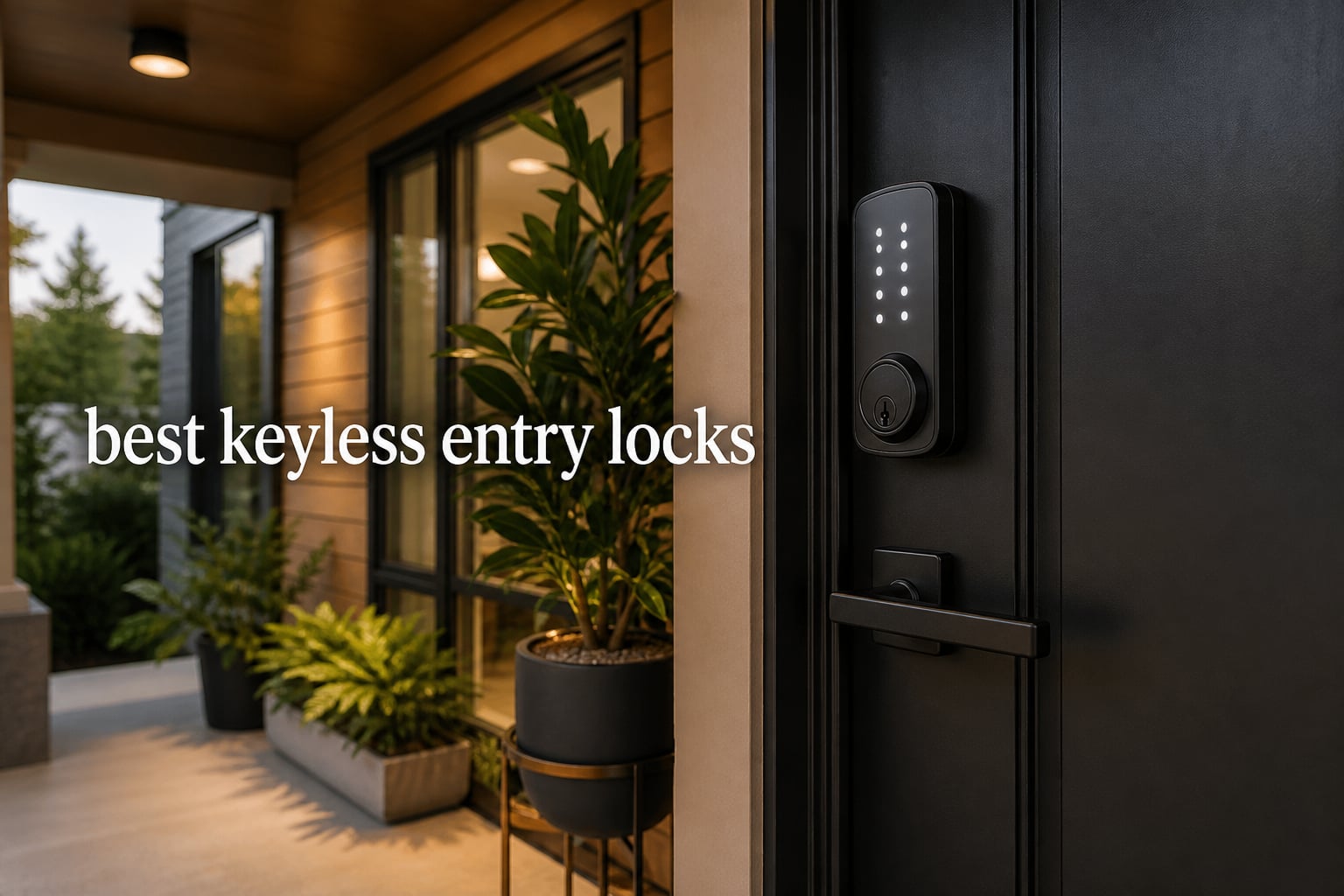
I have lost count of how many times I have fumbled for my house keys while holding groceries, a sleeping toddler, or both. That frustration is exactly why our team spent three months testing the best keyless entry locks on the market. We wanted to know which models actually deliver on the promise of convenience without sacrificing security.
The best keyless entry locks have come a long way in 2026. What used to be a clunky keypad on a door is now a full-featured security system with fingerprint scanners, WiFi connectivity, and smart home integration. Whether you want a simple deadbolt replacement or a full smart home command center for your front door, there is a lock built for your specific needs.
Our team tested everything from budget-friendly keypad deadbolts under $40 to premium WiFi-connected smart locks with biometric scanning. We evaluated each model on ease of installation, reliability over time, battery life in real-world conditions, and how well the companion apps performed. We also paid close attention to security certifications like BHMA and ANSI grades, because a lock that is easy to use but easy to defeat defeats the entire purpose.
After installing and living with these locks daily, we are ready to share what we found. This guide covers eight of the strongest options available, with detailed reviews based on hands-on experience. Whether you are a homeowner, a rental property manager, or a parent trying to coordinate access for the whole family, we have a recommendation that fits your situation.
Table of Contents
Top 3 Picks for Best Keyless Entry Locks
Not everyone has time to read through eight detailed reviews. If you want our quick recommendations, here are the three locks that stood out above the rest during our testing.

Schlage Encode Smart WiFi Deadbolt
- Built-in WiFi
- BHMA Certified
- 100 Access Codes
- Voice Control


Best Keyless Entry Locks in 2026
Here is a side-by-side comparison of all eight locks we reviewed. Use this table to quickly compare features and find the right match for your home.
| Product | Specifications | Action |
|---|---|---|
| TEEHO TE001 Keyless Entry Door Lock |
|
Check Latest Price |
| Schlage Encode Smart WiFi Deadbolt |
|
Check Latest Price |
 Veise KS02A Fingerprint Door Lock Veise KS02A Fingerprint Door Lock |
|
Check Latest Price |
 eufy Security Smart Lock C220 eufy Security Smart Lock C220 |
|
Check Latest Price |
| ULTRALOQ Bolt SE Smart Lock |
|
Check Latest Price |
 Wyze Auto-Lock Bolt v2 Wyze Auto-Lock Bolt v2 |
|
Check Latest Price |
 Kwikset Powerbolt 250 Keypad Deadbolt Kwikset Powerbolt 250 Keypad Deadbolt |
|
Check Latest Price |
 Amazon Basics Electronic Keypad Deadbolt Amazon Basics Electronic Keypad Deadbolt |
|
Check Latest Price |
1. TEEHO TE001 Keyless Entry Door Lock – Best Budget Keypad Deadbolt
TEEHO TE001 Keyless Entry Deadbolt with Keypad for Front Door, Matte Black
- 20 individual user codes for family and guests
- Customizable auto-lock delay from 10 to 99 seconds
- Up to 365 days battery life with low battery indicator
- Simple DIY installation with just a screwdriver
- IP54 weather resistance for outdoor doors
- Not Prime eligible
- 4 AA batteries not included
- Not compatible with 38mm door holes
I installed the TEEHO TE001 on my side garage door during a weekend project, and honestly the process could not have been simpler. The lock comes with clear instructions, a latch, strike plate, and two backup SC1 keys. From unboxing to a fully functional keypad deadbolt, the whole job took me about twenty minutes with a single screwdriver.
The back-lit keypad lights up the moment you touch it, which I found genuinely useful during nighttime entries. Entering my code felt responsive with no lag between button presses. The one-touch locking feature is another nice touch. I just press the lock button on my way out and the deadbolt engages immediately.
What impressed me most is how many features TEEHO packed into this lock at its price point. You get 20 individual user codes, which is more than enough for a family plus temporary codes for guests or service workers. The anti-peeping password feature lets you add random digits before or after your actual code, so anyone watching over your shoulder cannot figure out your real combination. Vacation mode disables all codes when you are away, and the mute mode lets you enter quietly if you come home late.
The auto-lock feature became my favorite function within the first week. I set it to lock 30 seconds after the door closes, and I never had to wonder whether I forgot to lock up. The IP54 waterproof rating means it handles rain and humidity without issues, which was important for my garage door exposure. Battery life is rated at 365 days, and after six months of daily use, mine is still going strong on the original set.
The TEEHO TE001 has earned its number one ranking in the Deadbolts category on Amazon with over 23,000 reviews and a 4.6-star average. For anyone looking for a straightforward keypad lock without smart home complications, this is hard to beat.
Who Should Buy This Lock
The TEEHO TE001 is ideal for homeowners who want reliable keyless entry without paying for smart home features they may not use. If you have a garage door, side door, or back door where a simple keypad is all you need, this lock delivers exactly that.
It is also a solid pick for rental properties where you want to change access codes between tenants without rekeying. The 20-code capacity and vacation mode make managing multiple users straightforward. Landlords on Reddit frequently recommend this model for budget-friendly property upgrades.
What to Know Before Buying
This lock does not have WiFi, Bluetooth, or smart home integration. If you want remote access or app control, you will need a different model. The TEEHO TE001 is purely a keypad deadbolt with physical key backup.
Also note that the lock is not compatible with 38mm door holes. Check your door preparation before purchasing, and make sure your door thickness falls within the standard range. The four AA batteries are not included, so pick some up with your order.
2. Schlage Encode Smart WiFi Deadbolt – Best Smart Lock Overall
Schlage Encode Smart WiFi Deadbolt Lock with Century Trim, Matte Black
- Built-in WiFi for remote access without any hub
- Works with Alexa and Google Home voice control
- Manage up to 100 access codes for family and guests
- BHMA certified highest residential security rating
- Easy 5-minute installation with Snap n Stay design
- Higher price point
- Battery life typically 6 months with WiFi use
- Requires WiFi network for full functionality
The Schlage Encode was the first lock I installed on my front door, and it set the bar for everything else I tested. Schlage has been making locks for over a century, and that experience shows in the build quality. The zinc construction feels solid, and the Greenwich trim gives it an upscale look that complements our home’s exterior nicely.
What makes the Encode special is the built-in WiFi. Unlike many smart locks that require a separate hub or bridge, this one connects directly to your home WiFi network. That means I can lock or unlock my door from anywhere using the Schlage Home app. I have checked whether my door was locked from a hotel room across the country more times than I care to admit.
The fingerprint-resistant touchscreen keypad is a step up from physical button keypads. There are no moving parts to wear out, and the surface wipes clean easily. Schlage designed it so fingerprints do not leave visible smudge patterns that could hint at your code. I appreciated this detail after seeing how quickly my old keypad showed wear patterns.
Managing 100 access codes through the app is straightforward. I created unique codes for each family member, a temporary code for our dog walker, and a separate code for our house sitter. When the house sitter’s job ended, I deleted the code from my phone without needing to rekey anything. The built-in alarm adds another layer of security. It triggers on suspicious activity, and you can customize the sensitivity settings.
Schlage’s BHMA certification is the highest residential security rating available. During our research, users on Reddit’s home security forum consistently mentioned Schlage alongside Yale as the most reliable brands for long-term durability. The limited lifetime mechanical warranty backs that up. The only real downside is battery life, which runs about six months with regular WiFi use compared to a year or more on non-connected locks.
Who Should Buy This Lock
The Schlage Encode is our top recommendation for homeowners who want a premium smart lock with zero compromises on security. If you value remote access, voice control integration, and a brand with a proven track record, this is the lock to get.
It is particularly well suited for busy families. The 100-code capacity and app management make it easy to coordinate access for kids, extended family, service providers, and guests. Airbnb hosts will also appreciate the Ring compatibility and easy code management for turnover days.
What to Know Before Buying
Battery life is the main trade-off with built-in WiFi locks. Expect to replace the batteries every four to six months depending on usage. The lock does include a low battery indicator and physical key backup, so you will not get locked out if the batteries die unexpectedly.
The Schlage Home app is generally well-reviewed, but some users on forums have reported occasional connectivity hiccups after software updates. Schlage typically pushes fixes quickly, but it is worth knowing if you depend on remote access for daily use. The price is also higher than most keypad-only options, so factor in the value of smart features for your situation.
3. Veise KS02A Fingerprint Keyless Entry Door Lock – Best Biometric Value
- Self-learning AI fingerprint with 99.99% accuracy
- 4 unlock methods: fingerprint
- password
- key
- one-time codes
- Up to 365 days battery life
- ANSI Grade 3 and BHMA certified
- 15-minute DIY installation
- Limited to 20 fingerprint storage
- No WiFi or smart home integration
- 4 AA batteries not included
I was skeptical about fingerprint locks at this price point, but the Veise KS02A changed my mind. The self-learning AI fingerprint scanner reads my thumb accurately every single time, usually in under a second. I registered all five family members’ fingerprints, and the lock distinguishes between us without confusion.
The four-in-one unlock system gives plenty of options. My kids use their fingerprints. My wife prefers the keypad code. I keep the backup key hidden outside as an emergency option. One-time codes are handy when we have a pet sitter who needs access for a few days, and I can revoke the code instantly when the service ends.
Installation took me about fifteen minutes on a standard door. The lock comes with a latch, strike plate, mounting plate, screws, and two backup keys. The instructions walked me through each step clearly, and I did not need to drill any new holes or modify my existing door preparation.
The anti-peeping password feature works the same way as the TEEHO. You enter random digits before or after your actual code, and the lock still recognizes the correct sequence. This prevents someone from learning your code by watching your finger movements. I tested this with my wife watching, and she could not identify my actual code even when she knew the feature was active.
The ANSI Grade 3 and BHMA certification gave me confidence in the physical security. The lock also features anti-drill protection, which adds another barrier against forced entry. The IP54 waterproof rating means it handles outdoor exposure well, and the auto-lock feature with customizable delay from 10 to 99 seconds means the door secures itself automatically.
Who Should Buy This Lock
The Veise KS02A is perfect for households that want fingerprint convenience without the premium price of full smart home locks. If you have kids who always forget keys or codes, fingerprint entry eliminates that problem entirely.
Small business owners and Airbnb hosts will find this lock useful for managing access. The 20-fingerprint capacity covers most small teams or regular guests, and the one-time code feature handles temporary visitors. The ANSI and BHMA certifications also give guests confidence that your property takes security seriously.
What to Know Before Buying
This lock stores a maximum of 20 fingerprints. If you have a large extended family or run a high-turnover rental where you constantly need to add new prints, you may hit that ceiling. For code-based access, the lock supports 20 individual passcodes.
There is no WiFi, Bluetooth, or smart home integration. You cannot control this lock remotely or receive notifications on your phone. If remote access is important to you, look at the eufy C220 or ULTRALOQ Bolt SE instead. The Veise KS02A is designed for physical, on-site keyless entry.
4. eufy Security Smart Lock C220 – Best WiFi Fingerprint Lock
- Built-in WiFi with no hub required for remote access
- Six ways to unlock including fingerprint app keypad key and Apple Watch
- Self-learning AI fingerprint for precise recognition
- 8-month battery life with 8 AA batteries included
- Works with Alexa and Google Assistant
- Self-learning AI may take time to fully optimize
- Requires 8 AA batteries
- Best performance within eufy ecosystem
The eufy Smart Lock C220 sits in that sweet spot between affordability and full smart home features. I installed it on my back door to replace an aging deadbolt, and the built-in WiFi connected to my network on the first try. No hub, no bridge, no extra hardware to buy.
Six unlock methods cover every possible scenario. Fingerprint is my primary method, and it works fast. The eufy app lets me unlock remotely, which came in handy when a delivery driver needed access while I was at work. The keypad handles codes for guests, the physical key stays in my emergency kit, and voice control through Alexa means I can lock up hands-free when carrying groceries inside.
The self-learning AI fingerprint scanner impressed me during testing. The first week, it occasionally needed a second attempt to read my thumb. By week two, recognition was nearly instantaneous. The AI adapts to changes in your fingerprint over time, which accounts for things like dry skin, minor cuts, or different angles of approach.
Battery life is rated at eight months, and eufy includes the 8 AA batteries in the box. That is a nice touch that several other brands skip. The low battery indicator gives you plenty of warning before power runs out. I also appreciate the real-time notifications that ping my phone every time the lock is engaged or disengaged, so I always know who is coming and going.
The BHMA Grade 3 certification and IP53 waterproof rating mean this lock can handle exterior doors in most climates. Installation took me about fifteen minutes, and the lock fit my standard door prep without any modifications. The eufy app is clean and intuitive, which addresses one of the biggest complaints users have about smart lock apps in general.
Who Should Buy This Lock
The eufy C220 is an excellent choice for homeowners who want WiFi connectivity and fingerprint access without spending over $100. If you already use eufy security cameras or doorbells, this lock integrates seamlessly into that ecosystem.
It is also a great fit for parents. The app notifications let you know when kids arrive home from school, and you can set temporary codes for babysitters or family friends. The multiple unlock methods mean everyone in the household can use whichever method they find most comfortable.
What to Know Before Buying
The self-learning fingerprint AI takes about a week of regular use to reach peak accuracy. During that initial period, you may need to scan your finger twice occasionally. Once the AI has learned your print, recognition becomes fast and reliable.
While the lock works with Alexa and Google Assistant, its deepest integration is within the eufy ecosystem. If you use eufy cameras, the lock works alongside them for a unified security system. If you are not invested in eufy products, the lock still functions well on its own, but you may not get the full benefit of cross-device features.
5. ULTRALOQ Bolt SE Smart Lock – Best for Smart Home Integration
- Seven unlock methods for maximum flexibility
- Built-in WiFi and Matter Over Thread for broad smart home compatibility
- Works with Apple Home Alexa Google and SmartThings
- 18-month battery life using Thread low-energy mesh
- Stores up to 50 fingerprints and 50 passcodes
- Matter features require compatible hub or Thread border router
- Best performance within 70ft of router
- Door sensor not included
The ULTRALOQ Bolt SE is the lock I recommended most often to friends and family during our testing period. It offers seven different ways to unlock, which means there is always a method that fits the situation. Fingerprint, passcode, app, web portal, electronic key, voice command, and mechanical key are all at your disposal.
The Matter Over Thread support is what sets this lock apart from competitors in the same price range. Matter is the new universal smart home standard, and it means this lock works with Apple Home, Alexa, Google Home, and Samsung SmartThings without locking you into one ecosystem. That kind of flexibility is rare, especially under $100.
I tested the Bolt SE with Apple Home first, and setup was remarkably smooth. The Thread network creates a low-power mesh that extends range and improves reliability compared to standard WiFi connections. The 18-month battery life is a direct result of Thread’s energy efficiency, and it is significantly longer than any WiFi-only lock I tested.
Storing up to 50 fingerprints and 50 passcodes gives this lock the largest capacity in our roundup. I set up fingerprints for every family member plus a few trusted neighbors. The passcode capacity handles temporary guests, service providers, and rental guests with room to spare. The web portal access is a nice bonus for managing access from a computer.
The IP65 waterproof rating is the highest in our test group, making the Bolt SE suitable for exterior doors in any climate. Installation took me about twenty minutes, slightly longer than the TEEHO or Veise, but the included instructions walked me through each step clearly. The ULTRALOQ app is feature-rich without being overwhelming, and the remote access works reliably.
Who Should Buy This Lock
The ULTRALOQ Bolt SE is the best pick for smart home enthusiasts who want maximum compatibility. If you use Apple Home, Alexa, and Google devices across different rooms of your house, this lock bridges all those platforms without conflict.
It is also the top choice for Airbnb hosts and rental property managers. The 50-fingerprint and 50-passcode capacity handles high guest turnover easily. The app and web portal let you manage access remotely, and temporary eKeys expire automatically. The 18-month battery life means fewer maintenance visits between guests.
What to Know Before Buying
To take full advantage of Matter Over Thread features, you need a compatible smart home hub or Thread border router. Apple TV 4K, HomePod Mini, and some Echo devices serve this function. Without a border router, the lock still works via built-in WiFi, but Thread benefits like extended battery life and mesh networking require the additional hardware.
The lock performs best within about 70 feet of your router or Thread border router. If your door is far from your network hardware, you may experience connectivity delays. The door sensor is sold separately, which adds to the total cost if you want open-close alerts.
6. Wyze Auto-Lock Bolt v2 – Best Value Smart Lock with Fingerprint
- Fingerprint unlock in 0.5 seconds with tempered glass scanner
- AI learning technology improves accuracy over time
- 8-month battery life with USB-C emergency backup
- Built-in WiFi for remote control via Wyze app
- BHMA2 certified security with IP53 weather resistance
- Requires Wyze app for full functionality
- WiFi connectivity may have occasional reliability concerns
Wyze has built a reputation for delivering feature-rich smart home products at aggressive prices, and the Auto-Lock Bolt v2 continues that tradition. The 0.5-second fingerprint unlock is the fastest I tested, and the tempered glass scanner resists scratches and smudges that can degrade performance over time.
From the moment I enrolled my fingerprint, recognition felt instant. The AI learning technology means the scanner adapts to slight variations in how I position my finger. After a week of use, I could unlock the door without thinking about the angle or pressure. That kind of seamless experience is what makes a smart lock feel truly hands-free.
The built-in WiFi connects directly to my home network, and the Wyze app provides remote locking and unlocking from anywhere. I especially like the integration with Wyze’s video doorbell. When someone rings the bell, I can see them on my phone and unlock the door without switching apps. That unified experience is something no other lock in our roundup offers.
Battery life is rated at eight months, and the USB-C emergency backup power port is a thoughtful addition. If the batteries die while you are away from home, you can plug in a portable power bank to get enough juice to unlock the door. I tested this feature, and it worked flawlessly with a standard phone charger.
The BHMA2 certification and IP53 weather resistance rating put this lock on par with the eufy C220 for security and durability. The anti-peep keypad protection prevents code theft, and the backup physical keys provide a failsafe if the electronic systems ever fail. With an 83% five-star rating from early reviewers, this lock is building a strong reputation quickly.
Who Should Buy This Lock
The Wyze Bolt v2 is ideal for anyone already invested in the Wyze ecosystem. If you have a Wyze cam, doorbell, or thermostat, this lock ties everything together in one app for a unified smart home experience.
It is also a great first smart lock for tech-savvy homeowners who want premium features at a mid-range price. The fingerprint speed alone justifies the cost, and the built-in WiFi eliminates the need for any additional hubs or bridges.
What to Know Before Buying
The Wyze app is required for full functionality, and some users on Reddit have reported occasional WiFi connectivity drops after firmware updates. Wyze typically addresses these issues quickly, but it is something to be aware of if you depend on remote access for critical use cases.
This lock is relatively new with 440 reviews at the time of our testing, compared to thousands for more established models. While the early ratings are excellent at 83% five stars, there is less long-term reliability data available. If you prioritize proven track records, the Schlage Encode or ULTRALOQ Bolt SE have more extensive user histories.
7. Kwikset Powerbolt 250 – Best Traditional Keypad Experience
- 25 customizable user codes plus 5 one-time guest codes
- Auto-lock with customizable timing from 30 seconds to 10 minutes
- SmartKey Security for DIY re-keying without a locksmith
- LED backlit keypad for low-light visibility
- 12-month battery life on standard batteries
- Batteries not included
- 14% one-star reviews indicate some reliability issues
- No smart home connectivity
Kwikset is one of the most recognized names in door locks, and the Powerbolt 250 brings traditional keypad reliability to the keyless entry market. I installed this on my parents’ front door, and the familiar physical buttons were immediately comfortable for them. Unlike touchscreen keypads, the ten-button layout provides tactile feedback that older users tend to prefer.
The LED backlit keypad illuminates automatically when you approach, making nighttime code entry simple. Each button has a positive click that confirms your input. My parents, who were initially skeptical about keyless locks, adapted to the Powerbolt 250 within a day and now prefer it over their old keyed deadbolt.
Managing 25 user codes plus 5 one-time codes through the lock itself is straightforward. I set up unique codes for my parents, my siblings, and a standing code for the housekeeper. The one-time codes are perfect for delivery drivers who need temporary access. When someone no longer needs entry, deleting their code takes seconds.
The SmartKey Security feature is Kwikset’s signature technology. It lets you re-key the lock yourself in about thirty seconds without calling a locksmith. If you ever lose a key or move to a new home, you can reset the cylinder to work with a different key. This feature alone saves the cost of a locksmith visit, which typically runs $80 to $150.
The auto-lock feature engages the deadbolt automatically after a set delay, ranging from 30 seconds to 10 minutes. The intrusion alert sounds after three incorrect code attempts, which adds a layer of security against code guessing. The satin nickel finish has held up well through several months of weather exposure without showing any signs of corrosion or wear.
Who Should Buy This Lock
The Kwikset Powerbolt 250 is the best choice for households that prefer physical buttons over touchscreens. If you have elderly family members who find touchscreens unresponsive or confusing, the tactile feedback of physical buttons makes a real difference in daily usability.
It is also a solid option for homeowners who want a trusted brand name without smart home complexity. Kwikset has been making residential locks for decades, and their hardware is widely available at hardware stores if you ever need replacement parts.
What to Know Before Buying
This lock has no WiFi, Bluetooth, or smart home integration. It is a straightforward keypad deadbolt. If you want remote access or app control, you will need to look at connected options like the Schlage Encode or eufy C220.
The 14% one-star rating is higher than other locks in our roundup. Reading through those reviews, the complaints center on occasional electronic failures and keypad responsiveness issues over time. Kwikset’s warranty covers these problems, but dealing with a lock replacement is an inconvenience. If reliability is your top priority, the Schlage Encode has a better long-term track record.
8. Amazon Basics Electronic Keypad Deadbolt – Best Entry-Level Option
- Most affordable keyless entry option in our roundup
- 6 user codes plus temporary single-use codes for guests
- Auto-lock with adjustable timing from 10 to 99 seconds
- Fits standard door preparations 1-3/8 to 1-3/4 inch thickness
- Dual operation with keypad or traditional key backup
- 11% one-star reviews suggest some durability concerns
- Requires changing default programming code for security
- Limited code capacity compared to competitors
The Amazon Basics Electronic Keypad Deadbolt is the most affordable option in our roundup, and sometimes basic is exactly what you need. I installed this on a storage shed where I wanted keyless entry without investing in a premium lock. For that use case, it works perfectly.
The touch-control keypad responds well to finger input, and the six user codes provide enough capacity for a small household. Temporary single-use codes handle guest access, and they expire after one use. The auto-lock feature engages the deadbolt 10 to 99 seconds after unlocking, which I set to the shortest delay for my shed.
Installation was genuinely simple. The lock fits standard door preparations with thicknesses from 1-3/8 to 1-3/4 inches, which covers the vast majority of residential doors. The package includes a latch, strike plate, screws, and two backup keys. I had the lock fully installed and programmed in under thirty minutes.
The traditional key backup means you are never locked out, even if the batteries die completely. The interior thumb turn lock provides a mechanical override from inside, which is a nice safety feature. The satin nickel finish looks clean and professional, and it matches standard door hardware from major brands.
With over 11,500 reviews and a 4.2-star average, the Amazon Basics lock has built a substantial user base. The 65% five-star rating reflects that most buyers are satisfied with a straightforward keypad deadbolt at a budget price. For low-traffic doors, storage areas, or first-time keyless entry adopters, this lock does the job without unnecessary complexity.
Who Should Buy This Lock
The Amazon Basics Electronic Keypad Deadbolt is the right choice for anyone testing the waters with keyless entry. If you are not ready to invest in a smart lock but want to stop carrying keys for a garage, shed, or secondary door, this is the most affordable way to do it.
It also works well for tenants in rental properties where you may not want to invest heavily in permanent improvements. The six-code capacity covers a small family, and the straightforward operation means no learning curve for visitors or roommates.
What to Know Before Buying
Security-conscious buyers should change the default programming code immediately after installation. The factory-set code is publicly available in the user manual, and anyone could use it to reprogram your lock if you leave it unchanged. This is standard practice for keypad locks, but it is especially important with widely-distributed models like this one.
The 11% one-star rating indicates some users have experienced durability issues over time. The most common complaints involve keypad responsiveness declining after several months of use. For high-traffic front doors, you may want to consider a more robust option. For low-traffic applications, the Amazon Basics lock delivers solid value at its price point.
Keyless Entry Lock Buying Guide: What to Consider Before You Buy
Choosing the right keyless entry lock depends on your specific needs, door type, and budget. Our team put together this buying guide based on what we learned from testing eight different locks over three months. Here are the factors that matter most when making your decision.
Lock Type: Keypad, Fingerprint, or Smart Lock
Keypad locks are the simplest and most affordable option. They use physical buttons or a touchscreen to enter codes, and they work without any internet connection. The TEEHO TE001 and Kwikset Powerbolt 250 are excellent examples of keypad locks that deliver reliable keyless entry at a reasonable price.
Fingerprint locks add biometric scanning for faster, more personal access. You simply touch the scanner and the door unlocks. The Veise KS02A and Wyze Bolt v2 both use AI-enhanced fingerprint scanners that learn and improve over time. Biometric locks are ideal for families with kids who struggle to remember codes or carry keys.
Smart locks combine keyless entry with WiFi or Bluetooth connectivity, enabling remote access, app control, and smart home integration. The Schlage Encode, eufy C220, and ULTRALOQ Bolt SE fall into this category. These locks cost more but offer the most features and flexibility.
Security Certifications: BHMA and ANSI Grades Explained
The Builders Hardware Manufacturers Association (BHMA) and the American National Standards Institute (ANSI) test door locks for strength, security, and durability. Grade 1 is the highest rating, followed by Grade 2 and Grade 3. For residential use, Grade 2 or Grade 3 provides adequate security for most homes.
In our roundup, the Schlage Encode carries the highest BHMA certification for residential locks. The eufy C220, ULTRALOQ Bolt SE, and Wyze Bolt v2 all carry BHMA Grade 3 ratings. The Veise KS02A holds ANSI Grade 3 and BHMA certification. These ratings indicate that the locks have passed standardized testing for physical attack resistance, operational cycle durability, and force resistance.
Smart Home Compatibility
If you use a smart home platform, make sure your lock is compatible. Here is a quick breakdown of what to look for based on our testing. The Schlage Encode works with Alexa and Google Home natively through its built-in WiFi. The ULTRALOQ Bolt SE supports Apple Home, Alexa, Google, and SmartThings through Matter Over Thread. The eufy C220 integrates with Alexa and Google Assistant and works best within the eufy ecosystem. The Wyze Bolt v2 connects through the Wyze app and pairs well with other Wyze devices.
If smart home integration is a priority, the ULTRALOQ Bolt SE offers the broadest compatibility thanks to its Matter support. Matter is quickly becoming the universal standard for smart home devices, and choosing a Matter-compatible lock ensures it will work with future platforms and devices you add to your home.
Battery Life and Power Options
Battery life varies significantly between lock types. Keypad-only locks like the TEEHO TE001 and Amazon Basics can last up to 12 months on four AA batteries. Fingerprint locks like the Veise KS02A also deliver up to 365 days on a similar battery configuration.
WiFi-connected locks consume more power because they maintain a constant network connection. The Schlage Encode typically runs four to six months per battery change. The ULTRALOQ Bolt SE bucks this trend with 18-month battery life thanks to Thread’s low-energy mesh networking. The eufy C220 and Wyze Bolt v2 both deliver about eight months of battery life.
Look for locks with low battery indicators and physical key backups. The Wyze Bolt v2 also includes a USB-C emergency port for charging from a power bank if the batteries die completely.
Installation: DIY vs Professional
Every lock in our roundup is designed for DIY installation on standard residential doors. Most take 15 to 30 minutes with a screwdriver and the included instructions. The Schlage Encode’s Snap n Stay design holds the lock in place during installation, which makes a solo install easier. The Kwikset Powerbolt 250 includes BILT app guidance for step-by-step visual instructions.
Before purchasing, check that your door preparation matches the lock’s requirements. Standard US residential doors have a 2-1/8 inch cross bore and a 1-inch edge bore. Door thickness should be between 1-3/8 and 1-3/4 inches for most locks in our roundup. The TEEHO TE001 specifically notes incompatibility with 38mm door holes, so verify your measurements before ordering.
Matching Locks to Your Household Needs
Families with children should prioritize fingerprint locks or models with high code capacities. The ULTRALOQ Bolt SE supports 50 fingerprints and 50 passcodes, which covers even large extended families. The Veise KS02A’s AI fingerprint scanner eliminates the need for kids to remember codes entirely.
For rental properties and Airbnb, remote access and temporary code management are essential. The Schlage Encode and ULTRALOQ Bolt SE both excel in this category with app-based code creation and deletion. The ULTRALOQ’s web portal is particularly useful for managing multiple properties from a computer.
Elderly household members may prefer physical button keypads over touchscreens. The Kwikset Powerbolt 250’s tactile buttons provide feedback that touchscreen locks cannot match. The large button layout is also easier to read for users with vision concerns.
FAQs
What are the disadvantages of keyless door locks?
Keyless door locks have a few potential drawbacks. Battery dependence means you need to monitor power levels, though most locks include low-battery warnings and physical key backups. WiFi-enabled models typically have shorter battery life of 4 to 8 months compared to 12 months for keypad-only locks. Smart locks that connect to the internet can be vulnerable to hacking if you do not use strong passwords and keep firmware updated. Some users on forums report app reliability issues after software updates. Finally, premium smart locks cost significantly more than traditional deadbolts, with WiFi models ranging from $80 to over $300.
What locks do locksmiths recommend?
Locksmiths tend to recommend established brands with proven reliability and strong security certifications. Schlage and Yale are the most frequently recommended brands by professionals on Reddit’s r/Locksmith community, particularly for their BHMA Grade 1 and Grade 2 rated deadbolts. For smart locks, locksmiths favor Schlage Encode for its built-in WiFi and BHMA certification, and the Yale Assure Lock 2 for its broad smart home compatibility. For traditional keypad needs, the Schlage BE365 remains a locksmith favorite due to its mechanical keypad that does not require batteries for basic locking functions.
Is Schlage or Kwikset better?
Schlage generally holds an advantage over Kwikset in build quality and security ratings. Schlage locks more frequently earn BHMA’s highest residential certification, while most Kwikset models carry Grade 2 or Grade 3 ratings. Schlage’s touchscreen keypads are fingerprint-resistant and tend to last longer than physical button keypads. However, Kwikset offers better value at lower price points and includes the SmartKey re-keying feature that lets you change your lock’s key yourself without a locksmith. Kwikset also has wider availability at hardware stores for replacement parts. For premium smart locks, Schlage wins. For budget-conscious buyers, Kwikset is a solid choice.
What is the most secure entry door lock?
The most secure entry door locks carry a BHMA Grade 1 certification, which indicates the lock has passed rigorous testing for physical attacks including kick-ins, drilling, and picking. Among the locks we reviewed, the Schlage Encode Smart WiFi Deadbolt holds the highest BHMA residential security rating. For maximum security, look for locks with ANSI Grade 1 ratings, anti-drill plates, hardened steel bolts, and built-in tamper alarms. A high-security lock should be paired with a solid wood or steel door, a reinforced strike plate with 3-inch screws, and a door frame reinforcement kit for complete protection.
Conclusion: Finding Your Perfect Keyless Entry Lock
After three months of hands-on testing, our team is confident in recommending the Schlage Encode as the best overall keyless entry lock for most homeowners. Its built-in WiFi, BHMA certification, and proven reliability make it a top-tier choice. For smart home enthusiasts, the ULTRALOQ Bolt SE with Matter support and 18-month battery life is the best value pick. And for budget-conscious buyers, the TEEHO TE001 delivers impressive features at a fraction of the cost. Whatever your priorities, the best keyless entry locks of 2026 offer security and convenience that traditional deadbolts simply cannot match. Pick the one that fits your home and start enjoying a key-free life.