
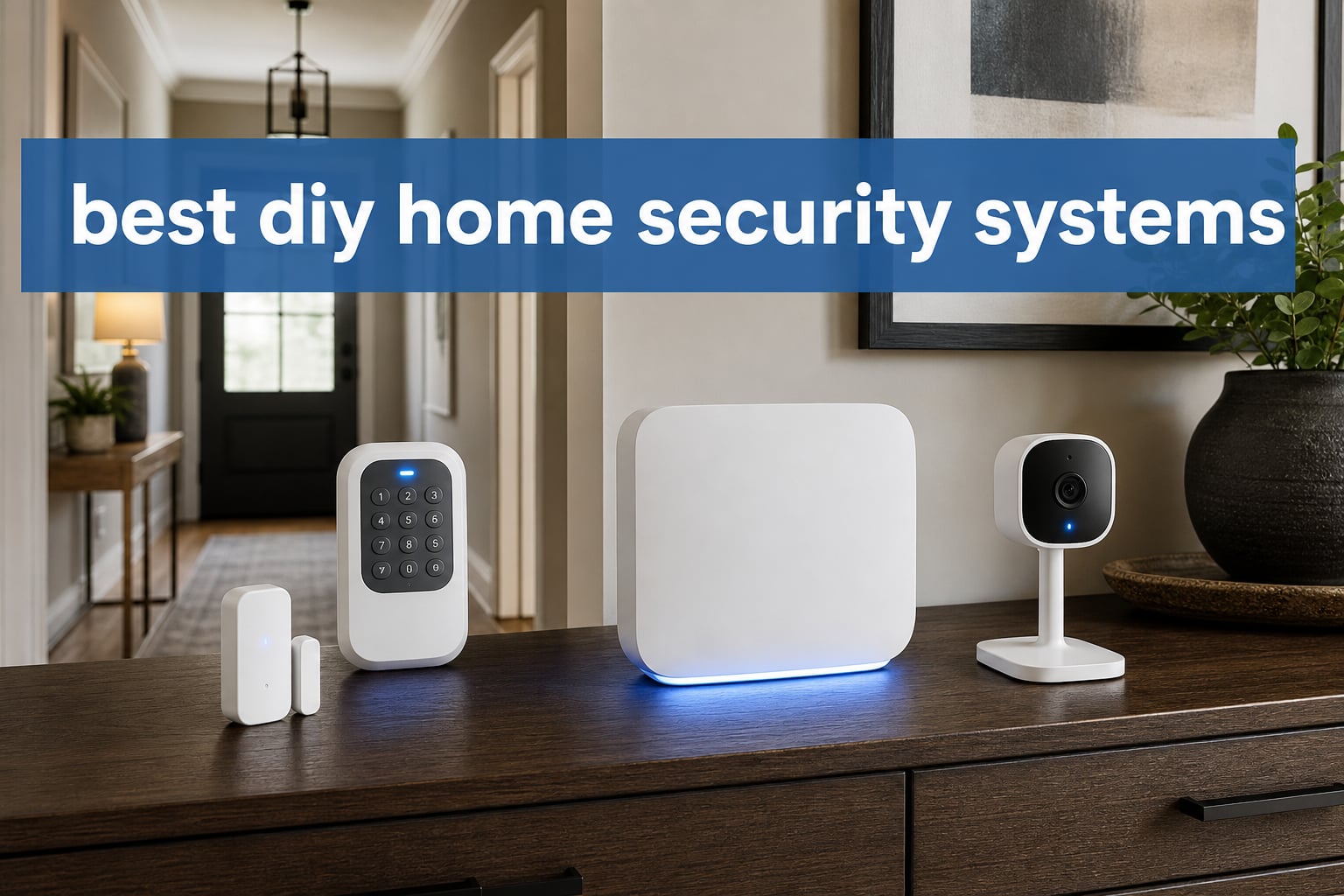
The best DIY home security systems pair simple wireless installation with the type of response you actually want when an alert arrives. For most homes, the Ring Alarm 8-Piece Kit is the strongest all-round starting point because it covers four entry points, includes a motion detector and range extender, sends mobile alerts, and can add professional monitoring; SimpliSafe is the fuller choice when an indoor camera and a larger sensor bundle matter most.
DIY home security means placing wireless sensors, a hub, and any cameras yourself rather than booking an installer. The system then uses an app, Wi-Fi, and sometimes another connection method to tell you about an open door, motion, or alarm event; professional monitoring and advanced remote features can be optional rather than locked into a long contract.
I compared the eight supplied kits by what is actually in the box, how they connect, their stated expansion paths, controls, alert options, monitoring choices, customer ratings, and practical limitations. I did not rank a kit simply because it has more pieces: a compact apartment needs different coverage from a house with several exterior doors.
One finding from homeowner discussions is especially useful: people care less about a flashy app screen than dependable alerts, realistic Wi-Fi reach, battery planning, and avoiding false alarms. Think through those pieces before mounting anything, because a sensor that misses a detached garage or a phone that cannot receive an alert does not add much protection.
Table of Contents
Top 3 picks give most homes a clear starting point
Choose Ring for a balanced kit with a broad base of verified feedback, SimpliSafe for a larger no-contract package with an indoor HD camera, or eufy when avoiding recurring fees is the central goal. The remaining kits below fill narrower needs, including very large sensor counts, 4G notification capability, and basic apartment coverage.
The best DIY home security systems in 2026 cover eight different needs
This overview keeps the decision practical. A system with an optional monitoring plan can be a good fit for someone who travels, while a self-monitoring security system makes more sense if you want app alerts and no recurring plan.
| Product | Specifications | Action |
|---|---|---|
 Ring Alarm 8-Piece Kit Ring Alarm 8-Piece Kit |
|
Check Latest Price |
 YISEELE WiFi Alarm Kit YISEELE WiFi Alarm Kit |
|
Check Latest Price |
 SimpliSafe 11 Piece Gen 3 SimpliSafe 11 Piece Gen 3 |
|
Check Latest Price |
 eufy Security 5-Piece Kit eufy Security 5-Piece Kit |
|
Check Latest Price |
 tolviviov 8-Piece Door Alarm tolviviov 8-Piece Door Alarm |
|
Check Latest Price |
 tolviviov 15-Piece WiFi Kit tolviviov 15-Piece WiFi Kit |
|
Check Latest Price |
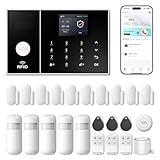 PGST 24-Piece Alarm Kit PGST 24-Piece Alarm Kit |
|
Check Latest Price |
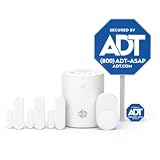 ADT Blu Security Starter Kit ADT Blu Security Starter Kit |
|
Check Latest Price |
Each kit is wireless, but wireless does not mean identical. Several models use only 2.4GHz Wi-Fi, and the PGST kit is the only supplied option that also lists a 4G SIM-card path for calls and SMS alerts.
1. Ring Alarm is the best balanced system for one- and two-bedroom homes
Ring Alarm 8-Piece Kit (newest model), Home or business security system with optional 24/7 professional monitoring
- Four entry sensors
- Range extender included
- Mobile notifications
- Expandable kit
- Subscription needed for full features
- No Prime eligibility
Ring’s eight-piece kit puts the basics in the right places for a modest house, condo, or apartment: a base station, keypad, four contact sensors, one motion detector, and one range extender. That layout means you can cover a front door, a back door, and two accessible windows before you add anything else.
I like that the range extender is part of the supplied bundle rather than an afterthought. Users often report that wireless sensor reach and Wi-Fi stability become the frustrating part of a DIY security kit, so starting with a device intended to extend the sensor network is sensible.
Ring sends mobile notifications when triggered and allows expansion with more Alarm Sensors and accessories. The keypad gives everyone in the household a direct way to arm or disarm the system, while Alexa compatibility adds voice control for people who already use that ecosystem.
The important boundary is feature access: the supplied product data says a Ring Protect Plan enables remote arming and 24/7 professional monitoring. Decide in advance whether app alerts alone meet your needs, because the answer changes which functions you will use day to day.
The Ring Alarm works best when your entry points need balanced coverage
Four contact sensors suit a typical one- or two-bedroom layout without forcing you to choose between a door and a ground-level window. The motion detector can cover an interior passage, but it is not a replacement for contact sensors on the exterior openings you use most.
The 18k+ customer-review count and 4.7 rating give this kit the deepest feedback base in this group. That does not promise a perfect experience in every home, but it provides more evidence than a newly listed kit with only a few dozen reviews.
The Ring Alarm needs a plan for remote control and monitoring
Set the base station centrally, then test every sensor from its final mounting location before relying on the system. A range extender helps the sensor network, yet it cannot correct a weak internet connection or a Wi-Fi dead zone where you expect to use the app.
Consider a different model if you want a camera included in the initial box or want no-fee monitoring to be the main feature. Ring is a strong system-first choice, but cameras and monitoring should be chosen with your privacy and response preferences in mind.
2. YISEELE is a simple app-controlled alarm for basic homes and apartments
- Loud 120dB siren
- Alexa and Google support
- App alerts
- Large accessory expansion
- 2.4GHz Wi-Fi only
- Small review base
The YISEELE kit supplies a hub, four door or window sensors, and a remote, with a stated 120dB siren for local deterrence. Its Smart Life app sends real-time alerts, and it can work with Alexa and Google Home for a straightforward voice-control setup.
For a first wireless home security setup, the stated setup path is easy to understand: put the hub into connection mode, add it in the Smart Life app, and connect on a 2.4GHz network. That is friendlier than a system that asks you to manage several hubs or separate brand apps.
The standout specification is expansion to 100 accessories. That gives a small apartment system room to grow into a house system, though I would first confirm that the hub can communicate reliably from its intended location to the farthest sensor.
This listing has a 4.7 rating from 40 reviews, so treat its score as an early signal, not the same level of proof as a kit supported by thousands of reviews. The two-year replacement warranty is a welcome stated safeguard, but the limited review base still calls for careful testing during the return window.
The YISEELE system suits households that want a loud local alarm and app alerts
The four supplied entry sensors are enough to protect a primary door, a secondary door, and two accessible windows. Pair them with the remote and SOS function for a simple home alarm system DIY arrangement that does not require a keypad at every entry.
It is also a logical pick for a renter who wants adhesive-friendly wireless components and does not need professional monitoring as part of the initial plan. Use the app’s real-time notifications as a prompt to check the home, call a trusted neighbor, or contact emergency services when appropriate.
The YISEELE system requires a 2.4GHz Wi-Fi check before installation
The hub only supports 2.4GHz Wi-Fi, not 5GHz. Many current routers broadcast both bands under one network name, but setup can fail if the phone or hub does not join the compatible band; check the router settings before you open the adhesive pads.
A siren is not professional response, and an app notification is only useful if your phone can receive it. Test an alarm while you are away from home, confirm the notification sound is enabled, and give every authorized household member a clear arming routine.
3. SimpliSafe is the best complete kit when an indoor camera matters
- Camera included
- Six entry sensors
- No contract
- Pet-friendly motion
- Monitoring is separate
- Camera is indoor only
SimpliSafe’s 11-piece Gen 3 bundle is the most complete starting package here for someone who wants both alarm coverage and an indoor camera. It includes one base station, one keypad, two motion sensors, six entry sensors, and a wireless indoor HD camera with 1536p video capture resolution.
Six entry sensors change the coverage calculation. I would use them first on exterior doors, accessible windows, and any door between the main living space and an attached garage, then save motion sensing for open areas rather than asking one motion sensor to do every job.
The system is stated to install with self-adhesive components and no wiring or drilling required. Its keypad has backlit buttons and a smash-safe design, while the motion sensors are described as pet-friendly for pets under 60 pounds.
SimpliSafe offers optional 24/7 professional monitoring without a contract, and its Fast Protect service is listed with video verification for faster police response. That is meaningful for people who do not want to decide alone whether a late-night alert is a real emergency, but ongoing monitoring remains a separate choice.
The SimpliSafe kit is right for broader entry coverage and indoor verification
This is the strongest match for a home with several accessible openings because six entry sensors arrive in the box. The included camera also provides a way to view an interior area and use two-way audio rather than relying entirely on a motion notification.
Alexa and Google Assistant compatibility helps if voice assistants already run your household routines. Keep the security controls deliberate, though: voice convenience should not replace a reliable keypad code and a habit of checking that windows are closed before arming.
The SimpliSafe kit works best when camera placement respects privacy
Place the indoor camera where it can verify an entry path or common area, not a bedroom, bathroom, or another private space. Review who has app access, use unique account credentials, and decide whether video storage or guard features are appropriate before turning them on.
The listed battery backup is up to 24 hours, a useful detail during short power disruptions. Battery data in product listings can vary by device and use, so put a recurring reminder on your calendar to check sensor status rather than waiting for a low-battery alert.
4. eufy Security is the best no-monthly-fee route for eufyCam owners
- No monthly fees
- Fast self-adhesive setup
- eufyCam connection
- Instant app alerts
- Fewer included sensors
- Lower 4.3 rating
eufy’s five-piece kit includes a HomeBase, keypad, motion sensor, and two entry sensors. It is designed for quick self-adhesive setup, app control, and instant alerts, making it a compact option for a front door, a back door, and one central walking path.
The main reason to choose it is direct: the supplied data lists no monthly fees. Community discussions often point to eufy for people trying to avoid recurring charges, and this kit also links with eufyCam for those who already prefer that camera family.
The system has a 4.3 rating from 1.2k+ reviews, which is a meaningful feedback pool but lower than Ring’s listed rating. I would read that as a reason to set expectations carefully, not as a reason to dismiss a kit whose fee-free model matches your household.
Optional 24/7 professional monitoring is available, so no monthly fees does not mean you cannot choose a monitored route later. It means you can begin with app alerts and make that decision separately.
The eufy kit fits a small home that prioritizes self-monitoring
Two entry sensors make this a better starter for a small apartment, studio, or compact home than a property with many exterior openings. If you have a patio door, detached garage, or numerous ground-floor windows, plan an expansion list before making this your only layer of protection.
The HomeBase and app are the center of the experience, so locate the base where it can maintain a dependable connection to the sensors. Run opening and closing tests on both doors or windows after mounting, then repeat those tests after moving furniture or changing router placement.
The eufy kit becomes more useful when cameras stay in the same ecosystem
Its stated link with eufyCam makes this a focused choice for an existing eufy camera household. A connected camera can add visual context to an alert, but camera coverage should complement contact sensors rather than replace them.
Before choosing any cloud-connected camera setup, think about recording access and notifications. Give every member of the home only the permissions they need, review alerts periodically, and use activity areas where available so routine movement does not create an endless stream of unhelpful pings.
5. tolviviov 8-Piece Door Alarm is the basic multi-entry system for small spaces
- Five door sensors
- Two remotes
- Alexa and Google support
- 20-sensor expansion
- 2.4GHz Wi-Fi only
- 8-hour backup
The tolviviov eight-piece kit takes a sensor-heavy approach: one base station, five door or window sensors, and two remote controls. That is useful if your main concern is covering several entry points without adding a motion detector to the plan.
The product data states tool-free self-adhesive installation, app and remote control, plus Alexa and Google Assistant compatibility. It also lists expansion up to 20 sensors and five remote controls or keypads, giving households a route to add coverage after the first installation.
This listing has a 4.2 rating from 4.4k+ reviews and a stated 100-meter maximum range. The large review count is helpful context, but the lower rating tells me to install carefully and take the Wi-Fi limitation seriously instead of assuming a quick setup will be trouble-free.
It uses AC power with an eight-hour battery backup. That backup can cover a limited outage, but it is shorter than the 24-hour backup listed for SimpliSafe, so keep power resilience in proportion to your local outage pattern.
The tolviviov 8-Piece kit works when door and window coverage comes first
Five contact sensors fit a layout with several exterior doors and accessible windows. Contact sensors provide a clear signal when an opening separates, which is often easier to interpret than a motion alert from a busy household with pets or frequent indoor activity.
Two remotes can also help households that want a simple arm or disarm control near a main exit. Keep remotes out of sight and do not leave one in a vehicle or an unlocked exterior area, since easy access to a control is not a security feature.
The tolviviov 8-Piece kit needs realistic power and network expectations
It supports 2.4GHz Wi-Fi only. Check whether your router reaches the base station’s planned location, and do a full alert test with the household phone on cellular service, not only while it is connected to the home network.
Its listed battery backup is eight hours, and product data calls out a lithium battery average life of eight hours. If outages are common, use the system as one layer alongside good locks, exterior lighting, and a written plan for what each household member does when the alarm sounds.
6. tolviviov 15-Piece is the better no-fee pick for larger sensor plans
15-Piece WiFi Home Security System, DIY Wireless Alarm Kit, No Subscription
- No monthly fees
- 120dB siren
- Alexa support
- App alerts
- 2.4GHz Wi-Fi only
- Low 4.2 rating
This tolviviov system is built around a larger bundle and a stated 120dB siren, plus app remote control and real-time smartphone alerts. It has no monthly fees listed, works with Alexa, and can expand to 20 sensors and five remote controls or keypads.
The product title identifies it as a 15-piece kit, while one unit-count field lists eight units. Because those details conflict, I would verify the current package contents on the product page before planning exact sensor placement; the 120dB siren, app alerts, expansion limit, and 2.4GHz requirement are consistent across the listing.
It carries a 4.2 rating from 957 reviews. That feedback volume gives more context than a brand-new listing, but it still points to a kit best suited to people who are comfortable testing and troubleshooting a basic Wi-Fi alarm themselves.
For the best DIY home security systems search, this is a reasonable no-subscription candidate when you need a wider starting set than eufy’s two entry sensors. It remains an alert-and-siren system, not a replacement for a monitored service if you need another party to react to an alarm.
The tolviviov 15-Piece kit fits larger layouts that need expansion without recurring fees
A larger kit can reduce the temptation to leave secondary doors or ground-level windows uncovered. Make a paper map first: mark every exterior door, reachable window, and interior route, then rank openings by how likely they are to be used or left unsecured.
Use the siren as an attention-getting deterrent, then decide who will receive app notifications and what they will do. A shared household should not rely on one person’s phone, especially if that person travels, works in a noisy setting, or silences alerts overnight.
The tolviviov 15-Piece kit requires package verification and 2.4GHz Wi-Fi
Confirm the current box contents, compatible accessories, and mounting supplies before ordering extras. Product listings can change, and the discrepancy between the title and the unit-count field means it would be careless to promise a particular sensor total here.
Like the smaller tolviviov kit, this one does not support 5GHz Wi-Fi. If your router combines bands automatically, use the maker’s connection instructions and test the hub after a router restart; that small test catches many app reliability problems before the system is needed.
7. PGST is the best large kit when 4G alert capability is a priority
- Wi-Fi and 4G connectivity
- SMS and call alerts
- Tamper protection
- SOS device
- 4G SIM needed for full functions
- 2.4GHz Wi-Fi only
PGST’s 24-piece wireless kit stands apart because it lists Wi-Fi plus 4G connectivity, a 4G SIM-card slot for phone-call and SMS alarms, app alerts, and a compact SOS device. It also states physical tamper protection secured by a code and an alarm volume above 110dB.
That second communication path is the right reason to consider it. Forum users regularly mention Wi-Fi trouble as a real weak point, and a system that can use a supported SIM card for calls and texts may be useful where internet service is unreliable or where a cellular notification route is wanted.
The system can be controlled through the Smart Life or Tuya app and works with Alexa. Its color screen displays system status, weather, and date, and the listed support for 10 languages can matter in a multilingual household.
The rating is 4.1 from 64 reviews, the lowest combination of score and review volume in this roundup. I would choose it for the unusual connectivity and large-kit specification, not because the feedback record is as proven as Ring or eufy.
The PGST kit is useful when notification redundancy matters more than brand depth
Wi-Fi plus 4G can create a more flexible alert plan, but it is not automatic backup without a compatible, active SIM card. Confirm local network support, activate the card as required, and send test calls, texts, and app alerts before considering the system ready.
The included SOS button can be meaningful for an elderly person, a child, or someone who wants a dedicated emergency control nearby. Put it somewhere reachable and teach everyone exactly what it does so an accidental press does not become a confusing false alarm.
The PGST kit requires more setup discipline than a simple Wi-Fi alarm
There are more components and more communication settings to understand. Start with the hub, one entry sensor, and one alert recipient; once that works, add sensors in small groups and label each one in the app with its exact location.
It still specifies 2.4GHz Wi-Fi rather than 5GHz. The 4G functions also require a SIM card for the full call and SMS path, so do not assume that a no-monthly-fee alarm kit means every communications service has no outside requirement.
8. ADT Blu is the best renter-friendly starter with guided app setup
ADT Blu Home Security System Starter Kit, DIY Wireless Alarm, Plan Required
- Guided app setup
- Adhesive or screws
- Pet-friendly motion
- No long contracts
- Ongoing monitoring is separate
- Small review base
ADT Blu’s starter kit includes a base hub, three door or window sensors, one pet-friendly motion sensor, a yard sign, and four window stickers. The ADT+ app guides setup, and the components can mount with adhesive tape or screws, which makes the installation flexible for renters.
The supplied data lists 30 days of free monitoring, then optional paid monitoring with no long-term contract. That structure makes sense for someone who wants to try an assisted response process before deciding whether self-monitoring notifications are sufficient.
ADT Blu can expand with cameras, doorbell cameras, glass-break sensors, and more. I would start with the three entry sensors in a renter setup, use the motion sensor in a primary living space, and wait to add more devices until the first week of alerts feels accurate rather than noisy.
This kit has a 4.0 rating from 25 reviews and a 90-day limited warranty. ADT’s familiar name may be reassuring, but the small feedback pool and short listed warranty mean the decision should rest on its renter-friendly mounting, app guidance, and monitoring approach rather than name recognition alone.
The ADT Blu starter kit works for renters who want guided placement choices
Adhesive mounting can save a leaseholder from drilling holes, while screw mounting remains available where it is permitted and a more permanent attachment makes sense. Save the unused mounting hardware and photograph sensor locations before move-out so removal and touch-up are simpler.
The pet-friendly motion sensor is helpful when pets share the home, but no motion setup is entirely set-and-forget. Place it away from HVAC airflow, swinging curtains, and high-traffic pet routes where possible, then test the alarm with normal daily activity before arming it overnight.
The ADT Blu kit needs coverage expansion in homes with many openings
Three entry sensors suit a compact apartment or a home with a few priority access points. A larger home with multiple ground-floor windows, a patio slider, and garage access will need added sensors, so sketch those openings before deciding that a starter kit covers the whole property.
Review the monitoring terms in the app and treat the 30-day period as a practical test. Try arm and disarm routines, confirm the right contact details, and learn how an alert is handled; a system is most useful when every household member knows what happens next.
The right buying guide starts with entry points, not brand names
Count every exterior door, accessible window, garage entry, and patio slider before comparing kits. Contact sensors should cover the openings that matter most, while a motion sensor belongs in an interior route that an intruder would likely cross after entry.
Then separate detection from verification. A contact sensor tells you an opening has separated; a motion sensor signals movement; a camera can add visual context; a local siren calls attention; professional monitoring can bring another party into the response process.
A good installation begins with a simple four-step coverage map
- Draw the floor plan and mark all exterior openings, including less-obvious garage and patio access.
- Place the hub near reliable power and a usable network connection, away from easy reach of an entry door.
- Assign each sensor a specific name in the app, such as “Kitchen patio door,” before mounting it.
- Test opening alerts, motion alerts, siren behavior, remote controls, and every household phone from inside and outside the home.
Do not mount adhesive sensors until the first communication test works. This avoids the annoying situation where a sensor looks neatly installed but sits just outside the hub’s dependable range.
The monitoring choice depends on who responds when you cannot
Self-monitoring means the app alerts you and the people you authorize. It can be a strong fit if you are usually reachable, want no-contract home security, and are comfortable checking an alert before deciding whether to call a neighbor or emergency services.
Professional monitoring means an outside service receives the alarm under the terms of the plan. It can suit frequent travelers, people who work where phones cannot be checked, or anyone who wants help evaluating a serious alarm event; verify what the service covers and how cancellation works.
Subscription-free does not mean every feature is free forever. Ring’s supplied listing ties remote arming and 24/7 monitoring to Ring Protect, SimpliSafe lists optional monitoring, ADT Blu includes a limited free-monitoring period before optional paid service, and PGST’s call and SMS functions require a 4G SIM card.
A dependable network plan prevents many DIY alarm frustrations
Several products here require 2.4GHz Wi-Fi: YISEELE, both tolviviov kits, and PGST. Confirm that your router offers it and that the hub can join it before you commit to placement.
Do not confuse 2.4GHz with 4G or 5G cellular service. In these listings, 2.4GHz refers to the Wi-Fi band, while PGST’s 4G feature refers to a cellular SIM-card route for calls and text alerts.
Forum discussions flag Wi-Fi problems and app reliability more often than polished product pages do. Restart the router occasionally, keep the hub away from heavy signal blockers where possible, and repeat a complete alert test after changing network hardware or passwords.
A renter-friendly system needs removable mounting and a move-out plan
Self-adhesive sensors in the SimpliSafe, eufy, tolviviov, and ADT Blu listings can simplify installation without permanent wiring. Before mounting, clean the surface as the manufacturer directs and check your lease rules for adhesive strips, exterior cameras, and yard signs.
Keep packaging, spare adhesive, and a labeled photo of each sensor location. When you move, that record makes it easier to remove devices, re-create the layout, and avoid leaving a sensor behind on a window you rarely use.
A camera plan should add context without creating a privacy problem
Only SimpliSafe includes an indoor HD camera in the supplied kit, and eufy links with eufyCam; ADT Blu is expandable with cameras. A camera is most useful at an entry route or common area where it can help you understand an alert.
Keep cameras out of private spaces, use unique credentials, review access after guests or roommates leave, and decide whether cloud video storage is necessary. Homeowners in community conversations regularly raise cloud-storage privacy concerns, which is a good reason to set permissions deliberately rather than accept defaults.
Police-focused security starts with prevention and accurate alarms
Police home-security guidance commonly emphasizes locking doors and windows, maintaining good exterior visibility, using lighting, and avoiding predictable signs that a home is empty. An alarm is strongest as part of those basics, not as a substitute for them.
False alarms can strain neighbor relationships and may lead to unnecessary police calls. Use entry-delay settings thoughtfully, teach every household member the code and routine, place motion sensors away from likely triggers, and test the system in normal conditions before relying on it overnight.
For an emergency in progress, follow local emergency guidance and call emergency services when it is safe to do so. Do not enter a home to investigate an alarm just because an app notification arrived; remote alerts tell you something needs attention, not what is happening inside.
The FAQ answers the most common DIY security questions directly
What is the best DIY home security system?
Ring Alarm 8-Piece Kit is the best all-round pick in this comparison because it includes a base station, keypad, four contact sensors, motion detector, range extender, mobile alerts, Alexa support, and expansion options. Choose SimpliSafe instead when six entry sensors and an included indoor HD camera better match your home.
Are DIY home security systems good?
DIY home security systems can work well when the hub has reliable connectivity, sensors cover the right entry points, alerts reach the right people, and every component is tested after installation. They suit renters and homeowners who want flexible placement and no long contract, but they still require battery checks, Wi-Fi planning, and a response plan for alarms.
What is the best home security system without a subscription?
eufy Security 5-Piece Home Alarm Kit is the clearest no-monthly-fee option here, with a HomeBase, keypad, motion sensor, two entry sensors, app alerts, and a link to eufyCam. The two tolviviov kits and PGST also list no monthly fees, but PGST needs a 4G SIM card for its call and SMS functions.
What do police recommend for home security?
Police-oriented home security begins with locked doors and windows, clear exterior visibility, lighting, and an alarm that is set up to avoid false triggers. Use sensors on real entry points, teach everyone how to arm and disarm the system, and contact emergency services from a safe location when an emergency is in progress.
The best final choice matches your coverage map and response plan
Ring Alarm is my overall recommendation for a balanced setup and a mature feedback record. SimpliSafe is the better match for a larger entry-sensor bundle with an included indoor camera, eufy is compelling for fee-free app-based coverage, PGST is the unusual choice when Wi-Fi plus 4G notifications matter, and ADT Blu is a practical renter starter.
The best DIY home security systems in 2026 are not the systems with the longest feature list. Pick the kit that covers your real doors and windows, works on your network, gives the right people alerts, and has a monitoring model you are prepared to use.