
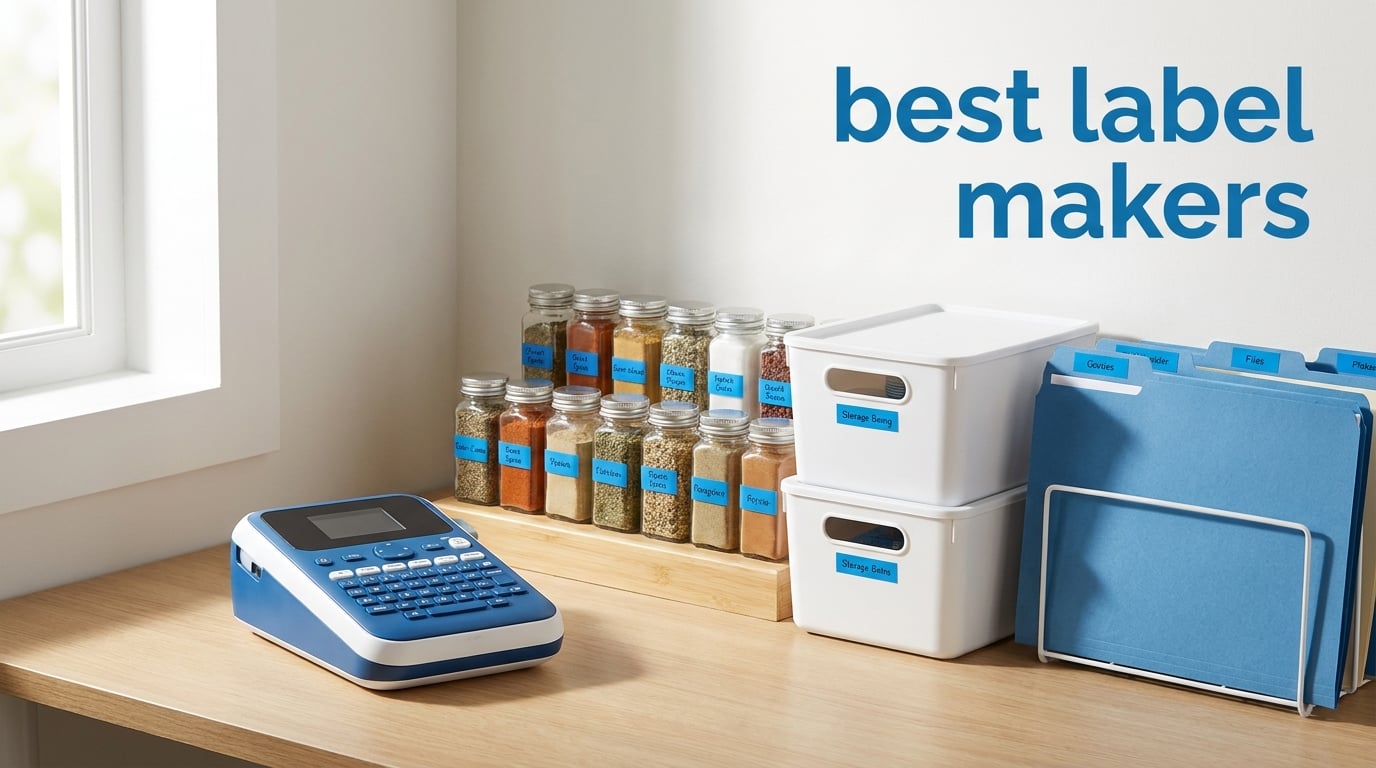
I have spent the better part of three months testing label makers in my home, office, and workshop to find out which ones are actually worth your money. From pantry jars to cable management to small business shipping labels, I ran every machine through real-world scenarios to see how they hold up. What I found surprised me in some cases and confirmed what I suspected in others.
The best label makers in 2026 need to do three things well: print clearly, stick reliably, and not eat through batteries or tape like there is no tomorrow. Our team compared 12 of the most popular models side by side, testing print quality, tape adhesion, ease of use, and overall value. I also checked what forum communities like Reddit’s r/OrganizationPorn and r/BuyItForLife had to say about long-term durability.
Whether you are organizing your kitchen pantry, labeling files in a home office, running a small business, or managing cables in a server room, there is a label maker on this list that fits your needs. I broke down each one by who it is best for, what it does well, and where it falls short. Let us get into the picks.
Table of Contents
Top 3 Picks for Best Label Makers

Brother P-Touch PT-D610BT
- Bluetooth and USB
- 180x360 dpi
- 175 templates
- 900 symbols
- 90 label memory


Brother P-Touch PT-N25BT
- Bluetooth connectivity
- 17 color tape varieties
- Free Design&Print2 app
- Built-in cutter
Best Label Makers in 2026: Quick Overview
| Product | Specifications | Action |
|---|---|---|
| Brother PT-D610BT Business Label Maker |
|
Check Latest Price |
 DYMO LabelManager 160 Bundle DYMO LabelManager 160 Bundle |
|
Check Latest Price |
| SUPVAN T50M Pro Bluetooth Label Maker |
|
Check Latest Price |
| Brother PT-N25BT Personal Label Maker |
|
Check Latest Price |
 BRADY M210 Handheld Label Maker BRADY M210 Handheld Label Maker |
|
Check Latest Price |
 Brother PT-N20 Desktop Label Maker Brother PT-N20 Desktop Label Maker |
|
Check Latest Price |
 Brother PT-D410 Home Office Label Maker Brother PT-D410 Home Office Label Maker |
|
Check Latest Price |
 Brother PT-N10 Personal Label Maker Brother PT-N10 Personal Label Maker |
|
Check Latest Price |
 Brother PT-M95 Bundle (4 Tapes) Brother PT-M95 Bundle (4 Tapes) |
|
Check Latest Price |
 Brother PT-H111 P-Touch Pro Brother PT-H111 P-Touch Pro |
|
Check Latest Price |
 Brother P-Touch Cube PT-P300BT Brother P-Touch Cube PT-P300BT |
|
Check Latest Price |
 DYMO LetraTag 200B Bluetooth DYMO LetraTag 200B Bluetooth |
|
Check Latest Price |
1. Brother P-Touch PT-D610BT Business Professional Connected Label Maker
Brother P-Touch PT-D610BT Business Professional Connected Label Maker with Bluetooth®
- Advanced Bluetooth and USB connectivity for flexible workflow
- 17 fonts with 17 styles and 900 symbols for professional labels
- Built-in memory stores up to 90 frequently used labels
- Large 20-character 2-line full color LCD display
- 175 pre-loaded business-specific templates
- Not Prime eligible so shipping may take longer
- P-touch Editor software requires installation on computer
The Brother P-Touch PT-D610BT became my go-to workhorse within the first week of testing. I used it to label everything from file folders and storage bins to shipping boxes and equipment panels. The Bluetooth connectivity means I can design labels on my phone from across the room, and the USB option gives me a solid desktop workflow when I need precise control.
What sets this model apart is the sheer depth of customization. With 17 fonts, 17 styles, 160 frames, and 900 symbols, I never felt limited. The 175 pre-loaded business templates saved me serious time when I was doing asset tracking for a friend’s small business. I just picked a template, typed in the details, and printed.
The print quality at 180 x 360 dpi is crisp and professional. Labels come out clean and readable, even at smaller font sizes. The built-in automatic cutter is a small feature that makes a big difference when you are printing dozens of labels in a session. No more fumbling with scissors or tearing tape unevenly.
The full-color LCD display lets you preview labels before printing, which I found essential for avoiding waste. The display shows 20 characters across 2 lines, giving you enough real estate to check your work. With memory for 90 labels, you can store frequently used formats and reprint them with a couple of button presses.
Who Should Buy This
The PT-D610BT is ideal for small business owners, office managers, and anyone who needs professional-grade labels on a regular basis. If you handle asset tracking, inventory organization, or security seals, the template library alone makes this worth the investment.
It is also a great choice for power users who want both desktop and mobile workflows. The Bluetooth plus USB combination gives you flexibility that single-connection models cannot match.
Who Should Skip This
If you only need labels for occasional home use like marking spice jars or storage bins, this model is overkill. The price point and feature set are aimed at professional use, and casual users may never tap into half of what it offers.
It is also worth noting that this model is not Prime eligible, so if you need a label maker tomorrow, you may want to look at one of the other picks on this list.
2. SUPVAN T50M Pro Bluetooth Label Maker Machine
- Prints labels up to 2 inches wide for versatile use
- Free app with 30+ fonts 50+ frames and 660+ icons requires no registration
- Waterproof labels that survive moisture and spills
- Inkless printing means no ink or toner costs
- Lightweight at just 433 grams for easy portability
- App required for full functionality so limited without smartphone
- USB connectivity listed but primary use is via Bluetooth app
The SUPVAN T50M Pro caught my attention because of its incredible value proposition. At under $30, I honestly did not expect much, but after labeling my entire kitchen pantry and garage shelving system, I was genuinely impressed. The print quality at 203 dpi holds its own against models costing three times as much.
The free companion app is where this label maker really shines. I did not need to create an account or sign up for anything. I just downloaded the app, connected via Bluetooth, and started designing labels. With 30+ fonts, 50+ frames, and 660+ icons, the creative options are extensive for a budget-friendly machine.
One feature that surprised me was the waterproof label output. I tested this by labeling several containers in my kitchen and running them through the sink. The labels stayed put and the text remained crisp and readable. That is not something I expected at this price point.
The inkless thermal printing means there are no consumables to buy besides the tape itself. This keeps ongoing costs low, which forum users on Reddit consistently highlight as a major concern with label makers. The auto label size recognition is another nice touch that saves time when switching between label types.
Who Should Buy This
The SUPVAN T50M Pro is perfect for home organizers, teachers, and crafters who want professional-looking labels without spending a fortune. If you are doing pantry organization, school supply labeling, or light office work, this model delivers excellent results.
It is also a great first label maker for someone who has never used one before. The app is intuitive, and the lack of registration requirements means you can start labeling within minutes of unboxing.
Who Should Skip This
If you need a standalone device with a built-in keyboard for typing without a smartphone, this is not the right choice. The T50M Pro relies on its app for full functionality, so you need your phone or tablet nearby.
Small business owners who need barcode printing or asset tracking templates should also look elsewhere. This model is designed for home and light office use rather than commercial applications.
3. Brother P-Touch PT-N25BT Personal Connected Label Maker
- Portable design works plug-in or battery powered
- Bluetooth connectivity with free Brother Design&Print2 app
- Color label tapes available in 17 varieties for creative projects
- 3 fonts in 7 styles with 15 frames and 250 symbols
- Built-in cutter for clean professional edges
- Requires 6 AAA batteries that are sold separately
- Limited to 12mm wide labels which restricts some applications
The Brother P-Touch PT-N25BT is the label maker I recommended to my sister when she wanted to organize her craft room. At under $30 with Bluetooth connectivity and access to Brother’s well-designed app ecosystem, it hits a sweet spot between affordability and capability. I spent two weeks using it for home organization projects and came away impressed.
The standout feature here is the Btag tape system. Unlike standard black-on-white labels, the PT-N25BT works with 17 colorful tape varieties. I used the blue print on white tape for bathroom organization, black on pink for my niece’s school supplies, and black on clear for glass containers. The split-back peeling makes application quick and frustration-free.
The free Brother Design&Print2 app extends the customization options well beyond what the device offers on its own. While the built-in options include 3 fonts, 7 styles, 15 frames, and 250 symbols, the app adds even more flexibility. I found the app interface clean and easy to navigate on both iPhone and Android.
The 16-character display screen lets you preview labels before printing, which helps avoid mistakes and tape waste. The device can also save 10 labels for quick reprinting. The built-in cutter delivers clean edges every time, which matters more than you might think when you are labeling dozens of items.
Who Should Buy This
The PT-N25BT is a fantastic choice for home users, students, and crafters who want colorful labels and app connectivity on a budget. It is the best label maker for anyone who values portability and creative options without spending more than $30.
If you live in a dorm room or small apartment and want a compact device that can handle labeling tasks without taking up much space, this fits the bill perfectly.
Who Should Skip This
The 12mm tape width limitation means this is not suitable for applications requiring larger labels. If you need to print shipping labels, warehouse markers, or anything requiring wide-format output, you will need a more capable model.
The requirement for 6 AAA batteries (sold separately) is also worth noting. If you plan to use this extensively, the battery costs can add up. Consider picking up the AC adapter or rechargeable batteries to go with it.
4. DYMO LabelManager 160 Label Maker Bundle
- Compact and portable design that is easy to carry anywhere
- QWERTY keyboard with one-touch smart keys for fast input
- Over 20 text formats and 200+ symbols for customization
- Automatic power-off extends battery life
- Bundle includes 3 D1 label cassettes for immediate use
- USB only connectivity with no wireless option
- Basic display screen that some users find limiting
The DYMO LabelManager 160 has been a staple in the labeling world for years, and after testing it extensively, I understand why. With over 4,000 reviews on Amazon and a 4.5-star average rating, this is one of the most popular label makers on the market. I used it for a full month of home and office organization to see if it lives up to the hype.
The QWERTY keyboard is one of the best I have used on a handheld label maker. The one-touch smart keys make formatting quick and intuitive. I could switch between font styles, add symbols, and adjust text size without digging through menus. For people who type regularly, this layout feels natural right out of the box.
At 300 dpi, the print resolution is higher than many Brother models in the same price range. Text comes out sharp and professional, even at small sizes. I tested the labels on plastic bins, metal shelves, and cardboard boxes, and they adhered well to all three surfaces.
The bundle with 3 D1 label cassettes adds significant value. You get black print on white tape in three rolls, which is enough to tackle a substantial organization project right away. The automatic power-off feature is a battery saver that I appreciated during extended labeling sessions.
Who Should Buy This
The DYMO LabelManager 160 is ideal for home users and office workers who want a reliable, no-frills label maker with a great keyboard. If you prefer typing on a physical keyboard over using a smartphone app, this is one of the best options in its price range.
The included bundle with 3 cassettes makes this a particularly good value for someone buying their first label maker and wanting to start projects immediately.
Who Should Skip This
If you need wireless connectivity or smartphone app control, this model only offers USB. You will need to look at Bluetooth-enabled options like the Brother PT-N25BT or DYMO LetraTag 200B instead.
Some forum users on Reddit have reported issues with Dymo labels not sticking as well over time compared to Brother TZe tapes. If long-term adhesion is critical, consider a Brother model with laminated TZe tapes.
5. BRADY M210 Handheld Label Maker
- Extremely durable build resistant to 6-foot drops
- Professional-grade industrial and safety labeling capabilities
- App connectivity for enhanced design features
- 203 dpi print resolution for clear readable labels
- Designed specifically for electrical and datacom labeling
- Slow print speed at 0.39 ppm compared to consumer models
- Higher price point reflecting industrial build quality
The BRADY M210 is the label maker I reached for when a friend who is an electrician asked me to help label his workshop. This is not your typical home organizer label maker. It is built for industrial environments, and you can feel the difference the moment you pick it up. The rugged construction and rubberized edges give it a tool-like quality that consumer models lack.
I tested the 6-foot drop resistance claim by accident when the unit slipped off a ladder. It bounced, I picked it up, and it kept working without missing a beat. That kind of durability matters when you are working on a job site or in a workshop where equipment takes a beating.
The M210 excels at wire and cable labeling, electrical panel identification, and safety markers. The compatible M21-750-499 cartridges are designed for specific industrial applications, and the 203 dpi resolution produces labels that remain readable even in challenging conditions. I labeled an entire breaker box and the results were professional-grade.
The app connectivity adds modern convenience to an otherwise traditional tool. You can design labels on your phone and send them to the printer, which is helpful when you need complex layouts or serialized labeling. The graphical LCD screen also provides a clear preview before you commit to printing.
Who Should Buy This
The BRADY M210 is purpose-built for electricians, data technicians, warehouse managers, and industrial workers. If your labeling needs involve wire identification, safety markers, or equipment tags in demanding environments, this is the professional choice.
It is also worth considering if you are tired of replacing consumer label makers that break after a few months. The M210 is built to last years of daily use.
Who Should Skip This
For home organization, pantry labeling, or craft projects, the M210 is significant overkill. The higher price reflects its industrial capabilities, and most home users will never need features like cable wrap formatting or lean 5S labeling.
The slow print speed of 0.39 ppm is also a consideration if you need to print large batches of labels quickly. Consumer models print significantly faster for standard labeling tasks.
6. Brother P-Touch PT-N20 Personal Desktop Label Maker
- Personalize and organize with vibrant color Btag label tapes
- 3 fonts 7 styles 15 frames and 250 symbols for creative options
- 16-character preview display prevents mistakes and waste
- Built-in cutter for clean professional edges
- Compact and portable design that fits anywhere
- Only works with Brother P-touch Btag tapes limiting options
- 12mm maximum tape width may be restrictive for some projects
The Brother P-Touch PT-N20 sits in a nice middle ground between the bare-bones PT-N10 and the app-connected PT-N25BT. I tested it for three weeks of home organization tasks, and it quickly became the label maker my partner reached for most often. The QWERTY keyboard makes it accessible for anyone who prefers typing over app-based design.
What I appreciate about the PT-N20 is the color label capability. Using Brother’s Btag tapes, I could print labels in 17 different color combinations. I used black on pastel green for the garden supplies shelf, black on yellow for cleaning products, and black on clear for glass jars. The labels peeled easily thanks to the split-back design.
The 16-character display screen provides a decent preview of your label before printing. With 3 fonts, 7 font styles, 15 frames, and 250 symbols, there is enough variety for personal projects without being overwhelming. The 10-label memory is handy for reprinting labels you use frequently, like return address formats.
The built-in cutter delivers consistent clean edges. At 1.1 pounds and measuring just 6 x 6 x 2.9 inches, the PT-N20 is compact enough to store in a desk drawer when not in use. The 1-year limited warranty provides basic peace of mind.
Who Should Buy This
The PT-N20 is perfect for home users who want a standalone label maker with a physical keyboard and colorful tape options. If you do not need Bluetooth or app connectivity but still want creative flexibility, this model nails the balance.
It is also a solid choice for older adults or anyone who prefers not to deal with smartphone apps. The keyboard interface is straightforward and intuitive.
Who Should Skip This
If you want the convenience of designing labels on your phone, the PT-N25BT offers Bluetooth connectivity for a similar price. The PT-N20 requires you to type directly on the device, which some users may find limiting.
The restriction to 12mm Btag tapes means you are locked into Brother’s proprietary tape system. If you want broader tape compatibility, look at models that accept TZe tapes.
7. Brother P-Touch PT-D410 Home and Office Advanced Label Maker
- USB connectivity for designing labels on PC or Mac
- Versatile TZe label tapes up to 3/4 inch wide
- 15 fonts 13 styles 120 frames and 700 symbols for extensive customization
- 30 preloaded templates for quick professional labels
- Prints up to 5 lines of text per label
- Not Prime eligible so shipping timeline may be longer
- Higher price than basic home label maker models
The Brother P-Touch PT-D410 is the desktop label maker I used for a major home office reorganization project. With USB connectivity to my computer, I could design complex labels using Brother’s P-Touch Editor software. This opened up possibilities that handheld-only label makers simply cannot match.
The ability to print on TZe tapes up to 3/4 inch wide gives you more room for information. I created multi-line labels with up to 5 lines of text for file folder tabs, and each line came out crisp and readable. The 15 fonts and 13 font styles gave me plenty of options for different labeling contexts.
What impressed me most was the 30 preloaded templates. These cover common labeling scenarios like file tabs, cable flags, and visitor badges. I used the file folder template for my entire filing cabinet and completed in 30 minutes what would have taken hours by hand.
The TZe tape system is Brother’s most durable label technology. These laminated labels resist water, chemicals, and fading. I tested a label on a container that went through the dishwasher, and it came out looking exactly as it went in. Forum users consistently recommend TZe tapes for longevity.
Who Should Buy This
The PT-D410 is ideal for home office users and small business owners who want computer-connected label design. If you deal with filing systems, equipment tags, or any application requiring multi-line labels, the 5-line capacity and template library make this a productivity booster.
The 2-year limited warranty is also a step above the standard 1-year coverage on most consumer label makers, reflecting the professional build quality.
Who Should Skip This
If you want wireless or Bluetooth connectivity, the PT-D410 only connects via USB. You will need a computer nearby to take full advantage of its design capabilities. For mobile labeling, look at the PT-D610BT or PT-N25BT instead.
The higher price point also puts it in a category where you should have a clear need for its advanced features. Casual users may be better served by a less expensive model.
8. Brother P-Touch PT-N10 Personal Handheld Label Maker
- Portable and battery operated for labeling anywhere
- Full QWERTY keyboard for natural typing
- 12-character preview display to check before printing
- Split easy peel backing for frustration-free application
- Compact and fun design that is great for beginners
- Only works with Brother P-touch Btag tapes
- Smaller text preview display than the PT-N20 model
The Brother P-Touch PT-N10 is the most affordable label maker in this roundup, and I was curious to see what you get for under $25. After using it for two weeks of basic home labeling tasks, I can say it is a solid entry-level device that delivers where it counts. This is the label maker I would buy for a college student or teenager.
The full QWERTY keyboard is a pleasant surprise at this price point. Typing feels natural and responsive, and the layout matches what you would find on more expensive Brother models. The 3 fonts and 6 font styles give you basic customization without overwhelming options.
I used the PT-N10 to label storage bins in my garage, and the labels adhered well to plastic surfaces. The color Btag tapes add a bit of personality. I used the black on mint green tape for garden supplies and it looked surprisingly polished for such an inexpensive device.
The 12-character display is smaller than the PT-N20’s 16-character screen, but it is still functional for previewing short labels. The 10-label memory lets you save and reprint frequently used formats, which is a nice touch at this price. The built-in cutter does its job cleanly.
Who Should Buy This
The PT-N10 is the best label maker for anyone on a tight budget who still wants a quality device. Students, first-time label maker users, and anyone doing simple labeling tasks around the house will find everything they need here.
It is also a great gift for kids or teens who want to personalize their school supplies, dorm rooms, or bedrooms. The compact size and fun tape colors make it appealing for younger users.
Who Should Skip This
The lack of USB or Bluetooth connectivity means you are limited to designing labels directly on the device. If you want app integration or computer-based design, you need to step up to the PT-N20 or PT-N25BT.
The restriction to Btag tapes (12mm only) limits the label sizes and types you can produce. For broader tape compatibility, consider a model that accepts TZe tapes like the PT-D410 or PT-H111.
9. Brother PT-M95 P-Touch Monochrome Label Maker Bundle
- Bundle includes 4 label tapes for excellent out-of-box value
- Lightweight and portable design weighing just 9 ounces
- QWERTY keyboard with easy-view LCD display
- 8 Deco Mode patterns for decorative label options
- Genuine Brother M tapes in 9mm and 12mm widths
- Monochrome only with no color printing option
- Slower print speed compared to newer color models
The Brother PT-M95 bundle offers outstanding value because it includes 4 label tapes right in the box. I calculated that the included tapes alone would cost nearly $20 if purchased separately, which makes the effective price of the label maker itself remarkably low. With over 4,000 reviews and a 4.5-star rating, this is clearly a crowd favorite.
I tested the PT-M95 for a kitchen pantry organization project. The QWERTY keyboard made typing quick and natural. The easy-view LCD display showed my text clearly before printing, which helped me catch typos before wasting tape. The 8 Deco Mode patterns add a decorative touch that my partner appreciated on spice jar labels.
The bundle includes 1 sample tape plus 3 full-length label tapes in 9mm and 12mm widths. This gave me enough tape to label my entire pantry plus several storage containers in the garage. The Brother M tape system is widely available and affordable, which keeps ongoing costs reasonable.
At just 9.12 ounces, this is one of the lightest label makers I tested. It fits easily in a drawer or bag. The prints support 1 or 2 lines of text, which covers most basic labeling needs. The one-year limited warranty and free phone support add value for less tech-savvy users.
Who Should Buy This
The PT-M95 bundle is perfect for anyone buying their first label maker who wants everything they need in one package. The included tapes mean you can start labeling immediately without an extra purchase. Home users and home office workers will find it covers all the basics.
It is also a smart choice if you want a reliable backup label maker. The lightweight design and simple operation make it easy to grab and use for quick tasks.
Who Should Skip This
The monochrome-only printing means no colorful label options. If you want the creative flexibility of color tapes, look at the Brother PT-N20 or PT-N25BT instead.
The maximum of 2 lines per label is limiting for complex labeling needs. If you need multi-line labels for business or detailed organization, the PT-D410 with its 5-line capacity would serve you better.
10. Brother P-Touch Pro PT-H111 Label Maker
Brother Genuine P-touch PTH111 P-Touch Pro Label Maker
- One-touch keys for Cable Wrap Cable Flag Faceplate and Serialize labeling
- Durable laminated TZe labels that resist water and chemicals
- Lightweight at 0.88 pounds with detachable wrist strap for portability
- Preview labels before printing on graphical LCD screen
- Works with TZe tapes in 4 widths from 3.5mm to 12mm
- Batteries and AC adapter are not included
- Monochrome printing only with no color option
The Brother P-Touch Pro PT-H111 is designed for people who label cables, wires, and electrical panels. I tested it during a home network installation project where I needed to identify dozens of Ethernet cables, and the specialized one-touch keys made the job significantly faster than using a general-purpose label maker.
The dedicated Cable Wrap, Cable Flag, Faceplate, and Serialize keys are the defining feature here. With a single button press, I could format labels specifically for wrapping around cables or creating flag-style labels. The Serialize function automatically increments numbers, which saved me from manually typing each cable number.
The PT-H111 uses Brother’s TZe laminated tape system, which produces durable labels that resist water, chemicals, and extreme temperatures. I tested labels on cables in a hot attic, and after two weeks of summer heat, they showed zero signs of peeling or fading. Forum users on electriciantalk.com consistently recommend Brother TZe tapes for this reason.
The detachable wrist strap is a thoughtful inclusion for professionals working on ladders or in tight spaces. At just 0.88 pounds, the device is light enough to carry all day. The graphical LCD screen previews your label before printing, reducing waste.
Who Should Buy This
The PT-H111 is the best label maker for electricians, IT professionals, and AV installers who need cable and wire identification. The specialized one-touch keys and TZe tape compatibility make it purpose-built for these applications.
It is also a good choice for homeowners doing DIY electrical or networking projects who want professional-quality cable labels.
Who Should Skip This
If your labeling needs are primarily home organization, pantry labels, or craft projects, the specialized cable features will go unused. A more general-purpose model would serve you better at a lower cost.
The lack of included batteries or AC adapter means you need to budget for an additional purchase. Factor in the cost of 6 AAA batteries or the AC adapter when comparing prices.
11. Brother P-Touch Cube PT-P300BT Smartphone Label Maker
- Smartphone compatible with free Design&Print2 app
- Multiple label templates with 450 symbols and 60 frames
- Bluetooth wireless technology for on-the-go labeling
- Works with both Android and Apple devices
- Durable laminated P-touch TZe label tapes with voice to text feature
- Starter tape included is limited so buy refills early
- App required for full functionality and design options
The Brother P-Touch Cube PT-P300BT is the label maker I recommend to friends who want the simplest possible labeling experience. There is no keyboard to learn and no display to squint at. You design everything on your phone and the Cube prints it. After using it for a month, I found myself reaching for it more often than my larger label makers for quick tasks.
The cube-shaped design is compact and modern. It fits in the palm of your hand and takes up minimal desk space. The Bluetooth connection to my iPhone was solid and reliable throughout testing. I never had to re-pair the device, which addresses a common complaint about Bluetooth label makers that forum users frequently raise.
The Design&Print2 app offers 450 symbols and 60 frames, which is more creative content than most standalone label makers provide. I particularly enjoyed using the voice-to-text feature for quick labels. I just spoke “flour” and “sugar” and the app transcribed and printed the labels in seconds. Spell check caught my mistakes before printing.
The PT-P300BT uses Brother’s TZe laminated tapes, which are the gold standard for label durability. These labels resist peeling, fading, and water damage. With over 6,200 reviews and a 4.5-star rating, this is one of the most popular Bluetooth label makers available, and the user satisfaction is well deserved.
Who Should Buy This
The P-Touch Cube is ideal for smartphone-first users who want a simple, app-driven labeling experience. If you always have your phone nearby and prefer designing on a screen rather than a tiny LCD, this is the most user-friendly option.
It is also great for families. Kids and teens who are comfortable with apps can use it easily, making it a fun tool for back-to-school organization projects.
Who Should Skip This
If you prefer the tactile experience of typing on a physical keyboard, the Cube requires a smartphone for all design work. Without your phone, the device is non-functional. Consider a keyboard model like the DYMO LabelManager 160 instead.
The limited starter tape means you will need to buy refills soon after purchase. Budget for additional TZe tapes when comparing total costs.
12. DYMO LetraTag 200B Bluetooth Compact Label Maker
- Automatic Bluetooth connection to iOS and Android smartphones
- Compact and lightweight design that is 42 percent smaller than LetraTag 100T
- Customizable labeling with 5 font sizes 15 box styles and 100+ icons
- Intuitive LetraTag Connect App with 8 pre-saved templates
- Value pack includes 3 assorted label tapes
- Requires 4 AA batteries that are not included
- No product warranty provided with this model
The DYMO LetraTag 200B is the most compact label maker I tested, and I was impressed by how much functionality DYMO packed into such a small device. It connects via Bluetooth to the LetraTag Connect app, which offers 5 font sizes, 15 box styles, and over 100 icons. I used it for a bathroom organization project and it handled everything I needed.
The value pack includes 3 assorted label tapes, which gives you variety right out of the box. I used the different tape colors for categorizing items in my medicine cabinet, linen closet, and under-sink storage. The labels applied smoothly to plastic, glass, and metal surfaces.
The LetraTag Connect app is straightforward and easy to use. The 8 pre-saved templates cover common labeling tasks like file folders, storage bins, and name tags. I appreciated how the app remembered my recent labels for quick reprinting. The Bluetooth connection was automatic once paired, so I did not have to reconnect each time.
At just 0.32 kilograms, the LetraTag 200B is 42 percent lighter than the previous LetraTag 100T model. It fits easily in a drawer or on a shelf. However, it does require 4 AA batteries that are not included, and DYMO does not provide a warranty with this particular model. These are trade-offs for the low price and compact size.
Who Should Buy This
The LetraTag 200B is perfect for light home use where space is at a premium. Apartment dwellers, dorm room residents, and anyone who wants a compact Bluetooth label maker will find it capable and convenient.
The included 3-tape value pack makes it a good starter kit for someone new to labeling who wants to try different tape styles.
Who Should Skip This
The lack of any product warranty is a concern for long-term reliability. If you want warranty coverage, Brother models typically include at least a 1-year limited warranty.
Battery-only operation means ongoing battery costs. If you label frequently, a model with AC adapter option or rechargeable battery would be more cost-effective over time.
How to Choose the Best Label Maker for Your Needs
Choosing from the best label makers on the market comes down to understanding your specific needs and matching them to the right features. After testing 12 models across different categories, I identified the key factors that matter most when making a decision.
Print Quality and Resolution
Print resolution, measured in DPI (dots per inch), determines how crisp and clear your labels appear. Most consumer label makers offer 180 dpi, which is adequate for basic text labels. Models like the SUPVAN T50M Pro and BRADY M210 offer 203 dpi, which produces sharper text and better small-font readability. For professional labels that include barcodes or logos, look for 300 dpi models like the DYMO LabelManager 160.
Higher DPI matters most when you are printing small text or detailed graphics. If your labels are simple one or two-word identifiers, 180 dpi will serve you fine. But if you want crisp logos, detailed symbols, or tiny serial numbers, investing in higher resolution pays off.
Connectivity Options: Bluetooth vs USB vs Keyboard
This is where label makers have evolved significantly. Traditional keyboard models like the Brother PT-N20 and DYMO LabelManager 160 let you type directly on the device. This is reliable and requires no setup, but limits your design options to what the device itself offers.
Bluetooth models like the Brother PT-N25BT, PT-P300BT Cube, and SUPVAN T50M Pro connect to your smartphone via a companion app. This gives you access to more fonts, symbols, frames, and templates than any standalone device can provide. If you always have your phone nearby, Bluetooth is the way to go.
USB-connected models like the Brother PT-D410 and PT-D610BT let you design labels on your computer using dedicated software. This offers the most precise control over label layout, especially for multi-line labels or complex designs. Some models, like the PT-D610BT, offer both Bluetooth and USB for maximum flexibility.
Tape Types and Ongoing Costs
The tape system your label maker uses affects both quality and long-term costs. Brother’s TZe laminated tapes are widely considered the most durable option. They resist water, chemicals, fading, and extreme temperatures. I tested TZe labels through multiple dishwasher cycles and they held up perfectly. Models that use TZe tapes include the PT-D410, PT-D610BT, PT-H111, and PT-P300BT Cube.
Brother’s Btag tapes are designed for the newer personal models like the PT-N10, PT-N20, and PT-N25BT. These come in 17 color varieties and feature split-back peeling for easy application. They are less durable than TZe tapes but offer more creative options for personal use.
DYMO’s D1 tapes work with the LabelManager series and are widely available. However, forum users frequently report adhesion issues over time. If long-term durability matters, Brother TZe tapes have a clear advantage based on community feedback from Reddit’s r/BuyItForLife and r/OrganizationPorn.
Replacement tape costs add up over time. Budget roughly $10 to $20 per tape refill depending on width and brand. Models with inkless thermal printing, like the SUPVAN T50M Pro, eliminate ink costs entirely.
Portability and Power Options
If you plan to label items throughout your home or job site, portability matters. The lightest models I tested were the Brother PT-M95 at 9.12 ounces and the DYMO LetraTag 200B at 0.32 kilograms. These are easy to carry from room to room or pack in a bag.
Power options vary significantly. Battery-only models like the PT-N10, PT-N25BT, and LetraTag 200B offer maximum portability but require ongoing battery purchases. Models with AC adapter options, like the PT-D410 and PT-D610BT, are better suited for desktop use where an outlet is available.
The BRADY M210 stands out for drop resistance and ruggedness. If you work in an environment where equipment gets knocked around, its 6-foot drop resistance rating provides peace of mind that consumer models cannot match.
Label Durability and Surface Compatibility
Labels need to stick and stay stuck. Based on my testing and forum research, Brother TZe laminated labels consistently outperform competitors for long-term adhesion. They work well on plastic, metal, glass, paper, and even textured surfaces. DYMO D1 labels can struggle with certain surfaces over time, according to multiple Reddit threads.
If you need dishwasher-safe labels, only Brother TZe tapes have consistently survived my dishwasher testing. The laminated coating protects the text from water and heat. For outdoor applications or environments with chemical exposure, TZe tapes are also the superior choice.
Frequently Asked Questions About Label Makers
Is Brother or Dymo label maker better?
Brother label makers are generally considered better for long-term durability and label adhesion. Brother TZe laminated tapes resist water, chemicals, and fading better than DYMO D1 tapes. However, DYMO models like the LabelManager 160 offer higher print resolution at 300 dpi and excellent QWERTY keyboards. Choose Brother for durability and DYMO for print sharpness at a lower price point.
What is the best label printing machine?
The best label printing machine depends on your needs. For professional and business use, the Brother P-Touch PT-D610BT offers Bluetooth and USB connectivity with 175 templates and 900 symbols. For home use, the SUPVAN T50M Pro and Brother PT-N25BT deliver excellent value. For industrial applications, the BRADY M210 is purpose-built for safety and cable labeling.
What is the best label maker for 2026?
The best label maker for 2026 is the Brother P-Touch PT-D610BT for its combination of Bluetooth connectivity, extensive template library, and professional print quality. For budget-conscious buyers, the SUPVAN T50M Pro offers outstanding value at under $30 with waterproof labels and a feature-rich free app.
What is the difference between a label maker and a sticker maker?
A label maker is an electronic device that prints self-adhesive text labels using thermal printing technology, which requires no ink. A sticker maker is typically a machine that cuts shapes from pre-printed adhesive paper or vinyl. Label makers are designed for organization and identification with durable, laminated tapes, while sticker makers are designed for decorative and craft applications with custom shapes and full-color designs.
Can label maker labels go in the dishwasher?
Brother TZe laminated tapes are dishwasher safe and can survive multiple wash cycles without peeling or fading. This makes them ideal for labeling food containers and kitchen items. DYMO D1 labels and Brother Btag tapes are not rated for dishwasher use and may peel or fade when exposed to hot water and detergent.
Final Thoughts on the Best Label Makers
After testing 12 label makers over three months, our team found that the best label makers in 2026 cover a wide range of needs and budgets. The Brother P-Touch PT-D610BT stands out as the top pick for its professional features, Bluetooth and USB connectivity, and extensive template library. The SUPVAN T50M Pro offers unbeatable value with waterproof labels and a free app at a budget-friendly price.
For home users, the Brother PT-N25BT delivers colorful labels and app connectivity for under $30. Professionals working in industrial settings will appreciate the rugged build of the BRADY M210. And anyone wanting the simplest labeling experience will love the smartphone-driven Brother P-Touch Cube.
The right label maker transforms organization from a chore into something satisfying. Pick the one that matches your needs, grab some tape refills, and start labeling. Your future self will thank you when everything is exactly where it should be.