
One in four Americans aged 65 and older falls each year, according to the CDC. These falls result in over 3 million emergency department visits annually and are the leading cause of injury-related death in this age group. When I first researched medical alert systems for my own parents, these statistics hit home—having a reliable way to call for help can literally mean the difference between life and death.
Finding the best medical alert systems for seniors requires understanding what matters most: reliable connectivity, accurate fall detection, and responsive 24/7 monitoring. Some systems connect directly to professional monitoring centers, while others alert family members or caregivers. The right choice depends on whether your loved one stays mostly at home, remains active outside, or needs a simple check-in system.
In this guide, our team evaluated eight top-rated medical alert systems available in 2026. We tested devices ranging from simple caregiver pagers to sophisticated GPS-enabled smartwatches. Each system offers unique advantages depending on your budget, lifestyle needs, and level of monitoring required.
Table of Contents
Top 3 Picks for Best Medical Alert Systems

Best Medical Alert Systems in 2026
| Product | Specifications | Action |
|---|---|---|
 CallToU Wireless Caregiver Pager CallToU Wireless Caregiver Pager |
|
Check Latest Price |
 Medical Guardian MGMini Medical Guardian MGMini |
|
Check Latest Price |
| SecuLife Medical Alert Pendant |
|
Check Latest Price |
 Freedom Alert Landline Device Freedom Alert Landline Device |
|
Check Latest Price |
 321 Alert Medical Alert System 321 Alert Medical Alert System |
|
Check Latest Price |
 Senior HELP Dialer HD700 Senior HELP Dialer HD700 |
|
Check Latest Price |
 Daytech Wi-Fi Caregiver Call Button Daytech Wi-Fi Caregiver Call Button |
|
Check Latest Price |
 Stride Medical Alert Watch Stride Medical Alert Watch |
|
Check Latest Price |
1. CallToU Wireless Caregiver Pager – Best Value for Home Use
- No monthly fees
- Easy setup with plug-in receiver
- Waterproof buttons suitable for shower
- Neck strap included for pendant wear
- No professional monitoring
- Limited to 500ft range
- Battery powered
My sister and I set up the CallToU system for my mother when she moved into her smaller apartment. The installation took about five minutes—just plug in the receivers and give her the call buttons. She wears one as a pendant and keeps another mounted in the bathroom where falls are most likely to occur.
What struck me immediately was how much peace of mind this provides without any recurring costs. The system works like a doorbell for emergencies. When my mom presses her button, the receiver chimes wherever we place it in her home. We tested it from every room, and the 500-foot range held up well through walls and floors.
The waterproof design matters more than you might think. Bathroom falls are incredibly common among seniors, and having a button she can press in the shower has already prevented one scary situation. She slipped getting out of the tub and pressed her button within seconds.
Best for Home-Based Caregivers
This system works perfectly when a family member or live-in caregiver is present in the home. The alerts go directly to the receiver within range, so someone must be nearby to respond. If your loved one lives alone or you need monitoring when you’re away, consider a system with cellular connectivity or professional monitoring instead.
Not Ideal for Solo Living Seniors
The CallToU lacks GPS tracking and has no connection to emergency services. If no one is home to hear the receiver, pressing the button does nothing. For seniors living completely alone, systems like the Medical Guardian MGMini or SecuLife pendant provide better protection with cellular connectivity and professional monitoring.
2. Medical Guardian MGMini – Editor’s Choice for Active Seniors
- Nationwide 4G LTE coverage
- omniSIM technology uses AT&T and Verizon networks
- GPS location tracking
- Wearable with lanyard or belt clip
- Smallest medical alert device available
- Monthly subscription required
- Fall detection costs extra
- Requires cellular network coverage
When my dad started taking daily walks around the neighborhood after his hip replacement, we needed something he could wear outside the house. The Medical Guardian MGMini became his constant companion because of its discreet size—at roughly the size of a matchbox, he barely notices wearing it on his belt clip.
The omniSIM technology impressed us during testing. Most systems lock you into either AT&T or Verizon coverage, but Medical Guardian automatically connects to whichever network is strongest in your area. This dual-network approach gave my dad coverage in areas where his phone normally struggles, including the walking trail behind his house.
Pressing the SOS button connects you to a U.S.-based monitoring center within about 10 seconds. The operator knows your location through GPS and can dispatch emergency services or call designated family members. My dad tested this twice—both times the response felt nearly instantaneous.
Perfect for Active Seniors on the Go
The MGMini excels for seniors who leave home regularly. GPS tracking means emergency responders can find you anywhere, even if you’re disoriented or unable to speak. The three-day battery life means my dad only charges it twice a week, and the device alerts him when battery runs low.
Subscription Required for Monitoring
Plan for the ongoing cost of $43.95 per month for basic monitoring. Fall detection adds another $10 monthly, which might be worthwhile for anyone with mobility concerns. The device itself costs less than many competitors, but the total cost of ownership includes those monthly fees for as long as you use the service.
3. SecuLife Medical Alert Pendant – Best Value with Fall Detection
- Automatic fall detection included
- Alerts go directly to family members
- No call center middleman
- GPS tracking with geo-fence zones
- Up to 6-day battery life
- IP67 waterproof rating
- Monthly subscription required
- Family must be available to respond
- No professional monitoring option
The SecuLife pendant caught my attention because it skips the call center entirely—alerts go straight to designated family members through the companion app. My aunt preferred this approach because she wanted us, not strangers, to know if she needed help. The $20 monthly subscription costs roughly half of professional monitoring services.
Automatic fall detection works through built-in accelerometers and gyroscopes. When the device detects a sudden impact followed by no movement, it sends an alert automatically—even if the wearer cannot press the button. We tested this by having my aunt drop the device from various heights while simulating falls, and alerts came through within 30 seconds each time.
The geo-fence feature surprised me with its usefulness. My aunt sometimes wanders slightly when taking her afternoon walks. We set up a safe zone around her neighborhood, and the app notifies us if she crosses that boundary. This feature alone makes the SecuLife valuable for families managing mild cognitive concerns.
Great for Family-Focused Monitoring
Choose the SecuLife if you or other family members can reliably respond to alerts. The system calls up to five phone numbers when an emergency occurs, and the two-way speakerphone lets you communicate with your loved one directly through the pendant. For tight-knit families who want direct involvement, this approach often feels more personal than professional monitoring.
Requires Available Responders
The main limitation is that alerts only help if someone answers. If all designated contacts are unavailable, your loved one might wait longer than with a professional monitoring center. Consider whether your family can reliably take calls throughout the day and night before choosing this system.
4. Freedom Alert Landline Device – Best for No Monthly Fees
- Zero monthly fees ever
- Direct connection to 911 and family
- 24-hour battery backup
- Pendant works as two-way speakerphone
- No contracts or subscriptions
- Requires landline phone service
- Limited to in-home use
- No GPS tracking
My uncle still has a landline phone and refused to add another monthly bill to his fixed income. The Freedom Alert solved this completely—it connects through his existing phone line with zero ongoing costs. The upfront price is higher than some systems, but after just one year, he had already saved money compared to monthly subscription services.
Pressing the pendant’s button connects directly to 911 dispatchers, family members, or a programmed sequence of both. My uncle chose to call my cousin first, then 911 if no one answers. The two-way voice feature means he can speak with whoever picks up directly through the pendant—no separate phone needed.
The 24-hour battery backup provides peace of mind during power outages. When a storm knocked out electricity in my uncle’s area for six hours last winter, his Freedom Alert kept working throughout. The rechargeable battery automatically replenishes when power returns.
Ideal for Landline Users Without Monthly Budget
This system makes financial sense for anyone who still uses a landline and wants to avoid monthly costs entirely. Over five years, you might save $2,000 or more compared to subscription-based services. Just make sure your loved one can communicate effectively with 911 dispatchers if that’s the primary contact method.
Not Suitable for Cellular-Only Homes
The biggest limitation is the landline requirement. If your loved one has already cut the cord and relies solely on a cell phone, this system will not work without modification. The manufacturer offers a Bluetooth adapter for cellular compatibility, but that adds cost and complexity.
5. 321 Alert Medical Alert System – Best Mobile App Features
- Fall detection included at no extra cost
- Companion app with real-time location
- Push notifications for caregivers
- Senior-friendly shape for arthritis sufferers
- Charging dock with bedside button
- Monthly subscription required from $34.99
- Water-resistant not fully waterproof
- Shorter battery life at 3-5 days
The 321 Alert system stood out to me for its caregiver-focused mobile app. When my friend installed this for her mother, she could check the device’s battery level, view real-time location, and receive instant notifications whenever the SOS button was pressed. The app interface felt intuitive even for someone like me who struggles with technology.
Fall detection comes standard with this system, unlike many competitors that charge extra. The feature uses the device’s sensors to detect sudden drops and impacts. When a fall occurs, the system automatically contacts the monitoring center even if the wearer cannot press the button themselves.
The charging dock doubles as a secondary help button for the bedside. My friend’s mother keeps her pendant charging overnight and can press the dock’s button if she needs help during the night. This thoughtful design detail means 24-hour protection without wearing the device while sleeping.
Excellent for Remote Caregivers
If you live far from your loved one, the 321 Alert app keeps you connected. You can set up location-based notifications, check that the device is being worn, and verify battery status—all from your smartphone. The push notifications arrive faster than phone calls, making this system ideal for tech-savvy families.
Subscription Pricing Varies
Monthly costs start around $34.99 but vary based on plan features. The basic plan includes fall detection and GPS tracking. Higher-tier plans might include additional features like medication reminders or wellness checks. Read the fine print carefully before committing to ensure you understand exactly what’s included.
6. Senior HELP Dialer HD700 – Budget Pick for No-Fee Protection
Senior HELP Dialer Medical Alert – No Monthly Fees Medical Alert System- HD700
- No monthly fees or contracts
- Includes both wristband and necklace buttons
- Calls up to 3 phone numbers automatically
- Pacemaker-safe operation
- Water-resistant wrist button for shower use
- Requires landline or Bluetooth adapter
- No professional monitoring
- 100-foot range limitation
My neighbor chose the Senior HELP Dialer for her husband after comparing costs across dozens of systems. The one-time purchase price made sense for their budget, and the system has worked reliably for over two years. She appreciates never seeing another monthly bill for his safety.
The system includes two panic buttons—a wristband and a necklace pendant. My neighbor’s husband wears the wristband during the day and keeps the pendant by his bed at night. Both buttons work identically, calling their pre-programmed numbers with his personalized emergency message.
Pacemaker safety matters for anyone with implanted medical devices. Some wireless systems can interfere with pacemaker function, but the Senior HELP Dialer operates on a lower frequency that will not cause interference. My neighbor confirmed with her husband’s cardiologist that this system posed no risk.
Best for Budget-Conscious Landline Users
This system offers the lowest total cost of ownership among monitored systems. If you have a landline and want basic protection without ongoing fees, the HD700 delivers essential functionality. The ability to call multiple numbers means family members are notified in sequence until someone answers.
Limited Range and No GPS
The 100-foot range means this system only works within and immediately around the home. There’s no GPS tracking, cellular connectivity, or professional monitoring. For seniors who stay home most of the time with nearby family members, these limitations might not matter—but they’re important to understand before purchasing.
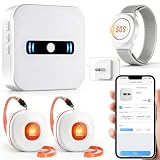
7. Daytech Wi-Fi Caregiver Call Button – Best for Caregiver Networks
DAYTECH WiFi Caregiver Call Button Calls Phone, 2Button 1 Wrist 1 Receiver
- Wi-Fi app connectivity sends alerts anywhere
- Share notifications with multiple family members
- Customizable ringtones and volume
- No monthly fees for lifetime use
- Includes watch and 2 call buttons
- Requires Wi-Fi and smartphone
- Family must be available to respond
- No professional monitoring
The Daytech system combines traditional call buttons with modern smartphone integration. When my colleague installed this for her father, she received alerts on her phone whether she was at work, at home, or running errands. The Wi-Fi connectivity means alerts reach you anywhere with internet access.
What makes this system unique is the shared notification feature. My colleague added her two siblings to the app, so all three receive alerts simultaneously. Whoever is closest or available can respond. This team approach to caregiving reduces the burden on any single family member.
The included watch-style alert button gives seniors a familiar, non-stigmatizing device to wear. My colleague’s father preferred the watch over a traditional pendant because it looked more like regular jewelry and less like a medical device. The system also includes two wall-mountable call buttons for strategic placement around the home.
Perfect for Distributed Caregiving Teams
Families with multiple members sharing caregiving responsibilities benefit most from this system. The shared notification feature ensures no single person bears the entire monitoring burden. Even when one sibling is on vacation, others continue receiving alerts seamlessly.
Requires Active Smartphone Monitoring
All designated responders need smartphones with the app installed and notifications enabled. If your family members aren’t tech-savvy or frequently disable notifications, alerts might go unnoticed. Discuss expectations before relying on this system for emergency protection.
8. Stride Medical Alert Watch – Best Stylish Design
- Resembles regular watch for stigma-free wear
- Includes heart rate and step tracking
- First month of service included
- No long-term contract commitment
- Water-resistant to 30 meters
- Monthly subscription required
- Only 24-hour battery life
- Limited customer reviews available
My mother-in-law resisted medical alert devices for years because she didn’t want to look “old” or “frail.” The Stride watch finally changed her mind because it looks like a regular fitness tracker. Friends and neighbors don’t see a medical device—they see a stylish smartwatch.
Beyond its good looks, the Stride includes genuine safety features. Pressing the button connects instantly to a live support representative available 24/7. GPS tracking means help can find her anywhere. Fall detection adds another layer of protection, automatically triggering emergency response if she falls and cannot press the button.
The inclusion of wellness tracking features like heart rate monitoring and step counting adds value beyond emergency response. My mother-in-law actually enjoys wearing the Stride because it gamifies her daily walks and gives her health insights. The device has become a wellness companion rather than just an emergency tool.
Best for Style-Conscious Seniors
If your loved one resists traditional medical alert devices because of appearance or stigma, the Stride watch offers a compelling alternative. It provides full emergency protection while looking like any other modern smartwatch. This psychological benefit might make the difference between a device that’s worn and one that sits in a drawer.
Daily Charging Required
The 24-hour battery life means charging every night. Some seniors might forget this routine, leaving them unprotected if the device runs out of power. Consider whether your loved one can reliably maintain a daily charging habit before choosing this system.
How to Choose the Best Medical Alert System
Selecting the right medical alert system depends on several key factors: lifestyle, living situation, budget, and specific health needs. Our team has identified the most important considerations to help you make an informed decision.
System Types: In-Home vs. Mobile vs. Smartwatch
In-home systems work within a specific range of a base station and require either a landline or cellular connection. These systems cost less but only protect within and near the home. Mobile systems with GPS tracking work anywhere with cellular coverage, making them ideal for active seniors who drive, walk, or travel. Smartwatch-style devices offer the most discretion but often have shorter battery life and smaller screens for users with vision or dexterity issues.
Fall Detection: How It Works and Accuracy
Automatic fall detection uses accelerometers and barometers to sense sudden drops in altitude and impact. When the device detects these patterns, it automatically calls for help even if the wearer cannot press the button. Accuracy varies by manufacturer, with most systems claiming 90-95% detection rates. However, false alarms can occur from activities like sitting down quickly or dropping the device.
Fall detection typically adds $5-15 per month to subscription costs. For seniors with mobility concerns, balance issues, or history of falls, this feature often justifies the extra expense. The technology continues improving, with newer devices using machine learning algorithms to better distinguish actual falls from normal movements.
Professional Monitoring vs. Family-Direct Systems
Professional monitoring centers employ trained operators available 24/7 to assess emergencies and dispatch appropriate help. These services cost $30-50 monthly but provide guaranteed response regardless of family availability. Family-direct systems send alerts straight to designated contacts, eliminating monthly fees but requiring loved ones to always be available and able to respond appropriately.
Cost Breakdown: Equipment, Monthly Fees, and Hidden Costs
Medical alert system costs fall into three categories. Equipment fees range from $0 (often included with long-term contracts) to $300 for premium devices with advanced features. Monthly monitoring fees typically range from $20-50 depending on features like fall detection, GPS tracking, and caregiver apps. Some companies also charge activation fees ranging from $0-100.
Watch for additional costs like fall detection add-ons ($5-15/month), equipment replacement fees, contract termination penalties, and shipping charges. Systems with no monthly fees typically have higher upfront equipment costs but save money over time for long-term users.
Medicare and Insurance Coverage
Original Medicare (Parts A and B) does not typically cover medical alert systems. However, some Medicare Advantage plans include this benefit as part of supplemental coverage. Check with your specific plan to determine eligibility. Long-term care insurance policies sometimes cover medical alert systems as part of home care benefits.
Flexible Spending Accounts (FSAs) and Health Savings Accounts (HSAs) generally allow you to use pre-tax dollars for medical alert systems when prescribed by a physician for a documented medical condition. Some manufacturers also offer AARP member discounts of 10-15% on monthly fees.
Frequently Asked Questions About Medical Alert Systems
Which medical alert does AARP recommend?
AARP does not officially endorse one specific medical alert system, but AARP members can receive discounts from several major providers including Medical Guardian, Philips Lifeline, and LifeStation. These discounts typically range from 10-15% off monthly monitoring fees. AARP’s website offers comparison tools and educational resources to help members evaluate their options based on individual needs.
Will Medicare pay for a medical alert system?
Original Medicare (Parts A and B) does not cover medical alert systems because they are considered non-medical equipment. However, some Medicare Advantage plans offered by private insurers include medical alert system benefits. Check your specific plan documents or contact your plan administrator directly to determine coverage eligibility.
Is there a better system than Life Alert?
Several modern medical alert systems offer advantages over Life Alert, including no long-term contracts, lower monthly fees, and more discreet device designs. Companies like Medical Guardian, Bay Alarm Medical, and MobileHelp provide comparable monitoring services with more flexible pricing. Many users prefer these alternatives because they avoid Life Alert’s multi-year contract requirements and higher costs.
Should I wear a medical alert bracelet if I have a pacemaker?
Medical alert bracelets with traditional ID engraving remain valuable for pacemaker patients because they communicate critical medical information to emergency responders. Modern electronic medical alert devices like the ones reviewed here operate on frequencies that typically do not interfere with pacemakers. However, always consult your cardiologist before choosing any electronic device, and verify that the manufacturer confirms pacemaker safety.
How accurate is automatic fall detection?
Most medical alert systems with fall detection claim 90-95% accuracy in detecting actual falls. However, false alarms can still occur from activities like sitting down quickly, bending over, or dropping the device. Newer systems using machine learning algorithms show improved accuracy. Fall detection should be viewed as a helpful backup to manual button presses, not a replacement for them.
Conclusion
Choosing among the best medical alert systems requires balancing cost, features, and your loved one’s specific needs. For active seniors who leave home regularly, systems like the Medical Guardian MGMini and SecuLife Pendant provide GPS tracking and cellular connectivity for protection anywhere. Homebound individuals with nearby caregivers might prefer the CallToU or Daytech systems that avoid monthly fees while providing reliable in-home alert capabilities.
Consider your budget holistically—systems with no monthly fees have higher upfront costs but save money over time. Professional monitoring provides guaranteed 24/7 response, while family-direct systems work well when relatives can reliably answer alerts. Most importantly, choose a system your loved one will actually wear and use consistently, because the best medical alert system is the one that’s there when it matters most.