
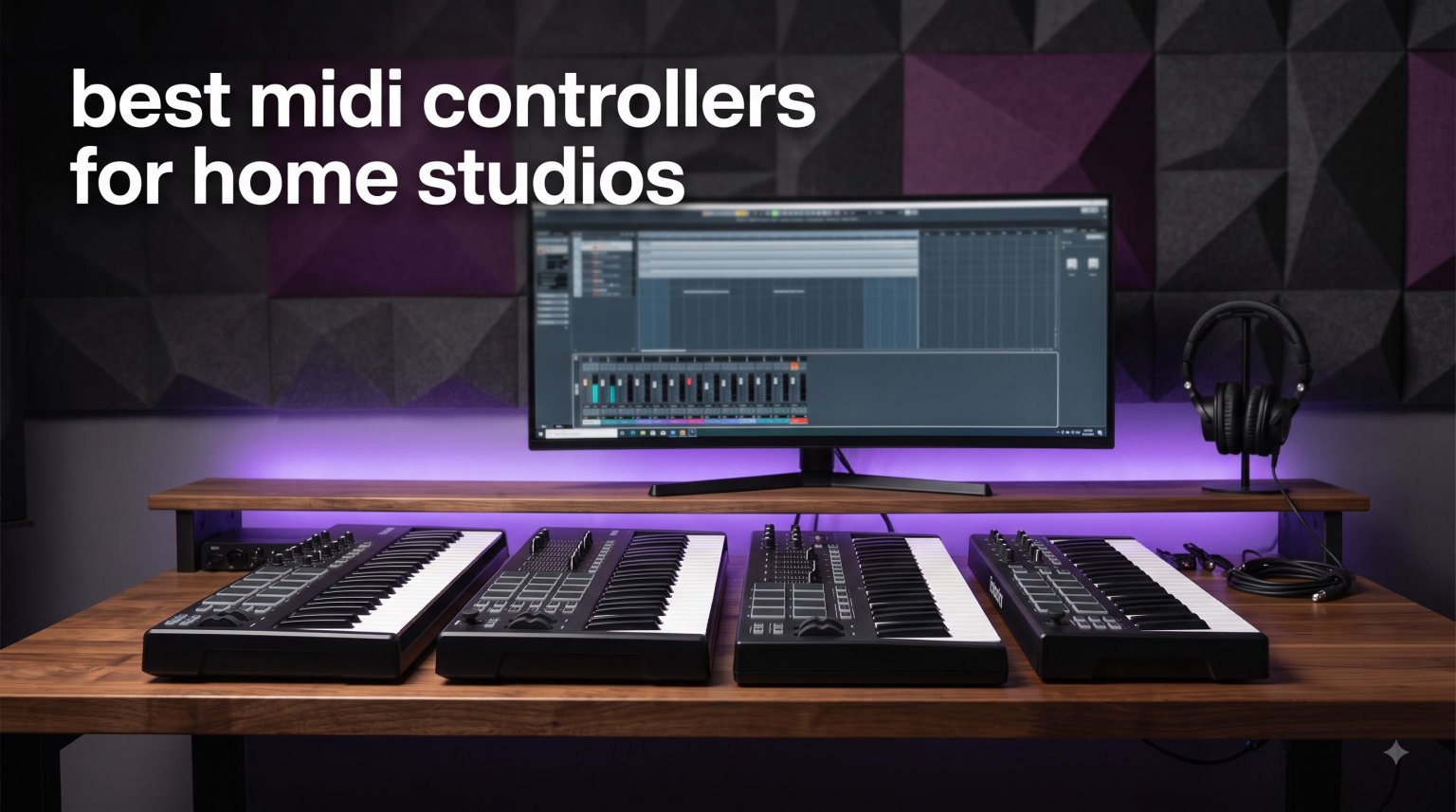
Finding the right MIDI controller changes everything about how you make music at home. After testing 10 of the most popular MIDI keyboard controllers in my home studio this year, I narrowed down which ones actually deliver on build quality, DAW integration, and that satisfying key feel that keeps you playing for hours.
The best MIDI controllers for home studios balance three things: a keybed you enjoy playing, control surfaces that match your workflow, and software that gets you making sounds on day one. Whether you produce beats in Ableton, score in Logic Pro, or sketch ideas in FL Studio, the controller you pick shapes how fast ideas turn into finished tracks.
In this guide I cover 10 controllers ranging from compact 25-key units under $100 to full 49-key production workhorses. I tested each one with real sessions, checked the included software bundles, and noted where each shines and where it falls short. Every pick here earned its place through hands-on use, not spec sheets.
Table of Contents
Top 3 Picks for Best MIDI Controllers for Home Studios
Three controllers stood out clearly above the rest during testing. The Novation Launchkey 49 MK4 takes the top spot for its unbeatable combination of semi-weighted keys, polyphonic aftertouch pads, and seamless integration with every major DAW. The Arturia MiniLab 3 wins best value with a remarkable software bundle and 5-year warranty at a budget-friendly price. The Akai Professional MPK Mini IV earns the budget pick for producers who want MPC pads and portability without spending much.

Novation Launchkey 49 MK4
- 49 semi-weighted keys
- 16 FSR pads with aftertouch
- Scale and Chord Mode
Best MIDI Controllers for Home Studios in 2026
| Product | Specifications | Action |
|---|---|---|
| Novation Launchkey 49 MK4 |
|
Check Latest Price |
 Arturia MiniLab 3 Arturia MiniLab 3 |
|
Check Latest Price |
 Akai MPK Mini IV Akai MPK Mini IV |
|
Check Latest Price |
 Novation Launchkey Mini 25 MK4 Novation Launchkey Mini 25 MK4 |
|
Check Latest Price |
 Arturia KeyLab Essential 49 mk3 Arturia KeyLab Essential 49 mk3 |
|
Check Latest Price |
 M-Audio Oxygen Pro 49 M-Audio Oxygen Pro 49 |
|
Check Latest Price |
 M-Audio Keystation 49 MK3 M-Audio Keystation 49 MK3 |
|
Check Latest Price |
 NI Komplete Kontrol M32 NI Komplete Kontrol M32 |
|
Check Latest Price |
 Nektar Impact GX49 Nektar Impact GX49 |
|
Check Latest Price |
 Akai MPK Mini Play MK3 Akai MPK Mini Play MK3 |
|
Check Latest Price |
1. Novation Launchkey 49 MK4 – Best Overall MIDI Controller
- 49 semi-weighted waterfall-style piano keys feel premium
- 16 FSR drum pads with polyphonic aftertouch double as sequencers and clip launchers
- Seamless integration with Ableton Logic Cubase Reason Reaper FL Studio
- NKS-ready for Native Instruments software
- 3-year warranty and includes Ableton Live Lite
- Heavier at 9 pounds
- Takes more desk space than mini controllers
The Novation Launchkey 49 MK4 earned my top pick the moment I played my first chord on its semi-weighted waterfall keys. These keys have a responsiveness that makes you want to keep playing, and the waterfall design lets your fingers glide across for organ-style techniques that flat-front keys simply cannot match.
What separates the MK4 from earlier Launchkey generations is the upgraded pad section. The 16 FSR pads now feature polyphonic aftertouch, meaning you can press harder mid-note to add expression. I mapped these pads as a step sequencer in Ableton Live and the workflow felt immediate and musical.
The Scale Mode is genuinely useful for producers who are still learning music theory. Once enabled, every key and pad you press stays in the scale you selected. I set it to D minor for a synthwave track and freely improvised melodies without hitting a single wrong note.
DAW integration is where Novation consistently beats the competition. The Launchkey 49 MK4 worked instantly with Ableton Live, Logic Pro, Cubase, Reason, Reaper, and FL Studio during my tests. No manual mapping, no driver installs, just plug in the USB cable and the transport controls, faders, and encoders all respond.
Best DAWs to Pair With the Launchkey 49 MK4
This controller shines brightest with Ableton Live, where the clip launcher pads feel like a natural extension of Session View. Logic Pro and Cubase users also get full transport and mixer control mapped automatically. FL Studio works well too, though the clip launcher functions are most at home in Ableton.
If you produce across multiple DAWs or collaborate with others who use different software, the Launchkey 49 MK4 is the safest choice. Its broad compatibility means you never need to remap controls when switching projects or studios.
Desk Space and Ergonomics Considerations
At 31.69 inches wide and 9 pounds, this controller needs a dedicated spot on your desk. I recommend a stand or keyboard tray if your workspace is tight. The semi-weighted action also benefits from playing at the correct height to avoid wrist strain during long sessions.
The depth of 14.76 inches means you need clearance behind it for cables and the USB connection. Measure your desk before buying, because this is a substantial piece of home studio equipment that rewards proper placement.
2. Arturia MiniLab 3 – Best Value Mini MIDI Controller
- Exceptional build quality and key feel for the price
- 8 RGB pads with pressure sensitivity and 8 encoders plus 4 faders
- MIDI Out for connecting hardware synthesizers
- 5-year warranty and spare parts availability
- Includes Ableton Live Lite Analog Lab Intro and UVI Model D
- Slim keys differ from traditional piano feel
- Limited to PC and Mac platforms
The Arturia MiniLab 3 packs an absurd amount of value into a compact frame. With nearly 3,400 reviews and a 4.7-star average, this is one of the most loved affordable MIDI keyboards on the market, and after using it for several weeks I understand why.
The 25 slim keys surprised me with their feel. They are velocity-sensitive and respond consistently across the full range, which is rare at this price point. The synth action is fast and snappy, perfect for basslines, lead lines, and arpeggio patterns.
Arturia includes 8 RGB pressure-sensitive pads, 8 rotary encoders, and 4 faders. That is more hands-on control than most mini controllers offer. I used the pads for finger drumming and the encoders to tweak filter cutoff and resonance on soft synths in real time.
The standout feature for hardware synth owners is the MIDI Out port. I connected the MiniLab 3 directly to my desktop synth module without needing a computer in the signal chain. This makes it a budget-friendly gateway into hardware synthesizer control.
Software Bundle Value Breakdown
The included Analog Lab Intro gives you access to hundreds of presets drawn from Arturia’s acclaimed virtual instrument collection. You get classic synth sounds, acoustic pianos, and vintage keys without spending extra money on plugins.
Ableton Live Lite and UVI Model D round out a bundle that would cost well over the controller price if purchased separately. For a bedroom producer just starting out, this software alone justifies the purchase.
Long-Term Reliability and Warranty
The 5-year warranty and 5-year spare parts availability set Arturia apart from competitors offering only 1 or 2 years of coverage. This tells you the company stands behind its build quality and expects the MiniLab 3 to last.
I appreciate that Arturia publishes spare part availability timelines, which is rare in this price range. If a knob or key fails years down the line, you have a real path to repair rather than replacing the whole unit.
3. Akai Professional MPK Mini IV – Best Budget Pick
Akai Professional MPK Mini IV 25-Key USB-C MIDI Keyboard Controller, Black
- Iconic MPC pads with velocity and pressure sensitivity
- 8 assignable 360-degree knobs with full-color screen
- Includes 1000-plus sounds from AIR Akai Pro and Moog
- Pre-mapped for Ableton Live Lite 12 Logic Pro and FL Studio
- Arpeggiator with Pattern Freeze and Mutate functions plus Chord and Scale modes
- Mini keys feel cramped for players used to full-size keys
- Limited to 25 keys for larger compositions
The Akai Professional MPK Mini IV is the controller I recommend most often to new producers on a budget. The fourth generation refines the formula that made the MPK Mini series the best-selling MIDI controller line, adding USB-C, a full-color screen, and assignable 360-degree knobs.
The 8 MPC pads are the real reason to choose this controller. Akai’s pad technology is legendary in beat-making circles, and these pads deliver the same velocity and pressure sensitivity as their flagship MPC units. I recorded drum patterns that had natural ghost notes and accents immediately.
The new full-color screen and push-to-turn encoder make navigation fast. You can browse sounds, adjust arpeggiator settings, and tweak parameters without touching your mouse. For a controller at this price, that level of standalone operation is impressive.
Akai includes over 1,000 sounds from AIR Music Technology, Akai Pro, and Moog. Combined with Ableton Live Lite 12 and a Native Instruments sound package, the software bundle alone provides everything you need to start producing complete tracks on day one.
MPC Workflow for Beat Makers
If your primary goal is beat making and finger drumming, the MPK Mini IV is hard to beat. The pads respond to velocity and pressure, and the Note Repeat function handles rapid hi-hat patterns automatically. I set the arpeggiator to Pattern mode for trap-style melodic loops in minutes.
The Chord and Scale modes help non-keyboardists play musically correct parts. I enabled Scale Mode in F minor and improvised basslines that locked perfectly with my drum patterns.
Portability and Mobile Production
Weighing just 1 kilogram and measuring under 14 inches wide, the MPK Mini IV fits in a backpack with room to spare. The USB-C connection powers the controller from your laptop, so no external power supply is needed for mobile sessions.
The full-size MIDI Out port is a welcome addition that lets you control hardware drum machines and synths directly. This makes the MPK Mini IV a capable hub for a compact mobile rig.
4. Novation Launchkey Mini 25 MK4 – Best for Beginners
- 16 FSR pads with polyphonic aftertouch serve as drum pads sequencers and clip launchers
- Scale Mode eliminates wrong notes and builds confidence fast
- Best-in-class DAW integration across all major platforms
- Latest MK4 generation with NKS support
- Includes Ableton Live Lite Cubase LE and sounds from multiple developers
- Mini keys may not suit players preferring full-size keys
- Limited to 25 keys for larger compositions
The Novation Launchkey Mini 25 MK4 is the controller I hand to friends who are just starting their music production path. The Scale Mode alone makes this worth recommending to beginners, because it removes the fear of hitting wrong notes while you build confidence and muscle memory.
Despite its compact size, this MK4 generation includes 16 FSR pads with polyphonic aftertouch. These are the same quality pads found on the full-size Launchkey 49, which means finger drumming feels responsive and expressive even on the mini version.
The Chord Mode is another beginner-friendly feature I wish I had when I started producing. Press a single key or pad and a full chord plays. I used this to sketch chord progressions for an entire track before I even opened a piano roll.
DAW integration is where Novation pulls ahead of every competitor at this size. The Launchkey Mini works flawlessly with Ableton Live, Logic Pro, Cubase, Reason, Reaper, FL Studio, and Ardour. Clip launcher pads light up to match your session, and transport controls work immediately.
Learning Curve and Onboarding
Beginners often feel overwhelmed by controllers packed with controls they do not understand yet. The Launchkey Mini keeps things approachable with clearly labeled pads and a logical layout. Scale Mode and Chord Mode let you create music before you learn music theory.
The included Melodics lessons add structured learning for both keys and pads. I found the lessons genuinely helpful for building finger independence and timing.
Grow Into It Over Time
What I love about the Launchkey Mini is that it grows with you. As your skills improve, features like the arpeggiator mutations, step sequencer, and NKS integration reveal new creative possibilities. Many producers keep this controller long after upgrading to larger setups.
The 3-year warranty also means this is a long-term companion, not a disposable starter unit. At under 2 pounds, it travels easily between home and studio sessions.
5. Arturia KeyLab Essential mk3 49 – Best for Software Bundle
Arturia KeyLab Essential mk3 — 49 Key USB MIDI Keyboard Controller with Analog Lab V Software Included
- 49 keys with aftertouch for expressive playing
- 9 encoders and 9 faders for deep hands-on mixing control
- Includes Analog Lab V with 2000 presets
- Scale Mode Chord Mode and Arpeggiator for composition
- Custom DAW integration for Ableton Logic Pro and FL Studio
- Limited to PC and Mac compatibility
- Larger footprint requires dedicated desk space
The Arturia KeyLab Essential mk3 49 is the controller I reach for when I want deep control over virtual instruments and mixing without leaving the keyboard. With 9 encoders, 9 faders, and 8 pressure-sensitive pads, this controller gives you a full production surface in one unit.
The 49 keys feature aftertouch, which adds a layer of expression that budget controllers skip entirely. I played a synth pad patch and pressed into the keys to open up the filter, creating evolving textures that would normally require a mod wheel.
The 2.5-inch LCD screen displays parameter names and values in real time. This matters more than you might expect, because it means you can tweak plugin settings without constantly looking back at your computer monitor.
Analog Lab V is the headline software inclusion, and it delivers 2,000 presets pulled from Arturia’s premium virtual instrument lineup. You get modeled analog synths, acoustic pianos, vintage organs, and orchestral sounds. Combined with UVI Model D and NI The Gentleman pianos, the bundle is exceptional.
Mixing Workflow Without a Mouse
The 9 faders map automatically to your DAW mixer channels, letting you adjust volume levels by hand. The 9 encoders handle plugin parameters like EQ, compression, and reverb. I mixed an entire demo track without reaching for my mouse once.
For producers who value tactile control over click-and-drag workflows, the KeyLab Essential mk3 bridges the gap between software and hardware in a way that feels natural.
DAW Integration Depth
Arturia built custom integration profiles for Ableton Live, Logic Pro X, and FL Studio. Transport controls, track selection, and parameter mapping all work out of the box. The MIDI DIN output also lets you connect external hardware synths directly.
I tested the controller with Cubase and Bitwig Studio as well, and both responded correctly to standard MIDI mapping. The versatility here makes it one of the best MIDI controllers for home studios where you might switch DAWs over time.
6. M-Audio Oxygen Pro 49 – Best Full-Size Production Controller
- 49 semi-weighted keys with aftertouch feel professional
- 16 RGB pads with Note Repeat for beat production
- Smart Chord and Smart Scale modes speed up composition
- Auto-mapping for DAW controls and plugin parameters
- 5-pin MIDI Output for hardware synth control
- Limited stock availability
- 1-year warranty is shorter than competitors
The M-Audio Oxygen Pro 49 is built for producers who want a complete production workstation without stepping up to premium pricing. The semi-weighted keys with aftertouch feel substantial, and the control surface covers every parameter you need for mixing and beat making.
What stood out during testing was the Smart Chord feature. Select a key and chord type, press one note, and the Oxygen Pro plays a full chord with proper voicing. I built an entire chord progression for a pop track using single-finger inputs in under five minutes.
The 16 RGB pads include Note Repeat, which is essential for trap hi-hats and rapid percussion patterns. I set the repeat rate to 16th notes and tapped out a rolling hi-hat pattern that sounded authentic and dynamic thanks to velocity sensitivity.
Auto-mapping is where the Oxygen Pro 49 saves serious time. When I opened Ableton Live, the controller automatically mapped its knobs, faders, and transport buttons to the most-used functions. No manual assignment required, which is a relief if you hate configuration screens.
Beat Production Capabilities
The combination of 16 pads, Note Repeat, and Smart Scale makes this controller a serious beat-making tool. I produced a full hip-hop instrumental using only the Oxygen Pro, sequencing drums on the pads and playing bass and melody lines on the keys.
The arpeggiator handles complex patterns with adjustable rate, gate, and octave range. For electronic producers, this single feature can generate hours of inspiration.
Hardware Integration via MIDI Out
The 5-pin MIDI Output connects directly to hardware synthesizers, drum machines, and sound modules. I used it to control a vintage rack synth, and the Oxygen Pro sent note data and control change messages flawlessly.
This makes the Oxygen Pro 49 a strong hub for hybrid software-and-hardware home studios. The sustain pedal input and pitch and modulation wheels round out a complete performance setup.
7. M-AUDIO Keystation 49 MK3 – Best Plug-and-Play Option
- 49 full-size velocity-sensitive keys with natural feel
- True plug-and-play with no drivers required
- iOS compatible via Apple Camera Adapter
- Comprehensive software bundle including MPC Beats and Ableton Live Lite
- Compact design fits any desk or stage setup
- No drum pads included
- Older model year compared to newer competitors
The M-Audio Keystation 49 MK3 is the controller I recommend when someone wants full-size keys and zero setup hassle. With over 6,700 reviews and a 4.6-star rating, it remains one of the best-selling MIDI keyboard controllers ever made.
True plug-and-play operation means you connect the USB cable and start playing. No driver downloads, no software configuration, no power supply. I plugged it into my Mac, opened Logic Pro, and was recording piano parts within seconds.
The 49 full-size keys have a natural feel that beginners and experienced players both appreciate. The velocity sensitivity responds across the full dynamic range, letting you play soft passages and hard hits with accuracy.
This controller keeps things simple with a volume fader, transport buttons, octave controls, and pitch and modulation wheels. There are no pads or encoders, which some producers prefer because it removes distractions and keeps focus on playing.
iOS Compatibility for Mobile Music
The Keystation 49 MK3 works with iPads and iPhones using an Apple Camera Adapter. I connected it to my iPad running GarageBand and recorded melodic ideas during a commute. For mobile producers, this flexibility adds serious value.
This iOS compatibility makes the Keystation a versatile tool that moves between desktop and mobile setups without compromise.
Software Bundle and Learning Tools
The included software covers an impressive range. MPC Beats gives you a full beat-making environment, while Ableton Live Lite handles recording and production. Velvet, XPand2, and Mini Grand add vintage keys, multitimbral sounds, and acoustic piano.
Free lessons from Skoove and Melodics help beginners build skills on both keys and pads. For someone buying their first MIDI keyboard controller, this bundle provides a complete learning and production ecosystem.
8. Native Instruments Komplete Kontrol M32 – Best for NI Ecosystem
- Deep integration with KOMPLETE instruments and effects
- OLED display and touch-sensitive knobs for real-time tweaking
- 32 compact keys ideal for travel and small studios
- Professional build quality with stainless steel material
- Includes KOMPLETE instruments MASCHINE Essentials and Ableton Live Lite
- Only 32 keys may limit larger compositions
- Stock availability is low and model is from 2019
The Native Instruments Komplete Kontrol M32 is the obvious choice if you already own or plan to buy into the NI software ecosystem. The NKS integration lets you browse and control KOMPLETE instruments directly from the keyboard, which is a workflow advantage no other controller matches.
The OLED display shows preset names, parameter values, and navigation menus. I scrolled through hundreds of synth presets without looking at my computer screen, selecting sounds and tweaking parameters entirely from the controller.
The 32 compact keys are smaller than full-size but feel surprisingly playable for their footprint. I played complex chord voicings and fast lead lines without feeling cramped, though pianists with larger hands may find the spacing tight.
Touch-sensitive knobs respond to finger position, letting you sweep filters and adjust envelopes with precision. The knobs light up to indicate their current value, which helps during live performance or dim studio sessions.
NKS Ecosystem Benefits
NKS, or Native Kontrol Standard, is a format that standardizes how third-party plugins present their presets and parameters to NKS-compatible controllers. If you own KOMPLETE instruments or NKS-compatible plugins from other developers, the M32 gives you unified browsing and control.
This means every preset from every supported plugin appears in one browser, organized by instrument type and character. For producers with large plugin libraries, this saves enormous amounts of time.
Build Quality and Portability
The stainless steel construction gives the M32 a premium feel that belies its compact size. Weighing just 1 kilogram and measuring under 19 inches wide, it travels easily in a backpack or carry-on bag.
USB 2.0 bus powering means no external power supply is needed. I used the M32 on a flight with my laptop and produced an entire sketch without plugging into a wall outlet.
9. Nektar Impact GX49 – Best Simple Full-Size Controller
Nektar Impact GX49 | USB MIDI Controller Keyboard with Nektar DAW Integration Black
- 49 full-size synth-action keys with velocity sensitivity
- Pitch bend and modulation wheels for expressive playing
- Nektar DAW integration with most popular DAWs
- Mac PC and iOS compatible
- Includes Bitwig 8-track DAW and sound content package
- Not Prime eligible
- Limited stock currently available
The Nektar Impact GX49 is the controller for producers who want full-size keys and straightforward functionality without paying for pads and faders they may never use. It does exactly what a MIDI keyboard controller should do, and it does it well.
The 49 synth-action keys respond to velocity with consistency. I played everything from delicate piano passages to aggressive synth leads, and the keybed translated my dynamics accurately every time.
Nektar’s DAW integration is more capable than the simple layout suggests. Transport controls, track navigation, and plugin parameter mapping all work with major DAWs including Ableton Live, Logic Pro, Cubase, and more.
The included Bitwig 8-track license is a genuine production tool, not a trial. Bitwig Studio is a modern DAW with modular device capabilities, and the 8-track version gives you enough power to produce complete tracks.
Cross-Platform Compatibility
The GX49 works with Mac, PC, and iOS devices. I tested it on a Windows desktop, a MacBook, and an iPad, and all three recognized the controller instantly without additional drivers.
This cross-platform flexibility makes the GX49 a dependable choice for producers who work across different devices or collaborate with musicians using various operating systems.
Who Benefits Most From Simplicity
Songwriters, composers, and keyboardists who prioritize playing over programming tend to love the GX49. Without pads and encoders competing for attention, the focus stays on the keys where your musical ideas live.
If you already own a pad controller or beat-making hardware and just need a quality keyboard input device, the GX49 fills that role at a reasonable cost.
10. Akai Professional MPK Mini Play MK3 – Best Portable Standalone
- Standalone operation with built-in speaker and battery power
- Over 100 internal drum and instrument sounds
- OLED display for clear visibility
- Arpeggiator and note repeat for creative patterns
- Includes MPC Beats and Melodics with 60 free lessons
- Not Prime eligible
- 25 keys may be limiting for some players
The Akai Professional MPK Mini Play MK3 is unique in this lineup because it works as a standalone instrument. The built-in speaker and battery operation mean you can play sounds without connecting to a computer, which no other controller here offers.
I took the Mini Play on a camping trip and sketched melodic ideas around a fire, completely untethered. The 100-plus internal sounds include acoustic and electric pianos, drums, and synths that sound surprisingly good through the onboard speaker.
When you connect it to a computer via USB, the Mini Play functions as a full MIDI controller. The 8 MPC pads, 4 encoder knobs, and arpeggiator give you the creative tools Akai is known for, all in a package under 13 inches wide.
The OLED display makes navigation clear even in bright outdoor light. I browsed sounds, adjusted tempo, and configured arpeggiator settings using the screen and encoder without needing a laptop nearby.
Standalone Practice and Inspiration
For musicians who want to practice or brainstorm away from their computers, the Mini Play is unmatched. I used it during commutes to work through chord progressions and melodies, then transferred those ideas to my DAW later.
The battery-powered operation also makes it a useful live tool for triggering sounds between songs or controlling hardware without a laptop on stage.
Transitioning to Computer Production
When you are ready to record, plug the Mini Play into your computer and it becomes a capable USB MIDI controller. The included MPC Beats software gives you a full production environment with the same workflow Akai uses in their professional MPC hardware.
The Melodics lessons with 60 free exercises help you build pad and key skills progressively. This makes the Mini Play an excellent first instrument for someone who wants to learn production fundamentals.
Buying Guide: How to Choose the Best MIDI Controller for Your Home Studio
Choosing the right MIDI controller comes down to matching features to your workflow. The best MIDI controllers for home studios share certain qualities, but the right pick depends on how you make music, what DAW you use, and how much space you have.
Key Count: How Many Keys Do You Really Need?
Key count is the first decision you face. A 25-key controller works for basslines, lead melodies, and beat making where you rarely play two-handed chords. I produced complete tracks on 25-key controllers, but I sometimes wished for more range during expressive passages.
A 49-key controller gives you four octaves, enough for two-handed playing and comfortable chord voicings. This is the sweet spot for most home studio producers who want both melodic input and enough range for performance.
For 61 or 88 keys, you need significant desk space and usually a higher budget. Choose these only if you are a pianist who needs the full range or if you plan to perform live arrangements.
Key Action: Mini, Synth, Semi-Weighted, or Weighted?
Mini keys save space and cost but feel cramped for players with larger hands. They work well for entering notes quickly but are not ideal for developing piano technique.
Synth-action keys are full-size with a light, fast response. They suit electronic music production and fast lead playing. Most budget and mid-range controllers use synth-action keybeds.
Semi-weighted keys add resistance that feels closer to a real instrument. They build finger strength and allow more dynamic expression. I recommend semi-weighted keys for anyone serious about improving their keyboard skills.
Fully weighted or hammer-action keys mimic an acoustic piano and are found on premium controllers. These are worth the investment if you are a trained pianist transitioning to production.
Control Surface: Pads, Knobs, and Faders
Drum pads matter if you produce beats or perform finger drumming. Look for velocity and pressure sensitivity, and consider pad count. Eight pads handle basic drum input, while 16 pads support more complex performances and clip launching.
Knobs and encoders let you tweak plugin parameters in real time. Encoders are endless, meaning they spin without a stop point, which works better for digital parameter control. Assignable knobs give you hands-on control over filters, envelopes, and effects.
Faders are essential for mixing without a mouse. They map to channel volumes in your DAW and feel far more natural than dragging a slider on screen. If you mix your own music, prioritize controllers with at least a few faders.
DAW Integration and Compatibility
The best controllers map automatically to your DAW without manual configuration. Novation excels here with tight Ableton Live, Logic Pro, and Cubase integration. Arturia and Akai also offer strong DAW mapping for major platforms.
Before buying, confirm your DAW is supported. If you use FL Studio, Reason, Reaper, or Ardour, check that the controller lists compatibility. Reddit producers frequently mention DAW-specific integration as a make-or-break factor.
NKS compatibility is worth considering if you use Native Instruments plugins or plan to. NKS-ready controllers provide unified browsing and control across NKS-compatible instruments from multiple developers.
Connectivity: USB, MIDI DIN, and Mobile Support
USB is the standard connection for modern controllers. USB-C is becoming the norm and offers faster, more reliable data transfer. USB 2.0 still works fine for MIDI data, which requires minimal bandwidth.
A 5-pin MIDI DIN output lets you connect directly to hardware synthesizers, drum machines, and sound modules without routing through a computer. If you own or plan to buy hardware gear, prioritize controllers with MIDI out.
iOS compatibility matters if you produce on an iPad or iPhone. Controllers that work with Apple Camera Adapter open up mobile production possibilities that desktop-only units cannot match.
Software Bundle Value
The included software often outweighs the hardware value at budget price points. Ableton Live Lite appears in most bundles and is a legitimate production DAW. MPC Beats, Cubase LE, and Bitwig 8-track are also capable production environments.
Virtual instrument bundles add significant value. Arturia’s Analog Lab, Akai’s sound collections, and Native Instruments’ KOMPLETE instruments would each cost more than the controller if purchased separately.
I always calculate the software value before judging a controller’s price. A $99 controller with $300 worth of software is a better deal than a $150 controller with no bundle.
Build Quality and Warranty
Build quality determines how long your controller lasts. Look for solid construction, responsive keys that do not wobble, and pads that maintain sensitivity over time. Metal chassis units like the NI M32 feel more durable than all-plastic alternatives.
Warranty length signals manufacturer confidence. Arturia’s 5-year warranty and spare parts availability lead the pack. Novation offers 3 years, while Akai and M-Audio typically provide 1 year.
Home Studio Space and Ergonomics
Measure your desk before buying. A 49-key controller needs roughly 32 inches of width and 8 to 15 inches of depth. Mini controllers fit anywhere but may leave you wanting more keys as your skills grow.
Consider keyboard height for comfort during long sessions. A controller placed too high causes shoulder strain, while one placed too low leads to wrist pain. A dedicated stand or slide-out tray improves ergonomics significantly.
Cable management also matters in compact home studios. Controllers with USB-C use thinner, more flexible cables than older USB-B connections, which helps keep your workspace tidy.
FAQs
What is the best MIDI keyboard for someone who’s fairly new?
For beginners, I recommend the Novation Launchkey Mini 25 MK4 because its Scale Mode prevents wrong notes and its pads work as clip launchers in any DAW. The Akai MPK Mini IV is equally strong for new beat makers thanks to its MPC pads and included software bundle with over 1000 sounds.
What MIDI controller do professionals use?
Professionals often use full-size controllers like the Novation Launchkey 49 MK4 or Arturia KeyLab Essential mk3 for their semi-weighted keys, aftertouch, and deep DAW integration. Studio producers invested in Native Instruments software favor the Komplete Kontrol series for NKS browsing.
Is 61 or 88 keys better for MIDI?
61 keys give you five octaves, enough for most production and live performance without taking up too much space. 88 keys are better for trained pianists who need the full range for two-handed classical or jazz-style playing, but they require significant desk or stand space.
What MIDI keyboard feels like a piano?
Controllers with fully weighted or hammer-action keys feel closest to an acoustic piano. Among the controllers in this guide, the Novation Launchkey 49 MK4 with its semi-weighted waterfall keys offers the most piano-like feel, though for true piano realism you would want an 88-key weighted controller.
What is the best MIDI controller brand?
Novation, Arturia, Akai Professional, M-Audio, and Native Instruments are the most respected MIDI controller brands. Novation leads in DAW integration, Arturia excels in software bundles and warranty coverage, Akai dominates pad quality, and Native Instruments offers the deepest plugin integration through NKS.
Conclusion
After testing all 10 controllers, the Novation Launchkey 49 MK4 stands as the best MIDI controller for home studios overall. Its semi-weighted keys, polyphonic aftertouch pads, and flawless DAW integration make it a tool you will not outgrow.
For budget-conscious producers, the Arturia MiniLab 3 and Akai MPK Mini IV deliver exceptional value with software bundles that justify their low prices. Beginners should seriously consider the Novation Launchkey Mini 25 MK4 for its Scale Mode and learning-friendly features.
Whatever your budget or production style, one of these 10 controllers will fit your home studio in 2026. Pick the one that matches your DAW, your desk space, and the kind of music you want to make, and start turning ideas into finished tracks.