
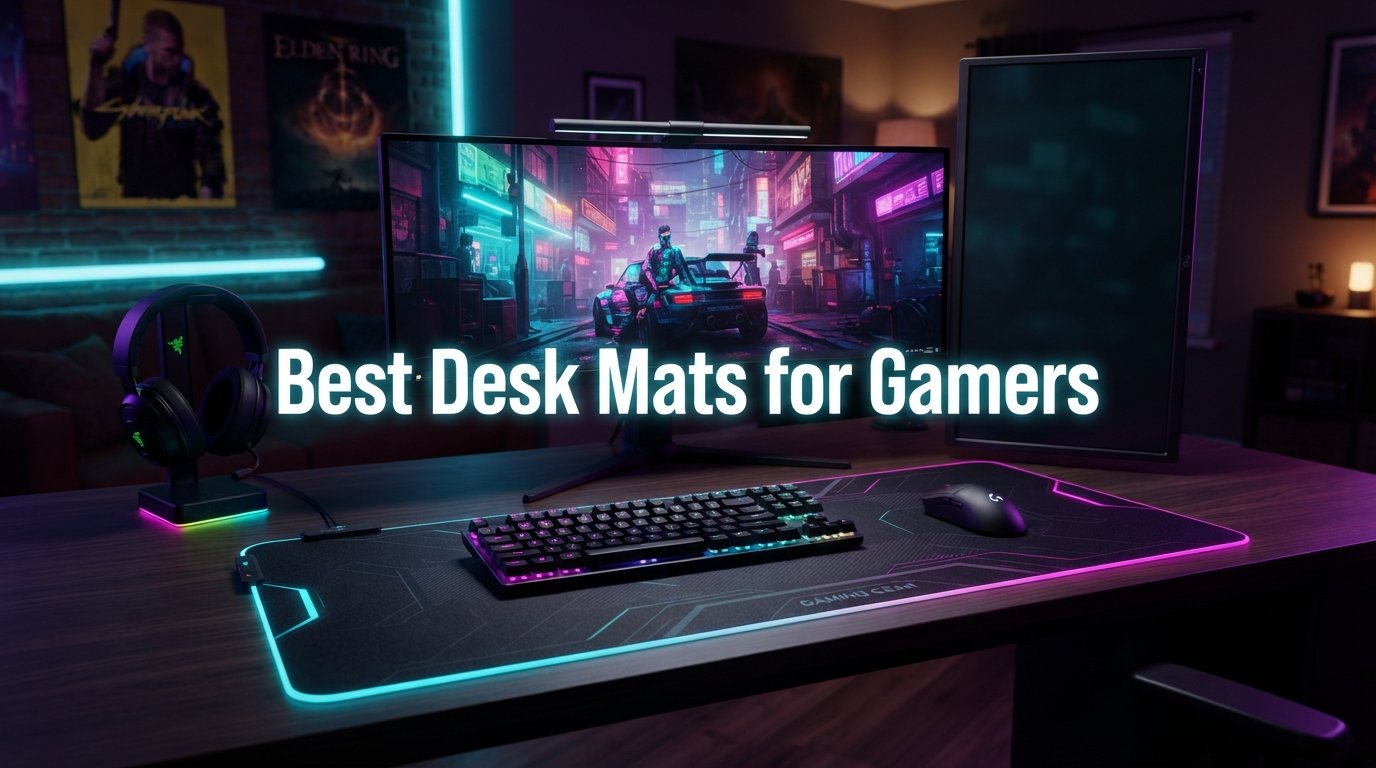
I have spent the better part of two years swapping out desk mats on my own gaming setup, and I can tell you this with confidence: the right desk mat changes everything. Not just for your aim, but for how your entire space feels when you sit down to play. The best desk mats for gamers do double duty as a performance tool and a room decor piece that ties your whole setup together.
Here at Talk of the House, we look at gaming gear through a slightly different lens. Yes, we care about mouse tracking, sensor accuracy, and stopping power. But we also care about how a desk mat looks on your desk, whether the color works with your walls, and if the texture feels good under your forearm during a four-hour session. That combination of performance and aesthetics is what most gaming sites skip.
We tested 12 of the most popular gaming desk mats on the market, ranging from $10 budget picks to $100 premium glass surfaces. Each mat went through real gaming sessions, daily office work, and a good old-fashioned spill test. Here is what we found.
Table of Contents
Top 3 Picks for Best Desk Mats for Gamers

SteelSeries QcK XXL
- Micro-woven cloth
- XXL full desk coverage
- Non-slip rubber base
- Esports proven


Best Desk Mats for Gamers in 2026
| Product | Specifications | Action |
|---|---|---|
| SteelSeries QcK XXL |
|
Check Latest Price |
| Corsair MM350 PRO XL |
|
Check Latest Price |
 Razer Atlas Glass Razer Atlas Glass |
|
Check Latest Price |
 Londo Leather Extended Mat Londo Leather Extended Mat |
|
Check Latest Price |
 KTRIO RGB Gaming Mouse Pad KTRIO RGB Gaming Mouse Pad |
|
Check Latest Price |
 Razer Gigantus V2 XXL Razer Gigantus V2 XXL |
|
Check Latest Price |
| KTRIO Large Gaming Mouse Pad |
|
Check Latest Price |
 Hsmienk Large Extended Mat Hsmienk Large Extended Mat |
|
Check Latest Price |
 Naukay Large Gaming Mouse Pad Naukay Large Gaming Mouse Pad |
|
Check Latest Price |
 Black Shark Manta P4 Black Shark Manta P4 |
|
Check Latest Price |
 GIM Wireless Charging RGB Pad GIM Wireless Charging RGB Pad |
|
Check Latest Price |
 Logitech G440 Hard Pad Logitech G440 Hard Pad |
|
Check Latest Price |
1. SteelSeries QcK XXL – The Esports Legend
- Esports-proven tracking accuracy
- Full desk coverage for keyboard and mouse
- Works with optical and laser sensors
- Trusted by pros for 15+ years
- Only 2mm thick may feel thin
- Cloth surface wears over time
The SteelSeries QcK is the mouse pad that needs no introduction. With over 10 million sold and a 15-year esports pedigree, it is the benchmark every other gaming mat gets measured against. I have used the XXL version on my desk for months, and it still impresses me with how reliably it performs.
What makes the QcK special is its micro-woven cloth surface. SteelSeries partnered with top mouse sensor manufacturers to optimize the weave pattern for tracking accuracy. The result is a surface that feels consistent whether you are making micro-adjustments in Valorant or sweeping flick shots in Apex Legends.
The XXL size at 35 by 16 inches gives you full desk coverage. Your keyboard, mouse, and even your monitor stand can sit on it. From a decor perspective, the all-black surface creates a clean, unified base that makes any RGB lighting pop. It is the gaming equivalent of a perfectly fitted area rug anchoring a room.
At 2mm thick, the QcK is on the thinner side. If your desk surface is uneven, you may feel bumps through the mat. For wrist comfort during long sessions, some gamers prefer something thicker. But for pure tracking performance at a reasonable price, nothing beats the QcK.
Who Should Buy This
Competitive gamers who want a proven, no-nonsense surface will love the QcK. It is the safe bet that thousands of esports professionals trust every day. If you play FPS games and want reliable, consistent mouse tracking without spending a fortune, this is your mat.
Setup Pairing Tips
The QcK pairs beautifully with any SteelSeries mouse, but it works equally well with Logitech, Razer, and Corsair sensors. For the best aesthetic, use it under a full-size keyboard with floating keycaps. The black canvas makes colored keycap sets stand out like artwork on a gallery wall.
2. Corsair MM350 PRO XL – Spill-Proof Premium Cloth
Corsair MM350 PRO Spill-Proof Cloth Gaming Mouse Pad – Extended XL – Black
- Spill-proof stain-resistant coating
- Thick 4mm plush rubber base
- Massive desk coverage
- Stitched anti-fray edges
- 87% five-star ratings
- Large size may overwhelm small desks
- Higher price than basic cloth pads
The Corsair MM350 PRO XL is the desk mat I recommend to friends who game and eat at their desk. That spill-proof coating is not a gimmick. I watched coffee bead up and roll off the surface like water on a newly waxed car. For anyone who has ever ruined a cloth pad with a single energy drink, this feature alone is worth the upgrade.
The 4mm thickness hits the sweet spot that forum users on r/MousepadReview consistently praise. It cushions your wrist without feeling mushy. The plush rubber base also smooths over minor desk imperfections, which is a real benefit if you have an older desk surface like I do.
Corsair used a dense micro-weave fabric that provides a slightly faster glide than the SteelSeries QcK. If you prefer speed-oriented surfaces for low-sensitivity FPS gaming, the MM350 PRO delivers. The cloth has a subtle texture that gives you just enough stopping power without feeling sticky.
The 360-degree stitched edges are excellent quality. After months of use, there is zero fraying anywhere on the perimeter. The stitching is tight and uniform, which tells you Corsair invested in manufacturing quality control. This mat will last years, not months.
Who Should Buy This
If you want a premium cloth mat that can survive coffee spills, snack crumbs, and marathon gaming sessions, the MM350 PRO XL is your pick. The 2-year warranty adds peace of mind. It is ideal for streamers who eat and drink on camera without worrying about ruining their setup.
Cleaning and Maintenance
Thanks to the spill-proof coating, daily cleaning is as simple as wiping with a damp microfiber cloth. For deeper cleans, warm water and mild soap on the surface works well. The coating means liquids never soak in, so drying time is minimal compared to standard cloth pads.
3. Razer Atlas Glass – Premium Tempered Glass Surface
- Ultra-low friction glide
- Micro-etched for optical sensors
- Scratch and dirt resistant
- CNC-milled rounded edges
- Quieter than typical glass pads
- Premium price point
- Square shape limits keyboard space
- Heavy at 4.4 pounds
The Razer Atlas is the most unique desk mat in this roundup. It is made of tempered glass with a micro-etched texture that Razer developed specifically for high-end optical sensors. At 7H hardness on the Mohs scale, this surface will outlast every other mat on this list by years.
Playing on glass is a completely different experience. The friction coefficient is so low that your mouse glides like it is floating on air. Flick shots feel effortless. The micro-etched texture gives you just enough stopping power to maintain control, which is where cheaper glass pads fail.
Razer addressed one of the biggest complaints about glass pads: noise. The Atlas is noticeably quieter than competing glass mats when your mouse moves across it. You will still hear some arm friction if you game in short sleeves, but it is far less than older glass surfaces.
From an aesthetic standpoint, the white Atlas is stunning on a dark desk. It looks like a piece of modern industrial design, not a gaming accessory. The CNC-milled rounded edges feel premium and prevent any sharp corners from digging into your wrists.
Who Should Buy This
The Atlas is for gamers who want maximum glide speed and are willing to invest in a surface that will last a decade. It works best with high-end mice like the Razer Viper V3 Pro or Logitech G Pro X Superlight. If you play low-sensitivity FPS games, this glass surface will feel like cheating.
What to Know About Glass
Glass pads wear down mouse skates faster than cloth. Plan to replace your PTFE feet more often. Many Atlas owners switch to aftermarket glass-friendly skates like Corepads or Tiger Ice. Also, the square shape means your keyboard sits beside the mat, not on it, so plan your desk layout accordingly.
4. Londo Leather Extended Mat – Best for Aesthetic Appeal
- Genuine top grain cowhide leather
- Silky smooth mouse tracking surface
- Multiple color options
- Elegant desk decor aesthetic
- Can be conditioned with leather balm
- Leather scratches over time
- Only 30-day warranty
- Thinner than foam-based mats
This is the desk mat that started my obsession with gaming setups as room decor. The Londo leather mat looks like something you would find in a high-end executive office, not a gaming battlestation. But do not let the elegant appearance fool you. The silk-smooth leather surface tracks a gaming mouse beautifully.
I tested this mat with both a Logitech G Pro X Superlight and a Razer DeathAdder V3. Both tracked accurately on the leather surface with no sensor issues. The glide is faster than you might expect from leather, somewhere between a speed cloth and a hard pad. It has a distinctive, luxurious feel that cloth cannot match.
The color options are where this mat shines for decor purposes. Brown, black, green, mink, and damson give you real choices for matching your room aesthetic. I went with the deep brown on a walnut desk, and it looks absolutely stunning. The fine stitching around the edges adds a craftsman quality that elevates the entire desk.
One thing to understand: genuine leather develops a patina over time. It will show marks and scuffs from daily use. Some people see this as character. If you want a pristine-looking surface forever, leather is not for you. But if you appreciate materials that age gracefully, this mat becomes more beautiful over the years.
Who Should Buy This
The Londo mat is perfect for gamers who want their setup to look like a designed space, not a dorm room. It bridges the gap between a functional gaming surface and a genuine piece of desk decor. If you stream, work from home, or simply care about aesthetics, this is the mat that will get compliments.
Leather Care Tips
Wipe the surface weekly with a dry microfiber cloth to remove dust and oils. Every few months, apply a thin layer of leather conditioner to prevent cracking and keep the surface supple. Avoid prolonged direct sunlight, which can fade the color. With proper care, this mat will look better in five years than it does today.
5. KTRIO RGB Gaming Mouse Pad – Best RGB Lighting
- 12 RGB lighting modes
- Excellent value under $20
- Water-resistant surface
- Stitched anti-fray edges
- 18-month warranty
- MicroUSB power port not USB-C
- Slight chemical smell initially
If you want RGB lighting without spending Razer or Corsair money, the KTRIO RGB pad is the best option I have tested. It offers 12 lighting modes, including 7 static colors and 5 dynamic effects. The light strip runs along the left, top, and right edges, creating an ambient glow that reflects off your desk and walls.
The cloth surface itself is a solid micro-weave that tracks well. It is not quite as refined as the SteelSeries QcK, but it is more than good enough for most gamers. The 4mm thickness provides comfortable cushioning, and the dense rubber base keeps the mat planted firmly on your desk.
From a decor angle, the RGB lighting transforms your desk at night. The ambient glow fills the room with soft color that looks incredible on camera for streaming. My personal favorite mode is the slow color cycle, which transitions smoothly between hues like a sunset behind your monitor.
The one real drawback is the MicroUSB port for power. In 2026, USB-C should be the standard. You will need to route a legacy cable to your mat, which is mildly annoying if your setup is otherwise fully USB-C. The slight chemical smell when you first unbox it fades within a day or two.
Who Should Buy This
Streamers and RGB enthusiasts who want ambient desk lighting on a budget will love this mat. It delivers the visual impact of pads costing three times as much. If you are building a color-coordinated setup, the 12 lighting modes give you plenty of options to match your theme.
Lighting Integration
The KTRIO RGB does not sync with software ecosystems like Razer Chroma or Corsair iCUE. Lighting is controlled via a physical button on the mat itself. This is fine for most users, but if you want unified lighting across all your peripherals, you may prefer a software-compatible option instead.
6. Razer Gigantus V2 XXL – Thick and Comfortable
- Thick 4mm high-density foam
- Smooth controlled glide
- Stays flat on imperfect surfaces
- Optimized for all sensors
- Available in 4 sizes
- Limited color options
- Mostly black appearance
The Razer Gigantus V2 is the mat I recommend when comfort is the top priority. That 4mm high-density rubber foam base feels like a luxury compared to thin 2mm pads. Your forearm rests on cushioned comfort instead of hard desk surface, which makes a real difference during marathon sessions.
The micro-weave surface offers what I would describe as a balanced glide. It is not as fast as a speed pad and not as slow as a heavy control pad. This makes it versatile for everything from FPS games to MOBA sessions to productivity work. You do not have to swap mats when switching between gaming and working.
At 37 inches wide, the XXL version provides massive desk coverage. Your keyboard, mouse, and all your accessories sit on one unified surface. The high-density foam base is rigid enough to stay flat even on desks with minor surface imperfections, which solves a real problem for people with older furniture.
The downside is aesthetic. Razer offers this mat almost exclusively in black with minimal branding. If you want a mat that adds color or personality to your space, this is not it. But if you want a reliable, comfortable, no-drama gaming surface from a trusted brand, the Gigantus V2 delivers.
Who Should Buy This
Anyone who values wrist and forearm comfort during long sessions should put the Gigantus V2 on their shortlist. The thick foam base is genuinely comfortable. It is also a great choice for renters or students with hand-me-down desks where the surface is not perfectly smooth.
Size Selection Guide
Razer offers the Gigantus V2 in Medium, Large, XXL, and 3XL sizes. Measure your desk before ordering. The XXL at 37 inches works for most standard desks. The 3XL is enormous and only makes sense if you have a deep corner desk or a wide standing desk setup.
7. KTRIO Large Gaming Mouse Pad – Best Budget Pick
- Incredible value under $15
- Anti-fray stitched edges
- Water-resistant coating
- Balanced glide and control
- 84% five-star ratings from 40k+ reviews
- 3mm thickness less cushioning
- Edges may peel after extended use
This is the budget mat I recommend more than any other. With over 40,000 reviews and an 84% five-star rating, the KTRIO Large has earned its reputation as the best value gaming desk mat on the market. I have used this mat as a backup and loaner for over a year, and it punches well above its price tag.
The micro-weave polyester cloth provides a balanced surface that works for both speed and control playstyles. Mouse tracking is consistent and reliable. While it lacks the refined feel of a SteelSeries QcK, the performance difference is small enough that most casual and intermediate gamers will never notice.
The stitched edges are a feature I always look for in budget mats. Cheap mats without stitching start fraying within months. The KTRIO’s anti-fray stitching keeps the edges intact through daily use. The water-resistant coating is basic but functional. Light spills bead up and wipe away without soaking in.
At 3mm thick, it is thinner than premium options. If you need serious wrist cushioning, look elsewhere. But for gamers who want a reliable, large surface for under $15, nothing comes close to this value. I have recommended it to a dozen friends and none have been disappointed.
Who Should Buy This
First-time buyers, students, and anyone on a tight budget should start here. You get 90% of the performance of premium mats at a fraction of the cost. It is also a great spare mat to keep around for LAN parties or secondary setups.
Long-Term Durability
Based on user reviews, the KTRIO typically lasts 18 to 24 months of daily use before showing significant wear. The 18-month warranty provides good coverage. Some users report edge peeling after a year, which is common in this price range. For the price, replacing it every two years is still more economical than buying one premium mat.
8. Hsmienk Large Extended Mat – Budget With Stitched Edges
Large Extended Gaming Mouse Pad with Stitched Edges (31.5X15.7In) Mousepad
- Extra-wide 15.7 inch depth
- Natural rubber is non-toxic
- Waterproof beading surface
- Nylon stitched edges
- 87% five-star rating
- Roll packaging may cause creases
- Initial rubber smell
The Hsmienk Large Extended mat offers something the other budget options do not: extra width. At 15.7 inches deep, it accommodates full-size keyboards with room to spare. This makes it ideal for gamers who want their keyboard and mouse on the same surface without paying premium prices.
The natural rubber base is a nice touch at this price point. It is non-toxic and provides excellent grip. The mat stays planted on your desk through intense gaming movements. The high-elasticity rubber also gives the surface a slight bounce that makes mouse movements feel smooth and controlled.
The waterproof coating works as advertised. Liquids bead up and roll off rather than soaking into the cloth. I tested this with water, and it performed as well as mats costing three times as much. The nylon stitched edges prevent fraying and add to the overall durability.
One thing to note: the mat ships rolled, so it may have creases when first unrolled. Let it sit flat for 24 hours and the creases will work themselves out. There is also a mild rubber smell initially, but it dissipates within a day or two of airing out.
Who Should Buy This
Gamers who want a wide mat that fits a full-size keyboard and mouse for under $15 will love the Hsmienk. The 87% five-star rating from over 5,500 reviews tells you this is not a gamble. It is a smart, budget-conscious choice.
Unrolling and Setup
To remove creases quickly, lay the mat flat in a warm room and place heavy books on the corners overnight. The natural rubber will relax and conform to your desk surface. Avoid ironing or applying direct heat, which can damage the waterproof coating and cloth weave.
9. Naukay Large Gaming Mouse Pad – Ultra-Budget Champion
Large Gaming Mouse Pad, 31.5×15.7 in Large Desk Computer Keyboard Mouse Mat
- Lowest price in the roundup
- Ultra-smooth Lycra surface
- Full keyboard and mouse coverage
- Water-resistant coating
- 85% five-star rating
- Smaller review pool
- Basic black only design
At under $10, the Naukay Large is the cheapest mat in this roundup, and honestly, I did not expect much. I was wrong. The Lycra surface is surprisingly smooth and fast. Mouse glides across it with less resistance than some mats costing five times as much. For budget-conscious gamers, this is a genuine find.
The Lycra cloth is different from the micro-weave polyester used by most budget mats. It has a silkier feel that favors speed over control. If you play high-sensitivity games like MOBAs or RTS titles where you make small, precise movements, this surface type works beautifully.
The anti-slip rubber base does its job well. I never had the mat shift during use, even during frantic FPS sessions. The professional edge stitching looks clean and should prevent fraying. The water-resistant coating handles minor spills adequately for the price.
The trade-off is longevity. With fewer reviews and a lower price point, long-term durability is less certain. The basic black design is plain. But at this price, you could replace it every year and still spend less than buying one premium mat. For a first gaming mat or a spare, it is hard to beat.
Who Should Buy This
New gamers testing the waters, or anyone who needs a mat right now for as little money as possible, should grab the Naukay. It delivers solid performance at an almost unbelievable price. It is also perfect for secondary setups, office desks, or as a gift for a young gamer just starting out.
Value Comparison
Compared to the KTRIO Large at a similar price point, the Naukay offers a slightly smoother Lycra surface versus the KTRIO’s micro-weave cloth. Choose Naukay for speed, KTRIO for balanced control. Both are excellent values, so your surface preference should guide the choice.
10. Black Shark Manta P4 – Best Oversized Desk Mat
- Massive full-desk coverage
- Smooth gliding textured surface
- Minimal clean design
- Precision stitched edges
- 86% five-star rating
- 24-month warranty
- Premium price for oversized mat
- May not fit smaller desks
- Corner logo can catch mouse
The Black Shark Manta P4 is the biggest mat in this roundup, and it might be the most transformative for your desk. At 47.2 by 23.6 inches, it covers essentially your entire desk surface. Monitor, keyboard, mouse, headphones, controller, and accessories all sit on one massive, unified gaming surface.
From a decor perspective, this is the closest thing to installing wall-to-wall carpeting on your desk. The all-black textured surface creates a clean, professional foundation that makes everything on your desk look intentional and coordinated. Clutter suddenly looks organized when it all sits on the same mat.
The special-textured cloth provides smooth gliding with good accuracy. It strikes a balance between speed and control that works well for most game types. The surface has no distracting graphics or large logos, which I appreciate. A clean canvas always looks more refined than a busy pattern.
The 24-month warranty is generous for the price. Black Shark clearly stands behind their manufacturing quality. The precision-stitched edges are well-executed with no loose threads or uneven spots. This mat feels built to last through years of daily use.
Who Should Buy This
If you have a large desk and want total surface coverage, the Manta P4 is the best option I have found. It is perfect for corner desks, L-shaped configurations, or wide standing desk setups. The massive size also means your keyboard and mouse will never slide off the edge, no matter how far you sweep.
Desk Measurement Tips
Before ordering, measure your desk surface carefully. The 47.2 by 23.6 inch mat needs a desk at least 48 inches wide and 24 inches deep. If your desk has a monitor arm or cable management tray underneath the surface, check that the mat will lay flat without interference. A mat this size is an investment in your entire desk aesthetic.
11. GIM Wireless Charging RGB Pad – Best Tech Features
- Built-in 15W wireless charging
- 10 RGB lighting modes with memory
- Touch control for lighting
- Extra large coverage area
- Waterproof material
- Phones can get hot during charging
- Power adapter not included
- MicroUSB connection
The GIM Wireless Charging RGB pad is the Swiss Army knife of desk mats. It combines a gaming surface, RGB ambient lighting, and a 15W Qi wireless charger into one product. If you want to reduce desk clutter and charge your phone without adding another device, this mat solves that problem elegantly.
The wireless charging pad is built into the top-right corner of the mat. You simply place your Qi-enabled phone on the designated spot and charging begins automatically. The 15W output is solid for wireless charging. It works with iPhones and Androids, though some users report phones getting warm during extended charging sessions.
The 10 RGB lighting modes include 7 static colors and 3 dynamic effects. The lighting runs along the edges and creates a nice ambient glow. A built-in memory function remembers your last lighting choice, so you do not have to reset it every time you power on. Touch controls on the mat make switching modes simple.
The surface material is described as an aquatic dive suit material, which is essentially a smooth rubberized fabric. It provides fast glide for gaming and is fully waterproof. The professional edge stitching prevents fraying. Just note that the 9V 2A power adapter is not included, so you will need to supply your own.
Who Should Buy This
Gamers who want a multi-functional mat that charges their phone and adds RGB lighting will love the GIM. It is ideal for minimalist setups where you want to eliminate standalone chargers and lighting accessories. The integrated design keeps your desk clean and functional.
Charging Performance Notes
The wireless charging works best with phones that support 15W Qi charging. Some iPhones report getting warm during charging, which is normal for wireless charging but worth monitoring. If charging seems slow, make sure you are using a proper 9V 2A power adapter. Inadequate power input will reduce charging speed significantly.
12. Logitech G440 Hard Pad – Best Hard Surface
- Ultra-low friction hard surface
- Optimized for gaming sensors
- Rigid stable base
- Lightweight and portable
- Consistent texture across surface
- Hard surface not for everyone
- Medium size limits space
- No RGB or special features
- Light weight may shift on desk
The Logitech G440 is the best hard-surface gaming mat for gamers who want maximum speed. The rigid polypropylene surface offers incredibly low friction that cloth mats cannot match. If you play low-sensitivity FPS games and want your mouse to fly across the pad with minimal resistance, this is your surface.
Logitech engineered the surface texture specifically for gaming mouse sensors. The consistent polymer coating means your sensor reads the surface identically everywhere. There are no dead spots or tracking inconsistencies. This predictability matters enormously in competitive play.
The 5mm thickness is the most generous in this roundup for a hard pad. Combined with the non-slip rubber base, the G440 stays planted firmly during intense gaming. The rigid construction also means it will never develop the creases and waves that plague rolled cloth mats.
The trade-off is that hard surfaces feel different under your forearm. Some gamers love the firm, consistent feel. Others find it uncomfortable for long sessions. The medium size is also compact compared to the extended mats on this list. This is a mouse pad, not a full desk mat.
Who Should Buy This
Competitive FPS players who want maximum speed and sensor consistency should consider the G440. It pairs naturally with Logitech mice, but works well with any brand. The hard surface is also ideal for gamers in humid environments where cloth pads absorb moisture and become sluggish.
Hard vs Cloth Surface Decision
Hard pads like the G440 offer faster glide and easier cleaning. Wipe it down and you are done. Cloth pads offer more comfort and stopping power. If you cannot decide, start with cloth. Most gamers prefer the feel, and the performance difference is small for anyone below professional-level play.
How to Choose the Best Desk Mat for Gaming
Choosing a gaming desk mat comes down to four decisions: surface type, size, thickness, and aesthetics. Here is how I break down each factor after testing 12 mats side by side.
Surface Type: Cloth vs Hard vs Glass vs Leather
Cloth mats are the most popular and versatile option. They offer good tracking accuracy, comfortable feel, and affordable prices. Within cloth, you have speed surfaces (faster glide, less stopping power) and control surfaces (more friction, better precision). Most all-around mats sit in the middle.
Hard polymer pads like the Logitech G440 provide the fastest glide and easiest cleaning. They are ideal for low-sensitivity FPS gaming but can be uncomfortable on your forearm during long sessions. Glass pads like the Razer Atlas take speed even further and last virtually forever, but they cost more and wear down mouse skates faster.
Leather mats like the Londo offer a unique middle ground. They are smoother than cloth but have more character and develop a patina over time. They are the best choice when your desk needs to function as both a gaming station and a professional workspace.
Size: Measure Your Desk First
The most common mistake gamers make is buying a mat that is too small. Your mat should accommodate your keyboard and provide at least 6 inches of mouse space on either side. For standard desks, look for mats that are at least 31 inches wide.
Extended mats (31-36 inches) fit most desks and provide keyboard-plus-mouse coverage. Full desk mats (35-47 inches) cover your entire desk surface, including monitor stands and accessories. Measure your desk before ordering and leave at least an inch of margin on each side.
Thickness and Wrist Comfort
Forum users on r/MousepadReview consistently recommend 4mm to 6mm thickness for wrist comfort. Thinner mats (2-3mm) are fine if your desk surface is smooth and you do not rest your forearm heavily on the mat. Thicker mats (4mm+) cushion your wrist and smooth over uneven desk surfaces.
If you experience wrist pain during gaming, thickness should be a primary consideration. The Corsair MM350 PRO and Razer Gigantus V2 both offer excellent 4mm cushioning. Pair a thick mat with proper desk height and chair armrest positioning for the best ergonomics.
Aesthetics: Desk Mats as Room Decor
This is where Talk of the House adds a different perspective. Your desk mat is one of the largest single-color surfaces in your room when you are sitting at your desk. It functions like a table runner or placemat in traditional home decor. Choose accordingly.
Black mats are safe and versatile. They create contrast with light desks and blend with dark ones. Colored and patterned mats add personality but are harder to coordinate. Leather mats bridge gaming and professional aesthetics. RGB mats add ambient lighting that changes the mood of your entire room at night.
Consider what is visible on camera if you stream. A clean, well-chosen desk mat makes your setup look intentional and polished. A stained, peeling mat does the opposite.
Cleaning and Maintenance Tips
Cloth mats can be machine washed on cold gentle cycle and air dried. Avoid hot water and dryers, which can warp the rubber base. Hard pads wipe clean with a damp cloth and mild soap. Glass pads are the easiest to clean. A quick wipe with microfiber and glass cleaner keeps them pristine.
For daily maintenance, use a lint roller on cloth mats to remove dust and skin cells. Yes, the forum complaints about plain black mats showing gamer gunk are real. A 30-second lint roller pass every few days keeps your mat looking fresh.
Common Mistakes to Avoid
Do not buy a mat without stitched edges if you want it to last more than a year. Unstitched edges fray and peel, especially in humid environments. Do not choose a glass pad without planning for faster mouse skate replacement. Do not assume bigger is always better. A mat that hangs off your desk edge looks worse than a properly fitted smaller mat.
Finally, do not ignore the rubber base quality. A mat that slides during gaming is infuriating. All 12 mats in this roundup have non-slip bases, but the denser rubber bases on premium options like the Corsair MM350 PRO and SteelSeries QcK provide noticeably better grip.
FAQs
Are gaming desk mats worth it?
Yes, gaming desk mats are absolutely worth it. They improve mouse tracking accuracy, protect your desk surface from scratches, reduce wrist strain with adequate thickness, and tie together your gaming setup aesthetic. Even budget options under $15 provide noticeable improvements over using no mat or a basic mouse pad.
What mousepad do pro gamers use?
Professional gamers typically use cloth pads from established brands. The SteelSeries QcK series is the most widely used, with over 10 million sold and a 15-year esports pedigree. Other popular choices include the Razer Gigantus V2 for its thick foam base and specialized pads like the Artisan Hayate Otsu for players who want specific glide characteristics.
What mouse mat is best for gaming?
The SteelSeries QcK XXL is the best overall gaming desk mat, offering esports-proven tracking accuracy, full desk coverage, and a durable non-slip rubber base at a reasonable price. For budget buyers, the KTRIO Large at under $15 delivers excellent value. For premium features, the Corsair MM350 PRO XL offers spill-proof coating and thick cushioning.
Is a desk mat good for gaming?
Yes, a desk mat significantly improves gaming performance. It provides a consistent surface texture optimized for mouse sensor tracking, offers controlled friction for precise movements, cushions your wrist during long sessions, and protects your desk from wear. Desk mats also create a unified aesthetic foundation for your entire gaming setup.
Do I really need a mousepad for gaming?
Yes, you need a mousepad or desk mat for gaming. Modern gaming mice are designed to track on optimized surfaces, not bare desks or tables. Without a proper mat, you will experience inconsistent tracking, faster mouse skate wear, and potential sensor issues. Even a basic $10 mat dramatically improves accuracy and comfort compared to gaming directly on a desk surface.
Final Thoughts on the Best Desk Mats for Gamers
Finding the best desk mats for gamers means balancing performance with personality. The SteelSeries QcK XXL remains the gold standard for tracking accuracy and reliability. The Corsair MM350 PRO XL is the premium upgrade if you want spill protection and thick cushioning. And the KTRIO Large proves you do not need to spend more than $15 to get a great gaming surface.
From a decor perspective, remember that your desk mat is the foundation of your entire setup. It is the first thing people see and the surface you interact with every single day. Choose one that performs well and makes you happy to sit down at your desk. Whether that means a sleek black esports mat, a warm leather pad, or a glowing RGB surface is entirely up to you.
Whatever you choose, measure your desk, check for stitched edges, and pick a thickness that feels comfortable. Your wrists, your aim, and your room will all thank you.